

Managing office documents manually is no longer sustainable. Policies, contracts, SOPs, compliance files, manuals, and reports keep growing every month. Unfortunately, most organizations still depend on folders, emails, and basic spreadsheets. As a result, documents get misplaced, expiry dates are missed, owners lose accountability, and audits become stressful.
That is exactly why the Office Document Management Dashboard in Power BI is a must-have analytics solution for modern organizations.
This ready-to-use Power BI dashboard transforms raw document data into clear, interactive, and actionable insights. Instead of searching through folders, teams instantly understand document status, ownership, expiry risks, file size trends, and monthly activity — all from one centralized dashboard.
🔍 Key Features of Office Document Management Dashboard in Power BI
📊 Real-Time Document Status Tracking – Instantly monitor active, expired, under-review, and archived documents
🎯 Owner-Wise Accountability Analysis – Clearly identify who owns which documents
🏢 Department-Level Compliance Monitoring – Detect departments with higher expiry risks
📁 Category-Based Document Insights – Analyze policies, contracts, SOPs, manuals, and more
📦 File Size Optimization Analysis – Identify heavy files impacting storage usage
📅 Monthly Trend Analysis – Track document activity changes over time
🎛️ Interactive Slicers – Filter by department, category, owner, or date effortlessly
🔗 Easy Excel-to-Power BI Integration – Works smoothly with structured Excel data

📦 What’s Inside the Office Document Management Dashboard
This Power BI dashboard includes five professionally designed analysis pages, each focused on a critical document management area:
📌 Overview Page
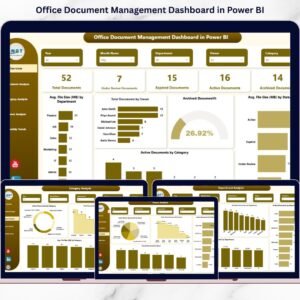
Provides a complete snapshot of document health with KPIs such as total documents, active files, expired documents, archived percentage, and average file size.
📌 Department Analysis Page
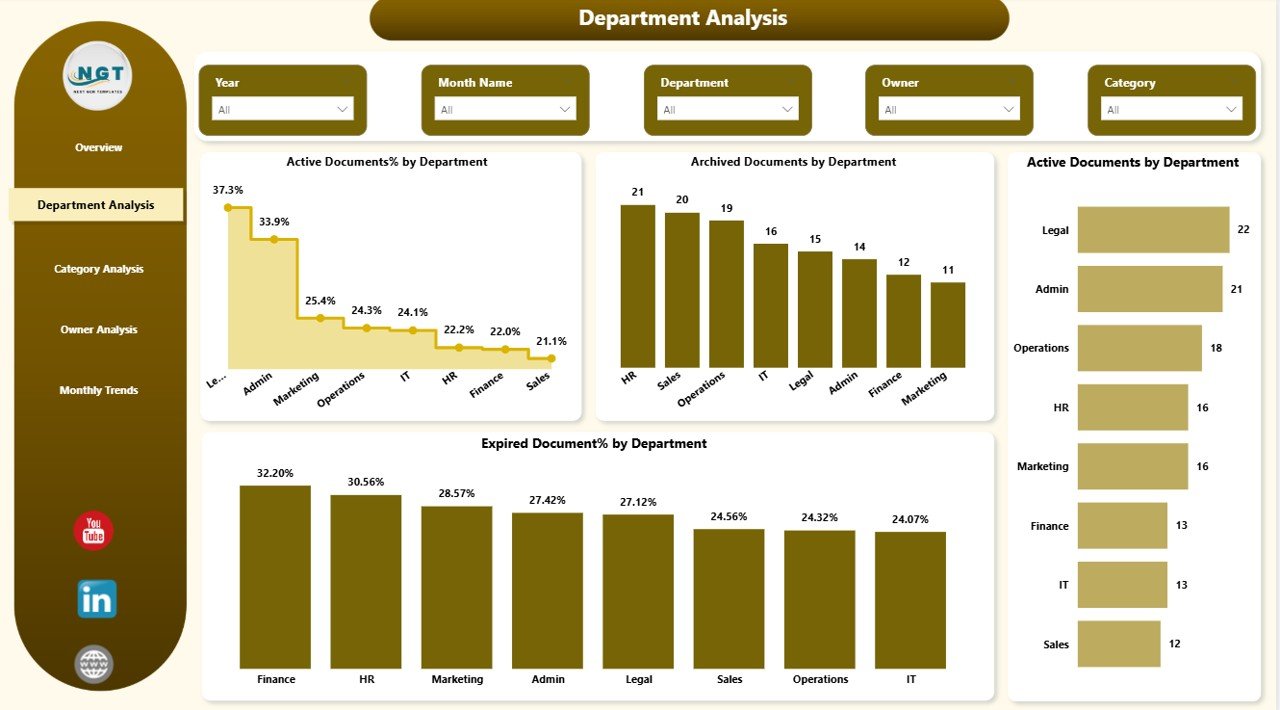
Highlights department-wise active, expired, and archived documents to identify compliance gaps.
📌 Category Analysis Page
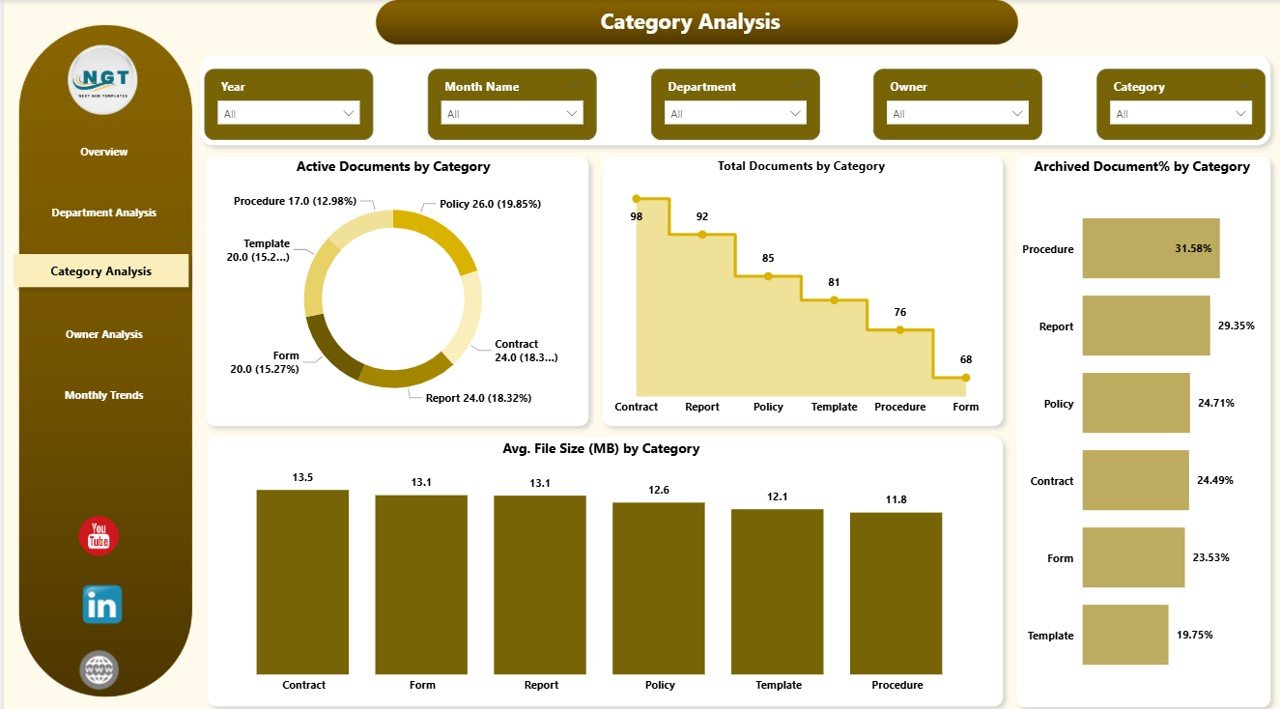
Shows document distribution by type, helping teams understand which categories consume storage and attention.
📌 Owner Analysis Page
Ensures accountability by displaying owner-wise document responsibility and review status.
📌 Monthly Trends Page
Tracks document creation, expiry, and review patterns month by month for better planning.
🛠️ How to Use the Office Document Management Dashboard
Using this dashboard is simple and efficient:
1️⃣ Prepare your document data in Excel using fields like Document ID, Name, Department, Category, Owner, Status, File Size, Created Date, and Expiry Date
2️⃣ Connect the Excel file to Power BI Desktop
3️⃣ Refresh the data with one click
4️⃣ Use slicers to filter insights instantly
5️⃣ Monitor risks, compliance, and ownership in real time
No advanced Power BI knowledge is required.
👥 Who Can Benefit from This Office Document Management Dashboard
This dashboard is ideal for:
✔️ Compliance & Audit Teams
✔️ Admin & Operations Departments
✔️ HR & Legal Teams
✔️ Quality Assurance Teams
✔️ IT & Records Management Teams
✔️ Small and Mid-Sized Organizations
Both technical and non-technical users can easily use this dashboard.
Click here to read the Detailed blog post
Watch the step-by-step video tutorial: