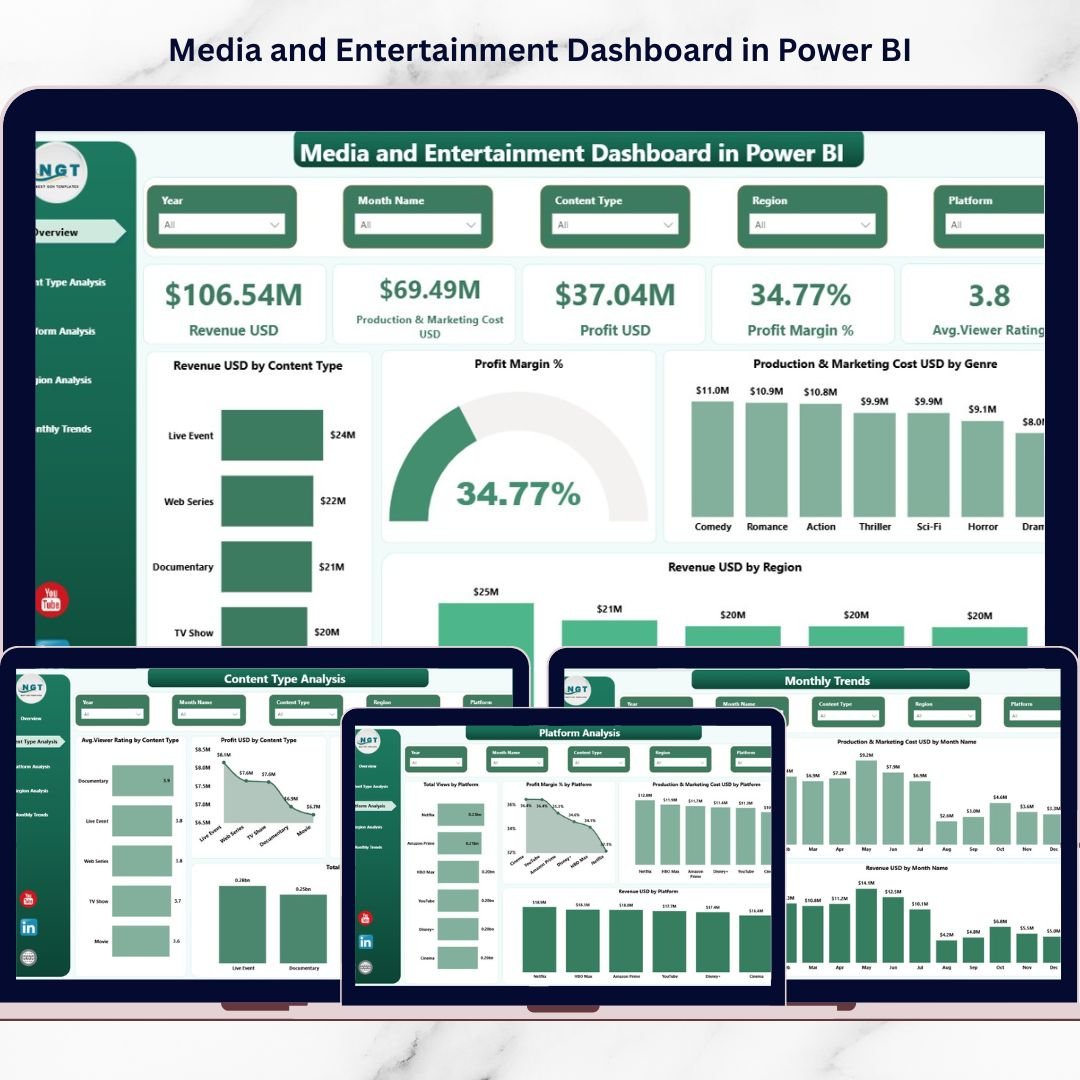
The media world never slows down. New movies launch. Web series trend overnight. Streaming platforms compete fiercely. Marketing budgets increase. Production costs fluctuate. Viewer preferences change in weeks.If you are still tracking revenue and costs in scattered spreadsheets, you are already behind.It’s time to switch to a smarter, faster, and more powerful solution.Introducing the Media and Entertainment Dashboard in Power BI — a fully interactive, ready-to-use analytics system designed to help media companies track revenue, production costs, profit margins, viewer ratings, platforms, and regional performance in one centralized dashboard.
Stop guessing. Start making data-driven decisions.
🚀 Key Feature of Media and Entertainment Dashboard in Power BI
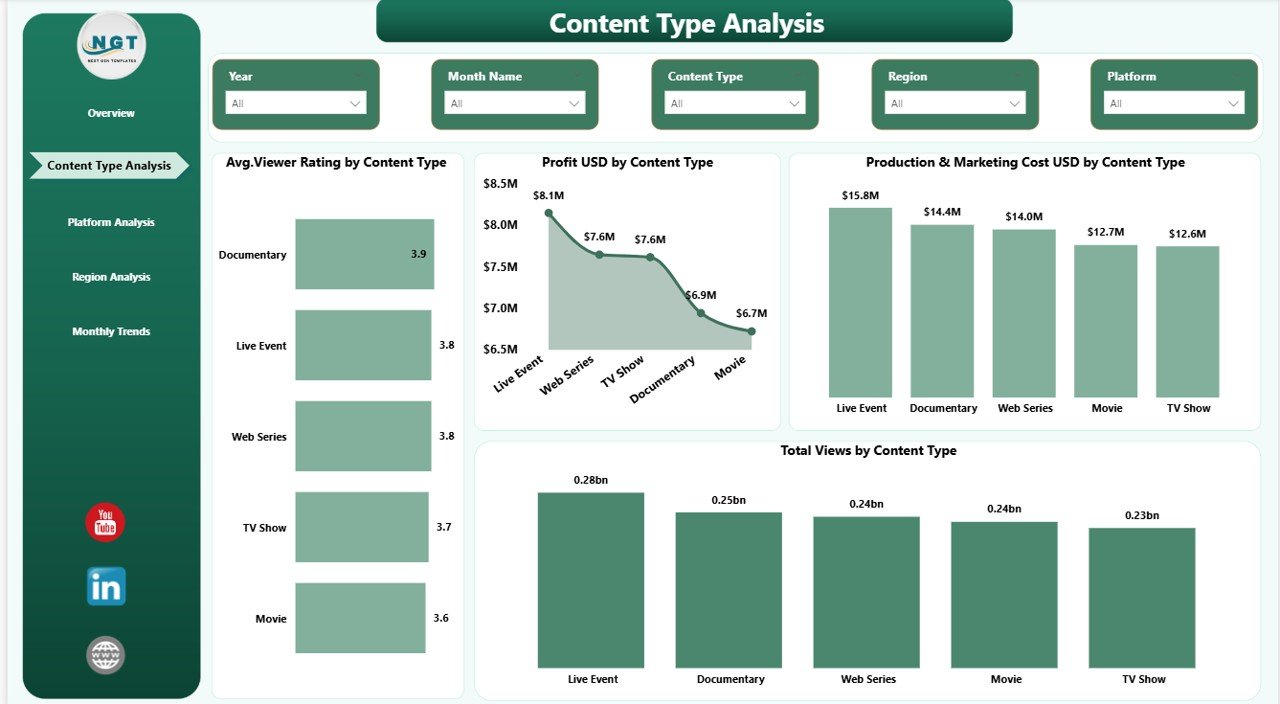
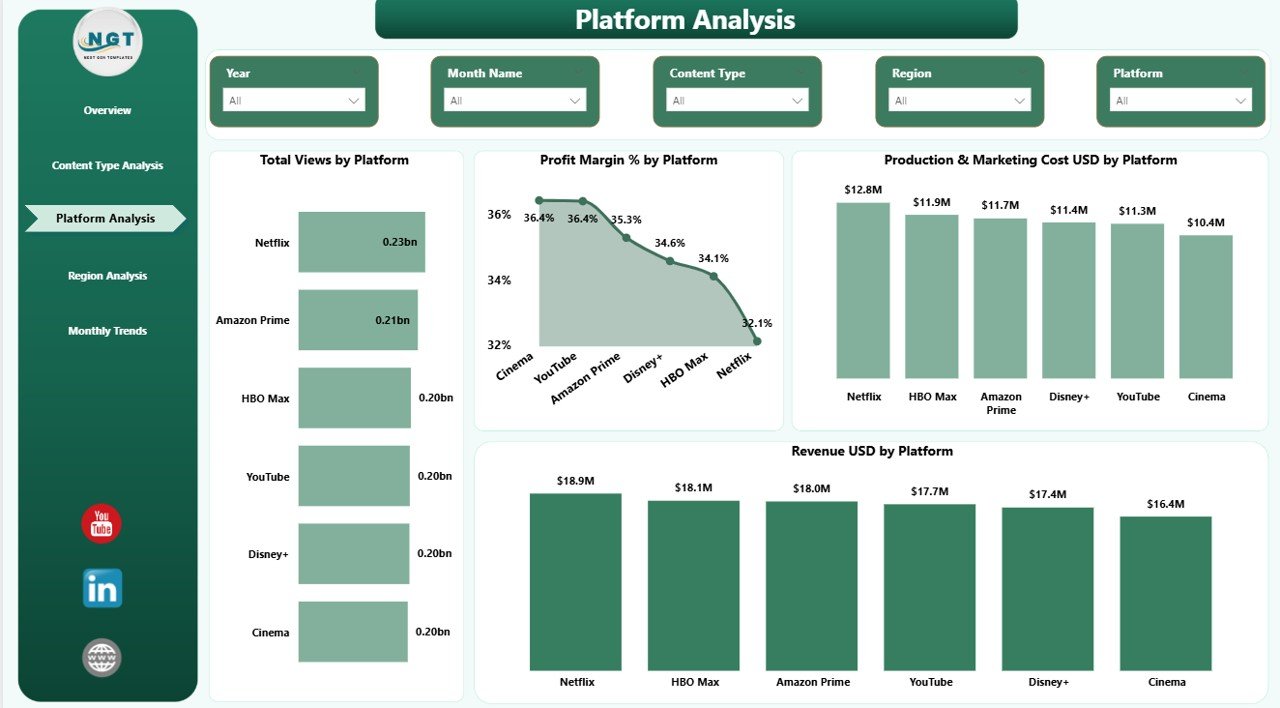
📊 5 Fully Interactive Dashboard Pages – Overview, Content Type Analysis, Platform Analysis, Region Analysis, and Monthly Trends.
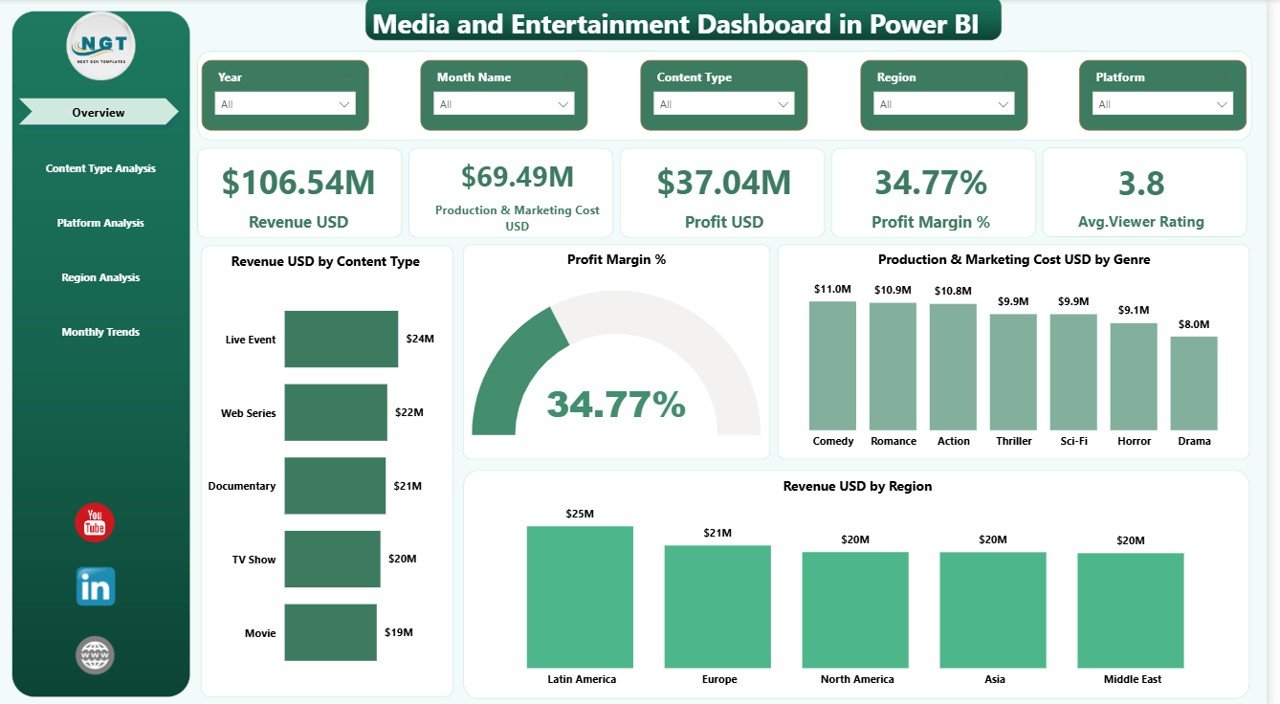
💰 Revenue & Cost Monitoring – Track Revenue (USD), Production & Marketing Cost (USD), Profit (USD), and Profit Margin % instantly.
⭐ Viewer Engagement Tracking – Monitor Average Viewer Rating and Total Views by content type and platform.
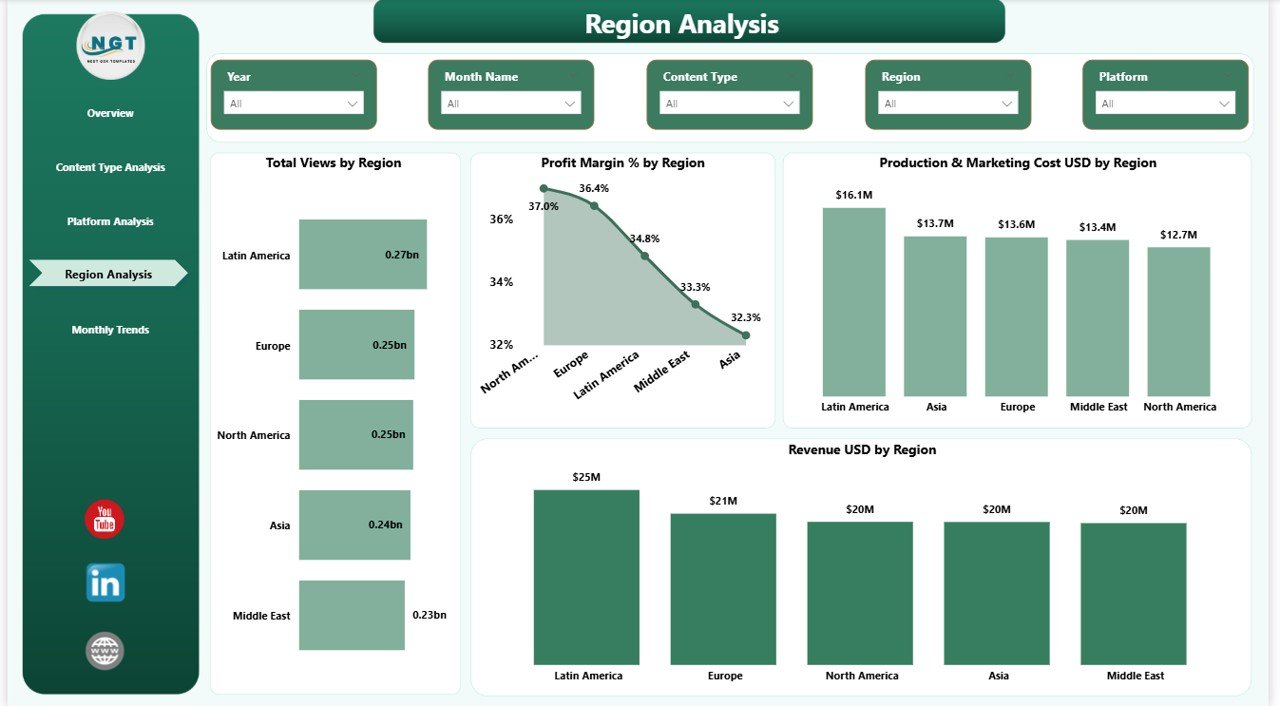
🌍 Regional Performance Insights – Identify high-performing regions and optimize distribution strategy.
🎥 Content Type Comparison – Compare Movies, Web Series, TV Shows, Documentaries, and Reality Shows side-by-side.
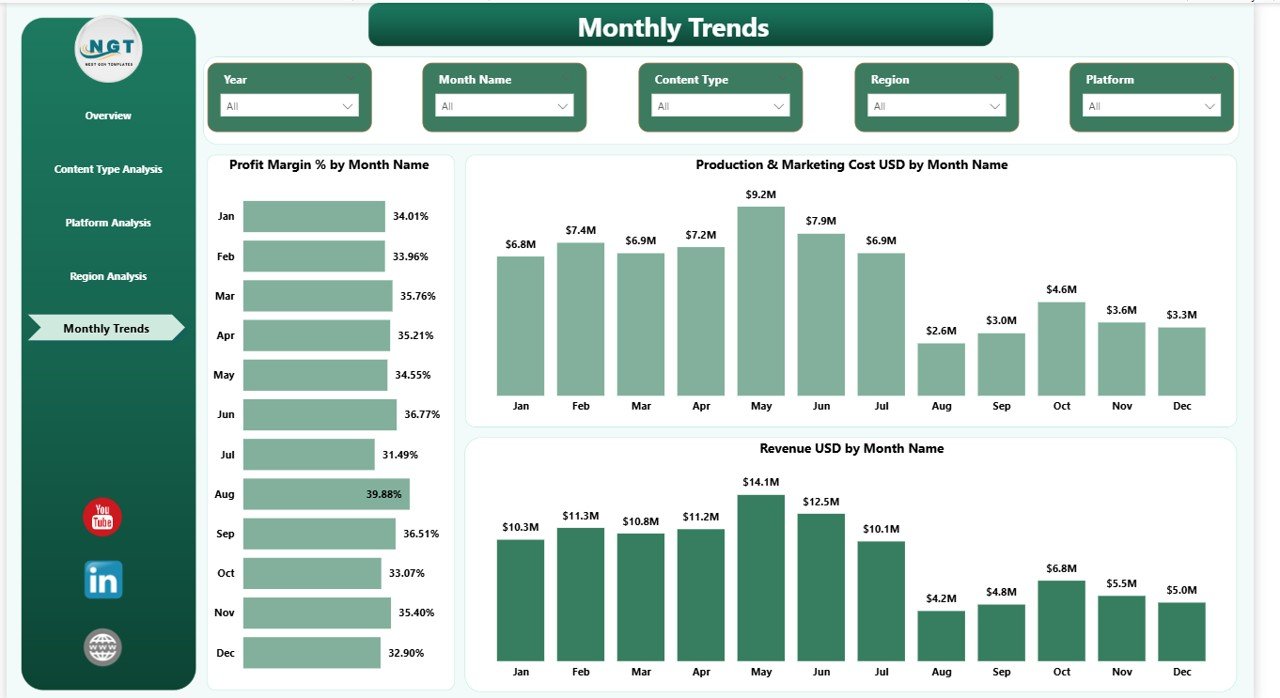
📈 Monthly Trend Analysis – Analyze revenue growth, cost fluctuations, and seasonal patterns.
🎯 Dynamic Slicers & Filters – Instantly filter data by Content Type, Platform, and Region for deeper analysis.
⚡ Fast Decision Support – Visual KPIs update in seconds, helping leadership act quickly.
📦 What’s Inside the Media and Entertainment Dashboard in Power BI
When you download this product, you get:
✔ A professionally designed Power BI (.pbix) dashboard file
✔ 5 structured analytics pages with interactive visuals
✔ Pre-built KPI cards and DAX measures
✔ Revenue, Cost, Profit, and Margin calculations
✔ Dynamic charts for content, platform, region, and trends
✔ Clean layout for executive-level reporting
✔ Easy customization for your business model
This dashboard transforms raw financial and performance data into actionable intelligence.
🛠 How to Use the Media and Entertainment Dashboard in Power BI
Using this dashboard is simple:
1️⃣ Import your revenue, production cost, marketing cost, and viewer data into structured tables.
2️⃣ Open the Power BI file.
3️⃣ Replace sample data with your actual business data.
4️⃣ Refresh the dataset.
5️⃣ Use slicers to filter by content type, region, or platform.
6️⃣ Monitor KPI cards and trend charts for insights.
Within minutes, you will see which content earns the most revenue, which platform delivers the highest margin, and where costs are increasing.
No advanced coding required. Just structured data and smart visualization.
👥 Who Can Benefit from This Media and Entertainment Dashboard in Power BI
🎬 Film Production Companies
📺 TV Networks
📡 OTT & Streaming Platforms
🎥 Digital Media Agencies
💼 Media Investors & Financial Analysts
📊 Marketing & Strategy Teams
Whether you manage blockbuster films or digital streaming content, this dashboard gives you clarity.
This dashboard helps you:
-
Identify high-revenue content types
-
Detect low-margin platforms
-
Monitor cost overruns early
-
Track viewer ratings alongside profit
-
Improve regional targeting
-
Plan content releases strategically
Instead of reacting late, you make proactive decisions.
In a competitive entertainment market, speed matters. Accuracy matters. Profitability matters.
And this dashboard delivers all three.
Click here to read the Detailed blog post
Watch the step-by-step video tutorial: