
Manufacturing organizations operate in a high-pressure environment where efficiency, quality, cost control, and productivity directly affect profitability. Plant managers and operations leaders must track performance continuously to identify issues early and maintain smooth production. However, many manufacturing teams still rely on scattered spreadsheets, manual calculations, or static monthly reports. As a result, performance visibility reduces and corrective actions get delayed.Manufacturing KPI Scorecard In Google Sheets
That is exactly why the Manufacturing KPI Scorecard in Google Sheets becomes a powerful performance management solution.
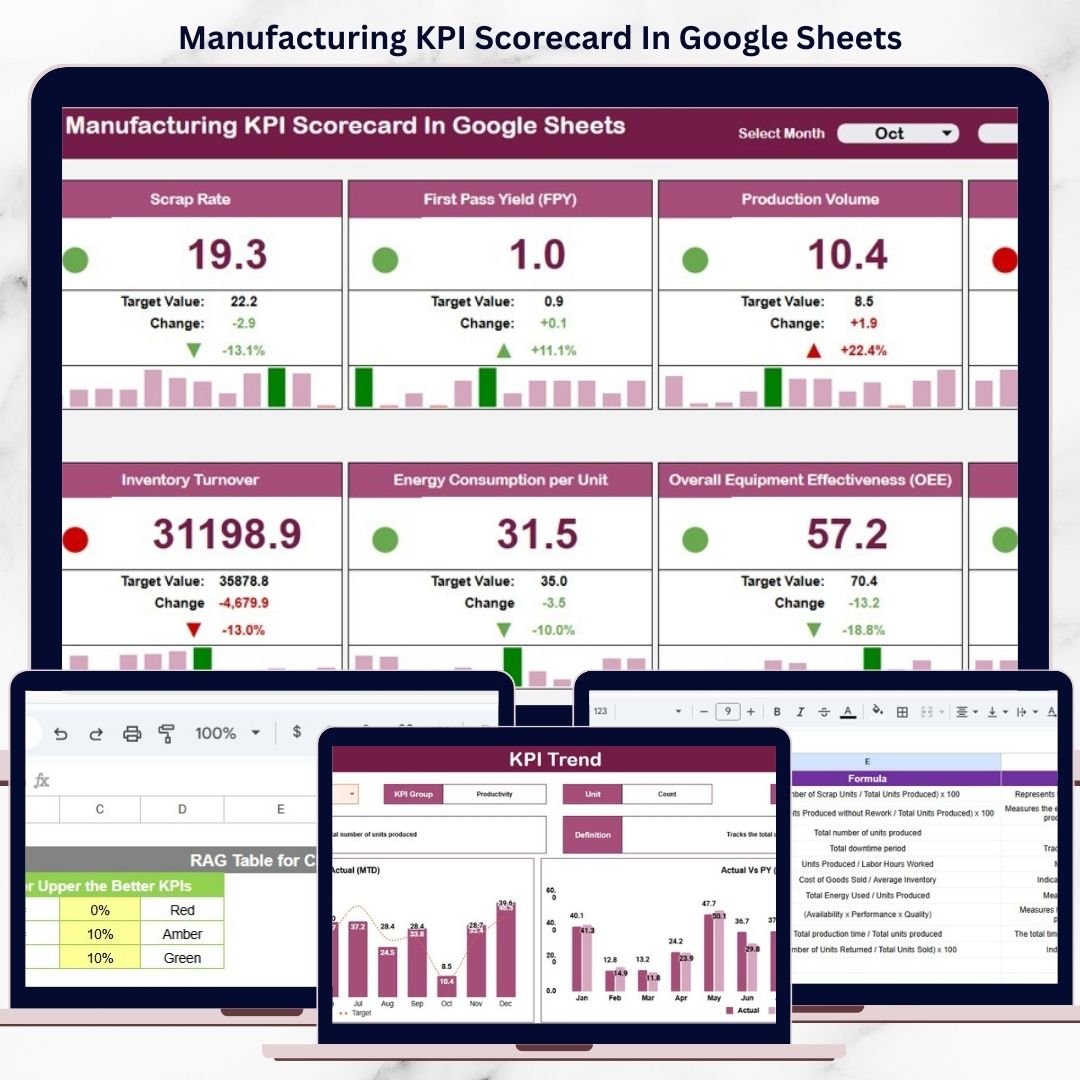
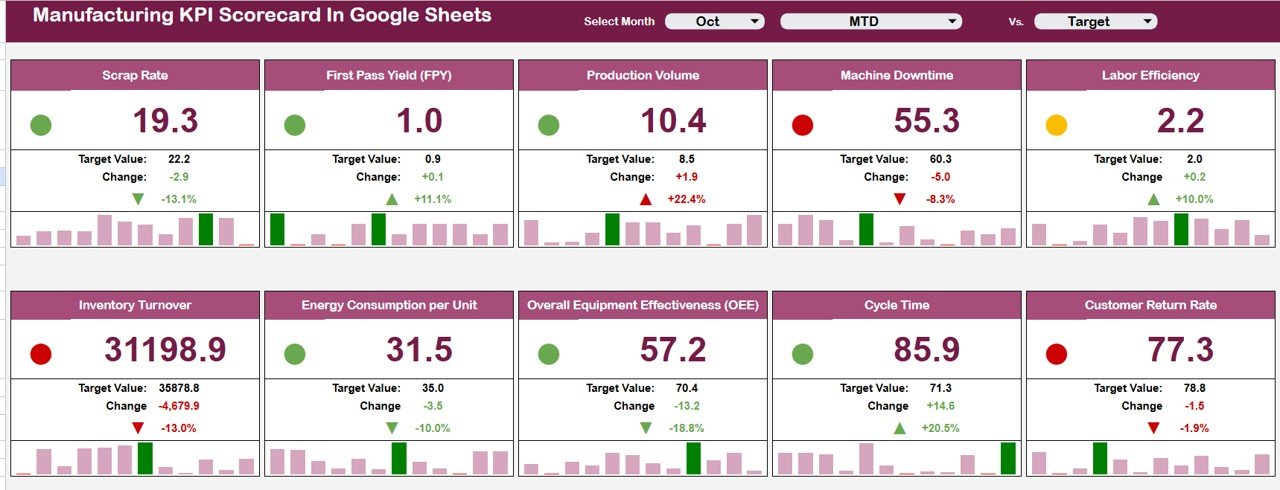
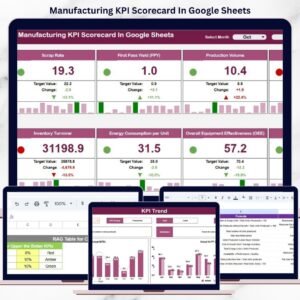
This ready-to-use scorecard template allows manufacturing teams to track 10 critical KPIs in one centralized, easy-to-read scorecard. Instead of analyzing multiple reports, managers can instantly see how the plant is performing using traffic lights, trend arrows, and percentage change indicators—all driven by a simple month selection.Manufacturing KPI Scorecard In Google Sheets
Because the scorecard is built entirely in Google Sheets, it is cloud-based, collaborative, and extremely easy to maintain. You only update the data once, and the entire scorecard updates automatically.
🔑 Key Features of the Manufacturing KPI Scorecard ⚙️
📊 Single-Page KPI Visibility
Track all key manufacturing KPIs in one consolidated scorecard.
🚦 Traffic Light Performance Indicators
Green, Amber, and Red indicators show performance status instantly.
🔺 Trend Arrows & % Change
Up and down arrows highlight improvement or decline clearly.
📅 MTD & YTD Toggle
Switch between Month-to-Date and Year-to-Date views instantly.
⚡ Automatic Calculations
All values, trends, and indicators update automatically.
📦 What’s Inside the Manufacturing KPI Scorecard 📂
The scorecard is structured into multiple well-designed sheets, each serving a specific purpose.
🧭 Main Scorecard Sheet – Performance Snapshot
This is the heart of the template and the first page users see.
🔹 Monthly KPI Selection
-
A Month dropdown allows you to select any month
-
All KPI values refresh instantly for the selected period
🔹 10 Manufacturing KPIs Tracked
Each KPI displays:
-
Actual value
-
Target value
-
Previous period value
-
Percentage change
🔹 Visual Indicators
-
🚦 Traffic lights (Green / Amber / Red)
-
🔺 Up & down arrows for trend direction
This design ensures performance can be understood in seconds.
🔁 MTD & YTD Performance Toggle
The scorecard includes a simple toggle option:
-
MTD (Month-to-Date) for short-term monitoring
-
YTD (Year-to-Date) for long-term performance tracking
This eliminates the need for multiple reports and improves management reviews.
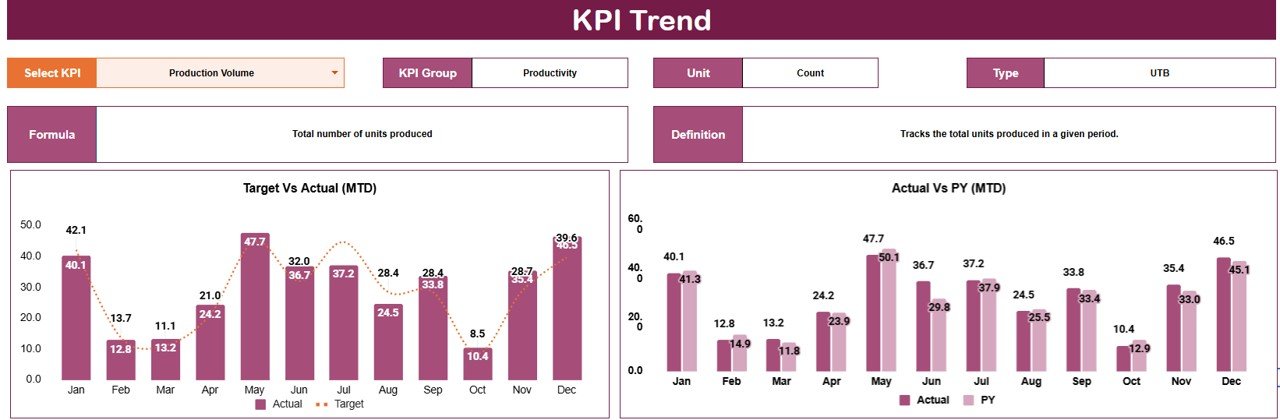
📈 Trend Sheet Tab – KPI Trend Analysis
The Trend Sheet provides deeper KPI-level insight.
🔍 How It Works
-
Select a KPI from the dropdown in cell C3
📌 Details Displayed
-
KPI Group
-
Unit of Measurement
-
KPI Type (Upper the Better / Lower the Better)
-
KPI trend over time
This helps manufacturing teams identify recurring issues, seasonal patterns, and improvement progress.
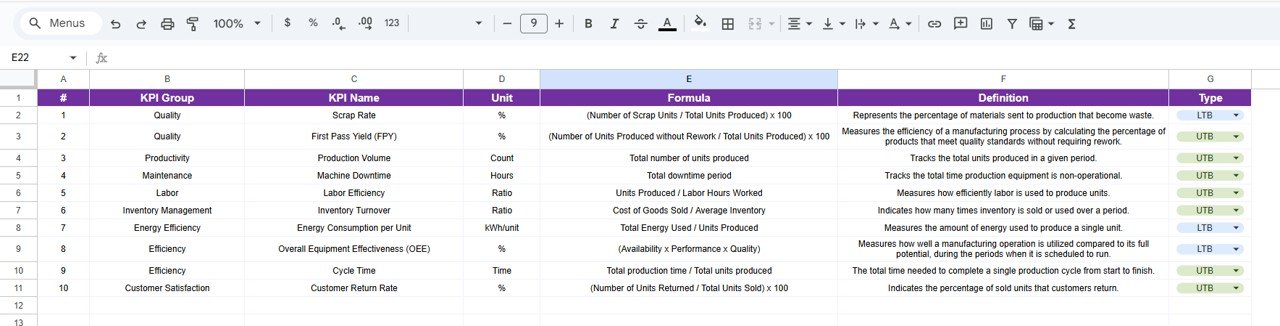
📘 KPI Definition Sheet Tab – KPI Governance
This sheet ensures clarity and consistency across the organization.
Here, you define:
-
KPI Name
-
KPI Group
-
Unit
-
Formula
-
KPI Definition
This makes onboarding easy and avoids KPI misinterpretation.
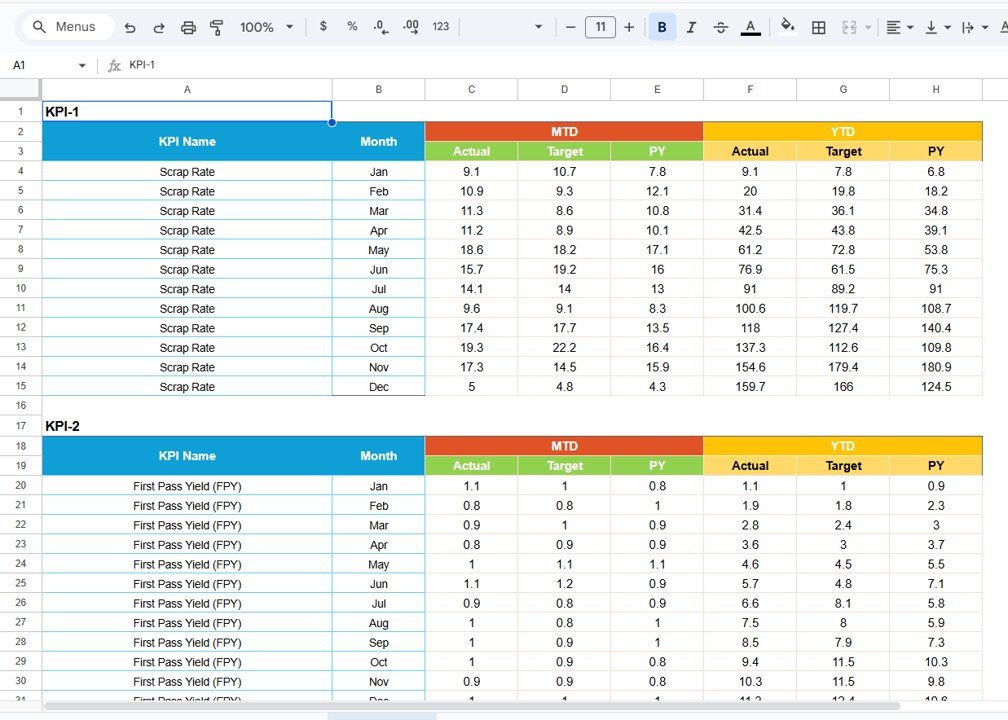
🗂 Data Input Sheet Tab – Clean Data Entry
This sheet is used to enter raw manufacturing KPI data.
-
Monthly KPI values are entered here
-
The scorecard and trend sheets update automatically
Separating data entry from visuals prevents formula errors and improves reliability.
🎨 Colour Settings – Performance Threshold Control
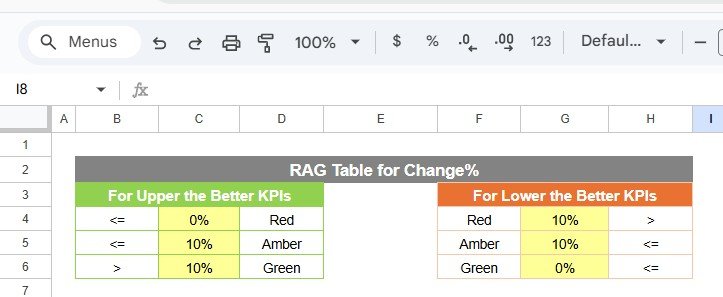
The template includes Colour Settings, allowing you to:
-
Define traffic light thresholds
-
Control performance color logic
-
Maintain consistent visual standards
This flexibility helps align the scorecard with internal benchmarks.
👥 Who Can Benefit from This Scorecard 🎯
-
Plant Managers
-
Production Managers
-
Operations Leaders
-
Continuous Improvement Teams
-
Manufacturing Executives
📈 Best Practices for Using the Scorecard
-
Update KPI data regularly
-
Set clear and realistic KPI targets
-
Review MTD performance weekly
-
Review YTD performance monthly
-
Use trends to guide improvement actions
-
Keep KPI definitions consistent
### Click here to read the Detailed blog post
Watch the step-by-step video tutorial:





























Reviews
There are no reviews yet.