In today’s asset-driven organizations, maintenance teams must balance equipment reliability with strict cost control. However, many companies still manage maintenance using scattered spreadsheets and manual logs. As a result, managers often struggle to track overdue tasks, technician productivity, and maintenance expenses in one centralized view.
That is exactly why the Maintenance Performance Dashboard in Google Sheets is a must-have solution for modern operations.
This powerful, ready-to-use dashboard gives maintenance managers, plant heads, and operations teams real-time visibility into maintenance activities. Instead of reacting to unexpected breakdowns, your team can proactively monitor performance, control costs, and improve equipment uptime — all within a dynamic Google Sheets environment.
Built for clarity and speed, this dashboard converts raw maintenance data into meaningful, decision-ready insights within minutes.
🚀 Key Feature of Maintenance Performance Dashboard in Google Sheets
✅ Interactive Filter Panel – Instantly slice data by Month, Maintenance Type, Frequency, Status, Technician, and Equipment.
✅ Executive KPI Cards – Get a quick snapshot of total maintenance, cost, average cost, scheduled, and completed work.
✅ Overdue Task Monitoring – Identify backlog and prevent costly equipment failures.
✅ Multi-Dimensional Analysis – Explore maintenance performance from multiple operational angles.
✅ Technician Productivity Tracking – Monitor workload and efficiency across your team.
✅ Equipment Reliability Insights – Detect high-maintenance assets quickly.
✅ Google Sheets Collaboration Ready – Share and update maintenance data in real time.
Because of these features, maintenance teams gain full operational control without complex CMMS tools.
📦 What’s Inside the Maintenance Performance Dashboard in Google Sheets
This professionally designed solution includes multiple analytical pages that work together seamlessly.
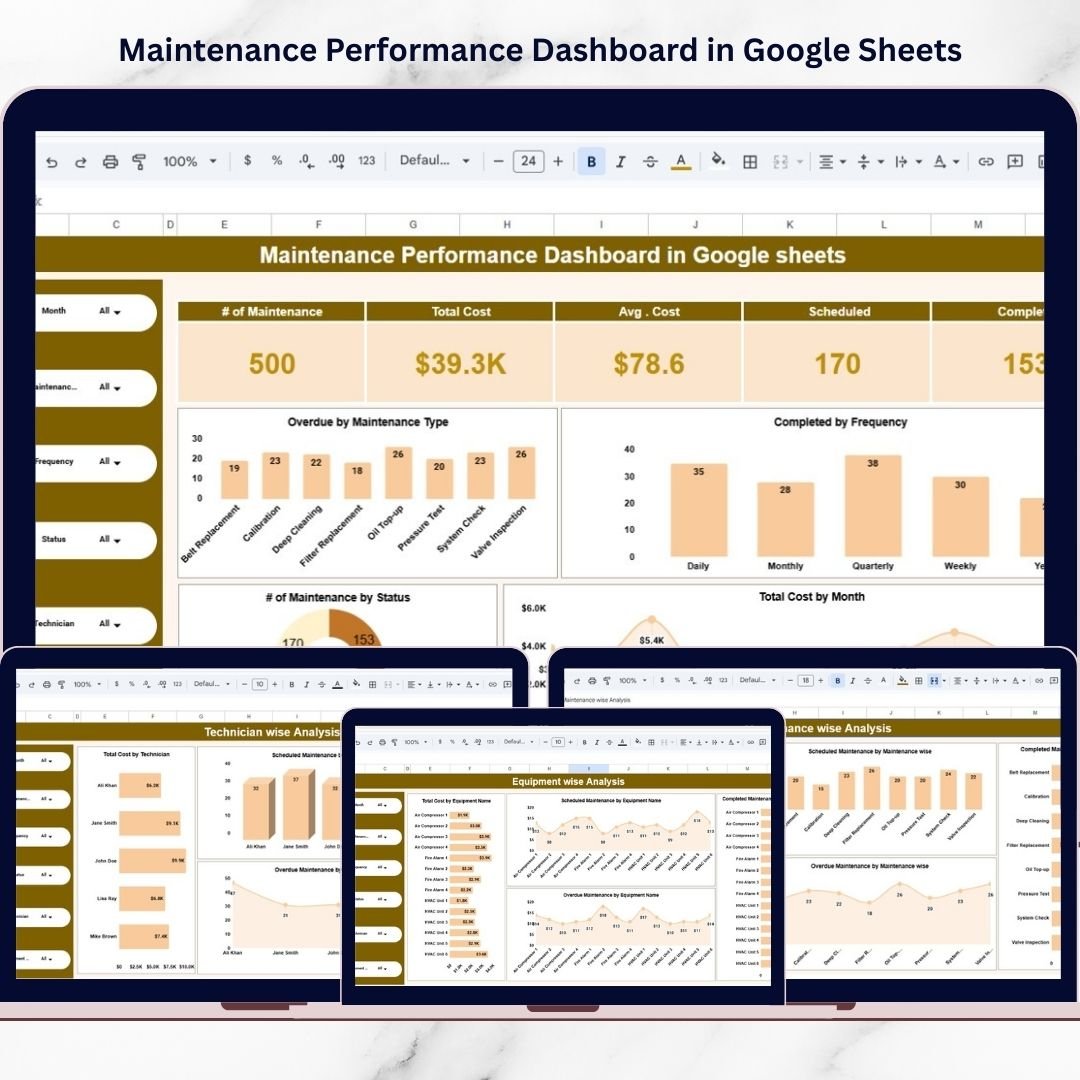
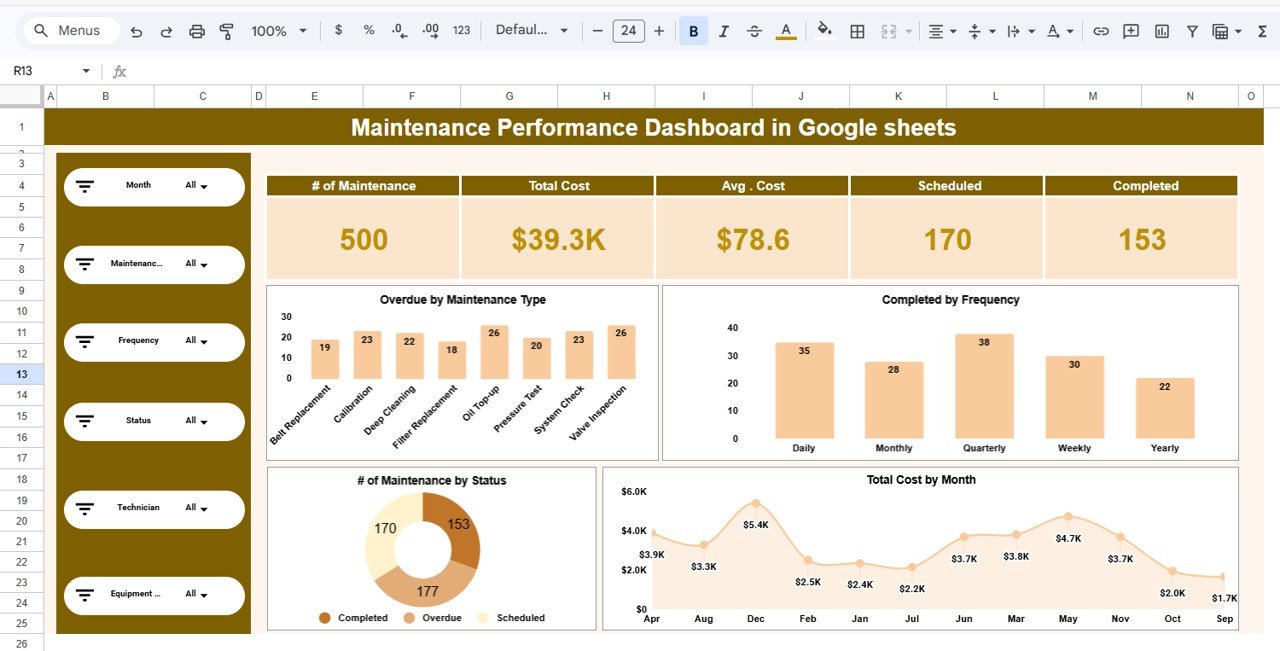
1️⃣ Maintenance Overview – Executive Snapshot
The main dashboard provides a high-level view of maintenance health, including:
-
Overdue by maintenance type
-
Completed by frequency
-
Maintenance status distribution
-
Monthly cost trends
-
Executive KPI cards
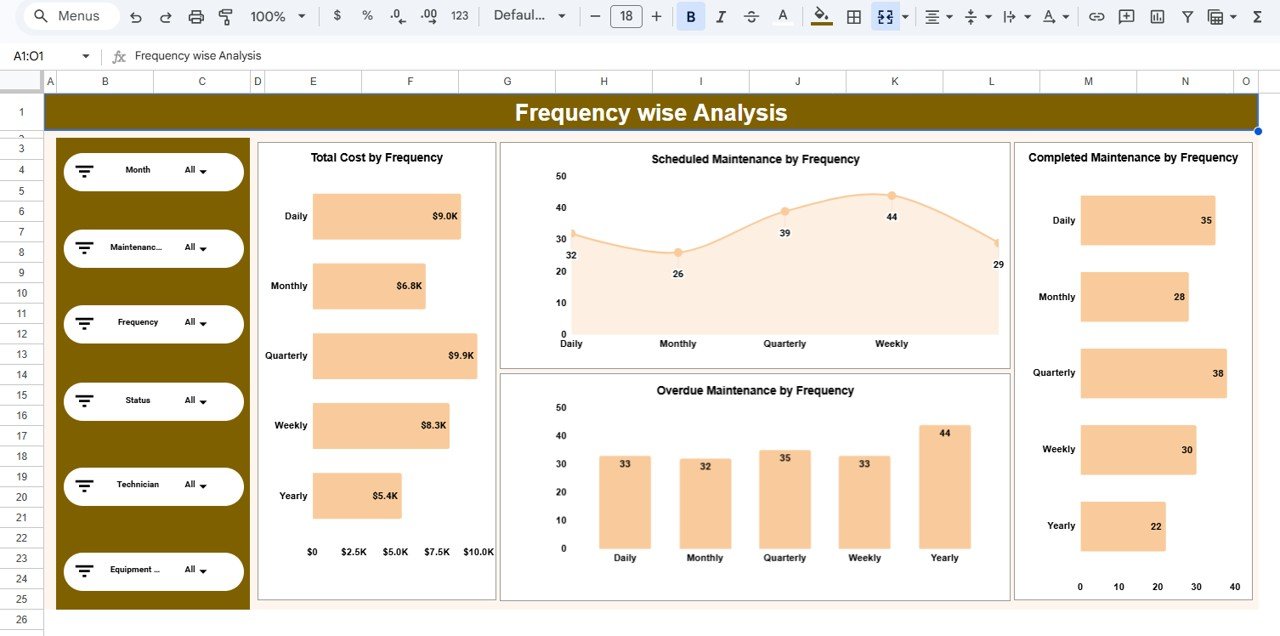
2️⃣ Frequency-wise Analysis – Preventive Insights
Evaluate maintenance patterns based on frequency:
-
Total cost by frequency
-
Scheduled maintenance by frequency
-
Overdue maintenance by frequency
-
Completed maintenance by frequency
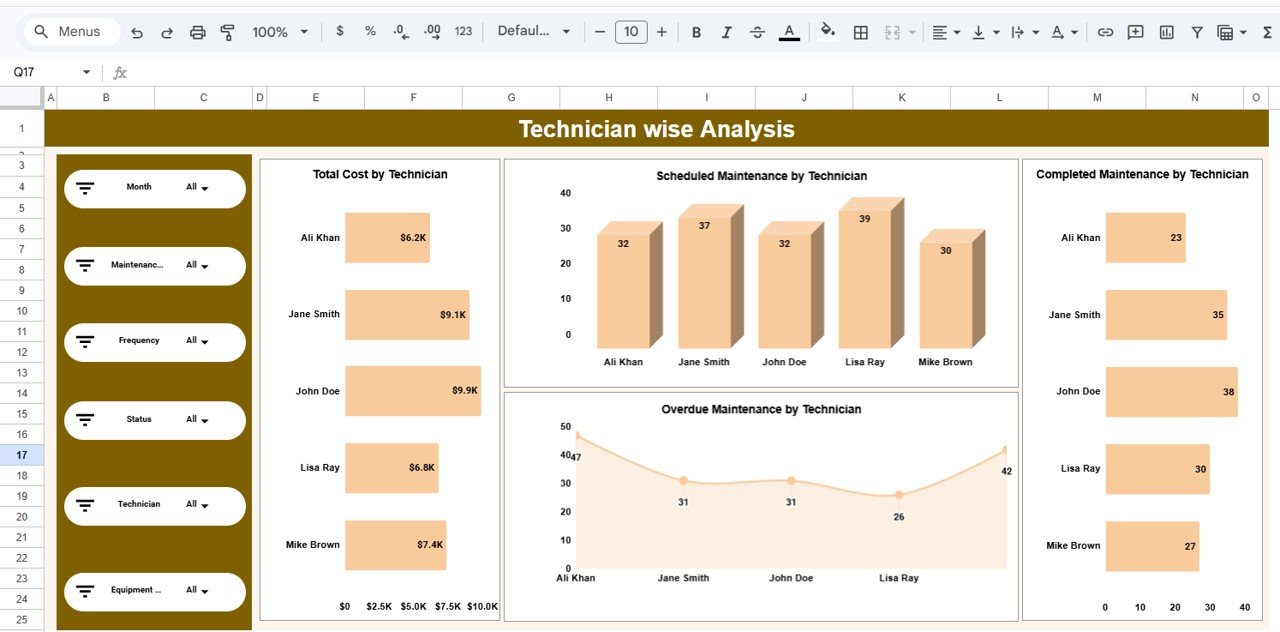
3️⃣ Technician-wise Analysis – Workforce Performance
Monitor technician productivity and workload using:
-
Total cost by technician
-
Scheduled maintenance by technician
-
Overdue tasks by technician
-
Completed work by technician
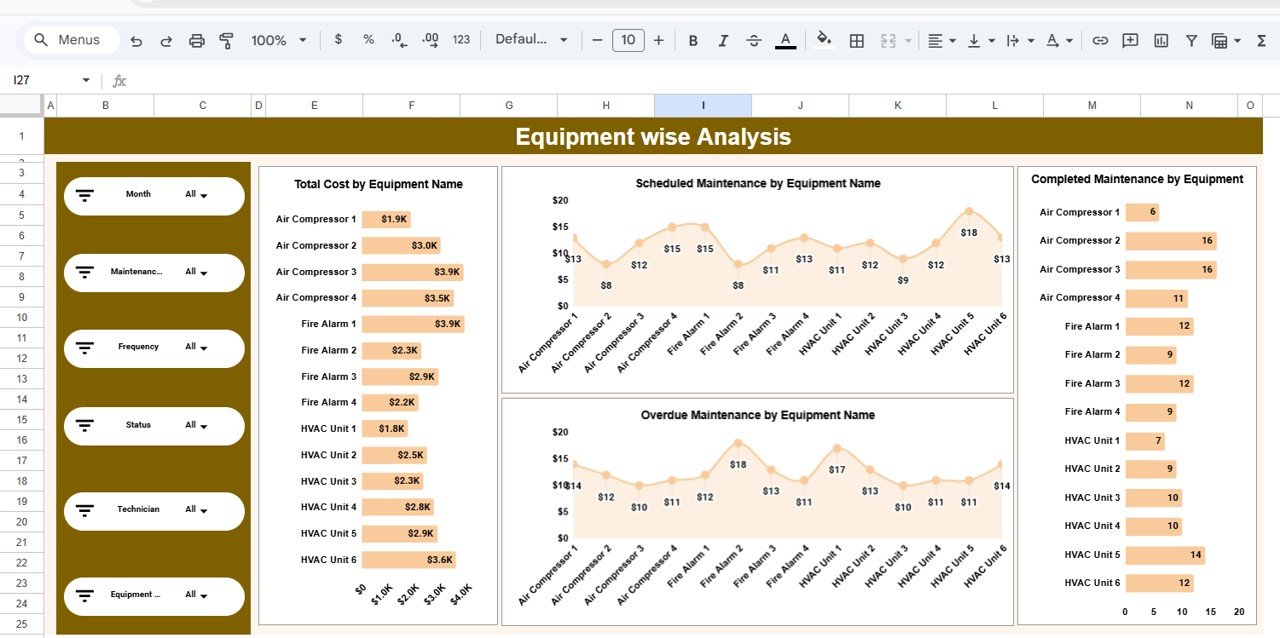
4️⃣ Equipment-wise Analysis – Asset Intelligence
Identify high-risk and high-cost assets with:
-
Total cost by equipment
-
Scheduled maintenance by equipment
-
Overdue maintenance by equipment
-
Completed maintenance by equipment
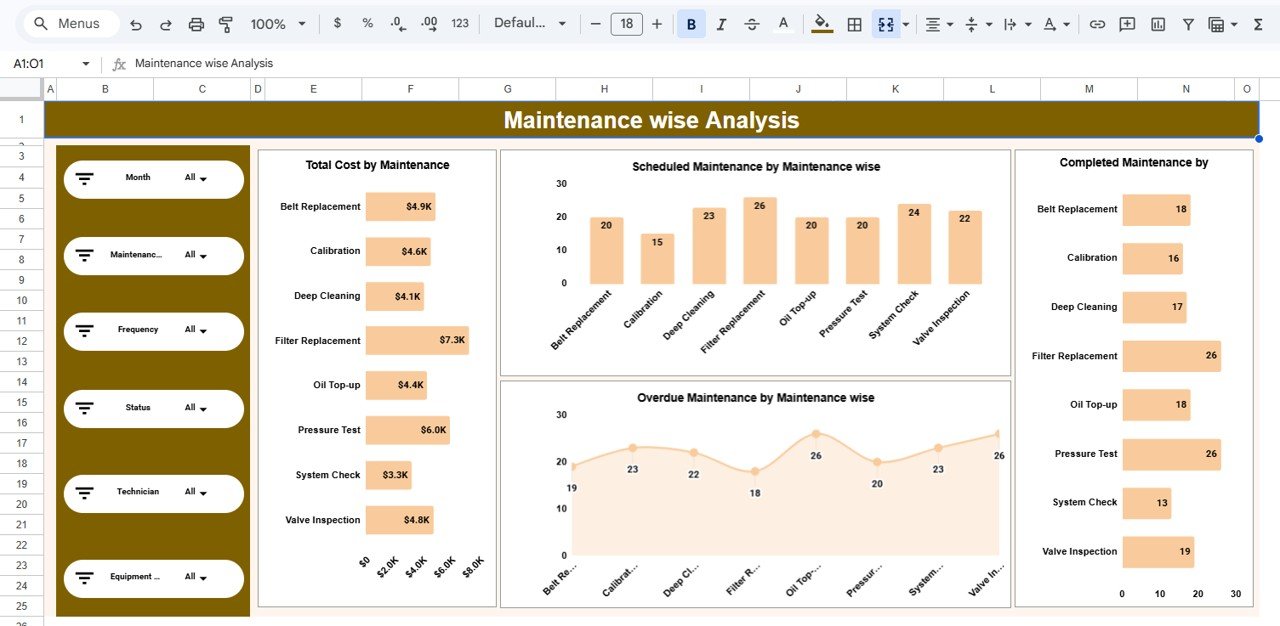
5️⃣ Maintenance-wise Analysis – Activity Breakdown
Understand performance by maintenance type through:
-
Cost by maintenance type
-
Scheduled distribution
-
Overdue trends
-
Completion comparison
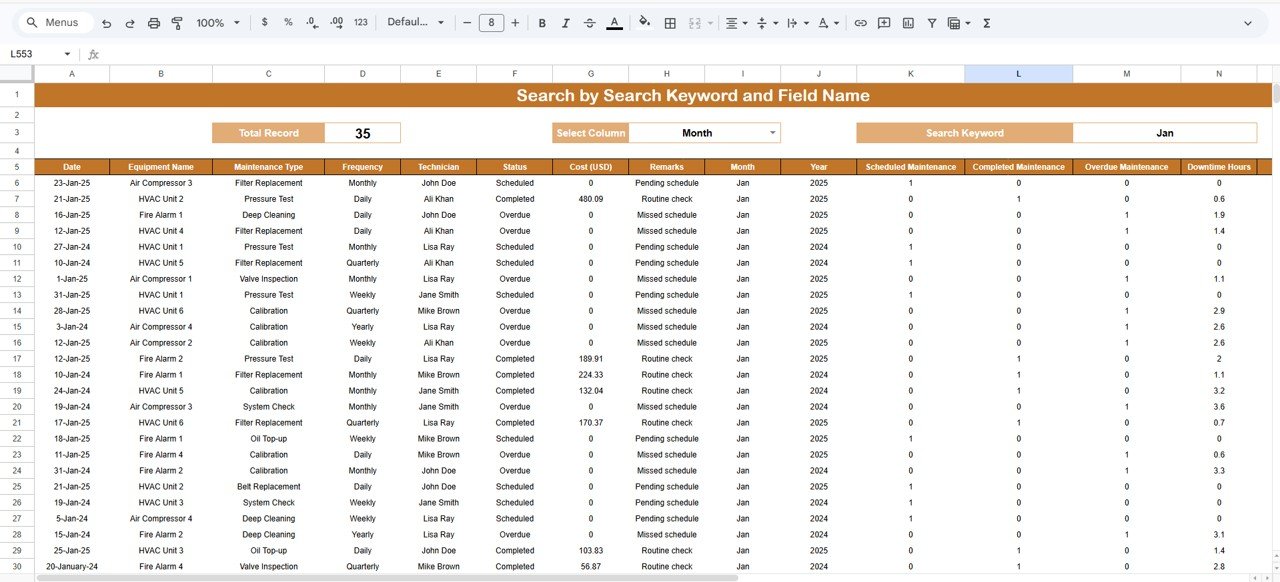
6️⃣ Search Panel – Advanced Record Lookup
Quickly investigate maintenance records using:
-
Total record counter
-
Column selector
-
Keyword search
-
Dynamic filtered table
Together, these pages create a complete maintenance intelligence system.
⚙️ How to Use the Maintenance Performance Dashboard in Google Sheets
Getting started is quick and simple:
-
Open the Google Sheets template
-
Update your maintenance data table
-
Use slicers to filter key dimensions
-
Review KPI cards for instant health check
-
Explore analysis pages for deeper insights
-
Monitor overdue maintenance regularly
-
Use the Search panel for quick audits
Within minutes, your maintenance data becomes powerful operational intelligence.
👥 Who Can Benefit from This Maintenance Performance Dashboard in Google Sheets
This dashboard is ideal for organizations focused on equipment reliability and cost control.
Perfect for:
-
🏭 Plant Managers
-
🔧 Maintenance Managers
-
⚙️ Operations Teams
-
🧠 Reliability Engineers
-
📊 Asset Managers
-
💼 Facility Managers
-
🏢 Manufacturing Companies
Because it runs in Google Sheets, teams can collaborate easily from anywhere.
By implementing the Maintenance Performance Dashboard in Google Sheets, your organization gains:
-
Centralized maintenance visibility
-
Faster operational decisions
-
Better cost control
-
Reduced equipment downtime
-
Improved preventive maintenance planning
-
Real-time performance insights
In today’s competitive environment, reactive maintenance is expensive and risky. You need proactive, data-driven maintenance management.
This dashboard delivers exactly that.
🔗 Click here to read the Detailed blog post
Watch the step-by-step video tutorial: