
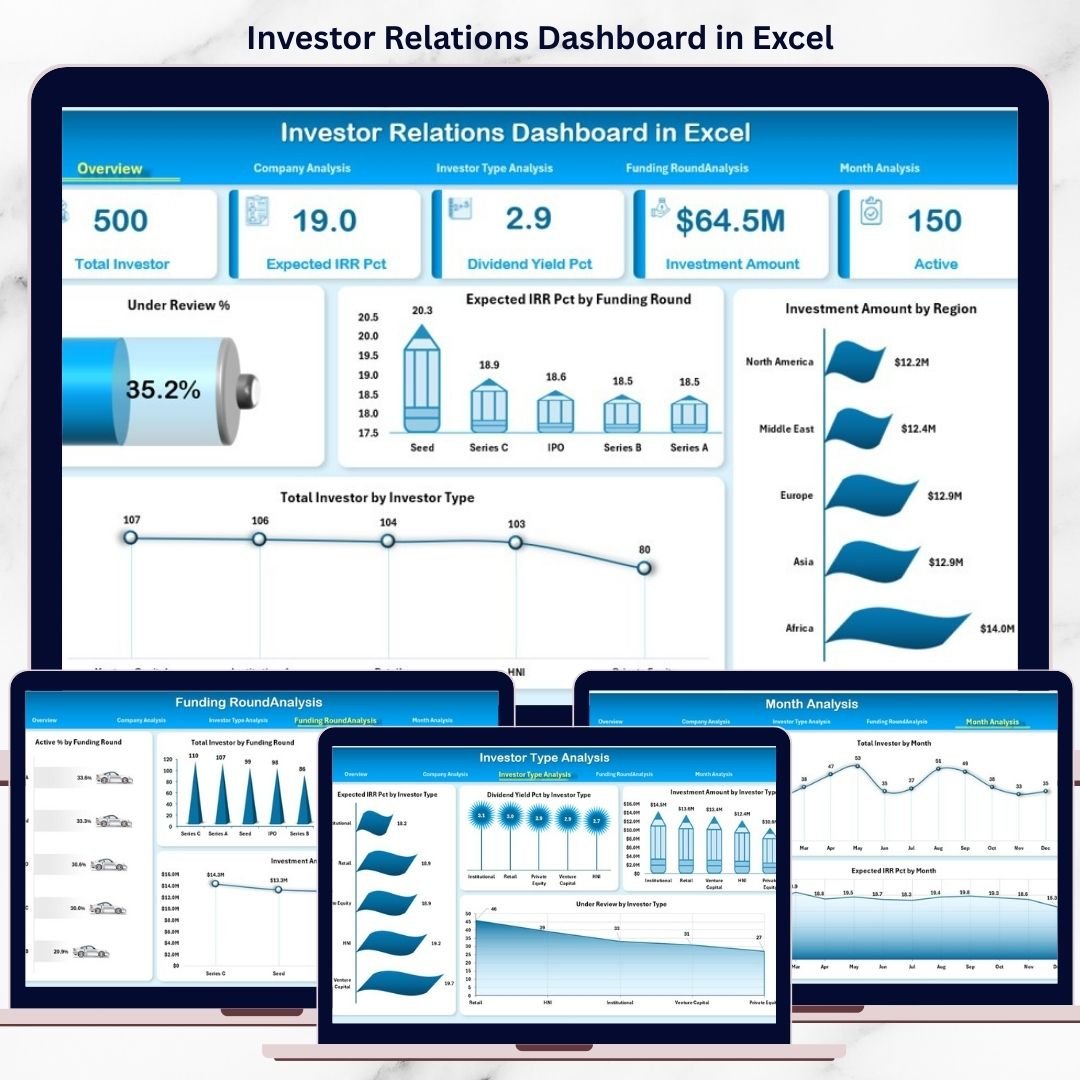
In today’s competitive investment landscape, transparent and data-driven investor communication is no longer optional. Investors expect clarity, consistency, and quick answers—not long spreadsheets or static slide decks. However, managing investor data across emails, Excel files, and presentations often leads to confusion, delays, and missed insights.
That is exactly why the Investor Relations Dashboard in Excel becomes a powerful and practical solution.
This ready-to-use Excel dashboard helps organizations track investments, investor performance, funding rounds, and returns in one clean, interactive, and professional file. Instead of spending hours preparing reports, leadership teams gain instant visibility into investor metrics with just a few clicks.
Whether you are a startup founder, CFO, investor relations manager, or finance leader, this dashboard transforms complex investment data into clear, visual, and investor-friendly insights.
🚀 Key Features of Investor Relations Dashboard in Excel
📊 Centralized Investor Reporting – All investor metrics in one Excel file
💰 Investment & IRR Tracking – Monitor investment amount and expected returns
👥 Investor Composition Analysis – Track investors by type and region
📈 Funding Round Insights – Analyze early vs late-stage performance
🧭 Interactive Slicers – Filter data instantly by company, investor type, region, or month
📅 Monthly Trend Analysis – Track fundraising momentum over time
📌 Executive KPI Cards – Instant high-level portfolio overview
🧩 Fully Customizable – Easy to modify KPIs, charts, and structure
📦 What’s Inside the Investor Relations Dashboard
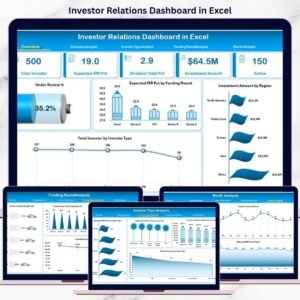
This dashboard includes 5 structured analytical pages plus a clean backend data structure.
🔹 Overview Page
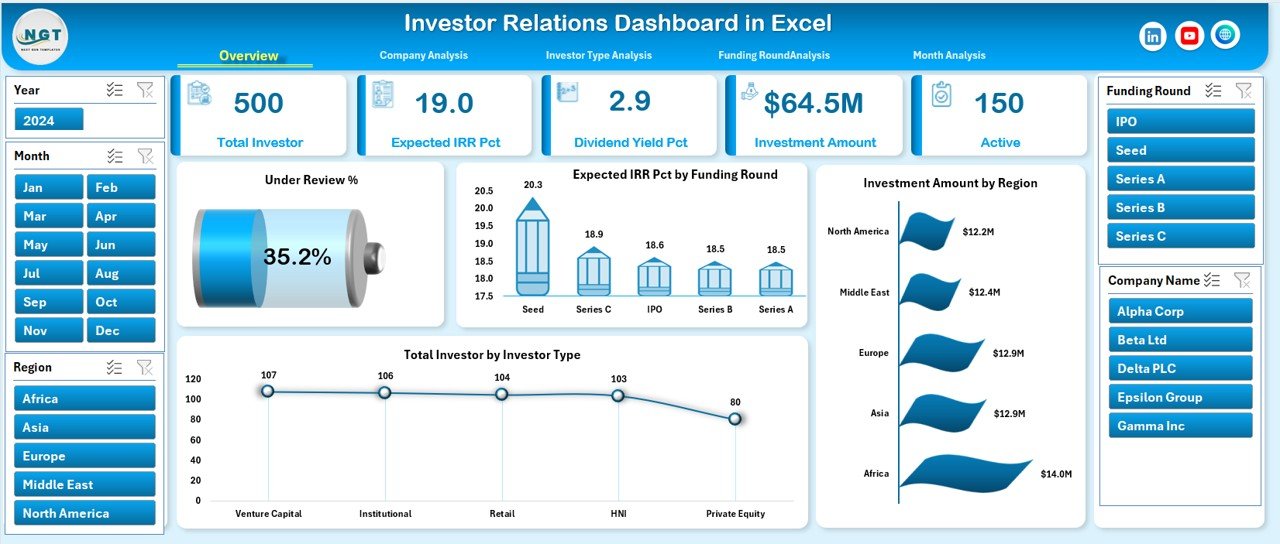
Acts as the executive snapshot with:
-
Under Review %
-
Expected IRR %
-
Total Investment Amount
-
Total Investors
Along with charts showing:
-
Expected IRR % by Funding Round
-
Investment Amount by Region
-
Total Investors by Investor Type
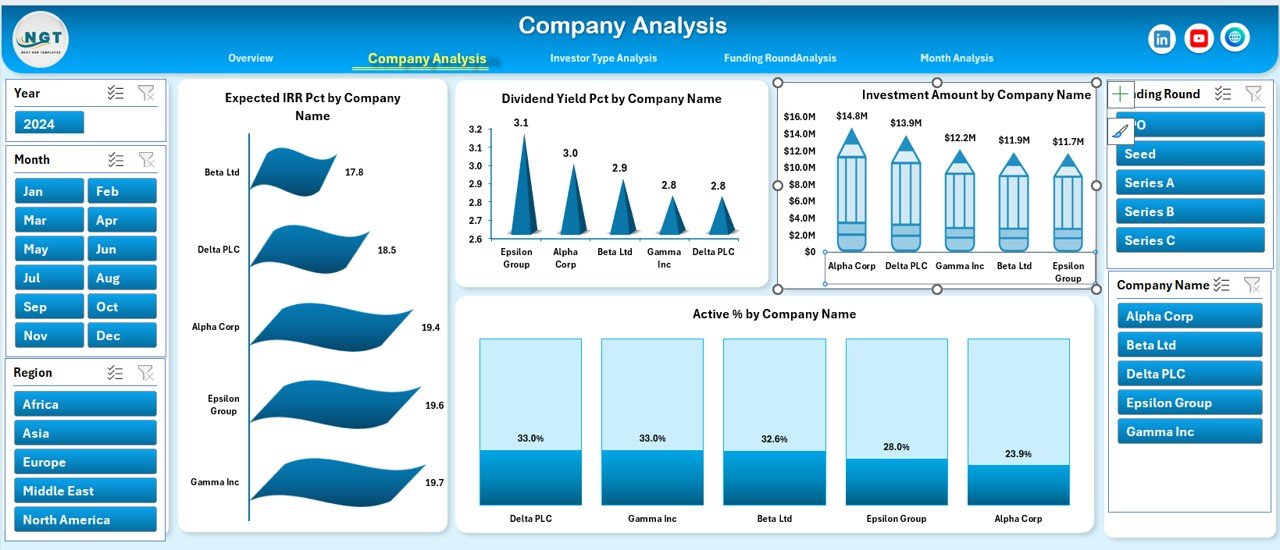
🔹 Company Analysis Page
Analyze performance company-wise using:
-
Expected IRR % by Company
-
Dividend Yield % by Company
-
Investment Amount by Company
-
Active % by Company
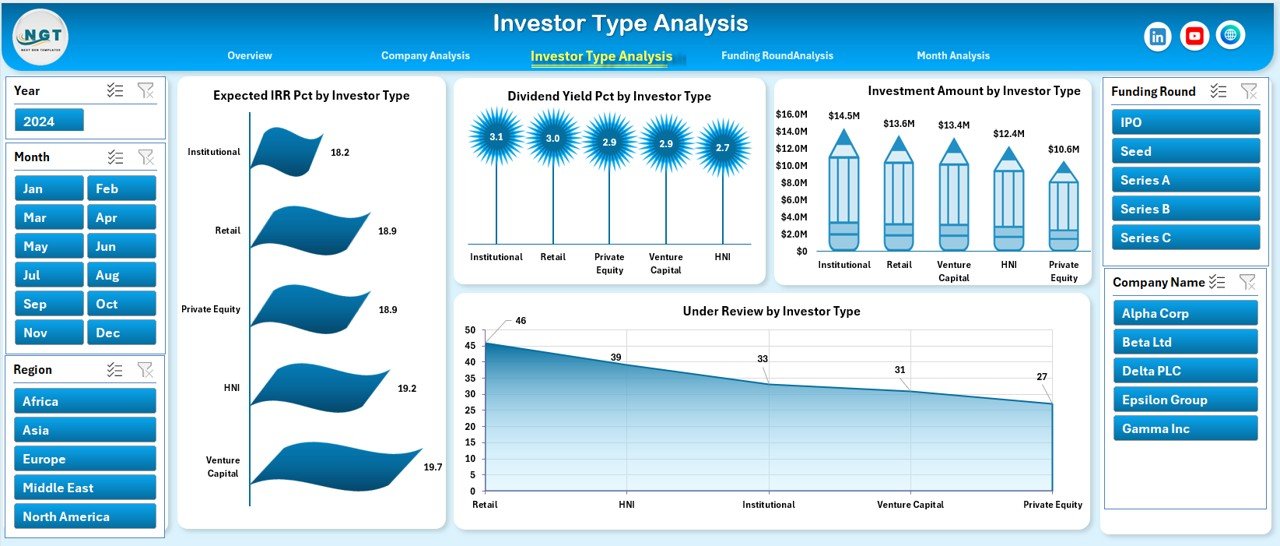
🔹 Investor Type Analysis Page
Understand investor behavior with:
-
Expected IRR % by Investor Type
-
Dividend Yield % by Investor Type
-
Investment Amount by Investor Type
-
Under Review % by Investor Type
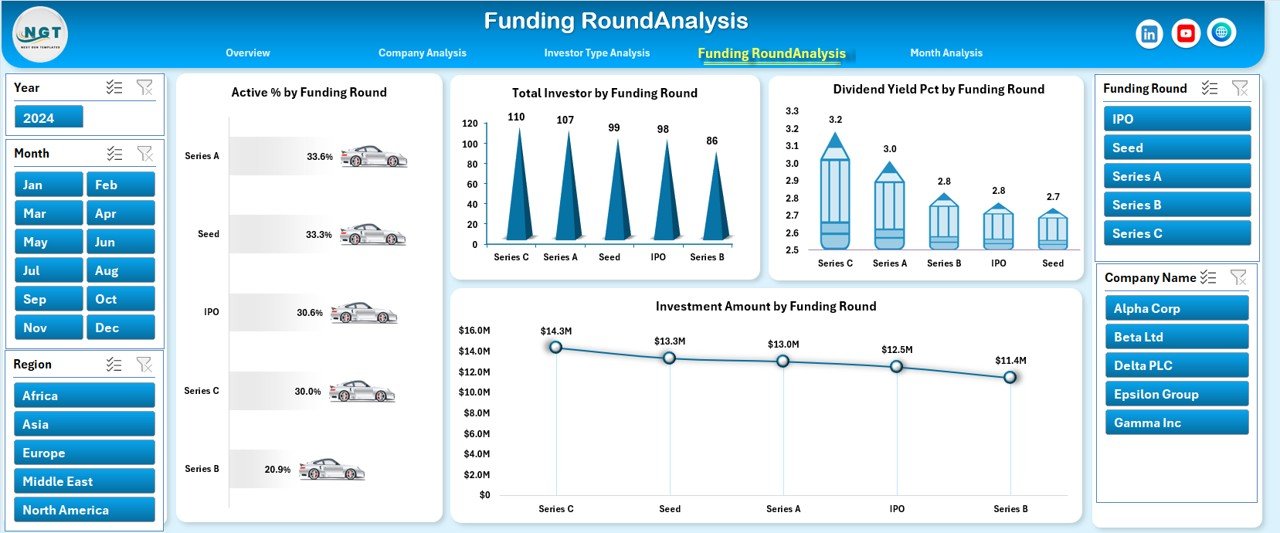
🔹 Funding Round Analysis Page
Evaluate funding maturity using:
-
Active % by Funding Round
-
Total Investors by Funding Round
-
Dividend Yield % by Funding Round
-
Investment Amount by Funding Round
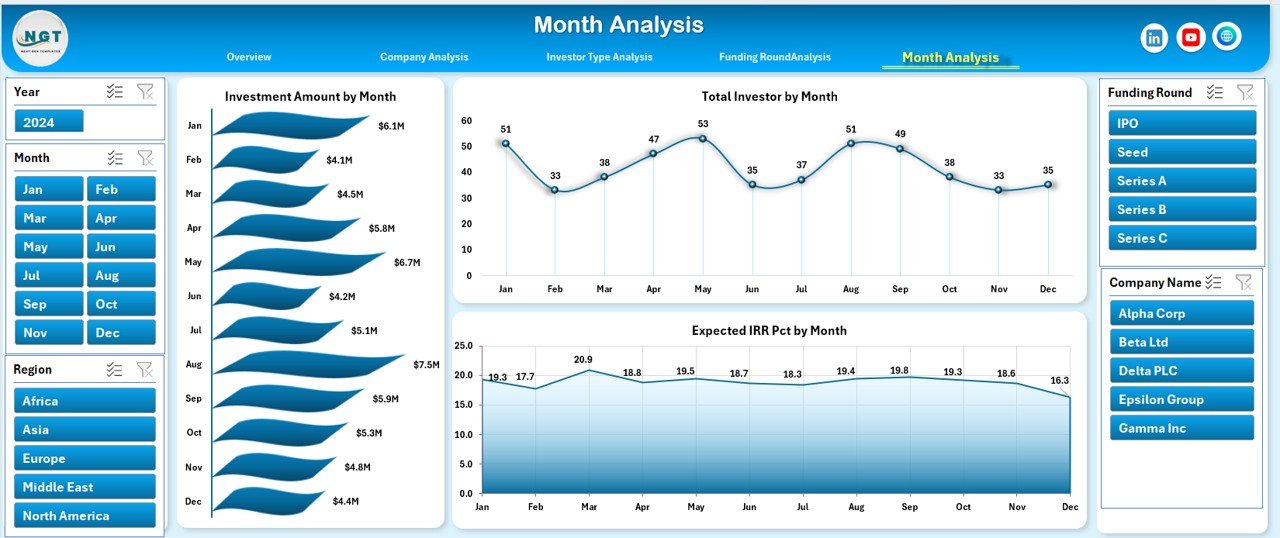
🔹 Month Analysis Page
Track trends over time with:
-
Investment Amount by Month
-
Total Investors by Month
-
Expected IRR % by Month
Behind the scenes, the Data Sheet stores all raw investor data, while the Support Sheet manages dropdowns and slicers.
🧠 How to Use the Investor Relations Dashboard in Excel
1️⃣ Enter or update investor data in the Data Sheet
2️⃣ Refresh pivot tables if required
3️⃣ Use right-side slicers to filter by company, investor type, region, funding round, or month
4️⃣ Review KPI cards and charts instantly
5️⃣ Use insights in investor meetings, board reviews, or fundraising discussions
No advanced Excel skills required. If you can update Excel data, you can use this dashboard confidently.
👥 Who Can Benefit from This Investor Relations Dashboard?
🏢 Startup Founders & CEOs – Track fundraising and investor health
💼 CFOs & Finance Teams – Communicate performance clearly
📊 Investor Relations Managers – Improve transparency and reporting
💰 Venture Capital & PE Firms – Monitor portfolio investments
📈 Strategy & Advisory Teams – Support data-driven discussions
This dashboard works for startups, growing companies, and established enterprises.
### 👉 Click here to read the Detailed Blog Post
🎥 Visit our YouTube channel to learn step-by-step video tutorials
https://www.youtube.com/@PKAnExcelExpert





























Reviews
There are no reviews yet.