


A Home Healthcare service runs on accuracy, speed, and consistent patient support. Whether your team manages home visits, follow-ups, medication schedules, therapy sessions, or patient satisfaction goals—every activity must be monitored clearly. That is why the Home Healthcare KPI Dashboard in Excel is the perfect tool for healthcare providers who want simple, fast, and reliable performance tracking without complex software.Home Healthcare KPI Dashboard in Excel
This ready-to-use dashboard converts raw data into clean visuals so you always know what’s working, what needs improvement, and where to focus next. If you want to elevate patient care, streamline operations, and make confident decisions, this dashboard becomes your most valuable tool.
📊 Key Features of the Home Healthcare KPI Dashboard in Excel
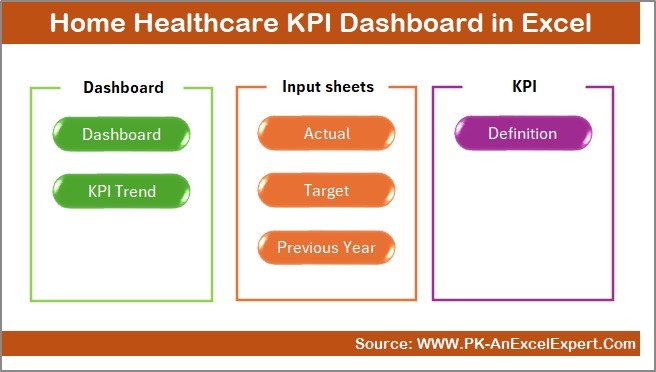
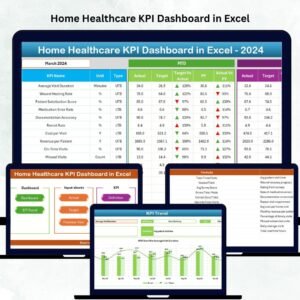
The Home Healthcare KPI Dashboard in Excel is designed to make performance tracking smooth and stress-free. It includes 7 professionally built worksheets, each working together to form a complete reporting system.
➡ Summary Page – Jump to any section instantly with one-click navigation buttons. No scrolling, no confusion—only quick access to every KPI view.Home Healthcare KPI Dashboard in Excel
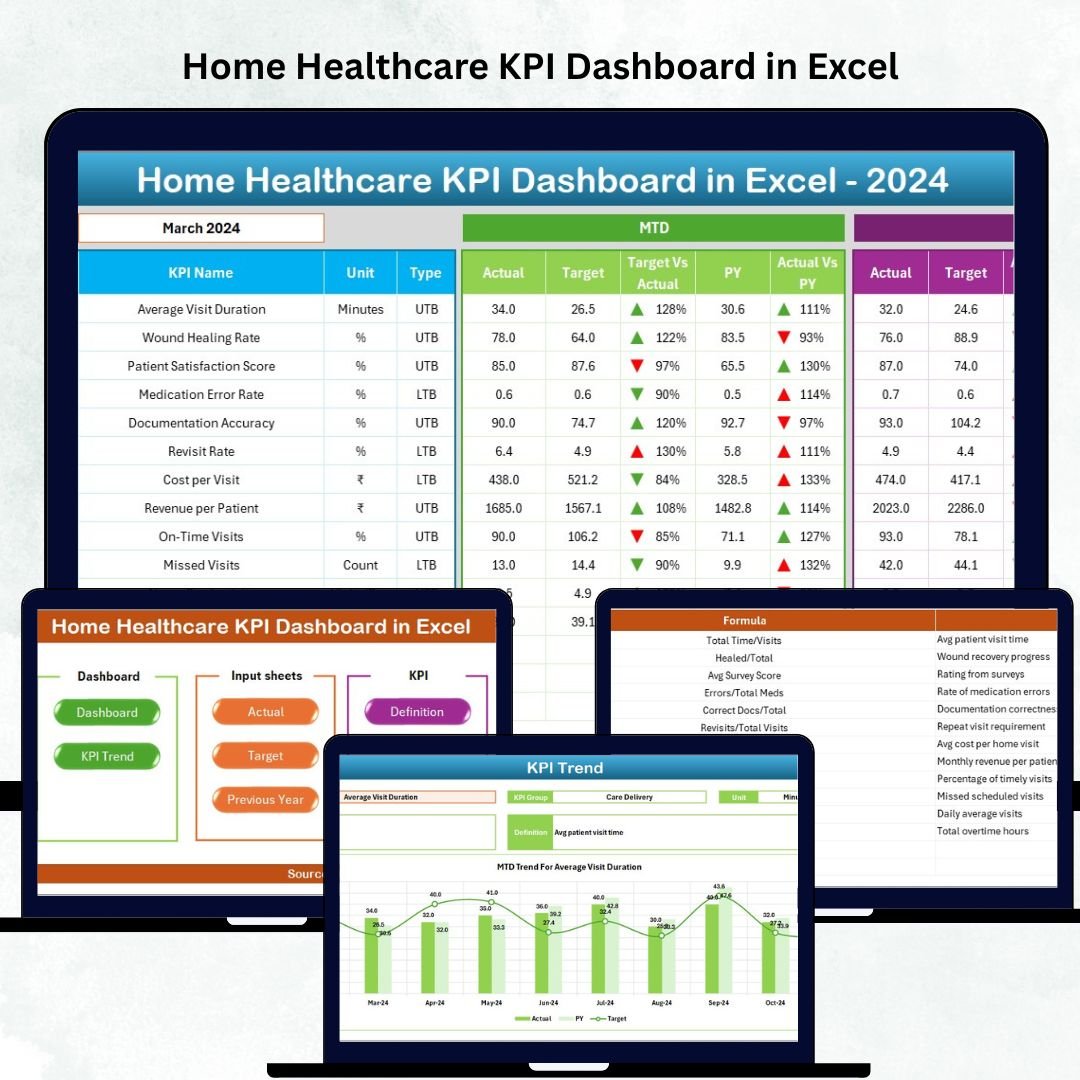
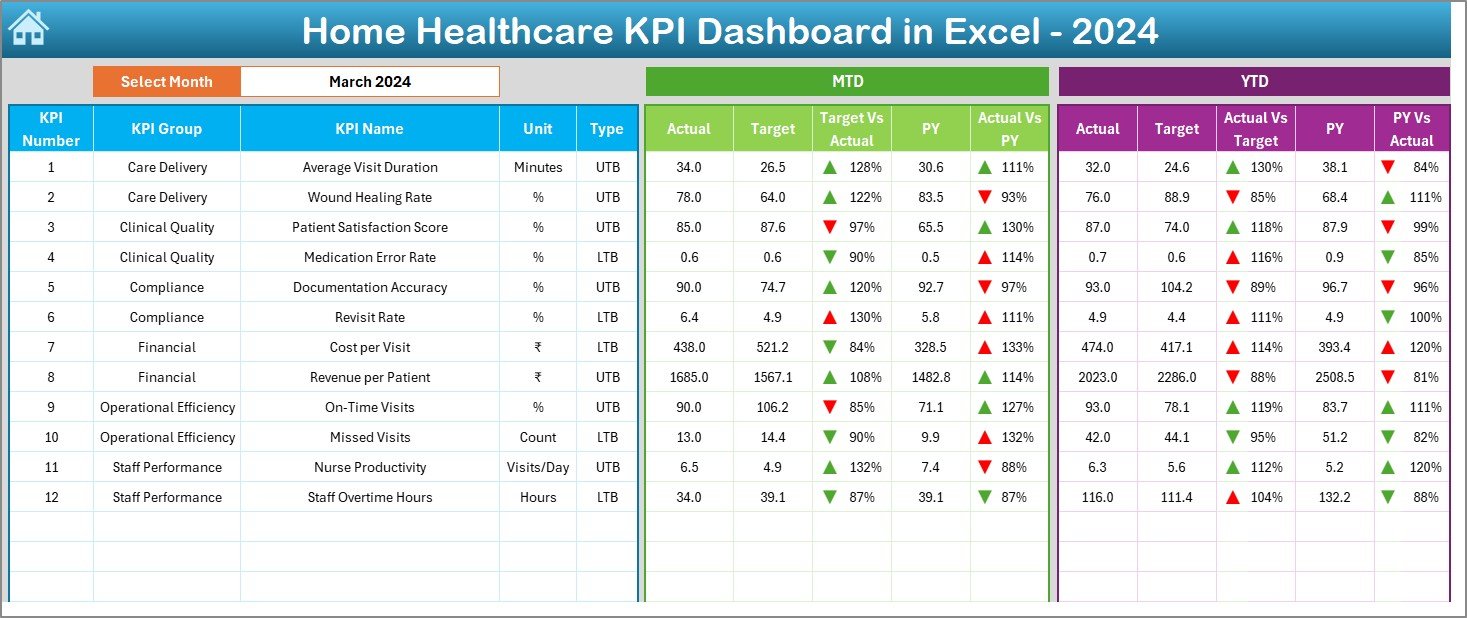
➡ Dashboard Sheet – The heart of the file. Select a month from a dropdown and watch all values update automatically. View MTD Actuals, Targets, Previous Year numbers, and performance comparisons with smart up/down arrows for instant insights.
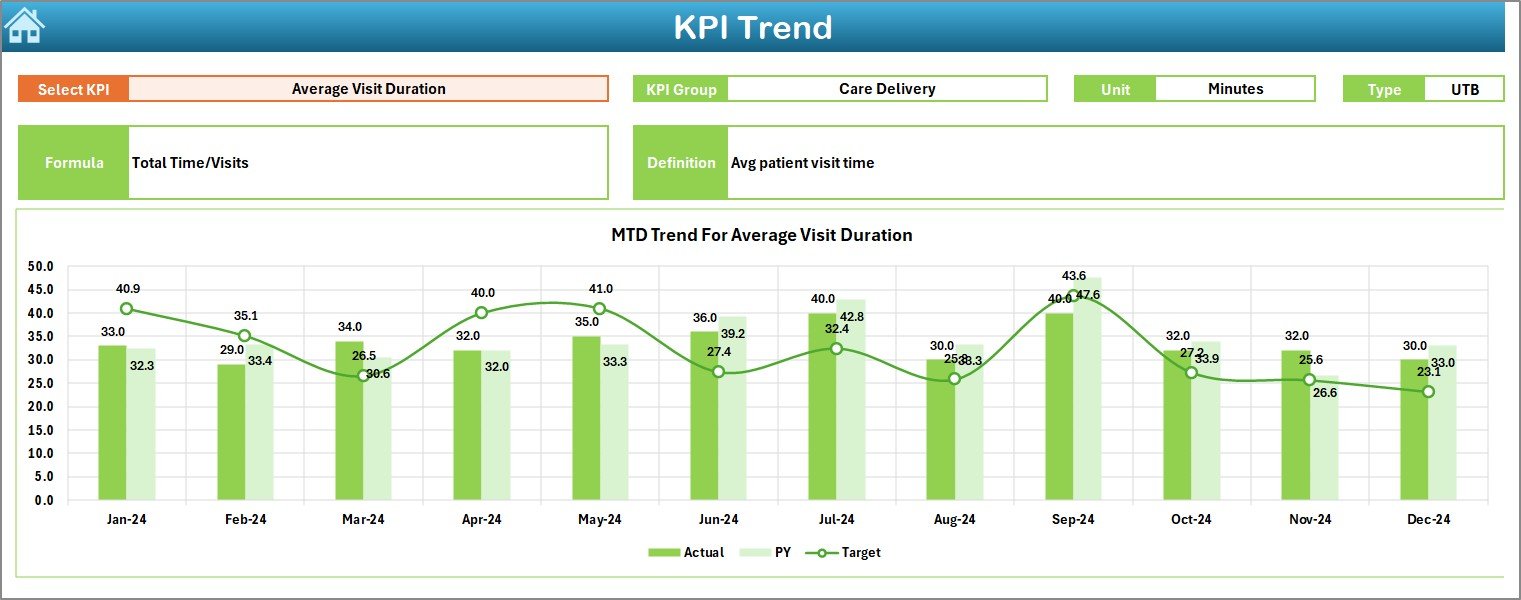
➡ Trend Sheet – Track long-term improvements. Select any KPI and instantly view charts comparing Actual, Target, and Previous Year—helping managers forecast and plan better.
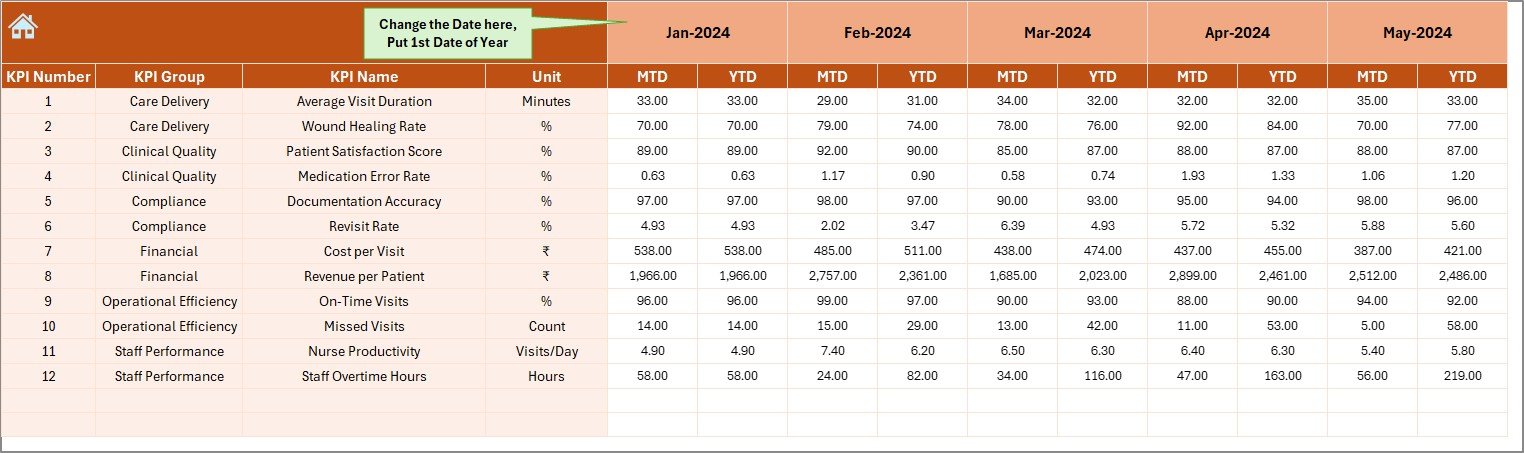
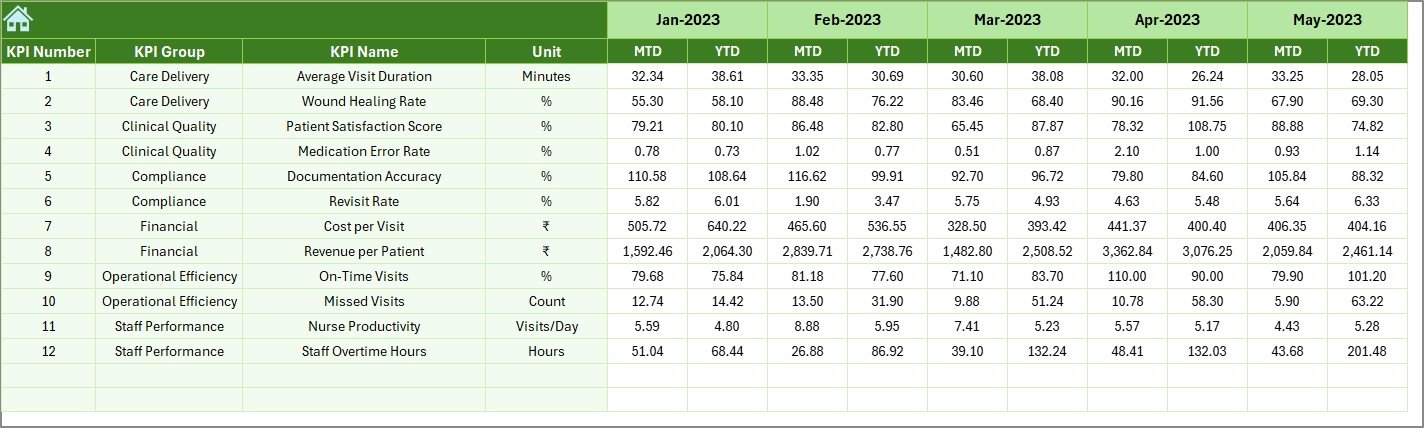
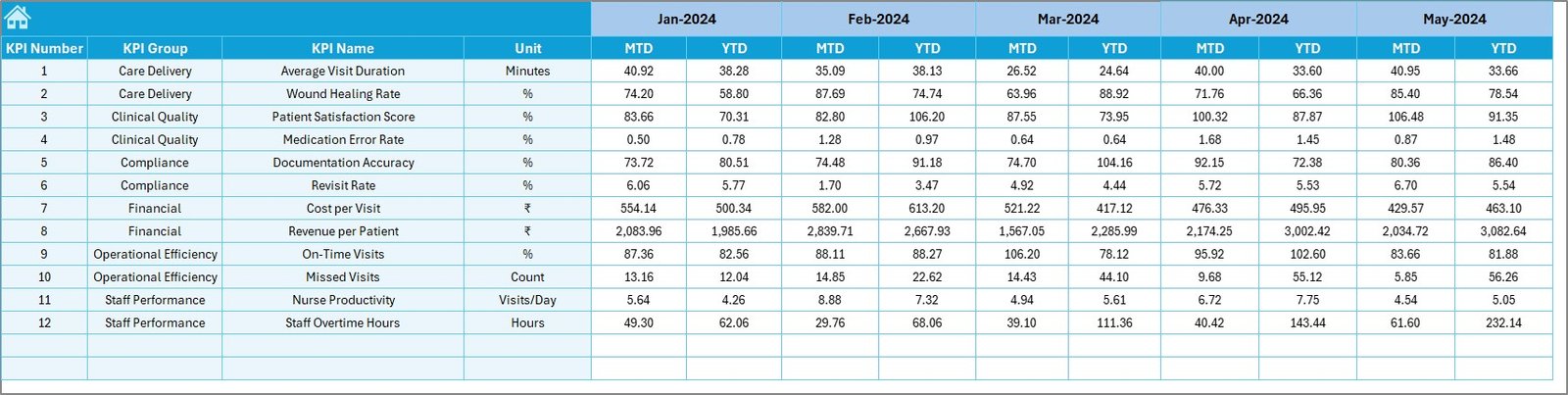
➡ Actual Numbers Input Sheet – Update MTD/YTD values easily. Change the fiscal year start month and the file updates automatically.Home Healthcare KPI Dashboard in Excel
➡ Target Sheet – Set your monthly goals for every KPI and measure performance accurately.
➡ Previous Year Numbers Sheet – Keep historical records and compare year-over-year progress.
➡ KPI Definition Sheet – Standardize every KPI with clear definitions, formulas, units, and KPI types (LTB/UTB).
Each section is crafted for healthcare teams that need clarity, control, and accuracy.
📦 What’s Inside the Home Healthcare KPI Dashboard in Excel
When you download this product, you receive:
✨ A fully automated KPI Dashboard
✨ 7 connected worksheets with clean formatting
✨ Dropdown-based filtering for months
✨ Automated MTD & YTD calculations
✨ Conditional formatting (up/down arrows)
✨ Trend charts to monitor monthly improvement
✨ KPI definition library
✨ Editable Excel structure for customization
This dashboard is designed to be ready from Day 1. Simply enter your data, and the system auto-updates all charts and views.
🧭 How to Use the Home Healthcare KPI Dashboard in Excel
Using this dashboard is extremely easy—even for beginners.
1️⃣ Enter Actual Values
Go to the Actual Numbers sheet and update MTD/YTD values for every KPI.
2️⃣ Set Monthly Targets
Use the Targets sheet to define achievable goals for the team.
3️⃣ Add Previous Year Numbers
Enter historical values for accurate year-over-year comparison.
4️⃣ Choose a Month on the Dashboard
Select any month from the dropdown to update the entire dashboard instantly.
5️⃣ Review Trend Charts
Open the Trend Sheet to see long-term performance movement.
6️⃣ Use KPI Definitions for Clarity
Ensure every KPI is interpreted correctly by your team.
The dashboard requires no advanced Excel skills—making it ideal for busy healthcare operations.
👥 Who Can Benefit from This Home Healthcare KPI Dashboard in Excel
This dashboard is built for:
✔ Home Healthcare Agencies who want structured reporting
✔ Nurses & Field Staff Managers tracking visit adherence & performance
✔ Clinical Coordinators monitoring patient progress and follow-ups
✔ Healthcare Owners evaluating financial & operational efficiency
✔ Quality Assurance Teams ensuring accurate documentation
✔ Administrators who need clean monthly and yearly reporting
✔ New startups in home healthcare seeking organized KPI management
If you want better patient care, improved coordination, and faster decision-making—this dashboard is for you.
Click here to read the Detailed blog post
Watch the step-by-step video tutorial:






























Reviews
There are no reviews yet.