Sale!

Healthcare Event Calendar in Excel

Original price was: ₹809.10.Current price is: ₹449.10.

Healthcare Event Calendar in Excel

Healthcare organizations run on precision. Medical camps, vaccination drives, training sessions, conferences, accreditation visits, internal meetings — everything must happen on time. But when events are tracked in scattered sheets or manual registers, confusion becomes inevitable.

Missed schedules. Overlapping programs. Poor coordination.

What if you could manage your entire healthcare event system in one powerful, structured, and automated Excel workbook?

That’s exactly what the Healthcare Event Calendar in Excel delivers. 🚀

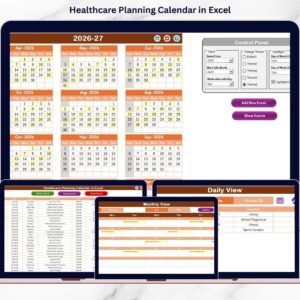
This ready-to-use Excel template is designed to help hospitals, clinics, diagnostic centers, and healthcare institutions manage annual planning, monthly scheduling, daily tracking, and a centralized event database — all in one organized system.

No expensive software. No complex setup. Just structured control.


🚀 Key Feature of Healthcare Event Calendar in Excel

This powerful template includes 5 fully integrated worksheets designed for complete event management.
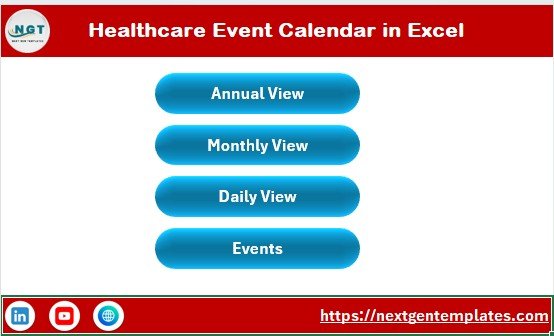
Home Sheet – Easy Navigation Hub
Instant navigation buttons to Annual View, Monthly View, Daily View, and Events database.

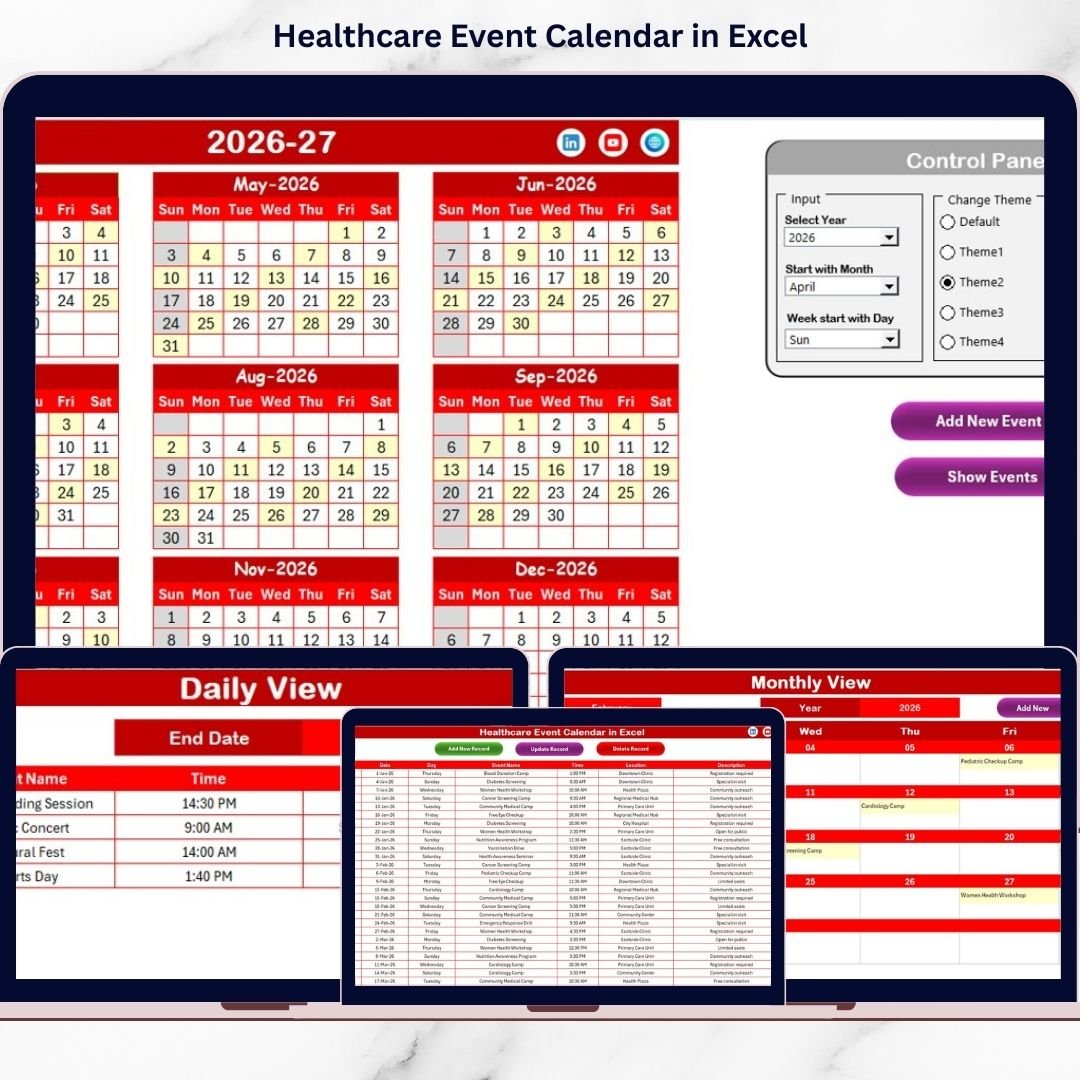
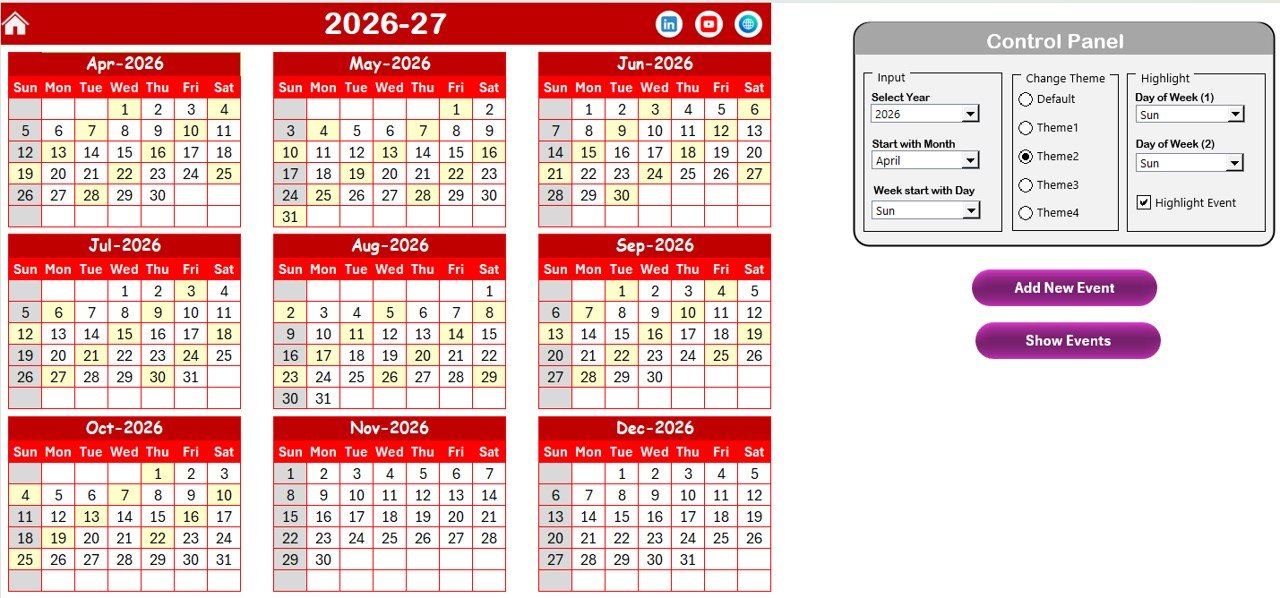
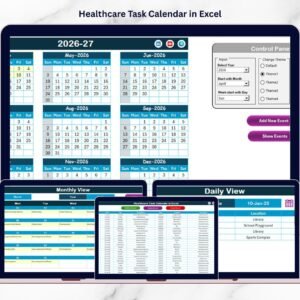
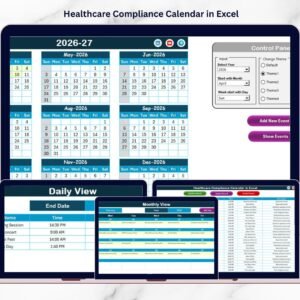
📅 Annual View – Full-Year Planning
View all 12 months at a glance.
✔ Select Year
✔ Change starting month
✔ Customize starting weekday
✔ Highlight weekends
✔ Highlight event dates automatically
✔ Choose from 5 color themes

📝 Add & Show Event Buttons
Select any date → Add new event → Auto-update calendar.
Click Show Event → View scheduled events instantly.

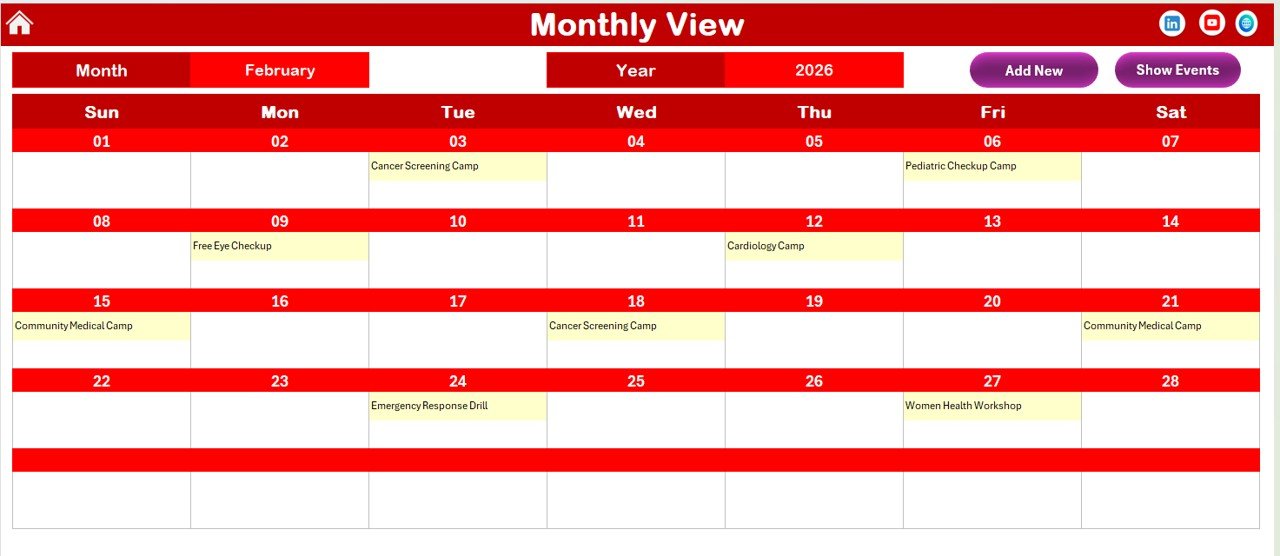
📆 Monthly View – Focused Planning
Select Month & Year.
Displays events directly on dates.
Shows “More than 1…” when multiple events exist to keep layout clean.

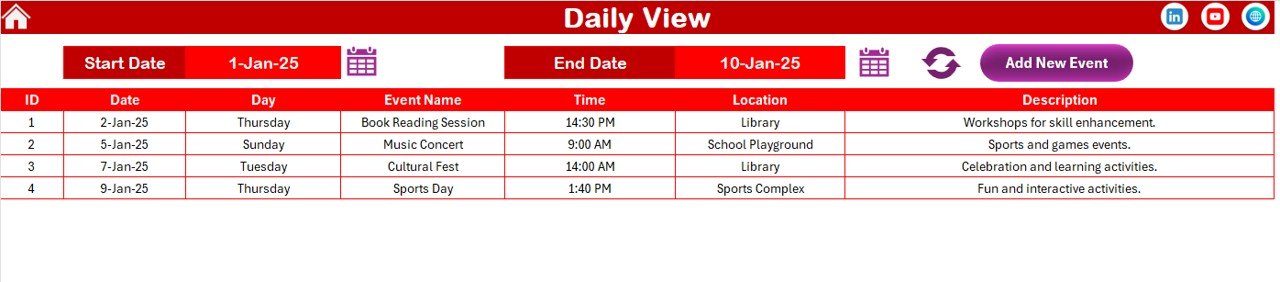
📊 Daily View – Detailed Tracking
Select start & end date → Click Refresh → View complete event list.
Perfect for weekly or monthly operational review.

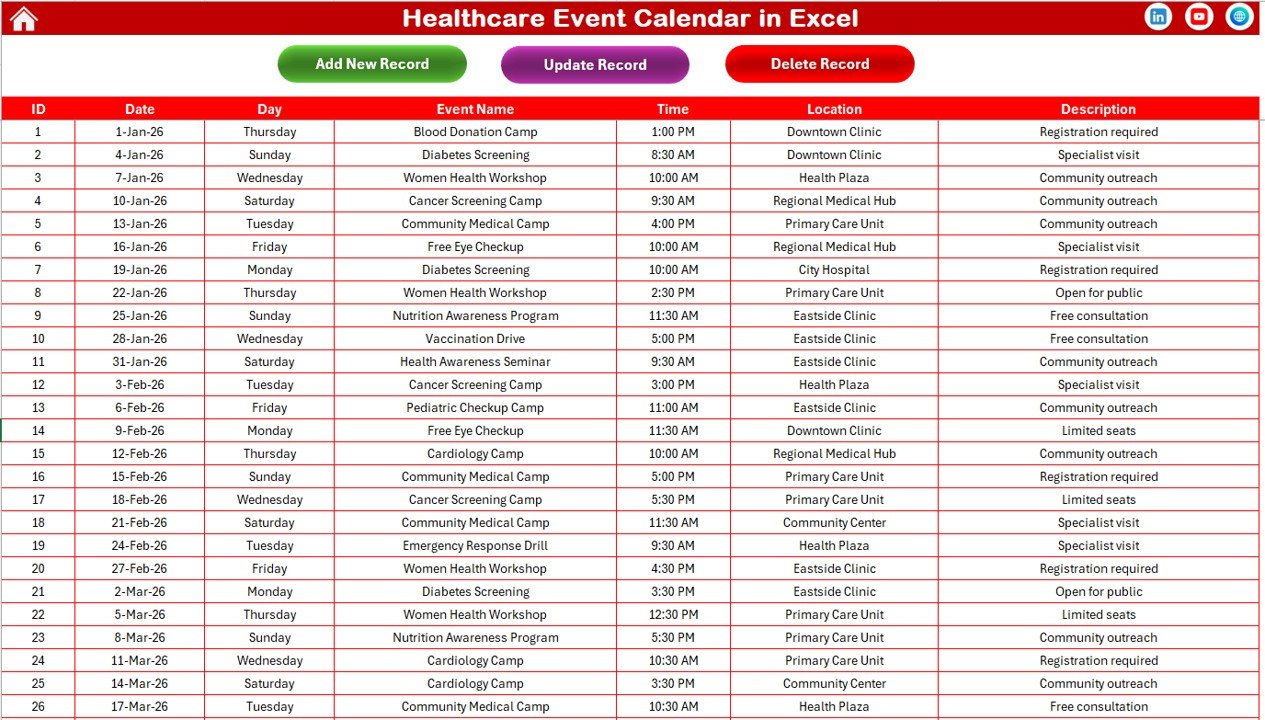
🗂 Events Sheet – Central Database
Add, Update, or Delete events with full control.
Auto-generated unique ID system ensures clean record management.

Everything connects dynamically. When you update the database, all calendar views refresh automatically.


📦 What’s Inside the Healthcare Event Calendar in Excel

When you purchase this template, you receive:

✔ 5 fully designed worksheets
✔ Automated event form
✔ Centralized event database
✔ Auto ID generation system
✔ Highlight & theme customization controls
✔ Annual, Monthly & Daily tracking system
✔ Add, Update & Delete record functionality
✔ User-friendly buttons & controls

This is not just a calendar — it’s a structured healthcare scheduling system built inside Excel.


🛠 How to Use the Healthcare Event Calendar in Excel

Using this template is simple:

1️⃣ Open the Home sheet.
2️⃣ Navigate to Annual or Monthly View.
3️⃣ Select your year or month.
4️⃣ Click on any date and press “Add New Event.”
5️⃣ Enter event name, time, location, and description.
6️⃣ Submit — and watch the calendar update automatically.

Need to modify an event?
Go to Events sheet → Select ID → Click Update → Edit & Save.

Want to track a date range?
Open Daily View → Enter start & end date → Click Refresh.

Even non-technical staff can manage it easily.


👩‍⚕️ Who Can Benefit from This Healthcare Event Calendar in Excel

This template is ideal for:

🏥 Hospitals
🩺 Clinics
🧪 Diagnostic Centers
💉 Vaccination Units
📋 Healthcare NGOs
🎓 Medical Training Institutes
🏢 Hospital Administration Teams

Whether you manage 10 events a month or 500 events a year, this system keeps everything organized.


The Healthcare Event Calendar in Excel improves:

✔ Event planning accuracy
✔ Team coordination
✔ Operational visibility
✔ Administrative control
✔ Data centralization

It eliminates scheduling confusion and gives management complete clarity.

If your healthcare organization needs structured event control without investing in complex systems, this Excel solution is the smartest choice.


Click here to read the Detailed blog post

Visit our YouTube channel to learn step-by-step video tutorials:
👉 https://youtube.com/@PKAnExcelExpert
Short Description

Stop missing healthcare events! 🚑 This powerful Healthcare Event Calendar in Excel gives you full annual, monthly & daily control in one smart workbook.

Annual Planning View Manage the full year at a glance with automatic updates.
📅 Monthly Calendar System Track events cleanly with smart display controls.
📊 Daily Range Tracking Monitor events between custom date ranges instantly.
🗂 Centralized Event Database Add, update, or delete records easily.
🎨 5 Custom Color Themes Match your hospital branding effortlessly.
🔔 Event Highlight Feature Important dates stand out automatically.
Auto ID Generation Maintain clean and organized records.
🚀 User-Friendly Controls Navigation buttons simplify usage.
💰 No Extra Software Cost 100% Excel-based solution.

Perfect for hospitals, clinics, and healthcare centers that need structured event management without complexity.

Healthcare organizations run on precision. Medical camps, vaccination drives, training sessions, conferences, accreditation visits, internal meetings — everything must happen on time. But when events are tracked in scattered sheets or manual registers, confusion becomes inevitable.

Missed schedules. Overlapping programs. Poor coordination.

What if you could manage your entire healthcare event system in one powerful, structured, and automated Excel workbook?

That’s exactly what the Healthcare Event Calendar in Excel delivers. 🚀

This ready-to-use Excel template is designed to help hospitals, clinics, diagnostic centers, and healthcare institutions manage annual planning, monthly scheduling, daily tracking, and a centralized event database — all in one organized system.

No expensive software. No complex setup. Just structured control.


🚀 Key Feature of Healthcare Event Calendar in Excel

This powerful template includes 5 fully integrated worksheets designed for complete event management.

Healthcare Event Calendar in Excel

Home Sheet – Easy Navigation Hub
Instant navigation buttons to Annual View, Monthly View, Daily View, and Events database.

📅 Annual View – Full-Year Planning
View all 12 months at a glance.
✔ Select Year
✔ Change starting month
✔ Customize starting weekday
✔ Highlight weekends
✔ Highlight event dates automatically
✔ Choose from 5 color themes

📝 Add & Show Event Buttons
Select any date → Add new event → Auto-update calendar.
Click Show Event → View scheduled events instantly.

📆 Monthly View – Focused Planning
Select Month & Year.
Displays events directly on dates.
Shows “More than 1…” when multiple events exist to keep layout clean.

📊 Daily View – Detailed Tracking
Select start & end date → Click Refresh → View complete event list.
Perfect for weekly or monthly operational review.

🗂 Events Sheet – Central Database
Add, Update, or Delete events with full control.
Auto-generated unique ID system ensures clean record management.

Everything connects dynamically. When you update the database, all calendar views refresh automatically.


📦 What’s Inside the Healthcare Event Calendar in Excel

When you purchase this template, you receive:

✔ 5 fully designed worksheets
✔ Automated event form
✔ Centralized event database
✔ Auto ID generation system
✔ Highlight & theme customization controls
✔ Annual, Monthly & Daily tracking system
✔ Add, Update & Delete record functionality
✔ User-friendly buttons & controls

This is not just a calendar — it’s a structured healthcare scheduling system built inside Excel.


🛠 How to Use the Healthcare Event Calendar in Excel

Using this template is simple:

1️⃣ Open the Home sheet.
2️⃣ Navigate to Annual or Monthly View.
3️⃣ Select your year or month.
4️⃣ Click on any date and press “Add New Event.”
5️⃣ Enter event name, time, location, and description.
6️⃣ Submit — and watch the calendar update automatically.

Need to modify an event?
Go to Events sheet → Select ID → Click Update → Edit & Save.

Want to track a date range?
Open Daily View → Enter start & end date → Click Refresh.

Even non-technical staff can manage it easily.


👩‍⚕️ Who Can Benefit from This Healthcare Event Calendar in Excel

This template is ideal for:

🏥 Hospitals
🩺 Clinics
🧪 Diagnostic Centers
💉 Vaccination Units
📋 Healthcare NGOs
🎓 Medical Training Institutes
🏢 Hospital Administration Teams

Whether you manage 10 events a month or 500 events a year, this system keeps everything organized.


The Healthcare Event Calendar in Excel improves:

✔ Event planning accuracy
✔ Team coordination
✔ Operational visibility
✔ Administrative control
✔ Data centralization

It eliminates scheduling confusion and gives management complete clarity.

If your healthcare organization needs structured event control without investing in complex systems, this Excel solution is the smartest choice.


Click here to read the Detailed blog post

Visit our YouTube channel to learn step-by-step video tutorials:
👉 https://youtube.com/@PKAnExcelExpert
Watch the step-by-step video tutorial:

Application

MS Excel

Price

Paid

Business Or Department

Healthcare and Medical Services

Template Type

Calendar

Shopping Cart
Healthcare Event Calendar in ExcelHealthcare Event Calendar in Excel
Original price was: ₹809.10.Current price is: ₹449.10.
Scroll to Top