Destination Management Companies (DMCs) operate in a highly dynamic and service-intensive environment. They manage tours, events, transportation, hotels, vendors, budgets, and client expectations—often across multiple destinations. Because operations move fast and involve many stakeholders, tracking performance without a structured system quickly leads to delays, missed insights, and reduced profitability.
That is exactly where the Destination Management Companies KPI Dashboard in Power BI becomes a game-changing performance management solution.
This ready-to-use Power BI KPI Dashboard provides a centralized, visual, and interactive way to track key performance indicators related to destination management operations. Instead of reviewing scattered Excel files or static reports, DMC managers can analyze MTD (Month-to-Date), YTD (Year-to-Date), Target vs Actual, and Previous Year performance from one professional Power BI dashboard.
Because the dashboard uses Excel as the data source and Power BI as the analytics layer, it remains both powerful and user-friendly. Teams simply update Excel sheets, refresh Power BI, and instantly see updated insights—without writing complex formulas or rebuilding reports.
📊 Key Features of Destination Management Companies KPI Dashboard in Power BI
This dashboard is designed specifically for destination management operations and executive reporting.
✔ Centralized KPI monitoring for DMC operations
✔ Interactive Month and KPI Group slicers
✔ Clear MTD and YTD performance tracking
✔ Target vs Actual comparison with visual indicators
✔ Previous Year benchmarking for trend analysis
✔ KPI status icons (▲ / ▼) for instant insights
✔ KPI trend analysis using combo charts
✔ Drill-through KPI definitions for clarity
✔ Excel-based data input (no technical complexity)
📄 Dashboard Pages & Structure
The Destination Management Companies KPI Dashboard in Power BI includes 3 structured analytical pages, each designed for clarity and decision-making.
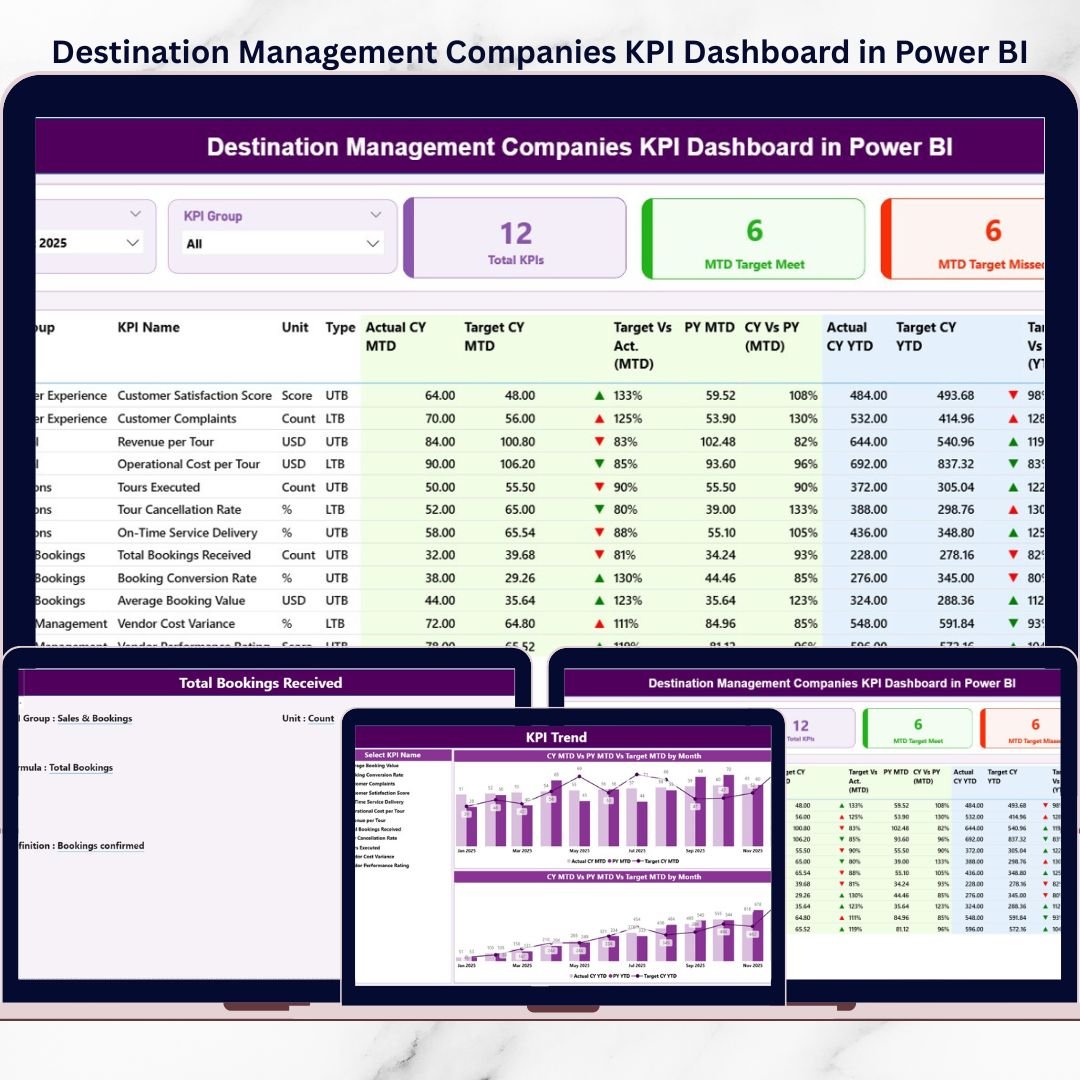
📌 1. Summary Page – Complete KPI Performance Snapshot
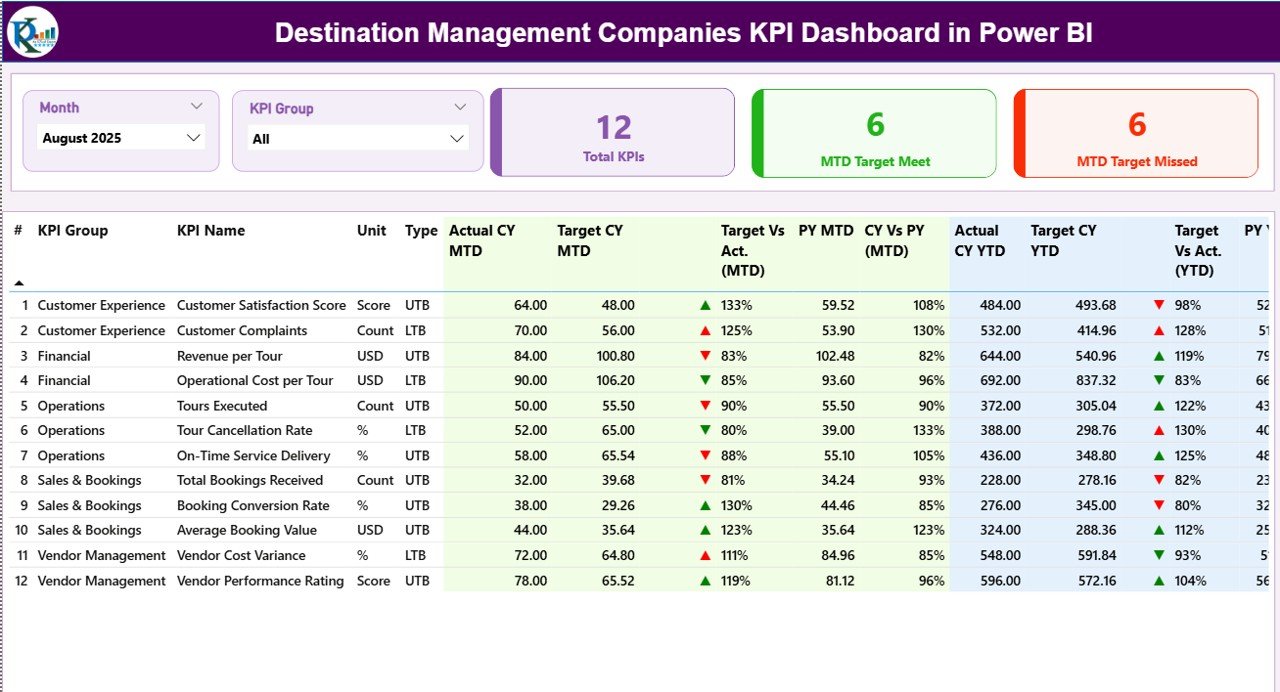
The Summary Page is the main landing page of the dashboard.
What You Can Do on This Page
Filter data using Month slicer
Filter KPIs using KPI Group slicer
Instantly view KPI performance status
KPI Cards Displayed
Total KPIs Count
MTD Target Meet Count
MTD Target Missed Count
Detailed KPI Table Shows
KPI Number
KPI Group
KPI Name
Unit
KPI Type (LTB / UTB)
Actual CY MTD
Target CY MTD
MTD status icon (▲ / ▼)
Target vs Actual (MTD)
PY MTD
CY vs PY (MTD)
Actual CY YTD
Target CY YTD
YTD status icon
Target vs Actual (YTD)
PY YTD
CY vs PY (YTD)
Because everything appears on one screen, managers can immediately identify underperforming KPIs.
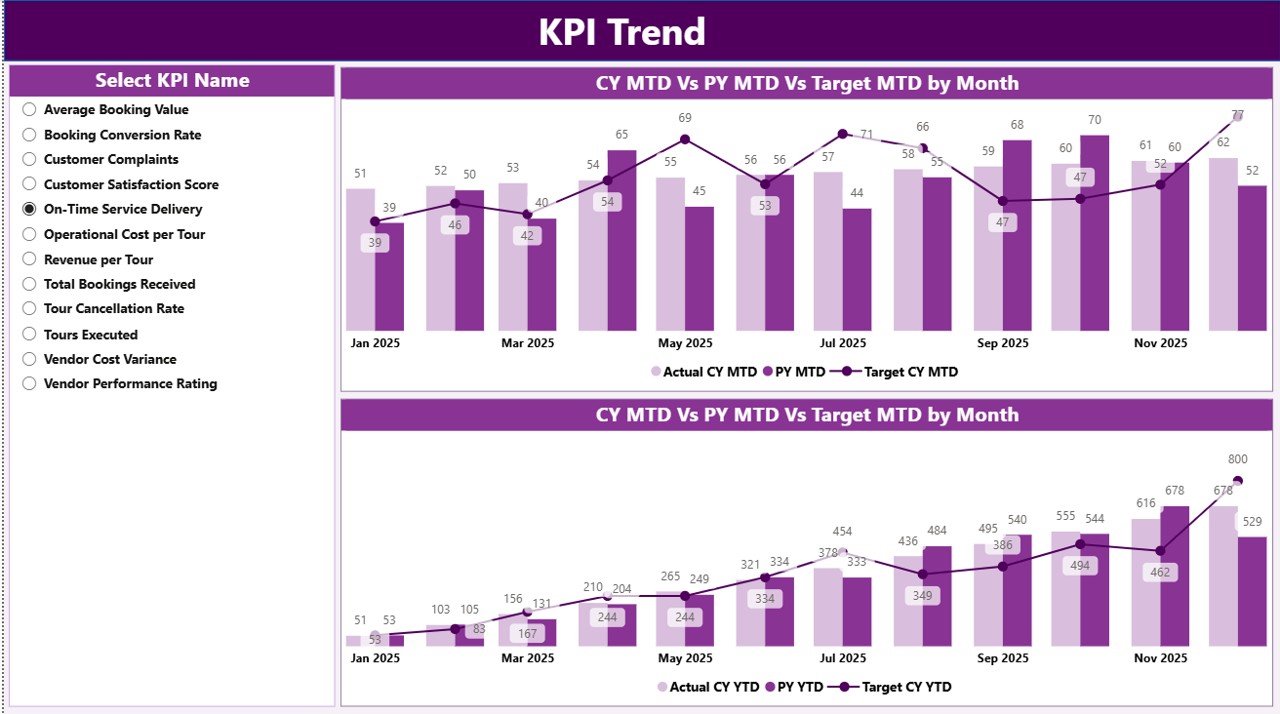
📈 2. KPI Trend Page – Performance Over Time
The KPI Trend Page helps analyze performance patterns.
Key Capabilities
KPI Name slicer for focused analysis
MTD Trend Chart (Actual vs Target vs PY)
YTD Trend Chart (Actual vs Target vs PY)
These visual trends help DMCs understand seasonality, growth patterns, and long-term improvement areas.
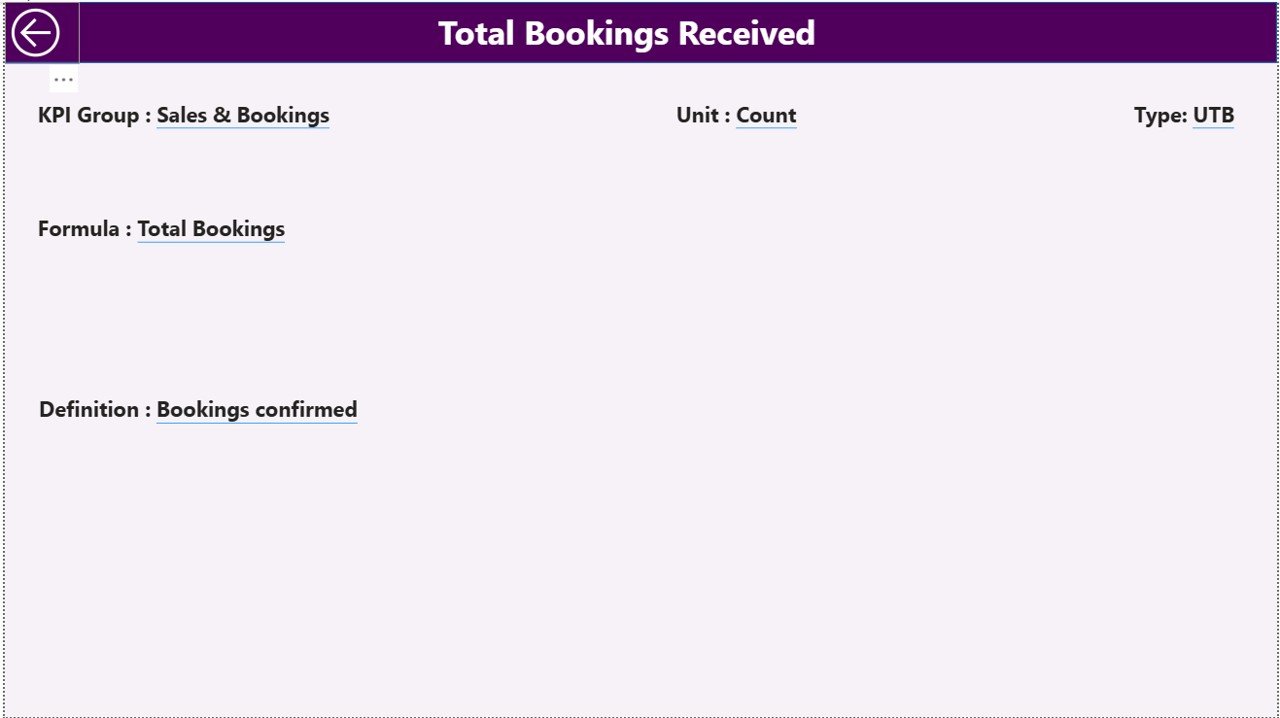
📘 3. KPI Definition Page – KPI Clarity & Governance
The KPI Definition Page is a drill-through reference page.
Displays
KPI Formula
KPI Definition
Unit of Measurement
KPI Type (LTB / UTB)
This ensures all stakeholders interpret KPIs correctly and consistently.
📂 Excel Data Structure (Backend)
This dashboard uses three Excel input sheets, making data maintenance simple.
📑 Input_Actual Sheet
KPI Name
Month (first date of the month)
MTD Actual
YTD Actual
🎯 Input_Target Sheet
KPI Name
Month (first date of the month)
MTD Target
YTD Target
📘 KPI Definition Sheet
KPI Number
KPI Group
KPI Name
Unit
Formula
Definition
KPI Type (LTB / UTB)
Power BI reads these sheets and updates all visuals automatically.
🎯 Who Can Benefit from This Dashboard?
This dashboard is ideal for:
✔ Destination Management Companies (DMCs)
✔ Travel & tourism operators
✔ Event and tour management firms
✔ Operations managers
✔ Finance and performance teams
✔ Business owners and leadership
Both small and large DMCs can scale this dashboard easily.
🚀 Business Benefits
Using this dashboard helps DMCs:
Improve operational visibility
Track performance against targets clearly
Identify issues early
Reduce manual reporting effort
Support strategic planning and reviews
Improve profitability and service quality
📺 Visit our YouTube channel to learn step-by-step video tutorials
👉 https://youtube.com/@PKAnExcelExpert
🔗 Click here to read the Detailed blog post