
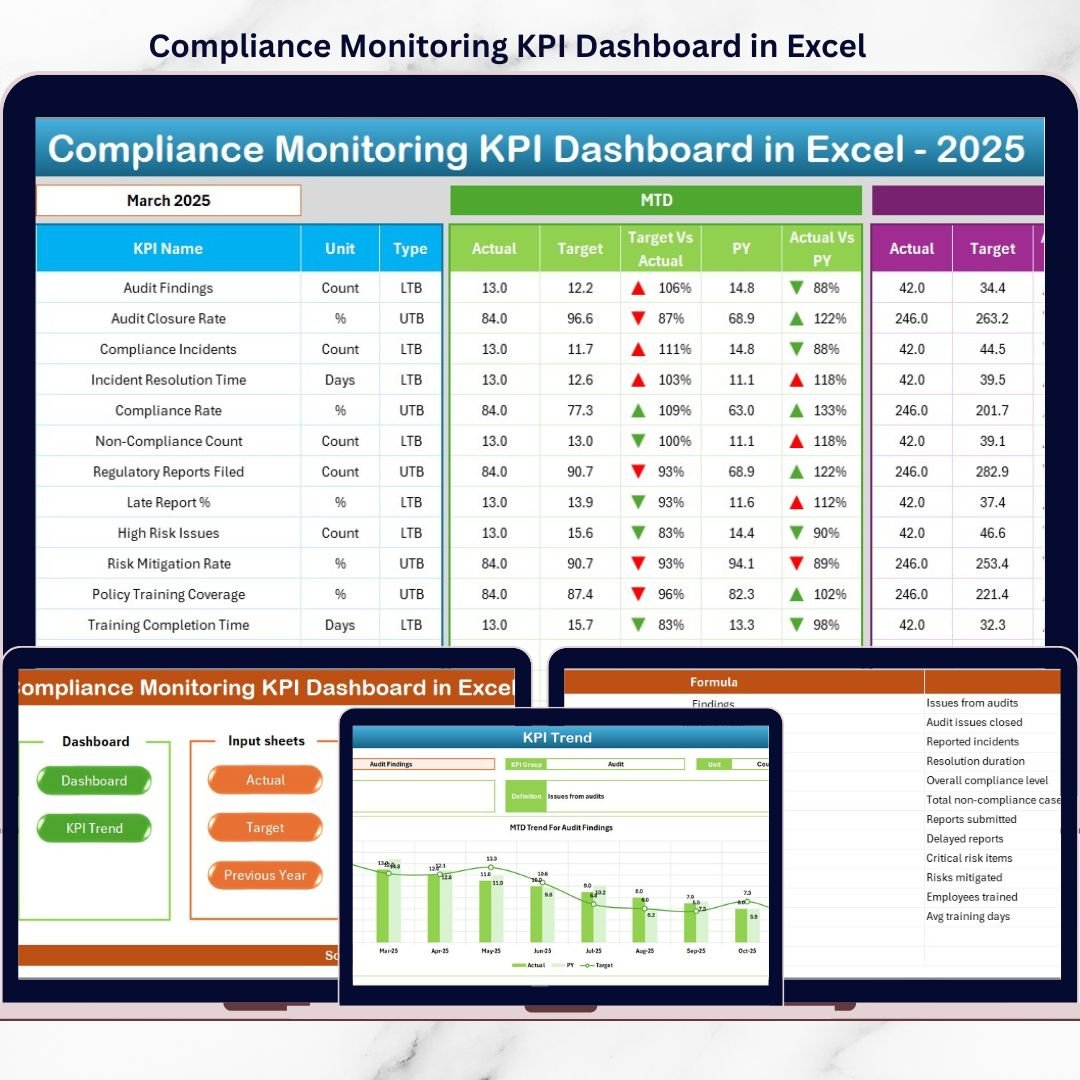
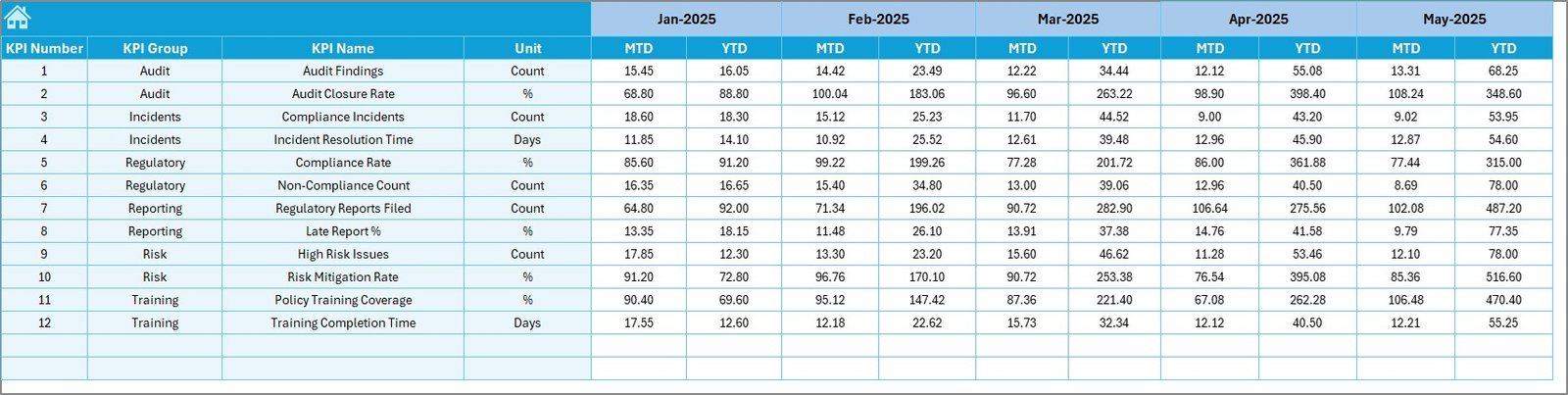
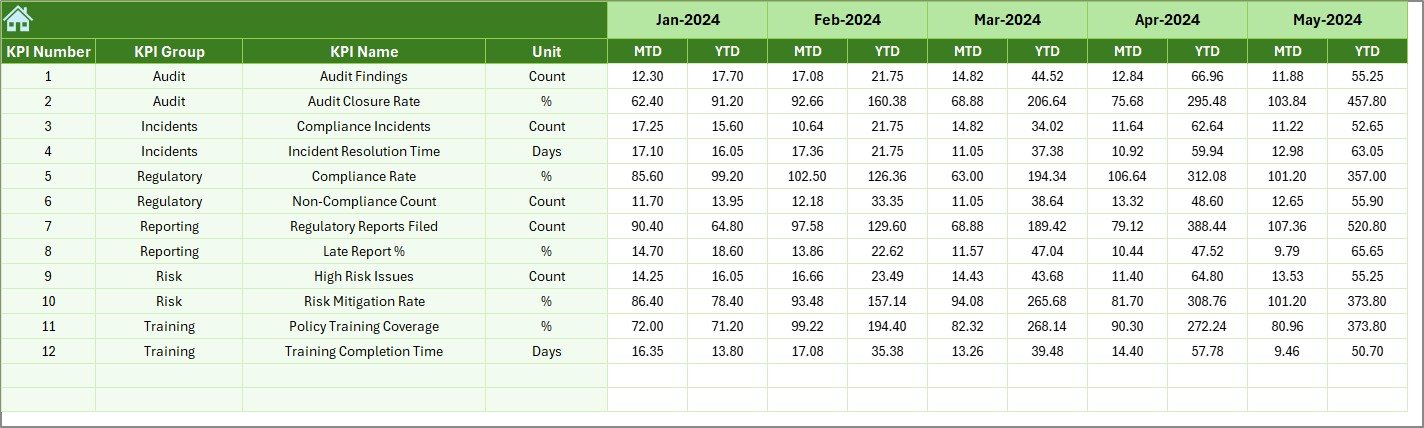

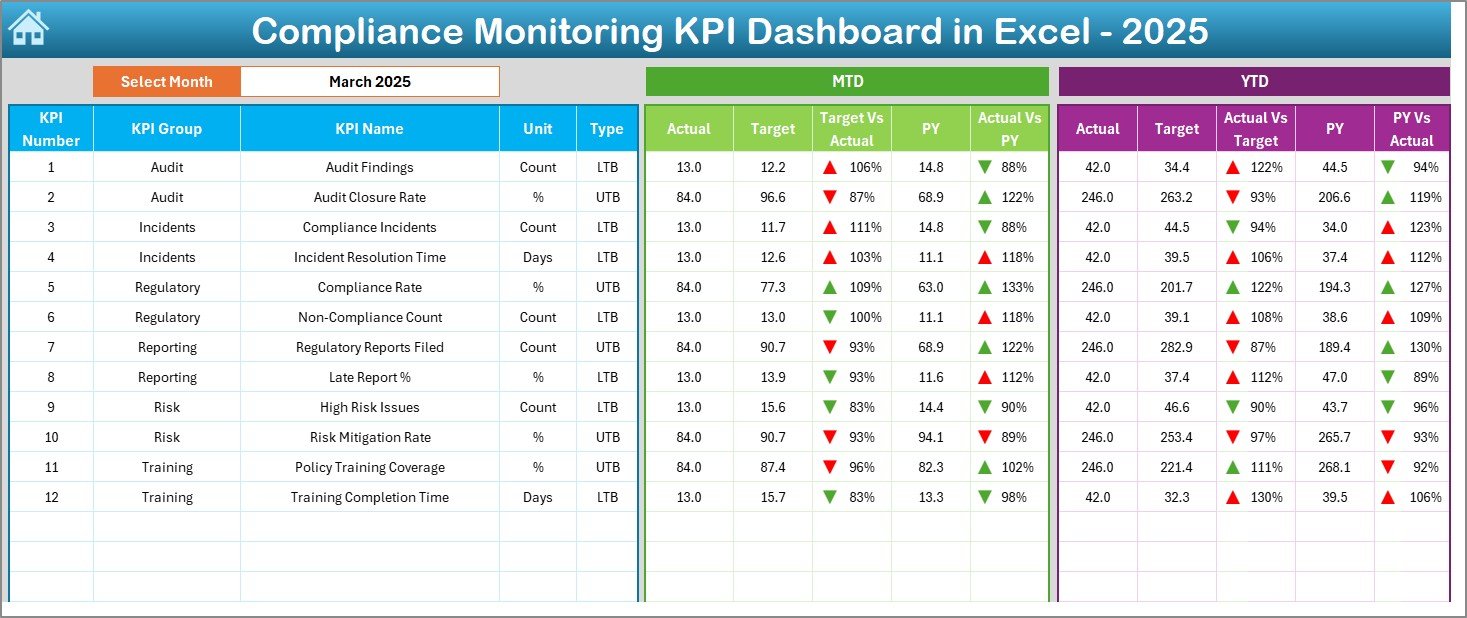
Managing compliance should not feel overwhelming or risky. Yet, many organizations still struggle with scattered files, unclear metrics, and delayed reporting. The Compliance Monitoring KPI Dashboard in Excel solves this problem by giving you a centralized, visual, and interactive compliance tracking system—all inside Excel.
This ready-to-use dashboard helps compliance teams, auditors, and leadership monitor key compliance KPIs, identify risks early, and stay audit-ready without investing in expensive software. If compliance matters to your organization, this dashboard is not optional—it is essential.
🚀 Key Features of Compliance Monitoring KPI Dashboard in Excel
📊 Centralized KPI Tracking
Track all compliance KPIs in one structured Excel dashboard instead of managing multiple files.
📅 MTD & YTD Performance Monitoring
Monitor Month-to-Date and Year-to-Date Actual, Target, and Previous Year values instantly.
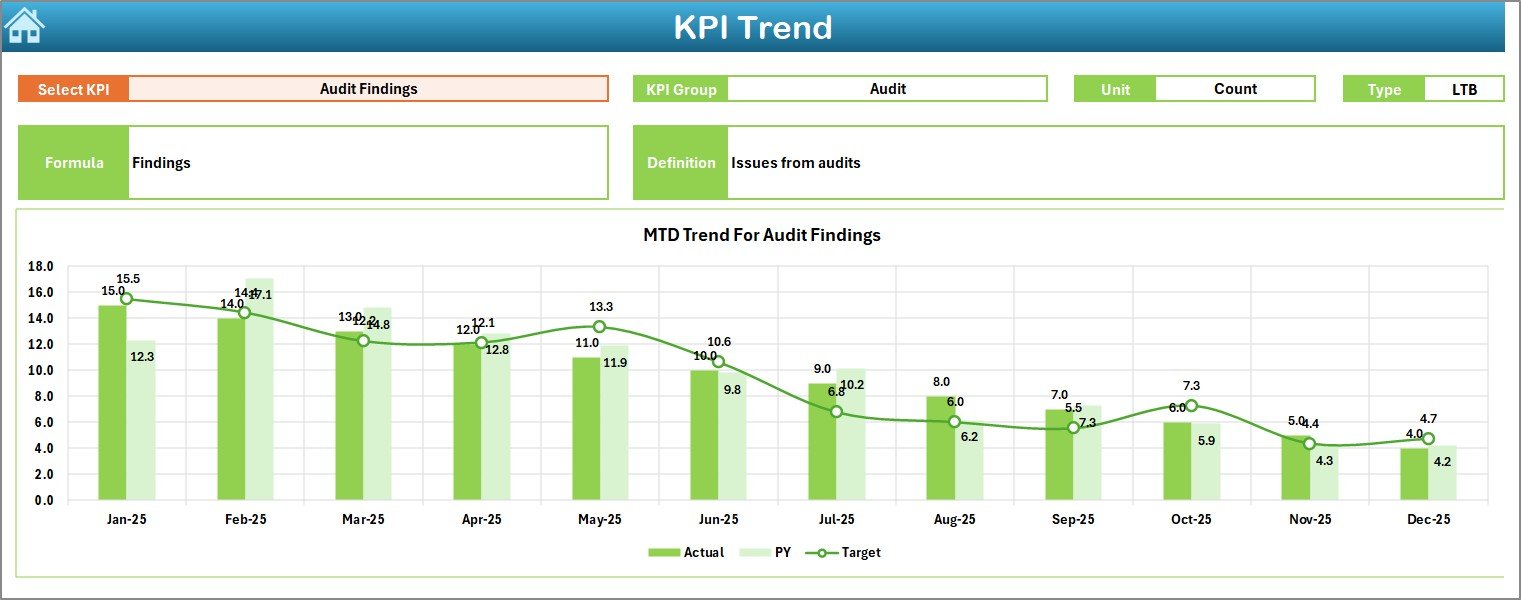
📈 Dynamic Trend Analysis
Analyze KPI performance trends over time using automated MTD and YTD charts.
🎯 Target vs Actual Comparison
Quickly identify compliance gaps using clear Target vs Actual indicators.
🔄 Previous Year Comparison
Measure year-over-year improvement or decline for every compliance KPI.
🧭 Easy Navigation with Index Page
Jump between sheets using built-in navigation buttons—no scrolling required.
🟢 Visual Performance Indicators
Use conditional formatting, arrows, and indicators to spot risks instantly.
📦 What’s Inside the Compliance Monitoring KPI Dashboard in Excel
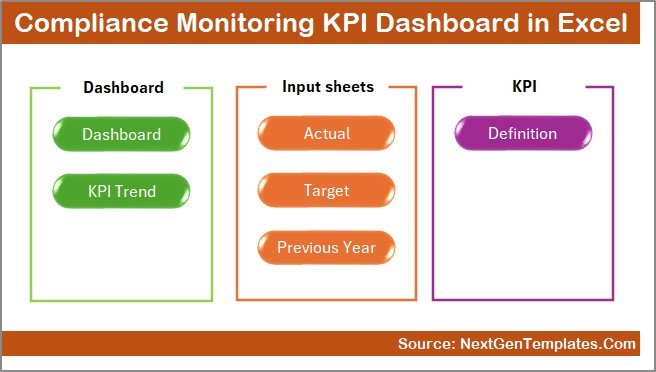
This dashboard includes 7 professionally designed worksheets, each with a clear purpose:
📌 Summary Page – Acts as the navigation hub with buttons for instant access
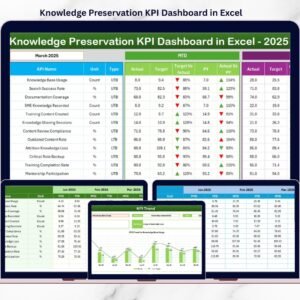
📌 Dashboard Sheet – Displays all MTD & YTD KPI performance in one view
📌 Trend Sheet – Shows detailed KPI trends with Actual, Target, and PY data
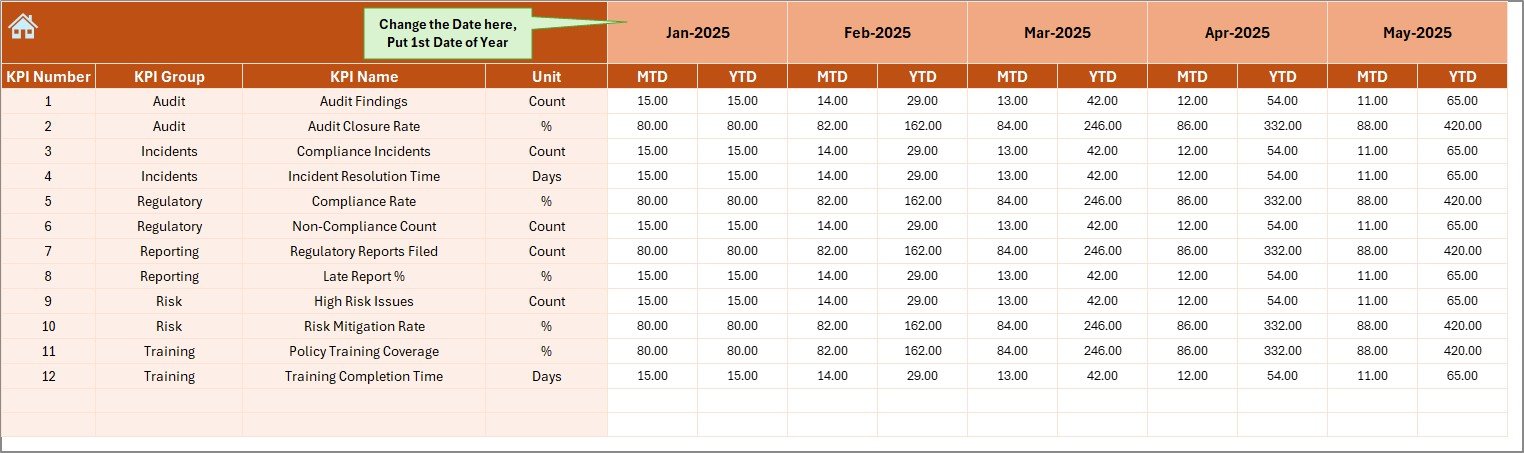
📌 Actual Numbers Input Sheet – Enter monthly compliance performance values
📌 Target Sheet – Define MTD and YTD compliance targets
📌 Previous Year Numbers Sheet – Store historical compliance data
📌 KPI Definition Sheet – Maintain KPI clarity with definitions and formulas
Together, these sheets create a complete compliance monitoring system inside Excel.
🛠️ How to Use the Compliance Monitoring KPI Dashboard in Excel
Using this dashboard is simple—even for non-technical users:
1️⃣ Enter actual compliance data in the Actual Numbers Input Sheet
2️⃣ Define targets in the Target Sheet
3️⃣ Add previous year data for comparison
4️⃣ Select the month from the dropdown
5️⃣ Instantly view updated KPIs, trends, and indicators
No macros. No coding. No learning curve. Just structured compliance monitoring.
👥 Who Can Benefit from This Compliance Monitoring KPI Dashboard in Excel
This dashboard is ideal for:
👔 Compliance Officers – Track and report compliance performance
📋 Internal Auditors – Prepare faster and stress-free audits
⚖️ Risk Management Teams – Identify compliance gaps early
🏢 Operations Managers – Ensure policy adherence across teams
📊 Senior Leadership – Make informed, data-driven decisions
If compliance, governance, and risk control matter to your role, this dashboard is built for you.
Click here to read the Detailed blog post
Watch the step-by-step video tutorial:
Visit our YouTube channel to learn step-by-step video tutorials
YouTube.com/@PKAnExcelExpert

























Reviews
There are no reviews yet.