

Key Features of Community Management KPI Scorecard
Unlock the true potential of your community management efforts with our Community Management KPI Scorecard, a ready-to-use, professionally designed KPI template that streamlines your performance tracking and decision-making process. This powerful digital product is tailored specifically to help community managers, marketers, and business leaders measure, analyze, and improve their community engagement strategies effectively.
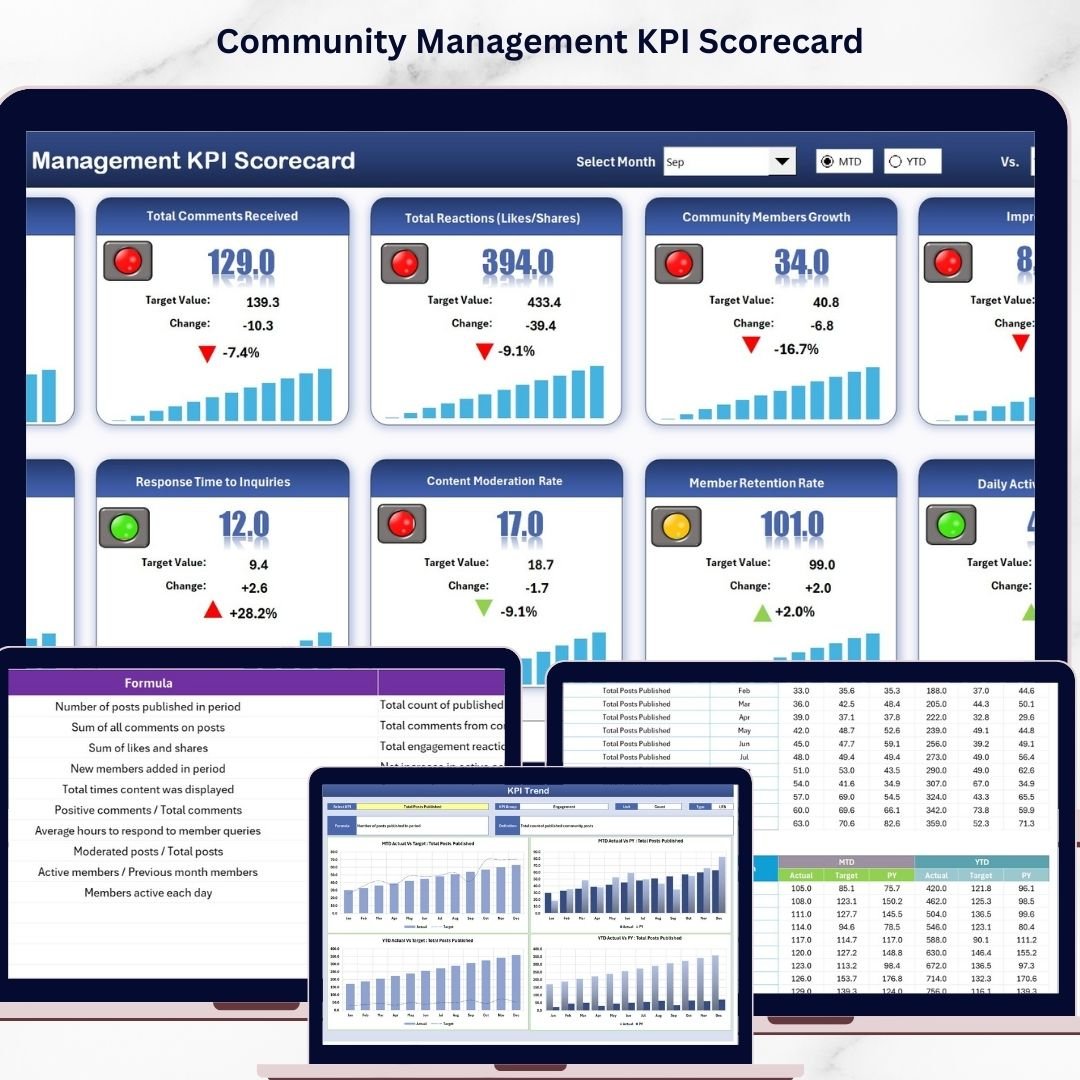
Our scorecard comes with four intuitive worksheets that provide a comprehensive overview and detailed insights into your community KPIs. On the Scorecard Sheet, you can effortlessly select the month, MTD (Month-to-Date), or YTD (Year-to-Date) performance through dropdown menus, compare actual vs target values, and instantly visualize KPI statuses with easy-to-understand color-coded indicators. This interactive interface is your command center for monitoring all essential KPIs at a glance.
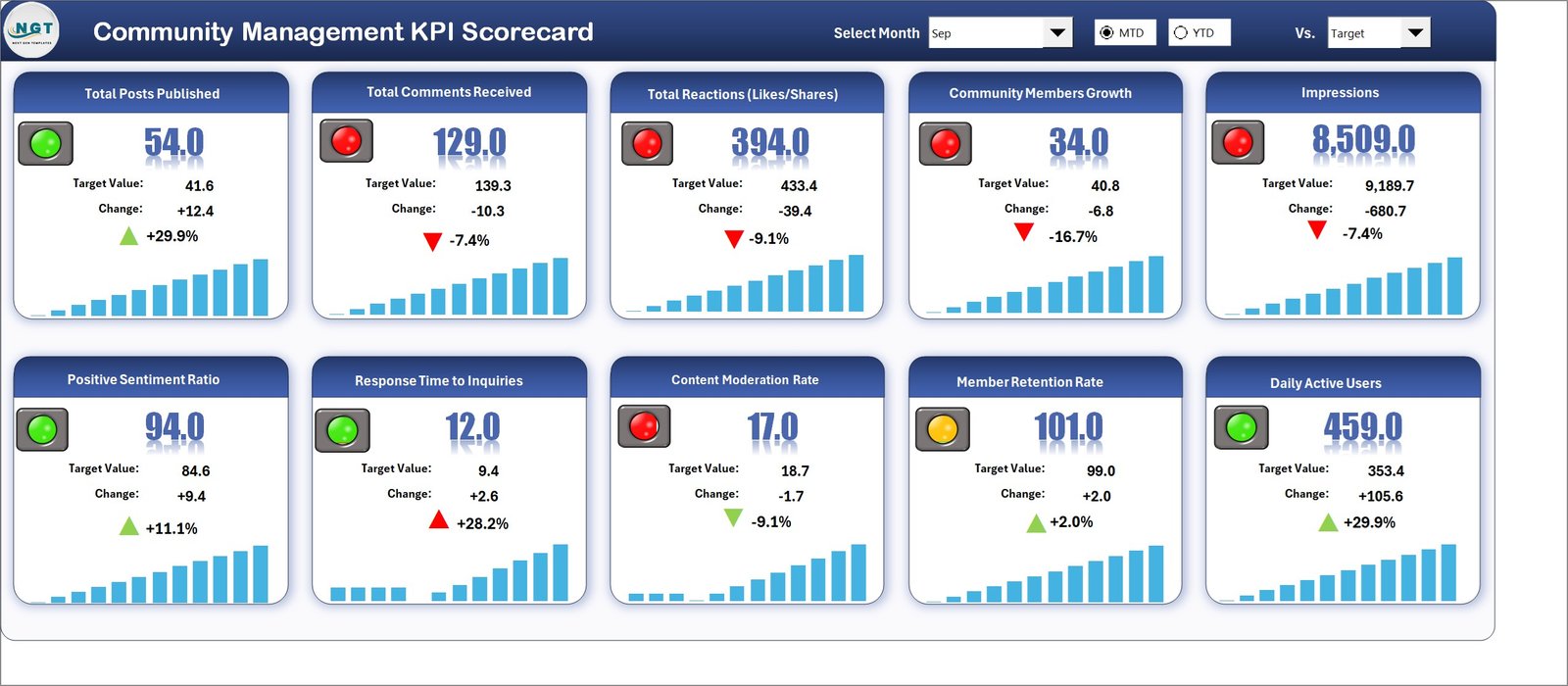
Community Management KPI Scorecard
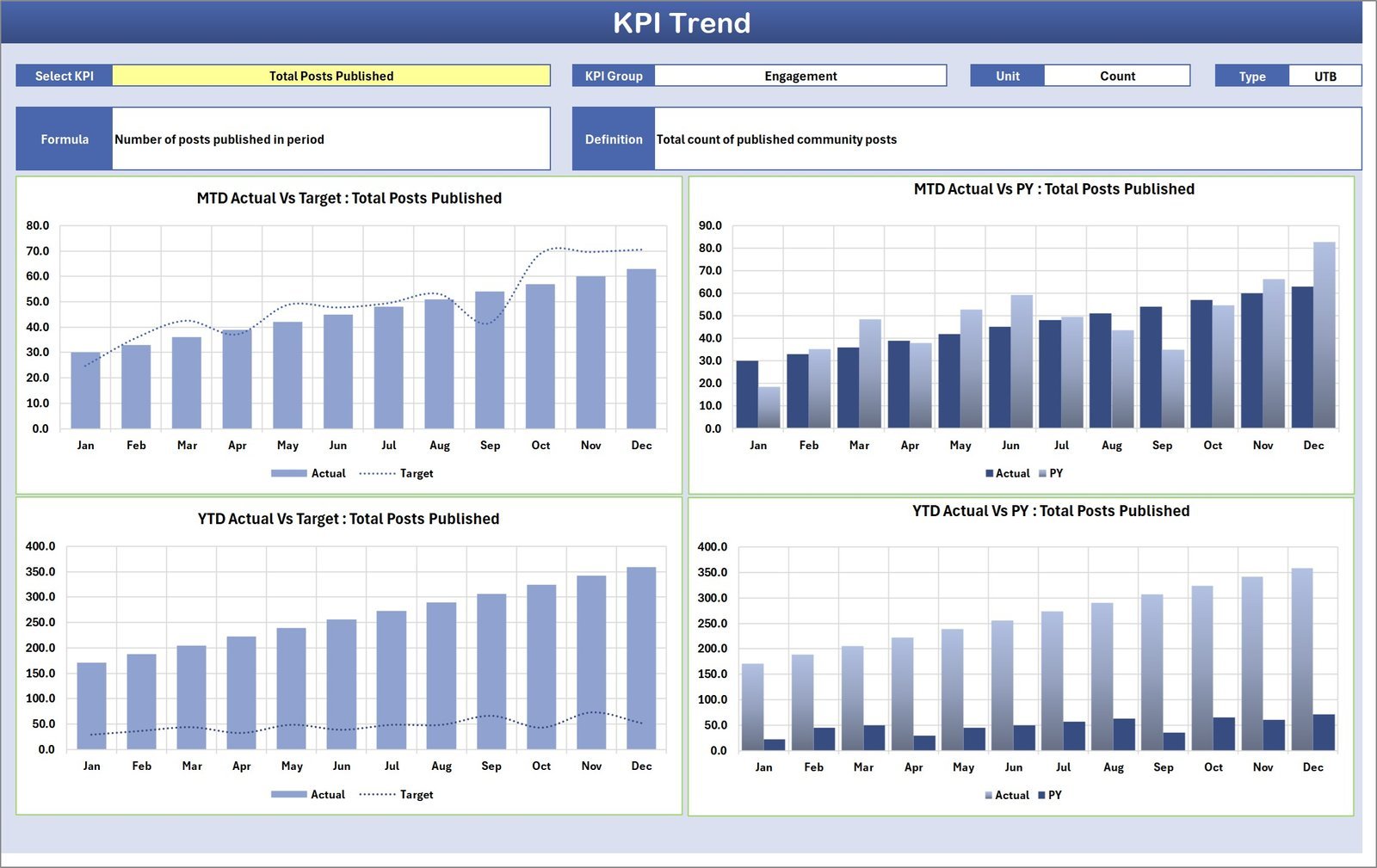
The KPI Trend Sheet enables you to dive deeper into individual KPIs by selecting the KPI name from a dropdown. It displays the KPI Group, Unit, Type (whether lower or upper values are better), Formula, and detailed KPI definition. To help you visualize progress over time, it features MTD and YTD trend charts comparing Actual, Target, and Previous Year (PY) numbers.
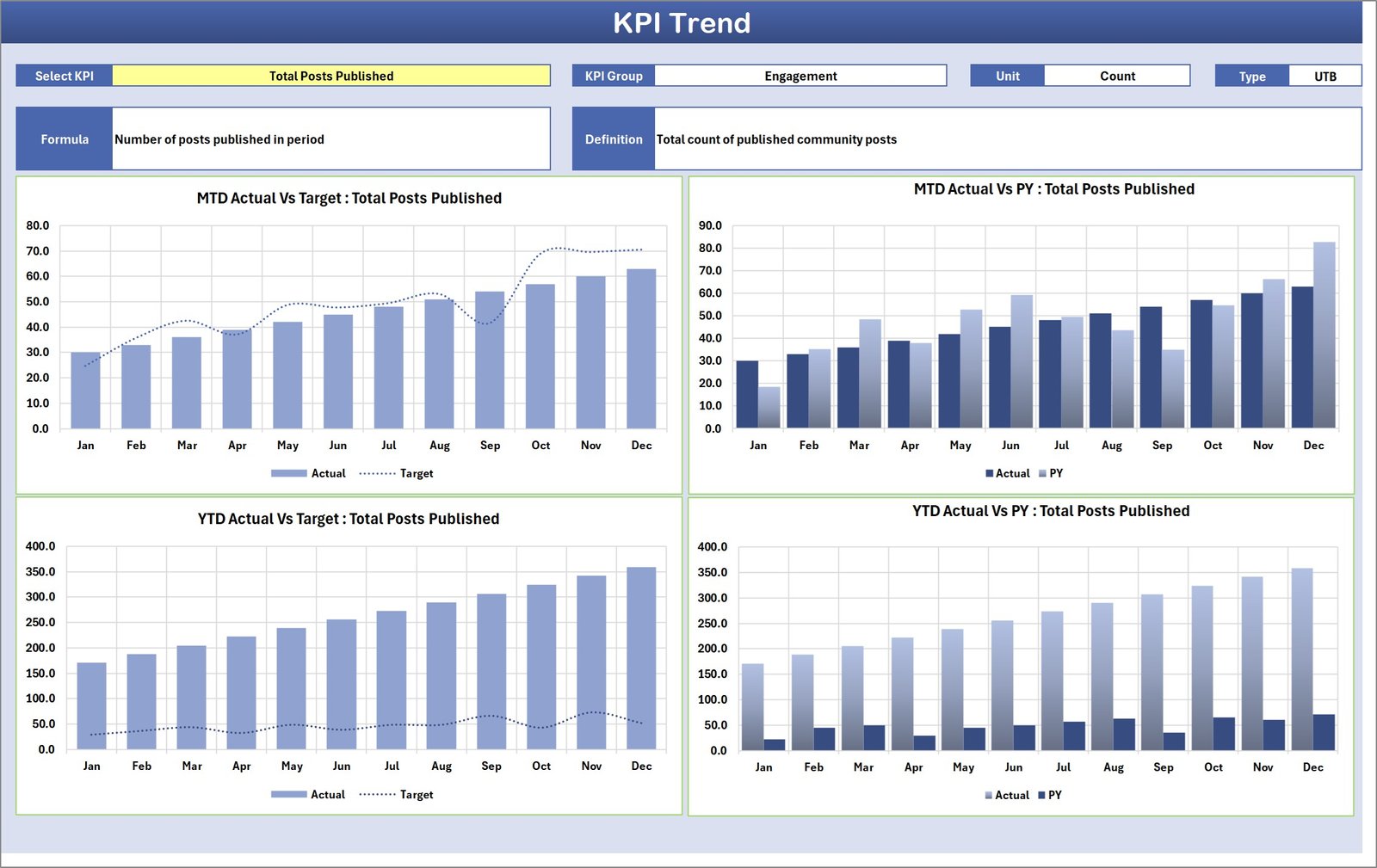
KPI Trend Sheet
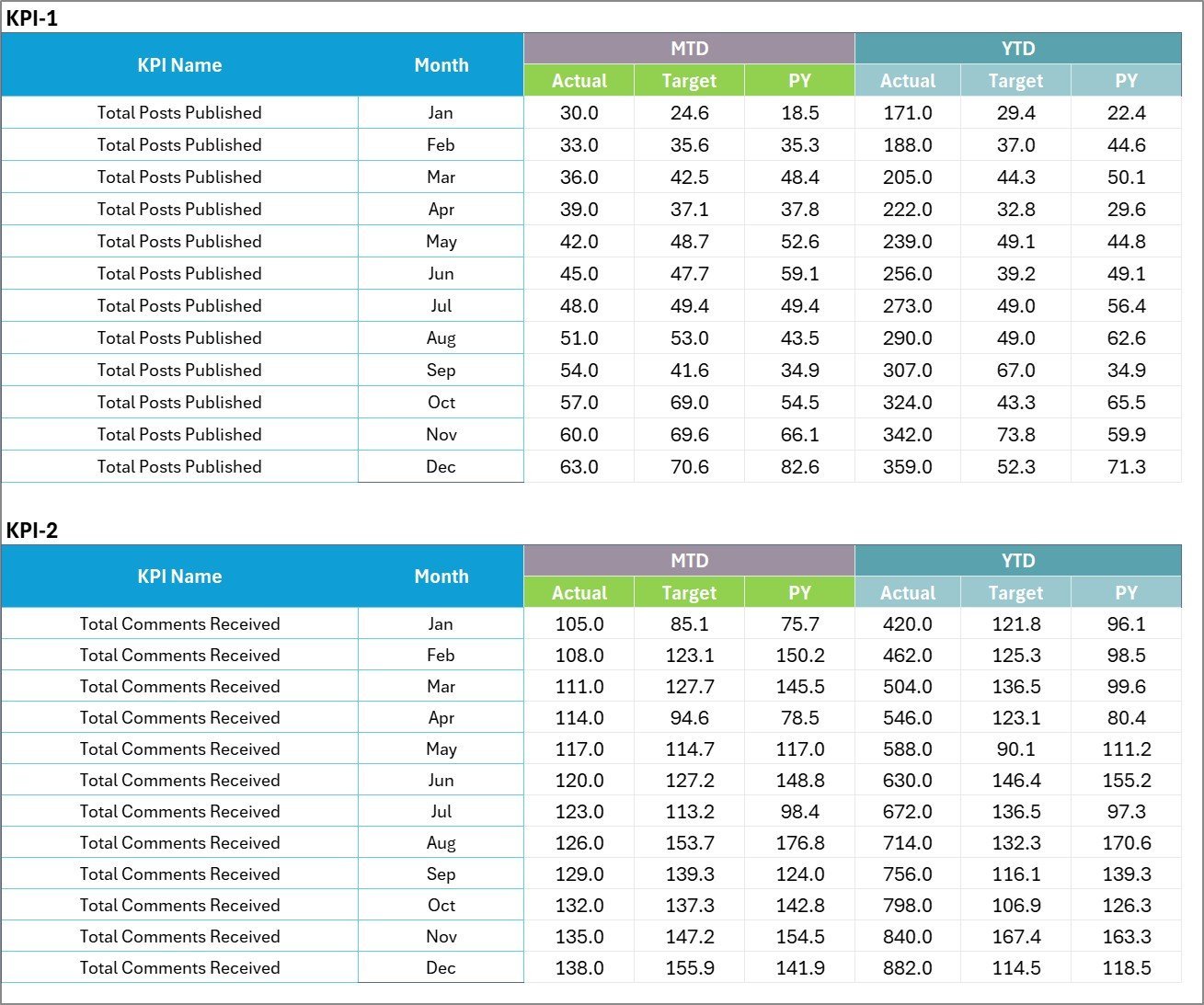
The Input Data Sheet is your data entry hub where you can record actual KPI values, set targets, and update metrics regularly. Its flexible design ensures your scorecard stays current and accurate, enabling real-time monitoring and analysis.
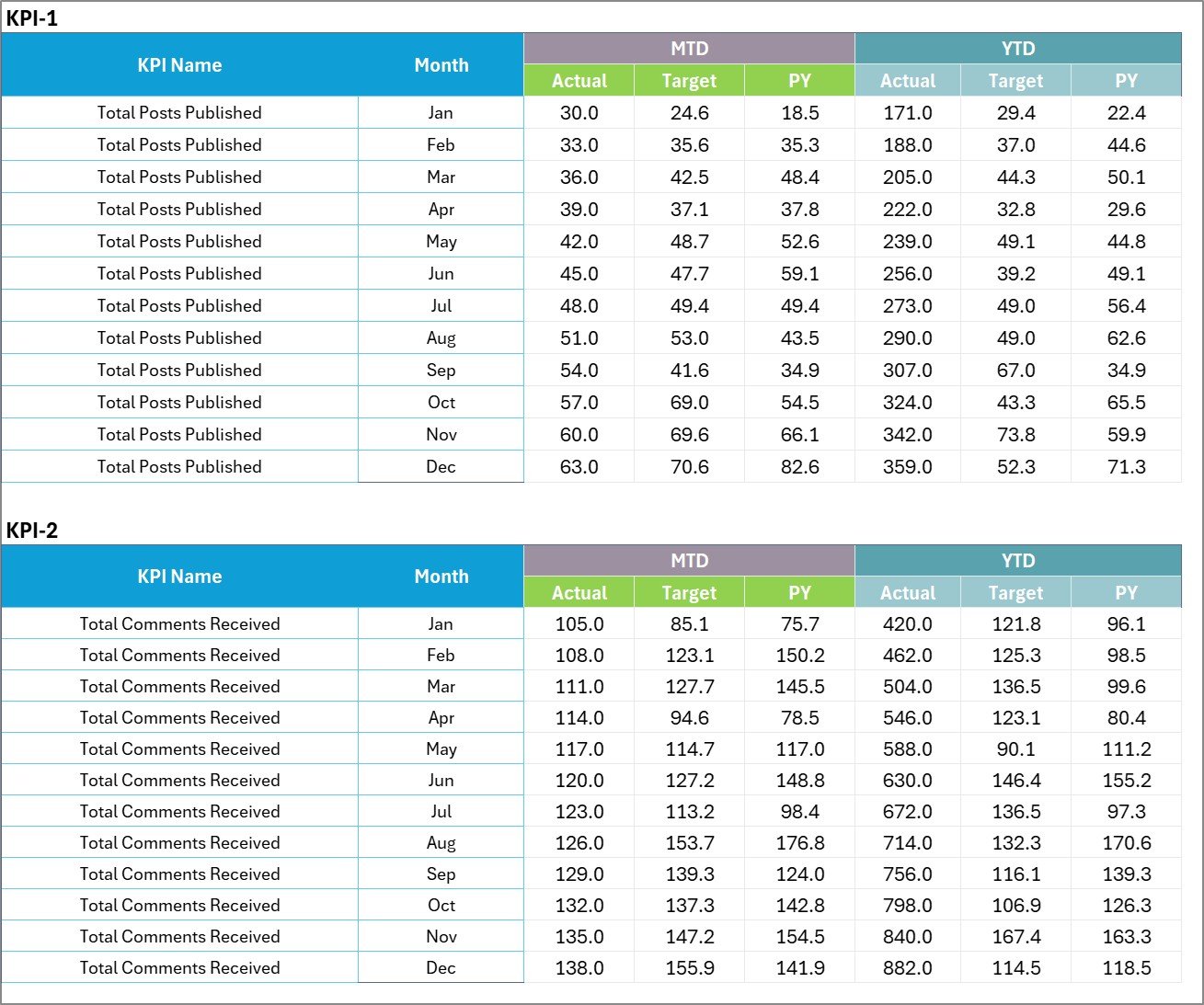
Input Data Sheet
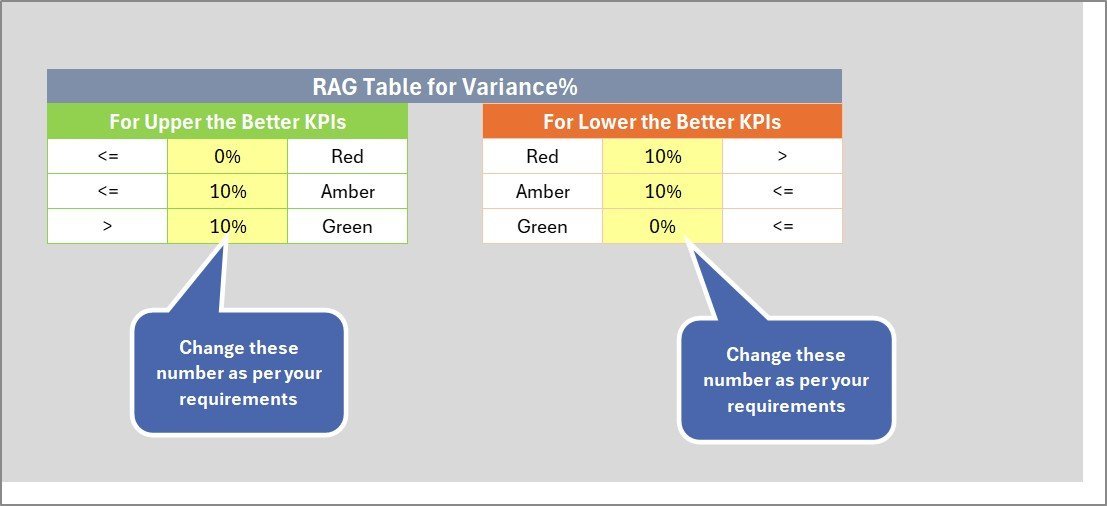
Finally, the KPI Definition Sheet helps you maintain clarity by allowing detailed input of KPI Name, Group, Unit, Formula, and comprehensive definitions. This ensures everyone on your team understands the measurement criteria, boosting alignment and collaboration.

KPI Definition sheet tab
What’s Inside the Community Management KPI Scorecard
Our digital product includes a fully editable Excel/Google Sheets template featuring:
- 🗓️ Four dynamic worksheets designed for seamless KPI tracking and analysis
- 🔽 Dropdown menus for easy selection of time periods and KPIs
- 📊 Visual performance indicators with color coding for quick status checks
- 📈 Trend charts comparing actual, target, and previous year data
- ✍️ Flexible data input section for ongoing updates and accuracy
- 📚 Detailed KPI definitions to ensure thorough understanding
- 🔄 Compatibility with popular spreadsheet software for smooth integration
- 💼 Professional design tailored specifically for community management
How to Use the Community Management KPI Scorecard
Using this KPI scorecard is simple and effective. First, input your KPI data on the Input Data Sheet including actual results and targets. Next, use the Scorecard Sheet to select the month and view your performance overview with intuitive visuals. For deeper insights, explore the KPI Trend Sheet to analyze trends and progress over time. Finally, maintain clarity by updating and reviewing KPI definitions on the KPI Definition Sheet. This step-by-step approach empowers you to monitor performance continuously, identify gaps, and make data-driven decisions to optimize your community engagement strategies.
Who Can Benefit from This Community Management KPI Scorecard
This scorecard is an essential tool for:
- 👩💼 Community Managers aiming to track engagement, growth, and satisfaction effectively
- 📈 Marketing Teams looking to align community efforts with broader business goals
- 🏢 Business Leaders who want a clear, concise overview of community success metrics
- 🧑💻 Data Analysts seeking structured data input and visual KPI trends
- 📊 Consultants & Agencies delivering community performance reports to clients
- 🎯 Startups & Enterprises focused on scaling and optimizing online community engagement
Whether you’re a solo community manager or part of a large team, this KPI scorecard will streamline your reporting, save time, and help you achieve measurable results.















Reviews
There are no reviews yet.