🌟 Master Your Celebrity Merchandising Business with Data-Driven Insights!
Celebrity merchandising is fast-paced and constantly evolving. Trends shift overnight, fan demand changes quickly, and product performance varies across celebrities, regions, and sales channels. So, how can you stay ahead?
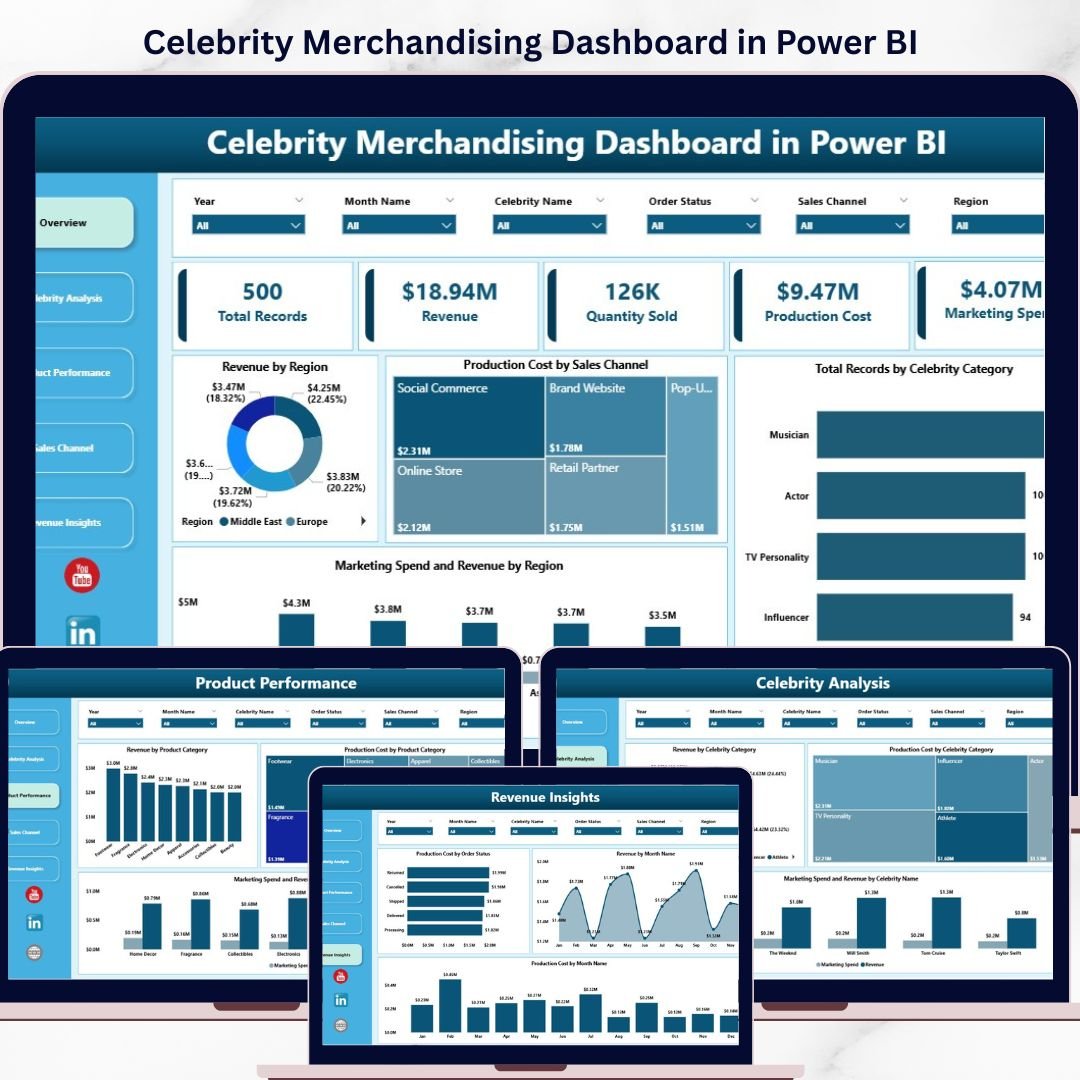
👉 The Celebrity Merchandising Dashboard in Power BI is your ultimate solution to track revenue, quantity sold, production cost, and marketing performance—all in one interactive dashboard.
Instead of managing multiple spreadsheets and reports, this ready-to-use dashboard brings everything together into a single, easy-to-understand view. With powerful visuals, KPI cards, and smart filters, you can instantly understand what’s working and what needs improvement.
With just a simple data refresh, your dashboard updates automatically—giving you real-time insights without any manual effort.
🔑 Key Features of Celebrity Merchandising Dashboard in Power BI
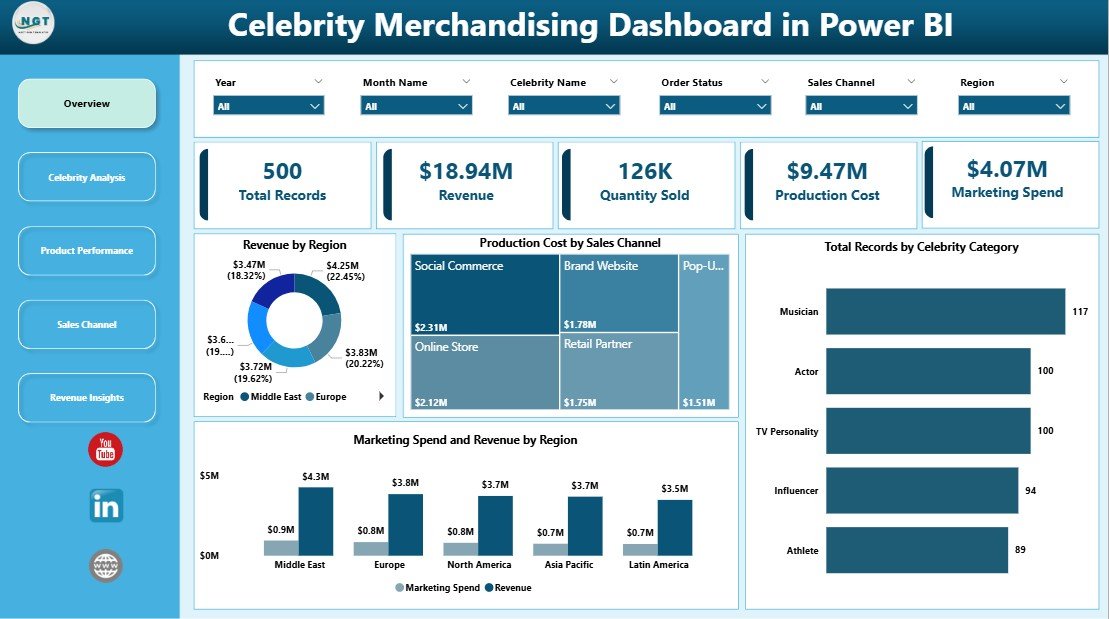
✨ Interactive Multi-Page Dashboard – Analyze performance across Overview, Celebrity Analysis, Product Performance, Sales Channel, and Revenue Insights.
📊 Powerful KPI Cards – Track Total Records, Revenue, Quantity Sold, Production Cost, and Marketing Spend instantly.
🎯 Advanced Filters & Slicers – Drill down into data by region, celebrity, product category, and sales channel.
📈 Dynamic Visualizations – Understand trends and patterns through intuitive charts and comparisons.
⚡ Real-Time Data Refresh – Update your data and refresh instantly for the latest insights.
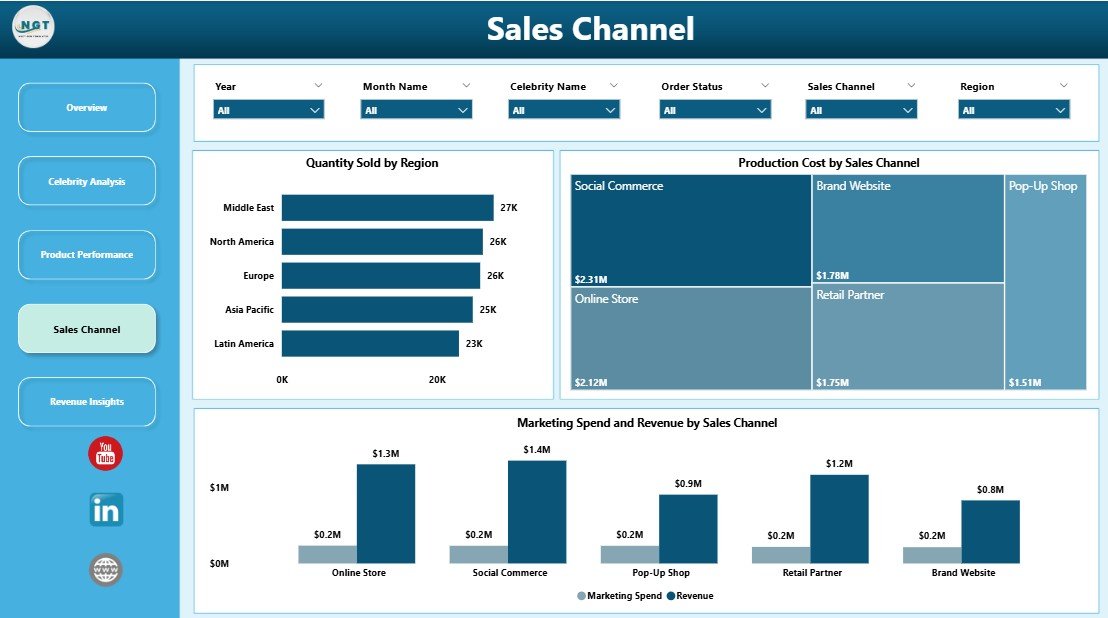
🌍 Regional Performance Insights – Identify top-performing and underperforming markets.
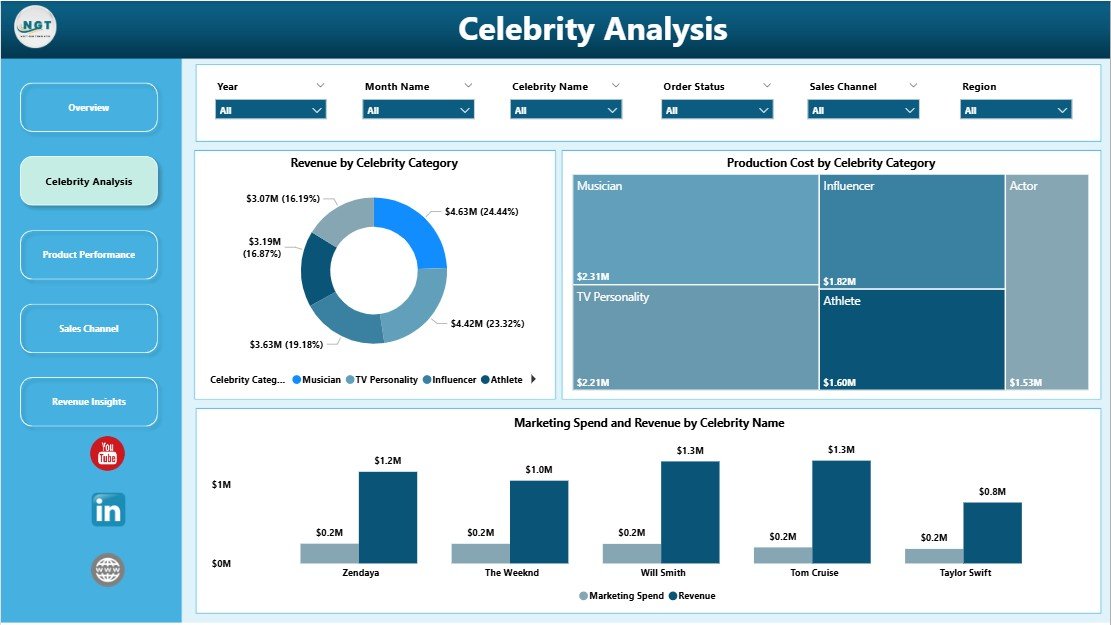
🎤 Celebrity-Level Analysis – Discover which celebrities and categories drive the most revenue.
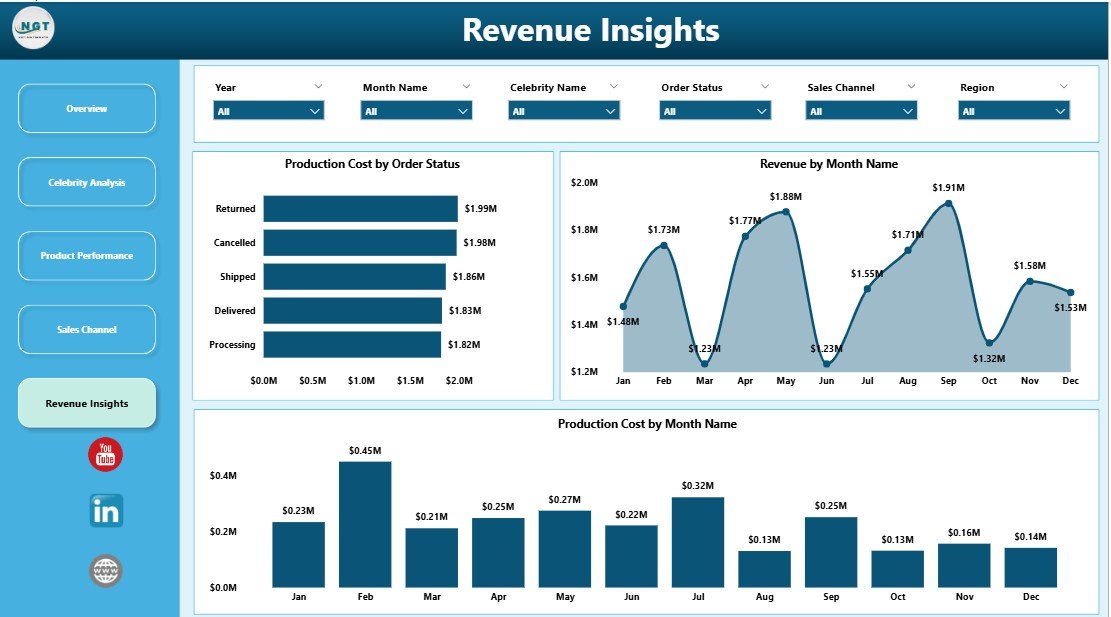
📅 Monthly Trend Tracking – Monitor revenue and cost trends over time for better planning.
📦 What’s Inside the Celebrity Merchandising Dashboard in Power BI
📁 5 Fully Interactive Dashboard Pages
- Overview Dashboard
- Celebrity Analysis
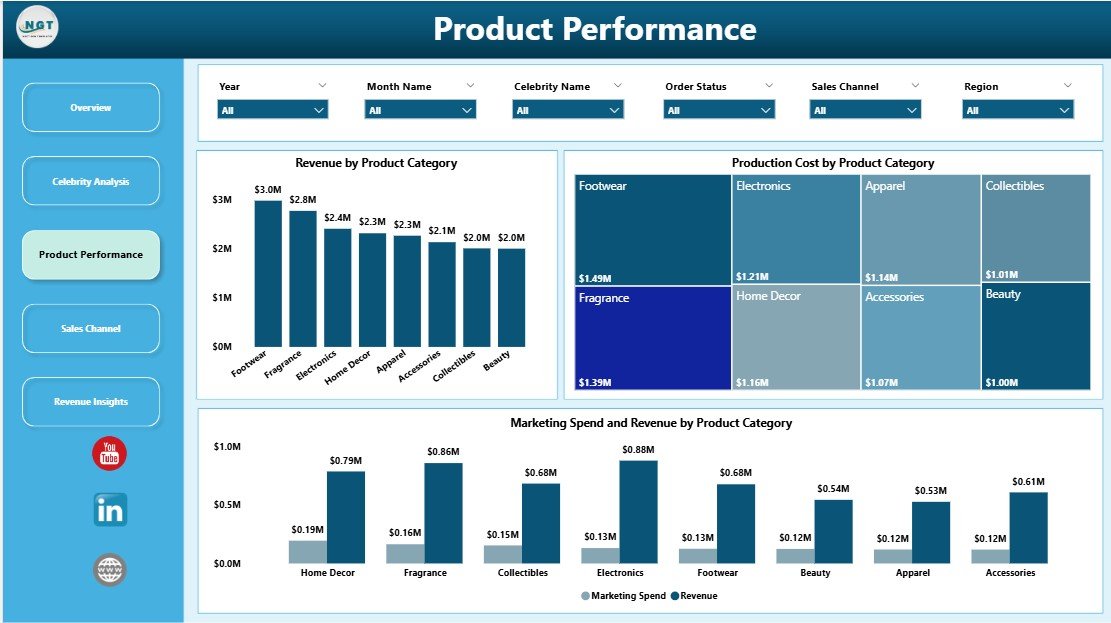
- Product Performance
- Sales Channel Analysis
- Revenue Insights
📊 Pre-Built KPIs & Charts
- Revenue by Region
- Production Cost by Sales Channel
- Records by Celebrity Category
- Marketing Spend vs Revenue
- Monthly Revenue & Cost Trends
🎛️ Interactive Filters & Slicers
- Filter by Region
- Filter by Celebrity Name
- Filter by Product Category
- Filter by Sales Channel
- Filter by Month & Order Status
📂 Ready-to-Use Power BI File
- Fully designed and formatted
- Plug-and-play structure
- Easy customization
⚙️ How to Use the Celebrity Merchandising Dashboard in Power BI
1️⃣ Download and open the Power BI file
2️⃣ Connect or update your merchandising dataset
3️⃣ Click Refresh to update all visuals instantly
4️⃣ Use slicers to filter and explore data
5️⃣ Analyze KPIs and charts to make smarter business decisions
💡 No advanced technical skills required—this dashboard is designed for both beginners and professionals.
👥 Who Can Benefit from This Celebrity Merchandising Dashboard in Power BI
🎤 Merchandising Managers – Track product and celebrity performance
🛍️ E-commerce Businesses – Monitor sales, cost, and marketing effectiveness
📊 Marketing Teams – Optimize campaigns based on performance insights
📈 Business Analysts – Perform deep data analysis and reporting
🏢 Retail & Brand Managers – Improve strategy and maximize profitability
This dashboard transforms complex merchandising data into clear, actionable insights. As a result, you can improve decision-making, optimize marketing budgets, and boost overall profitability.
Instead of guessing what works, you can now rely on real data to guide your business strategy—efficiently and confidently.
📖 Click here to read the Detailed blog post
🎥 Visit our YouTube channel to learn step-by-step video tutorials
👉 https://youtube.com/@PKAnExcelExpert