

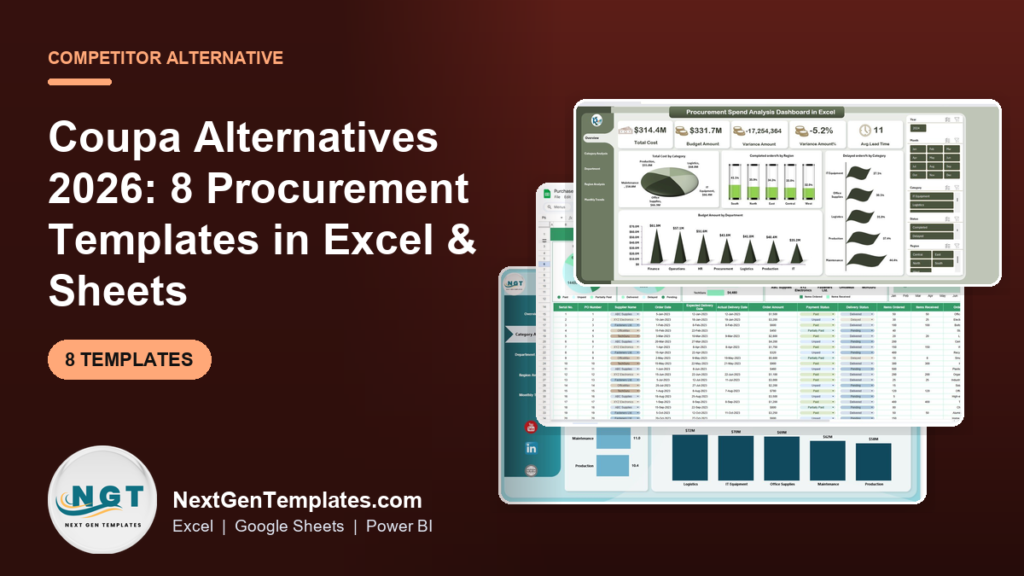
The best Coupa alternatives for small procurement teams are spreadsheet templates that cover spend analysis, PO tracking and sourcing KPIs without a per-seat enterprise contract. The strongest is the Procurement Spend Analysis Dashboard in Excel at $17.99, followed by the $60.99 Procurement Manager Toolkit for teams that want eight tools in one.
Last updated: September 2026
Key takeaways
- Coupa is a full Business Spend Management suite sold on custom, quote-only annual contracts, so small teams cannot see a price until they book a sales call.
- Small teams most often churn off Coupa for three reasons: per-seat and minimum-commitment cost, paying for modules they never switch on, and the admin overhead of running the platform.
- A one-time $17.99 Procurement Spend Analysis Dashboard in Excel covers Coupa’s core spend-visibility job for a fraction of a single Coupa seat.
- The $60.99 Procurement Manager Toolkit bundles eight Excel and Google Sheets tools and is the best-value switch for a lean procurement function.
- Coupa still wins when you need automated supplier onboarding, approval workflows across hundreds of users, and audited invoice-to-pay at enterprise scale.
 Launch offer
SUMIFS, XLOOKUP, FILTER, LAMBDA and checking AI-written formulas, with real business projects. 11h 47m of video by PK, with practice files, quizzes and a capstone.
Coupa alternative templates compared
| Template | Format | Best For | Price |
|---|---|---|---|
| Procurement Spend Analysis Dashboard (Best overall) | Excel | Replacing Coupa’s spend-analytics view | $17.99 |
| Procurement Manager Toolkit (Best value) | Excel + Google Sheets | Eight procurement tools in one buy | $60.99 |
| Procurement Spend Analysis Dashboard | Power BI | Interactive executive reporting | $17.99 |
| Sale & Purchase Software | Excel (VBA) | PO entry and procure-to-pay records | $19.99 |
| Electricity Procurement KPI Dashboard | Excel | Energy and utility sourcing teams | $14.99 |
| Clinic Procurement KPI Dashboard | Excel | Healthcare and clinic buying | $14.99 |
| Smart Cities Procurement KPI Dashboard | Excel | Public-sector capital projects | $14.99 |
| Ad Spend Efficiency KPI Dashboard | Power BI | Controlling marketing spend | $11.99 |
What Coupa actually costs in 2026
Coupa is an enterprise Business Spend Management (BSM) platform covering procurement, invoicing, expenses, sourcing, supplier management and spend analytics. The important thing for a small team is what Coupa does not do: it does not publish a public price. There is no self-serve plan and no listed monthly figure on Coupa’s official site — every deployment is a custom, quote-only annual contract arranged through a sales cycle.
Independent buyers and software-marketplace listings consistently describe Coupa as a five- to six-figure annual commitment once modules, users and implementation are added together. That pricing model is designed for organisations with a dedicated procurement department, not a two-to-five-person team running purchasing alongside finance.
Three reasons small teams churn off Coupa — or never sign in the first place:
- Seat and minimum-commitment cost. Pricing scales with users and modules, and enterprise contracts carry annual minimums. A lean team pays for capacity it can never fill.
- Unused modules. You buy the whole suite — sourcing, contracts, invoicing, expenses, supplier risk — but in practice use spend analysis and PO tracking. The rest is paid-for shelfware.
- Admin overhead. Coupa needs configuration, supplier onboarding, ERP integration and an administrator. For a small team that time is the real cost, and it recurs every renewal.
The alternatives below take the two jobs small teams actually do in Coupa — see where the money goes, and keep purchase orders in order — and deliver them as one-time spreadsheet purchases you own outright.
Coupa feature vs the NGT template that covers it
| Coupa module | NGT template that covers the job | Price |
|---|---|---|
| Spend Analysis / Spend Guard | Procurement Spend Analysis Dashboard (Excel or Power BI) | $17.99 |
| Procurement / Purchase Orders | Sale & Purchase Software | $19.99 |
| Sourcing & category KPIs | Sector KPI dashboards (Electricity, Clinic, Smart Cities) | $14.99 |
| Spend controls / budget vs actual | Ad Spend Efficiency KPI Dashboard | $11.99 |
| Full procurement operation | Procurement Manager Toolkit (8 templates) | $60.99 |
How we picked these
We searched the NextGenTemplates catalogue of 1,000+ paid templates for tools that map directly onto the jobs procurement teams do inside Coupa: spend visibility, purchase-order tracking, sourcing KPIs and budget control. We prioritised templates that are formula-driven, own-outright and require no monthly subscription. We excluded generic finance templates that do not model supplier, category or PO data, and free downloads that a business could not rely on for reporting. Prices and links were verified live at publication.
The 8 best Coupa alternative templates for 2026
1. Procurement Spend Analysis Dashboard in Excel — best overall
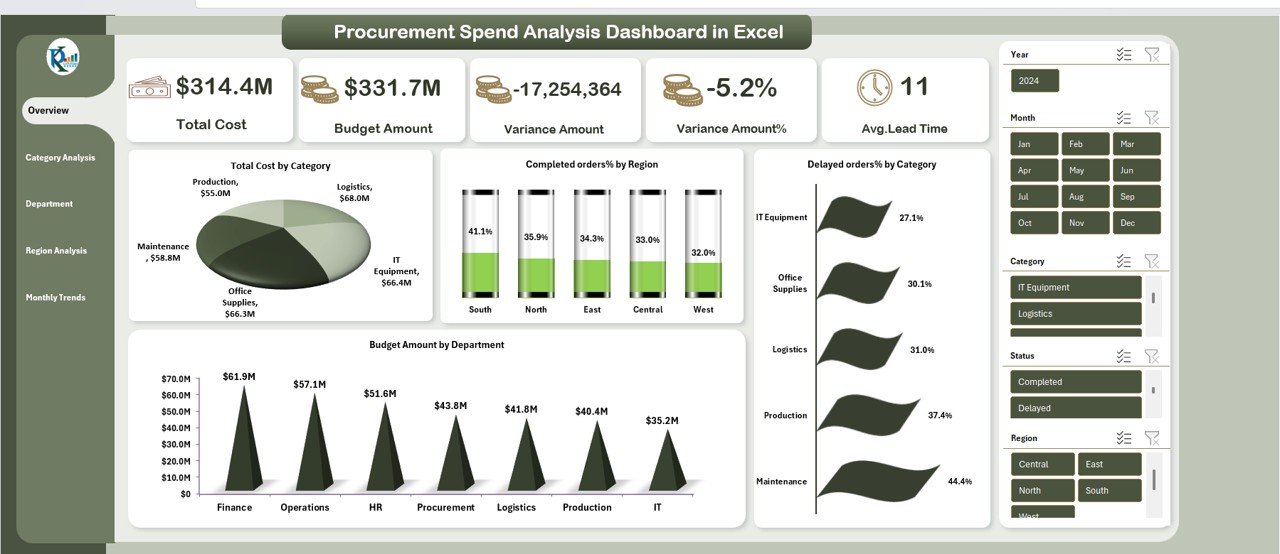
What it is: a ready-built Excel dashboard that turns raw purchasing data into the same spend-visibility view Coupa charges for — spend by category, supplier, department and region, plus budget-vs-actual variance.
Who it is for: a procurement or finance lead who wants Coupa’s spend-analytics answer without the contract.
What is inside:
- Total cost, budget amount and variance KPI cards at the top
- Spend-by-category and spend-by-department breakdowns
- Supplier and region analysis with slicers
- On-time delivery and pending-order tracking
Load a purchasing export, refresh, and you have a board-ready spend report in minutes. A team spending $300k a month can spot a supplier running 5% over budget the same week, not at the next quarterly review. It is the closest one-file answer to why teams buy Coupa in the first place.
Price: $17.99 — get the Procurement Spend Analysis Dashboard in Excel.
Best for: the single best Coupa replacement for spend visibility on a budget.
2. Procurement Manager Toolkit — best value
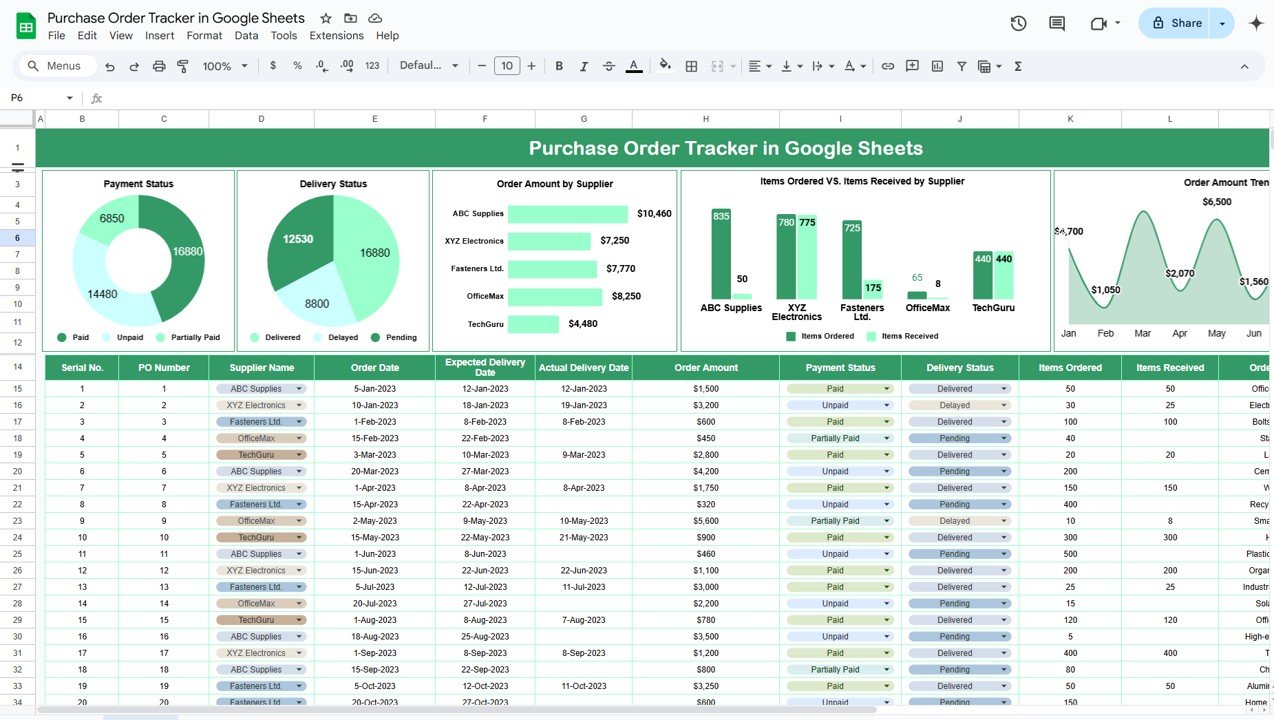
What it is: a bundle of eight premium procurement templates spanning Excel and Google Sheets — purchase-order tracking, supplier management, spend analysis and more — sold as one purchase.
Who it is for: a lean procurement function that would otherwise stitch together several Coupa modules.
What is inside:
- Purchase-order tracker (Excel and Google Sheets)
- Supplier and vendor management sheets
- Spend-analysis reporting
- Dashboards that consolidate the above into KPIs
At $60.99 for eight tools, the toolkit costs less than a rounding error on a single month of an enterprise BSM contract, and there is nothing to renew. For a team replacing three or four Coupa modules at once, this is the highest-leverage buy on the list. Pair it with a proper purchase-order system and most small teams never miss the platform.
Price: $60.99 — get the Procurement Manager Toolkit.
Best for: replacing several Coupa modules in one affordable purchase.
3. Procurement Spend Analysis Dashboard in Power BI — best for executive reporting
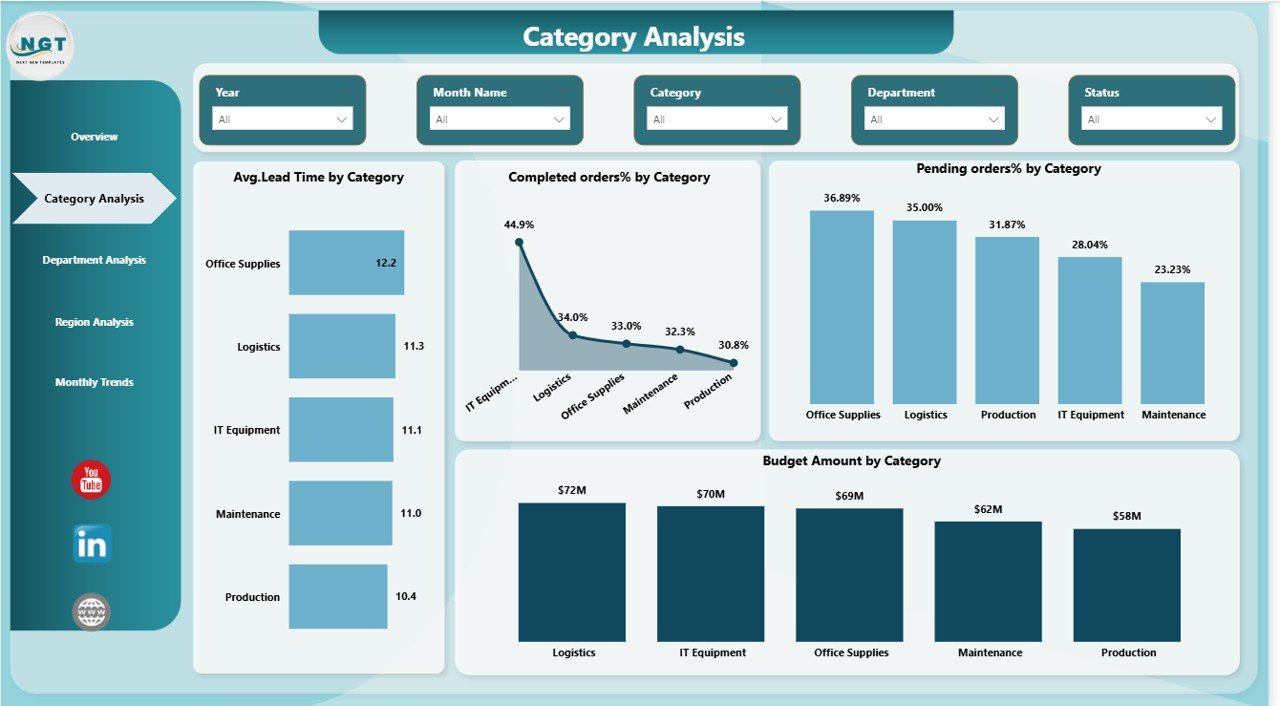
What it is: the same procurement spend model built in Power BI, with fully interactive filtering, drill-down and refreshable data connections.
Who it is for: teams that already run Power BI and want interactive, shareable spend reporting for leadership.
What is inside:
- Interactive spend-by-category, supplier and region visuals
- Variance and budget tracking with slicers
- Drill-through from summary KPIs to line detail
- Refreshable connection to your data source
Where Coupa’s dashboards are locked inside the platform, this Power BI file lives in your own tenant, publishes to your workspace and costs nothing per viewer beyond your existing Power BI licence. If a leadership team wants Coupa-style analytics they can click through themselves, this is the format to choose. It also pairs naturally with our Power BI Premium alternative templates.
Price: $17.99 — get the Power BI version.
Best for: interactive procurement reporting inside an existing Power BI stack.
4. Sale & Purchase Software — best for PO and procure-to-pay records

What it is: an Excel VBA application for recording purchases and sales, managing suppliers and customers, and producing transaction reports — the operational side Coupa handles under procurement and invoicing.
Who it is for: small businesses that need to log purchase orders and invoices in a structured system rather than loose sheets.
What is inside:
- Purchase and sale entry forms with a button-driven interface
- Supplier and item master data
- Automatic transaction records and reporting
- Stock and balance tracking
This is where Coupa’s procure-to-pay workflow gets replaced for a team that just needs the records kept and the numbers to reconcile. A small distributor processing a few hundred POs a month can run the whole cycle here for a one-time $19.99, with no per-transaction fee. It complements a spend dashboard rather than competing with it.
Price: $19.99 — get the Sale & Purchase Software.
Best for: keeping PO and invoice records without a procure-to-pay subscription.
5. Electricity Procurement KPI Dashboard in Excel — best for energy sourcing
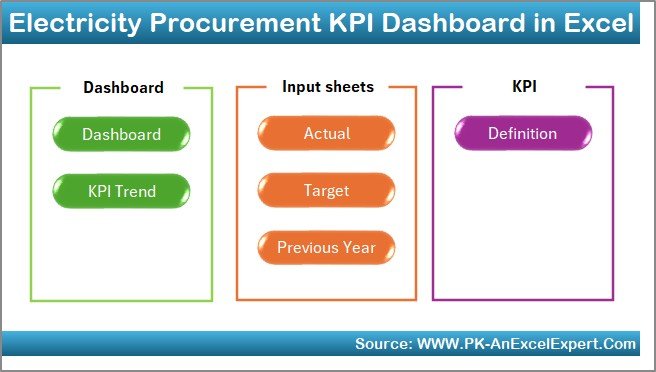
What it is: a category-specific KPI dashboard for energy and utility procurement — tracking cost per unit, contract performance and supplier reliability.
Who it is for: utilities, facilities and energy buyers who need sourcing KPIs Coupa would deliver only as a configured category.
What is inside:
- Cost-per-unit and total-spend KPIs
- Supplier and contract performance tracking
- Trend analysis across billing periods
- Variance against forecast
For an energy buyer, the value is in seeing rate movements and contract slippage in one view rather than paying to configure a Coupa sourcing category. At $14.99 it is a targeted, own-outright answer for a single high-value spend line.
Price: $14.99 — get the Electricity Procurement KPI Dashboard.
Best for: energy and utility sourcing KPIs.
6. Clinic Procurement KPI Dashboard in Excel — best for healthcare buying
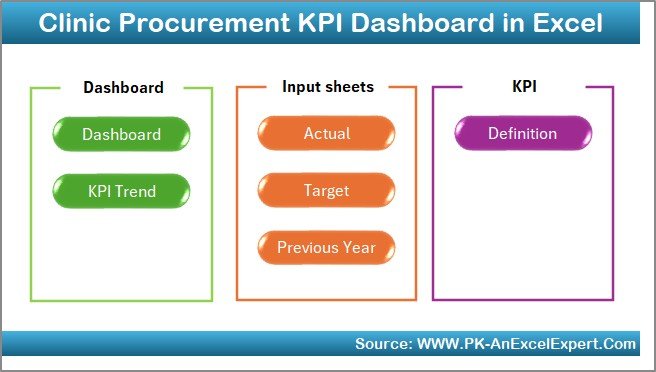
What it is: a procurement KPI dashboard tuned for clinics and healthcare providers, tracking medical supply spend, supplier lead times and stock cover.
Who it is for: clinic managers and healthcare procurement leads without an enterprise procurement platform.
What is inside:
- Supply-category spend breakdown
- Supplier lead-time and reliability KPIs
- Reorder and stock-cover indicators
- Budget-vs-actual tracking
Healthcare buying lives and dies on lead time and stock cover, and this dashboard puts both next to spend. A clinic ordering from a dozen suppliers gets the control Coupa would sell as a healthcare configuration, for $14.99 one time.
Price: $14.99 — get the Clinic Procurement KPI Dashboard.
Best for: clinic and healthcare procurement tracking.
7. Smart Cities Procurement KPI Dashboard in Excel — best for public-sector projects
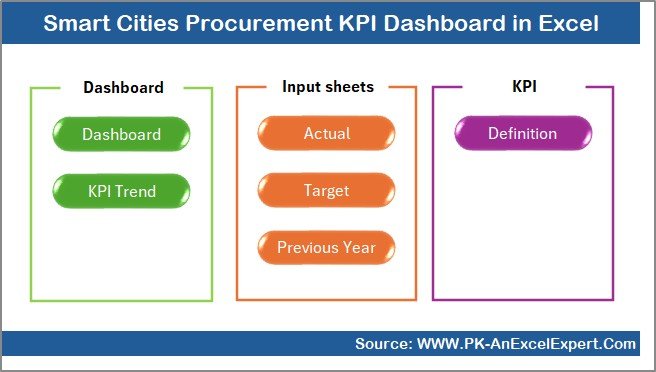
What it is: a procurement KPI dashboard built for public-sector and capital projects, tracking multi-vendor spend, milestone delivery and budget adherence.
Who it is for: municipal, infrastructure and capital-project teams reporting on procurement to stakeholders.
What is inside:
- Project and vendor spend tracking
- Milestone and delivery KPIs
- Budget adherence and variance
- Category and region breakdowns
Public procurement demands an audit trail and clear budget adherence reporting, and this dashboard formats both for stakeholder review. For a capital project team that cannot justify an enterprise BSM licence, $14.99 buys the reporting layer that matters most.
Price: $14.99 — get the Smart Cities Procurement KPI Dashboard.
Best for: public-sector and capital-project procurement reporting.
8. Ad Spend Efficiency KPI Dashboard in Power BI — best for marketing spend control
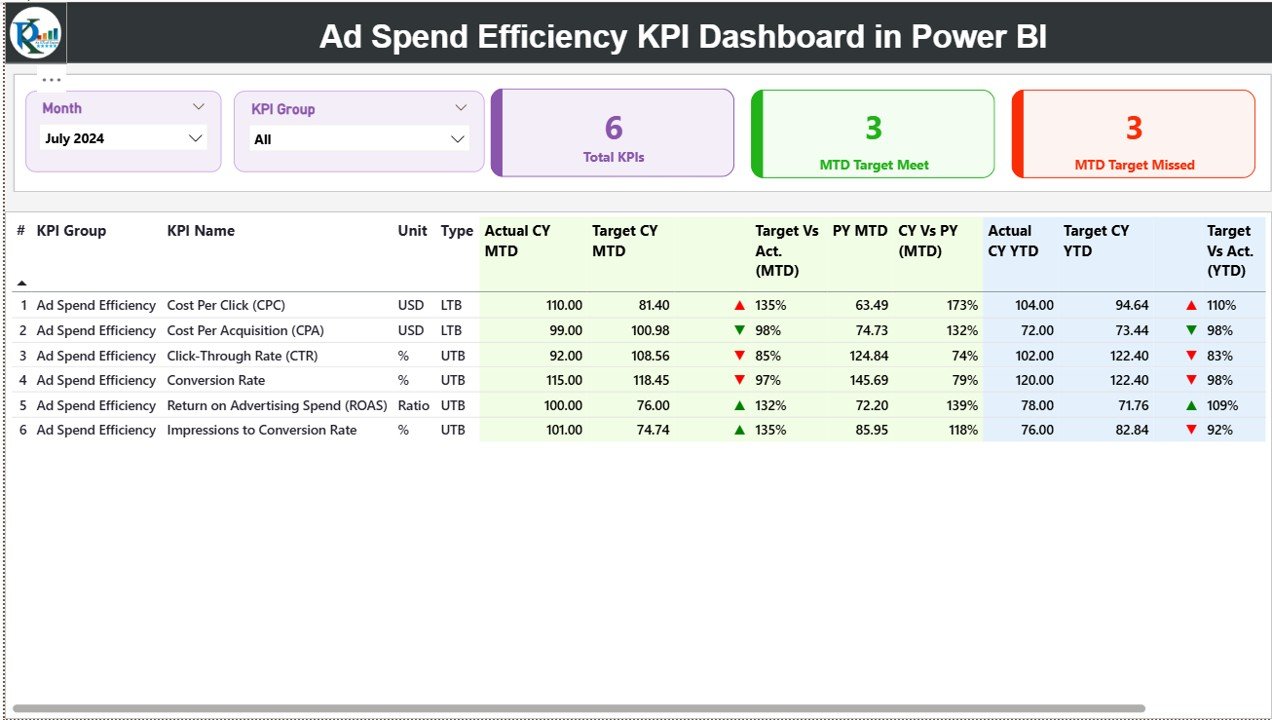
What it is: a Power BI dashboard for controlling marketing and advertising spend — the budget-control discipline Coupa applies to indirect spend, aimed at the marketing category.
Who it is for: marketing and finance teams managing ad budgets who want spend efficiency in one view.
What is inside:
- Spend-vs-budget and efficiency KPIs
- Channel and campaign cost breakdowns
- Trend and pacing visuals
- Interactive filtering by period and channel
At $11.99 this is the most affordable entry on the list and a smart way to bring Coupa-style budget discipline to the one category that most often overruns. It suits a marketing lead who wants control without asking finance to open a procurement platform.
Price: $11.99 — get the Ad Spend Efficiency KPI Dashboard.
Best for: keeping marketing and ad spend under control.
If you are a procurement manager building a complete toolkit rather than replacing one suite, our procurement tools stack organises eight templates by the job they do, with a 30-day rollout plan.
How to choose between them
| If you need… | Choose | Price |
|---|---|---|
| One tool to replace Coupa spend analytics | Procurement Spend Analysis Dashboard (Excel) | $17.99 |
| The most tools for the money | Procurement Manager Toolkit | $60.99 |
| Interactive reporting for leadership | Spend Analysis Dashboard (Power BI) | $17.99 |
| To record POs and invoices | Sale & Purchase Software | $19.99 |
| Sector KPIs (energy, clinic, public) | Matching sector KPI dashboard | $14.99 |
| To control marketing spend | Ad Spend Efficiency Dashboard | $11.99 |
The simple rule: if you are replacing Coupa’s reporting, start with a spend-analysis dashboard; if you are replacing its operations, add the Sale & Purchase Software; if you want both plus supplier and PO tools, the Procurement Manager Toolkit is the cheapest way to get everything at once.
When Coupa is still the right call
These templates replace Coupa for small and mid-sized teams, but they are honestly not for everyone. Coupa is still the right choice when:
- You need automated approval workflows across many users. A spreadsheet cannot route a requisition through five approvers with an audit log. If dozens of people raise purchase requests, you need real workflow software.
- You require supplier onboarding and risk management at scale. Coupa’s supplier network, risk scoring and compliance checks are genuine platform features a template does not replicate.
- You must have audited, system-enforced invoice-to-pay. Regulated or large organisations need controls that cannot be edited by hand — a spreadsheet’s flexibility becomes a liability here.
- You have real-time ERP integration needs. If purchasing must sync live with SAP, Oracle or NetSuite across the business, a platform earns its cost.
If two or more of those describe you, keep Coupa or shortlist a mid-market platform. If none do, the templates above will cover the work for a fraction of the price. Teams outgrowing spreadsheets on the accounting side should also look at our QuickBooks alternative templates and Xero alternative templates, and those replacing broader ERP reporting at our SAP alternative dashboards.
Frequently asked questions
What is the best Coupa alternative for a small team?
For most small teams the best Coupa alternative is the Procurement Spend Analysis Dashboard in Excel at $17.99. It delivers Coupa’s core spend-visibility job — spend by category, supplier and department with budget variance — as a one-time purchase you own, with no seats, modules or renewal to manage.
How much does Coupa cost?
Coupa does not publish public pricing. It is sold as a custom, quote-only annual enterprise contract priced on modules, users and implementation. Independent buyers generally describe it as a five- to six-figure yearly commitment, which is why smaller teams look for spreadsheet alternatives they can buy outright.
Can a spreadsheet really replace Coupa?
For spend analysis, PO tracking and sourcing KPIs, yes. A well-built dashboard covers the reporting and record-keeping most small teams use Coupa for. It cannot replace multi-user approval workflows, supplier-risk management or system-enforced invoice-to-pay, which is where an enterprise platform still wins.
What does the Procurement Manager Toolkit include?
The $60.99 Procurement Manager Toolkit bundles eight premium templates across Excel and Google Sheets, covering purchase-order tracking, supplier management, spend analysis and reporting dashboards. It is the best-value option for a team that would otherwise buy several tools or Coupa modules separately.
Is there a Power BI Coupa alternative?
Yes. The Procurement Spend Analysis Dashboard in Power BI ($17.99) gives interactive, drill-down spend reporting inside your own Power BI tenant. It suits teams that want Coupa-style analytics leadership can explore themselves, without per-viewer platform fees beyond an existing Power BI licence.
Do these templates track purchase orders?
Yes. The Sale & Purchase Software ($19.99) is a VBA-driven Excel application for logging purchases, managing suppliers and producing transaction reports, and the Procurement Manager Toolkit includes a dedicated purchase-order tracker in both Excel and Google Sheets.
Are there industry-specific procurement dashboards?
Yes. There are $14.99 KPI dashboards tuned for energy (Electricity Procurement), healthcare (Clinic Procurement) and public-sector work (Smart Cities Procurement), each tracking the sourcing KPIs, lead times and budget adherence that matter for that category.
Will I pay a subscription for these Coupa alternatives?
No. Every template here is a one-time purchase you download and own. There are no seats, no monthly fees and no annual renewal — the opposite of Coupa’s contract model, and the main reason small teams switch.
How do these compare to other software alternatives?
They follow the same own-outright approach we use across categories. If you are also reviewing analytics or CRM tooling, see our Domo alternative dashboards and Zoho CRM alternative templates for the same low-cost, no-subscription pattern applied to BI and customer data.
Get more procurement templates
The fastest way to switch off Coupa is the Procurement Manager Toolkit — eight Excel and Google Sheets procurement tools for a one-time $60.99, versus a Coupa contract you cannot even see the price of. Prefer to start small? The Procurement Spend Analysis Dashboard in Excel covers the core job for $17.99.
See every build in action on the NextGenTemplates YouTube channel, and browse more switcher guides like our Power BI Premium alternatives and SAP alternative dashboards.
Before you switch tools, make sure you are measuring the right numbers: here are the 10 procurement KPIs to track in 2026 and 8 ready-made dashboard templates to track them.