

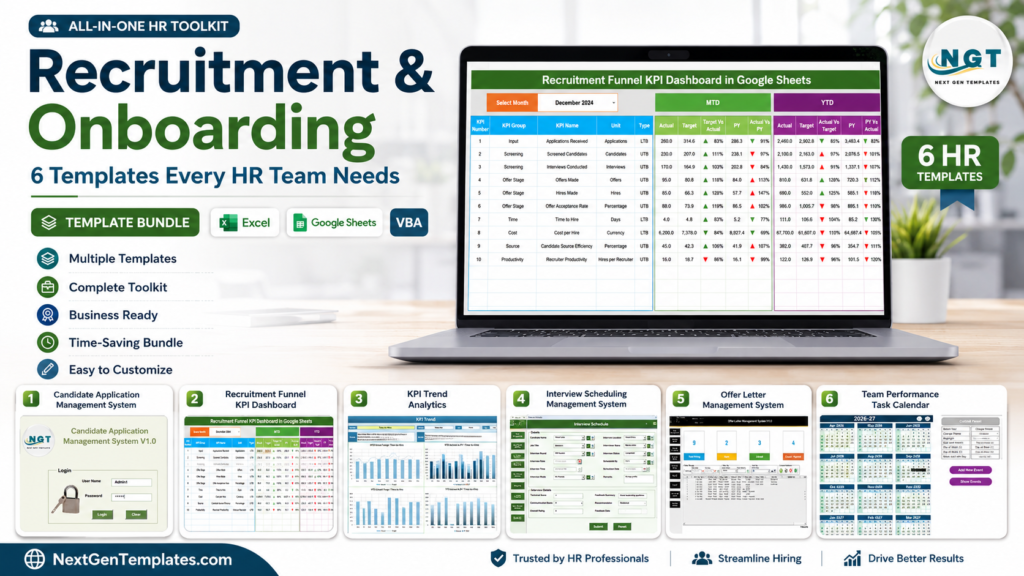
Recruitment tracker, onboarding template, and hiring tracker Excel tools are no longer nice-to-have files for HR teams. They are control systems for hiring cost, candidate speed, interview coordination, and new-hire readiness. The U.S. Bureau of Labor Statistics reported 7.6 million job openings in April 2026, while SHRM has reported that the average cost per hire is nearly $4,700. When every delay, missed follow-up, or lost candidate can become expensive, HR teams need templates that make the hiring workflow visible from requisition to onboarding.
This guide compares six paid NextGenTemplates otols that help HR managers, talent acquisition teams, recruiters, staffing agencies, and business owners organize the full recruitment and onboarding cycle. The best setup is not one giant spreadsheet. It is a connected toolkit: one template for candidate records, one for hiring KPIs, one for interviews, one for offers, and one for onboarding events.
Best Recruitment and Onboarding Templates at a Glance
| Template | Best For | Platform | Main Outcome |
|---|---|---|---|
| Candidate Application Management System V1.0 | Applicant tracking and candidate database control | Excel VBA | Structured recruitment tracker with login, filters, reports, and candidate records |
| Recruitment Funnel KPI Dashboard in Google Sheets | Hiring funnel visibility and cloud collaboration | Google Sheets | Track recruitment KPIs, targets, previous-year comparison, and funnel trends |
| Recruitment KPI Scorecard in Excel | Monthly and yearly recruitment performance reviews | Excel | Score hiring performance with MTD/YTD metrics, KPI definitions, and target comparisons |
| Interview Scheduling Management System V1.0 | Interview coordination and panel scheduling | Excel VBA | Manage interview records, candidates, jobs, users, filters, and reports |
| Offer Letter Management System V1.0 in Excel VBA | Offer tracking and recruiter accountability | Excel VBA | Control offers, candidates, recruiters, positions, users, and exportable reports |
| Training and Onboarding Calendar in Excel | New-hire training schedules and onboarding events | Excel | Plan annual, monthly, and daily onboarding activities with an event database |
1. Candidate Application Management System V1.0
The Candidate Application Management System V1.0 is the strongest starting point if your HR team needs a structured recruitment tracker instead of scattered resumes, email notes, and disconnected Excel files. It runs inside Microsoft Excel Desktop with VBA automation and gives hiring teams a secure login, role-based access, candidate master records, interview tracking, job master data, list management, and report exports.
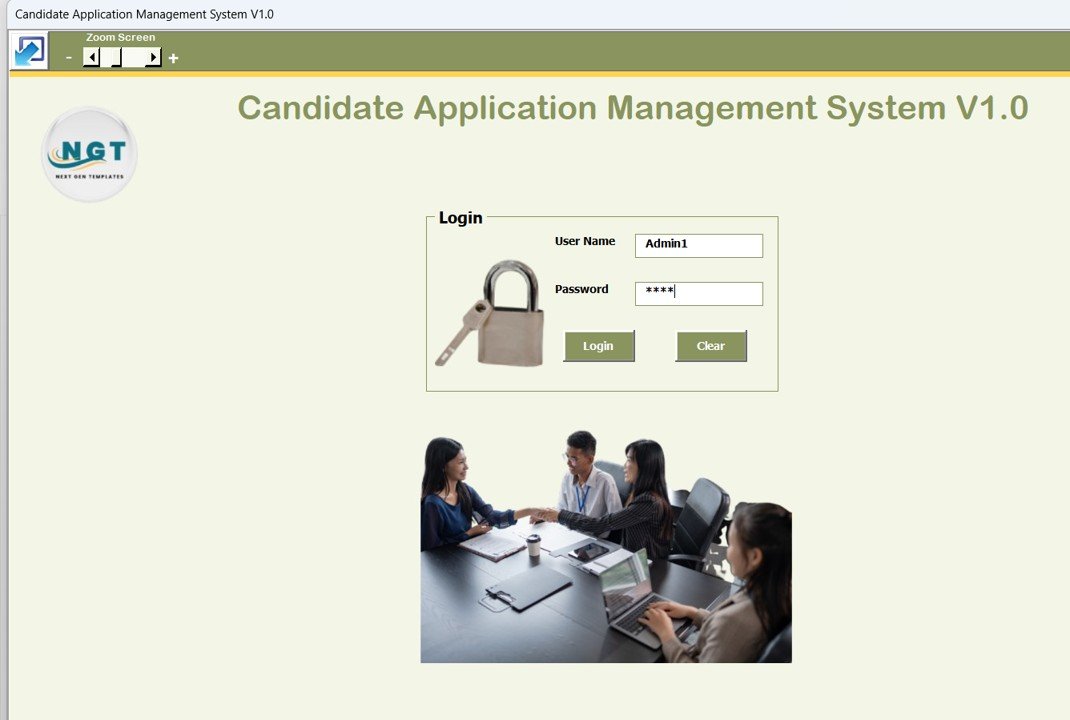
This is ideal for HR managers, recruitment agencies, placement consultants, startups, and SMEs that want applicant tracking without paying for a recurring ATS subscription. Use it to keep candidate data searchable, control user permissions, filter applications, and generate management reports when leadership asks for a hiring update.
View Candidate Application Management System
2. Recruitment Funnel KPI Dashboard in Google Sheets
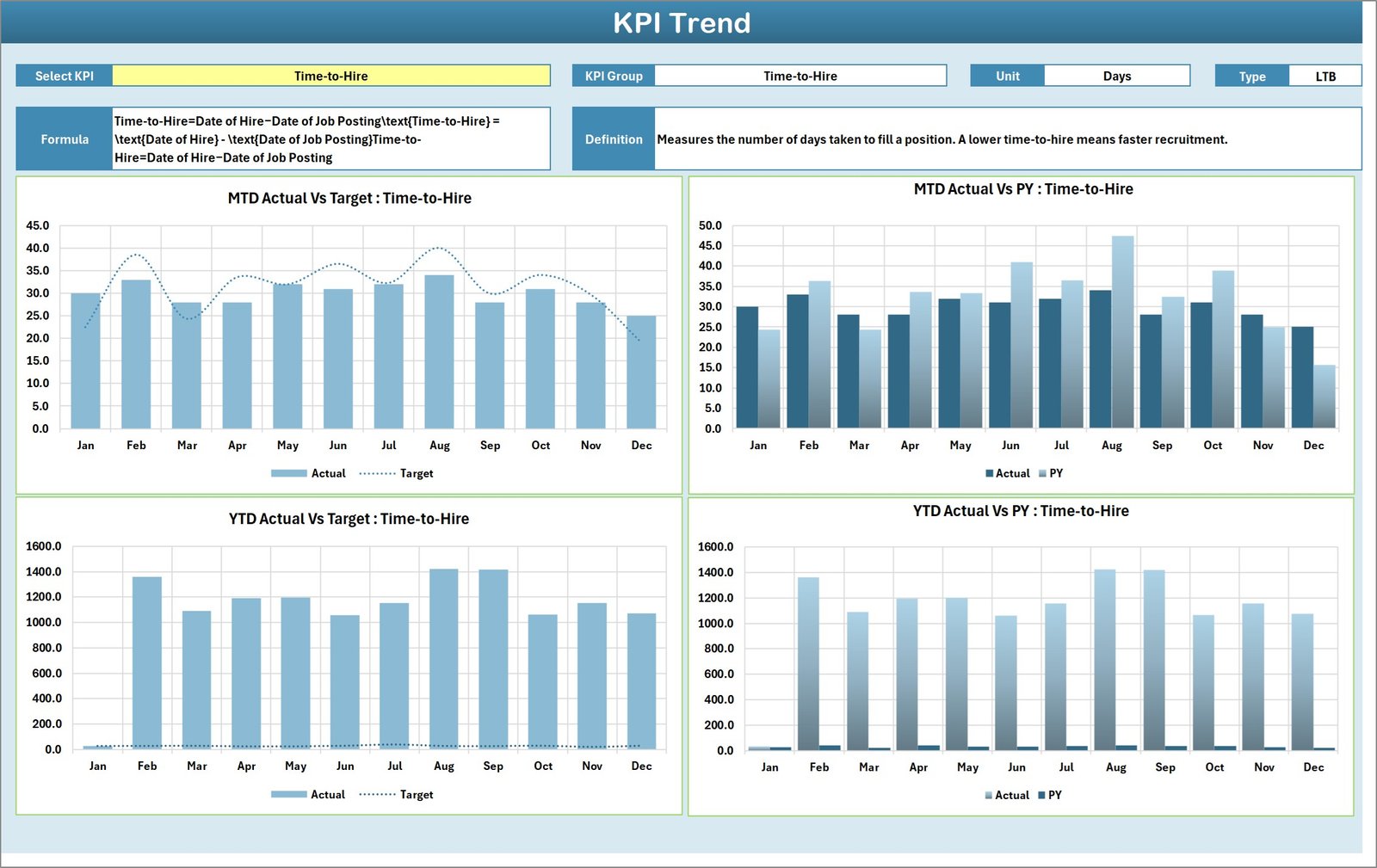
The Recruitment Funnel KPI Dashboard in Google Sheets is built for teams that need cloud-based visibility into hiring performance. It includes a dashboard sheet, KPI trend sheet, actual numbers sheet, target sheet, previous-year numbers sheet, and KPI definition sheet. HR teams can track month-to-date and year-to-date performance, compare actuals against targets, and review historical recruitment trends.
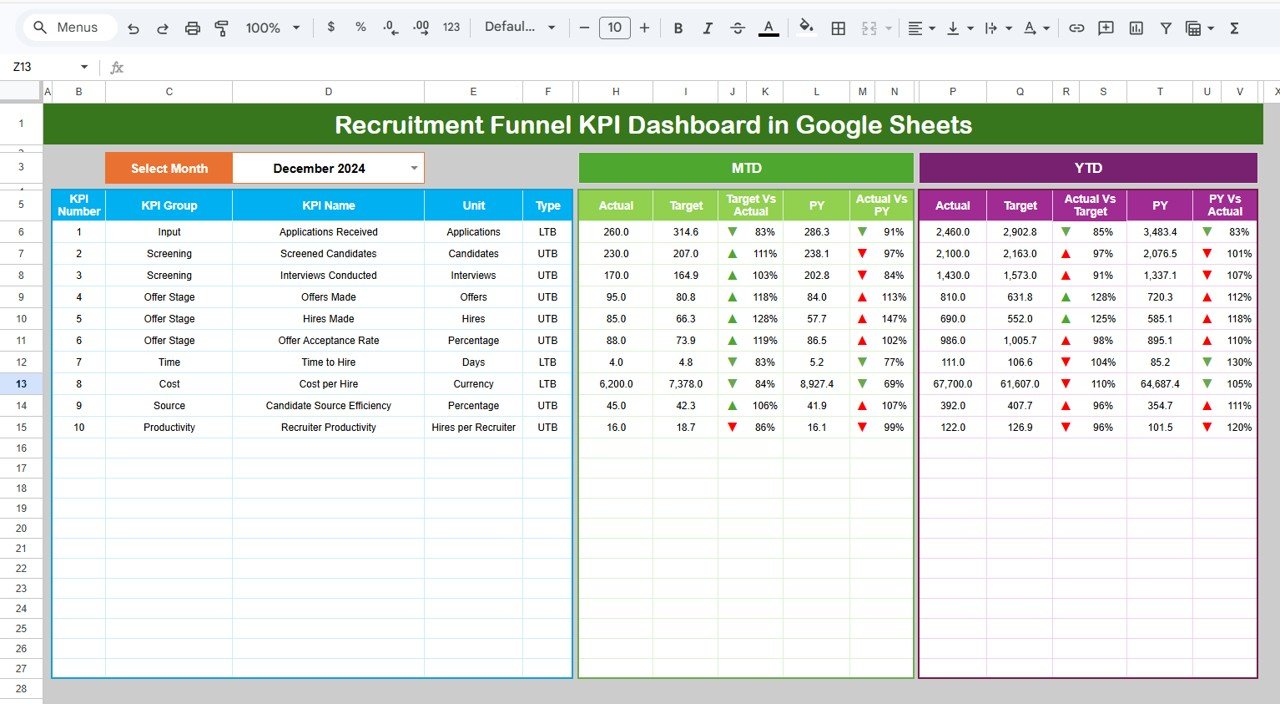
This template is useful when several people need to update or review recruitment numbers from different locations. Recruiters can maintain hiring results, HR analysts can review KPI movement, and leadership can see where the hiring funnel is slowing down.
View Recruitment Funnel KPI Dashboard
3. Recruitment KPI Scorecard in Excel
The Recruitment KPI Scorecard in Excel is a practical hiring performance scorecard for HR teams that prefer Microsoft Excel. It helps track metrics such as time-to-hire, offer acceptance rate, hiring efficiency, recruitment costs, candidate conversion, actual versus target performance, and previous-year comparison.
Use this template for monthly HR review meetings, recruiter performance conversations, and leadership reporting. The value is clarity: every KPI has a place, each metric can be compared against targets, and trends become easier to explain.
View Recruitment KPI Scorecard
4. Interview Scheduling Management System V1.0
The Interview Scheduling Management System V1.0 solves the scheduling layer of recruitment. It is an Excel and VBA-based system for managing interview records, candidates, job openings, users, filters, sorting, and automated reports. For teams that lose time coordinating panels, tracking interview rounds, or searching old interview notes, this system creates one central workflow.Recruitment and Onboarding
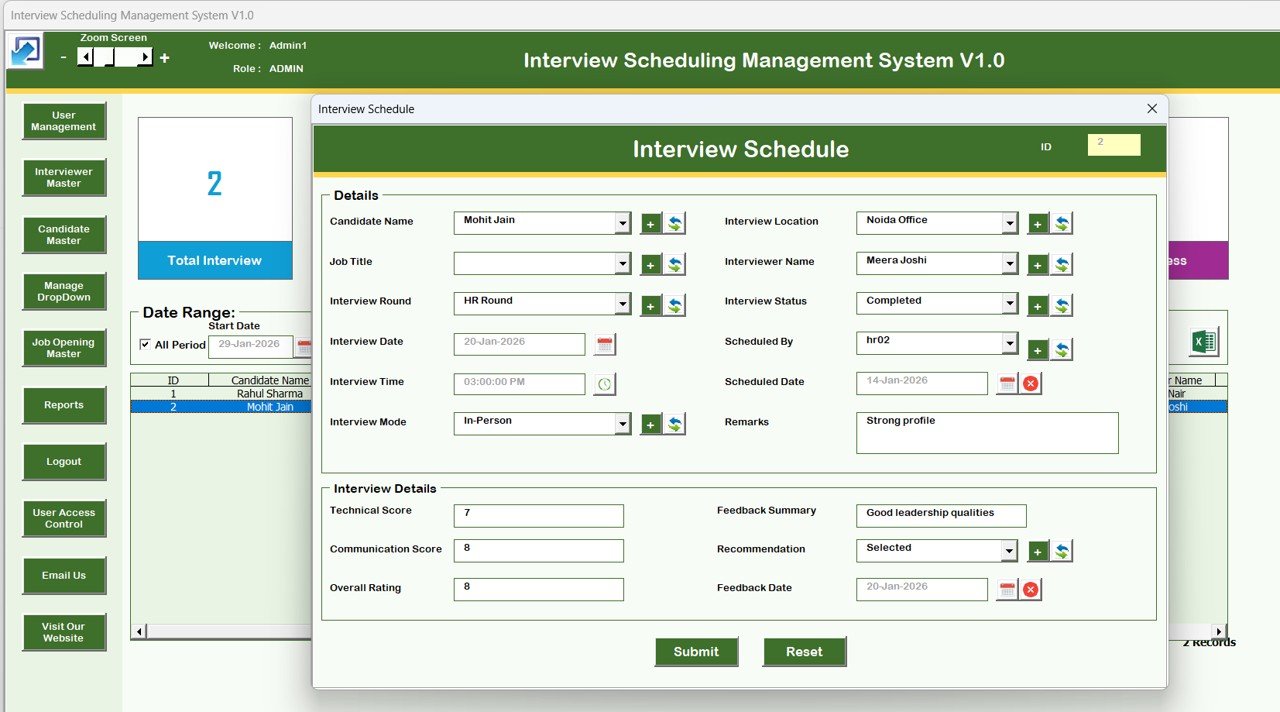
It is especially useful for staffing firms, corporate HR teams, and hiring managers handling multiple positions at once. Instead of treating interviews as calendar entries only, the template turns them into structured recruitment records.
View Interview Scheduling Management System
5. Offer Letter Management System V1.0 in Excel VBA
The Offer Letter Management System V1.0 in Excel VBA supports the final recruitment handoff before onboarding. It helps HR teams manage offer letters, candidate records, recruiter master data, positions, users, role-based access, history tracking, filters, and one-click Excel reports.Recruitment and Onboarding
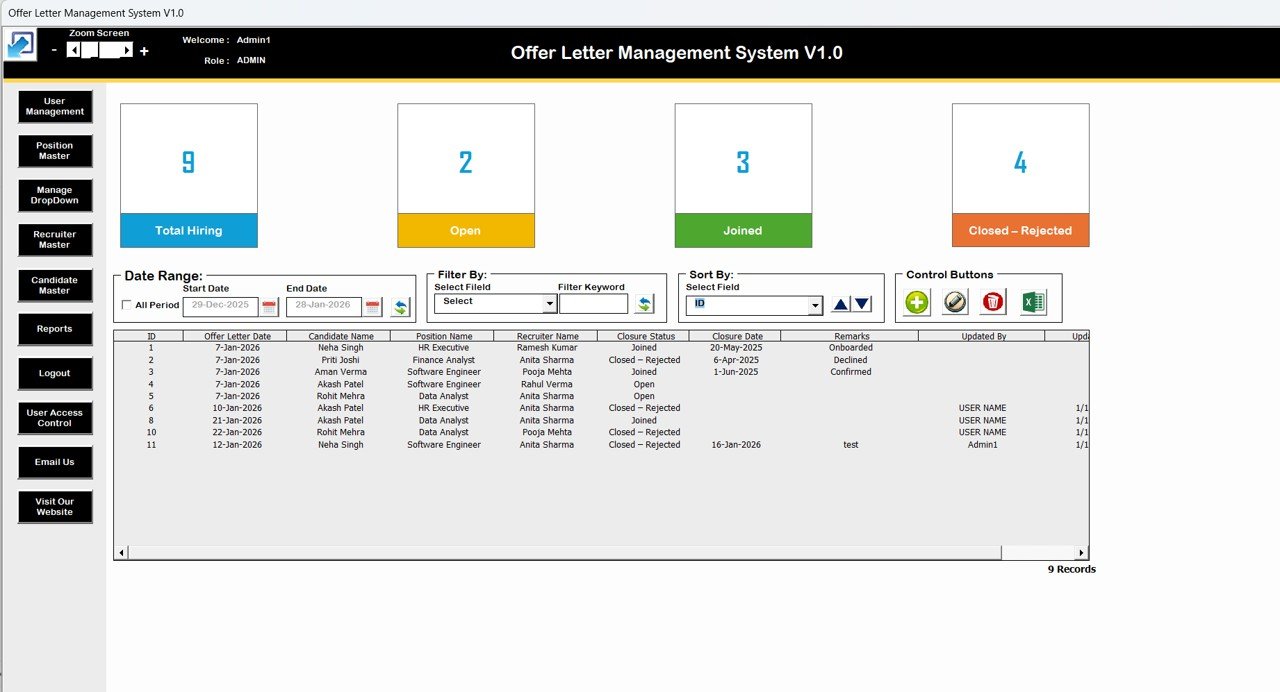
This template is worth buying when the offer stage is where your hiring process slows down. It gives recruiters and HR managers a shared place to see offer activity, update status, control access, and export reports for management.
View Offer Letter Management System
6. Training and Onboarding Calendar in Excel
The Training and Onboarding Calendar in Excel moves the process from hiring into new-hire readiness. It includes a Home sheet, Annual View, Monthly View, Daily View, and Events database. HR teams can manage training sessions, onboarding events, orientation dates, department sessions, and recurring activities in one Excel calendar.Recruitment and Onboarding
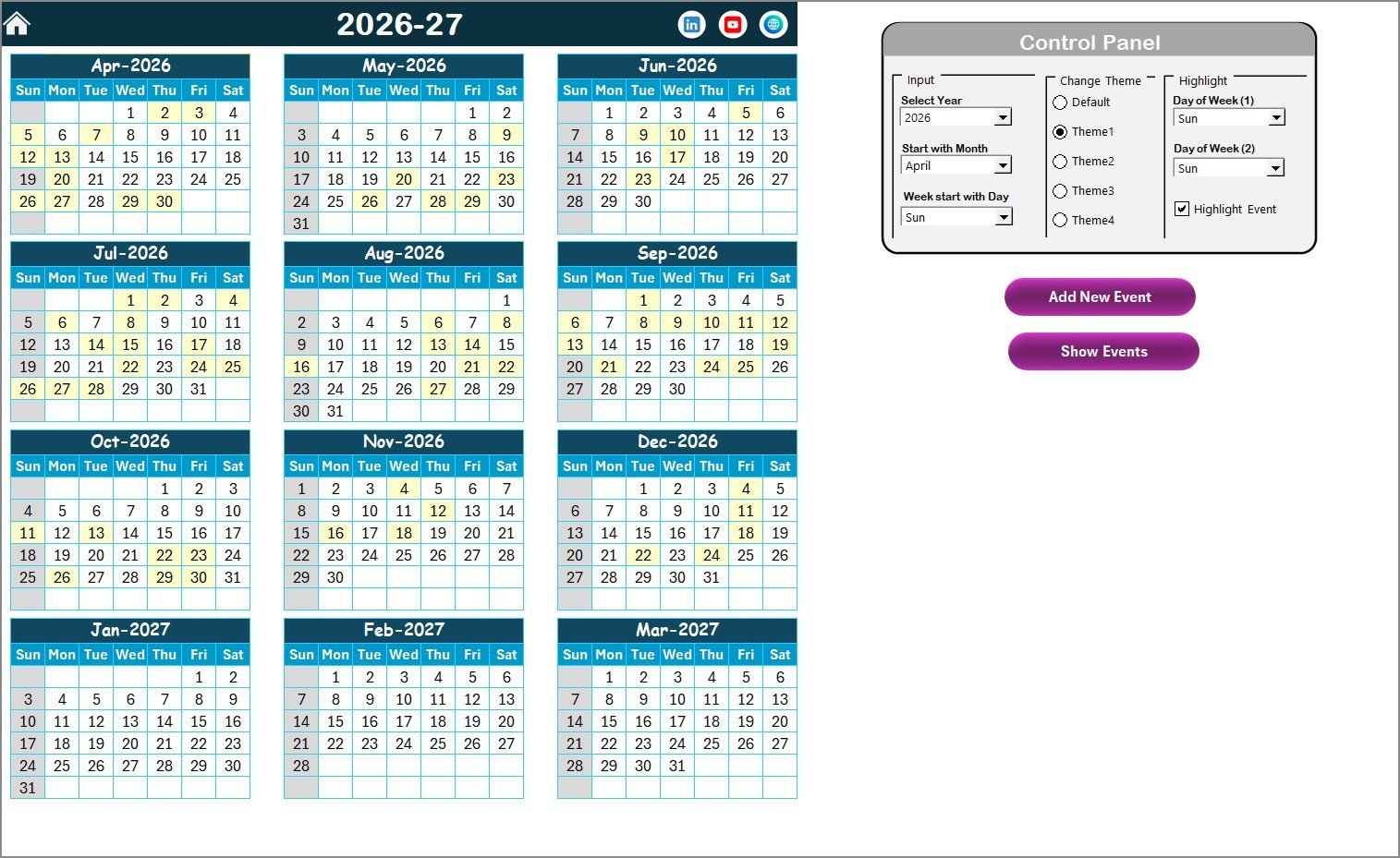
This template is a good fit for HR professionals, training managers, team leads, consultants, and small to mid-sized businesses that need a visible onboarding schedule. Use it for orientation, compliance training, department introductions, mentor sessions, and probation-period milestones.Recruitment and Onboarding
View Training and Onboarding Calendar
How These Templates Work Together
A strong HR workflow usually needs more than one file. Start with the Candidate Application Management System as your core hiring tracker. Use the Recruitment Funnel KPI Dashboard or Recruitment KPI Scorecard to measure performance. Add the Interview Scheduling Management System when coordination becomes messy. Use the Offer Letter Management System to control the final offer stage. Then move successful hires into the Training and Onboarding Calendar so the first few weeks are planned instead of improvised.Recruitment and Onboarding
Related guide: Costing this against an all-in-one HR platform? Our Rippling alternatives — 6 HR & IT asset templates in Excel & Sheets breaks down what Rippling actually publishes on price and which onboarding templates replace it.
Recruitment Templates vs. HR SaaS vs. Manual Spreadsheets
| Factor | NextGenTemplates HR Toolkit | Manual Spreadsheet | Paid HR SaaS |
|---|---|---|---|
| Cost | One-time template purchases | Free but time-heavy | Recurring monthly or per-user fees |
| Setup time | Download, enter data, customize | Build from scratch | Implementation and onboarding may be required |
| Recruitment structure | Pre-built candidate, interview, offer, KPI, and onboarding workflows | Depends on whoever built the sheet | Usually strong but vendor-defined |
| Customization | Editable Excel, Google Sheets, and VBA files | Flexible but fragile | Limited by plan and permissions |
| Best fit | SMBs, agencies, consultants, and HR teams needing affordable control | Very small teams with low hiring volume | Enterprise teams needing integrations and governance |
Frequently Asked Questions
What is the best recruitment tracker for HR teams?
The best recruitment tracker depends on your workflow. If you need applicant tracking, candidate records, filters, user access, and reports inside Excel, start with the Candidate Application Management System V1.0. If you mainly need KPI visibility, use the recruitment dashboard or scorecard templates.Recruitment and Onboarding
Which onboarding template is best for new-hire training?
The Training and Onboarding Calendar in Excel is best when you need to schedule orientation, training sessions, onboarding meetings, and event details across annual, monthly, and daily views.
Do these templates replace HR software?
They can replace manual tracking for small and mid-sized HR teams, but they are not full enterprise HRIS platforms. Use them when you want affordable, editable, one-time-purchase tools for recruitment tracking, hiring KPIs, interviews, offer letters, and onboarding schedules.Recruitment and Onboarding
Are these templates suitable for recruitment agencies?
Yes. Recruitment agencies can use the candidate management, interview scheduling, offer letter, and KPI templates to organize candidates, track hiring stages, manage recruiters, and report performance to clients or internal leadership.Recruitment and Onboarding
About the Author
Built by PK – Microsoft Certified Professional with 15+ years of Excel, Google Sheets, and Power BI experience. Founder of NextGenTemplates, reaching 300K+ subscribers across YouTube channels. Every template is hand-built and tested before release.
Conclusion
If your HR team is still managing recruitment in scattered files, start with one pain point: candidate records, funnel KPIs, interviews, offers, or onboarding schedules. Then add the matching template from this list. Together, these six templates create a practical recruitment and onboarding system without forcing your team into an expensive HR SaaS subscription.Recruitment and Onboarding
For walkthroughs and template tutorials, visit the NextGenTemplates YouTube channel.
Related reading: 10 recruitment KPIs to track in 2026 — with formulas, benchmark ranges and 8 ready-made dashboard templates.