

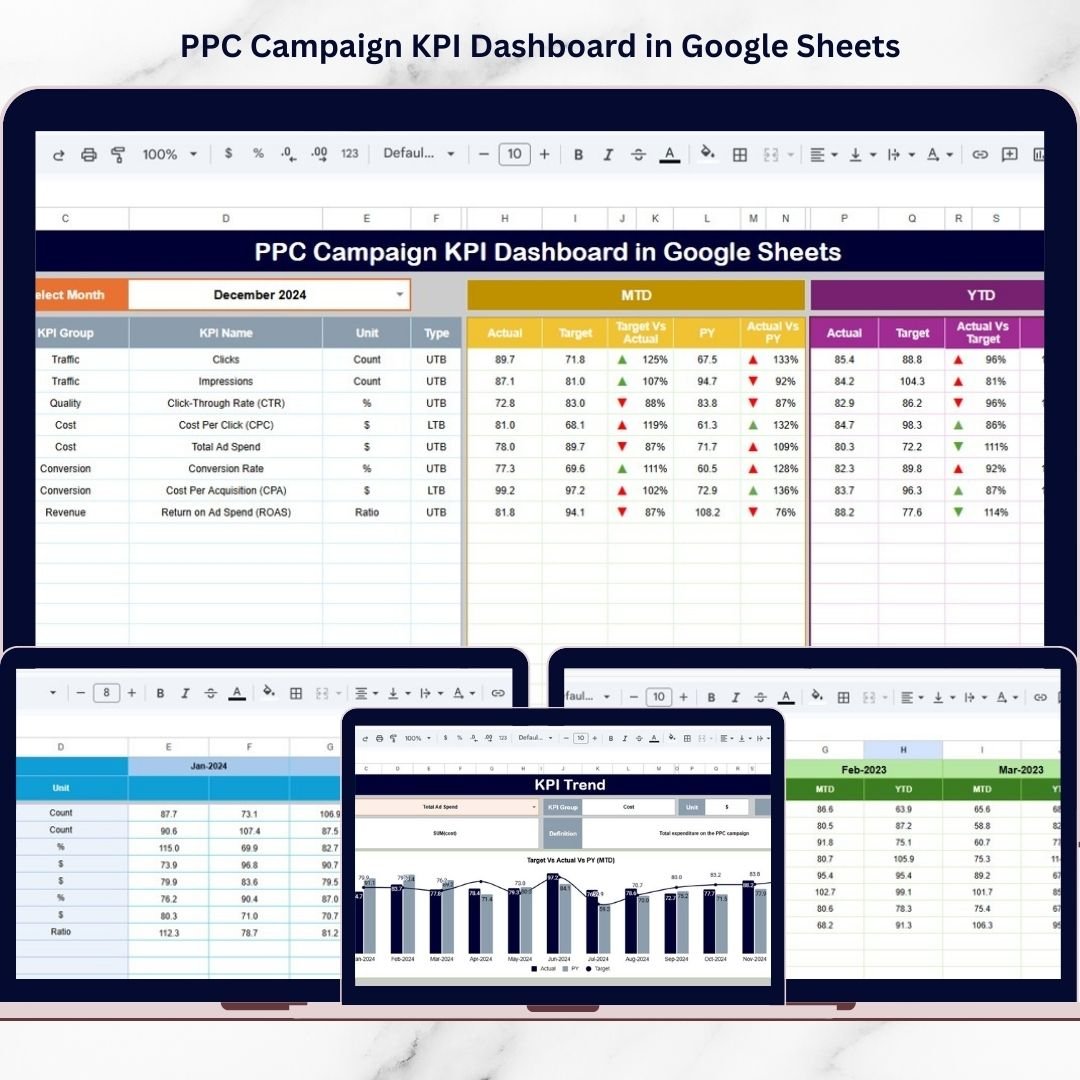

Running Pay-Per-Click (PPC) campaigns without structured performance tracking is like driving without a dashboard — you spend money but lack visibility into results. Modern businesses invest heavily in digital advertising across platforms like Google Ads, social media, and search networks, yet many marketers struggle to monitor campaign performance effectively.PPC Campaign KPI Dashboard in Google Sheets
The PPC Campaign KPI Dashboard in Google Sheets is a powerful, ready-to-use solution designed to simplify advertising performance tracking. This professionally built dashboard allows marketers to monitor campaign KPIs, compare targets with actual results, analyze trends, and optimize advertising strategies using a centralized and easy-to-manage system.
Instead of switching between multiple advertising reports, you can analyze all campaign performance metrics in one place. With automated calculations, interactive visuals, and structured worksheets, this dashboard transforms raw marketing data into actionable insights.PPC Campaign KPI Dashboard in Google Sheets
Because it is built in Google Sheets, teams benefit from real-time collaboration, cloud accessibility, and seamless sharing — making it ideal for agencies, marketing teams, and business owners who want smarter campaign decisions without complex software.PPC Campaign KPI Dashboard in Google Sheets
🚀 Key Features of PPC Campaign KPI Dashboard in Google Sheets
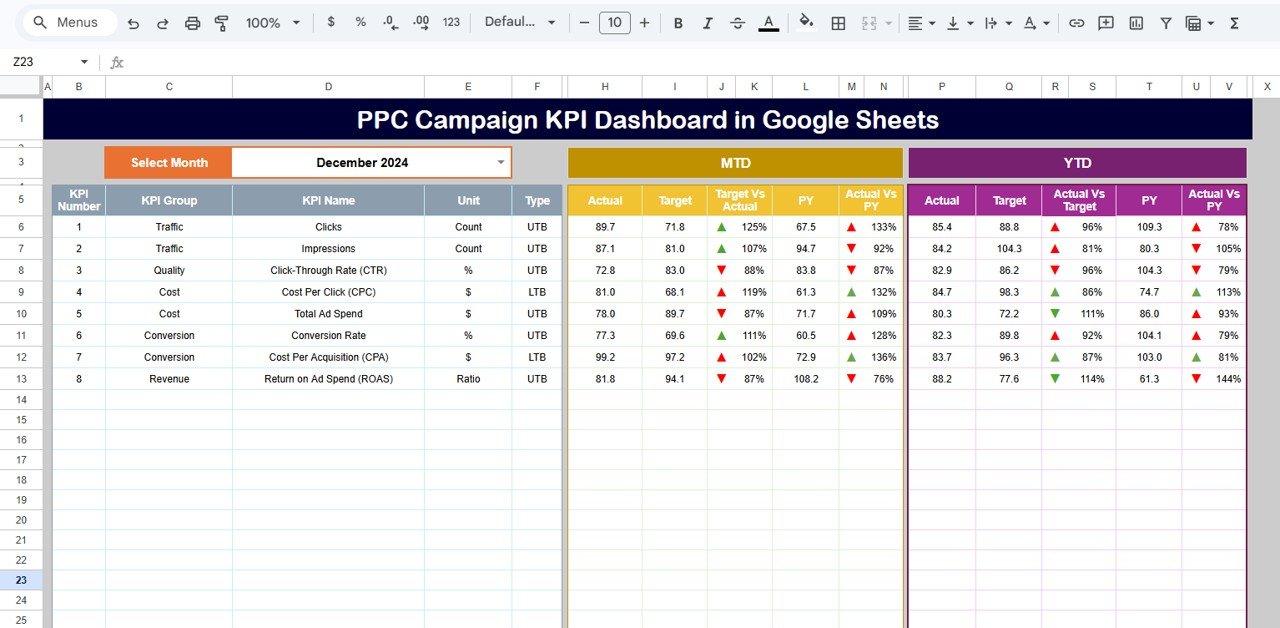
✅ Interactive Performance Dashboard – View campaign KPIs in a single executive-level overview for quick analysis.
✅ MTD & YTD Performance Tracking – Monitor Month-to-Date and Year-to-Date results instantly using dropdown selections.
✅ Actual vs Target Comparison – Evaluate campaign success and identify performance gaps immediately.
✅ Previous Year Performance Analysis – Compare current campaign results with historical data to measure growth.
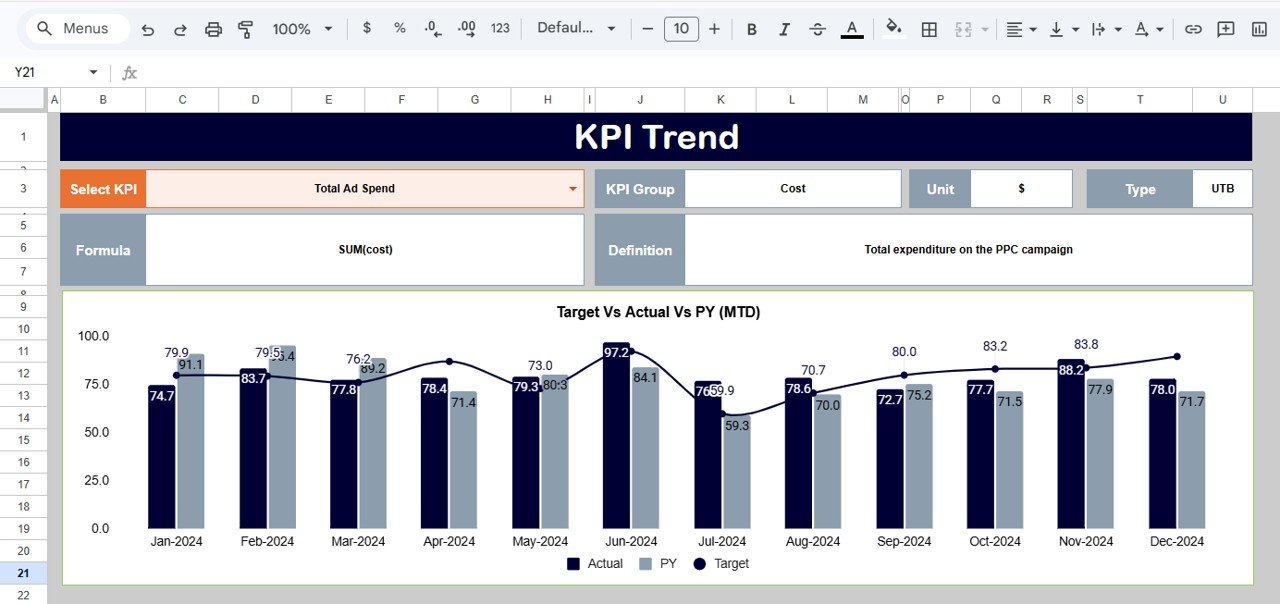
✅ Dynamic KPI Trend Analysis – Understand performance patterns using automated trend visualizations.
✅ Conditional Formatting Indicators – Up/down arrows and visual signals highlight campaign performance quickly.
✅ Cloud-Based Collaboration – Multiple users can access and update the dashboard simultaneously.
✅ Fully Customizable KPI Framework – Modify KPIs, targets, and campaign structures according to business needs.
📊 What’s Inside the PPC Campaign KPI Dashboard in Google Sheets
This ready-to-use template includes six structured worksheets designed for complete campaign analysis:
📈 Dashboard Sheet
The main performance overview displaying KPI comparisons, targets, and visual insights.
📉 KPI Trend Sheet
Analyze KPI performance over time with trend charts and detailed KPI information.
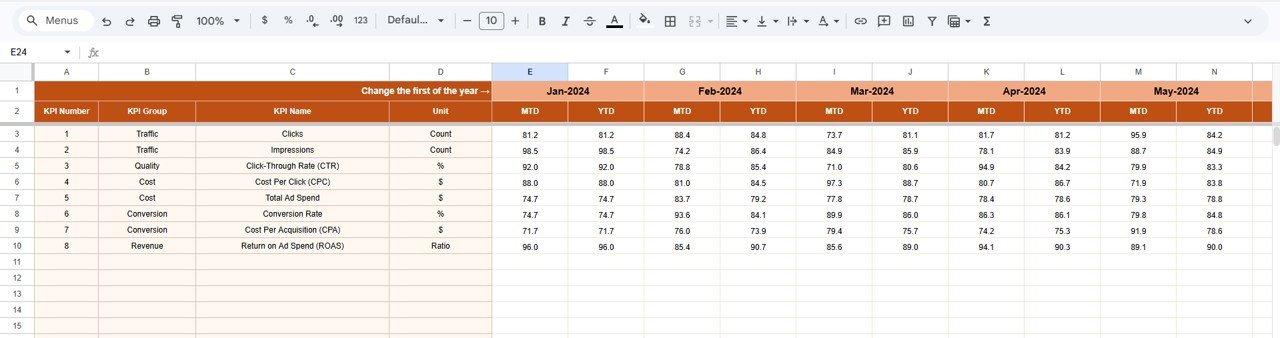
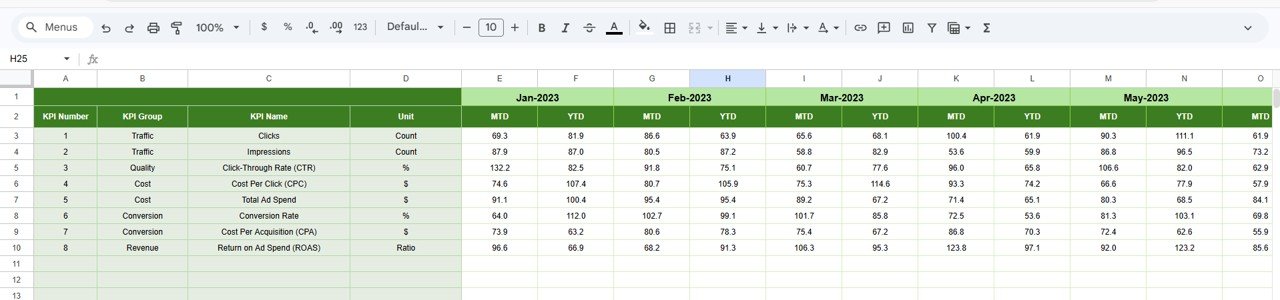
🧾 Actual Number Sheet
Enter real campaign performance data including MTD and YTD results.
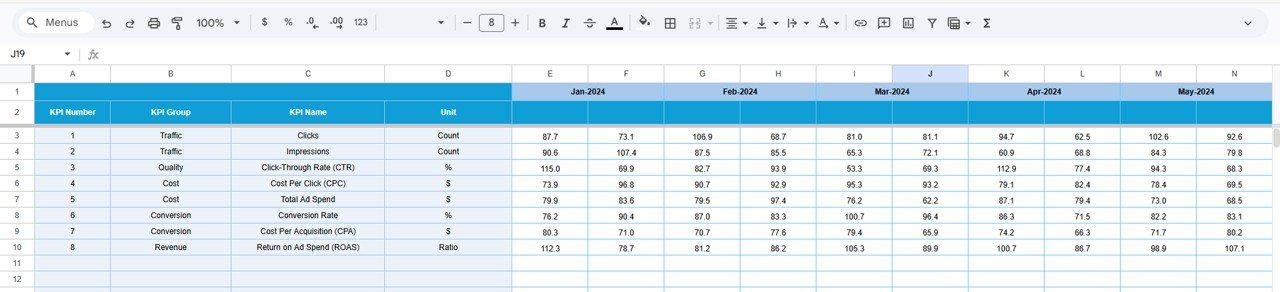
🎯 Target Sheet
Define campaign goals and expected performance metrics.
📅 Previous Year Number Sheet
Compare historical campaign data with current performance.
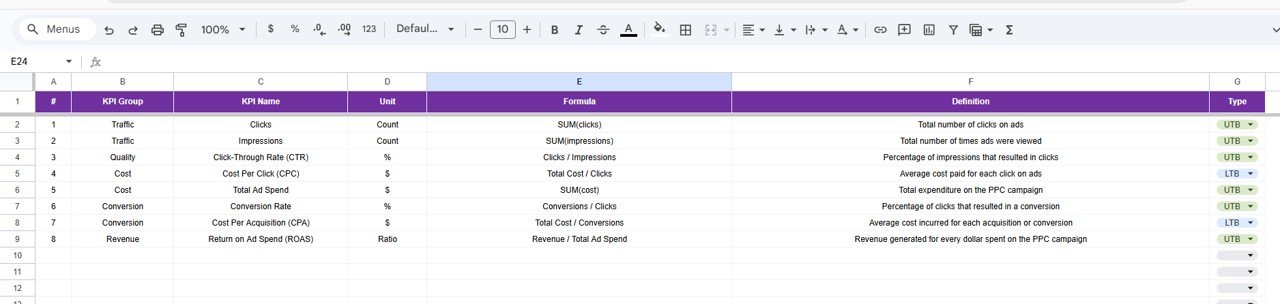
📘 KPI Definition Sheet
Standardize KPI formulas, units, definitions, and KPI types for consistent reporting.
Together, these sheets create a complete PPC performance management system.
⚙️ How to Use the PPC Campaign KPI Dashboard in Google Sheets
Getting started is simple:
1️⃣ Define KPIs in the KPI Definition sheet.
2️⃣ Enter campaign results in the Actual Number sheet.
3️⃣ Add performance targets in the Target sheet.
4️⃣ Input previous year data for comparisons.
5️⃣ Select the month from the dashboard dropdown.
6️⃣ Instantly analyze campaign performance and trends.
Within minutes, marketers can move from scattered data to professional analytics.
👥 Who Can Benefit from This PPC Campaign KPI Dashboard
This dashboard is ideal for professionals managing paid advertising performance.
💼 Best For
Digital Marketing Agencies
PPC Specialists
Marketing Managers
E-commerce Businesses
Startup Founders
Advertising Consultants
Performance Marketing Teams
Whether you manage a single campaign or multiple clients, this dashboard provides clear visibility into advertising effectiveness.
By using this PPC Campaign KPI Dashboard, organizations gain:
✔ Centralized campaign monitoring
✔ Better budget optimization
✔ Faster marketing decisions
✔ Improved ROI visibility
✔ Structured reporting processes
Google Sheets combines flexibility, collaboration, and automation — making this dashboard a cost-effective alternative to expensive analytics tools while delivering powerful marketing insights.
Businesses that adopt structured KPI dashboards move from guess-based advertising to data-driven marketing success.
### Click here to read the Detailed blog post
Watch the step-by-step video tutorial:






























