

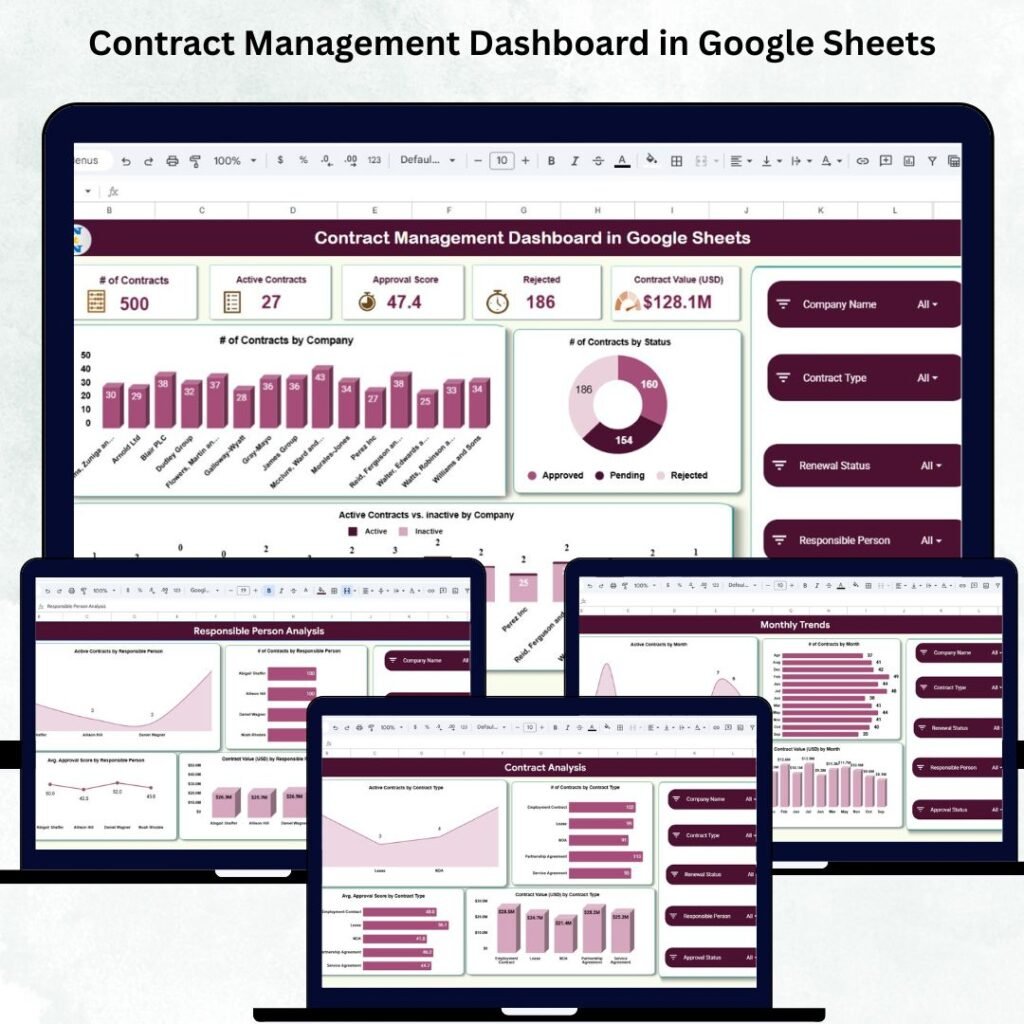
Managing contracts can feel like juggling time-bombs: deadlines, renewals, approvals, vendors, compliance checks, financial values, and team responsibilities all compete for attention. Without the right tools, businesses waste hours digging through scattered spreadsheets and manual reports — and worse, miss critical renewals.Contract Managers
But what if you had visual, interactive dashboards that make contract intelligence instant and effortless? That’s exactly what these templates from Next Gen Templates deliver — whether you prefer Excel, Power BI, or Google Sheets.
In this in-depth guide, we compare the top contract management dashboards to help you choose the best solution for your business.
📌 Why Every Team Needs a Contract Management Dashboard
Before we dive into the product comparisons, let’s explore why dashboards are so valuable:
🚀 What Better Contract Visibility Does for You
📊 Instant KPIs — Track total contracts, approvals, rejections, renewal cycles, and contract value in one view.
🕒 Time Savings — No more manual filtering or pivot tables — insights are ready at a glance.
📈 Trend Insights — Spot monthly performance patterns and renewal risk before it becomes a problem.
🧑💼 Team Accountability — See which stakeholders are overloaded or lagging.
Whether you’re in legal, procurement, operations, or vendor management — having a real-time contract dashboard can transform inefficiency into clarity.
 Launch offer
From your first Pivot Table to the Data Model, DAX, Power Query and a one-page KPI dashboard. 11h 51m of video by PK, with practice files, quizzes and a capstone.
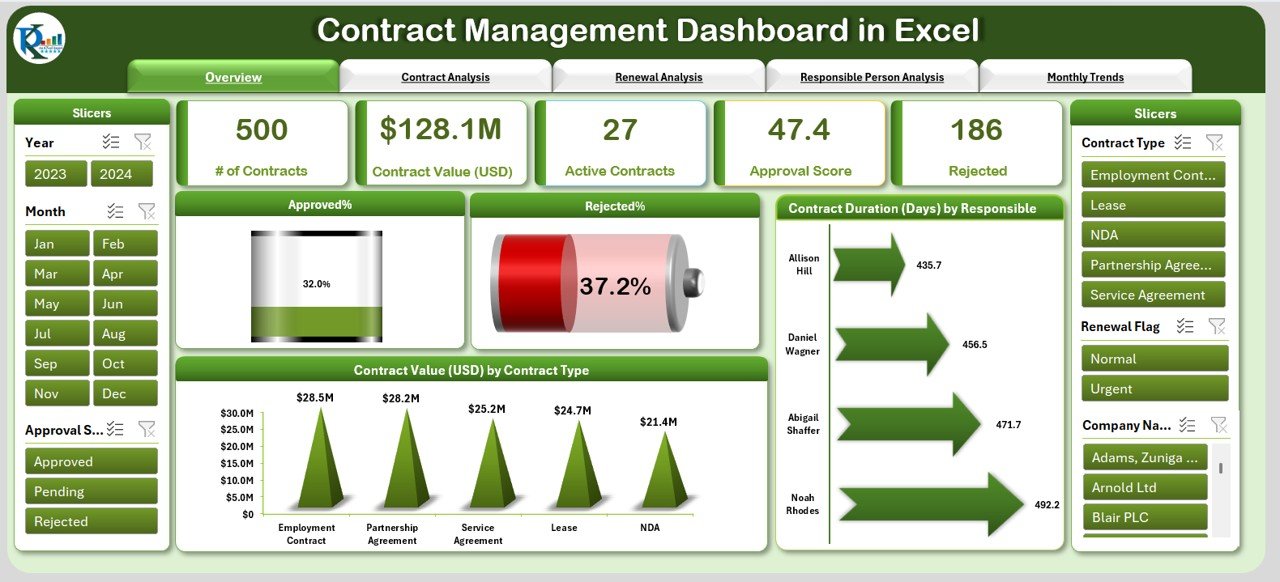
📌 Option 1: Contract Management Dashboard in Excel
Ideal for users who want powerful visuals without investing in BI tools.
⭐ Top Features
🧭 Page Navigator — Easily move between key analytical views.
📊 Overview Dashboard — Get one-glance status on approvals, rejected contracts, contract value, and durations.
🔁 Renewal Analysis — Visualize upcoming expirations and renewal categories.
👥 Responsible Person View — Track workload distribution and accountability.
📅 Monthly Trends — See how contracts and performance evolve over time.
📂 Data & Support Sheets — Organized backend for dropdowns and contract records.
💼 Best For
Small to mid-sized teams using Excel 2016 or newer
Departments that need a quick dashboard without external software
Managers who want to present insights in meetings or reports without complex tools
🧠 Why It’s Great
Excel is ubiquitous, easy to share, and doesn’t require additional licensing — so this dashboard becomes an instant asset for any team member, regardless of tech skill.
📌 Option 2: Contract Management Dashboard in Power BI
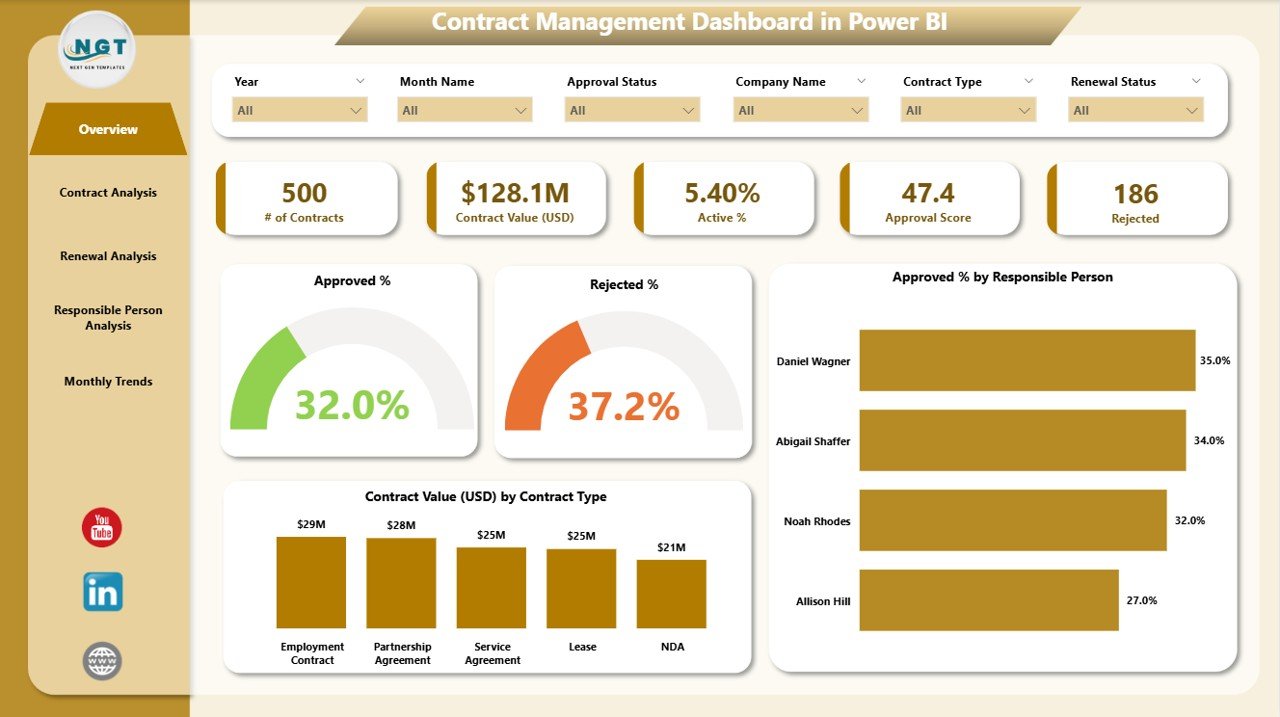
Best choice for teams that want dynamic, real-time insights across multiple users.
⭐ Top Features
📈 Interactive BI Visuals — Real-time dashboards with powerful filters.
🔄 Live Data Refresh — Connect live data sources and refresh insights instantly.
📊 Approval & Renewal Tracking — See which contracts are due, active, approved, or expired.
📌 Performance Views — Slice by department, stakeholder, contract type, and timeline.
💼 Best For
Organizations already using Power BI
Teams that require collaborative dashboards across units
Managers who want drill-down analytics and cross-filtering
🧠 Why It’s Great
Power BI takes your contract data to the next level with enterprise-grade visuals and interactivity. It’s ideal for large teams, executive dashboards, and data-driven decisions — especially if your data source feeds automatically from SQL, SharePoint, or cloud storage.
📌 Option 3: Contract Management Dashboard in Google Sheets
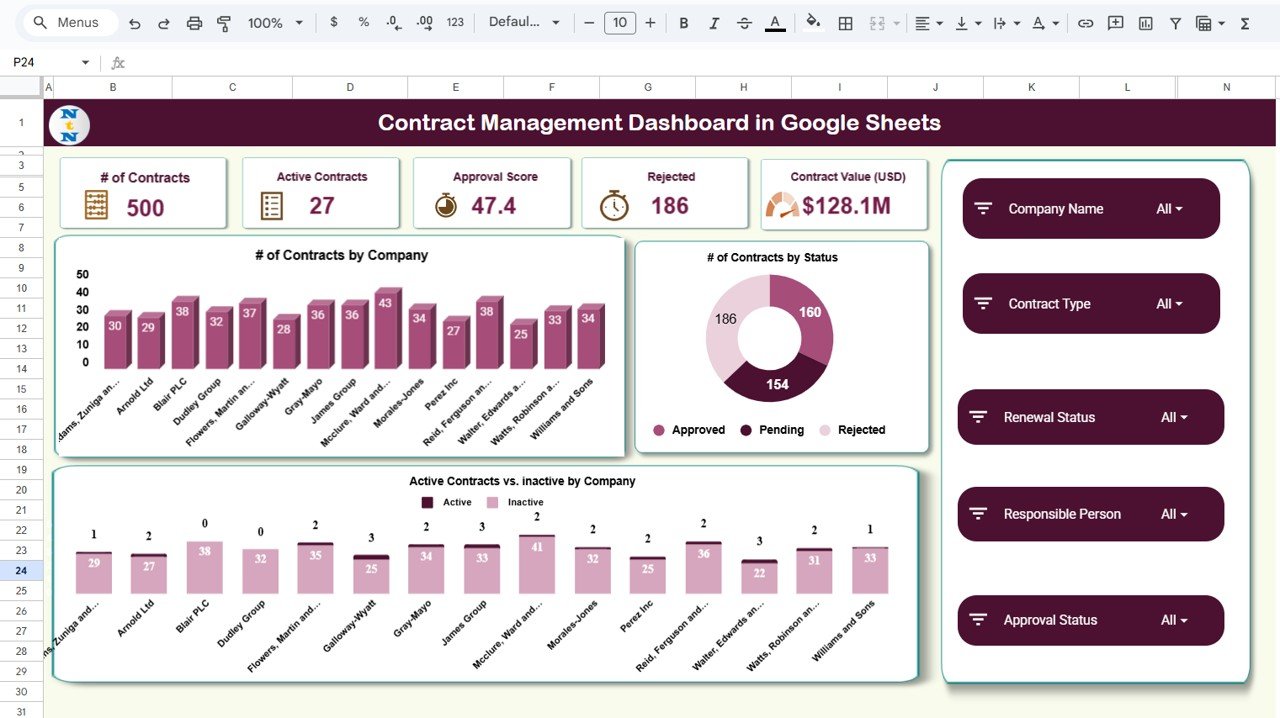
A cloud-based dashboard that’s perfect for remote teams and collaborators.
⭐ Top Features
📊 Real-Time KPI Cards — Automatically update as new data is added.
📉 Interactive Visuals — Charts for contract value, approvals, renewals, and status.
🔍 Smart Search Module — Find contracts instantly by ID, company, type, or person.
🔄 Complete Renewal Insights — See due, active, expired, and pending renewals.Contract Managers
💼 Best For
Teams working in the cloud
Remote employees and multi-location offices
Users who prefer browser-based collaboration
🧠 Why It’s Great
Unlike Excel, Google Sheets auto-saves and syncs live with anyone who has access — perfect for distributed teams. No install, no version conflicts, just instant contract visibility anywhere.
🆚 Head-to-Head: Excel vs Power BI vs Google Sheets
Here’s a quick comparison so you choose the right dashboard:
| Feature / Tool | Excel | Power BI | Google Sheets |
|---|---|---|---|
| Real-time updates | ❌ | ✅ | ✅ |
| Collaborative online access | ❌ | ✅ | ✅ |
| Easy to share with non-tech users | ✅ | ⭐ | ⭐ |
| Best for advanced analytics | 🔄 | ⭐⭐⭐ | 🔄 |
| Best for cloud collaboration | ❌ | ⭐⭐ | ⭐⭐⭐ |
| No install needed | ❌ | 🔄 | ⭐⭐⭐ |
Legend: ⭐⭐⭐ Excellent | ⭐⭐ Good | 🔄 Moderate | ❌ Not supported
🔎 Which One Should You Choose?
🧑💼 For Small Teams or New Users
Choose the Excel dashboard — it’s simple, powerful, and works with tools you already have.
📊 For Large Enterprises & BI Users
The Power BI dashboard gives you visual insights, flexible filtering, and real-time data connectivity.
🌐 For Remote Teams & Cloud-First Workflows
The Google Sheets dashboard keeps all data live, shareable, and instantly accessible from any device.Contract Managers
💡 Tips to Get More Value from Your Dashboard
Whether you pick Excel, Power BI, or Google Sheets, here are ways to maximize impact:
📌 Keep Your Data Clean
Ensure dates, contract IDs, and status fields are consistent. Clean data means clearer insights.
🗓 Schedule Weekly Updates
Refresh your data at least weekly to keep KPIs accurate.
📊 Combine with Other Dashboards
Pair contract dashboards with financial or vendor performance dashboards for strategic insights.
📁 Share with Stakeholders
Export visuals to PDF or PowerPoint for executive meetings.
📌 Final Thoughts
Choosing the right contract management tool isn’t just about tracking — it’s about control, clarity, and confidence in every agreement you oversee. Whether you work in Excel, Power BI, or Google Sheets, Next Gen Templates gives you dashboards that reduce manual work and elevate strategic decisions.Contract Managers
Visit our YouTube channel to learn step-by-step video tutorials
Contract Management Dashboard in Excel
Contract Management Dashboard in Power BI
Contract Management Dashboard in Google Sheets