Brewing craft beer is passion.
Scaling a microbrewery is strategy. 🍺📊
You perfect recipes. You manage fermentation. You build brand identity. However, without structured performance tracking, small inefficiencies in yield, cost, or sales can silently reduce your margins.
Therefore, you need more than spreadsheets.
You need real-time brewing intelligence.
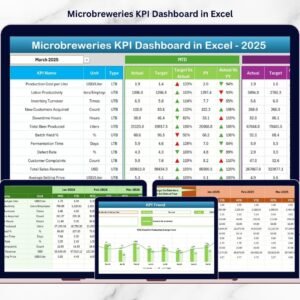
The Microbreweries KPI Dashboard in Power BI transforms structured Excel data into dynamic, interactive, and executive-ready performance visuals. Instead of manually comparing reports, you instantly monitor MTD, YTD, Target vs Actual, and Previous Year performance — all in one powerful dashboard.
Now, you do not guess.
You analyze, compare, and act.
Key Feature of Microbreweries KPI Dashboard in Power BI 🍺📈
This ready-to-use Power BI dashboard is designed specifically for craft breweries and microbreweries.
🚀 Interactive Month & KPI Group Slicers
📊 MTD & YTD Performance Tracking
🎯 Target vs Actual Comparison
📅 Current Year vs Previous Year Analysis
🔴🟢 Red/Green KPI Performance Icons
📈 Combo Trend Charts (MTD & YTD)
🔍 Drill-Through KPI Definition Page
📂 Excel-Based Data Integration
Because it runs inside Power BI, you get professional visuals with instant filtering and interactive analysis.
What’s Inside the Microbreweries KPI Dashboard in Power BI 📊
This Power BI file contains 3 structured pages; each designed for clarity and decision-making.
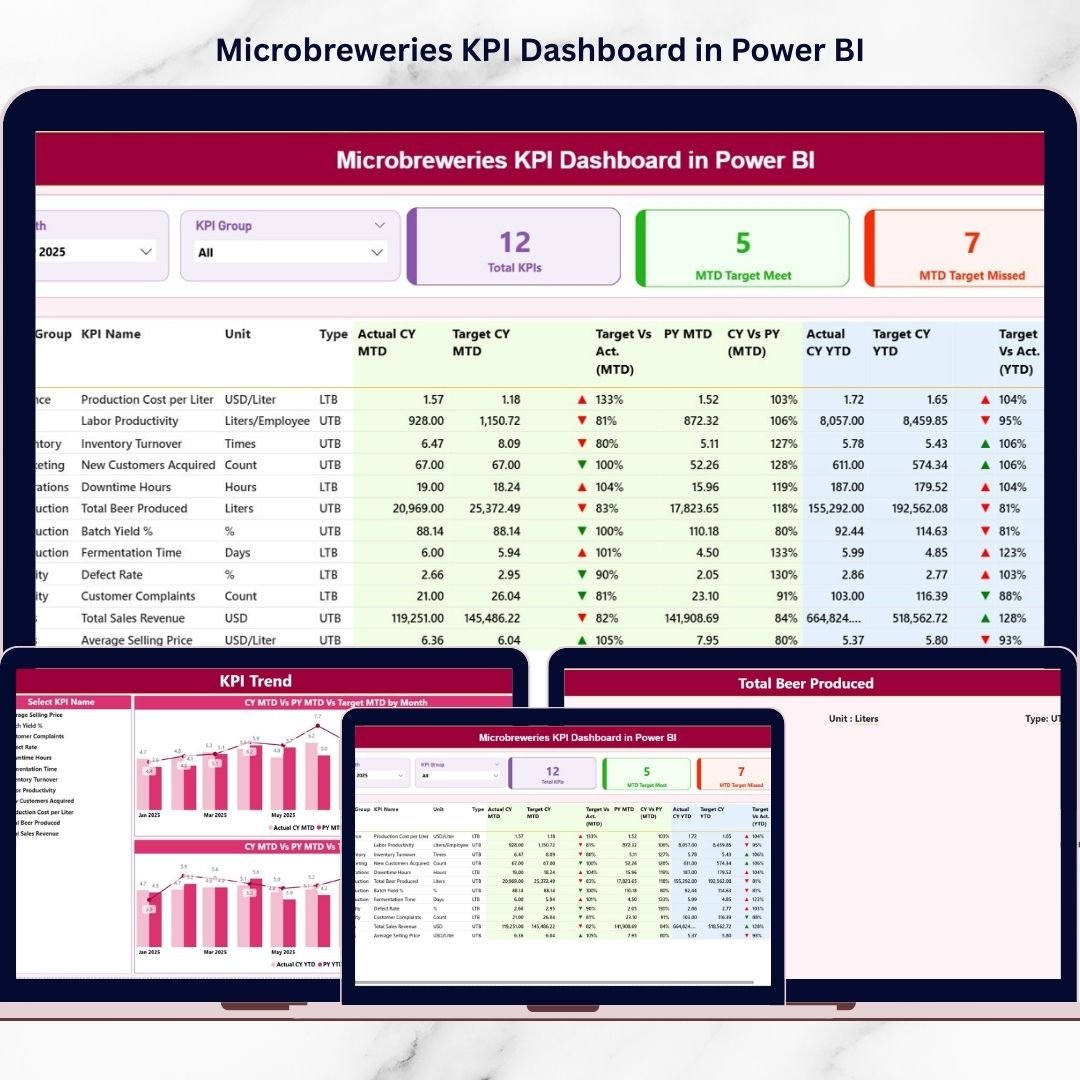
1️⃣ Summary Page – Your Brewery Control Panel
This is the main performance overview page.
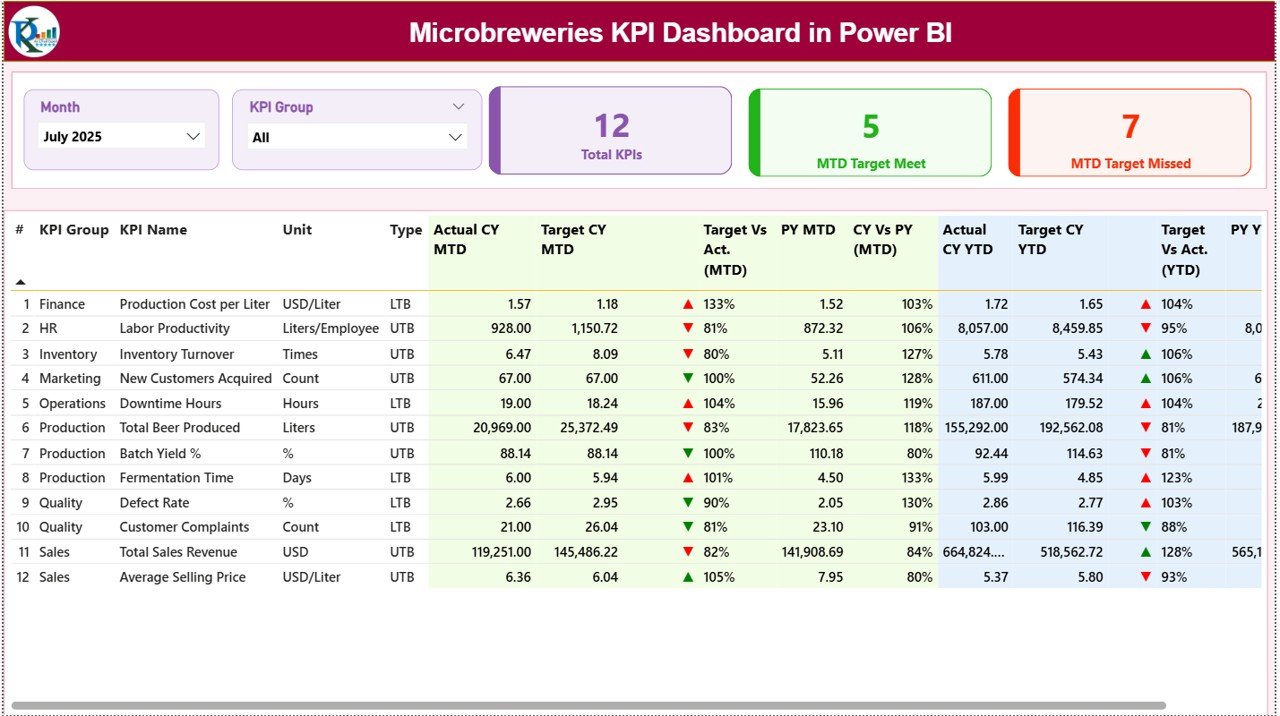
At the top, you will find:
📅 Month Slicer
📊 KPI Group Slicer
These allow you to filter by specific month or category (Production, Financial, Quality, Sales).
KPI Cards Section
Three KPI cards provide instant visibility:
Total KPIs Count
MTD Target Meet Count
MTD Target Missed Count
Within seconds, you understand overall brewery health.
Detailed KPI Performance Table
The structured KPI table displays:
KPI Number
KPI Group
KPI Name
Unit
Type (LTB or UTB)
Actual CY MTD
Target CY MTD
PY MTD
Target vs Actual % (MTD)
CY vs PY % (MTD)
Actual CY YTD
Target CY YTD
PY YTD
Target vs Actual % (YTD)
CY vs PY % (YTD)
Green ▲ indicates positive growth.
Red ▼ highlights underperformance.
Therefore, performance interpretation becomes immediate and simple.
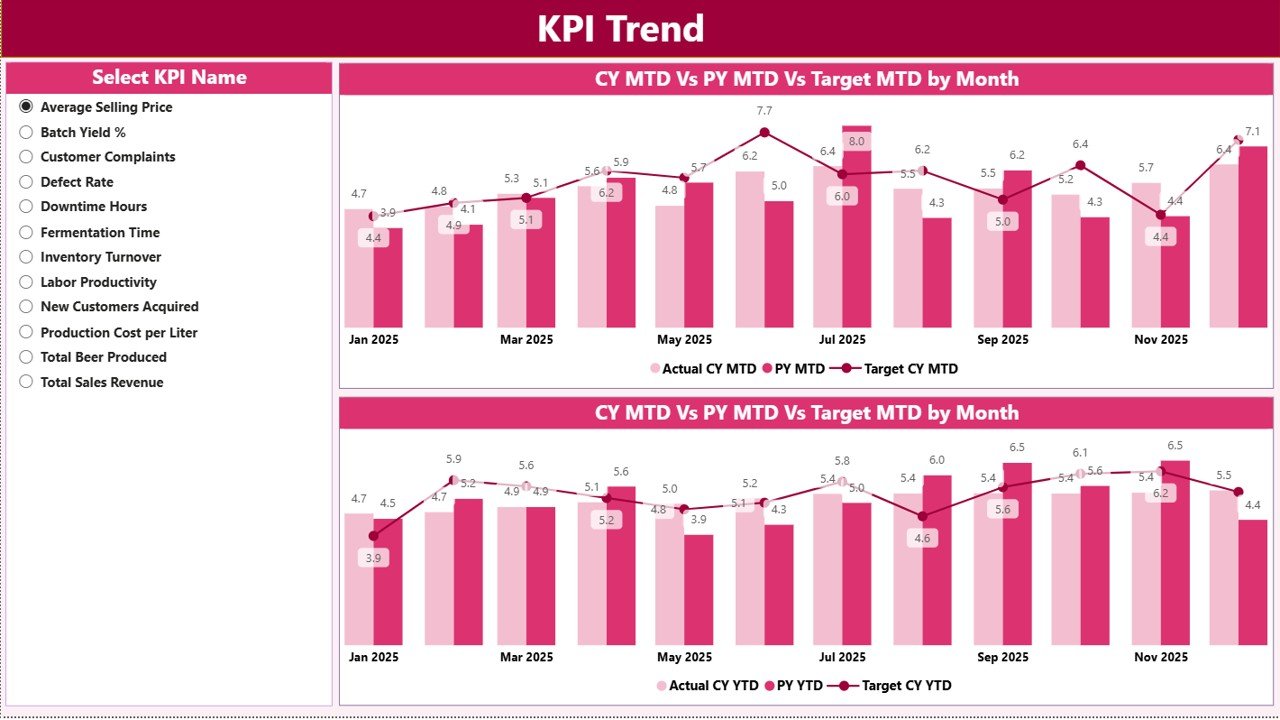
2️⃣ KPI Trend Page – Deep Performance Analysis
This page allows detailed trend review.
Select a KPI using the slicer, and the page instantly updates.
You get:
📊 MTD Trend Combo Chart
📊 YTD Trend Combo Chart
Each chart compares:
Current Year Actual
Previous Year Actual
Target
Because the dashboard shows month-by-month trends, you can:
Detect seasonal production dips
Identify declining margins
Analyze sales growth patterns
Evaluate cost fluctuations
Instead of reacting late, you anticipate issues early.
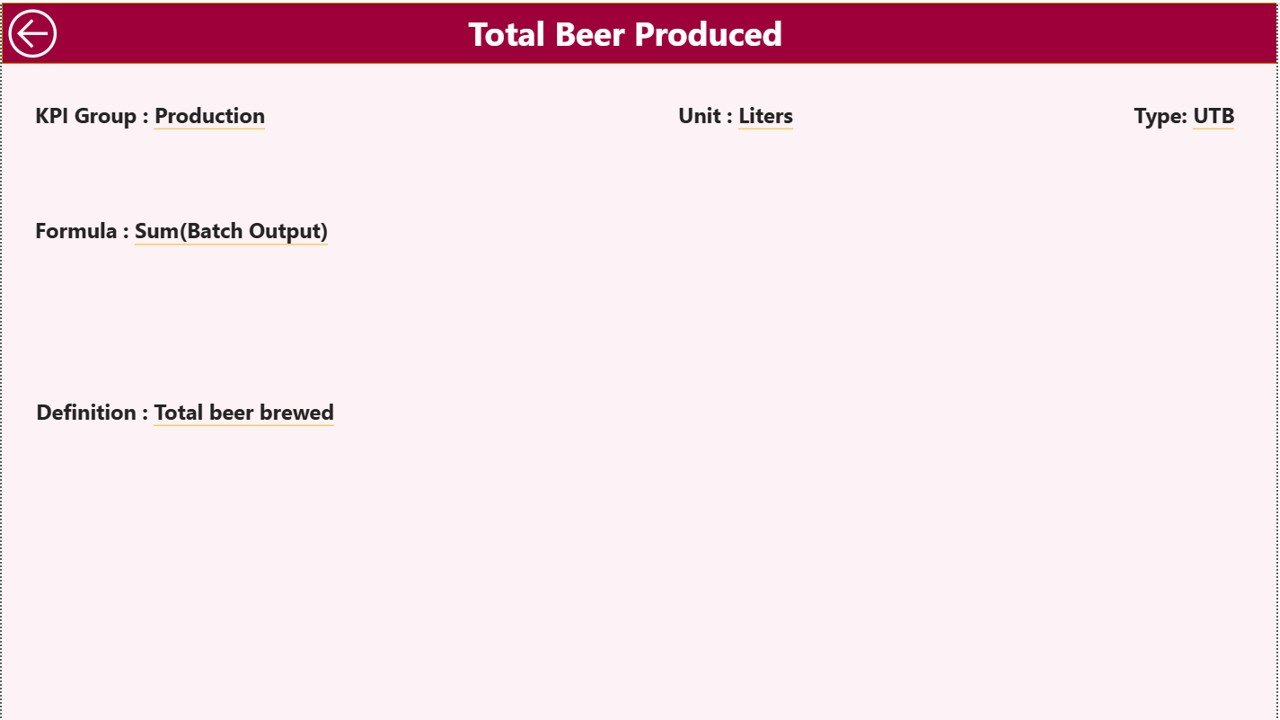
3️⃣ KPI Definition Page – Drill-Through Intelligence
This page ensures clarity and governance.
From the Summary page, you can drill through any KPI to view:
KPI Formula
KPI Definition
Unit
KPI Type (LTB or UTB)
This eliminates confusion and ensures standardized performance measurement.
How to Use the Microbreweries KPI Dashboard in Power BI ⚙️
Step 1️⃣ Enter Data in Excel
Update:
Input Actual Sheet
Input Target Sheet
KPI Definition Sheet
Step 2️⃣ Refresh Power BI
Click Refresh, and visuals update instantly.
Step 3️⃣ Select Month
Use the slicer to analyze specific performance periods.
Step 4️⃣ Review KPIs
Check red indicators first and investigate underperformance.
Step 5️⃣ Analyze Trends
Use the KPI Trend page to study monthly and cumulative growth.
The process is simple, structured, and powerful.
Who Can Benefit from This Microbreweries KPI Dashboard 👥
This dashboard is ideal for:
✔ Microbrewery Owners
✔ Brewmasters
✔ Production Managers
✔ Finance Teams
✔ Sales Managers
✔ Brewery Consultants
Whether you operate a small craft brewery or a growing distribution brand, this dashboard scales with you.
How This Dashboard Improves Profitability 💰
When you monitor performance clearly:
🍺 You reduce production waste
📉 You detect yield decline early
📊 You optimize ingredient cost
📈 You monitor high-margin SKUs
📅 You evaluate seasonal demand
💡 You improve pricing strategies
Because performance becomes measurable, profitability becomes controllable.
Instead of reviewing static reports, you gain interactive performance intelligence.
Brew Smarter. Grow Faster. 🚀
Craft brewing demands creativity.
Sustainable growth demands analytics.
The Microbreweries KPI Dashboard in Power BI provides:
📊 Real-time visibility
🎯 Target accountability
📈 Year-over-Year comparison
📅 MTD & YTD analysis
🔍 Drill-through transparency
📊 Professional management reporting
If you want to scale your microbrewery using structured data insights, this dashboard gives you clarity, speed, and control.
Stop guessing.
Start brewing with intelligence.
Click here to read the Detailed blog post
Visit our YouTube channel to learn step-by-step video tutorials
👉 https://youtube.com/@PKAnExcelExpert
Watch the step-by-step video tutorial:
Compatibility and Requirements
- Works in Power BI Desktop, which is free to download. Microsoft explains the install in Get Power BI Desktop.
- Your data sits in an Excel file with the Input Actual, Input Target and KPI Definition sheets. Update it, then click Refresh in Power BI.
Frequently Asked Questions
How many pages does the dashboard have?
Three pages: Summary, KPI Trend and KPI Definition.
Where do I enter my data?
In the Excel file. Fill in the Input Actual sheet, the Input Target sheet and the KPI Definition sheet, then refresh Power BI.
Can I compare this year with last year?
Yes. The Summary page shows Actual CY, Target CY and PY for both MTD and YTD, with Target vs Actual % and CY vs PY % columns.
What does the KPI Trend page show?
Select a KPI with the slicer and you get an MTD combo chart and a YTD combo chart. Each compares current year actual, previous year actual and target.
Is there an Excel version?
Yes. See the Microbreweries KPI Dashboard in Excel.
Related KPI Dashboard Templates
- Microbreweries KPI Dashboard in Excel: the same brewery KPIs in Excel
- Operations KPI Dashboard in Power BI: an operations view in Power BI
- Risk Management KPI Dashboard in Power BI: track risk KPIs with the same layout
- Mining KPI Dashboard in Power BI: a production-focused Power BI dashboard
- Power BI Dashboard Mega Collection: 15 Power BI templates in one download
Browse all Power BI KPI dashboards.