


The Cosmetics and Skincare Dashboard industry evolves at lightning speed. New brands launch every year, customer preferences shift rapidly, and competition intensifies across online and offline channels. Therefore, businesses must closely track sales, costs, profit margins, discounts, brands, stores, and product categories. However, when data remains scattered across multiple Excel files or manual reports, decision-making becomes slow, risky, and reactive.
That is exactly where the Cosmetics and Skincare Dashboard in Excel becomes an essential business tool 💄🧴📊.
This ready-to-use Excel dashboard converts raw transactional data into clear KPIs, interactive charts, and actionable insights. Instead of spending hours preparing reports, business owners and managers gain instant visibility into performance—all from a single, professionally designed Excel file.
Built for simplicity, flexibility, and impact, this dashboard helps cosmetics and skincare businesses move from guesswork to data-driven growth.
## Key Features of Cosmetics and Skincare Dashboard in Excel🚀
This dashboard is designed to simplify complex performance analysis.
📊 Centralized Performance Tracking
Monitor sales, cost, profit, discounts, brands, stores, and regions in one Excel dashboard.
🎛️ Interactive Right-Side Slicers
Filter insights instantly by region, brand, store, product category, or month.
📈 Executive KPI Cards
Get a quick snapshot of critical business metrics without deep analysis.
📉 Profit & Cost Control Insights
Identify high-cost categories, low-margin brands, and underperforming stores.
🏷️ Brand & Category Performance Analysis
Understand which brands and product categories drive revenue and profitability.
🏬 Store-Wise Performance Visibility
Compare store performance easily to optimize retail strategy.
📅 Monthly Trend Tracking
Analyze seasonality, campaign impact, and month-to-month performance.
💡 100% Excel-Based Solution
No BI tools required—easy to update, customize, and maintain.
## What’s Inside the Cosmetics and Skincare Dashboard in Excel 📂
This dashboard includes five professionally designed analytical pages, each focused on a specific business dimension.
🟦 Overview Page
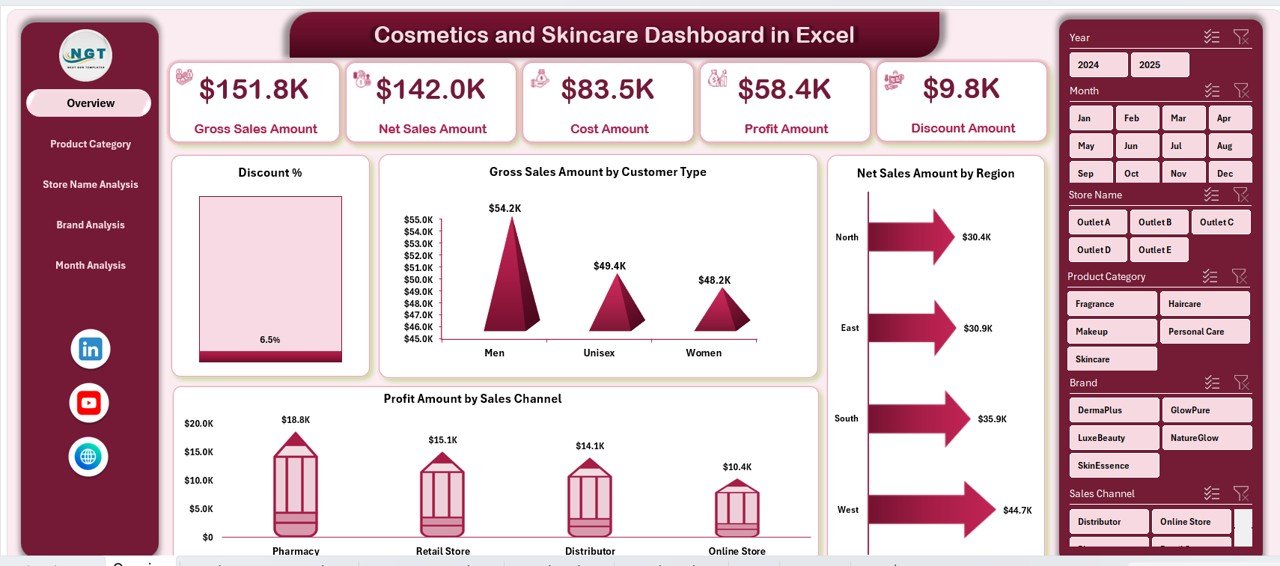
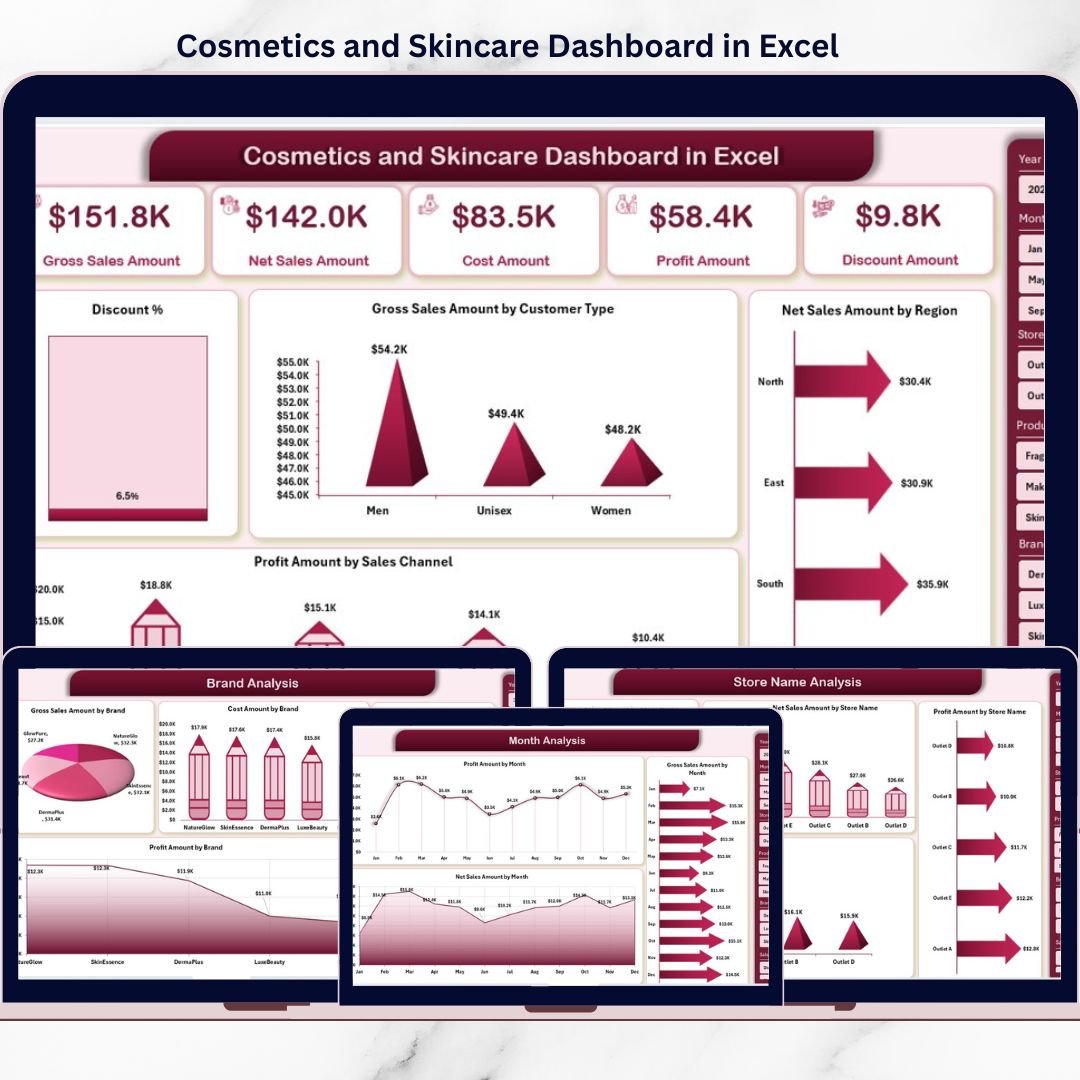
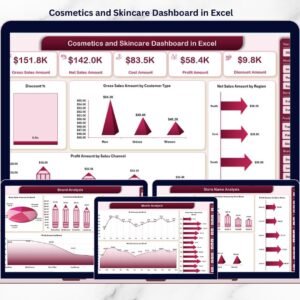
Acts as the command center with KPI cards and charts such as Discount %, Gross Sales by Customer Type, Net Sales by Region, and Profit by Sales Channel.
🟦 Product Category Analysis Page
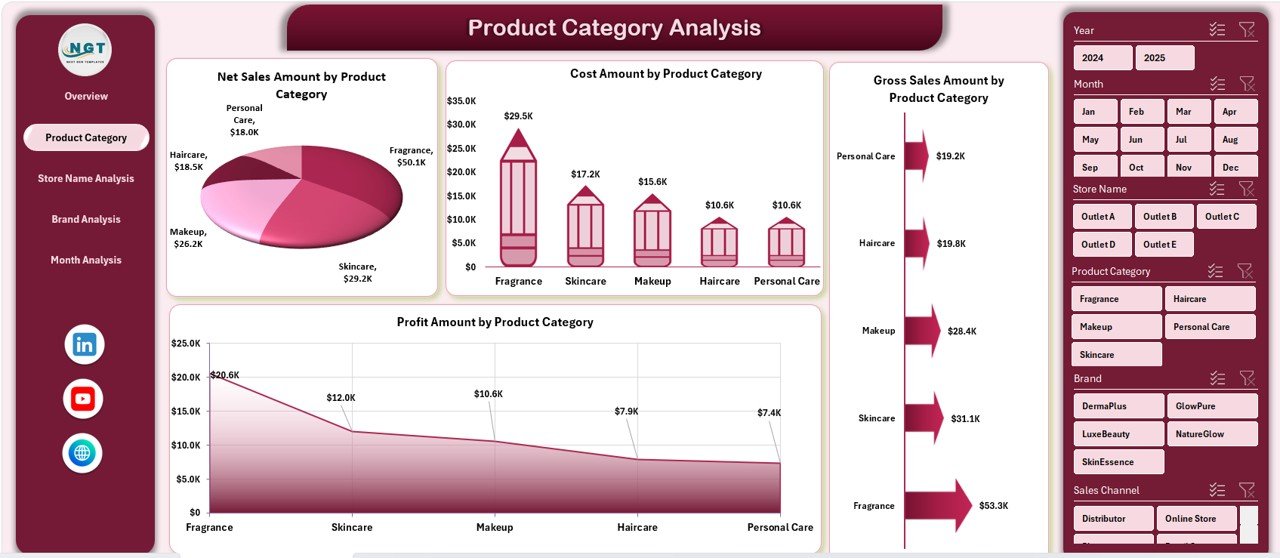
Displays net sales, gross sales, cost, and profit by product category to optimize product mix.
🟦 Store Name Analysis Page
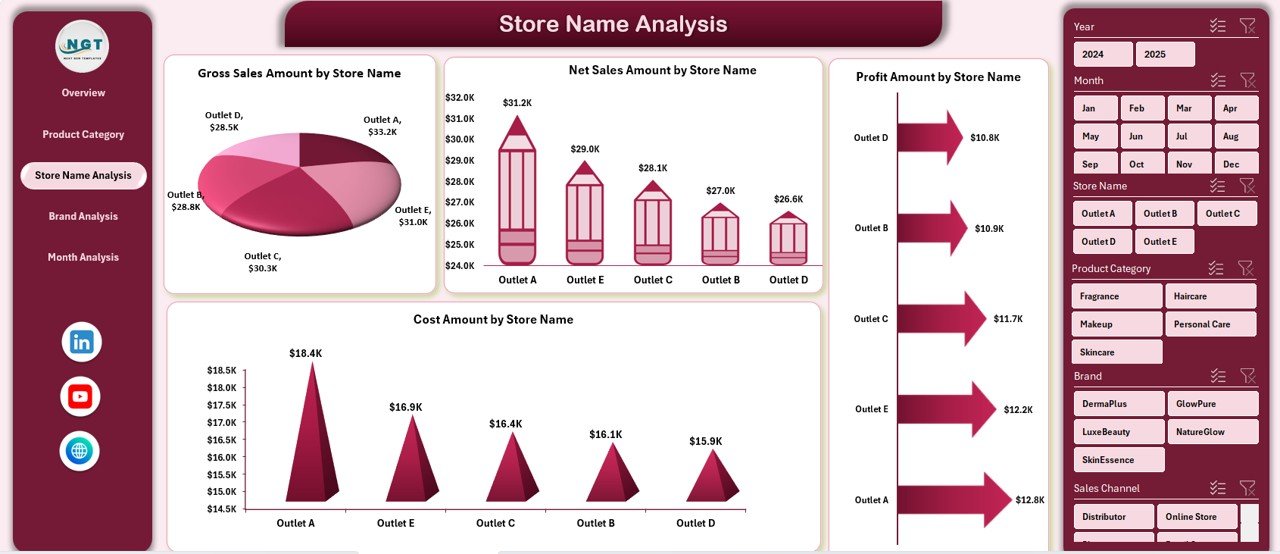
Analyzes store-wise net sales, gross sales, cost, and profit to identify top and weak stores.
🟦 Brand Analysis Page
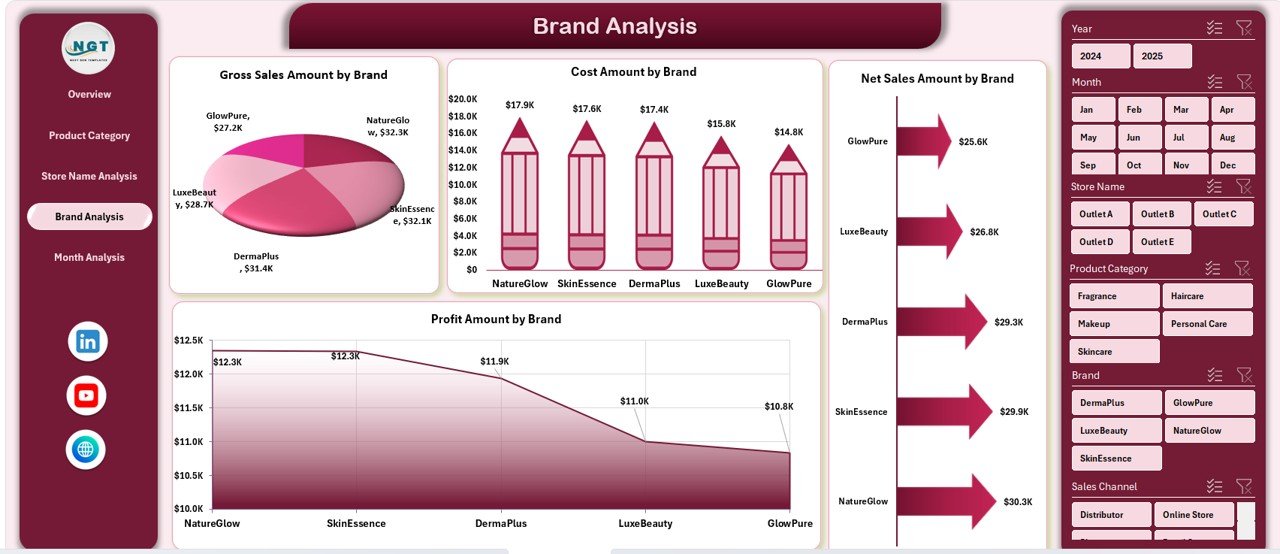
Evaluates brand-level performance for sales, cost, and profit to support brand strategy decisions.
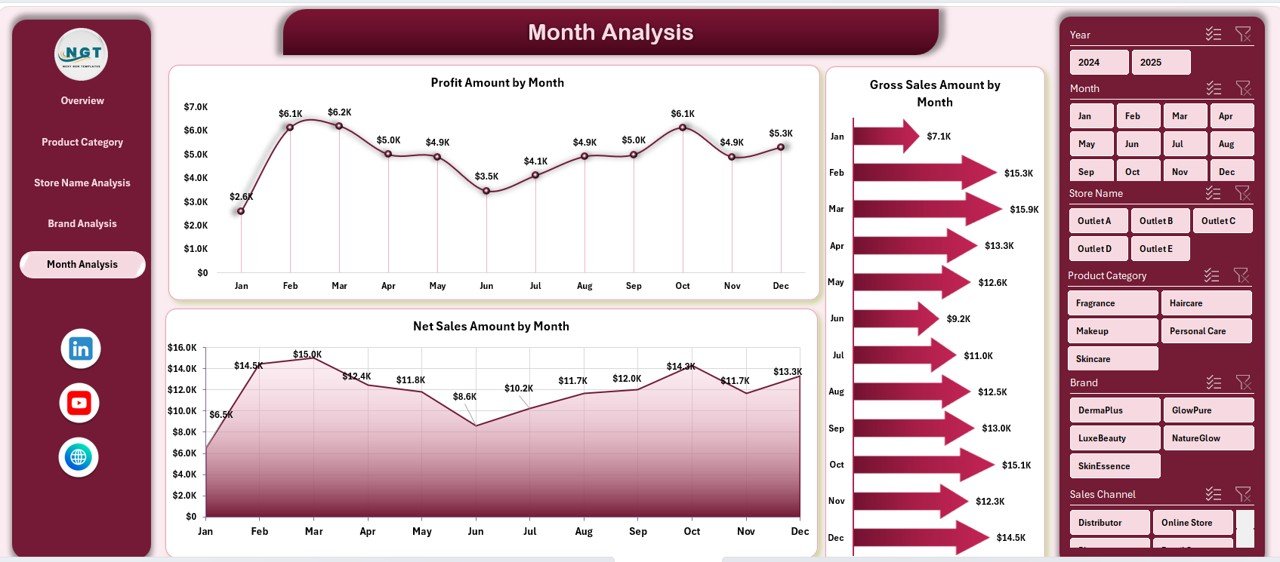
🟦 Month Analysis Page
Tracks monthly trends for net sales, gross sales, and profit to understand seasonality.
🟦 Data Sheet
Stores raw transactional data such as brand, category, store, region, sales, cost, and discounts.
🟦 Support Sheet
Manages calculations, mappings, and helper logic to keep the dashboard accurate and scalable.
Together, these sheets form a complete analytics system for cosmetics and skincare businesses.
## How to Use the Cosmetics and Skincare Dashboard in Excel 🧩
Using the dashboard is simple and business-friendly:
1️⃣ Update your transactional data in the Data Sheet
2️⃣ Refresh Pivot Tables if required
3️⃣ Use slicers to filter by brand, store, category, region, or month
4️⃣ Review KPI cards and charts instantly
5️⃣ Use insights to optimize pricing, promotions, and inventory
Excel updates all visuals automatically—so teams focus on strategy, not reporting.
## Who Can Benefit from This Cosmetics and Skincare Dashboard in Excel 👥
This dashboard is ideal for:
✔️ Cosmetics & Skincare Brand Owners
✔️ Retail & Store Managers
✔️ Sales & Marketing Teams
✔️ Finance & Profitability Analysts
✔️ Business Owners
✔️ Analysts & Consultants
Both small businesses and large enterprises can use this dashboard effectively.
### Click here to read the Detailed blog post
Visit our YouTube channel to learn step-by-step video tutorials
👉 YouTube.com/@PKAnExcelExpert
Watch the step-by-step video tutorial:
Compatibility and Requirements
- Works in Microsoft Excel desktop (Excel 2016 or later, or Microsoft 365).
- The dashboard uses Pivot Tables and slicers on the right side of each page. Microsoft explains slicers in Use slicers to filter data.
Frequently Asked Questions
Which pages are included?
Five analysis pages: Overview, Product Category Analysis, Store Name Analysis, Brand Analysis and Month Analysis. There is also a Data Sheet for raw data and a Support Sheet for calculations and mappings.
How do I update the dashboard with my own data?
Enter your transactions in the Data Sheet (brand, category, store, region, sales, cost and discounts). Refresh the Pivot Tables if needed, and the KPI cards and charts update.
What can I filter with the slicers?
You can filter by region, brand, store, product category or month.
Which metrics does it show?
It shows net sales, gross sales, cost, profit and discount % by product category, store, brand, region, customer type, sales channel and month.
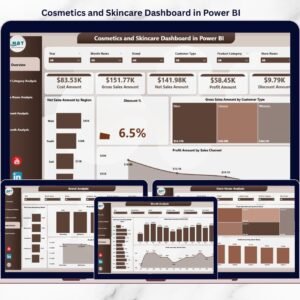
Is there a Power BI version?
Yes. See the Cosmetics and Skincare Dashboard in Power BI. A KPI-focused edition is also available: Cosmetics and Skincare KPI Dashboard in Excel.
Related Cosmetics and Skincare Templates
- Cosmetics and Skincare KPI Dashboard in Excel: track KPIs against targets in Excel
- Cosmetics and Skincare Dashboard in Power BI: the same topic in Power BI
- Cosmetics and Skincare KPI Dashboard in Power BI: KPI view in Power BI
- Cosmetics Shop Stock Data Entry System in Excel: record shop stock in Excel
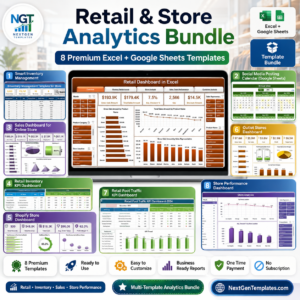
- Retail & Store Analytics Bundle: 8 retail templates in one download
Browse all Excel dashboards.



Reviews
There are no reviews yet.