

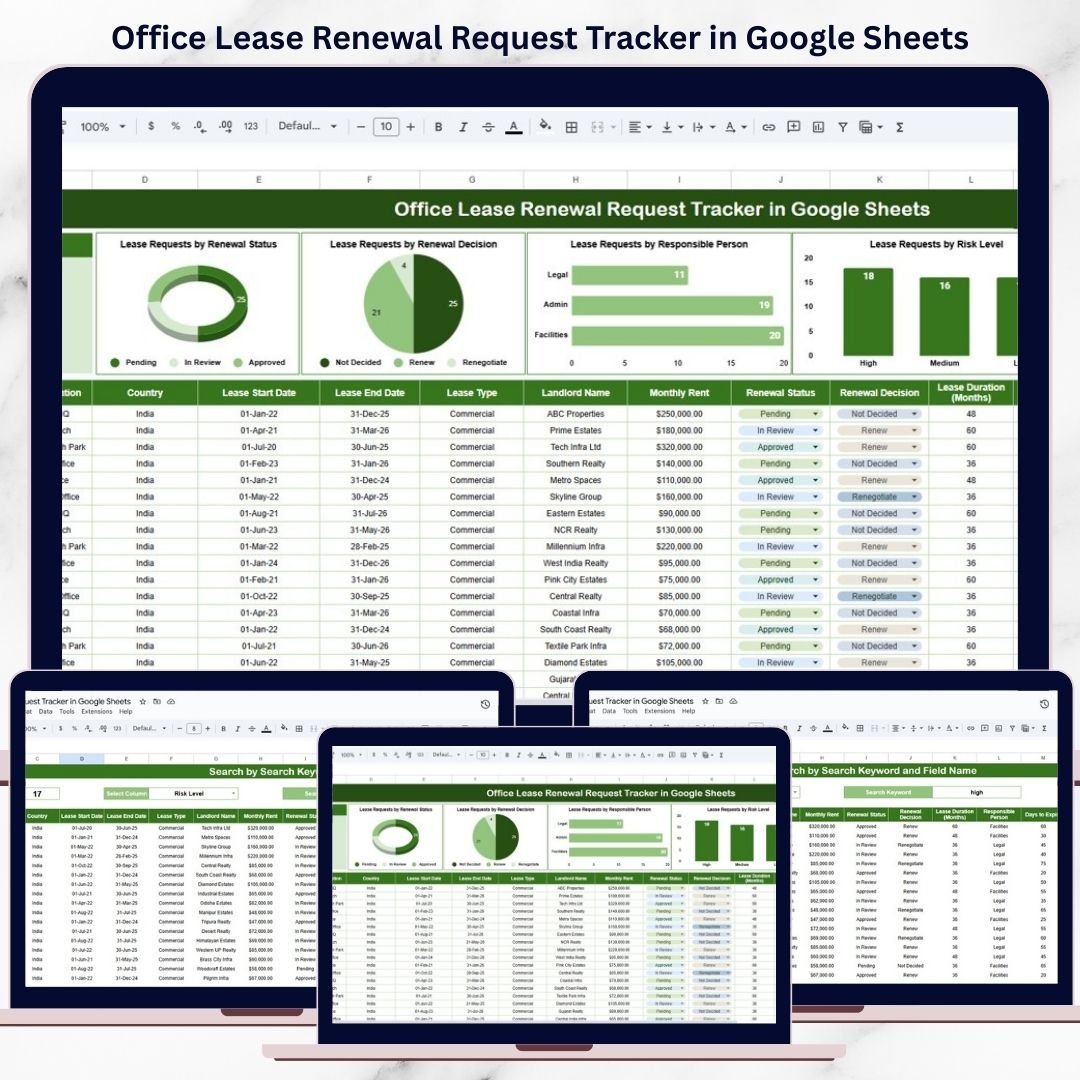
Office lease renewals involve more than just extending a contract. They directly affect cost management, risk exposure, location strategy, compliance, and long-term business planning. Yet many organizations still rely on emails, reminders, or scattered spreadsheets to manage lease renewals. As a result, deadlines get missed, risks remain unnoticed, approvals slow down, and leadership loses visibility.
That is exactly why the Office Lease Renewal Request Tracker in Google Sheets becomes a critical administrative and facilities management solution.
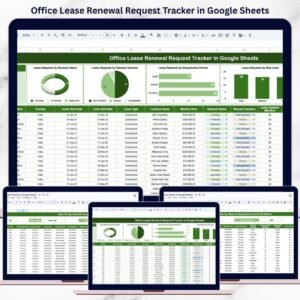
This ready-to-use tracker centralizes all lease renewal requests into one structured, cloud-based system. It helps admin, facilities, finance, and legal teams track renewal timelines, monitor decisions, assess risk levels, and analyze trends across office locations. Because everything runs inside Google Sheets, updates happen in real time, collaboration becomes effortless, and reporting stays simple.
With visual charts, a smart search feature, and a clean data structure, this tracker ensures that lease renewals are proactive, transparent, and well-controlled.
✨ Key Features of the Office Lease Renewal Request Tracker in Google Sheets
📋 1. Centralized Lease Renewal Log
All lease renewal requests are stored in one structured tracker. This eliminates email chains, scattered files, and manual follow-ups.
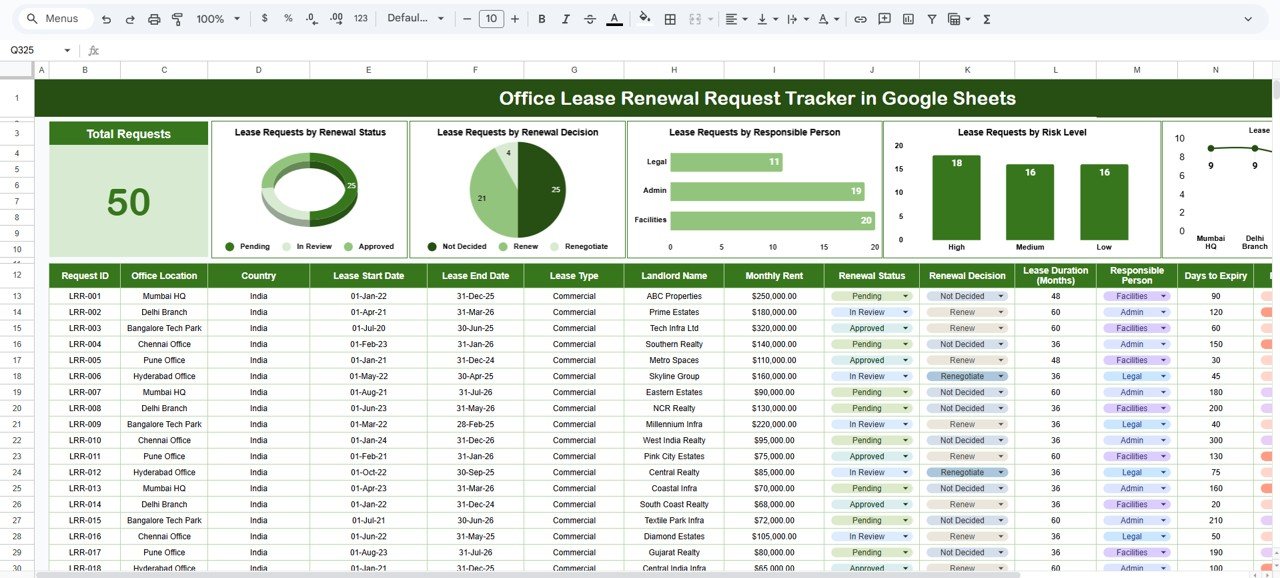
📊 2. Automated Charts for Decision Visibility
Built-in charts convert raw renewal data into actionable insights—helping teams spot risks and pending actions instantly.
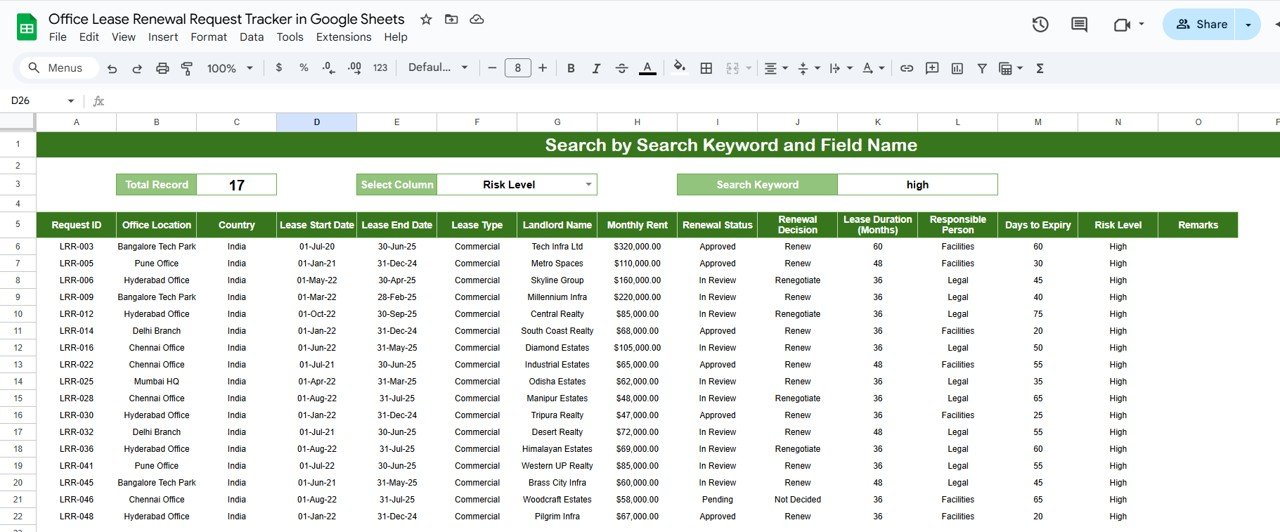
🔍 3. Smart Search Function
Find any lease renewal record within seconds by searching by location, status, risk level, responsible person, or decision.
🤝 4. Real-Time Collaboration
Multiple teams can update and review lease data simultaneously using Google Sheets’ secure sharing features.
⚡ 5. No Software or License Cost
Since the tracker is built in Google Sheets, there is no need for expensive lease management software.
📦 What’s Inside the Office Lease Renewal Request Tracker in Google Sheets
🗂️ Tracker Sheet Tab – Central Lease Renewal Log
This is the core data entry and storage sheet. Typical fields include:
-
Office Location
-
Lease Start Date
-
Lease End Date
-
Renewal Request Date
-
Renewal Status
-
Renewal Decision
-
Responsible Person
-
Risk Level
-
Remarks
Once any record is updated, all charts and summaries refresh automatically.
📈 Charts That Turn Data into Insights
The tracker includes five powerful charts designed to support faster and smarter decisions:
📌 Lease Requests by Renewal Status
Displays Pending, Approved, Rejected, or Under Review requests.
Helps teams avoid missed deadlines and follow up efficiently.
📌 Lease Requests by Renewal Decision
Shows Renew, Not Renew, Renegotiate, or On Hold decisions.
Helps leadership understand overall real estate strategy trends.
📌 Lease Requests by Responsible Person
Highlights workload distribution and accountability.
Helps identify approval delays or resource imbalance.
📌 Lease Requests by Risk Level
Categorizes leases as High, Medium, or Low risk.
Helps prioritize renewals that require immediate attention.
📌 Lease Requests by Office Location
Shows renewal concentration by location.
Supports location strategy and office footprint optimization.
All charts update automatically—no manual reporting required.
🔍 Search Feature – Find Lease Records Instantly
The built-in search section allows you to filter renewal requests by:
-
Office Location
-
Renewal Status
-
Renewal Decision
-
Responsible Person
-
Risk Level
Simply enter a search keyword and select the field name. The tracker instantly displays matching records—perfect for audits, leadership reviews, and budget planning discussions.
🛠️ How to Use the Office Lease Renewal Request Tracker in Google Sheets
1️⃣ Log Renewal Requests Early
Record renewal details as soon as requests arise to avoid last-minute risks.
2️⃣ Update Status & Decisions Regularly
Keep statuses and decisions current to maintain dashboard accuracy.
3️⃣ Review Charts Monthly
Identify pending renewals, high-risk leases, and approval bottlenecks.
4️⃣ Use Search During Reviews
Quickly retrieve lease records during audits or meetings.
5️⃣ Assign Clear Ownership
Ensure every renewal has a responsible person assigned.
🎯 Who Can Benefit from This Office Lease Renewal Request Tracker
🏢 Facilities & Admin Teams
Track lease timelines and renewal status without confusion.
💼 Finance Teams
Support cost planning, budgeting, and renewal impact analysis.
⚖️ Legal & Compliance Teams
Maintain a clear audit trail of renewal decisions.
📊 Leadership & Management
Gain high-level visibility into lease risks and location strategy.
🏬 Multi-Location Organizations
Manage renewals across offices with consistency and control.
### Click here to read the Detailed blog post
Watch the step-by-step video tutorial:








Reviews
There are no reviews yet.