

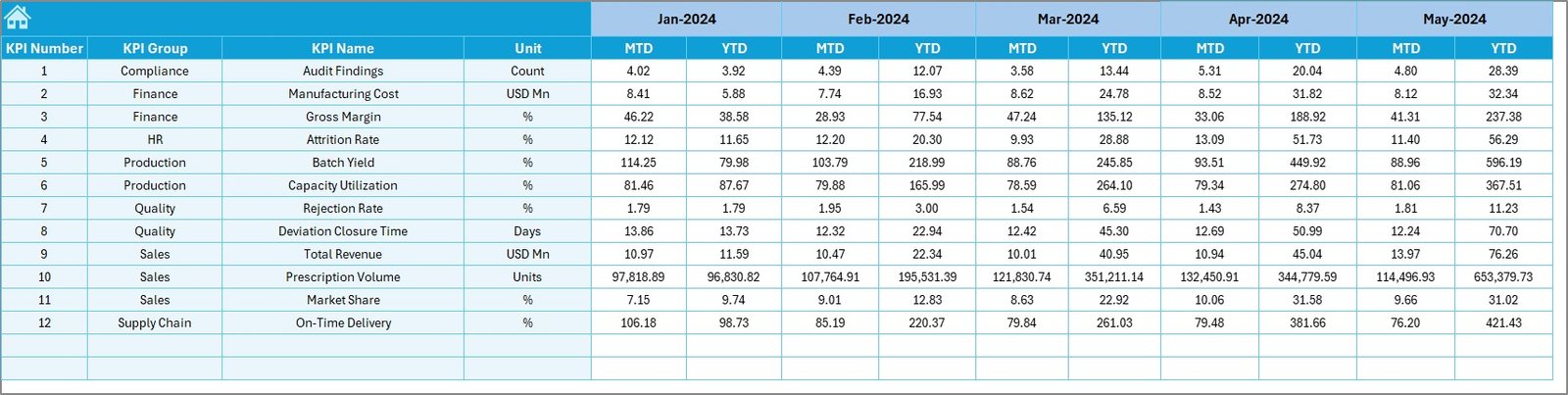
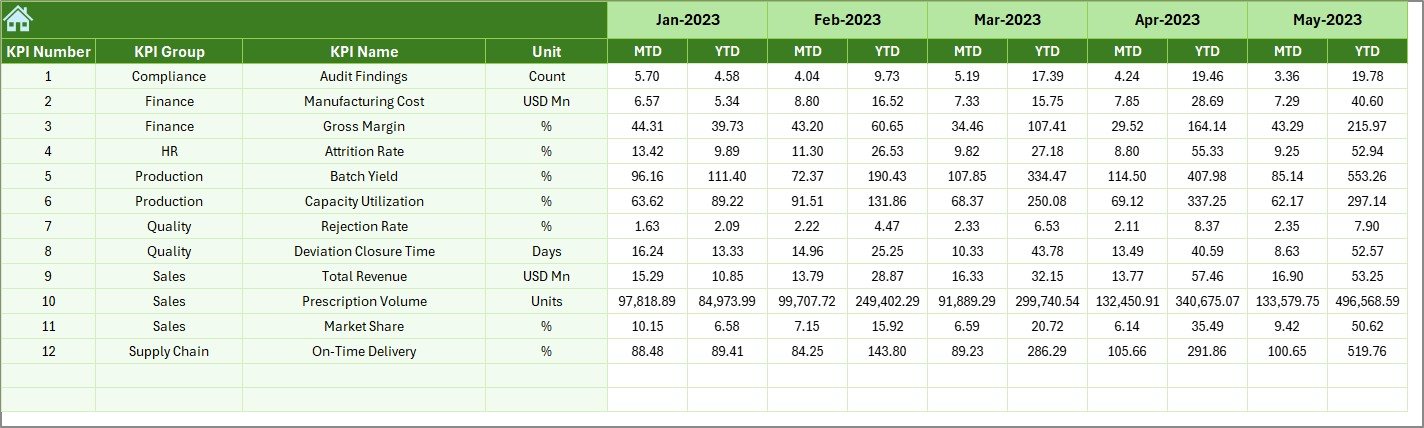

In today’s highly regulated pharmaceutical industry, performance tracking must be accurate, timely, and crystal clear. Sales, production, quality, compliance, inventory, and finance teams all rely on data every month. However, when information is scattered across multiple Excel files and manual reports, visibility drops and decisions slow down.
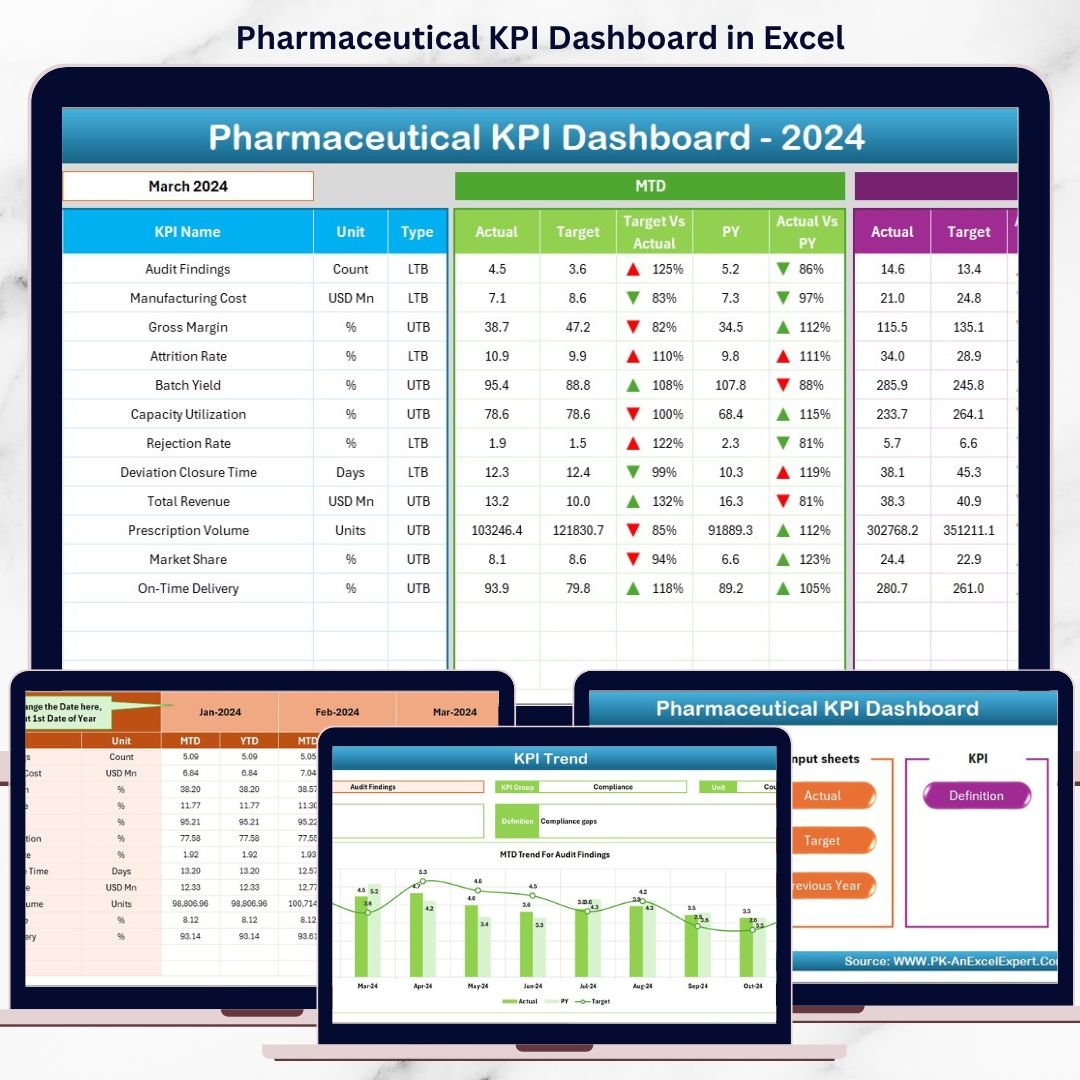
The Pharmaceutical KPI Dashboard in Excel is a ready-to-use performance management tool that brings all critical KPIs into one powerful dashboard. Instead of wasting hours preparing reports, you can instantly monitor MTD and YTD performance, compare Actual vs Target and Actual vs Previous Year, and identify gaps before they become costly issues.
This dashboard is designed for business users, not Excel experts. It delivers clarity, control, and confidence using a familiar Excel interface.
🚀 Key Features of Pharmaceutical KPI Dashboard in Excel
📊 Centralized KPI Dashboard – Track all pharmaceutical KPIs from one clean, structured view
📅 MTD & YTD Performance Tracking – Monitor Month-to-Date and Year-to-Date results effortlessly
🎯 Actual vs Target Comparison – Instantly see whether goals are met or missed
📈 Actual vs Previous Year Analysis – Identify improvement or decline at a glance
🔁 Dynamic Month Selection – Change the month and watch the dashboard update automatically
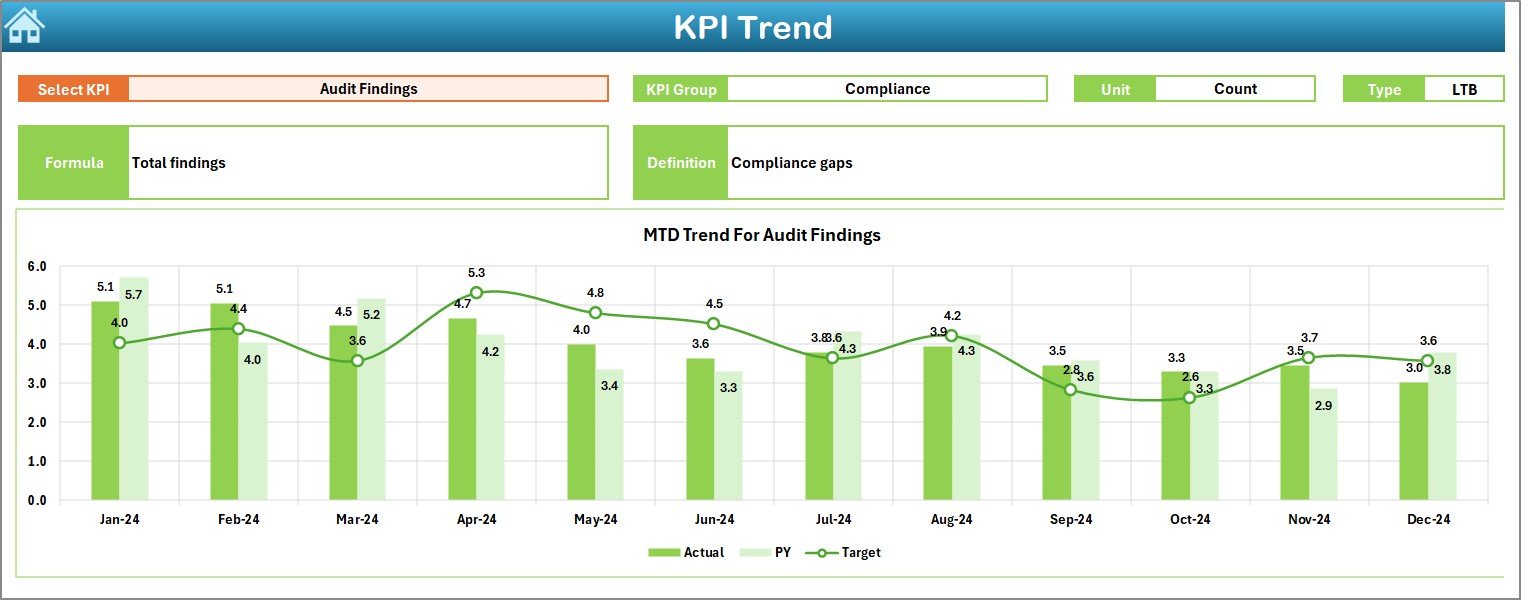
📉 KPI Trend Analysis – Analyze individual KPI trends over time
🧭 Navigation-Friendly Design – Move between sheets easily using buttons
🧠 No VBA, No Complexity – 100% Excel-based and easy to maintain
📦 What’s Inside the Pharmaceutical KPI Dashboard in Excel
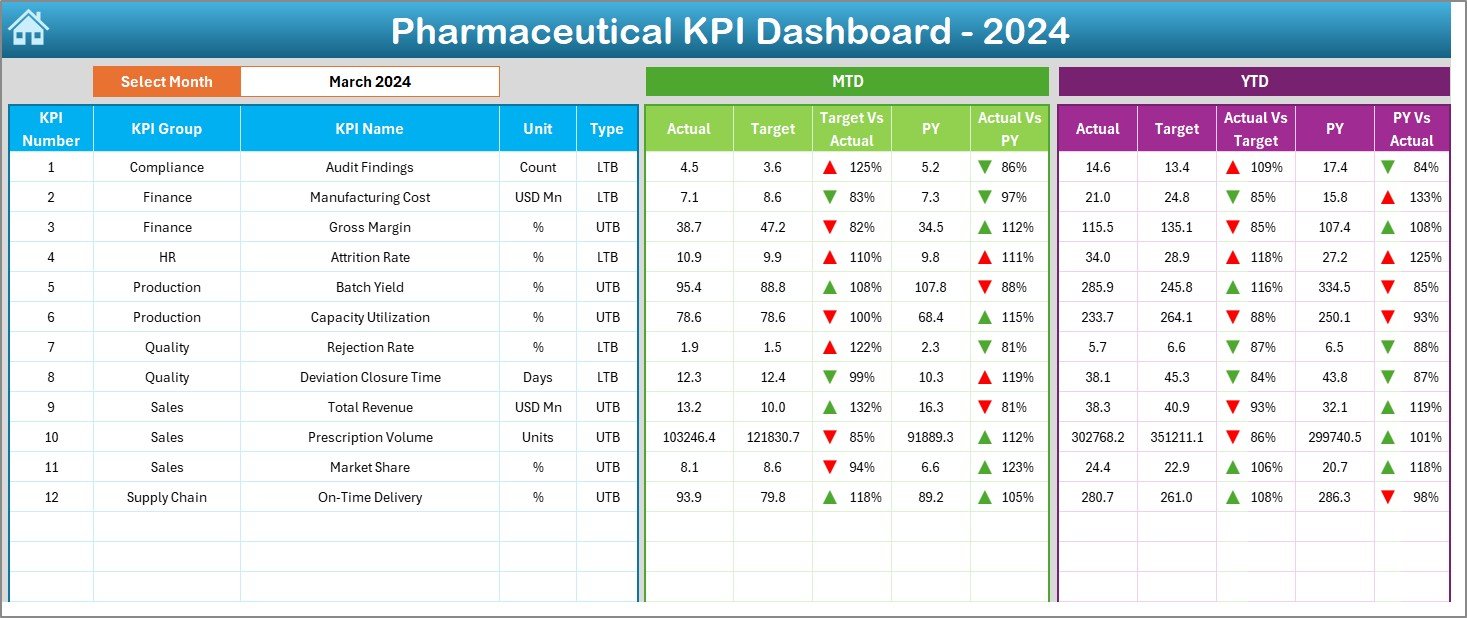
📁 Excel Dashboard File with a professional layout
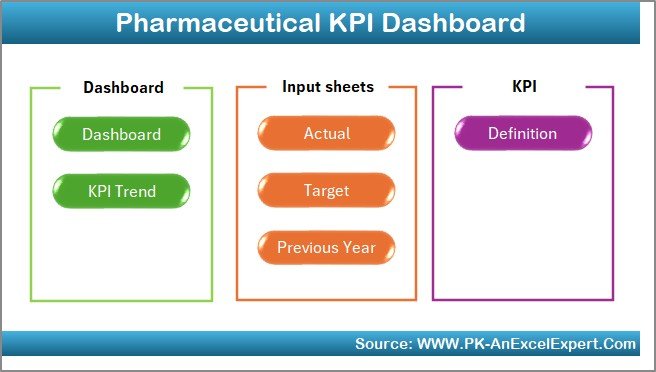
🏠 Home Sheet – Acts as a navigation hub with buttons to access all sections
📊 Dashboard Sheet – Displays overall KPI performance with MTD & YTD views
📈 KPI Trend Sheet – Shows KPI-wise trends with charts and definitions
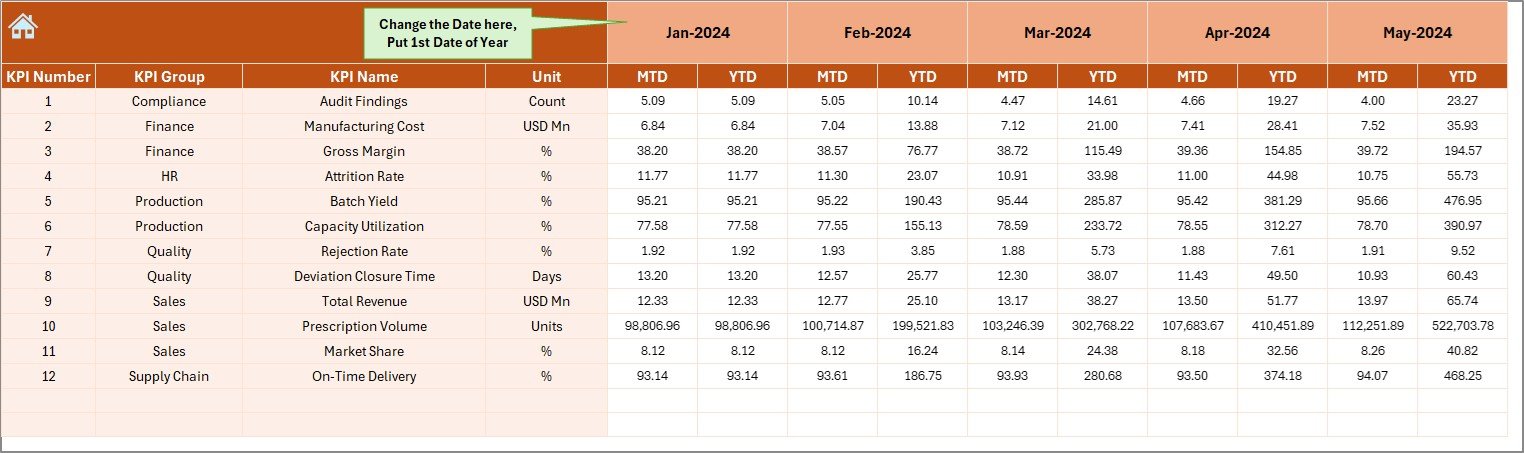
🧮 Actual Numbers Input Sheet – Enter monthly actual performance values
🎯 Target Sheet – Maintain KPI targets for accurate performance comparison
📜 Previous Year Numbers Sheet – Store last year’s KPI data for YoY analysis
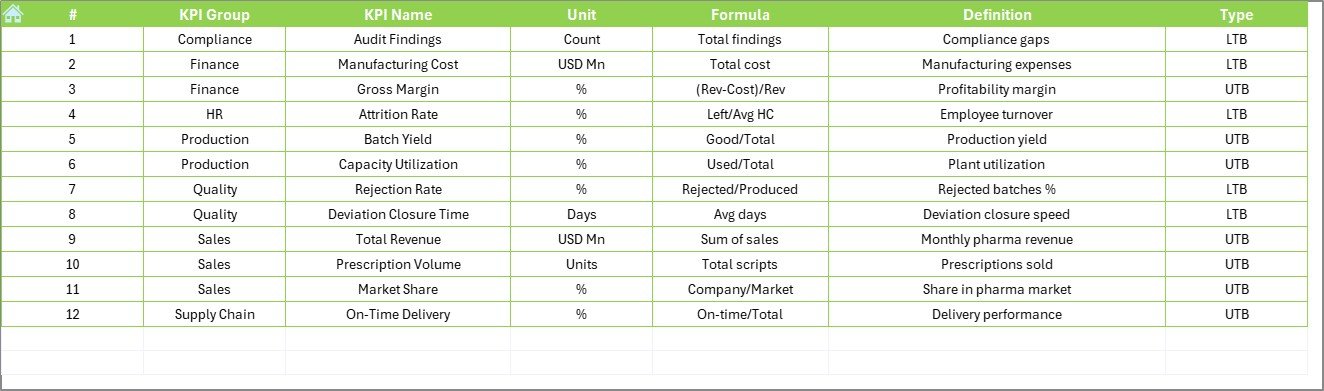
📘 KPI Definition Sheet – Reference guide with KPI names, formulas, units, and definitions
Everything is structured so even new users understand the dashboard instantly.
🧠 How to Use the Pharmaceutical KPI Dashboard in Excel
1️⃣ Open the Excel dashboard file
2️⃣ Enter monthly actual values in the Actual Numbers sheet
3️⃣ Update targets in the Target sheet
4️⃣ Add previous year values in the Previous Year Number sheet
5️⃣ Select the month from the dropdown
6️⃣ Review MTD, YTD, Target, and Previous Year performance
7️⃣ Use trend charts to identify patterns and take action
No advanced Excel skills are required. If you can use Excel, you can use this dashboard.
👥 Who Can Benefit from This Pharmaceutical KPI Dashboard in Excel
💊 Pharmaceutical Companies – Monitor operational and financial KPIs
🏭 Operations & Production Teams – Track yield, efficiency, and output
🧪 Quality & Compliance Teams – Monitor quality-related KPIs and deviations
📈 Sales & Commercial Teams – Track sales growth and performance
💰 Finance Teams – Monitor cost, efficiency, and profitability
👔 Senior Management & Executives – Get a high-level performance overview
This dashboard works for small, medium, and large pharmaceutical organizations.
🔗 Click here to read the Detailed Blog Post
🎥 Visit our YouTube channel to learn step-by-step video tutorials
https://www.youtube.com/@PKAnExcelExpert

























Reviews
There are no reviews yet.