Pathology laboratories are the backbone of modern healthcare. Every diagnosis, treatment path, and clinical decision depends on accurate reports, fast turnaround times, and consistent quality metrics. Pathology Labs KPI Dashboard in Power BI However, many pathology labs still rely on scattered Excel sheets, manual summaries, and delayed reports—making it difficult to track targets, efficiency, and trends in real time.
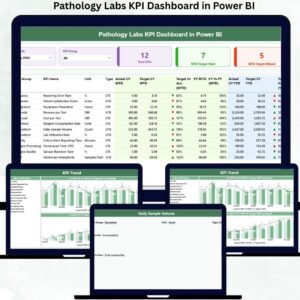
The Pathology Labs KPI Dashboard in Power BI solves this challenge by converting complex laboratory data into clear, interactive, and performance-focused insights. Pathology Labs KPI Dashboard in Power BI This ready-to-use dashboard helps lab managers, quality teams, and hospital leadership track targets, actual performance, gaps, and trends from a single, powerful interface.
Pathology Labs KPI Dashboard in Power BI Built using Excel as the data input layer and Power BI for visualization, this dashboard offers the perfect balance of simplicity and analytics strength. As a result, pathology labs move from reactive reporting to proactive, data-driven lab management.
🚀 Key Features of the Pathology Labs KPI Dashboard in Power BI
🧪 Centralized Lab KPI Tracking – Monitor all pathology KPIs in one dashboard
🎯 MTD & YTD Performance Monitoring – Track monthly and annual lab efficiency
✅ Target Met vs Missed Indicators – Instantly spot performance gaps with arrows
📊 Actual vs Target vs Previous Year Comparison – Measure improvement accurately
🎛️ Interactive Month & KPI Group Slicers – Focus analysis instantly
📈 KPI Trend Analysis (MTD & YTD) – Identify delays, improvements, and patterns
🔍 Drill-Through KPI Definitions – Maintain clarity and standard interpretation
⚡ Excel + Power BI Model – Simple data entry with enterprise-level analytics
📦 What’s Inside the Pathology Labs KPI Dashboard
This Power BI dashboard includes three professionally designed analytical pages, purpose-built for pathology and diagnostic operations:
🟢 Summary Page
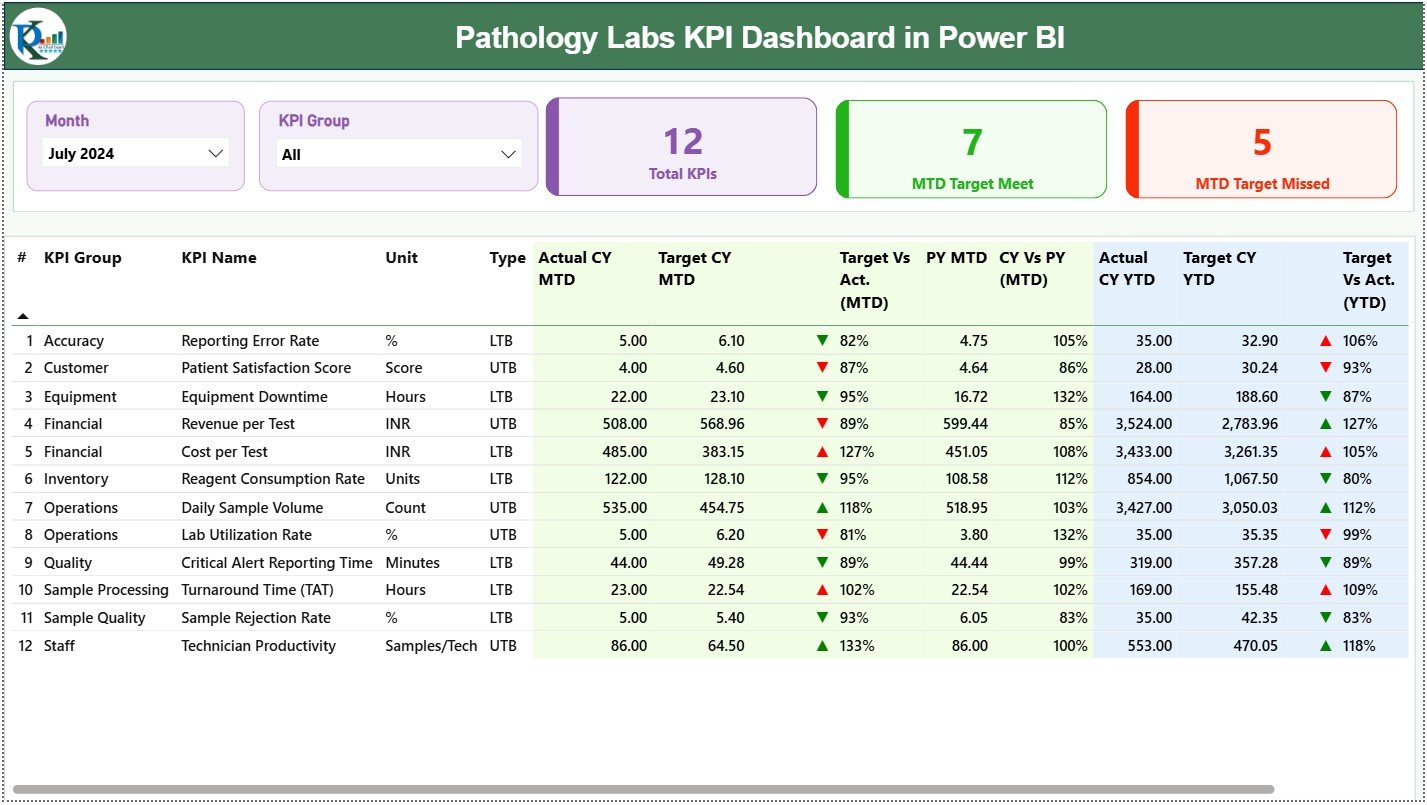
Acts as the main command center. It displays KPI cards for Total KPIs, MTD Target Met, and MTD Target Missed. A detailed KPI table clearly presents MTD and YTD Actuals, Targets, Previous Year values, performance ratios, and visual indicators, allowing managers to evaluate current and cumulative performance instantly.
📉 KPI Trend Page
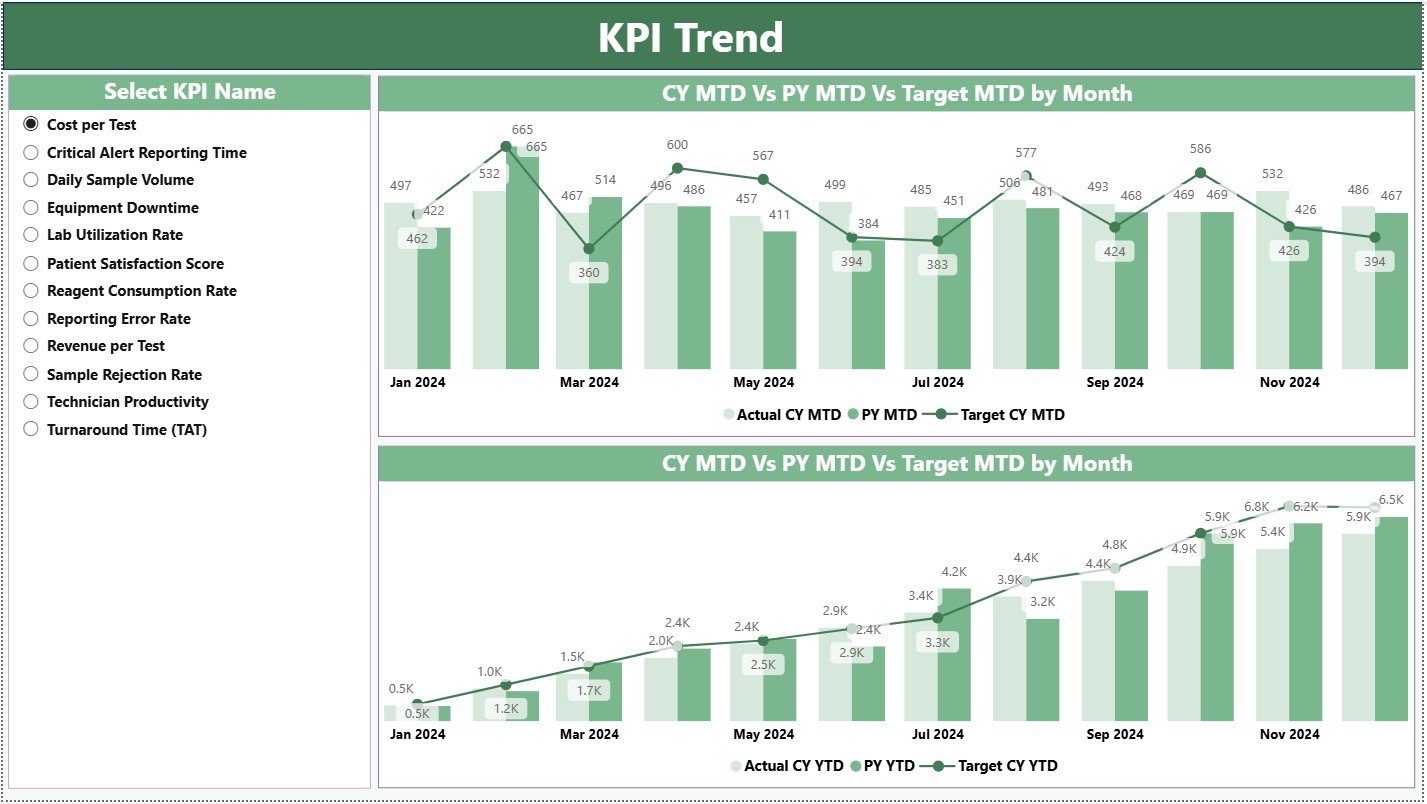
Designed for trend-based analysis. Users select a KPI to view MTD and YTD combo charts comparing Current Year, Previous Year, and Targets. This page helps labs identify recurring delays, seasonal patterns, and long-term efficiency trends.
📘 KPI Definition Page
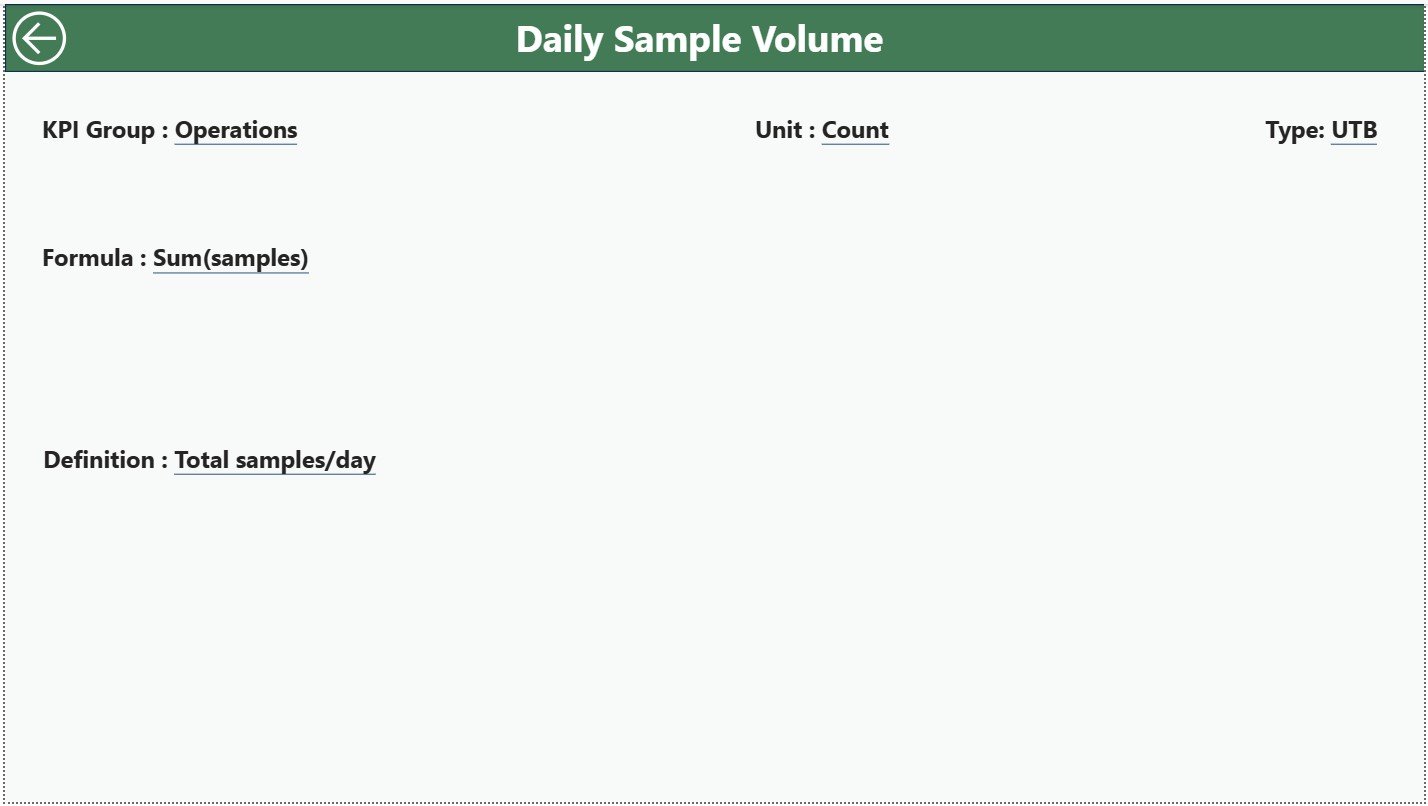
A hidden drill-through reference page that explains KPI Formula, Definition, Unit, and KPI Type (LTB/UTB). This ensures complete transparency and standardized understanding across lab technicians, quality teams, and management.
📂 Excel Backend Structure
The dashboard is powered by three structured Excel sheets:
Input_Actual – Actual MTD & YTD lab performance values
Input_Target – Target MTD & YTD benchmarks
KPI Definition – KPI number, group, unit, formula, definition, and type
🛠️ How to Use the Pathology Labs KPI Dashboard
✅ Step 1: Enter actual lab performance data in the Input Actual sheet
✅ Step 2: Update monthly and yearly targets in Input Target
✅ Step 3: Maintain standard KPIs in the KPI Definition sheet
✅ Step 4: Refresh the Power BI dashboard
✅ Step 5: Analyze KPIs, trends, and target gaps instantly
No advanced Power BI skills are required. The dashboard is plug-and-play, reliable, and lab-friendly.
👥 Who Can Benefit from This Pathology Dashboard?
🏥 Diagnostic Laboratory Managers
🧫 Pathology Department Heads
📊 Quality & Compliance Teams
🏨 Hospital Administrators
📈 Healthcare Analysts
👔 Senior Healthcare Leadership
Any diagnostic or pathology organization focused on speed, quality, and accuracy will benefit immediately from this solution.
🔗 Click here to read the Detailed blog post
🎥 Visit our YouTube channel to learn step-by-step video tutorials