

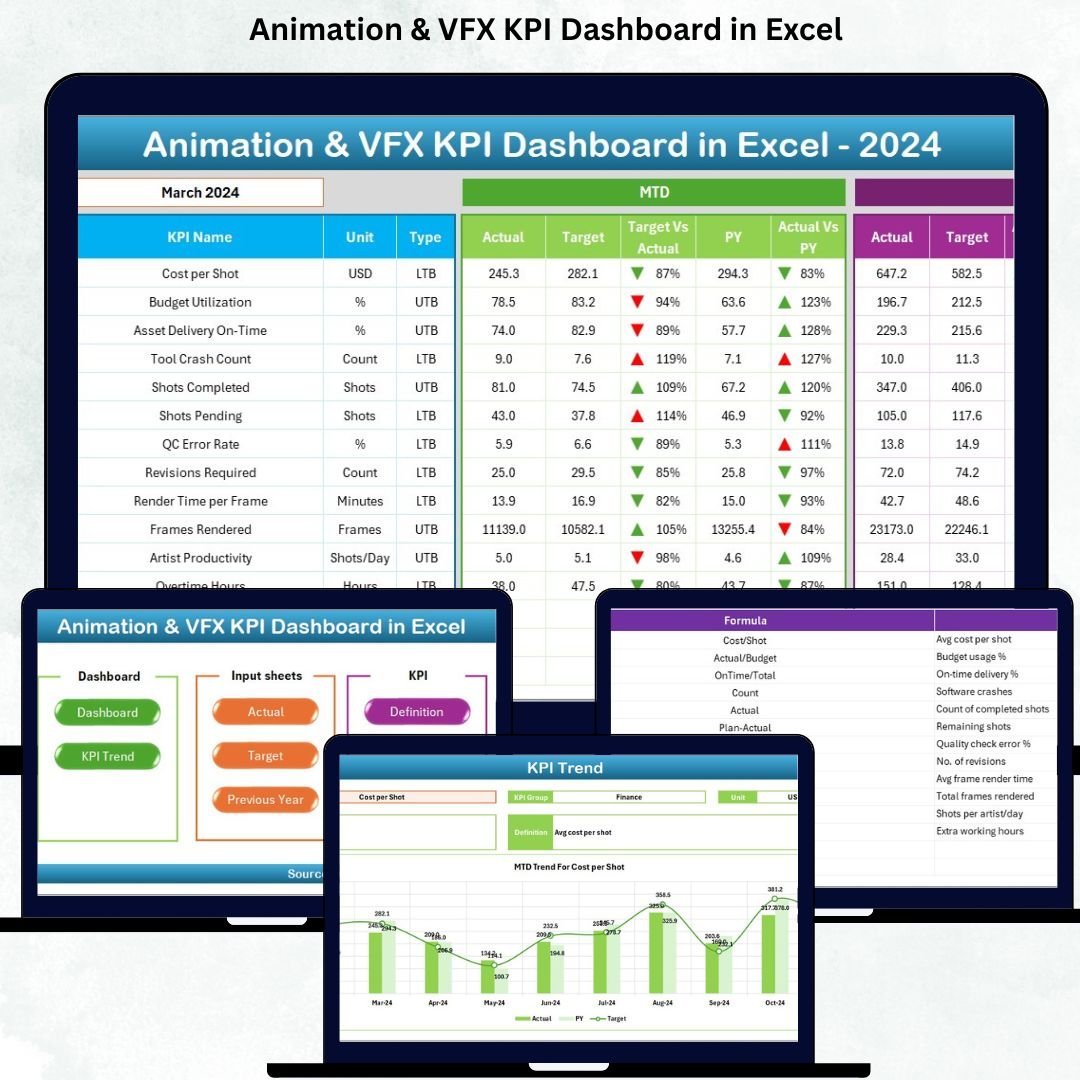


In today’s fast-paced animation and VFX industry, production teams handle massive workloads—multiple projects, tight deadlines, client revisions, render hours, asset delivery, artist outputs, and endless review cycles. When this data sits across scattered files, it becomes difficult to track performance or make informed decisions. That’s exactly where the Animation & VFX KPI Dashboard in Excel becomes a game-changing tool for studios, creative leads, and production managers.Animation & VFX KPI Dashboard in Excel
This professionally designed dashboard organizes your KPIs in a clean, interactive, and fully automated Excel format. With just one click, you can monitor month-wise and year-wise performance, identify issues early, compare results with previous years, and manage your studio workflow with complete clarity.Animation & VFX KPI Dashboard in Excel
⭐ Key Features of Animation & VFX KPI Dashboard in Excel
This dashboard is packed with smart, production-ready features designed specifically for animation and VFX teams.Animation & VFX KPI Dashboard in Excel
🔹 Summary Page – One-Click Navigation
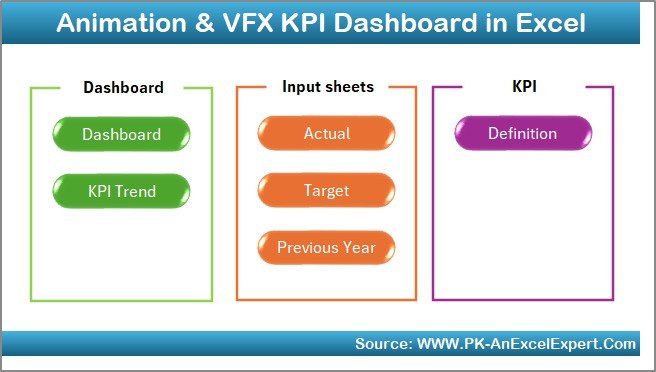
A clean index page with 6 navigation buttons to help you jump directly to every worksheet. It saves time and keeps everything neatly organized.
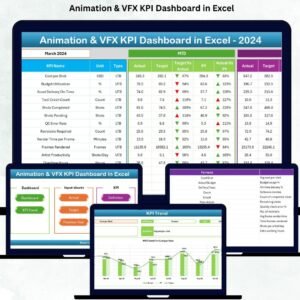
🔹 Interactive Dashboard Sheet
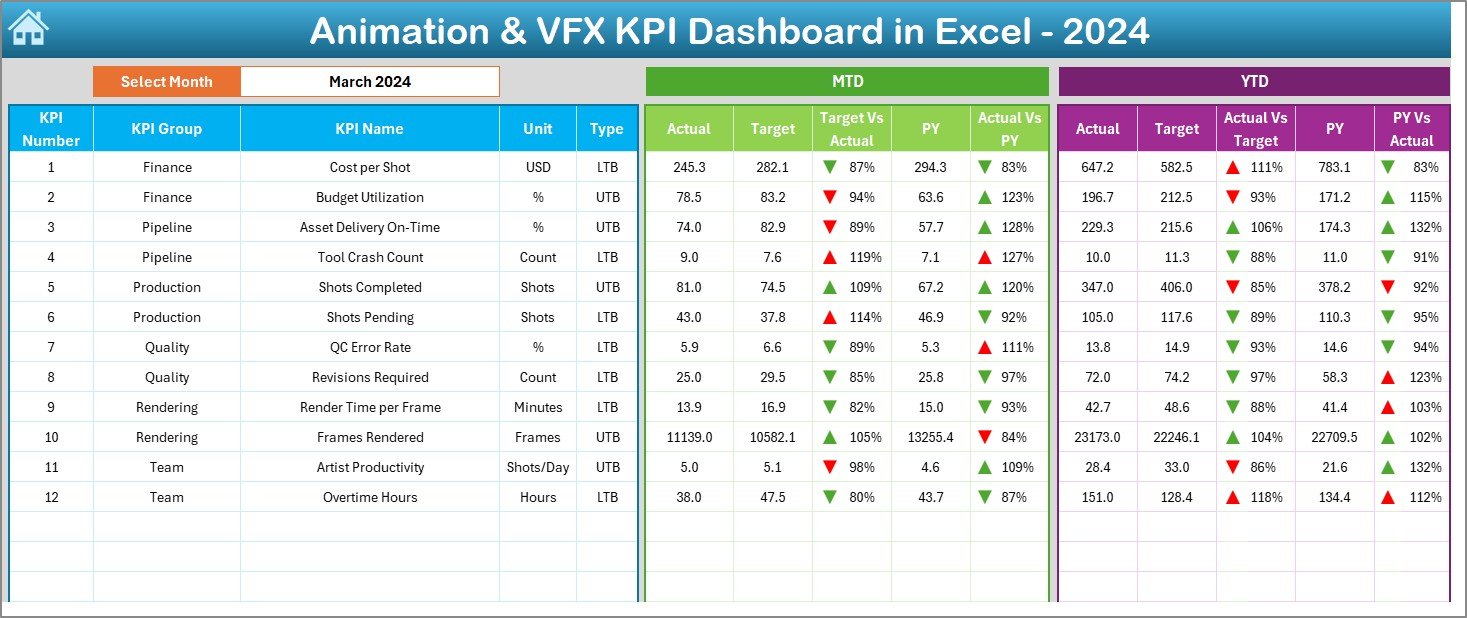
Choose any month from the drop-down, and the entire dashboard updates instantly. It displays:
📊 MTD & YTD Actual, Target & Previous Year
🎯 Target vs Actual (MTD & YTD)
📈 PY vs Actual (MTD & YTD)
Conditional formatting with up/down arrows makes performance tracking visually simple and fast.
🔹 Trend Analysis Sheet
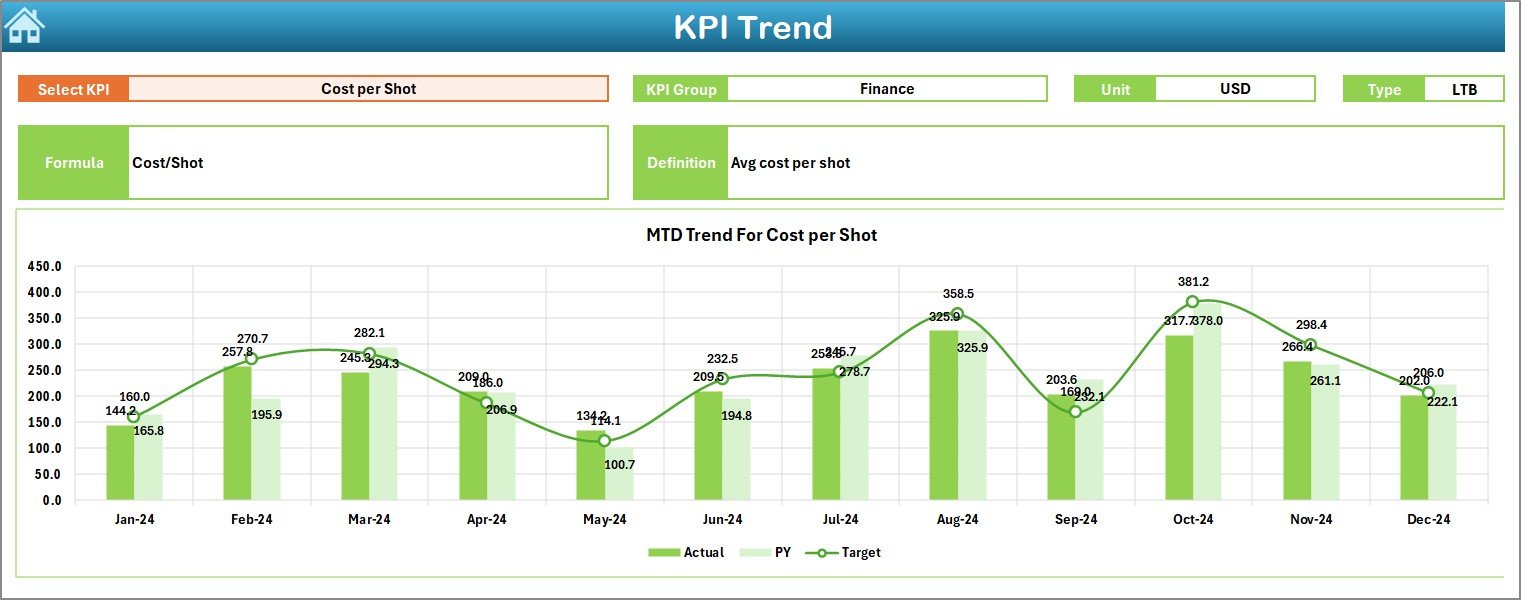
Select any KPI from a drop-down to view detailed MTD and YTD trends. This page includes KPI Group, Unit, Type (UTB/LTB), Formula, and Definition—making analysis effortless.
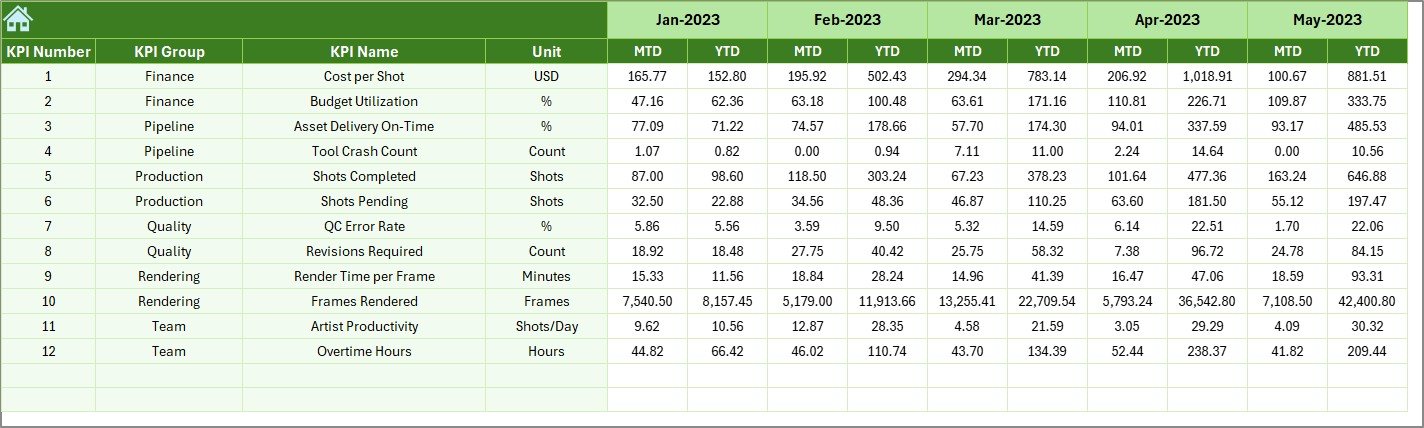
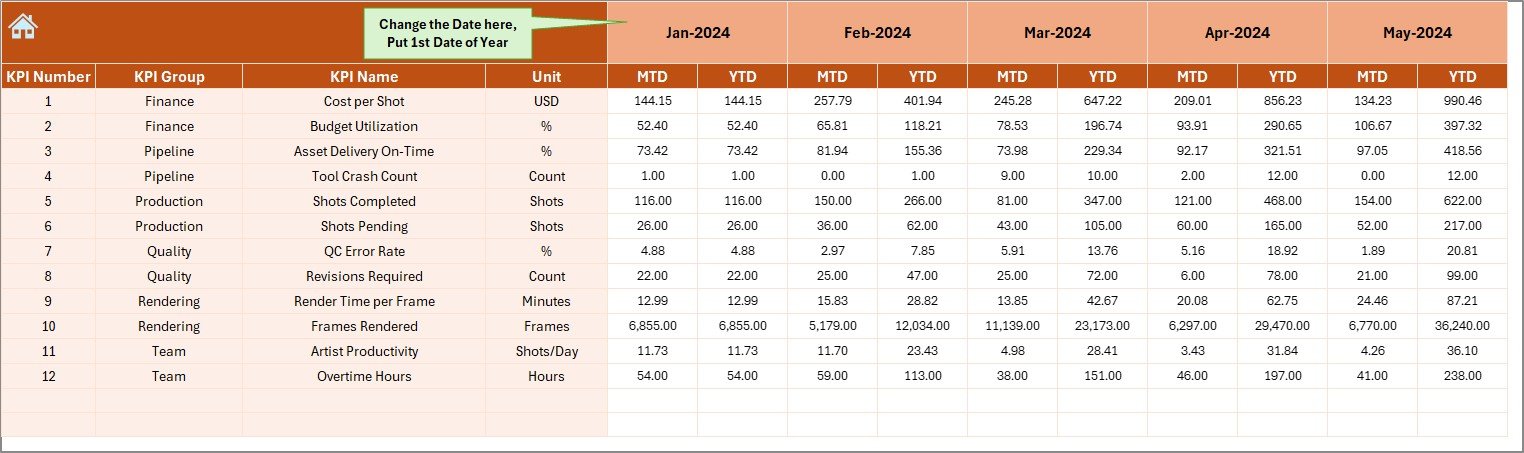
🔹 Actual, Target & Previous Year Input Sheets
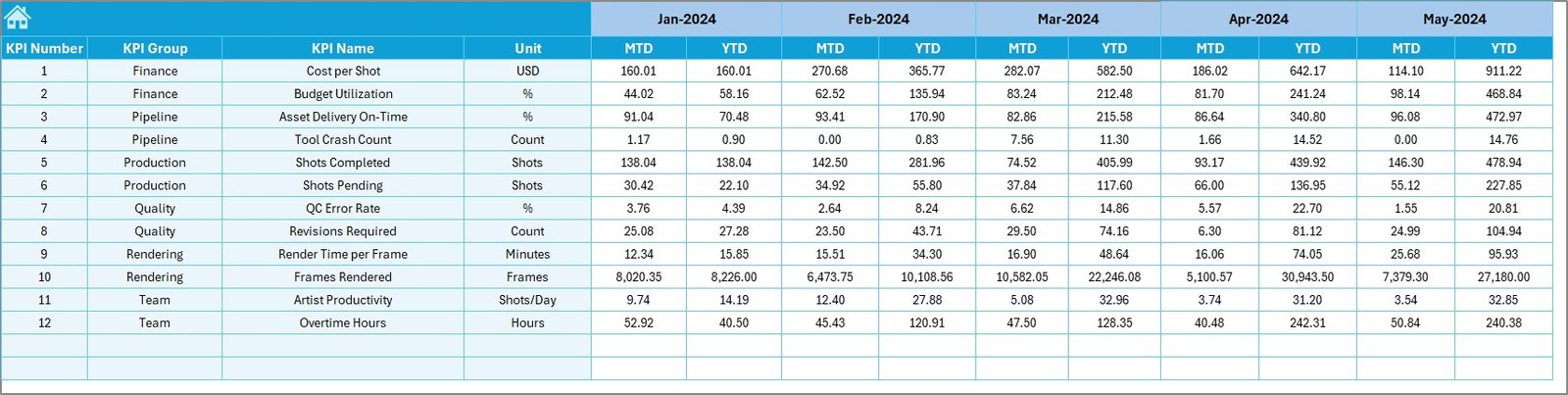
Dedicated input pages for monthly actuals, targets, and last year numbers. Update once, and the whole dashboard refreshes automatically.
🔹 KPI Definition Sheet
A detailed list of every KPI with clear definitions, units, and performance type (LTB/UTB). Helps maintain consistency across teams.
⭐ What’s Inside the Animation & VFX KPI Dashboard in Excel
When you download this dashboard, you get a complete performance-tracking system, including:
📌 Summary Page
📌 Interactive Dashboard Sheet
📌 Trend Analysis Sheet
📌 Actual Numbers Input Sheet
📌 Target Input Sheet
📌 Previous Year Numbers Sheet
📌 KPI Definition Sheet
📌 Automated charts & KPI formulas
📌 Smart conditional formatting
📌 Clean, user-friendly layout
Everything is already built—just enter your numbers and start analyzing!
⭐ How to Use the Animation & VFX KPI Dashboard in Excel
Using this dashboard requires zero advanced Excel skills. Just follow these simple steps:
Step 1️⃣: Update Actual Numbers
Enter MTD and YTD values in the Actual Numbers Input Sheet. Choose the starting month once.
Step 2️⃣: Enter Monthly Targets
Add MTD and YTD targets in the Target Sheet based on your production goals.
Step 3️⃣: Add Previous Year Data
Enter last year’s performance numbers for YoY comparison.
Step 4️⃣: Explore the Dashboard
Select the month from the slicer on the Dashboard Sheet to view updated insights.
Step 5️⃣: Analyze Trends
Use the Trend Sheet to study performance patterns and understand improvement areas.
⭐ Who Can Benefit from This Animation & VFX KPI Dashboard?
This dashboard is designed for everyone involved in animation and VFX production:
🎨 Animation Studios (2D, 3D, CGI, Motion Graphics)
🖥️ VFX Production Teams
👨💼 Project Managers & Studio Owners
👩💻 Pipeline Supervisors
🎞️ Creative Directors & Team Leads
🧑🎨 Freelancers & Indie Creators
🛠️ Post-Production Teams
🚀 Studios handling multiple projects
If your workflow includes modeling, rigging, simulation, compositing, or rendering—you’ll instantly see the value of this dashboard.
### Click here to read the Detailed blog post
Watch the step-by-step video tutorial:
Visit our YouTube channel to learn step-by-step video tutorials
👉 YouTube.com/@PKAnExcelExpert
Compatibility and Requirements
- Works in Microsoft Excel desktop (Excel 2016 or later, or Microsoft 365).
- You pick the month from a drop-down on the Dashboard sheet and the KPI from a drop-down on the Trend sheet. Microsoft explains drop-downs in Create a drop-down list.
Frequently Asked Questions
Which sheets are included?
Seven sheets: Summary, Dashboard, Trend, Actual Numbers Input, Target Input, Previous Year Numbers and KPI Definition.
How do I update the dashboard?
Enter your MTD and YTD figures in the Actual Numbers Input sheet, your goals in the Target sheet and last year’s figures in the Previous Year sheet. Then choose a month on the Dashboard sheet and everything updates.
Can I compare results with targets and last year?
Yes. The Dashboard shows MTD and YTD actuals against targets and against the previous year, with up and down arrows from conditional formatting.
How do I see the trend for one KPI?
Open the Trend sheet and select the KPI from the drop-down. It shows the MTD and YTD trend along with the KPI group, unit, type (UTB or LTB), formula and definition.
Is there a Power BI version?
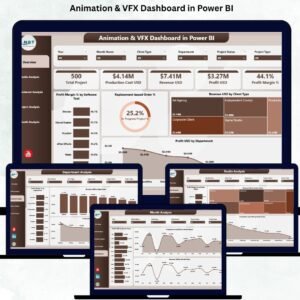
Yes. See the Animation & VFX KPI Dashboard in Power BI.
Related Animation and VFX Templates
- Animation & VFX KPI Dashboard in Power BI: the same KPI dashboard in Power BI
- Animation & VFX Dashboard in Excel: a studio dashboard in Excel
- Animation & VFX Dashboard in Power BI: the studio dashboard in Power BI
- KPI Dashboard Library (Excel): 15 KPI dashboard templates in one download
Browse all Excel KPI dashboards.





























Reviews
There are no reviews yet.