

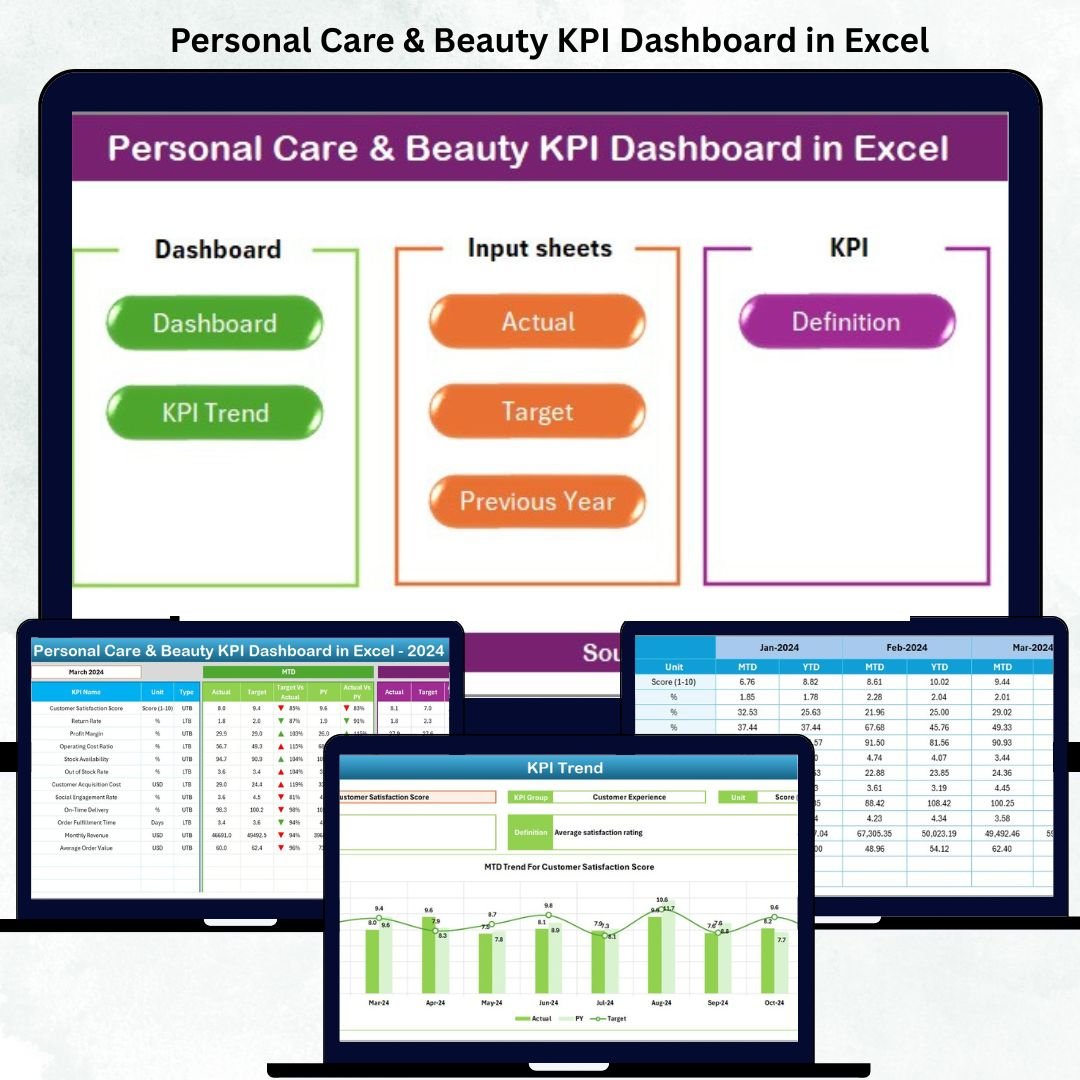


In the fast-moving world of beauty and personal care, precision and performance drive success. Whether you manage a salon, skincare brand, or wellness chain, keeping an eye on your daily KPIs is essential. That’s why we created the Personal Care & Beauty KPI Dashboard in Excel — your all-in-one performance command center! 💄📊
This professionally designed Excel dashboard empowers you to track, measure, and visualize your business’s key metrics — from revenue and satisfaction to staff productivity and inventory. With its smart automation and vibrant visuals, it transforms raw data into crystal-clear insights that boost decision-making and profitability.
✨ Key Features of Personal Care & Beauty KPI Dashboard in Excel
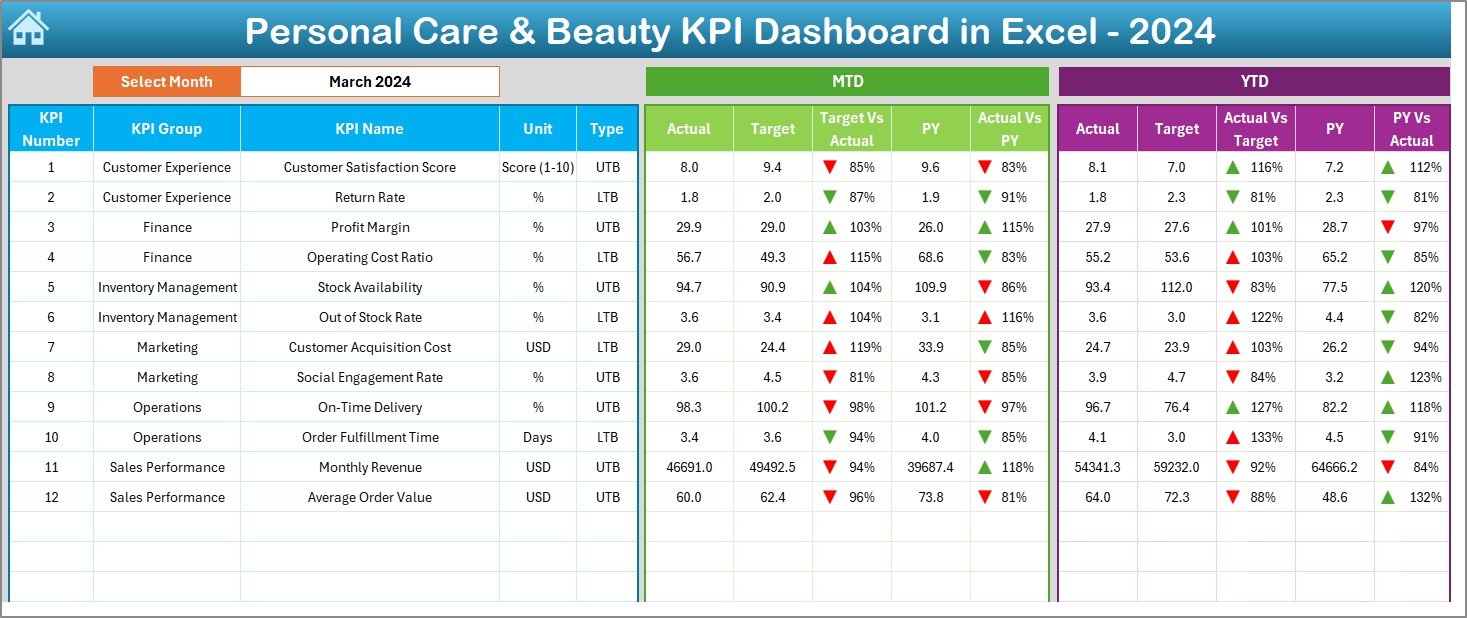
💡 Interactive Dashboard Sheet – Select a month in cell D3 to instantly refresh all metrics for that period. Compare MTD vs YTD and Current Year vs Previous Year with dynamic visuals and automated variance indicators.
📊 Real-Time Visuals – View data through dynamic charts, conditional formatting arrows, and color-coded KPIs that highlight performance trends at a glance.
🧠 Smart Data Structure – Seven well-organized worksheets: Summary, Dashboard, Trend, Actuals, Targets, Previous Year, and KPI Definition. Navigate easily with clickable buttons on the Summary Page.
🧮 Built-In Formulas & Targets – Automatically calculate Actual vs Target performance and year-over-year progress.
🎨 Fully Customizable – Edit KPIs, formulas, and visuals without needing any coding or Power BI knowledge.
🖥️ Excel-Based, No Extra Software Needed – Enjoy powerful analytics directly in Excel — accessible, cost-effective, and ready to use instantly.

📂 What’s Inside the Personal Care & Beauty KPI Dashboard in Excel
✅ Summary Page: Your interactive index with six navigation buttons to jump directly to any sheet.
✅ Dashboard Sheet: The core visualization page showing MTD & YTD metrics with auto-updating variance arrows and monthly dropdown.
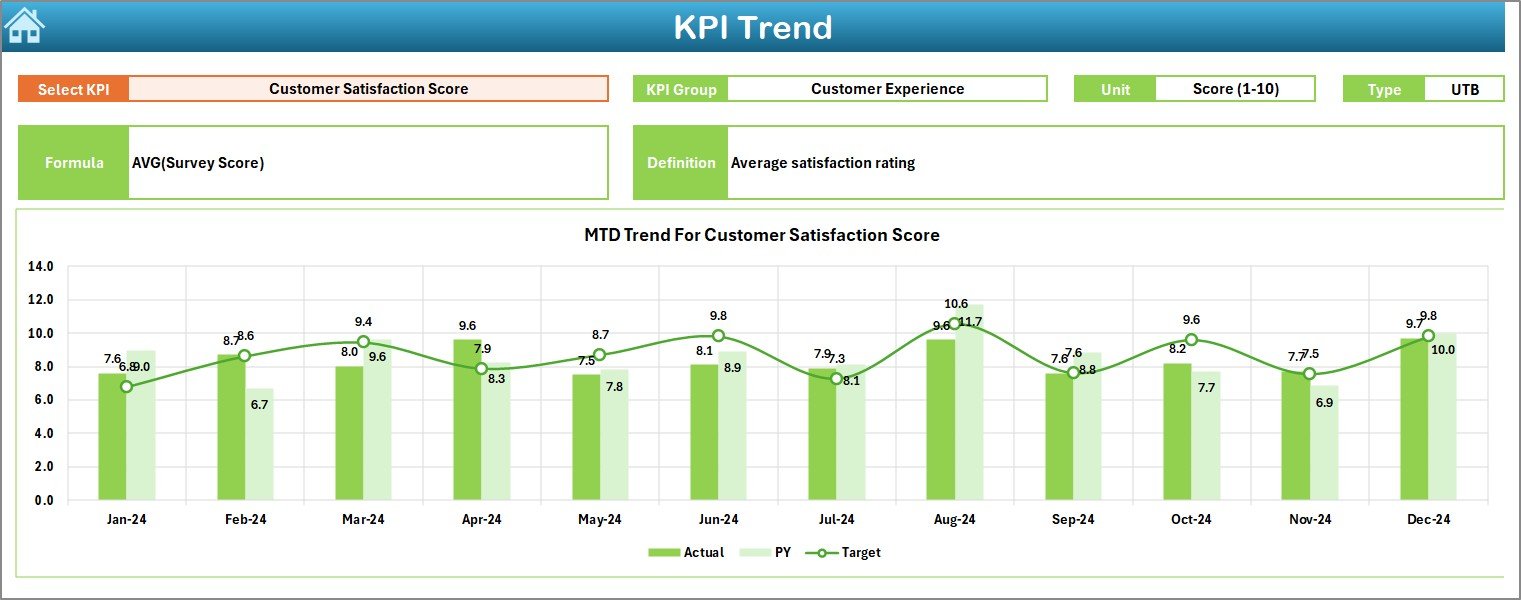
✅ Trend Sheet: Analyze any KPI’s historical pattern using the dropdown in cell C3. See KPI type (LTB/UTB), formula, definition, and trend charts.
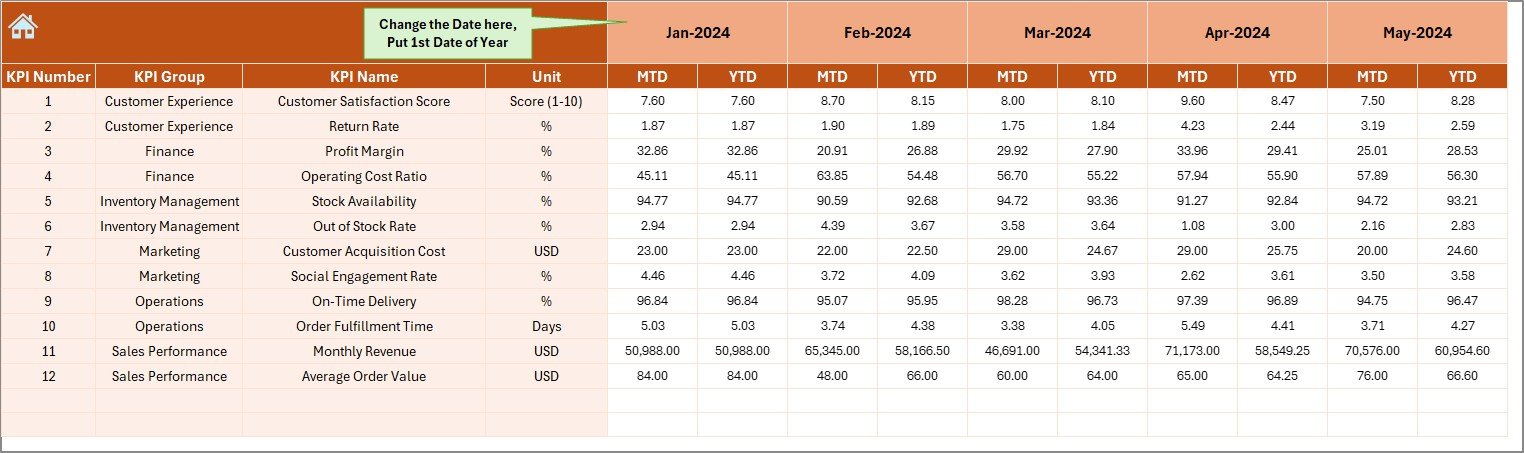
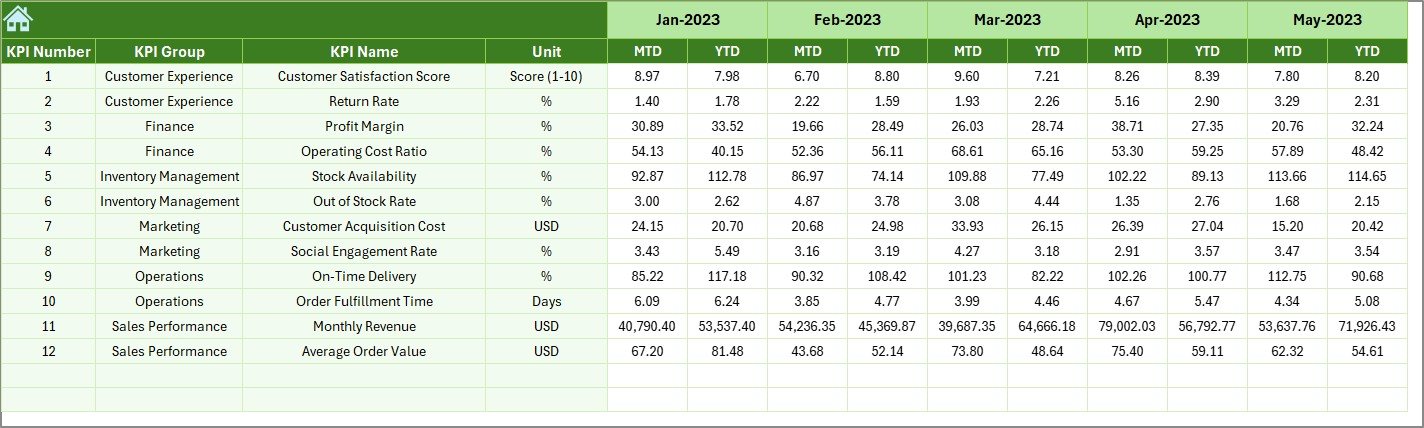
✅ Actual Numbers Sheet: Input real performance data — configured to your fiscal year starting month.
✅ Target Sheet: Set monthly and yearly performance targets to monitor achievement levels.
✅ Previous Year Sheet: Record last year’s results to compare and identify growth or decline.
✅ KPI Definition Sheet: A complete reference list of KPI names, units, formulas, and definitions for clarity and team alignment.
This complete setup ensures every performance metric — from product sales to customer retention — is centralized, automated, and visually engaging.
🪄 How to Use the Personal Care & Beauty KPI Dashboard in Excel
1️⃣ Enter Your Data: Input MTD & YTD actuals in the Actual Numbers Sheet.
2️⃣ Set Targets: Fill in your goals in the Target Sheet.
3️⃣ Add Previous Year Data: Enter last year’s values for comparison.
4️⃣ View Dashboard: Use the Dashboard Sheet to analyze progress with arrows, visuals, and charts.
5️⃣ Explore Trends: Pick any KPI in the Trend Sheet to see monthly performance shifts.
6️⃣ Review & Decide: Identify top-performing areas and improvement opportunities to plan next steps.
The interface is clean, simple, and 100% beginner-friendly — even non-technical users can update and operate it seamlessly.
💅 Who Can Benefit from This Dashboard
💆♀️ Salon Owners: Track revenue, appointments, and customer satisfaction effortlessly.
🧴 Cosmetics Brands: Measure product sales, stock levels, and distribution performance.
💄 Beauty Retailers: Analyze category-wise profit margins and sales trends.
🧘 Wellness Centers: Evaluate customer feedback and staff productivity KPIs.
👩💼 Business Analysts: Compare MTD, YTD, and YOY metrics to present professional performance reports.
💰 Finance Teams: Monitor cost efficiency, profit ratios, and ROI without complex software.
No matter your business size, this Excel dashboard helps you simplify operations, enhance insights, and make data-driven decisions — all in one place.
Click here to read the Detailed Blog Post
Watch the step-by-step video tutorial:































Reviews
There are no reviews yet.