

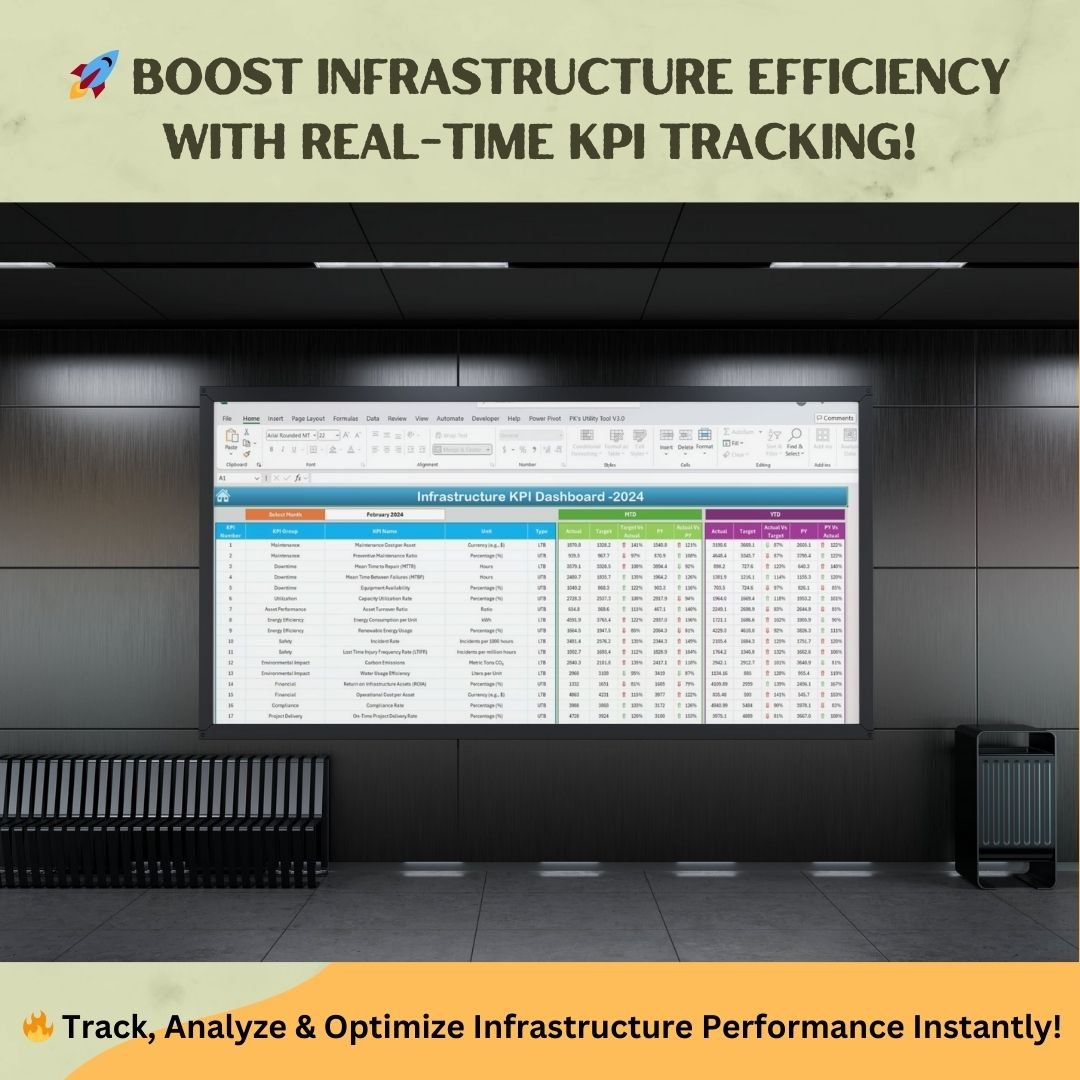


The Infrastructure KPI Dashboard in Excel is a ready-to-use template for tracking infrastructure KPIs across maintenance, energy efficiency, financial performance, safety and compliance. It is built for infrastructure managers, facility teams, finance and compliance officers and project managers. You enter actuals, targets and previous-year figures, and the dashboard turns them into clear MTD and YTD insights for better decisions.
Managing infrastructure performance is key to operational efficiency, asset utilization and risk mitigation. This Excel-based Infrastructure KPI Dashboard makes data visualization and performance tracking simple. You can monitor maintenance costs, energy usage or compliance metrics in one place and stay on top of your infrastructure goals.

Key Features of the Infrastructure KPI Dashboard in Excel
- One-click navigation: The Home sheet has buttons that take you to every KPI sheet.
- Month selection dropdown: Pick any month and the dashboard shows performance for that period.
- MTD and YTD analysis: Track Month-to-Date and Year-to-Date performance side by side.
- Actual vs Target comparison: See how each infrastructure KPI performs against your goals.
- Current vs Previous Year (PY): Compare this year with last year to measure yearly progress.
- Conditional formatting: Up and down arrows show improvements or declines at a glance.
- KPI trend charts: Interactive MTD and YTD trend graphs for any selected KPI.
- Fully automated: No manual calculations are needed. KPI trends update automatically from your inputs.
- Customizable: Change KPI categories, formulas and target settings to suit your needs.
- No coding required: You do not need coding or advanced Excel skills.
What’s Inside: 7 Worksheets
The template has seven worksheets. Each one handles a specific part of tracking, analyzing and managing KPIs.
| Sheet | Purpose |
|---|---|
| Home | Quick navigation to all sections |
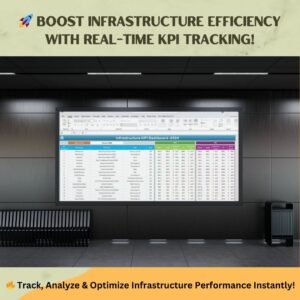
| Dashboard | Consolidated MTD and YTD KPI view |
| KPI Trend | Trend analysis for each KPI |
| Actual Numbers Input | Monthly entry of actual values |
| Target | MTD and YTD goals for each KPI |
| Previous Year Data | Last year’s figures for benchmarking |
| KPI Definition | Reference guide for all metrics |
1. Home Sheet – Quick Navigation
The Home sheet is your starting point. Its simple layout and navigation buttons let you jump to any KPI sheet in one click.
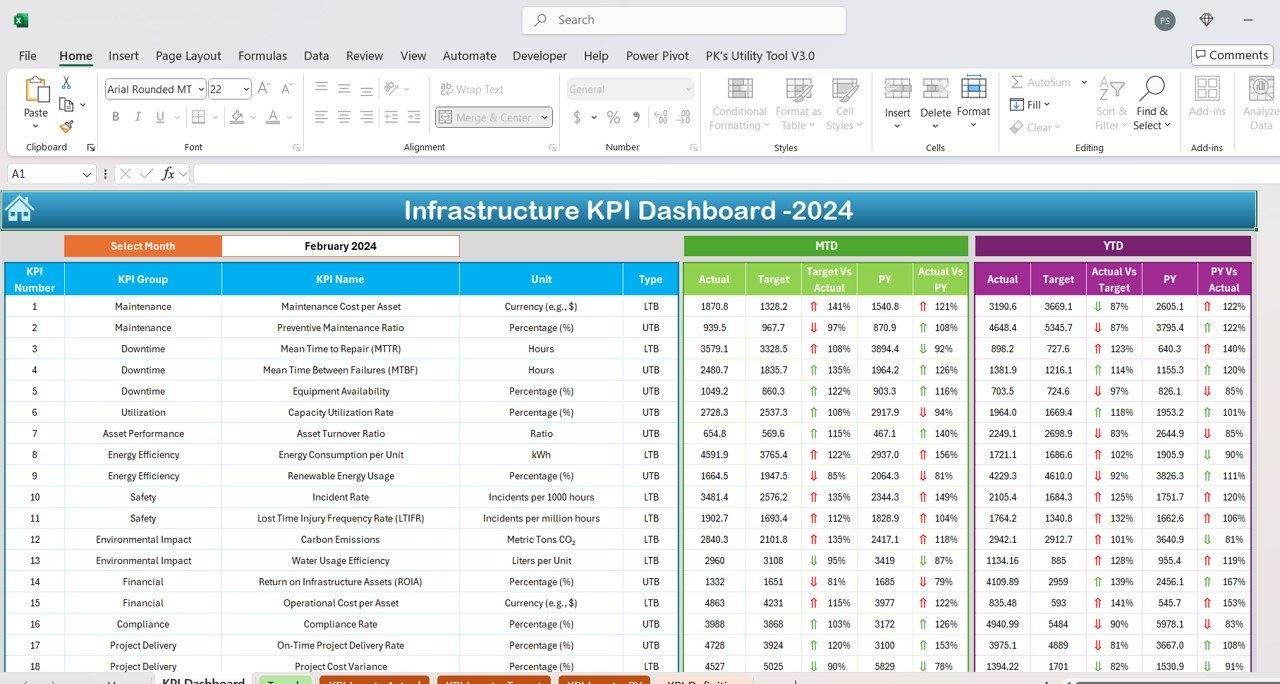
2. Dashboard Sheet – KPI Insights
The Dashboard sheet brings all your infrastructure KPIs together in one view, so you can make data-driven decisions.
- Dynamic dropdown to choose a specific month
- Month-to-Date (MTD) and Year-to-Date (YTD) KPI performance
- Actual vs Target analysis to check goal achievement
- Current vs Previous Year comparison to measure yearly progress
- Up and down arrows through conditional formatting
3. KPI Trend Sheet – In-Depth Performance Tracking
The KPI Trend sheet shows the history of each KPI, so you can spot patterns and act early.
- KPI selection dropdown
- KPI group and type
- Unit and formula
- Definition
- MTD and YTD trend charts that show performance shifts over time
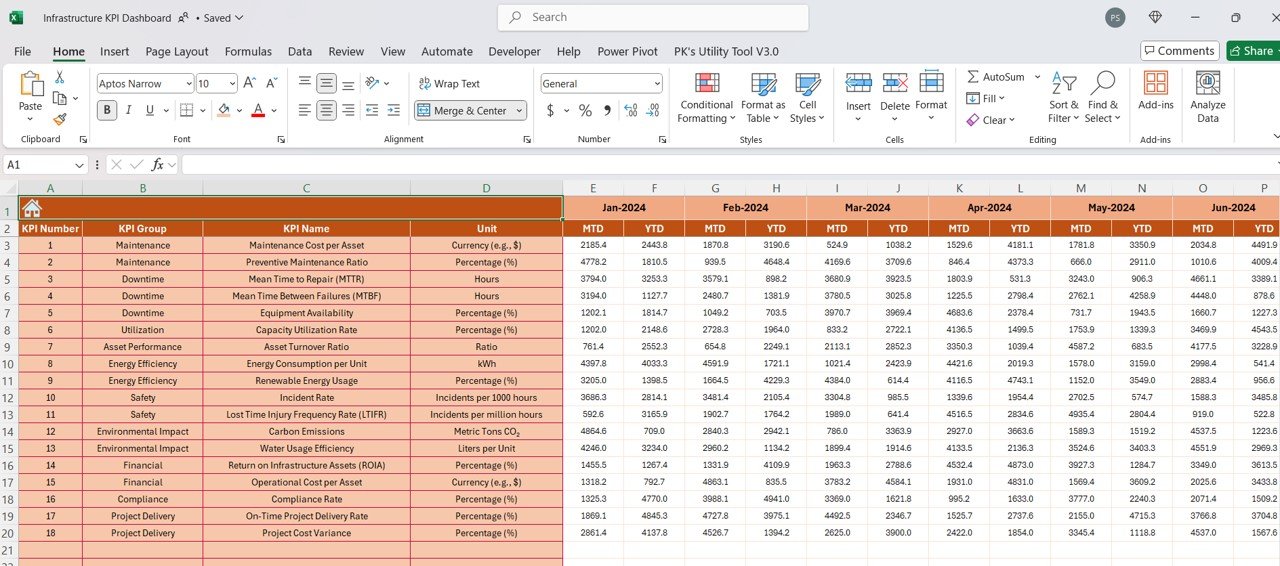
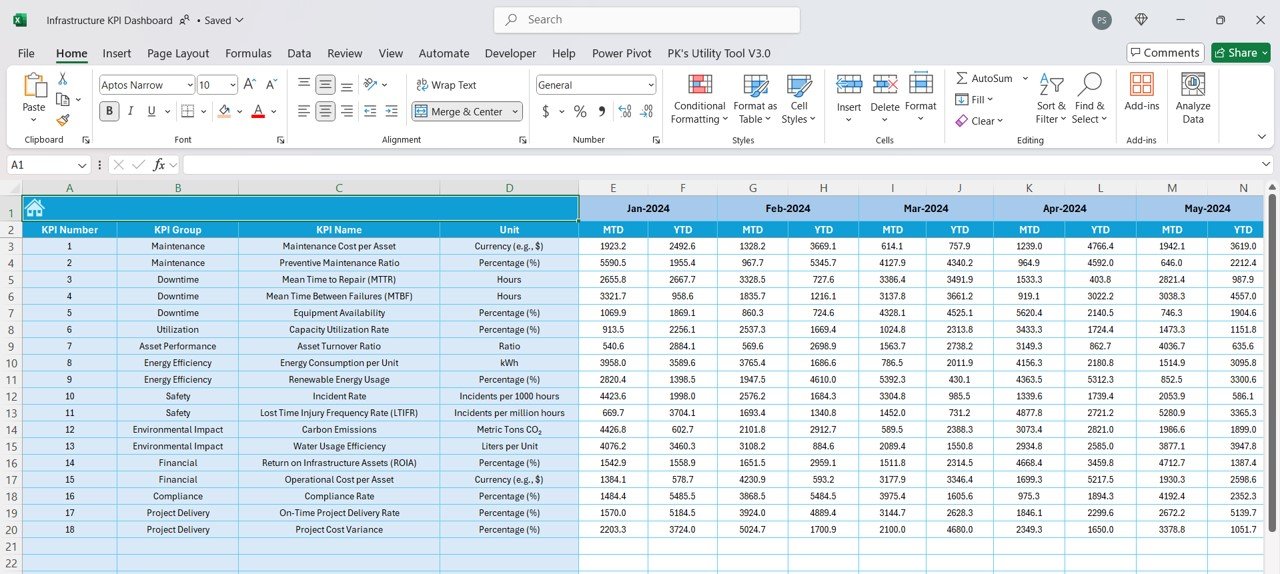
4. Actual Numbers Input Sheet – Accurate Data Entry
This sheet keeps all KPI updates in one place for consistent data.
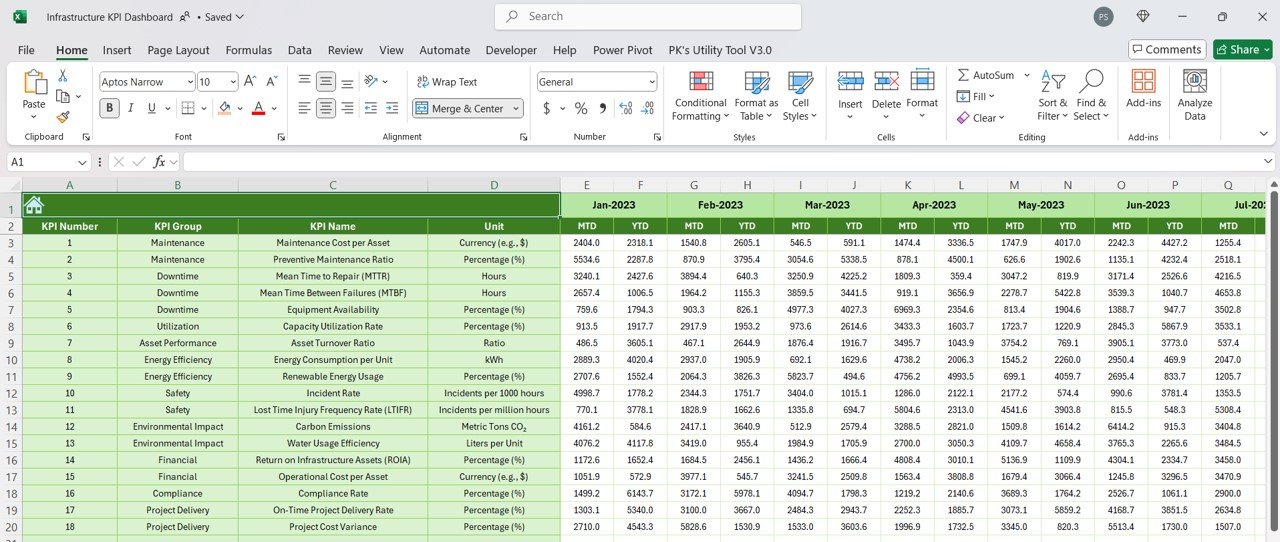
- Enter actual values for each KPI in a simple format.
- Choose the starting month in cell E1 and the calendar adjusts automatically.
- Your entries update the main dashboard straight away.
5. Target Sheet – Set and Track Performance Goals
Set monthly and yearly targets for each KPI so performance stays aligned with your organization’s objectives. You can change targets easily as business needs change.
6. Previous Year Data Sheet – Yearly Benchmarking
Enter last year’s KPI data to compare MTD and YTD figures with the previous year. This helps you see strengths, weaknesses and opportunities for improvement.
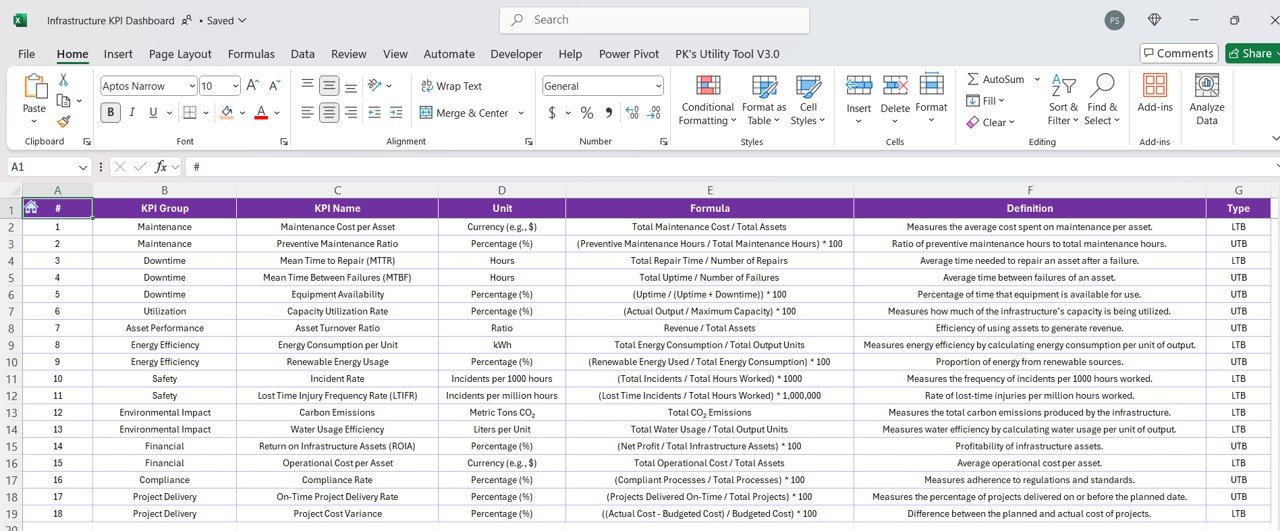
7. KPI Definition Sheet – Standardized Performance Metrics
This sheet is the central reference for every tracked metric. It lists each KPI’s name and group, measurement unit and formula, and a clear definition, so everyone on the team understands what each KPI means and how to use it.
Who Is This Excel KPI Tracker For?
- Infrastructure managers and engineers: Improve asset utilization and control maintenance costs.
- Facility management teams: Track energy efficiency, downtime and operational performance.
- Finance and compliance officers: Monitor budget performance and regulatory compliance.
- Project managers: Measure on-time delivery and cost efficiency.
How to Use It
- Download the file and open it in Excel.
- Review the KPI Definition sheet and adjust the KPI names, units and formulas as needed.
- Select the starting month in cell E1 of the Actual Numbers Input sheet.
- Enter your monthly actual values, your targets in the Target sheet, and last year’s data in the Previous Year Data sheet.
- Open the Dashboard, choose a month, and review MTD and YTD results. Use the KPI Trend sheet to study individual KPIs.
Learn More
Click here to read the detailed blog post.
Visit our YouTube channel for step-by-step video tutorials.
FAQ
What does the Infrastructure KPI Dashboard in Excel track?
It tracks infrastructure KPIs across maintenance, energy efficiency, financial performance, safety and compliance. You can view MTD and YTD results, Actual vs Target and Current vs Previous Year comparisons.
Do I need advanced Excel skills or coding?
No. The dashboard is ready to use and needs no coding or advanced Excel skills. You only enter your data in the input sheets.
Can I customize the KPIs and targets?
Yes. You can change KPI categories, formulas and target settings to fit your needs. You can also update targets whenever your business goals change.
How does the dashboard update?
It is fully automated. Once you enter actuals, targets and previous-year data, the Dashboard and KPI Trend sheets update automatically with no manual calculations.
How do I set the starting month?
Select the starting month in cell E1 of the Actual Numbers Input sheet. The calendar and KPI data fields adjust automatically.
Is it ready to use right after purchase?
Yes. It is available as an instant download with lifetime access, and no complex setup is required.
Last updated: October 2026
Compatibility and Requirements
- Works in Microsoft Excel desktop (Excel 2016 or later, or Microsoft 365).
- You pick the month from a dropdown on the Dashboard sheet and the KPI from a dropdown on the KPI Trend sheet. Microsoft explains dropdowns in Create a drop-down list.
Related Infrastructure KPI Templates
- Infrastructure KPI Dashboard in Google Sheets: the same dashboard for Google Sheets
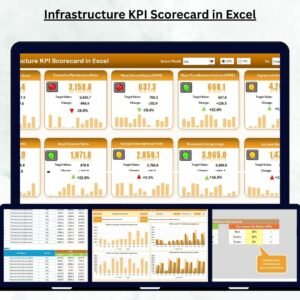
- Infrastructure KPI Scorecard in Excel: a scorecard view of infrastructure metrics
- IT Infrastructure KPI Dashboard in Excel: KPIs for IT infrastructure teams
- Urban Infrastructure KPI Dashboard in Excel: KPIs for urban infrastructure
- KPI Dashboard Library (Excel): 15 KPI dashboard templates in one download
Browse all Excel KPI dashboards.

































Reviews
There are no reviews yet.