


Managing logistics is one of the most complex and critical functions in supply chain operations. From monitoring inventory accuracy to controlling transportation costs and ensuring on-time deliveries, every detail matters. Without proper tracking, businesses risk delays, higher costs, and dissatisfied customers.
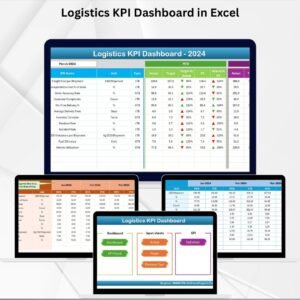
That’s why we created the Logistics KPI Dashboard in Excel — a ready-to-use, cost-effective solution that transforms raw logistics data into visual insights. With structured worksheets, powerful charts, and automation-friendly design, this tool empowers managers to make faster, smarter, and data-driven decisions.
✨ Key Features of the Logistics KPI Dashboard in Excel
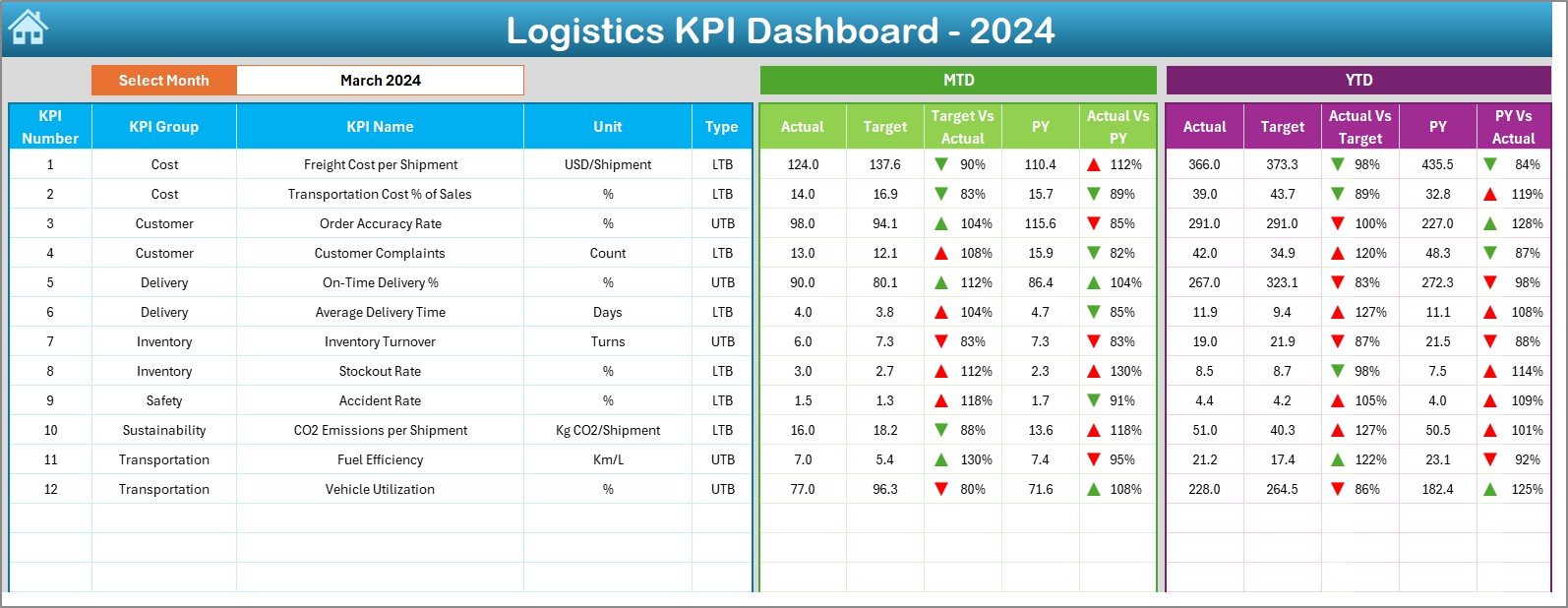
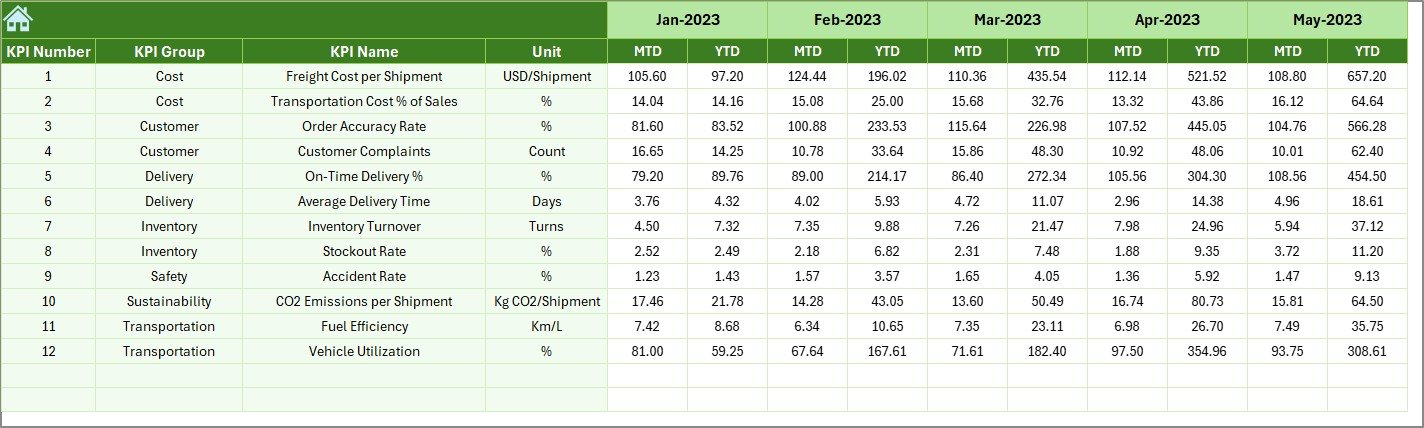
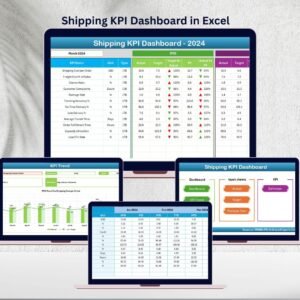
📊 Interactive Dashboard Sheet – Displays all KPIs with Month-to-Date (MTD) and Year-to-Date (YTD) comparisons.
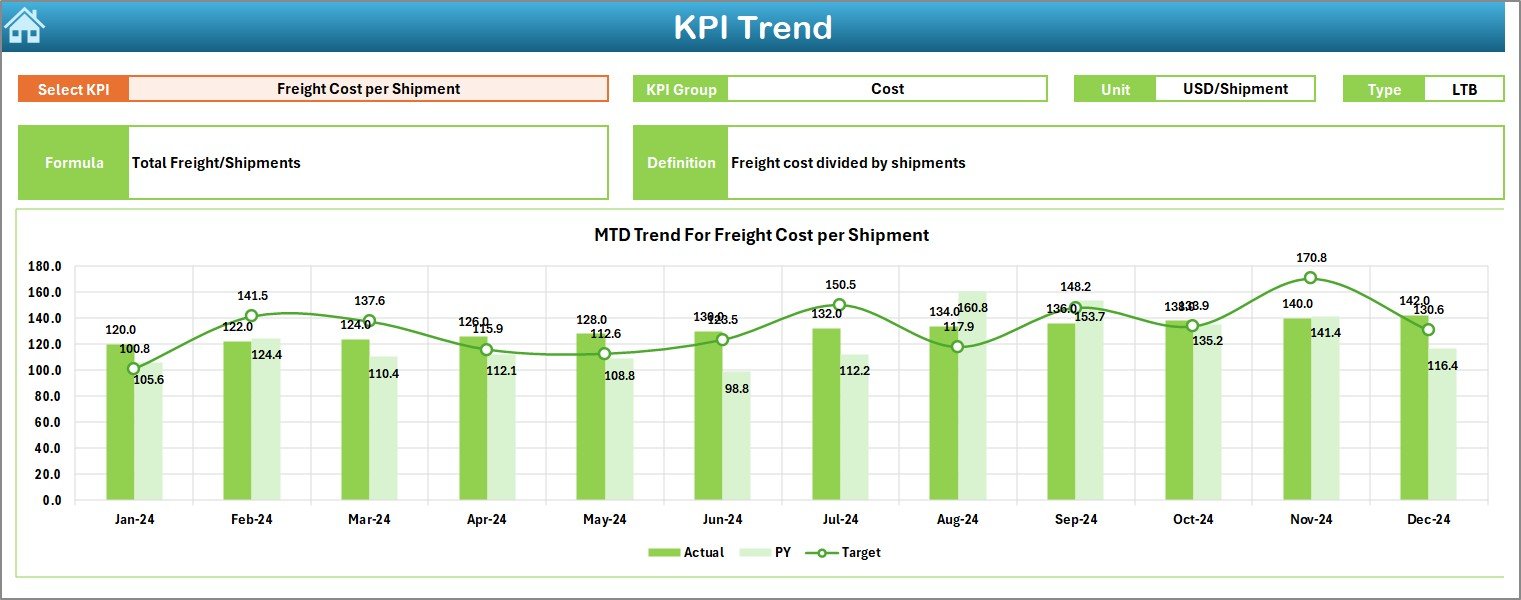
📉 Trend Analysis – KPI Trend Sheet provides insights into historical patterns with Actual vs Target vs Previous Year metrics.
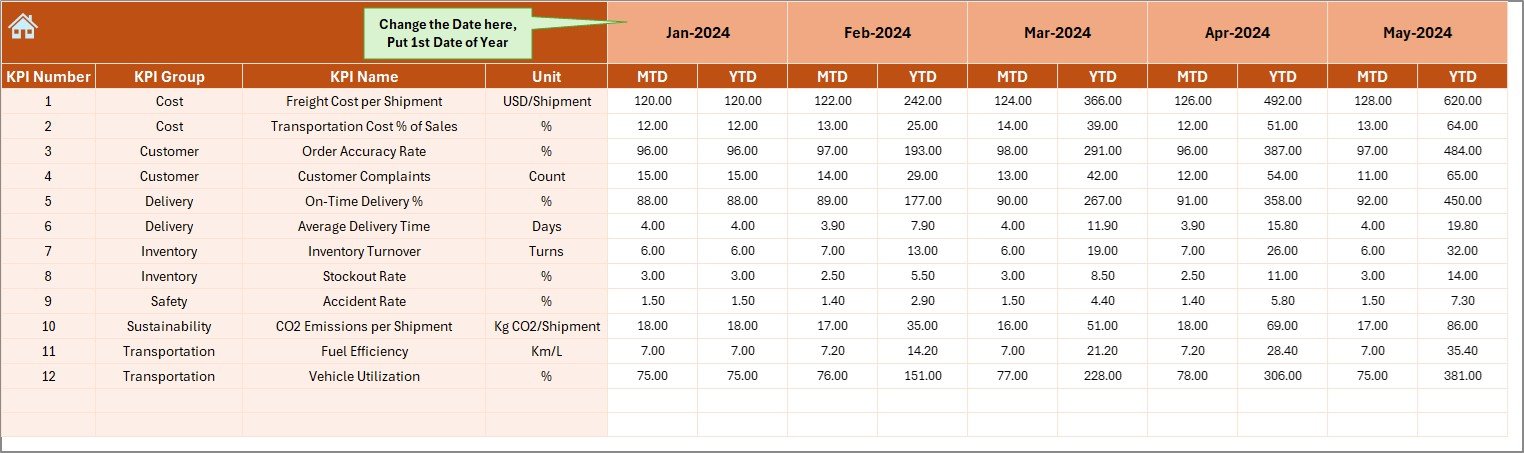
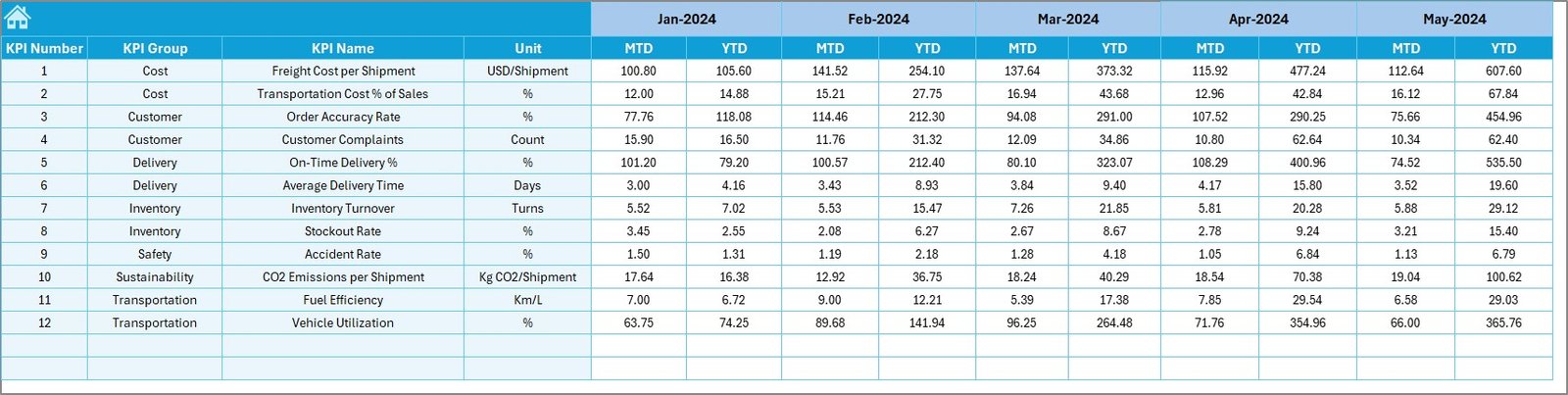
📝 Data Input Sheets – Separate tabs for Actual Numbers, Targets, and Previous Year data ensure clean and structured inputs.
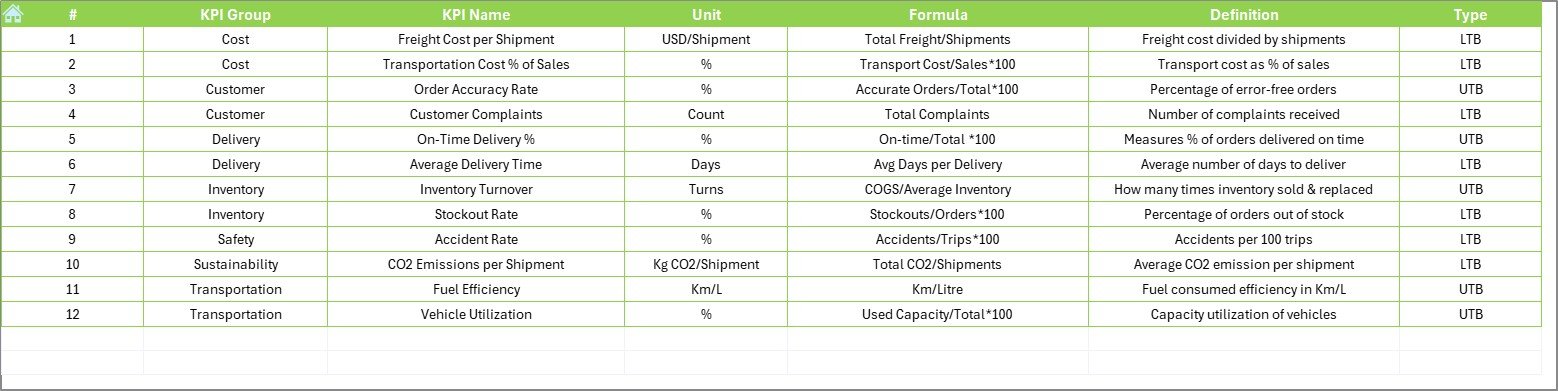
📚 KPI Definition Sheet – Standardized reference with KPI name, group, unit, formula, and definition.
🔄 Dynamic Updates – Change the month selector, and all KPI values update instantly.
✅ Conditional Formatting – Green ↑ and red ↓ arrows highlight whether KPIs meet or miss targets.
🖱️ Easy Navigation – Home Sheet with buttons to jump directly to relevant sections.
📦 What’s Inside the Dashboard Template
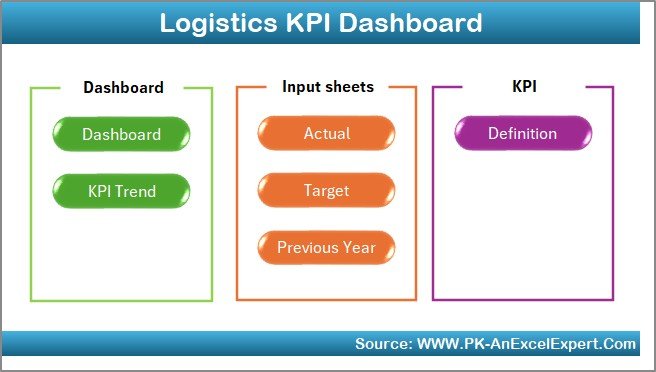
The template includes seven worksheet tabs, each with a defined purpose:
Home Sheet – Acts as the index page with navigation buttons.
Dashboard Sheet – The main visualization area with KPI cards, charts, and comparisons.
KPI Trend Sheet – Analyze performance trends for selected KPIs.
Actual Numbers Input Sheet – Enter current year performance data.
Target Sheet – Set monthly and yearly KPI benchmarks.
Previous Year Numbers Sheet – Store last year’s values for historical comparisons.
KPI Definition Sheet – Provides clarity and consistency for all KPIs.
This structure makes it easy to use, scalable, and ideal for logistics teams across industries.
🛠️ How to Use the Logistics KPI Dashboard
Start at the Home Sheet – Use buttons to navigate quickly.
Enter Targets – Fill in KPI targets on the Target Sheet.
Input Historical Data – Populate Previous Year Numbers Sheet for comparison.
Update Actuals – Enter MTD and YTD values on the Actual Numbers Input Sheet.
Analyze Dashboard – View KPI performance with instant visual updates.
Check Trends – Use KPI Trend Sheet to understand long-term performance patterns.
With this step-by-step flow, logistics managers can keep a real-time pulse on their operations.
👥 Who Can Benefit from This Dashboard?
Warehouse Managers – Monitor order picking efficiency, accuracy, and storage utilization.
Transport Managers – Track fleet costs, delivery times, and fuel consumption.
Customer Service Teams – Measure order accuracy and on-time delivery.
Finance Teams – Analyze logistics cost per shipment and financial impact.
Operations Managers – Identify bottlenecks and optimize supply chain workflows.
🎯 Advantages of the Logistics KPI Dashboard in Excel
📌 Centralized View – All KPIs in one place for easy monitoring.
💰 Cost-Effective – Built entirely in Excel; no expensive software required.
🛠️ Customizable – Modify KPIs, formulas, or charts to fit business needs.
⏳ Time-Saving – Automates reporting with prebuilt formulas and visuals.
📈 Data-Driven Insights – Compare Actual vs Target vs Previous Year performance.
🌍 Scalable – Works for startups, SMEs, and large enterprises.
🚀 Opportunities for Improvement
🔄 Automate updates with Power Query or VBA macros.
☁️ Enable real-time collaboration via OneDrive or Google Drive.
📡 Integrate with ERP/WMS systems for live data feeds.
📊 Add Power BI for advanced visualization and big-data scalability.
🏆 Best Practices for Using the Dashboard
Define KPIs clearly and share with all teams.
Focus only on the most impactful KPIs.
Use conditional formatting to highlight urgent issues.
Keep data entry standardized with dropdowns.
Update monthly (or weekly) for accurate reporting.
Review trends over time to predict and prevent bottlenecks.



















Reviews
There are no reviews yet.