

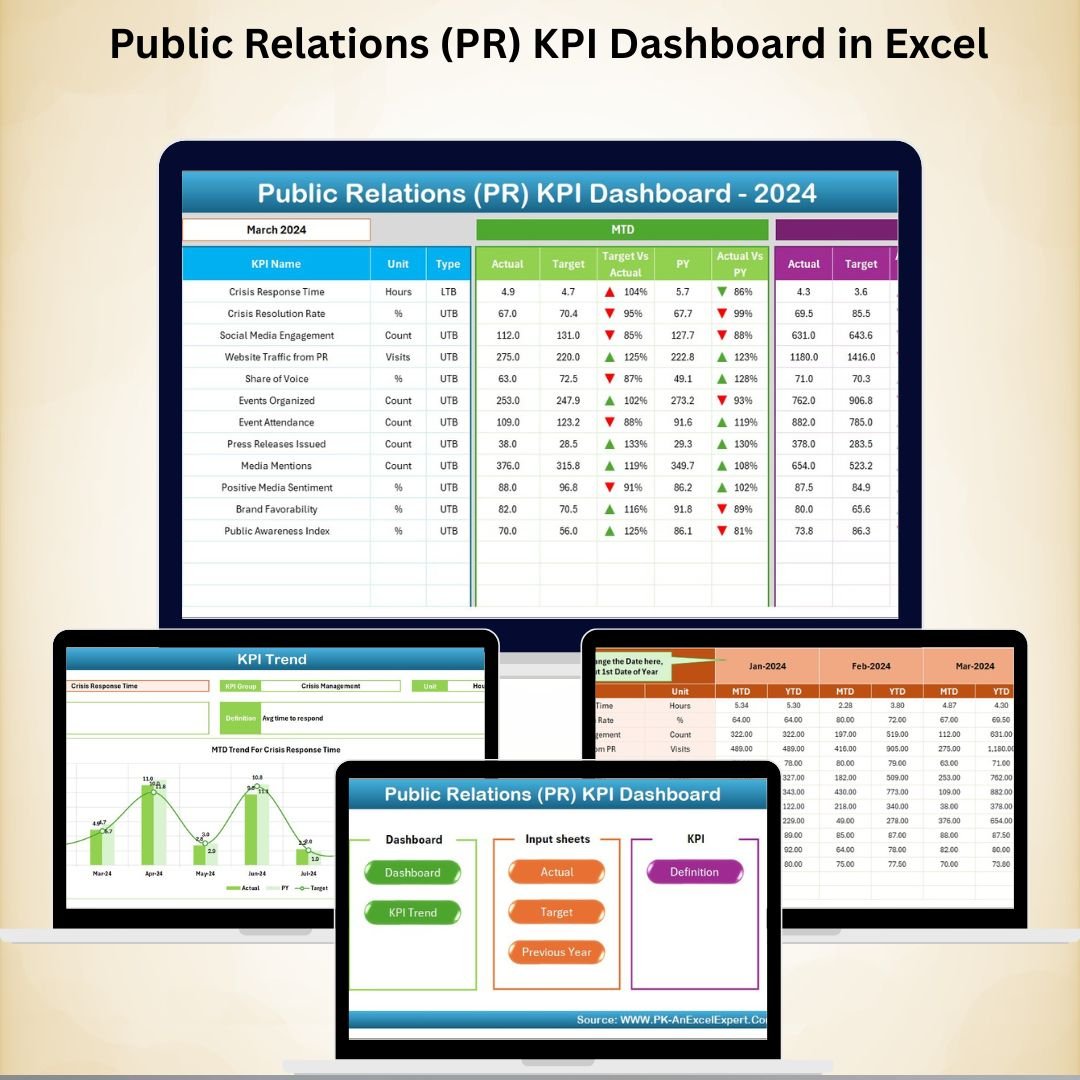
In today’s competitive business landscape,Public Relations (PR) KPI Dashboard in Excel is more than just sending press releases or managing media contacts. It plays a central role in shaping brand image, engaging stakeholders, and ensuring businesses build credibility with their audiences. But without tracking the right metrics, PR efforts can feel vague and difficult to measure.
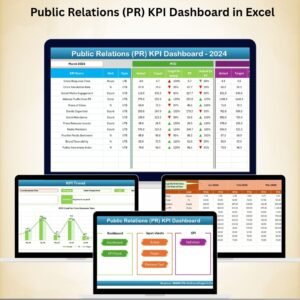
The Public Relations (PR) KPI Dashboard in Excel solves this problem by offering a ready-to-use, cost-effective, and customizable tool that consolidates all your PR metrics in one place. With this dashboard, you can measure communication effectiveness, track media visibility, evaluate engagement, and demonstrate clear results to stakeholders—all using simple Excel spreadsheets.
✨ Key Features of the PR KPI Dashboard in Excel
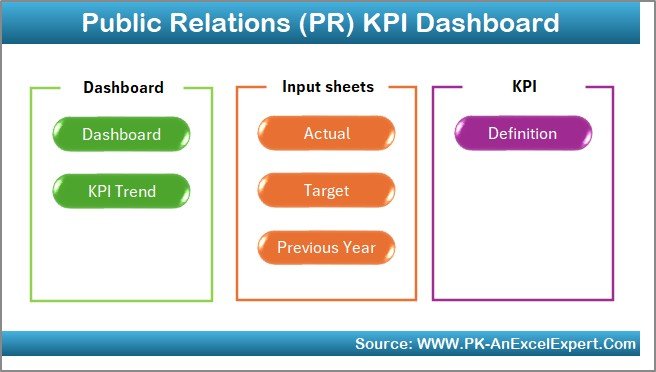
📊 7 Prebuilt Worksheets – Home, Dashboard, KPI Trend, Actual Numbers, Target, Previous Year, and KPI Definition.
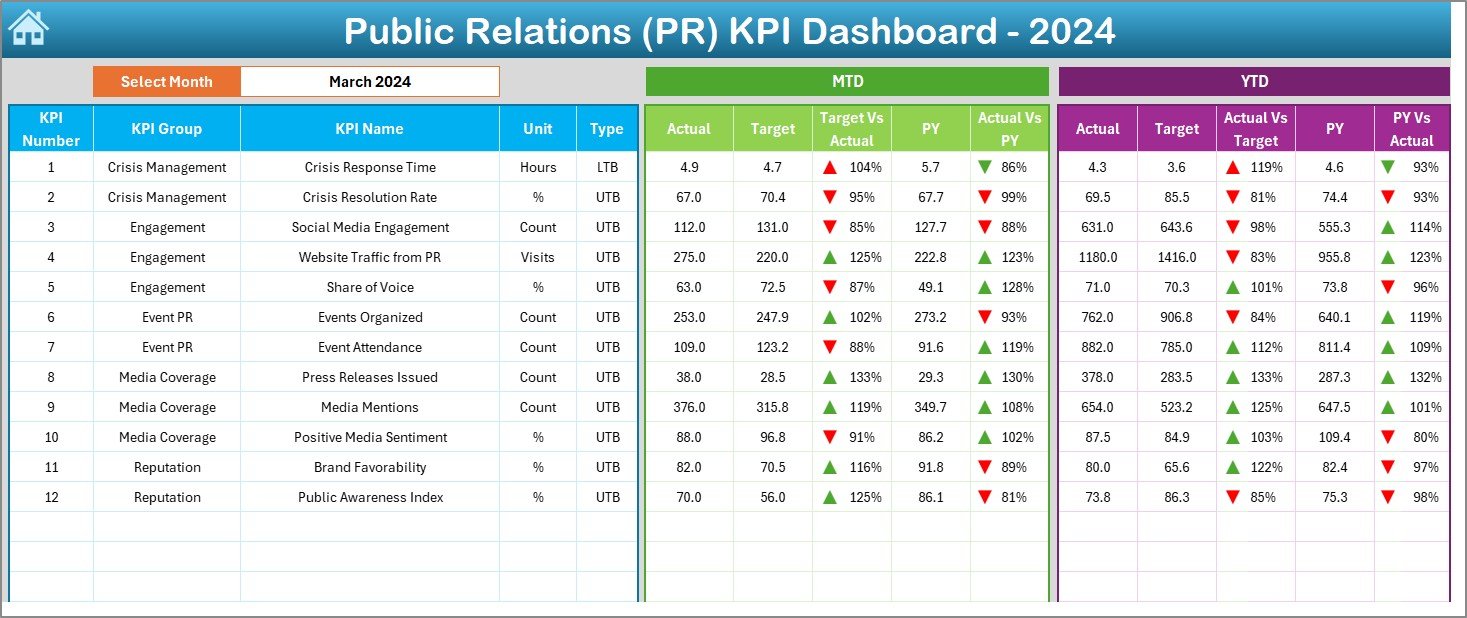
🎯 Performance Tracking – Compare Actual vs Target vs Previous Year for both MTD and YTD values.
⬆️⬇️ Conditional Formatting – Green upward arrows for achievements, red downward arrows for underperformance.
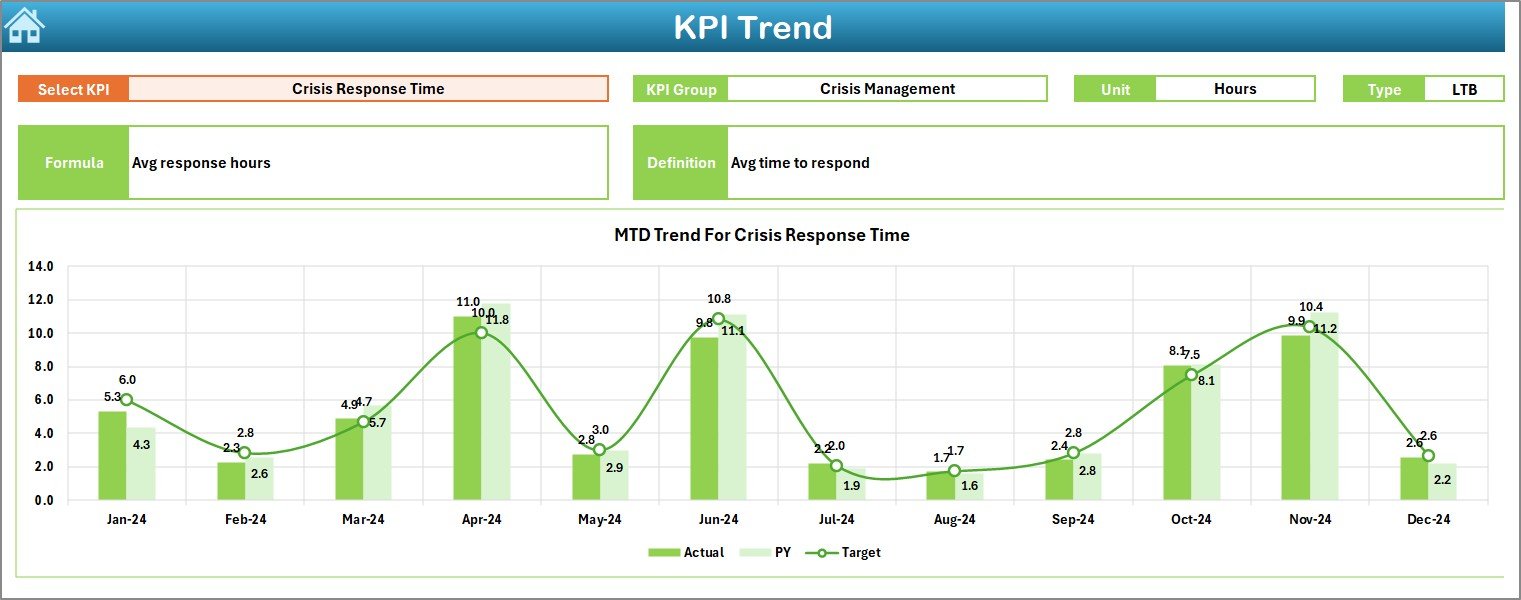
🔍 KPI Drill-Through – Select KPIs from a drop-down to view formulas, definitions, and trends.
🖥️ Customizable & User-Friendly – Modify KPIs, targets, and visuals to suit your business needs.
📑 KPI Reference Sheet – Complete definitions for transparency and clarity.
💡 All-in-One PR Analytics – Media mentions, share of voice, sentiment, engagement, reach, and more.
📦 What’s Inside the PR KPI Dashboard
This Excel template includes seven powerful worksheet tabs, each designed for a specific purpose:
Home Sheet – An easy-to-use index page with navigation buttons.
Dashboard Sheet – The main analytics hub showing MTD and YTD insights with visual indicators.
KPI Trend Sheet – Trend charts and drill-through details for each KPI.
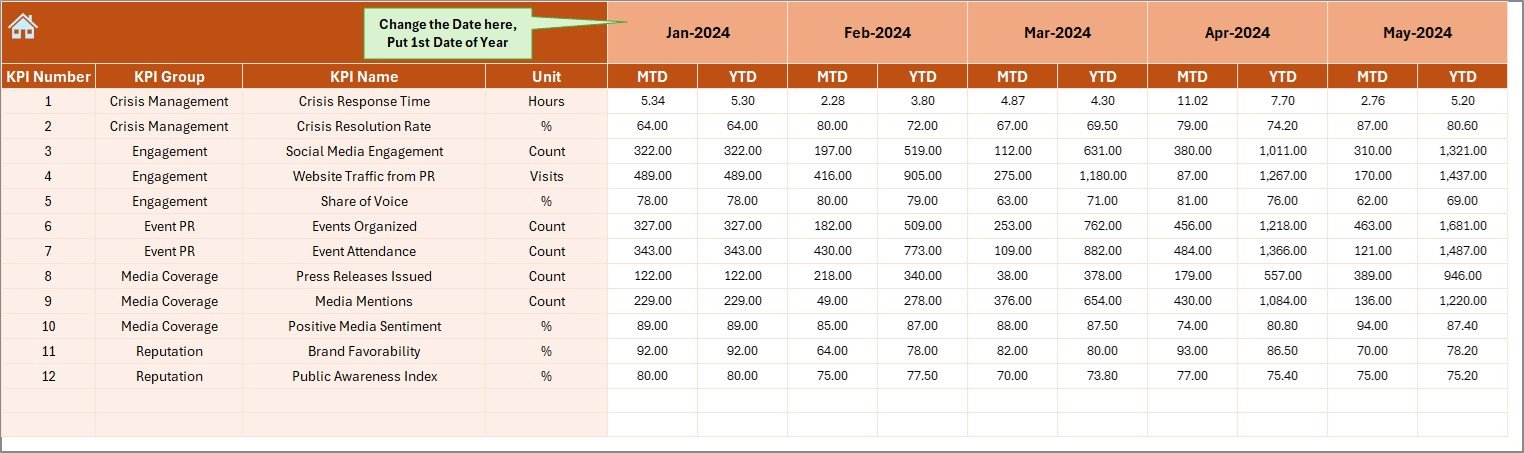
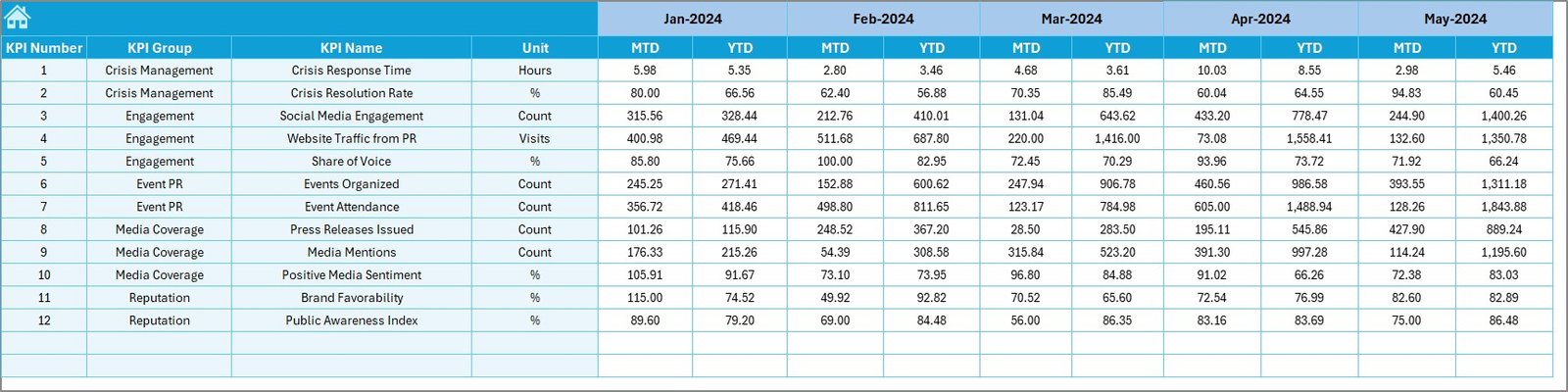
Actual Numbers Sheet – Input monthly actual data for PR metrics.
Target Sheet – Enter monthly targets for tracking progress.
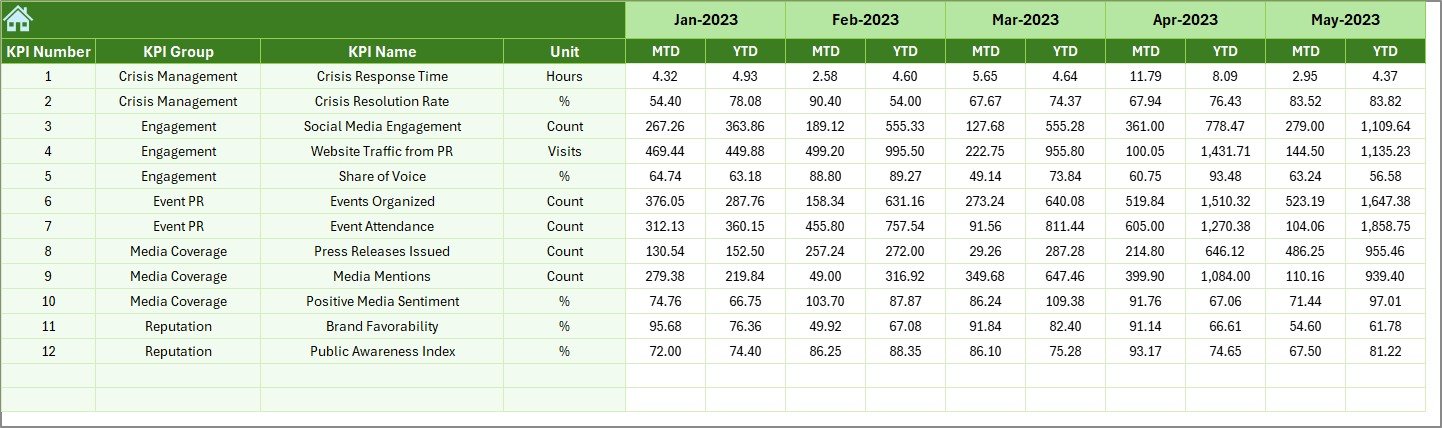
Previous Year Numbers Sheet – Store historical data for year-over-year comparisons.
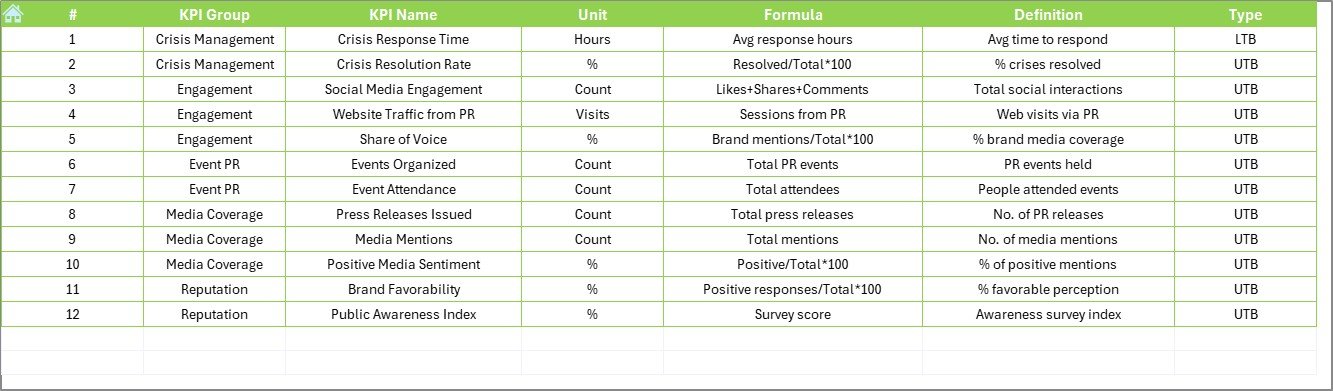
KPI Definition Sheet – A comprehensive guide with KPI names, groups, units, formulas, and definitions.
🛠️ How to Use the PR KPI Dashboard
Define Your KPIs – Identify key PR metrics like media mentions, engagement, or sentiment.
Enter Targets & Historical Data – Input your goals and previous year’s numbers.
Update Monthly Actuals – Log current PR performance data in the Actual Numbers sheet.
Analyze Trends – Use dashboard visuals and conditional formatting to spot successes and gaps.
Report to Stakeholders – Present data-driven results with clarity and transparency.
With minimal setup, this tool gives you the power to track PR effectiveness consistently and reliably.
👥 Who Can Benefit from This Dashboard
PR Teams & Agencies – Demonstrate campaign impact with measurable KPIs.
Marketing Managers – Align PR activities with broader business goals.
Corporate Communication Teams – Track brand reputation and stakeholder engagement.
Startups & SMEs – Affordable and easy-to-use tool for small businesses.
Large Enterprises – Scalable solution for multi-department PR tracking.
📖 Click here to read the Detailed blog post
🎥 Visit our YouTube channel to learn step-by-step video tutorials
























Reviews
There are no reviews yet.