



📊 Strategic Planning Dashboard in Excel
In today’s fast-changing business environment, strategic planning is the backbone of sustainable growth. Every organization—whether small, medium, or large—relies on clear strategies to align goals, allocate resources, track KPIs, and ensure accountability. But without a structured system, strategy execution often falls apart. That’s where the Strategic Planning Dashboard in Excel comes in—a ready-to-use, interactive tool designed to bring clarity, focus, and visibility to your strategic goals.
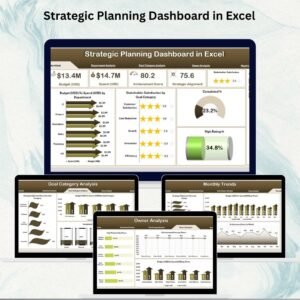
Instead of juggling multiple reports or endless spreadsheets, this dashboard consolidates everything into one centralized platform. With features like KPI cards, department-level analysis, goal category insights, and monthly performance trends, you get the power to monitor progress, highlight risks, and improve decision-making.
Best of all, it’s built entirely in Excel—making it cost-effective, flexible, and user-friendly, with no need for advanced BI software or technical expertise.
🔑 Key Features of the Strategic Planning Dashboard
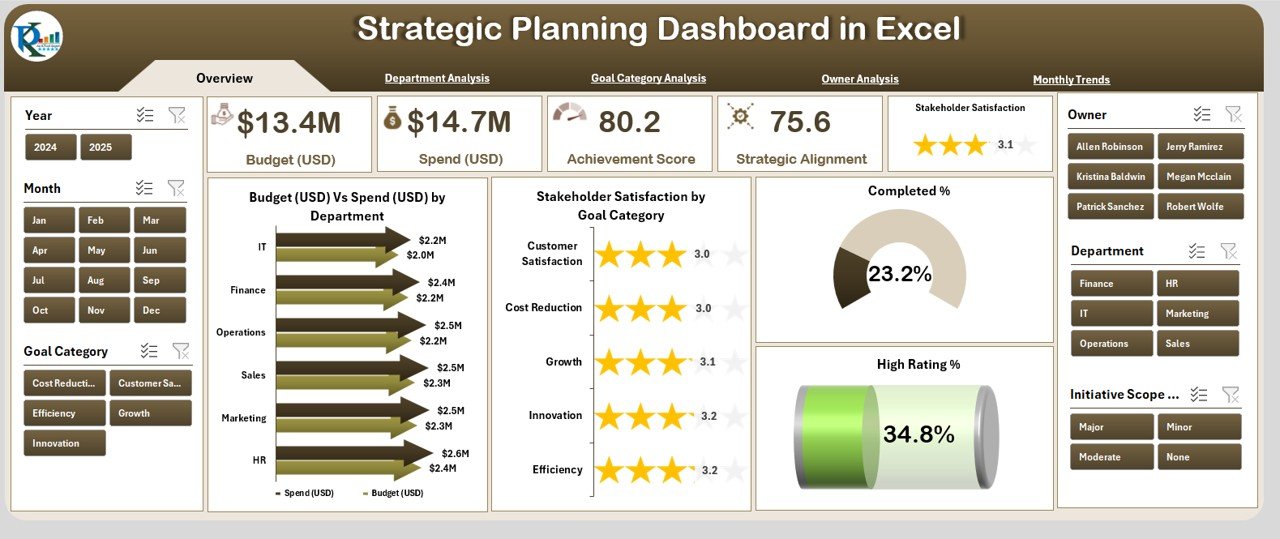
📌 Overview Page – Big Picture View
KPI cards for Budget, Spend, Completion Rate, and Satisfaction Score.
Charts such as Budget vs. Spend by Department, Stakeholder Satisfaction by Goal Category, and Completion %.
Clear summary of organizational performance at a glance.
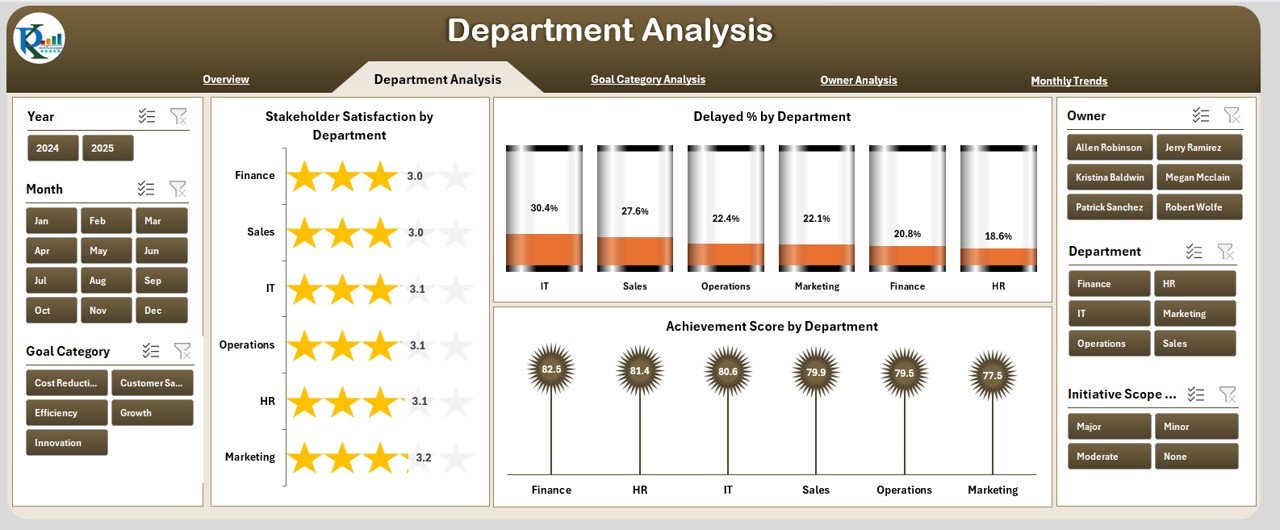
🏢 Department Analysis Page – Departmental Accountability
Compare Satisfaction Score, Achievement %, and Delays across departments.
Quickly identify underperforming units and allocate resources effectively.
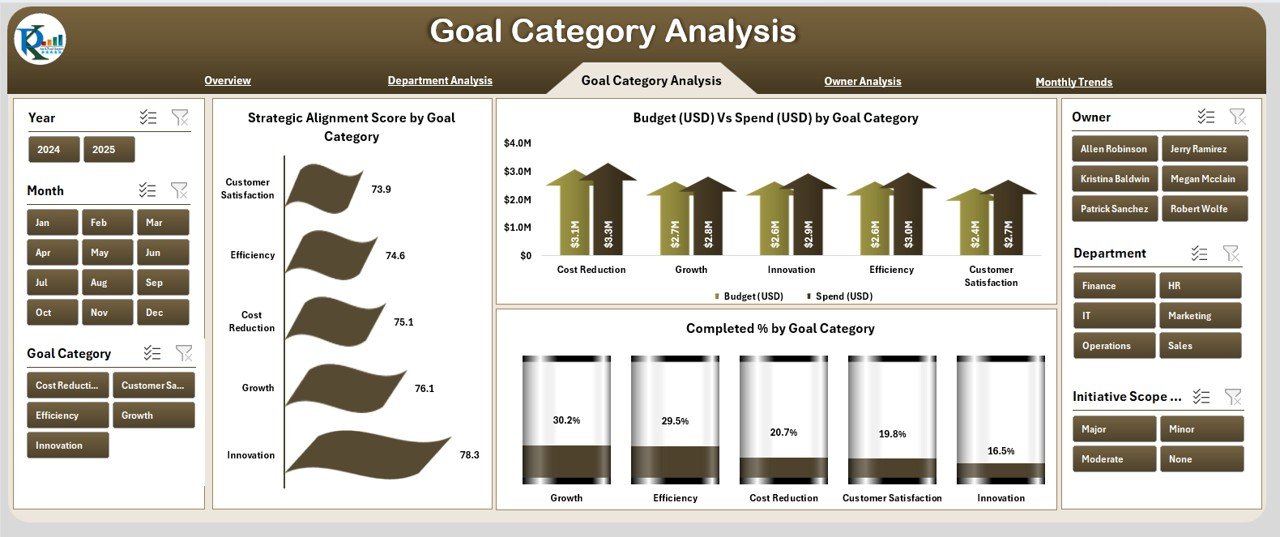
🎯 Goal Category Analysis Page – Strategic Alignment
Drill down into Budget vs. Spend and Completion % by Goal Category.
Ensure resources are aligned with the most critical goals.
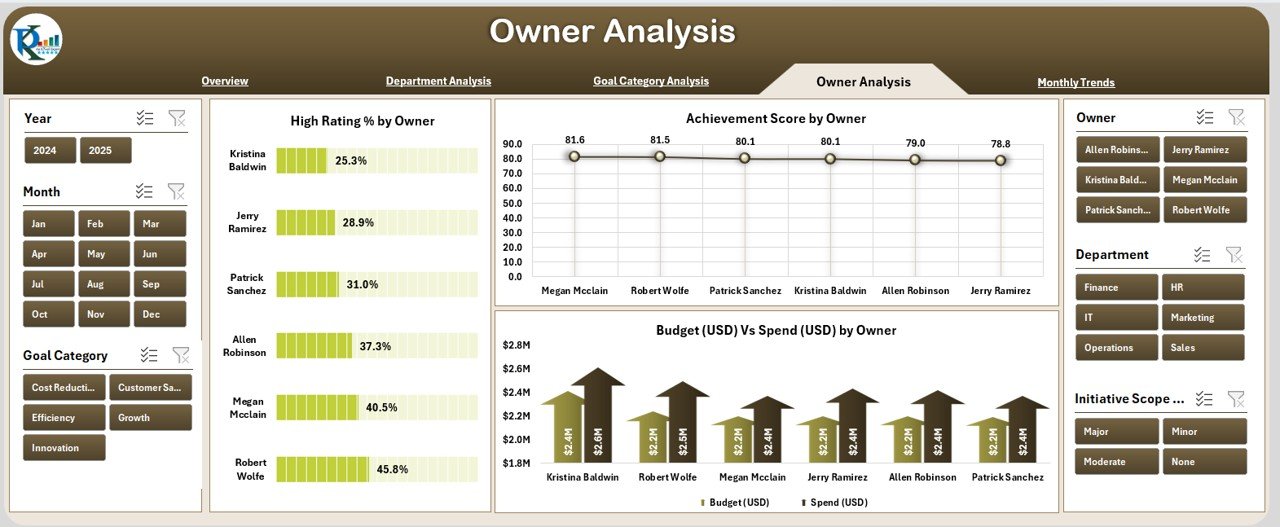
👥 Owner Analysis Page – Accountability Made Clear
Track Achievement Scores and Budgets vs. Spend by goal owners.
Evaluate performance based on ownership and responsibility.
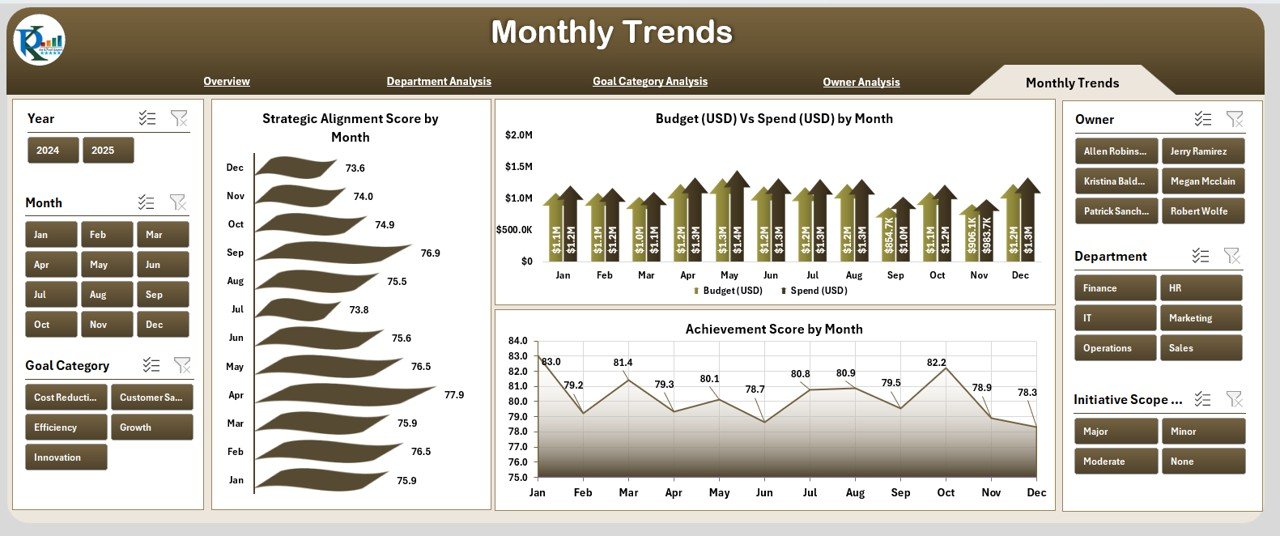
📅 Monthly Trends Page – Time-Based Insights
Visualize trends for *Alignment Scores, Budget vs. Spend, and Achievement %.
Perfect for quarterly reviews and long-term planning.
⚙️ Data & Support Sheets – Seamless Backend
Store raw data, dropdown lists, and lookups.
Keep everything structured and error-free for smooth dashboard updates.
📦 What’s Inside the Dashboard
1️⃣ Pre-built Excel Dashboard Template with 5 analysis pages.
2️⃣ KPI cards, charts, and slicers for interactive reporting.
3️⃣ Data sheet for raw inputs and Support sheet for dropdowns.
4️⃣ Pages covering Overview, Department, Goal Category, Owner, and Monthly Trends.
5️⃣ Conditional formatting to highlight positive/negative performance.
🛠️ How to Use the Strategic Planning Dashboard
✔ Step 1 – Enter your organizational data into the Data Sheet.
✔ Step 2 – Set up KPIs such as Budget, Spend, Completion %, and Satisfaction.
✔ Step 3 – Use slicers and filters to drill down by department, owner, or category.
✔ Step 4 – Review the Overview Page for high-level performance.
✔ Step 5 – Share insights with stakeholders during reviews and planning sessions.
👥 Who Can Benefit from This Dashboard?
Executives & Leaders – To monitor alignment with organizational strategy.
Department Managers – To track departmental performance and accountability.
Project Owners – To measure achievement rates and goal progress.
Analysts & Consultants – To provide data-driven insights to leadership teams.
SMEs & Corporates – Works for both small firms and large enterprises.
✅ Advantages of the Strategic Planning Dashboard
Centralized Monitoring – Track all KPIs in one platform.
Data-Driven Decisions – Replace assumptions with real insights.
Cost-Effective – No expensive BI tools required.
Improved Accountability – Clear ownership of goals and departments.
Transparency – Easy-to-understand visuals for all stakeholders.
Resource Optimization – Identify overspending or underperformance.
Audit-Friendly – Historical tracking for compliance and reviews.
🚀 Opportunities for Improvement
Automation – Link with other systems to reduce manual updates.
Collaboration – Share via Office 365 or Google Sheets for teamwork.
Scalability – Upgrade to Power BI for advanced analytics.
Mobile Access – Adapt dashboards for on-the-go executives.
📌 Best Practices for Using the Dashboard
Keep KPIs relevant to strategy.
Update data monthly or quarterly.
Use slicers and filters to enable drill-down insights.
Highlight risks and achievements with conditional formatting.
Engage stakeholders in defining KPIs.
Focus on outcomes, not just activity.
🏆 Conclusion
The Strategic Planning Dashboard in Excel is more than a reporting tool—it’s your strategic partner. With structured analysis, visual KPIs, and easy navigation, it enables leaders to align goals, monitor performance, and make smarter decisions.
Whether you’re a startup, SME, or corporate giant, this template empowers you to stay focused, transparent, and competitive in a fast-paced business world.
📖 Click here to read the Detailed Blog Post
🎥 Visit our YouTube channel for step-by-step tutorials
👉 Youtube.com/@PKAnExcelExpert
Watch the step-by-step video tutorial:
Compatibility and Requirements
- Works in Microsoft Excel desktop (Excel 2016 or later, or Microsoft 365).
- The dashboard uses slicers to filter by department, owner and goal category. Microsoft explains them in Use slicers to filter data.
Frequently Asked Questions
Which pages does the dashboard have?
Five analysis pages: Overview, Department Analysis, Goal Category Analysis, Owner Analysis and Monthly Trends. A Data sheet holds your raw inputs and a Support sheet holds the dropdown lists.
Which KPIs does the Overview page show?
KPI cards for Budget, Spend, Completion Rate and Satisfaction Score. Charts next to them show Budget vs. Spend by Department, Stakeholder Satisfaction by Goal Category and Completion %.
How do I update the dashboard?
Enter your organizational data in the Data sheet, then use the slicers and filters to drill down by department, owner or category. The pages show your figures once the data is in.
Can I see which departments are underperforming?
Yes. The Department Analysis page compares Satisfaction Score, Achievement % and delays across departments, and conditional formatting highlights positive and negative performance.
Is there a Power BI or Google Sheets version?
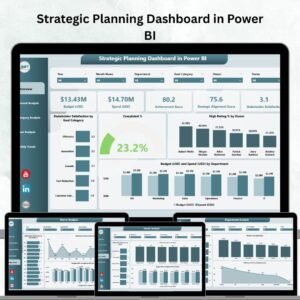
Yes. See the Strategic Planning Dashboard in Power BI and the Strategic Planning Dashboard in Google Sheets.
Related Strategic Planning Templates
- Strategic Planning Dashboard in Power BI: the same dashboard in Power BI
- Strategic Planning Dashboard in Google Sheets: a Google Sheets edition
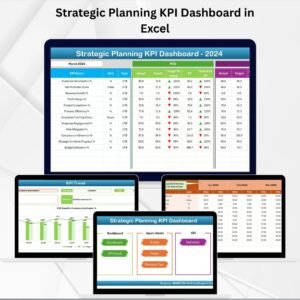
- Strategic Planning KPI Dashboard in Excel: a KPI-focused view of your strategy
- Strategic Planning Report in Excel: a report layout for strategy reviews
- KPI Dashboard Library (Excel): 15 KPI dashboards in one download
Browse all Excel dashboards.



















Reviews
There are no reviews yet.