

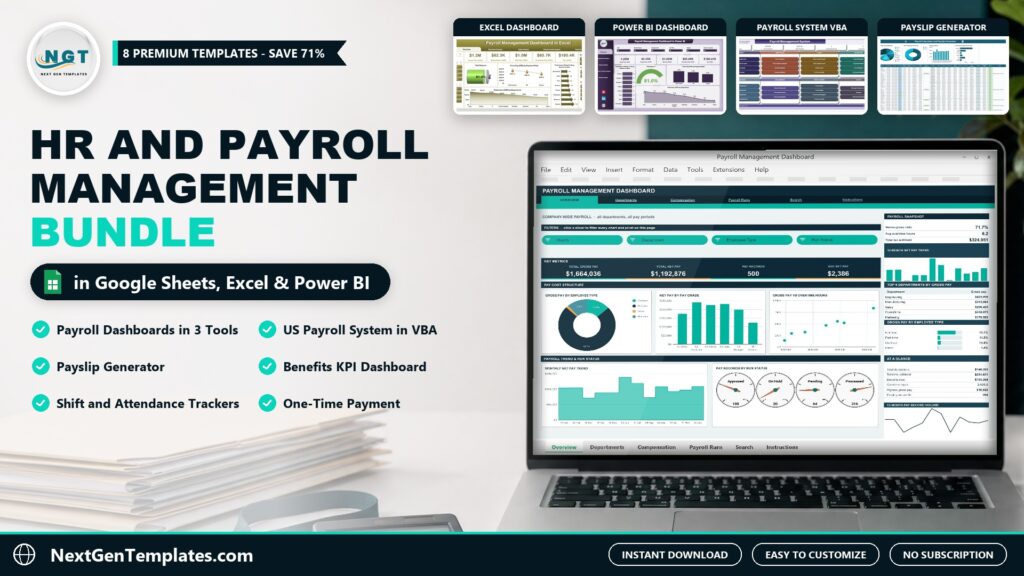
Payroll and HR data usually lives in a payroll export, a shift rota, an attendance sheet and a benefits report that never quite line up. The HR and Payroll Management Bundle brings 8 HR templates and payroll tools together in one download for $29.99, instead of $104.93 if you bought them one by one – a saving of $74.94 (71%).
Watch the HR and Payroll Management Bundle: 8 Templates, Save 71% walkthrough
Get all 8 HR and payroll templates for $29.99
Individual total $104.93 – you save $74.94 (71%). One-time payment, instant download.
 Launch offer
SUMIFS, XLOOKUP, FILTER, LAMBDA and checking AI-written formulas, with real business projects. 11h 47m of video by PK, with practice files, quizzes and a capstone.
Key Features of the HR and Payroll Management Bundle
A payroll dashboard template in every tool. The same payroll story – gross pay, deductions, net pay, overtime and tax by department, branch and month – is ready in Excel with slicers, in Power BI with a full report and in Google Sheets with 21 pivot charts and a record search. Use the one your team already has.
A payroll management system that prints. The Excel VBA system records each payslip with hours, overtime at 1.5x, bonus and allowances, applies federal and state withholding, Social Security, Medicare, 401(k) and health deductions, and prints payslips, a payroll register and leave approval slips.
A payroll template for Google Sheets users. The Payroll Calculator and Payslip Generator works out gross-to-net pay for salaried and hourly staff and prints a payslip for any employee and pay date.
Benefits, shifts and attendance. Track 15 employee benefits KPIs against target and last year, plan shifts with weekly hours and a coverage heatmap, and mark daily attendance with monthly and annual attendance %.
What’s Included in the HR and Payroll Management Bundle
1. Payroll Management Dashboard in Excel
A five-page payroll dashboard template in Excel: Overview, Department, Region, Branch Location and Month Analysis. KPI cards show gross pay, deductions, net pay, overtime pay and tax, and slicers filter by year, month, branch, payment mode and department across 500 sample pay records. The sample data uses branches in Indian cities with amounts in USD – paste your own payroll register over it.

Payroll Management Dashboard in Excel
2. Payroll Management Dashboard in Power BI
The same payroll analysis in Power BI: five report pages with KPI cards for gross pay, deductions, net pay, overtime pay and tax, paid salary %, gross pay by payment mode, deductions by department and monthly trends. Slicers for year, month, employee ID, job title, region and branch. Ships with the .pbix file, the Data.xlsx source and a PDF user manual.
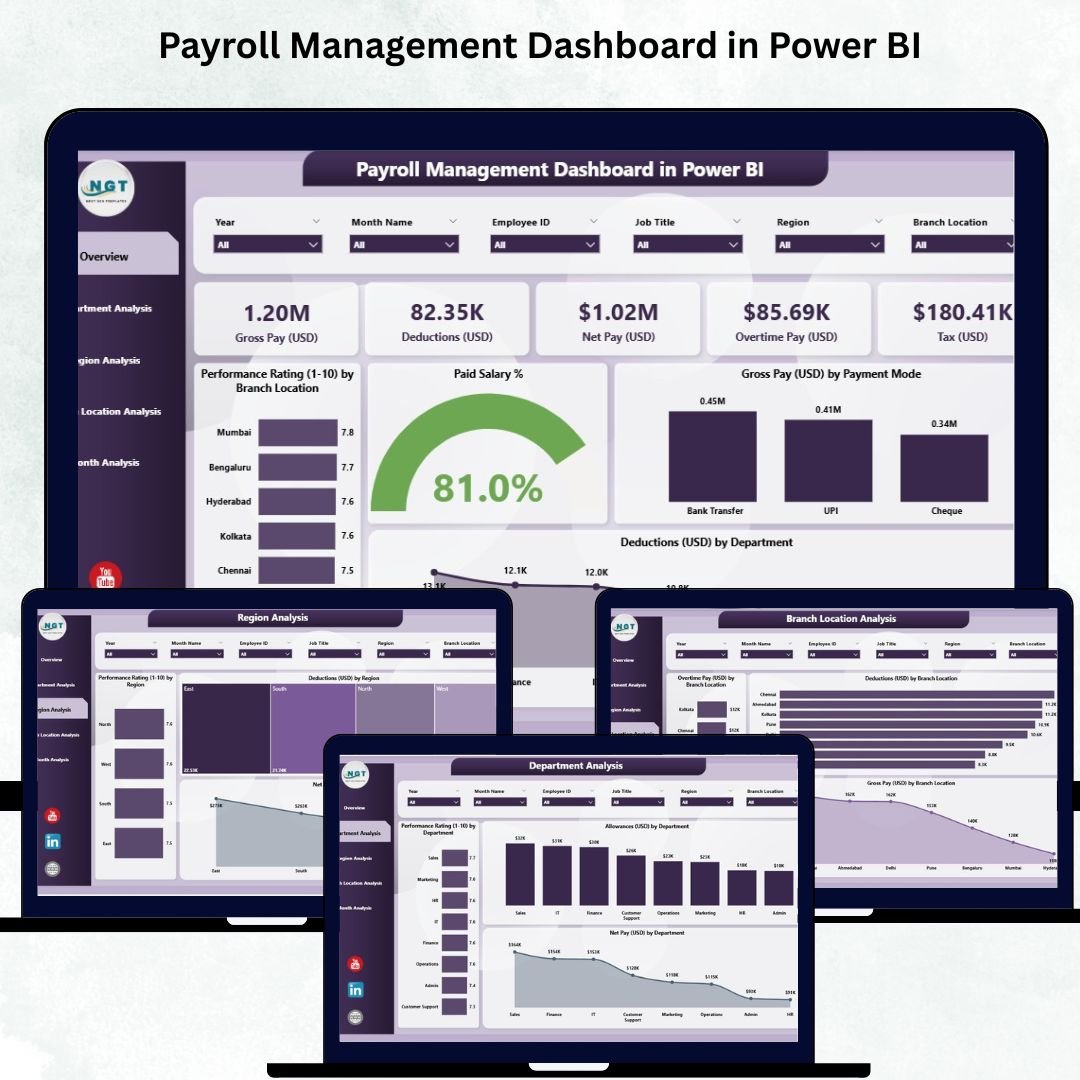
Payroll Management Dashboard in Power BI
3. Payroll Management Dashboard in Google Sheets
A six-tab payroll dashboard template in Google Sheets: Overview, Departments, Compensation, Payroll Runs, Search and Instructions. 16 KPI cards, 21 charts and 15 slicers built on native pivot tables, with pay grade, deduction and effective tax analysis, run-status gauges (Processed, Approved, Pending Approval, On Hold) and a record-level search. 500 sample pay records, wired for 1,000.
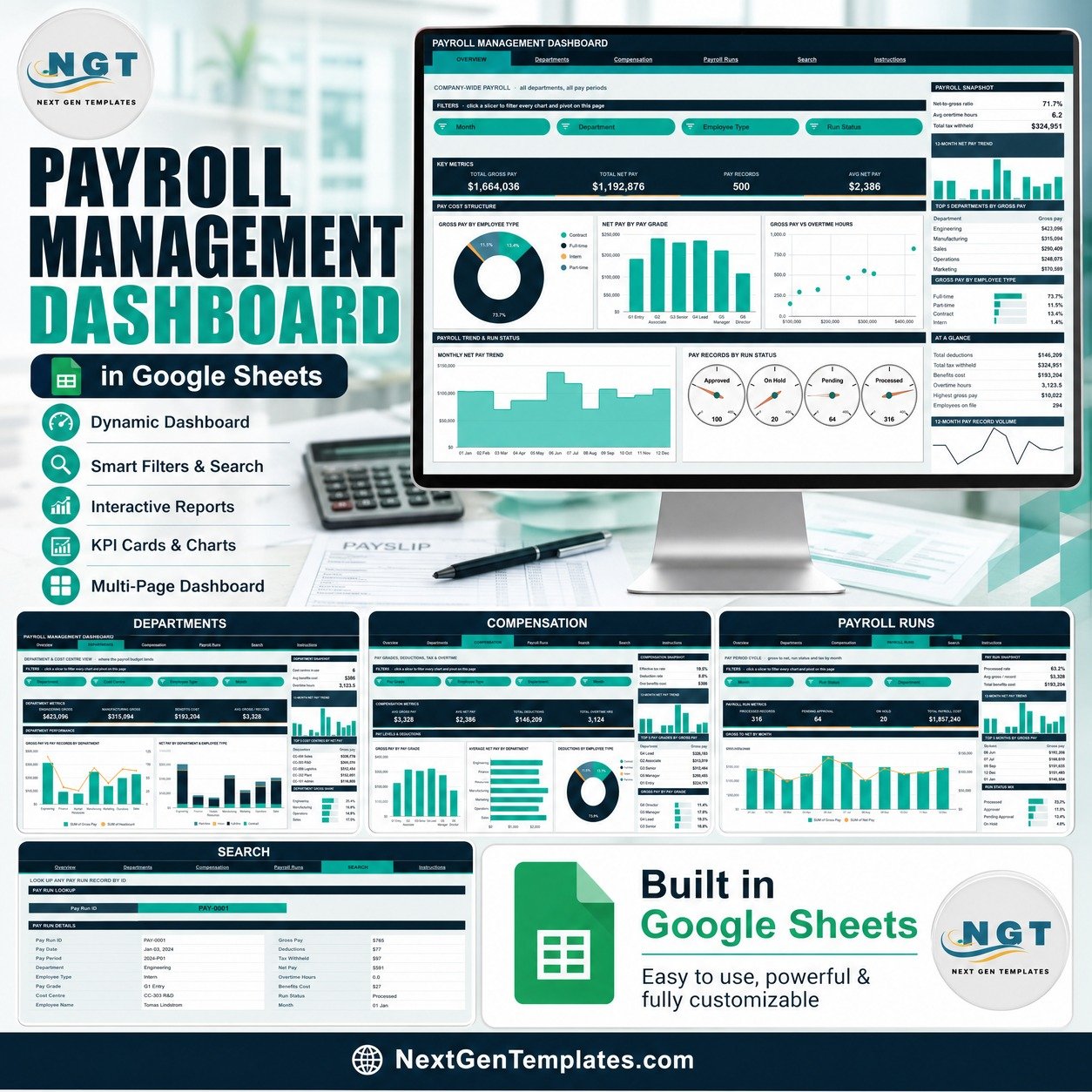
Payroll Management Dashboard in Google Sheets
4. Payroll Management System V1.0 in Excel VBA
A complete payroll management system in Excel VBA: enter payslips with hours, overtime at 1.5x, bonus, allowances and deductions; US withholding with federal and state tax %, Social Security 6.2%, Medicare 1.45%, 401(k) and health insurance; print payslips, a payroll register and leave approval slips at A4, 4 inch or 3 inch; keep the employee master, leave register and W-4 / I-9 documents; and review four pivot dashboards. Includes an illustrated PDF user manual.
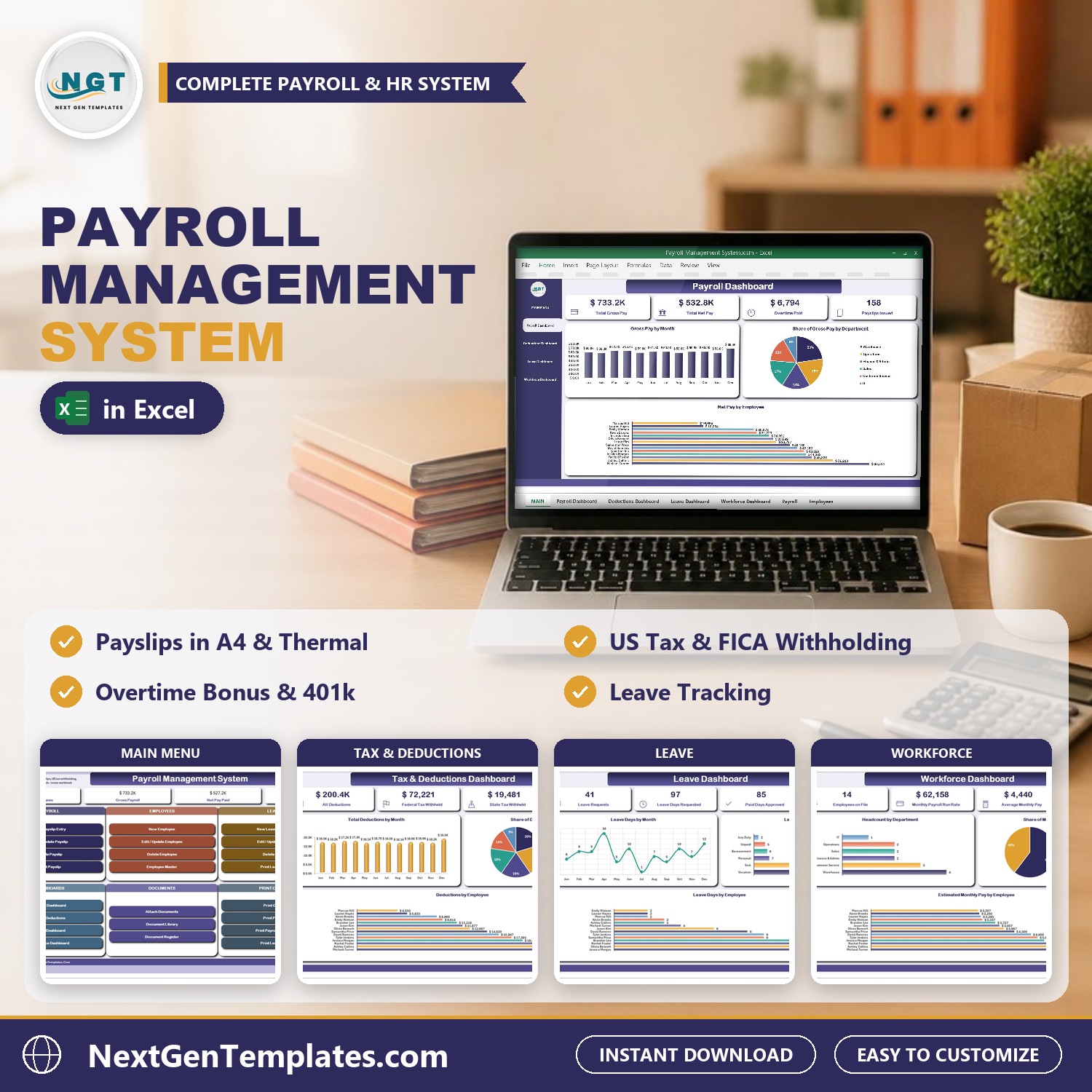
Payroll Management System V1.0 in Excel VBA
5. Payroll Calculator and Payslip Generator in Google Sheets
A payroll template in Google Sheets that calculates gross pay, federal and state tax, Social Security, Medicare, 401(k), health insurance and net pay for salaried and hourly staff. The Payroll Register has four charts, the Payslip tab prints a payslip for any employee and pay date, and the Payroll Summary totals every month. Tax rates are editable in Settings. A calculator for your records, not a tax filing tool.
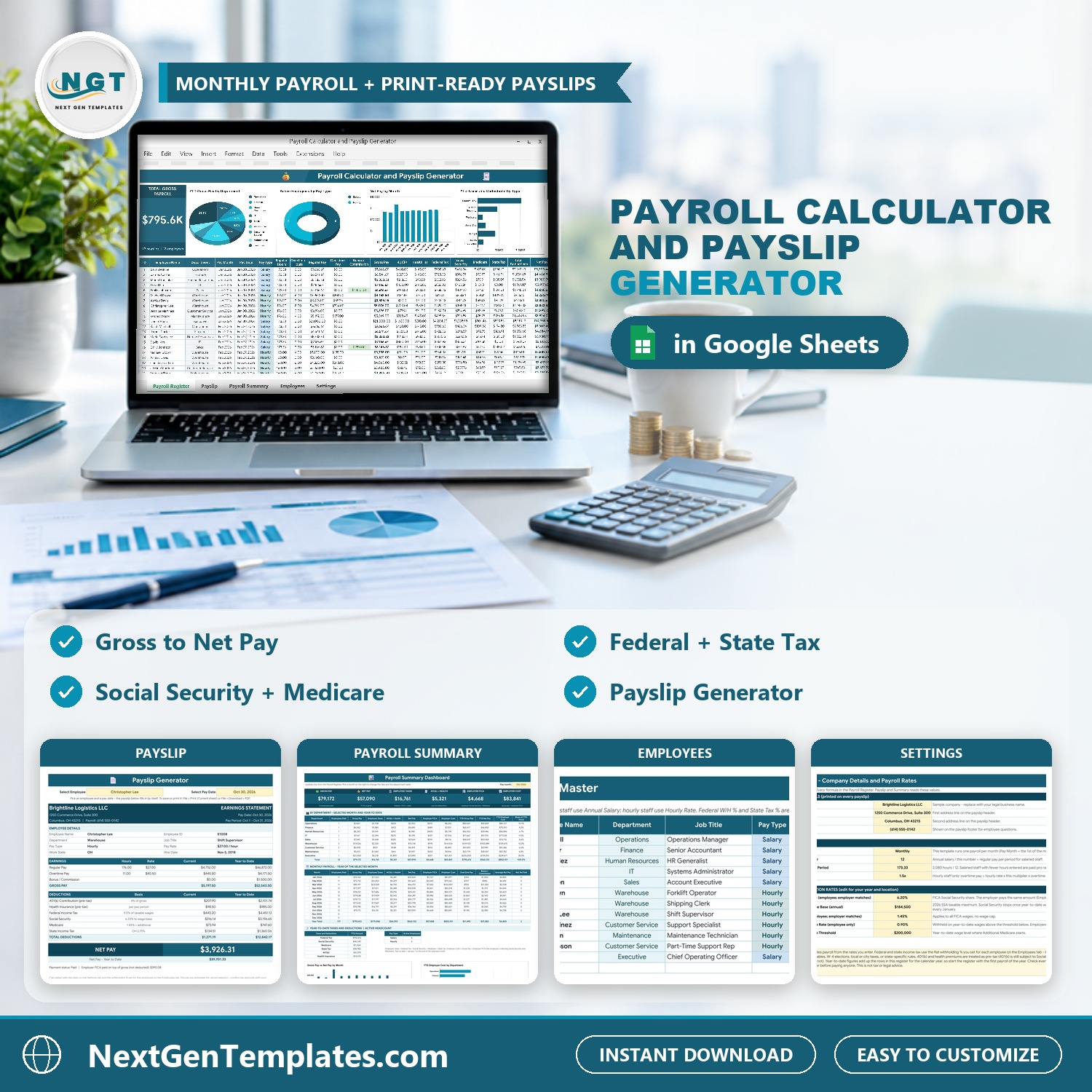
Payroll Calculator and Payslip Generator in Google Sheets
6. Employee Benefits Utilization KPI Dashboard in Google Sheets
15 employee benefits KPIs on one screen – benefits enrollment, 401(k) participation, HSA / FSA participation, plan utilization, wellness, cost per employee and satisfaction. Pick a month and every page re-bases to it, with MTD and YTD actual, target, achievement %, traffic-light status and prior-year comparison, plus a KPI trend page and a top / bottom five analysis.
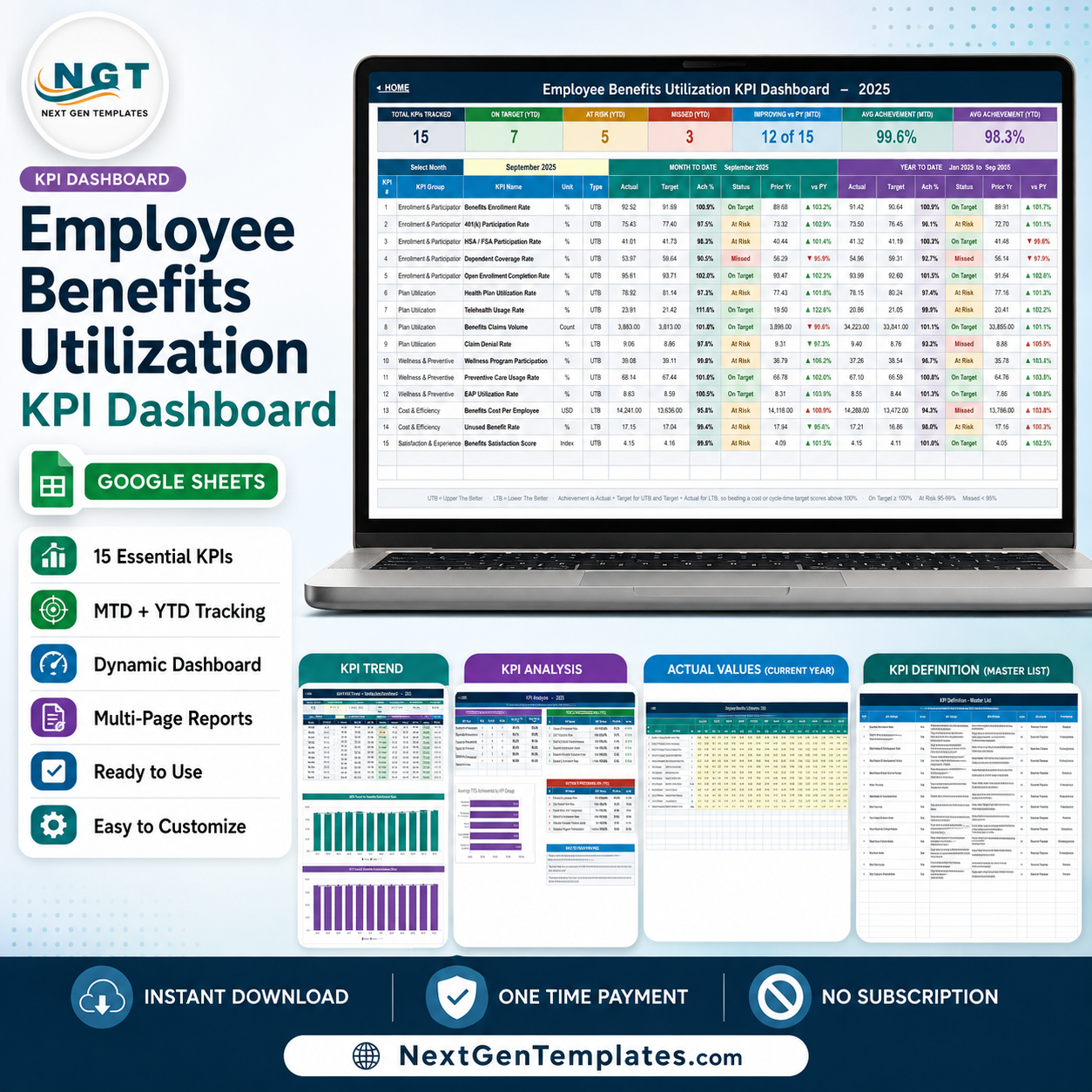
Employee Benefits Utilization KPI Dashboard in Google Sheets
7. Employee Shift Schedule in Google Sheets
Plan shifts Monday to Sunday with weekly hours worked out for every employee, see the whole month on a calendar view, and keep an employee directory with roles, maximum weekly hours and preferred shifts. The dashboard shows shifts filled, weekly hours, overtime and leave, a coverage heatmap of staff per shift per day and shift distribution charts. Shift names, times and colours are set in Settings.
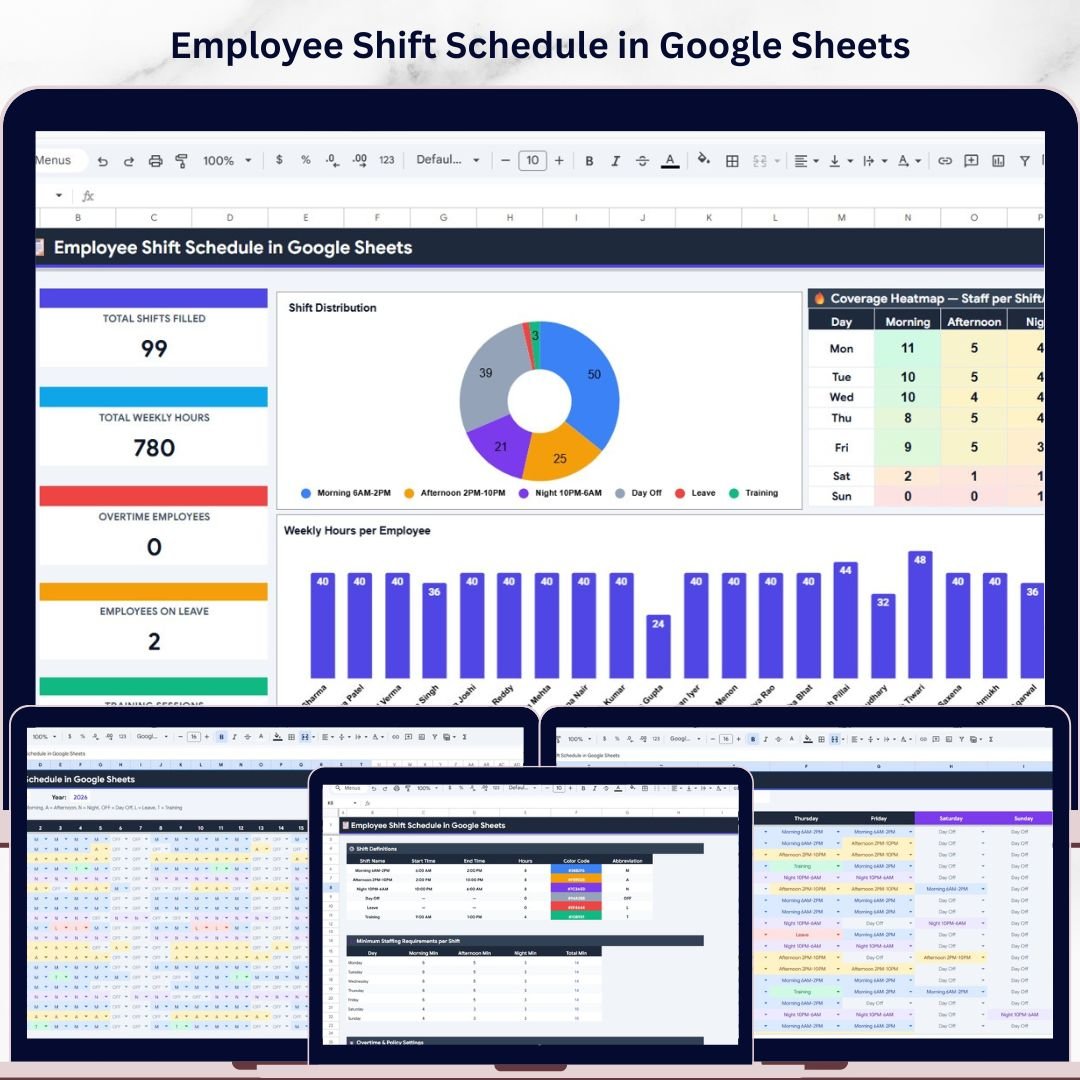
Employee Shift Schedule in Google Sheets
8. Attendance Tracker in Google Sheets
Mark daily attendance with colour-coded codes (Present, Absent, Late, Half Day, Work From Home, Holiday, Weekend) and let the monthly totals calculate themselves. A dashboard with KPI cards and charts shows attendance % by department and flags chronic absence, the Annual Summary heatmap shows each person's attendance % by month, and Settings hold working days and absence thresholds.
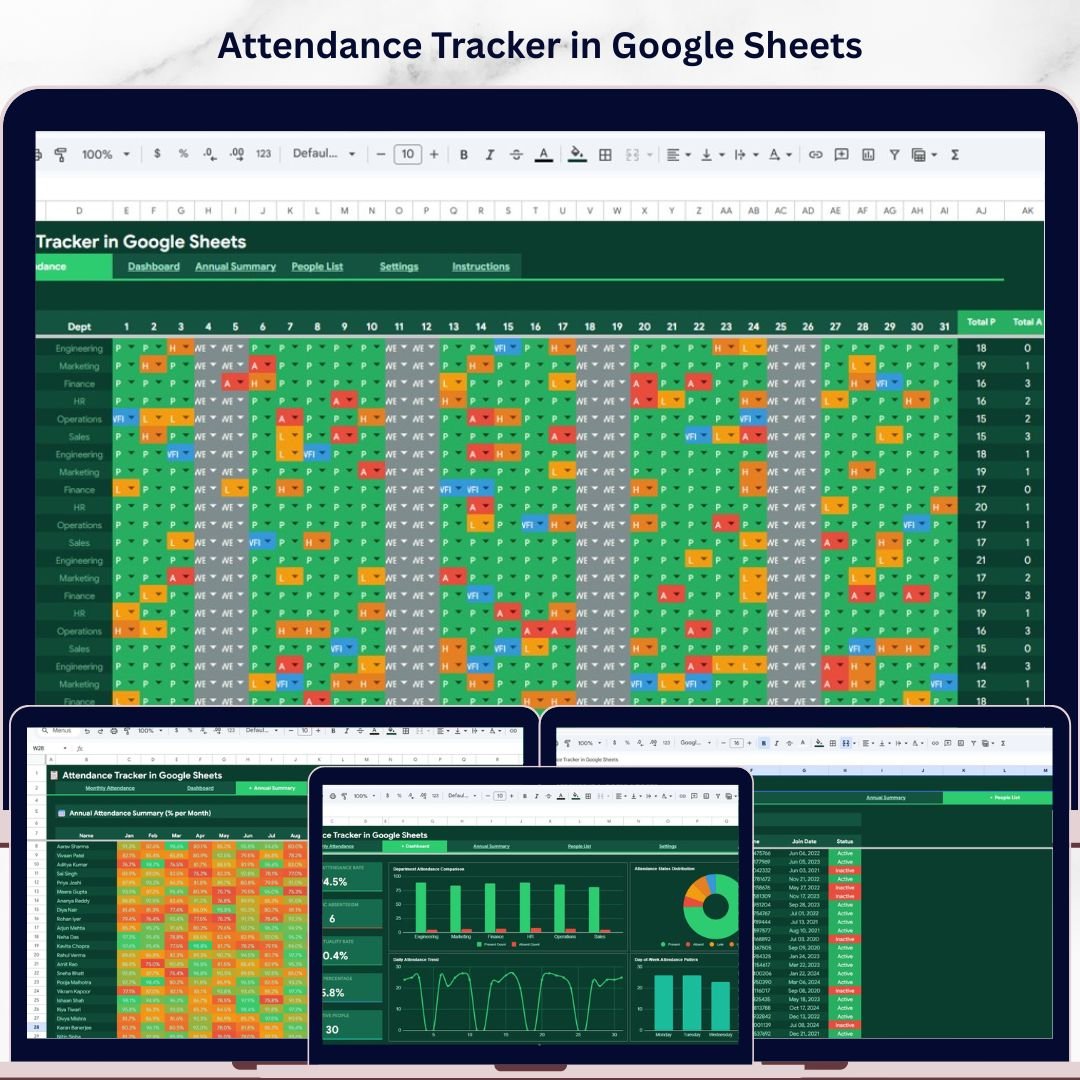
Attendance Tracker in Google Sheets
Smart Comparison Table: HR and Payroll Bundle vs Buying Individually
| Feature | Buying Individually | HR and Payroll Management Bundle |
|---|---|---|
| Templates | 8 separate purchases | 8 templates, one checkout |
| Total price | $104.93 | $29.99 |
| You save | – | $74.94 (71%) |
| Payroll dashboards in Excel, Power BI and Google Sheets | Buy three listings | All three included |
| Payroll system, payslips, benefits, shifts and attendance | Pick and match yourself | One HR and payroll toolkit |
| Best value | ❌ | ✅ |
| # | Product | Platform | Individual Price |
|---|---|---|---|
| 1 | Payroll Management Dashboard in Excel | Excel | $17.99 |
| 2 | Payroll Management Dashboard in Power BI | Power BI | $17.99 |
| 3 | Payroll Management Dashboard in Google Sheets | Google Sheets | $9.99 |
| 4 | Payroll Management System V1.0 in Excel VBA | Excel VBA | $29.00 |
| 5 | Payroll Calculator and Payslip Generator in Google Sheets | Google Sheets | $6.99 |
| 6 | Employee Benefits Utilization KPI Dashboard in Google Sheets | Google Sheets | $8.99 |
| 7 | Employee Shift Schedule in Google Sheets | Google Sheets | $6.99 |
| 8 | Attendance Tracker in Google Sheets | Google Sheets | $6.99 |
| Total if bought separately | $104.93 | ||
| Bundle price | $29.99 | ||
Advantages of Buying HR Templates as a Bundle
- Lower cost: 71% less than buying the same 8 HR templates separately.
- Covers the whole pay cycle: schedule shifts, record attendance, run payroll, print payslips, analyse payroll cost and review benefits.
- Choose your tool: Excel and Power BI for desktop reporting, Google Sheets for sharing with managers.
- No monthly fees: a one-time payment instead of another HR software subscription.
Best Practices for Using Your Payroll Templates
- Keep one employee list. Use the same employee IDs and names in the payroll management system, the shift schedule and the attendance tracker.
- Close each pay period. Lock in attendance and shift hours first, then run payroll and print payslips.
- Review the payroll dashboard monthly. Paste the period’s payroll register into the payroll dashboard template and look for overtime or deduction spikes by department.
- Check your rates. Update tax and benefit percentages whenever they change and confirm them with your accountant.
- Back up your files. Payroll data is sensitive – keep dated copies of each Excel file and use version history and sharing controls in Google Sheets.
Explore More Templates
Looking for more? Browse our template bundles, Excel dashboards and Excel VBA tools.
FAQs about the HR and Payroll Management Bundle
What is included in the HR and Payroll Management Bundle?
8 templates: the Payroll Management Dashboard in Excel, in Power BI and in Google Sheets, the Payroll Management System V1.0 in Excel VBA, the Payroll Calculator and Payslip Generator in Google Sheets, the Employee Benefits Utilization KPI Dashboard in Google Sheets, the Employee Shift Schedule in Google Sheets and the Attendance Tracker in Google Sheets.
How much do I save with the bundle?
Bought one by one the 8 templates cost $104.93 at today's prices. The bundle costs $29.99, a saving of $74.94 (71%).
Which software do I need?
The Excel dashboard needs Microsoft Excel, the payroll management system needs Excel for Windows with macros enabled, and the Power BI dashboard opens in the free Power BI Desktop. The five Google Sheets templates work in any free Google account – open the link in each PDF and make your own copy.
Does it calculate US payroll taxes?
The Payroll Management System in Excel VBA and the Payroll Calculator in Google Sheets use federal and state tax percentages, Social Security and Medicare, 401(k) and health deductions that you set yourself. They are payroll records and calculators, not tax filing software, so confirm your rates with your accountant.
What sample data do the dashboards use?
Each template ships with realistic sample data so every chart works on day one. The Excel and Power BI payroll dashboards use branches in Indian cities with amounts in USD; paste your own payroll register over the sample rows and every chart updates.
Is this a subscription?
No. It is a one-time payment with an instant download and no per-user fees.
Conclusion
The HR and Payroll Management Bundle gives HR managers and payroll staff a payroll dashboard template in three tools, a payroll management system, a payslip generator, benefits KPIs, shift scheduling and attendance tracking – for one low price. Set it up before your next pay run.
Get all 8 HR and payroll templates for $29.99
Individual total $104.93 – you save $74.94 (71%). One-time payment, instant download.
Watch our template walkthroughs on the NextGenTemplates YouTube channel.