

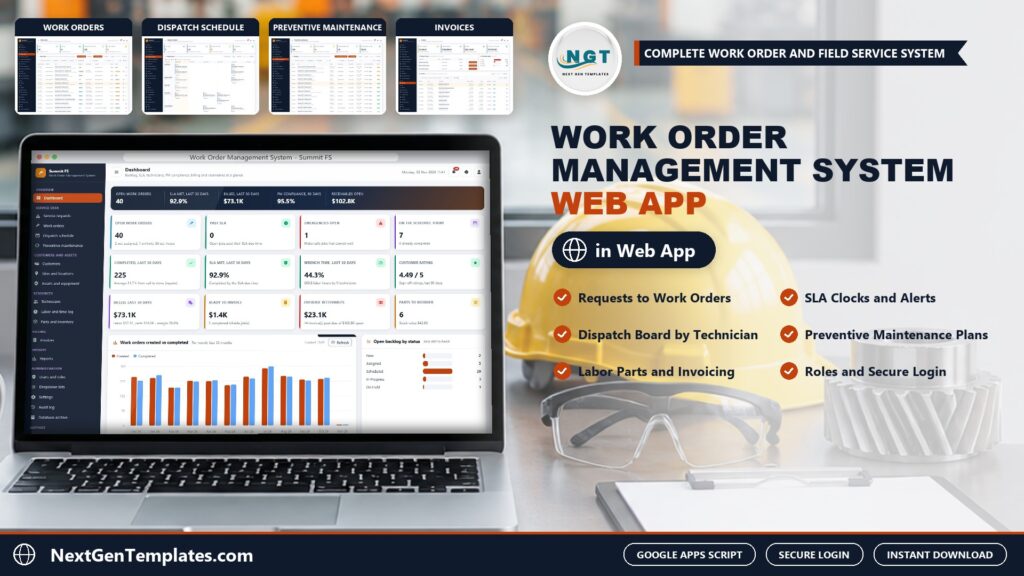
Maintenance and field service teams often run on email threads and spreadsheets until a missed SLA or an uninvoiced job forces a change. The Work Order Management System Web App puts requests, work orders, dispatch, preventive maintenance, parts and invoices in one browser application that stores its data in your own Google Drive. This post walks through what is inside, who it suits and where it stops.
🌍 Join 10,000+ customers in 180+ countries using NextGenTemplates to replace paid SaaS tools with one-time-purchase Excel, Google Sheets, Power BI and HTML templates.
Watch the Work Order Management System Web App: Requests, Dispatch, PM and Invoices walkthrough
 Launch offer
SUMIFS, XLOOKUP, FILTER, LAMBDA and checking AI-written formulas, with real business projects. 11h 47m of video by PK, with practice files, quizzes and a capstone.
🚀 Try the Live Demo: Login Details
Open the working Work Order Management System Web App in your browser right now: no download, no sign-up, nothing to install. Sign in as any role below and see exactly which screens that person can and cannot reach.
Demo sign-in details: 6 logins across 5 roles
| Role | Username | Password | What this role can reach |
|---|---|---|---|
| Administrator | admin | Admin@123 | Everything, including users and roles, settings, the audit log, the database archive and backups |
| Operations Manager | manager | Manager@123 | Requests, all work orders, dispatch, PM plans, customers, sites, assets, technicians, labor, parts and stock, invoices, reports, lists, audit log, import, export and email |
| Dispatcher | dispatch | Dispatch@123 | Requests, all work orders, the dispatch board, PM plans and generation, sites and assets, labor, parts issue, reports, export and email |
| Technician | tech | Tech@123 | Only the work orders assigned to them: start, hold, log time, issue parts, complete with resolution and sign-off |
| Technician | tech2 | Tech@123 | Only the work orders assigned to them: start, hold, log time, issue parts, complete with resolution and sign-off |
| Billing Clerk | billing | Billing@123 | Customers, work orders (read only), invoices and payments, reports, audit log, import, export and email |
These credentials are public on purpose. The demo is a shared instance seeded with a fictional facility services company in Central Ohio and it may be reset at any time. It is not anybody’s live business data. Your own copy gets its own database, its own users and its own passwords, and the setup notes ask you to change every seeded password before anyone else signs in.
What the Work Order Management System Web App does
📌 Service requests to work orders. Log requests from phone, email and the portal, then approve and convert them into work orders or reject them.
📌 SLA due times by priority. Work orders move from New to Invoiced with an SLA due time from the priority and the customer’s SLA plan, plus labor, parts and sign-off.
📌 A weekly dispatch board. See every technician and day on one screen.
📌 Preventive maintenance that generates its own jobs. PM plans create scheduled work orders and the dashboard tracks PM compliance.
📌 Customers, sites and assets. Contract type, SLA plan, labor rate and parts markup per customer, access notes per site and a register of equipment with make, model, condition and next PM.
📌 Technicians, labor and parts. Cost and bill rates, hours and utilization, a labor log with regular, overtime and after-hours rates, and parts with stock value and reorder alerts.
📌 Invoices and receivables. Invoice completed work, send it, record a payment or void it, and watch receivables ageing.
📌 16 reports. Print them or export to CSV.
📌 6 logins across 5 roles. Administrator, Operations Manager, Dispatcher, Technician and Billing Clerk, with an audit log. Technicians see only their own work orders.
A look at the screens
Dashboard
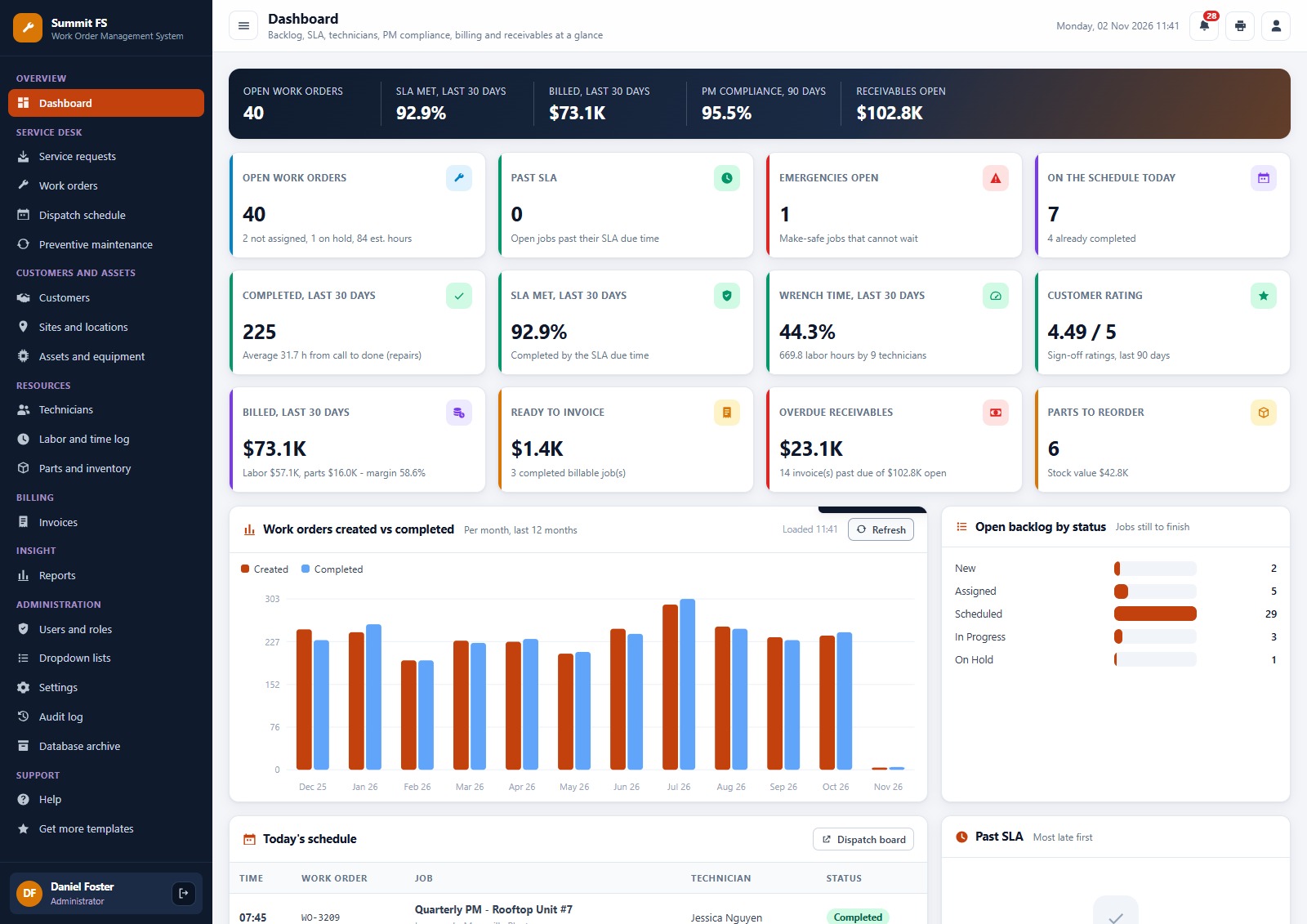
Open work orders, SLA met rate, billed in the last 30 days, PM compliance and open receivables across the top, with more KPI cards, a work orders created vs completed chart, an open backlog by status and today’s schedule below.
Service requests
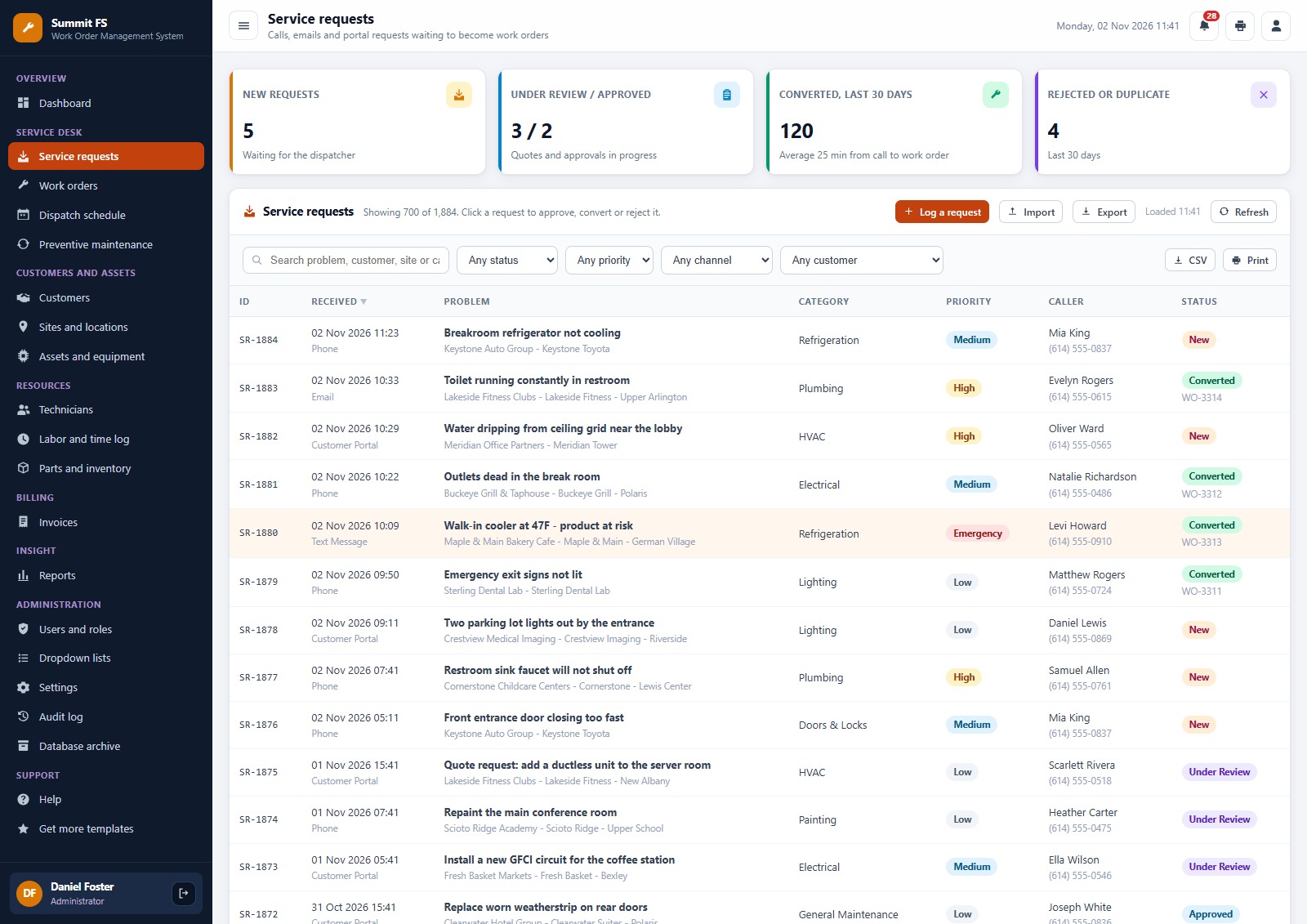
Requests logged from phone, email or the portal, with category, priority and status. Approve a request and convert it into a work order, or reject it as a duplicate.
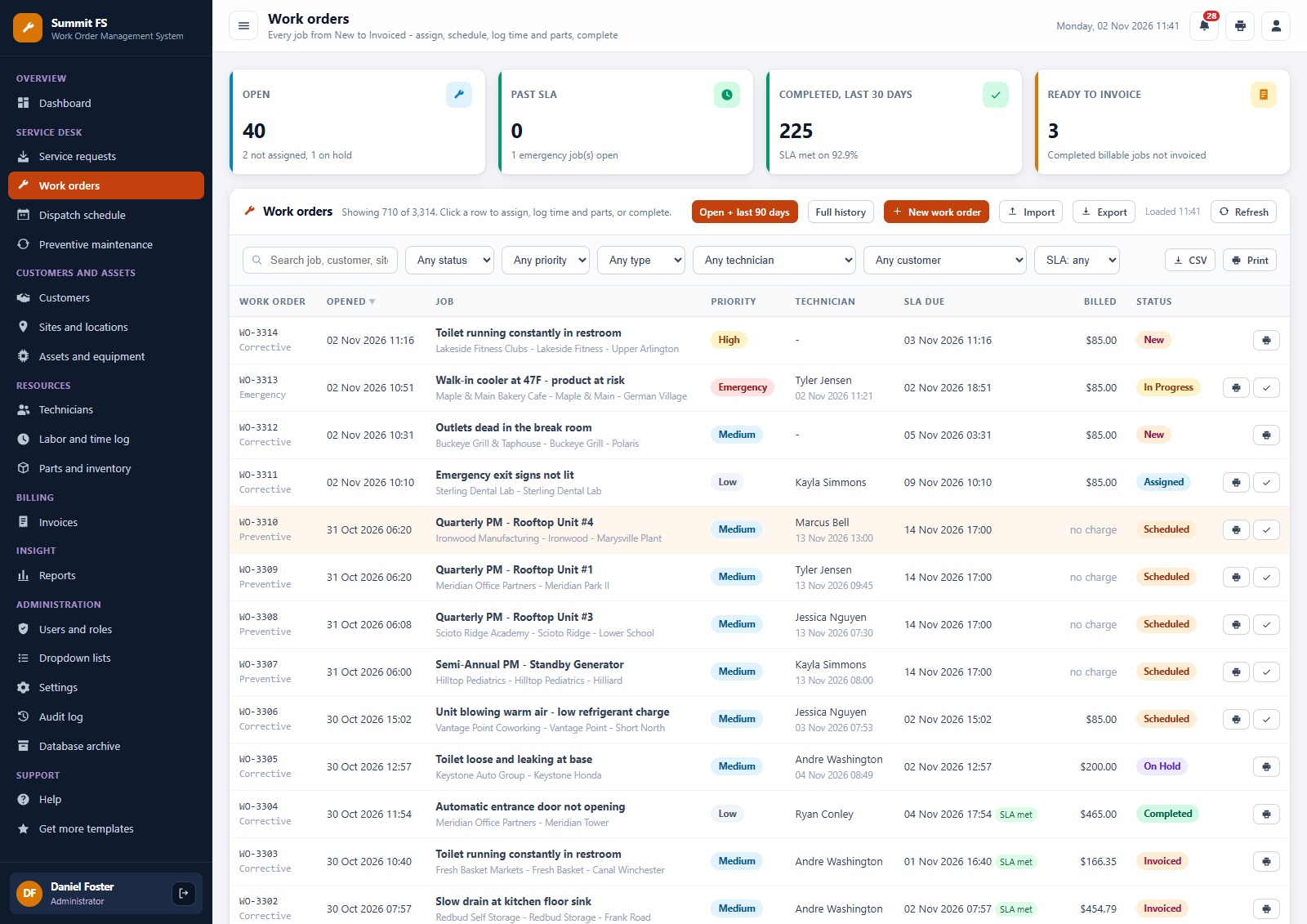
Work orders
Every work order from New to Invoiced with priority, type, technician, SLA due time and amount, searchable and filterable, with labor, parts and sign-off on the detail screen.
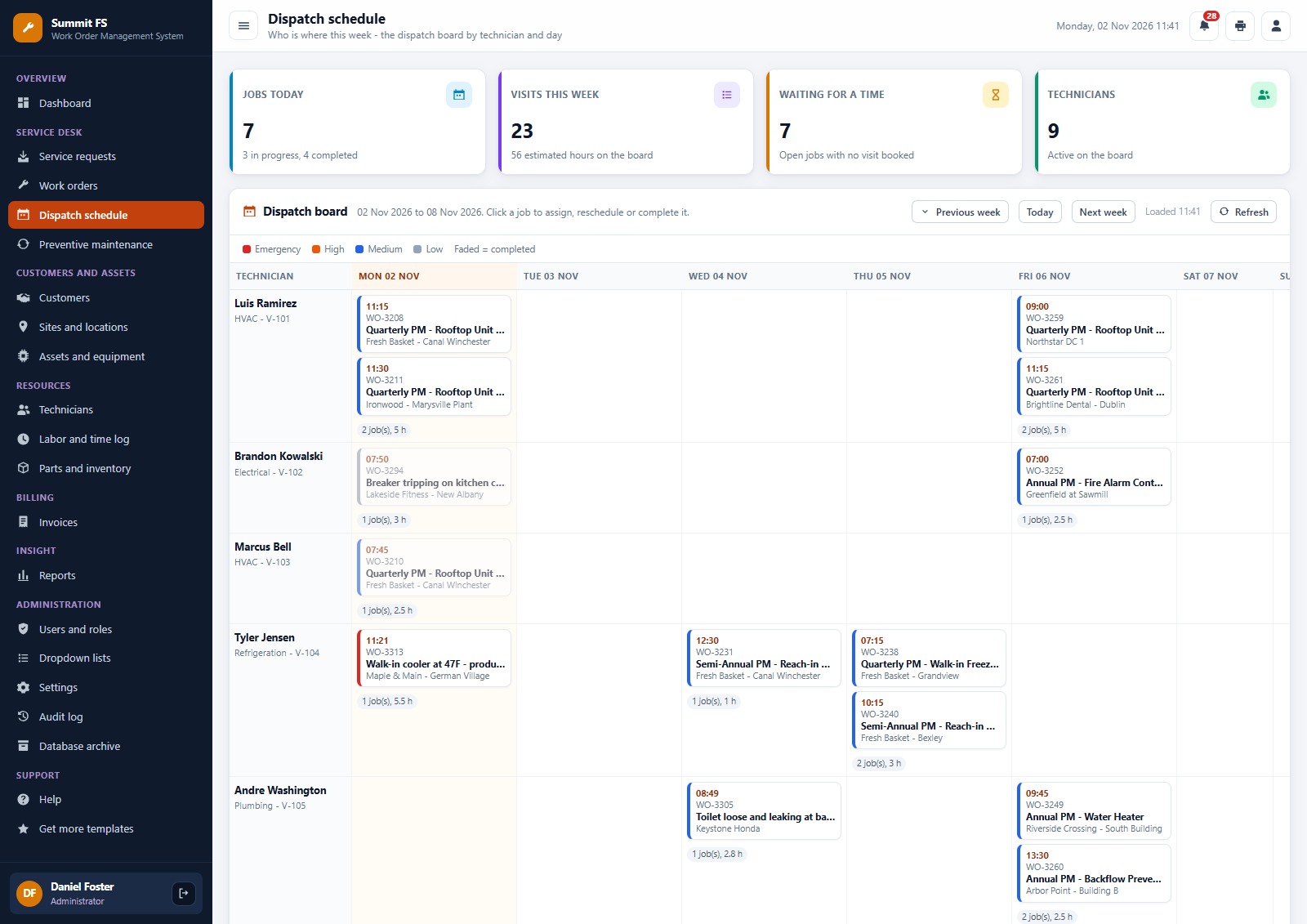
Dispatch schedule
A board by technician and day for the whole week, so the dispatcher sees who is booked, who is free and which jobs are waiting for a time.
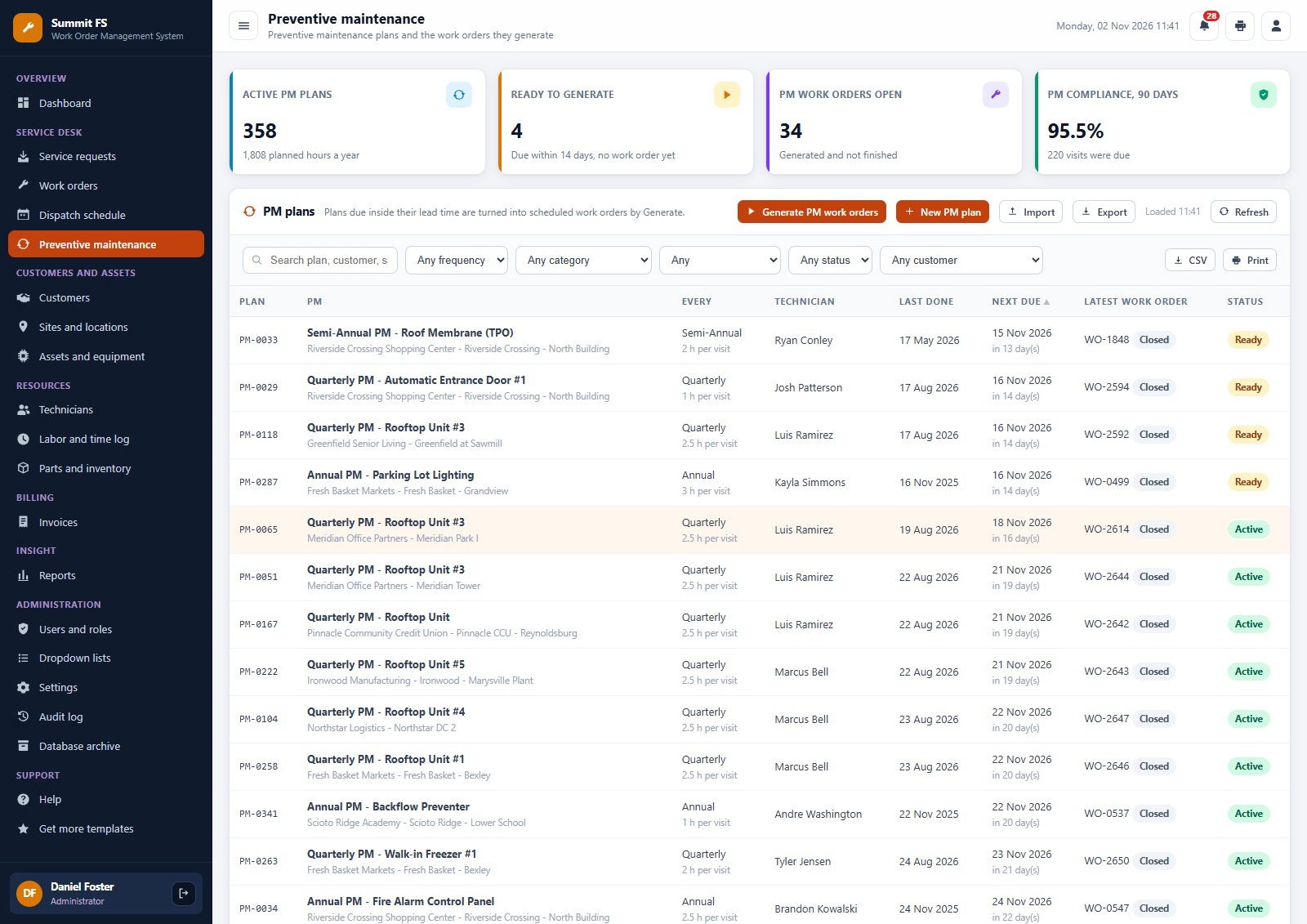
Preventive maintenance
PM plans with frequency, assigned technician, next due date and status. Generate the scheduled work orders with one button and track PM compliance.
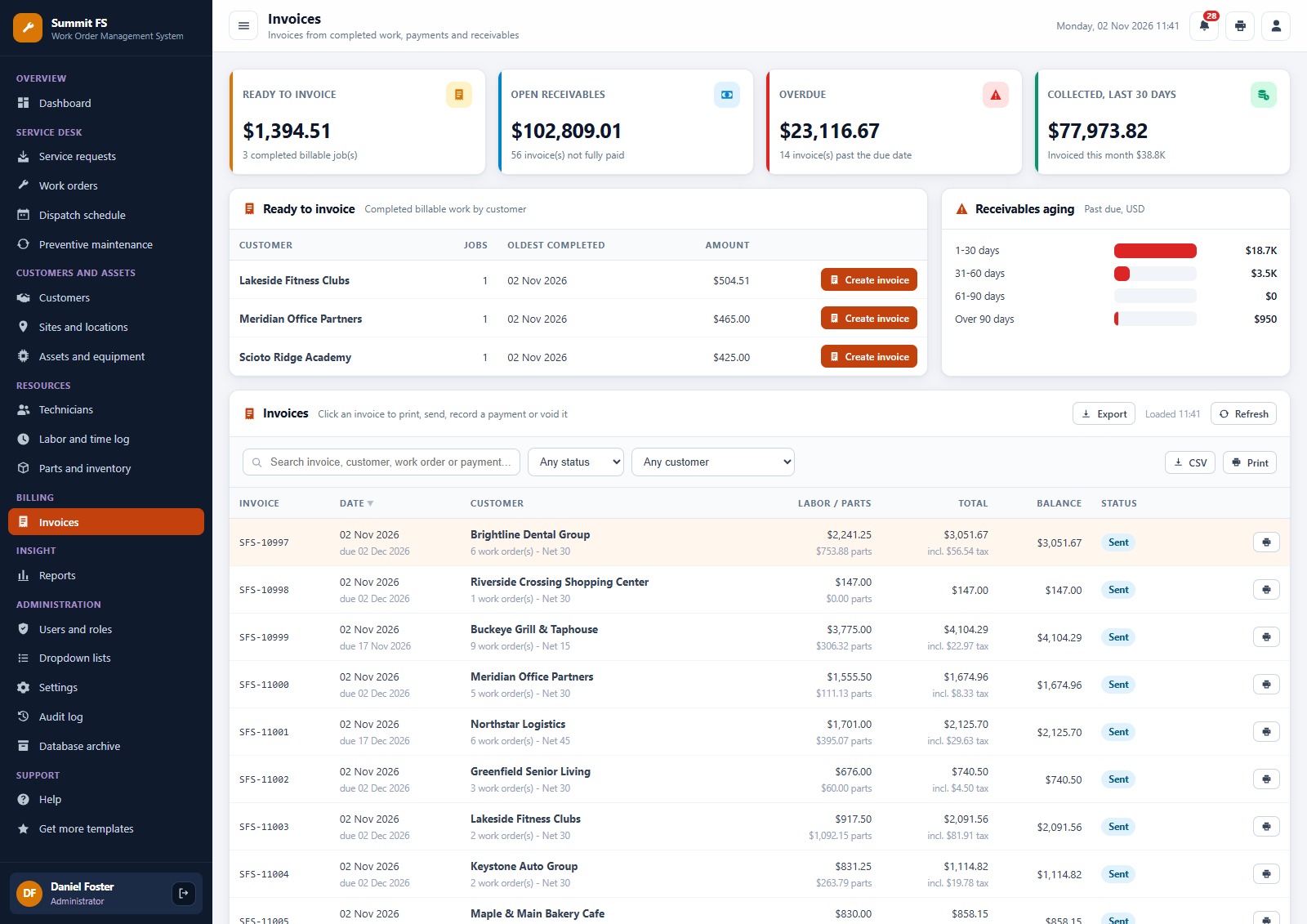
Invoices
Ready to invoice by customer, open receivables with ageing buckets, and the invoice list. Create an invoice from completed work, send it, record a payment or void it.
How a job moves through the system
Request. A call, email or portal request is logged on the Service requests screen. The dispatcher approves it and converts it into a work order, or rejects it as a duplicate.
Schedule. The work order gets an SLA due time from its priority and the customer’s SLA plan. The dispatcher schedules it against a technician and a day, and the weekly board shows the whole week.
Do the work. The technician sees only their own jobs. They start the job, log time, issue parts and complete it with a resolution and sign-off.
Bill it. The billing clerk sees the job under Ready to invoice, creates the invoice, sends it and records the payment when it arrives. Receivables ageing shows what is overdue.
Prevent the next one. Preventive maintenance plans generate scheduled work orders by frequency, and the dashboard shows PM compliance.
Who it is for, and who it is not for
It suits facility maintenance and field service teams with a small office and technicians in the field. It does not include a native mobile app, GPS tracking, route optimisation or online payment collection, and it needs a Google account to deploy.
Frequently asked questions
Can I try the Work Order Management System Web App before buying?
Yes. The live demo above runs the full system with fictional data. Sign in with any of the 6 demo accounts to see the dashboard, the screens each role can reach and the reports before you spend anything.
What do I need to run it?
A Google account and an internet connection. The web app runs on Google Apps Script and creates its own Google Sheet database in your Drive during setup. Your team signs in with the usernames you create.
How do SLA due times work?
Each work order gets an SLA due time from its priority and the customer’s SLA plan, and the dashboard shows the SLA met rate.
Can technicians see everyone’s jobs?
No. A technician sees only the work orders assigned to them and can start, hold, log time, issue parts and complete them with a resolution and sign-off.
Does it collect payments?
No. It records payments against invoices and shows receivables ageing. Your bank or payment processor collects the money.
Is there sample data?
Yes. Setup loads 15 months of history for a facility services company: 24 customers, 51 sites, 502 assets, 358 PM plans, 9 technicians, 77 parts, about 3,300 work orders and 620 invoices. Delete it or import your own once you know the system.
How long does setup take?
You paste two files into a new Apps Script project, deploy it as a web app and press Run setup now. The first run loads the starter data in a few minutes, and the manual in the ZIP walks through each step.
Get the Work Order Management System Web App
One-time payment, no subscription, no per-user fees. See the Work Order Management System Web App and try the live demo, or browse every system in Web Apps.