

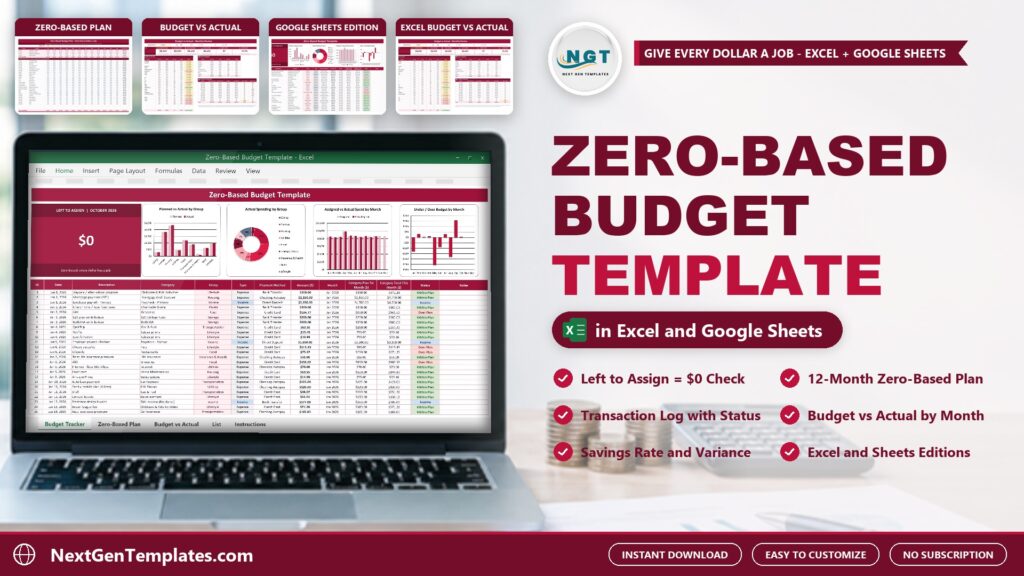
Most budgets fail because the plan and the spending live in different places. The Zero-Based Budget Template in Excel and Google Sheets keeps both in one file: you give every dollar of income a job, log each transaction and review the month against the plan. This post walks through what is inside, who it suits and where it stops.
🌍 Join 10,000+ customers in 180+ countries using NextGenTemplates to replace paid SaaS tools with one-time-purchase Excel, Google Sheets, Power BI and HTML templates.
Watch the Zero-Based Budget Template: Give Every Dollar a Job walkthrough
 Launch offer
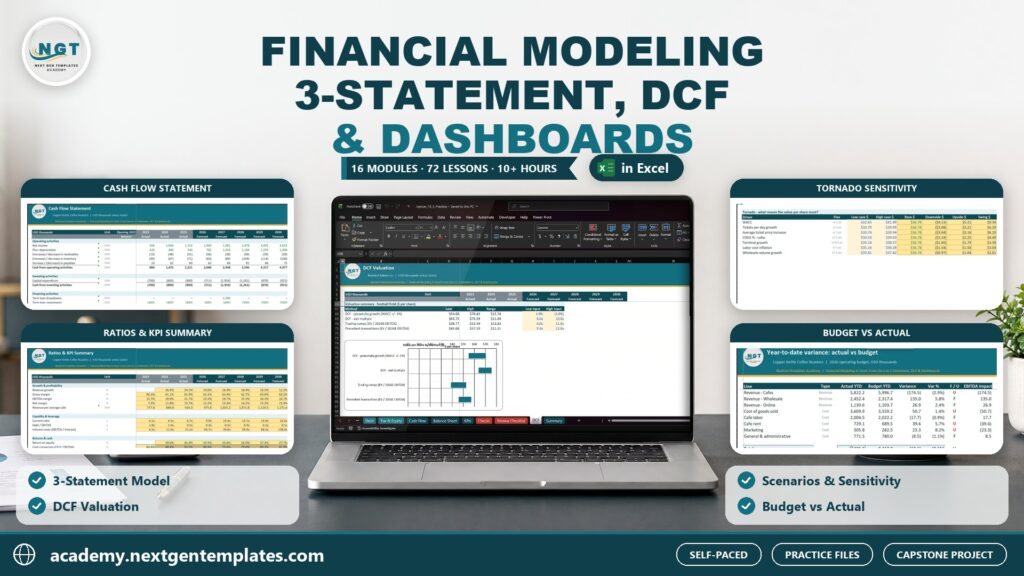
Build a linked three-statement model, a DCF valuation, scenarios and budget vs actual, plus a Power BI finance dashboard. 10h 27m of video by PK, with practice and solution files for every lesson.
What a zero-based budget is
In a zero-based budget, income minus everything you assign to giving, savings, bills, spending and debt equals zero. Nothing is left unassigned. The template plans each month that way, tracks every transaction against the plan and shows where you are over or under by category and group.
What the Zero-Based Budget Template in Excel and Google Sheets includes
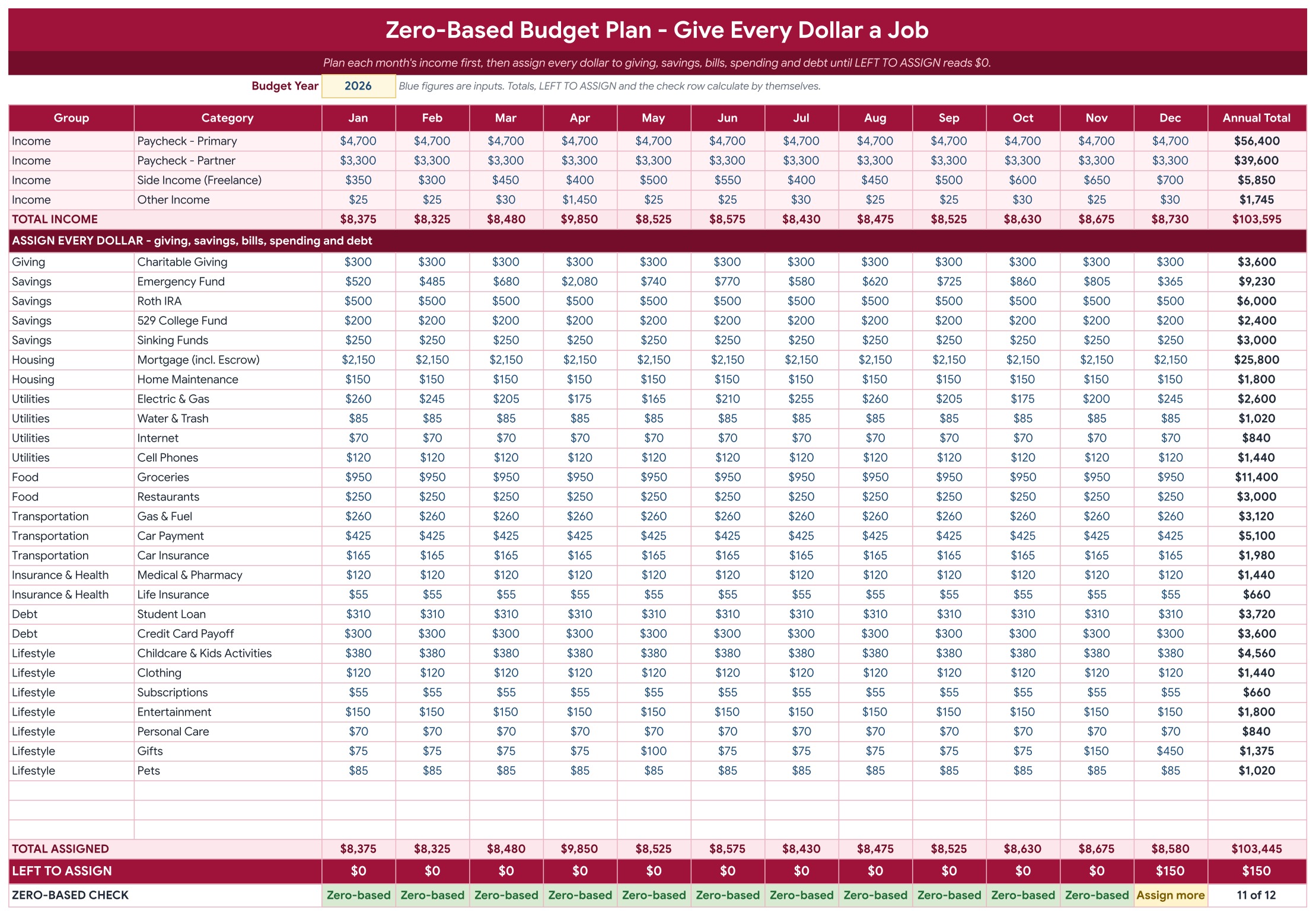
- Zero-Based Plan: four income lines and 30 expense categories for 12 months, with Total Assigned, Left to Assign and a check row.
- Budget Tracker: a Left to Assign card, four charts and a transaction log with status.
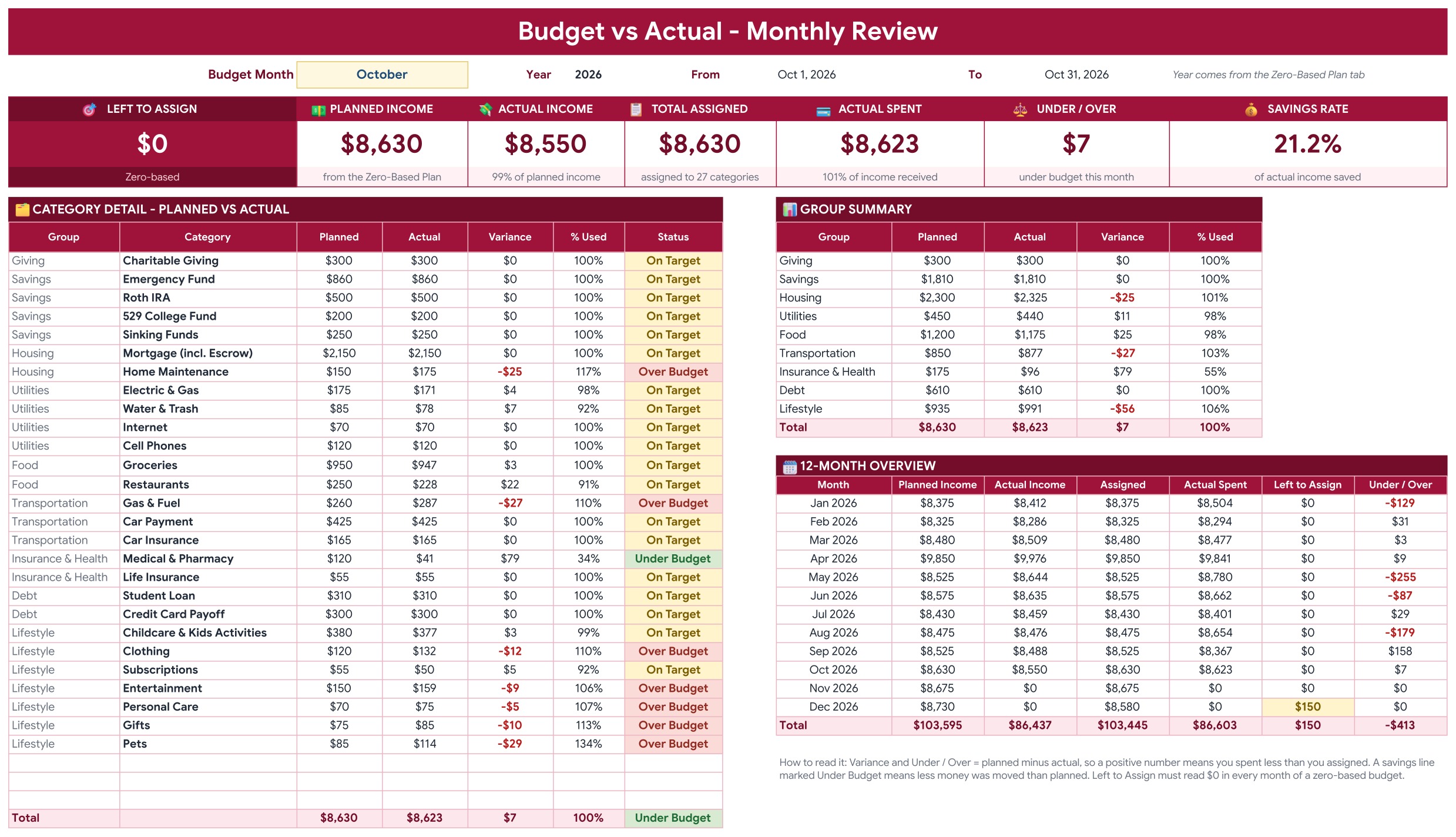
- Budget vs Actual: pick a month for seven KPI tiles, a category table, a group summary and a 12-month overview.
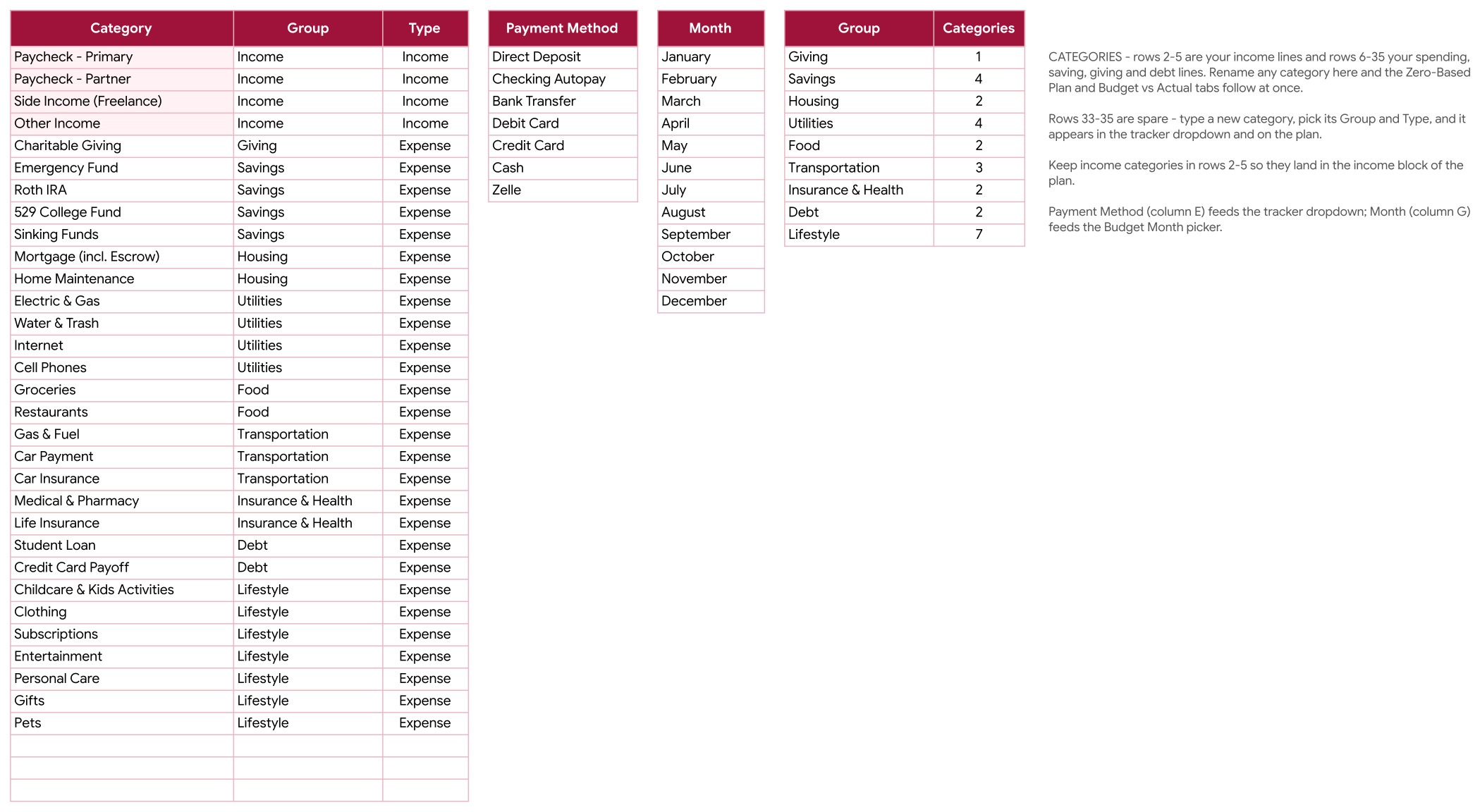
- List and Instructions: rename categories and payment methods, and follow nine numbered steps.
- Two editions: Google Sheets (through the PDF guide’s Make a copy link) and Microsoft Excel, no macros.
A look at the pages
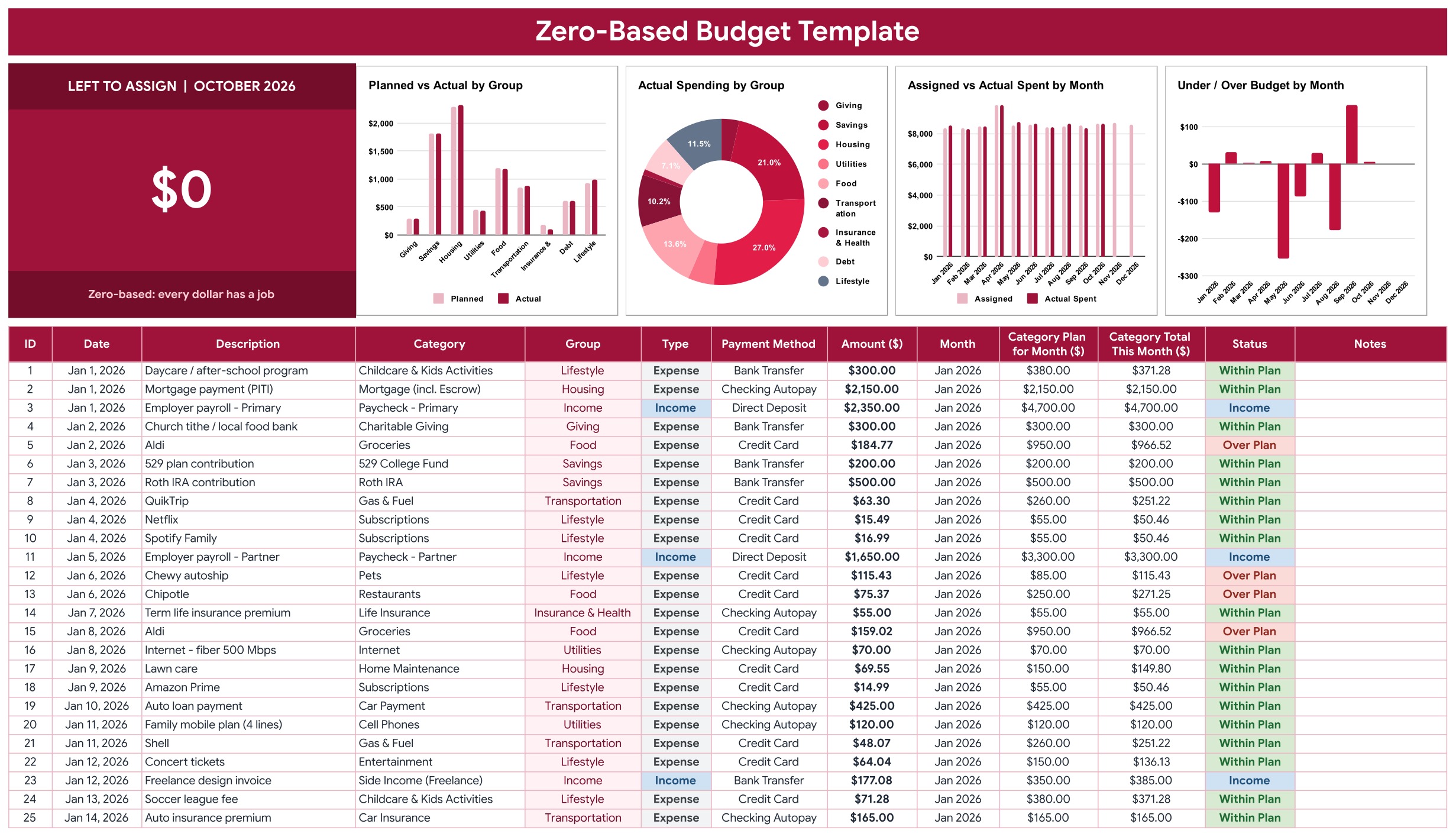
Page 1: Budget Tracker (Google Sheets)
A Left to Assign card for the review month sits beside four charts: Planned vs Actual by Group, Actual Spending by Group, Assigned vs Actual Spent by Month and Under / Over Budget by Month. Below them is the transaction log with date, description, category, group, type, payment method, amount, month, the category plan for the month, the category total so far and a status of Within Plan, Over Plan or Income.
Page 2: Zero-Based Plan (Google Sheets)
Four income lines and every giving, savings, housing, utilities, food, transportation, insurance, debt and lifestyle category laid out for all 12 months, with an annual total. Total Assigned, Left to Assign and a check row that reads Zero-based, Assign more or Over-assigned sit at the bottom of every month.
Page 3: Budget vs Actual (Google Sheets)
Pick a month and seven KPI tiles show Left to Assign, Planned Income, Actual Income, Total Assigned, Actual Spent, Under / Over and Savings Rate. A category table shows planned, actual, variance, percent used and a status, with a group summary and a 12-month overview beside it.
Page 4: List tab
Categories with their group and type, the payment methods, the month list and a count of categories per group. Rename a category here and the plan, the tracker and the review follow. Three spare category rows are ready for your own.
How a month runs
Plan. On the Zero-Based Plan tab, enter your expected income in the blue cells, then assign amounts to every category. Keep adjusting until Left to Assign is $0 and the check row says Zero-based.
Track. Log each transaction on the Budget Tracker tab. Group, type, month, the category plan and the running category total fill in, and the status shows Within Plan, Over Plan or Income.
Review. Open Budget vs Actual, pick the month and read the variance. A positive variance means you spent less than you assigned, a negative one means you overspent. Move money between categories when one runs over, keeping Left to Assign at $0.
Who it is for, and who it is not for
It suits households, couples and freelancers who want to plan every dollar before they spend. It does not import transactions from a bank, and it is not accounting software: you type each transaction yourself.
Frequently asked questions
What is a zero-based budget?
A zero-based budget gives every dollar of income a job. You plan each month until income minus everything you assign to giving, savings, bills, spending and debt equals zero, then track real transactions against that plan.
What does Left to Assign mean?
Left to Assign is Total Income minus Total Assigned for the month. Keep adjusting your category amounts until it reads $0 and the check row says Zero-based. Assign more means money has no job yet, and Over-assigned means you planned more than you earn.
Does it work in Google Sheets and in Excel?
Yes. The ZIP holds an Excel edition (.xlsx, no macros) and a PDF guide with the Make a copy link for Google Sheets. Both have the same six tabs, formulas and sample data.
Can I rename the categories?
Yes. Rename any category on the List tab and it updates in the plan, the transaction dropdown and the monthly review. Three spare category rows are included for your own.
What does the sample data show?
A US household of four with two paychecks and freelance income, planned for all of 2026 and tracked from January to October. December is left with $150 unassigned on purpose, so you can see how the Assign more warning looks.
Does it connect to my bank?
No. You type or paste each transaction yourself. It does not import from a bank or a budgeting app.
Can I change the currency?
Yes. Currency is $ by default. Select the amount columns and change the number format. Dates use the US format.
Get the Zero-Based Budget Template in Excel and Google Sheets
One-time payment, no subscription, instant download. See the Zero-Based Budget Template in Excel and Google Sheets, or browse every Google Sheets template in the store.