

Managing refinery tenders requires precision, transparency, and fast decision-making. Refineries handle high-value bids, multiple vendors, strict compliance requirements, and complex cost structures. When tender data is scattered across Excel files, emails, and manual reports, visibility reduces, risks increase, and profitability becomes difficult to track.
That is exactly why the Refinery Tender Dashboard in Power BI is a powerful and essential solution. 🚀
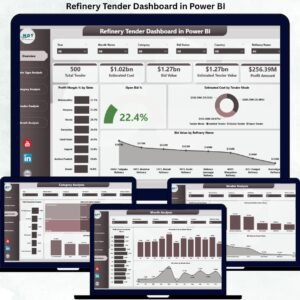
This professionally designed Power BI dashboard transforms complex tender data into clear KPIs, interactive charts, and actionable insights. It helps refinery teams monitor profitability, compare bids, analyze vendors, and control costs — all from one centralized dashboard.
Built using Power BI with Excel or database connectivity, this dashboard enables real-time analysis without manual reporting or guesswork.
Key Features of Refinery Tender Dashboard in Power BI 🔑
📊 Centralized Tender Performance Tracking
Monitor all refinery tenders, bid values, estimated costs, and profit margins in one interactive dashboard.
📈 Real-Time KPI Monitoring
Instantly track Total Bid Value, Estimated Cost, Overall Profit Margin %, and Open Bid Percentage.
🧭 Interactive Filters & Slicers
Analyze tender data by state, refinery, vendor, tender type, category, and month.
📉 Vendor & Category Performance Insights
Identify high-performing vendors and profitable categories while detecting cost-heavy areas.
📅 Monthly Trend Analysis
Understand profit, cost, and bid trends over time to support strategic planning.
⚡ Faster & Data-Driven Decisions
Dynamic visuals help management identify risks and opportunities instantly.
💼 Enterprise-Ready Reporting
Ideal for management reviews, tender evaluation committees, and strategic planning teams.
What’s Inside the Refinery Tender Dashboard in Power BI 📁
This ready-to-use Power BI solution includes five professionally designed analytical pages, each focused on a critical area of tender analysis.
📄 Overview Page
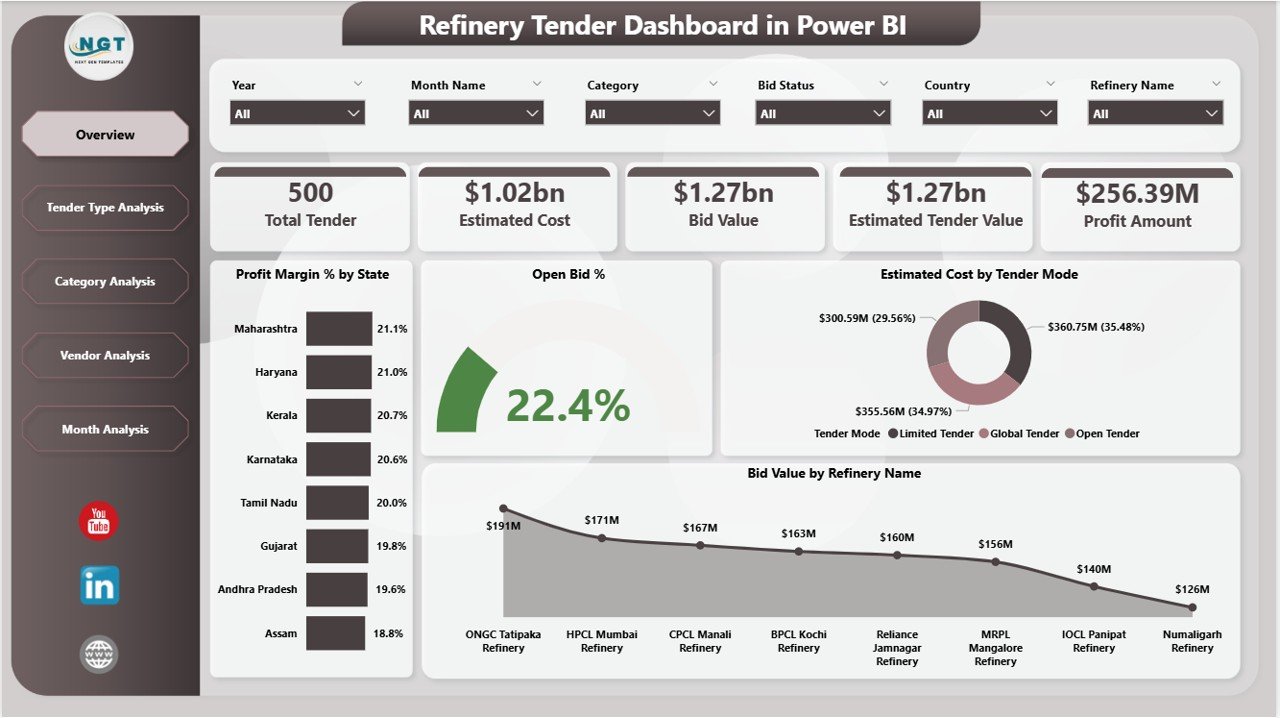
The main landing page that provides a complete snapshot of tender performance.
Includes:
-
KPI Cards: Total Bid Value, Estimated Cost, Profit Margin %, Open Bid %
-
Profit Margin % by State
-
Open Bid % by State
-
Estimated Cost by Tender Mode
-
Bid Value by Refinery Name
✅ Enables leadership to understand overall tender health within seconds.
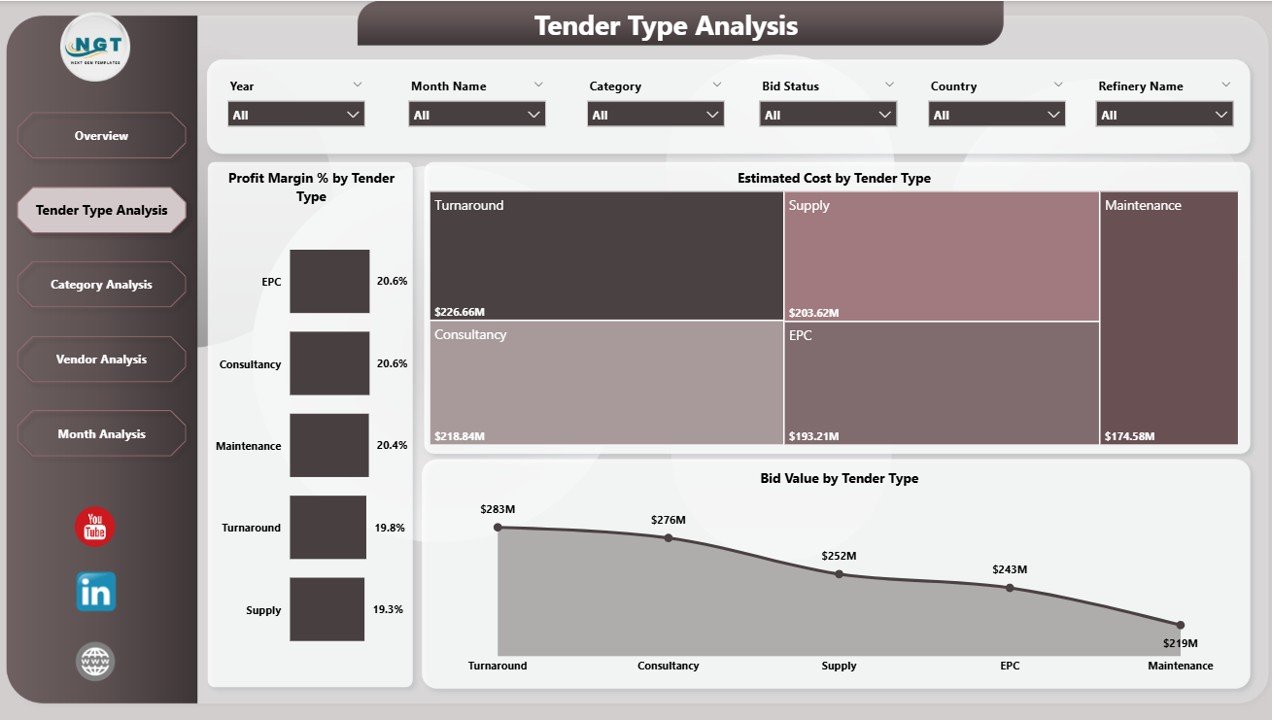
📄 Tender Type Analysis Page
Analyzes performance across different tender types.
Includes:
-
Profit Margin % by Tender Type
-
Estimated Cost by Tender Type
-
Bid Value by Tender Type
✅ Helps identify which tender types deliver better profitability and lower risk.
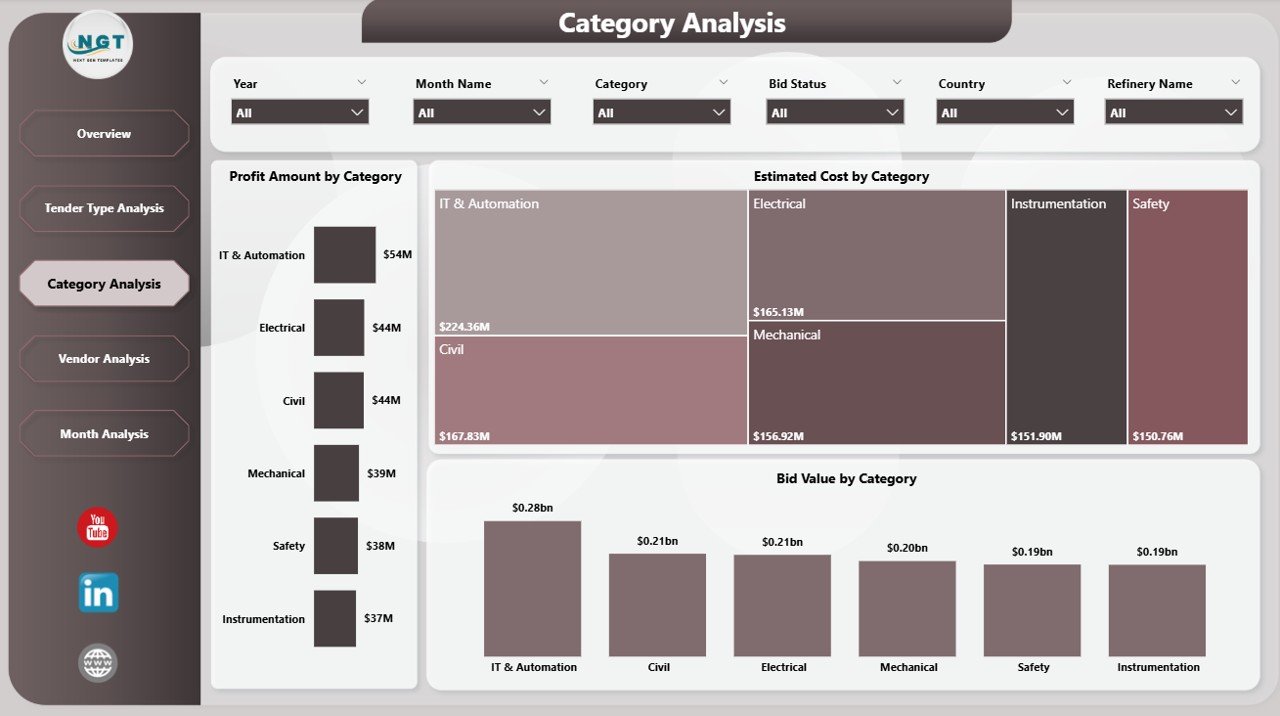
📄 Category Analysis Page
Evaluates tenders by procurement category such as services, equipment, or materials.
Includes:
-
Profit Margin % by Category
-
Estimated Cost by Category
-
Bid Value by Category
✅ Supports cost control and category-level optimization.
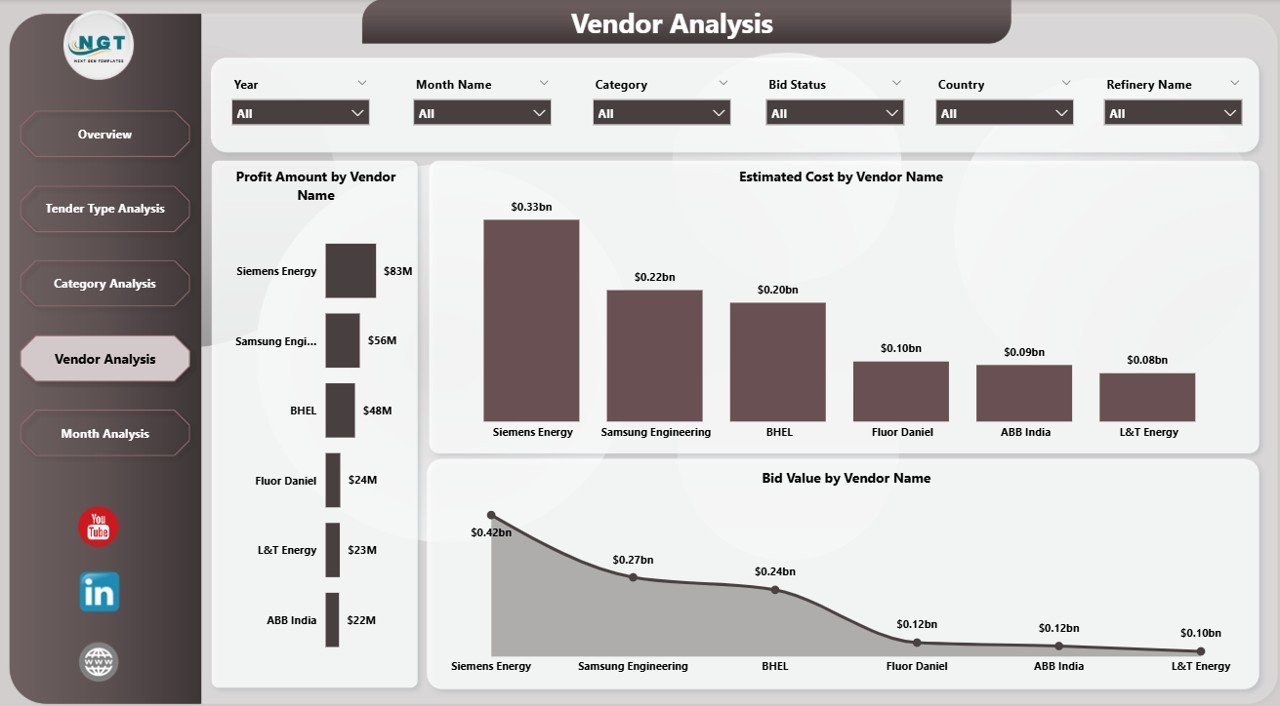
📄 Vendor Analysis Page
Focuses on vendor-wise tender performance.
Includes:
-
Profit Margin % by Vendor
-
Estimated Cost by Vendor
-
Bid Value by Vendor
✅ Helps shortlist reliable vendors and strengthen negotiation strategies.
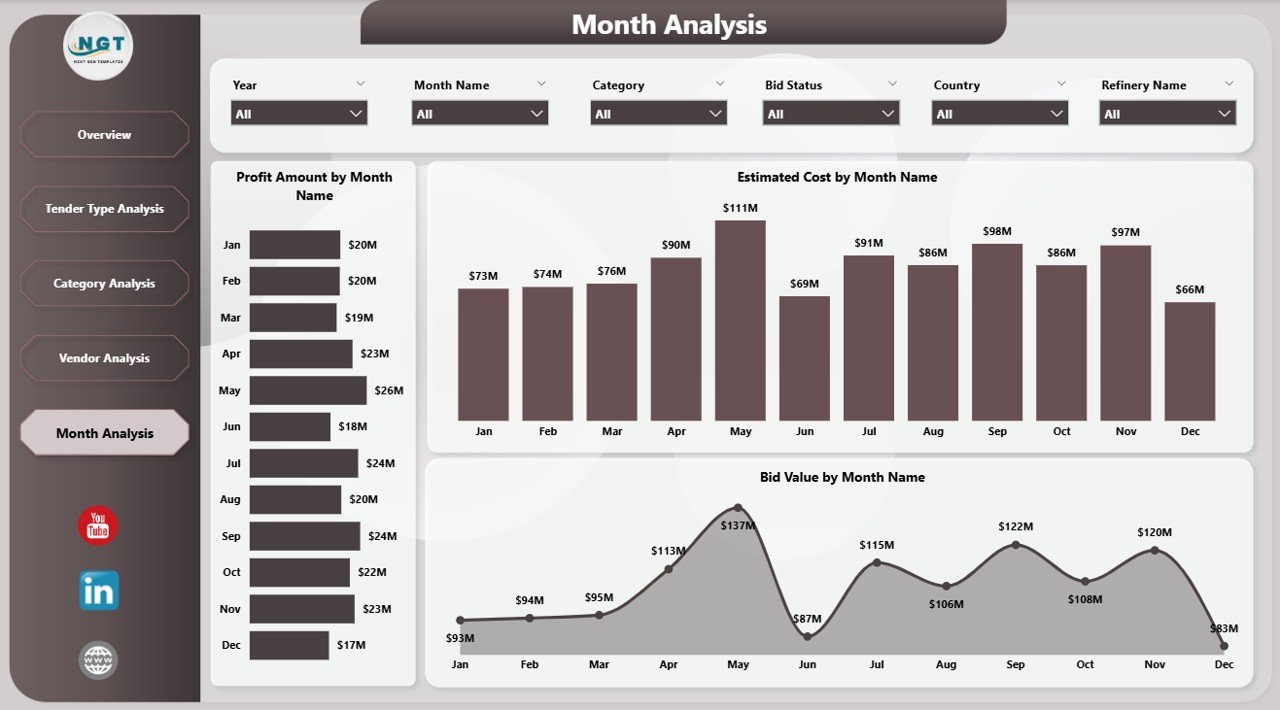
📄 Monthly Trends Page
Tracks tender performance over time.
Includes:
-
Profit Amount by Month
-
Estimated Cost by Month
-
Bid Value by Month
✅ Supports forecasting, budgeting, and long-term tender planning.
How to Use the Refinery Tender Dashboard in Power BI 🛠️
1️⃣ Update tender data in Excel or connected data sources
2️⃣ Refresh the Power BI dashboard
3️⃣ Use slicers to filter by state, vendor, category, or month
4️⃣ Review KPIs and visual insights
5️⃣ Use insights for tender evaluation and decision-making
No advanced technical skills are required — the dashboard is intuitive and user-friendly.
Who Can Benefit from This Refinery Tender Dashboard 👥
🏭 Refinery Management Teams – Monitor profitability and risks
📦 Procurement & Tender Committees – Evaluate bids objectively
💰 Finance & Cost Control Teams – Track margins and cost behavior
📊 Vendor Management Teams – Assess vendor performance
📈 Strategic Planning Teams – Support long-term tender strategy
Suitable for both mid-size and large refinery organizations.























Reviews
There are no reviews yet.