
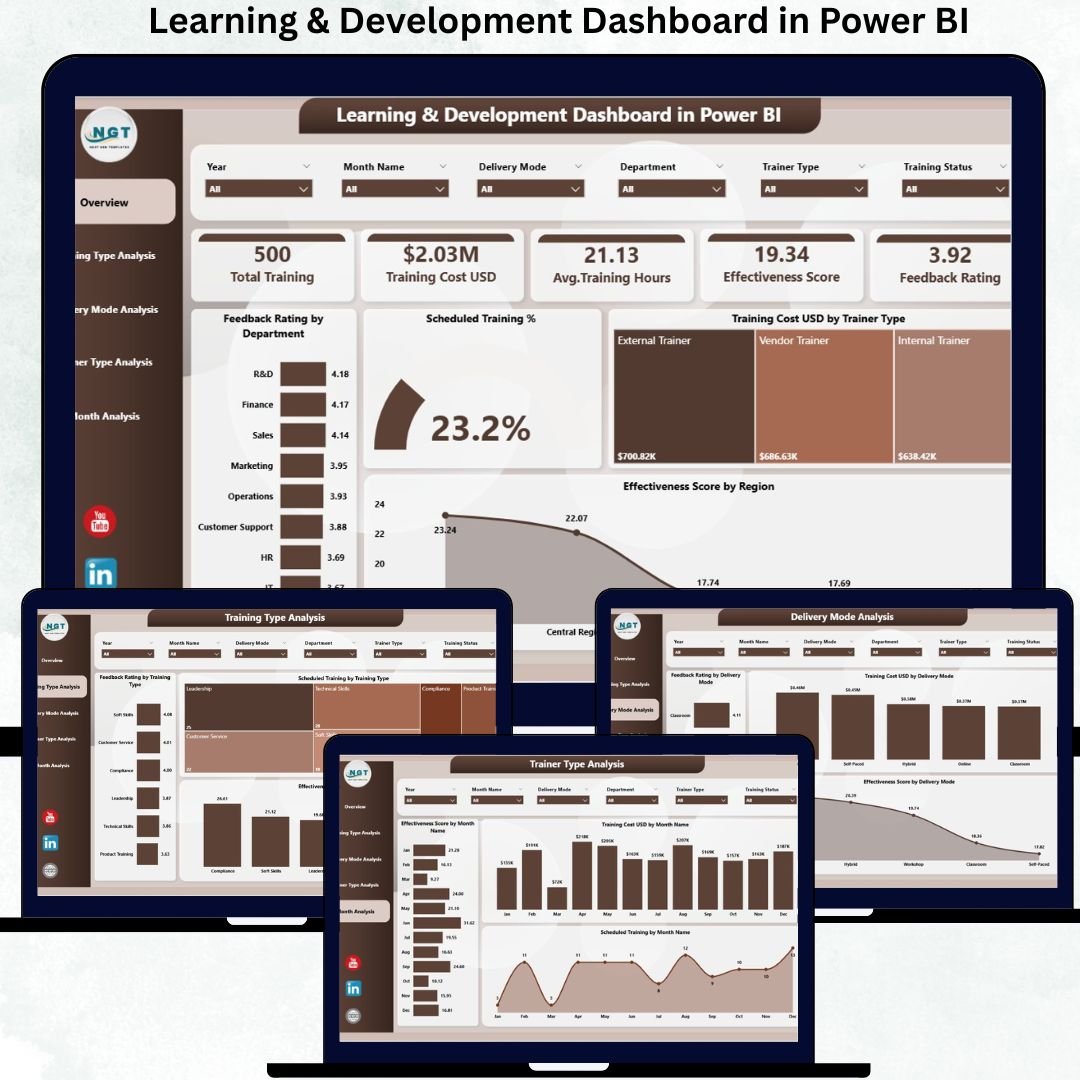
Employee growth is no longer optional—it is a strategic priority. Organizations invest heavily in Learning & Development Dashboard(L&D) to build skills, improve productivity, and retain top talent. However, when training data stays scattered across Excel files, LMS exports, and manual reports, HR teams lose visibility into what actually works. Critical insights remain hidden, decisions slow down, and training ROI becomes unclear. This is exactly where a Learning & Development Dashboard in Power BI creates tremendous value.
The Learning & Development Dashboard in Power BI is a ready-to-use analytics solution that converts raw training data into clear, interactive, and decision-ready insights. Instead of manually consolidating reports, HR leaders can instantly track training performance, trainer effectiveness, training cost, delivery mode impact, feedback ratings, and overall learning effectiveness—all in one dashboard.
Built using Power BI’s interactive visuals, this dashboard allows users to filter training data by month, department, region, trainer type, delivery mode, and training type. As a result, HR and L&D teams move from reactive reporting to proactive workforce development planning.
✨ Key Features of the Learning & Development Dashboard in Power BI
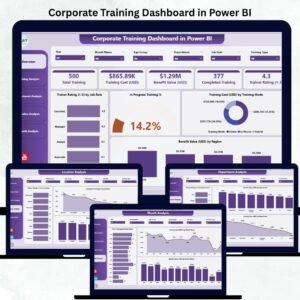
This dashboard includes five professionally designed analytical pages, each answering a different L&D performance question.
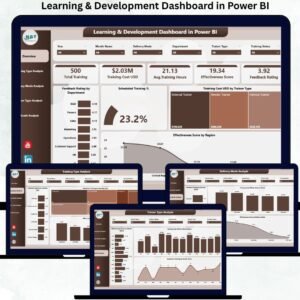
⭐ Overview Page – Complete Training Performance Snapshot
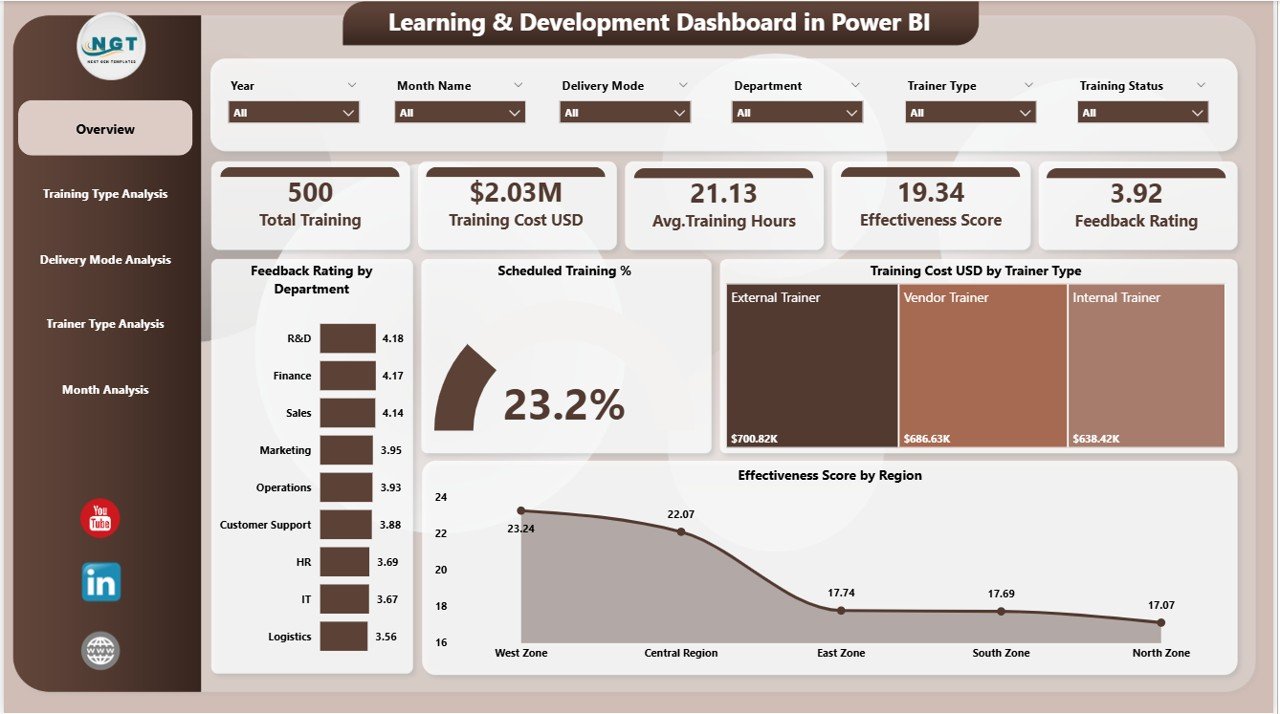
✔ Interactive slicers for Month, Department, Region, Trainer Type, and Training Type
✔ Four KPI cards showing:
-
Total Trainings Conducted
-
Scheduled Training %
-
Average Feedback Rating
-
Overall Effectiveness Score
✔ Four core charts:
-
Feedback Rating by Department
-
Scheduled Training % by Category
-
Training Cost (USD) by Trainer Type
-
Effectiveness Score by Region
This page gives leadership a fast, high-level understanding of training health.
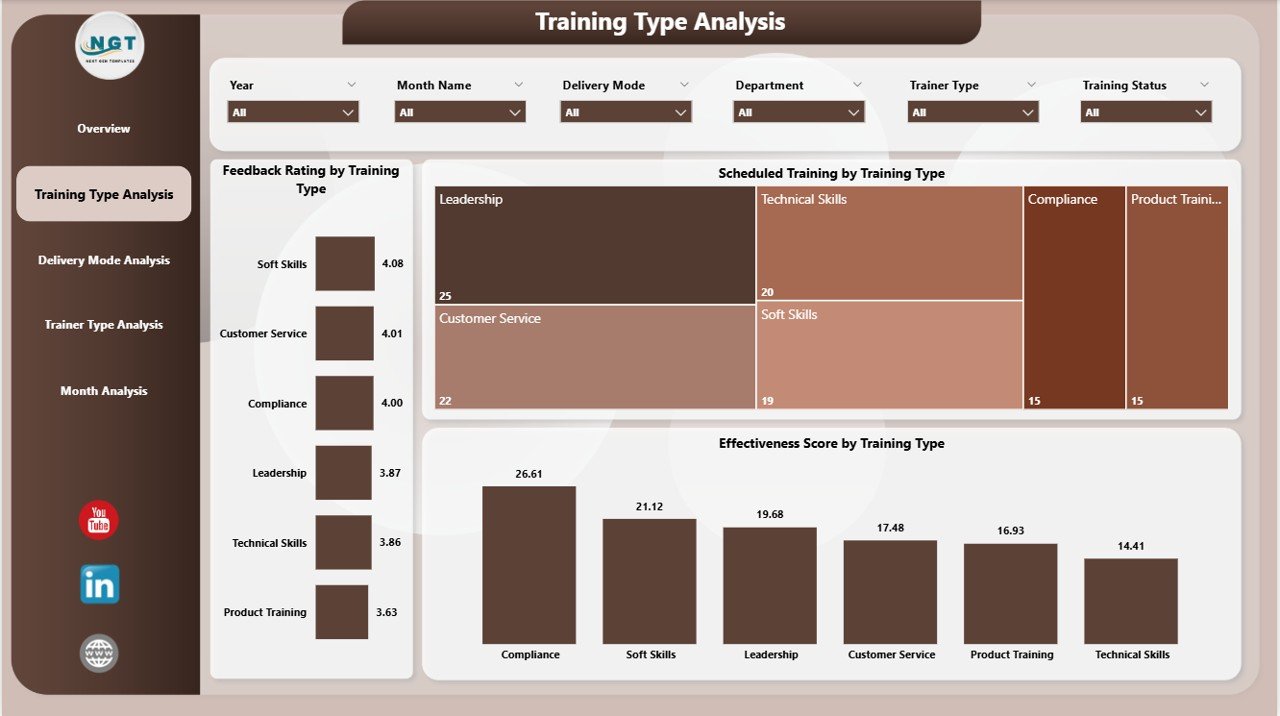
⭐ Training Type Analysis Page – Program Effectiveness Comparison
✔ Feedback Rating by Training Type
✔ Scheduled Training % by Training Type
✔ Effectiveness Score by Training Type
This page helps HR teams identify which training programs deliver real value and which need improvement.
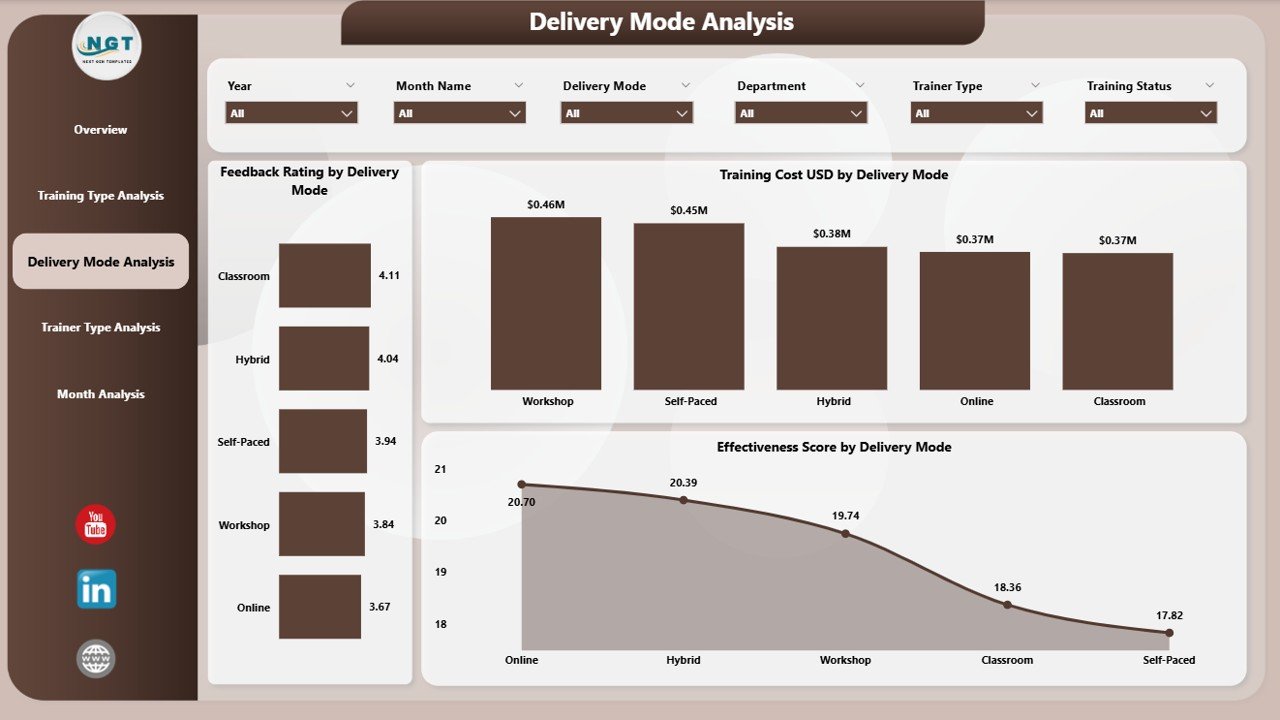
⭐ Delivery Mode Analysis Page – Classroom vs Online vs Hybrid
✔ Feedback Rating by Delivery Mode
✔ Training Cost (USD) by Delivery Mode
✔ Effectiveness Score by Delivery Mode
This analysis supports smarter decisions on learning formats and cost optimization.
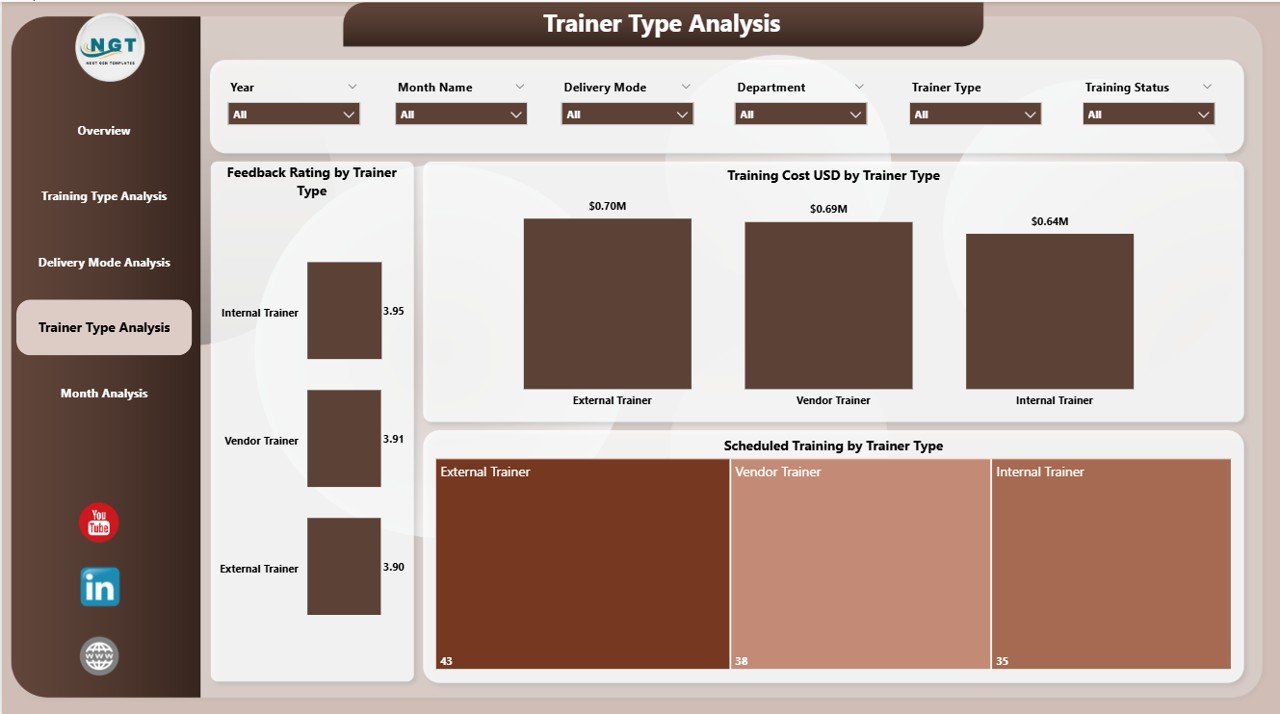
⭐ Trainer Type Analysis Page – Measure Trainer Impact
✔ Feedback Rating by Trainer Type
✔ Training Cost (USD) by Trainer Type
✔ Scheduled Training % by Trainer Type
HR teams can use this page to balance quality, cost, and trainer effectiveness confidently.
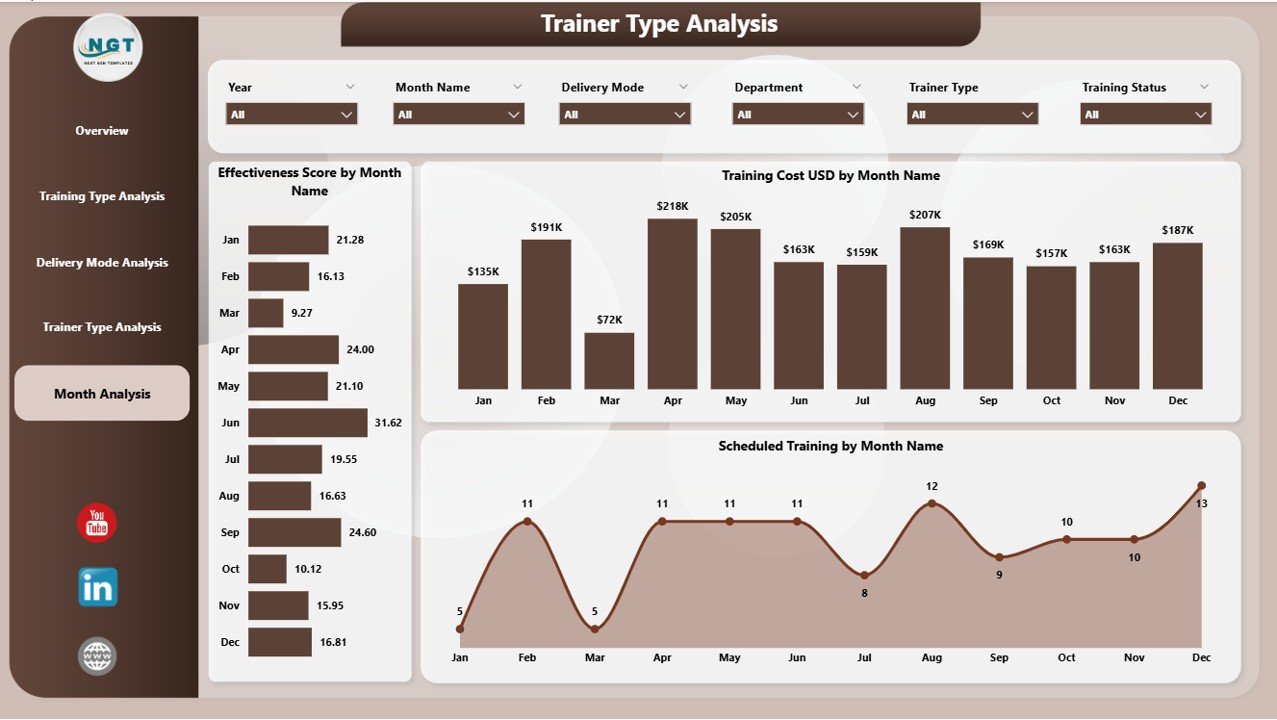
⭐ Monthly Trends Page – Time-Based Learning Insights
✔ Effectiveness Score by Month
✔ Training Cost (USD) by Month
✔ Scheduled Training % by Month
Trend analysis reveals seasonal training patterns and long-term improvement areas.
📦 What’s Inside the Learning & Development Dashboard in Power BI
When you purchase this product, you get:
✨ A ready-to-use Power BI dashboard (.pbix file)
✨ Five interactive analytical pages
✨ Dynamic slicers for multi-dimensional analysis
✨ KPI cards for instant insights
✨ Professionally designed charts & visuals
✨ Scalable data model suitable for any organization size
Once data is refreshed, the dashboard updates automatically.
🛠️ How to Use the Learning & Development Dashboard in Power BI
1️⃣ Connect your training data (Excel or data source)
2️⃣ Refresh the Power BI dashboard
3️⃣ Select filters using slicers
4️⃣ Review KPIs and performance charts
5️⃣ Compare training programs, trainers, and modes
6️⃣ Identify gaps and improvement opportunities
7️⃣ Make data-driven L&D decisions confidently
No advanced Power BI skills are required.
👥 Who Can Benefit from This Learning & Development Dashboard in Power BI
This dashboard is ideal for:
✔ HR & L&D Teams
✔ Training Managers & Coordinators
✔ HR Business Partners
✔ Department Heads
✔ Workforce Planning Teams
✔ Senior Leadership & CXOs
✔ Organizations of all sizes
Anyone responsible for employee development will benefit immensely.
### 📘 Click here to read the Detailed blog post
🎥 Visit our YouTube channel to learn step-by-step video tutorials
👉 Youtube.com/@PKAnExcelExpert











Reviews
There are no reviews yet.