
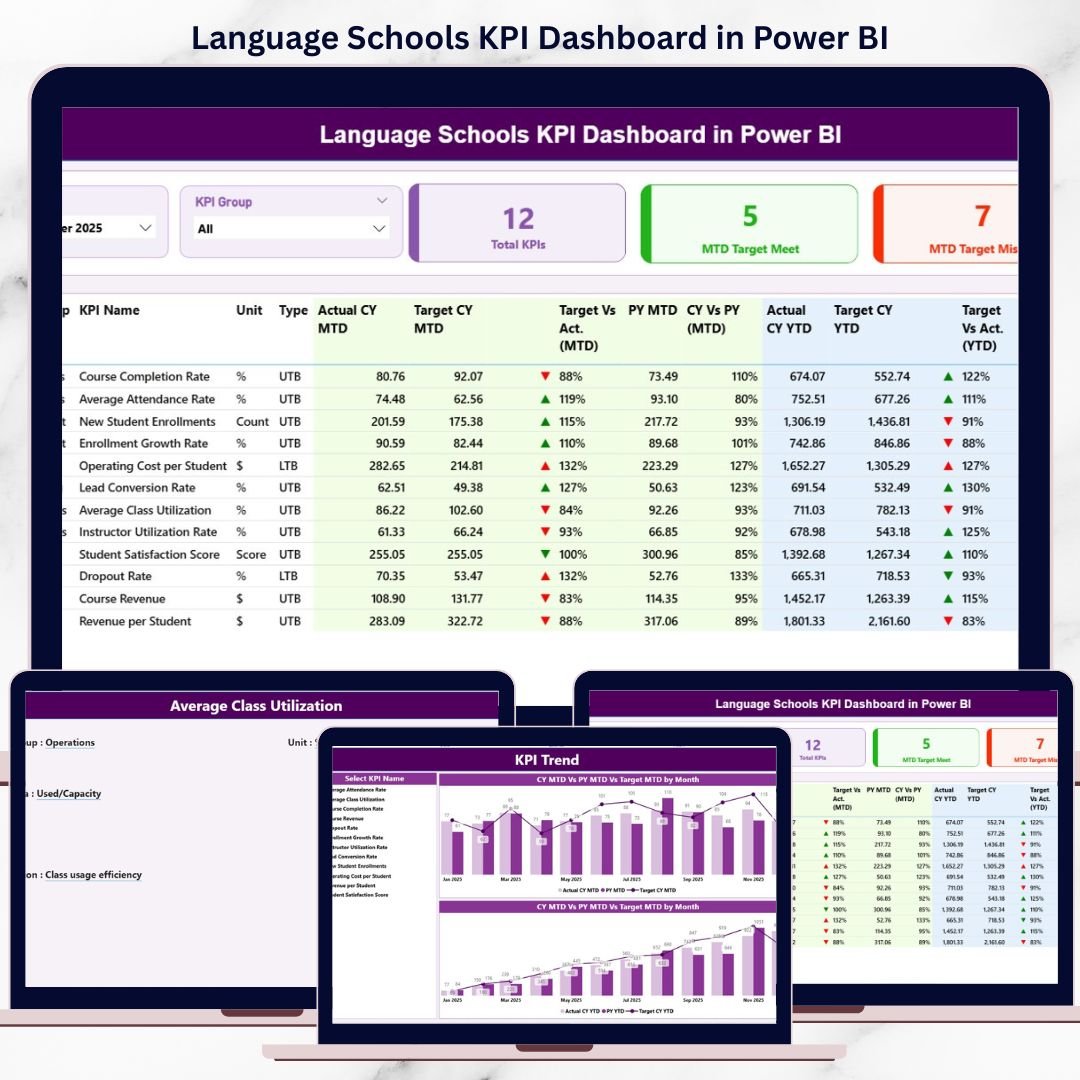
Managing a language school today requires real-time visibility into academics, operations, and financial performance. However, when data remains scattered across Excel files and manual reports, leadership teams struggle to identify issues early. As a result, decisions become reactive instead of strategic.
That is exactly why the Language Schools KPI Dashboard in Power BI becomes a game-changing performance management solution.
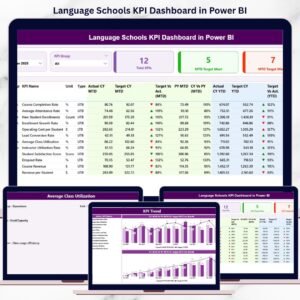
This ready-to-use Power BI dashboard transforms structured Excel data into interactive KPIs, performance indicators, and trend analysis. Instead of reviewing static reports, school owners, academic heads, and administrators gain live insights into MTD and YTD performance, target achievement, and year-over-year progress.
Whether you manage a single language institute or a multi-branch education group, this dashboard gives you clarity, control, and confidence—powered by Microsoft Power BI.
🚀 Key Features of Language Schools KPI Dashboard in Power BI
📊 Centralized KPI Monitoring – All academic, operational & financial KPIs in one report
📅 Month & KPI Group Slicers – Analyze performance dynamically
📈 MTD & YTD Tracking – Short-term execution and long-term trends
🎯 Target vs Actual Analysis – Instantly identify performance gaps
📉 Previous Year Comparison – Measure real growth and decline
🔼🔽 Visual Status Icons – Green ▲ / Red ▼ indicators for fast decisions
🧠 Drill-Through Capability – Understand KPI logic and definition
🔄 Excel-Based Data Input – Simple updates, automatic refresh
📦 What’s Inside the Language Schools KPI Dashboard in Power BI
This dashboard includes 3 well-designed analytical pages, each built for clarity and decision-making.
🔹 Summary Page – Performance at a Glance
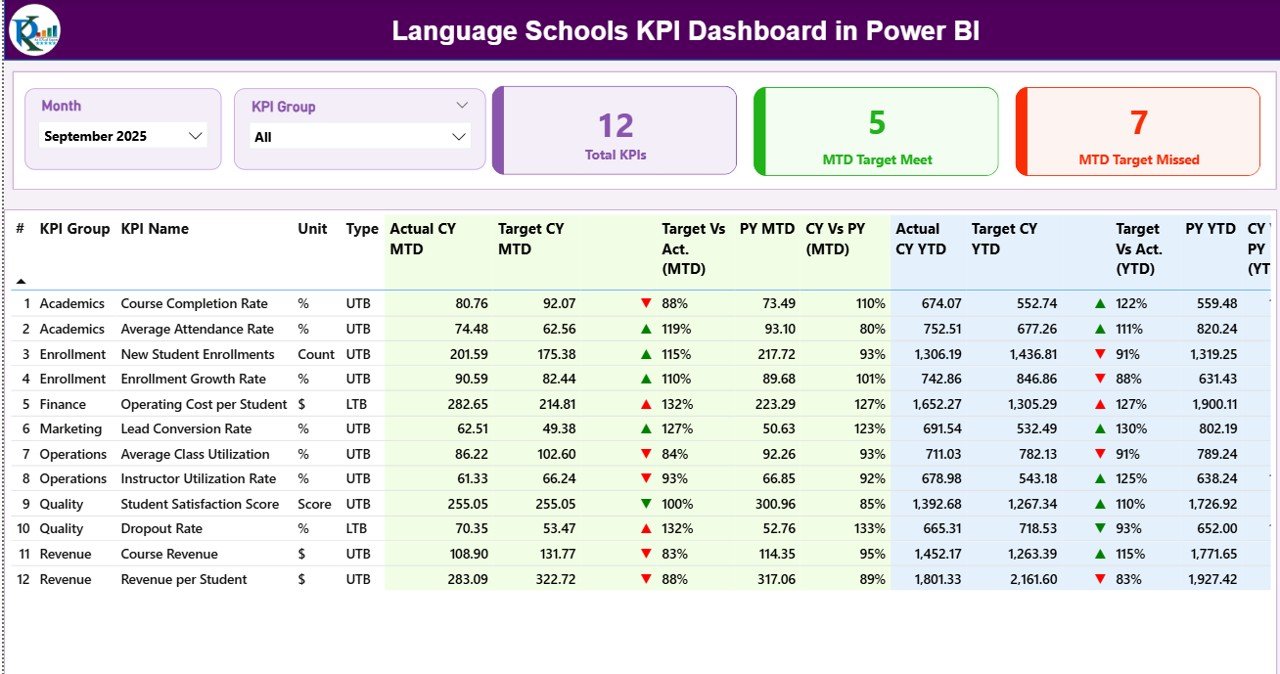
The Summary Page is the command center of the dashboard.
Top Slicers
-
Month slicer
-
KPI Group slicer (Academic, Operational, Financial)
KPI Cards
-
Total KPIs Count
-
MTD Target Meet Count
-
MTD Target Missed Count
These cards instantly show overall performance health.
Detailed KPI Table
-
KPI Number
-
KPI Group
-
KPI Name
-
Unit
-
Type (UTB / LTB)
MTD Performance
-
Actual CY MTD
-
Target CY MTD
-
▲ / ▼ Status Icon
-
Target vs Actual (MTD)
-
PY MTD
-
CY vs PY (MTD)
YTD Performance
-
Actual CY YTD
-
Target CY YTD
-
▲ / ▼ Status Icon
-
Target vs Actual (YTD)
-
PY YTD
-
CY vs PY (YTD)
As a result, management identifies both monthly issues and long-term trends instantly.
🔹 KPI Trend Page – Deep KPI Analysis
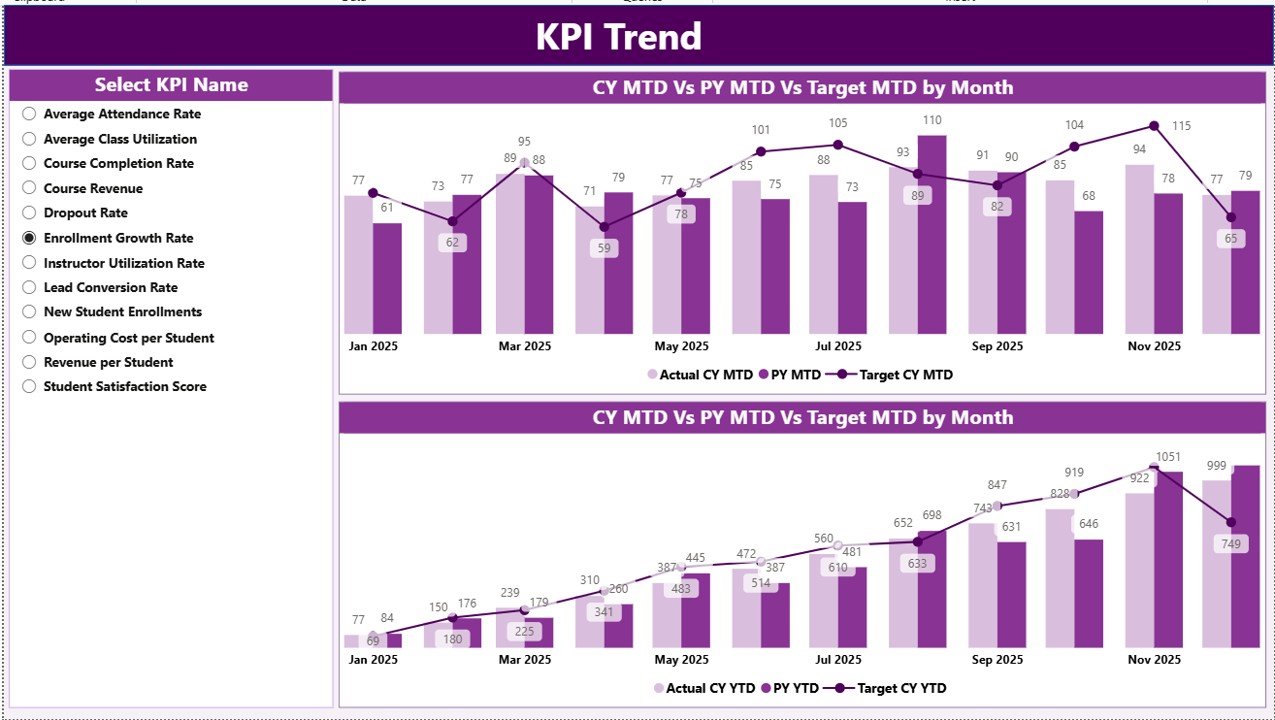
The KPI Trend Page focuses on performance movement over time.
Key highlights:
-
KPI Name slicer for focused analysis
-
MTD Trend Combo Chart
-
Actual
-
Target
-
Previous Year
-
-
YTD Trend Combo Chart
-
Actual
-
Target
-
Previous Year
-
This page helps leadership understand patterns, seasonality, and improvement areas clearly.
🔹 KPI Definition Page – KPI Transparency
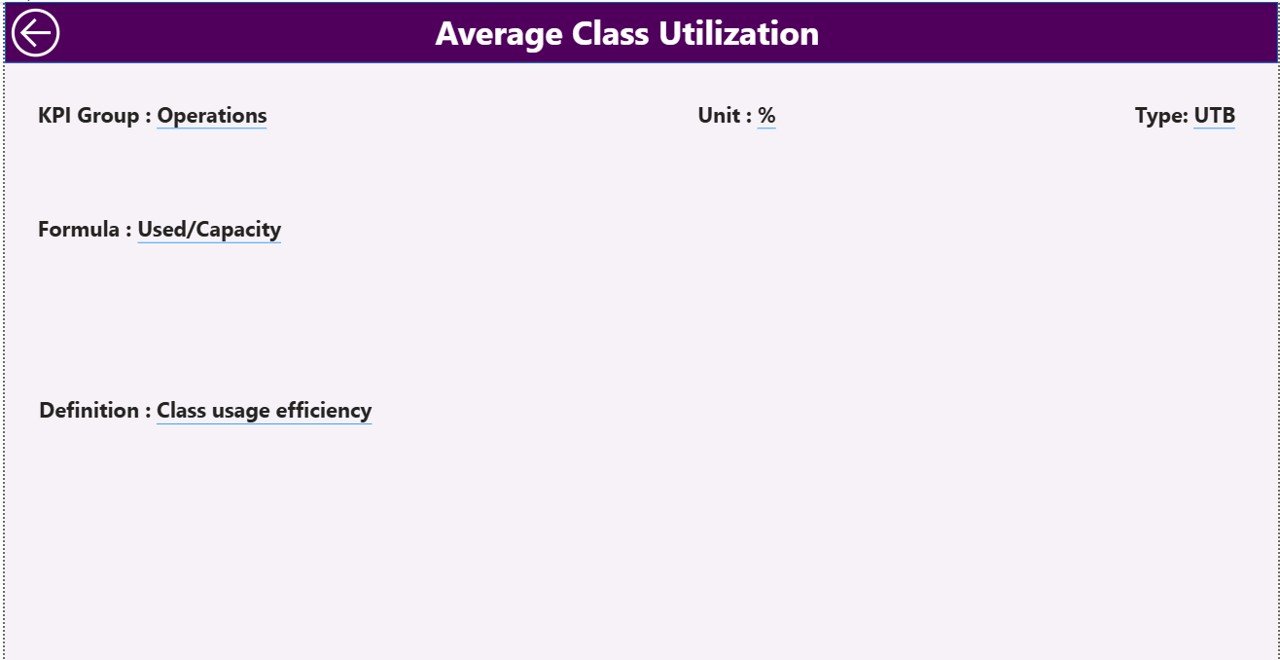
The KPI Definition Page is a drill-through reference page.
It displays:
-
KPI Formula
-
KPI Definition
-
KPI Type (UTB / LTB)
A back button ensures smooth navigation. Therefore, all stakeholders understand what each KPI means and how it is calculated.
🧠 How the Excel Data Source Works
This Power BI dashboard uses a structured Excel file as its data source.
Input_Actual Sheet
-
KPI Name
-
Month (first date of month)
-
MTD Actual
-
YTD Actual
Input_Target Sheet
-
KPI Name
-
Month
-
MTD Target
-
YTD Target
KPI Definition Sheet
-
KPI Number
-
KPI Group
-
KPI Name
-
Unit
-
Formula
-
Definition
-
Type (UTB / LTB)
You only update Excel—Power BI handles everything else.
🎯 Advantages of Language Schools KPI Dashboard in Power BI
✔ Centralized KPI reporting
✔ Faster and smarter decisions
✔ Visual target tracking
✔ Reduced manual reporting effort
✔ Improved transparency and accountability
✔ Scalable for growing institutions
✔ Professional reporting for leadership meetings
👥 Who Can Benefit from This Dashboard?
🎓 Language School Owners
📘 Academic Directors
🧑🏫 Operations Managers
💰 Finance Teams
📊 Education Consultants
### 👉 Click here to read the Detailed Blog Post
🎥 Visit our YouTube channel to learn step-by-step video tutorials
https://www.youtube.com/@PKAnExcelExpert














Reviews
There are no reviews yet.