

Keyword performance is the foundation of every successful SEO, PPC, and content marketing strategy. Rankings, impressions, clicks, engagement, and conversions all depend on how well keywords perform across search engines. However, many marketing teams struggle because keyword data remains scattered across multiple tools, exports, and reports. As a result, performance tracking becomes slow, inconsistent, and unclear.Keyword Performance KPI Dashboard in Google Sheets
That is exactly why a Keyword Performance KPI Dashboard in Google Sheets becomes a powerful and practical solution.
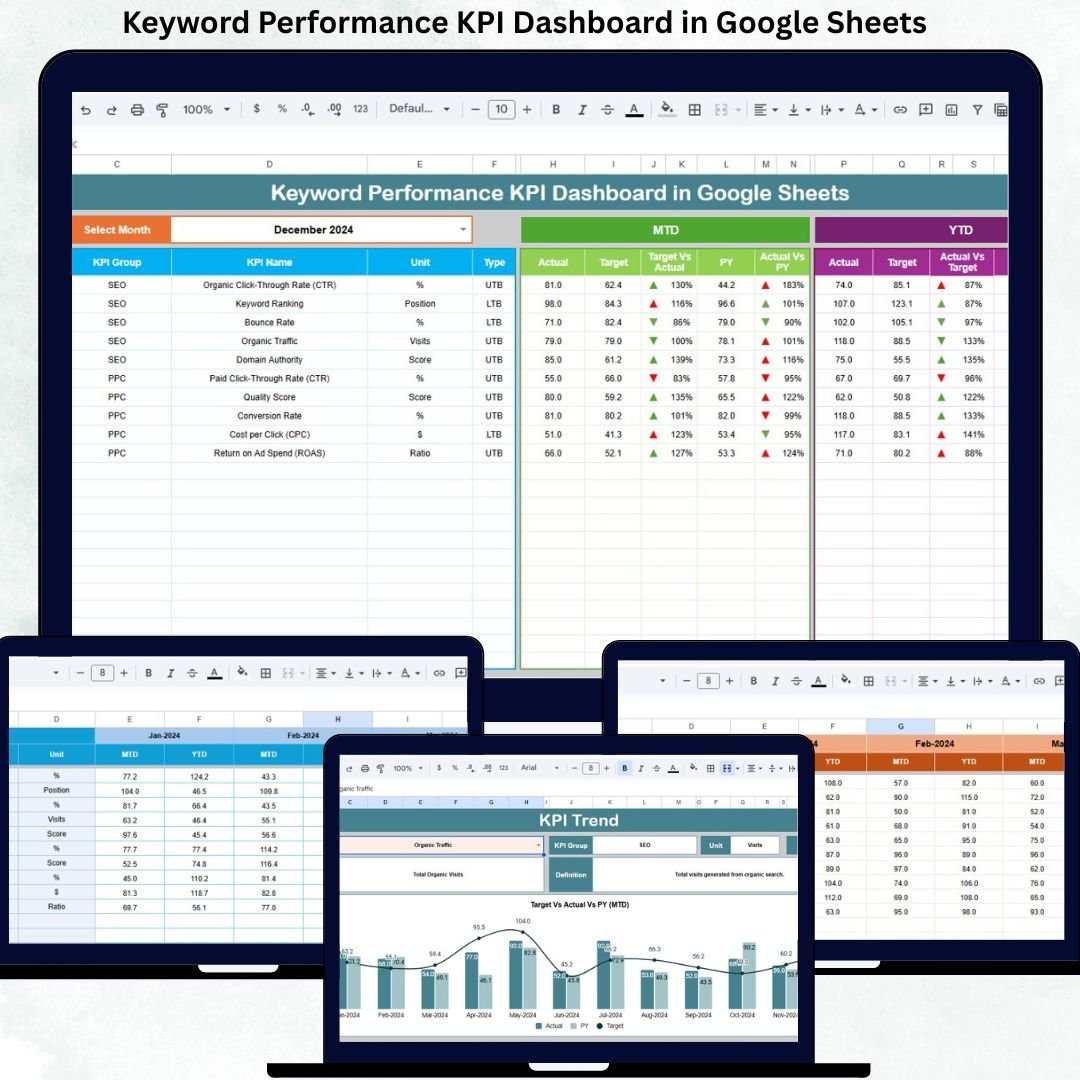
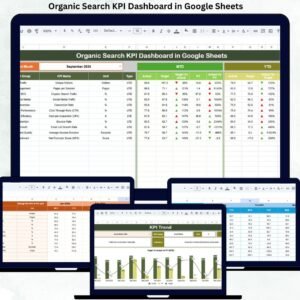
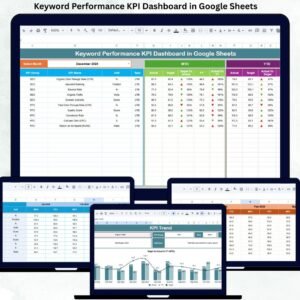
The Keyword Performance KPI Dashboard in Google Sheets is a ready-to-use analytical system that transforms raw keyword data into clear KPIs, trend insights, and performance comparisons. Instead of switching between SEO tools, spreadsheets, and presentations, marketers get a single centralized dashboard to track keyword visibility, traffic, engagement, conversions, and ROI—both month-to-date (MTD) and year-to-date (YTD).
Because the dashboard is built entirely in Google Sheets, it remains cloud-based, collaborative, and easy to maintain. Teams can update data monthly, collaborate in real time, and instantly see performance changes without relying on expensive BI tools or technical integrations.

🚀 Key Features of the Keyword Performance KPI Dashboard
-
🔎 Centralized SEO & PPC keyword tracking
-
📊 MTD and YTD performance comparison
-
🎯 Actual vs Target vs Previous Year analysis
-
📈 Trend analysis for every KPI
-
🧮 Automated calculations & visual indicators
-
🟢🔴 Conditional formatting with up/down arrows
-
🔄 Real-time updates in Google Sheets
-
🤝 Easy collaboration for teams & agencies
📂 What’s Inside the Dashboard
The dashboard is structured with 6 interconnected worksheet tabs, each designed for clarity and performance analysis.
📊 Dashboard Sheet – Main KPI Overview
This is the executive summary page of the dashboard.
🔹 Month Selector
-
Located in cell D3
-
Selecting a month automatically refreshes all KPIs
🔹 KPIs Displayed
MTD (Month-to-Date)
-
Actual
-
Target
-
Previous Year
-
Target vs Actual
-
Previous Year vs Actual
YTD (Year-to-Date)
-
Actual
-
Target
-
Previous Year
-
Target vs Actual
-
Previous Year vs Actual
Conditional formatting arrows instantly highlight performance:
-
🟢 Green arrow → improvement
-
🔴 Red arrow → underperformance
This page is perfect for SEO reviews, PPC meetings, and leadership reporting.
📈 KPI Trend Sheet – Deep-Dive Analysis
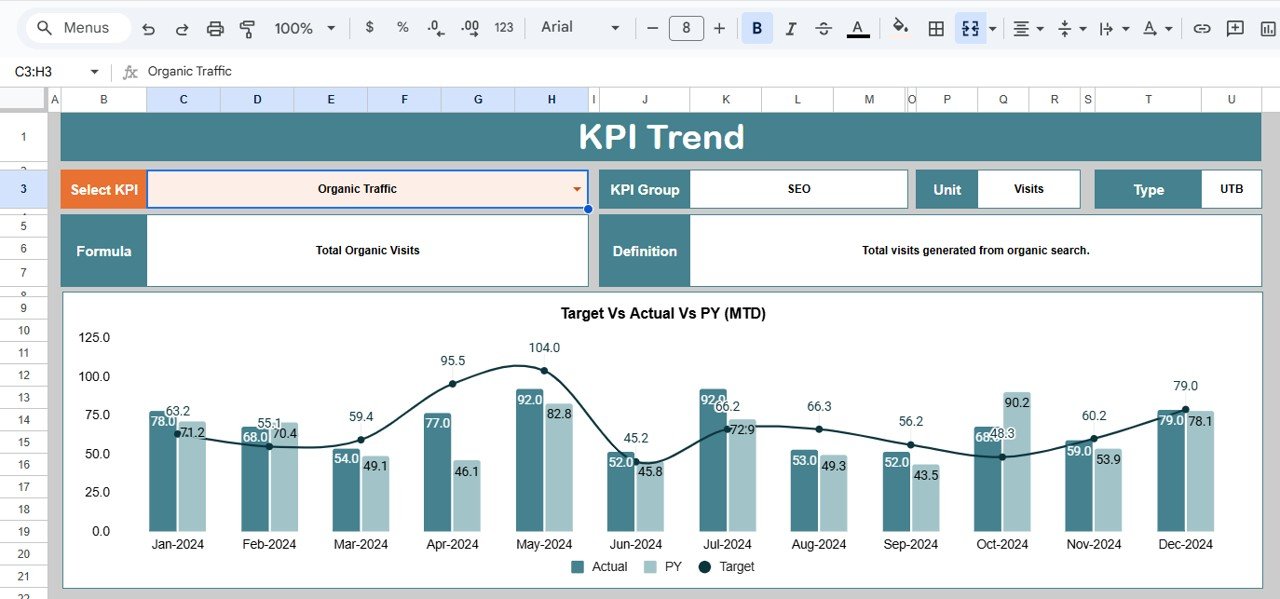
The KPI Trend Sheet allows detailed analysis of individual metrics.
🔹 How It Works
-
Select a KPI from the dropdown in cell C3
-
The sheet displays:
-
KPI Group
-
KPI Unit
-
KPI Type (Lower the Better / Upper the Better)
-
KPI Formula
-
KPI Definition
-
🔹 Trend Chart
-
Month-wise trend visualization
-
Helps identify:
-
Ranking volatility
-
Traffic seasonality
-
CTR improvement or decline
-
Conversion growth patterns
-
This sheet supports data-driven keyword optimization decisions.
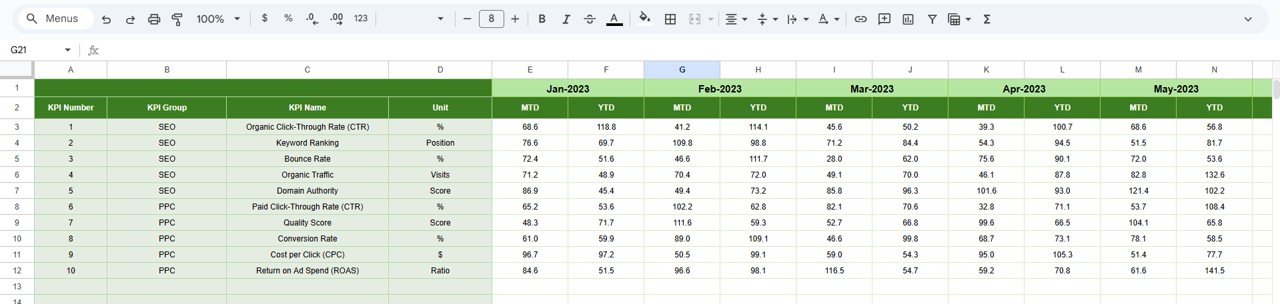
🧾 Actual Number Sheet – Data Entry
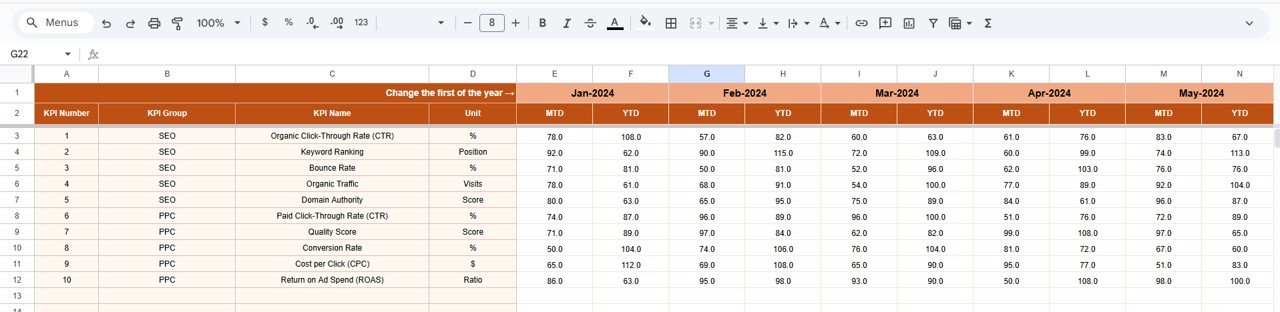
This sheet stores actual keyword performance values.
🔹 Key Functions
-
Select the first month of the year in cell E1
-
Enter:
-
MTD Actual values
-
YTD Actual values
-
All dashboards and charts update automatically from this sheet.
🎯 Target Sheet – Goal Setting
The Target Sheet defines performance expectations.
-
Monthly (MTD) keyword targets
-
Yearly (YTD) keyword targets
Targets allow teams to:
-
Measure SEO progress objectively
-
Align keyword goals with business strategy
-
Track accountability
📅 Previous Year Number Sheet – YoY Comparison
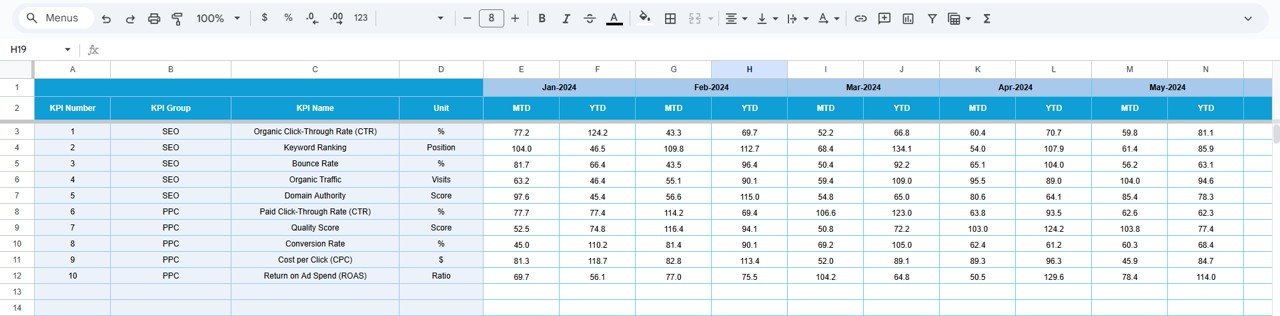
This sheet stores last year’s keyword KPIs.
🔹 Why It Matters
-
Enables year-over-year comparison
-
Highlights long-term SEO growth
-
Identifies sustained ranking or traffic improvements
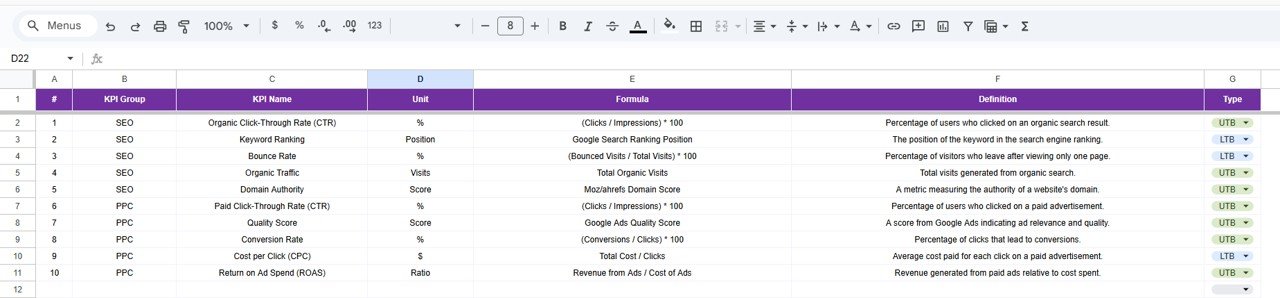
📘 KPI Definition Sheet – KPI Control Center
This reference sheet ensures clarity and consistency.
It contains:
-
KPI Name
-
KPI Group
-
Unit
-
Formula
-
Definition
-
KPI Type (LTB / UTB)
Any update here reflects across the entire dashboard automatically.
🏆 Advantages of the Keyword Performance KPI Dashboard
-
Centralized keyword performance monitoring
-
Clear SEO & PPC visibility
-
Faster reporting cycles
-
Better keyword prioritization
-
Strong trend-based insights
-
Improved budget optimization
-
No expensive SEO BI tools required
🔧 Opportunities for Improvement
You can further enhance this dashboard by adding:
-
Google Search Console integration
-
Google Ads keyword data
-
Competitor keyword comparison
-
Landing page performance KPIs
-
Keyword intent classification
-
Automated monthly data refresh
🧠 Best Practices for Using the Dashboard
-
Update keyword data monthly without delay
-
Review trend charts before SEO changes
-
Track rankings together with CTR
-
Focus on non-branded keyword growth
-
Compare YoY performance quarterly
-
Set realistic and measurable targets
🎯 Conclusion
A Keyword Performance KPI Dashboard in Google Sheets simplifies complex keyword data into actionable insights. It helps SEO and marketing teams track rankings, traffic, engagement, conversions, and ROI with clarity and confidence. With MTD and YTD tracking, trend analysis, and target comparison, this dashboard becomes an essential tool for consistent keyword growth and smarter SEO decision-making.
Click here to Read detailed blog post
Watch the step-by-step video tutorial:




















Reviews
There are no reviews yet.