Managing international aid programs without real-time visibility is risky. When you are handling funding allocations, beneficiary reach, and multi-region programs, you cannot depend on scattered spreadsheets.
That’s exactly why the International Aid KPI Dashboard in Power BI is a game-changer.
This ready-to-use Power BI solution transforms structured Excel data into powerful, interactive visuals. Instead of reviewing dozens of static reports, you get instant insights into MTD, YTD, target achievement, and year-over-year comparisons — all in one centralized dashboard.
Now, let’s explore what makes this dashboard an essential performance management tool for aid organizations.
🚀 Key Feature of International Aid KPI Dashboard in Power BI
This dashboard is designed with clarity, accountability, and impact measurement in mind.
✔️ 3 Structured Dashboard Pages for complete performance visibility
✔️ MTD & YTD Tracking to monitor short-term and long-term impact
✔️ Target vs Actual Comparison with automatic calculations
✔️ CY vs PY Analysis to measure year-over-year progress
✔️ Visual KPI Icons (▲ Green / ▼ Red) for instant performance indication
✔️ Interactive Slicers for Month and KPI Group filtering
✔️ Drill-Through KPI Definition Page for transparency
✔️ Excel-Based Data Source for easy management
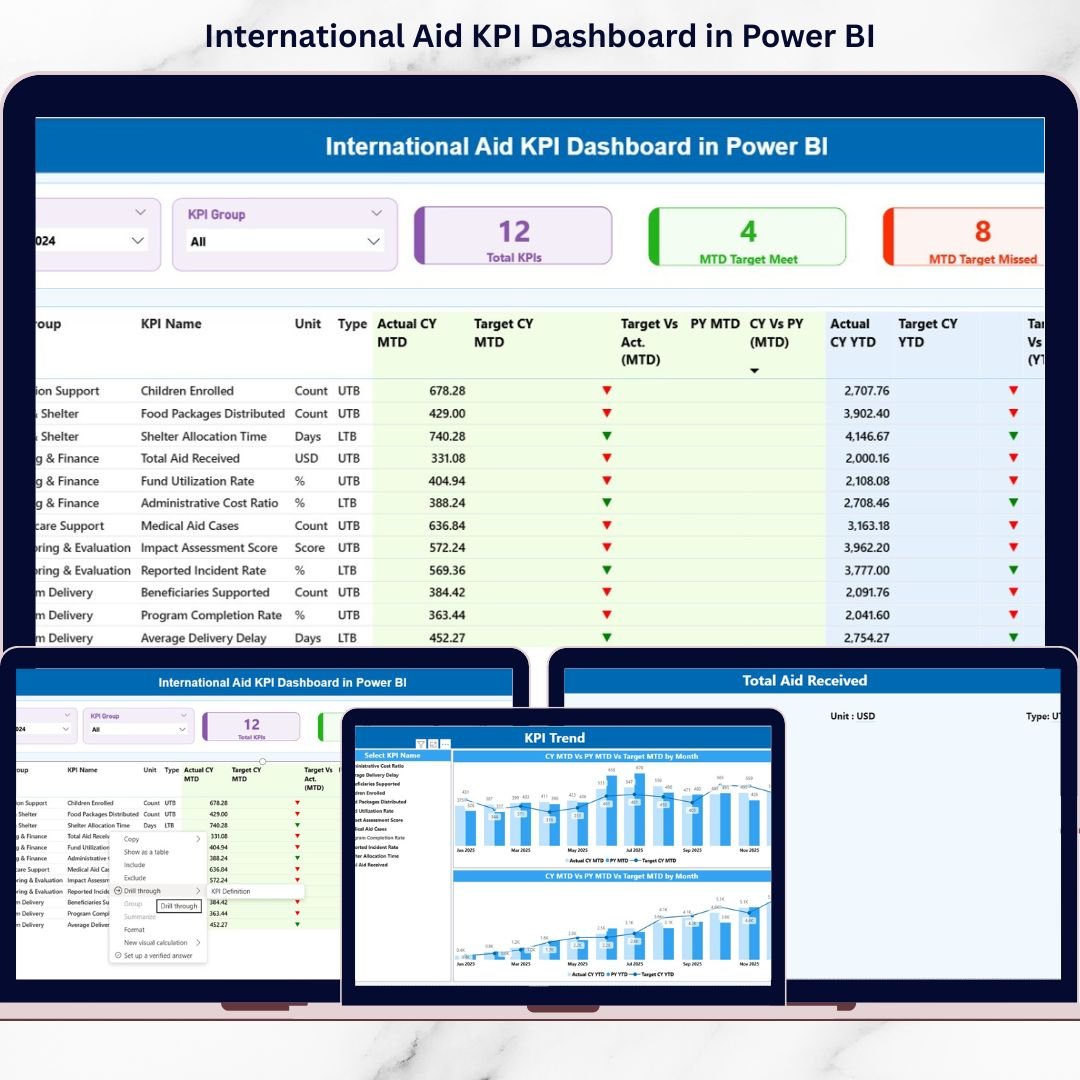
Because the dashboard combines cards, tables, and trend charts, leadership teams can identify performance gaps within seconds.
📊 What’s Inside the International Aid KPI Dashboard in Power BI
This product includes a fully structured Power BI file connected to Excel data sheets.
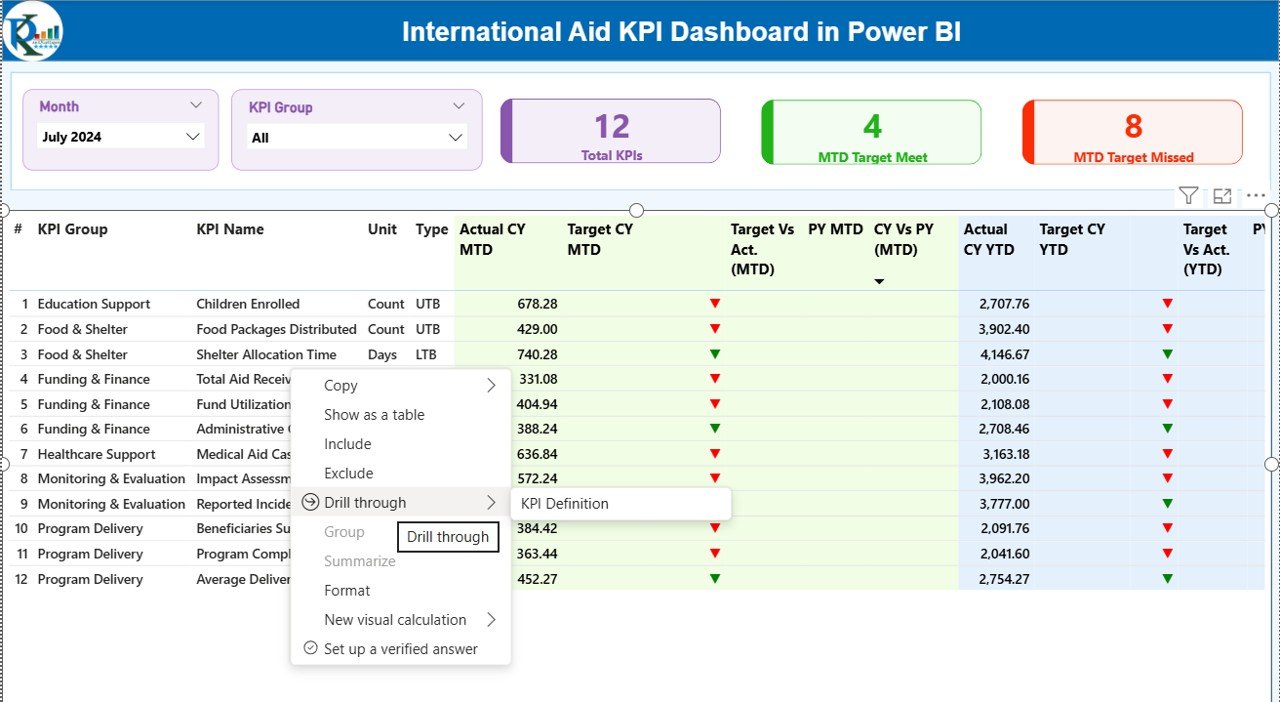
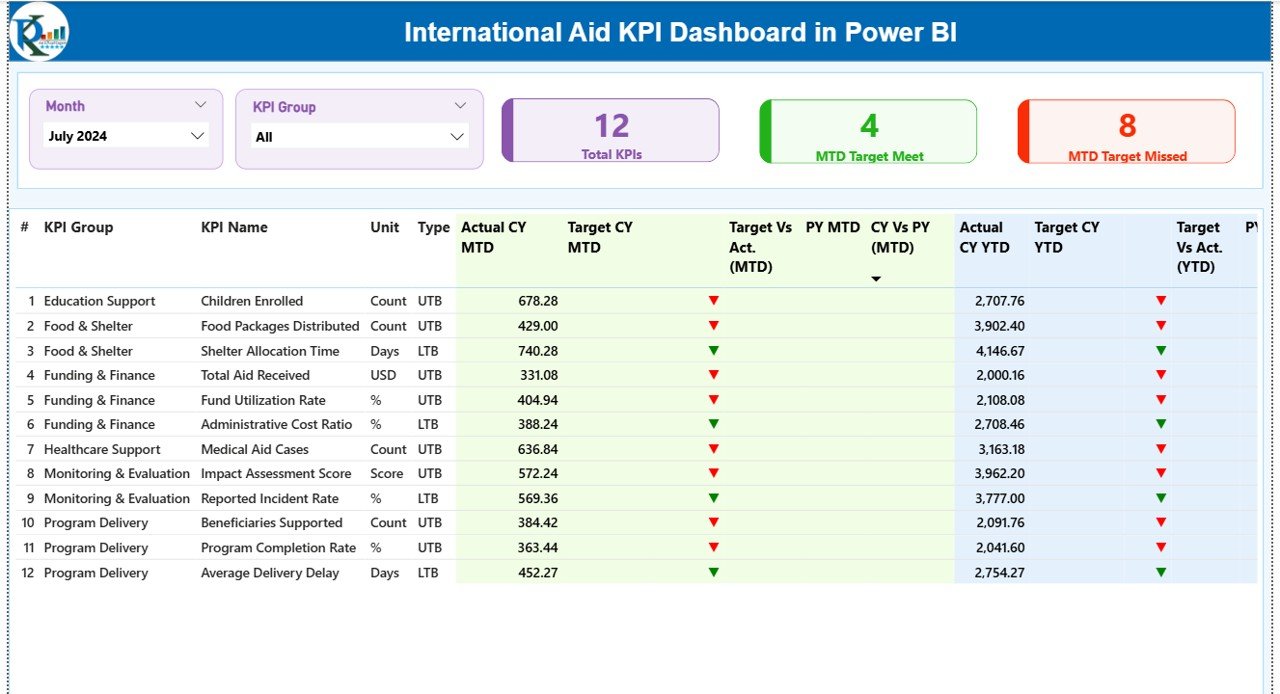
1️⃣ Summary Page – The Command Center
This page provides:
-
Month & KPI Group slicers
-
3 KPI Cards:
-
Total KPIs Count
-
MTD Target Meet Count
-
MTD Target Missed Count
-
-
Detailed KPI table including:
-
MTD Actual vs Target
-
YTD Actual vs Target
-
CY vs PY comparison
-
LTB / UTB type indicators
-
This page gives decision-makers instant clarity.
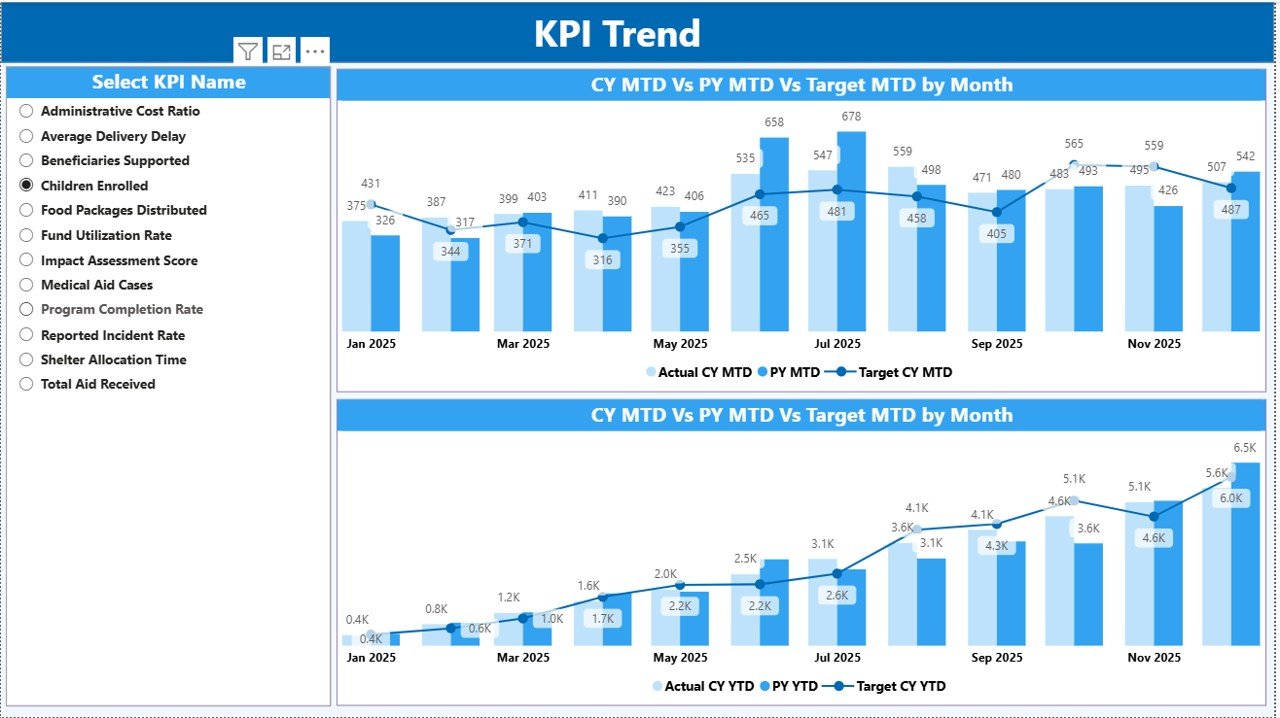
2️⃣ KPI Trend Page – Visual Performance Analysis
-
MTD Combo Chart (Actual, Target, Previous Year)
-
YTD Combo Chart (Actual, Target, Previous Year)
-
KPI Name slicer
This page helps managers detect patterns, trends, and seasonality.
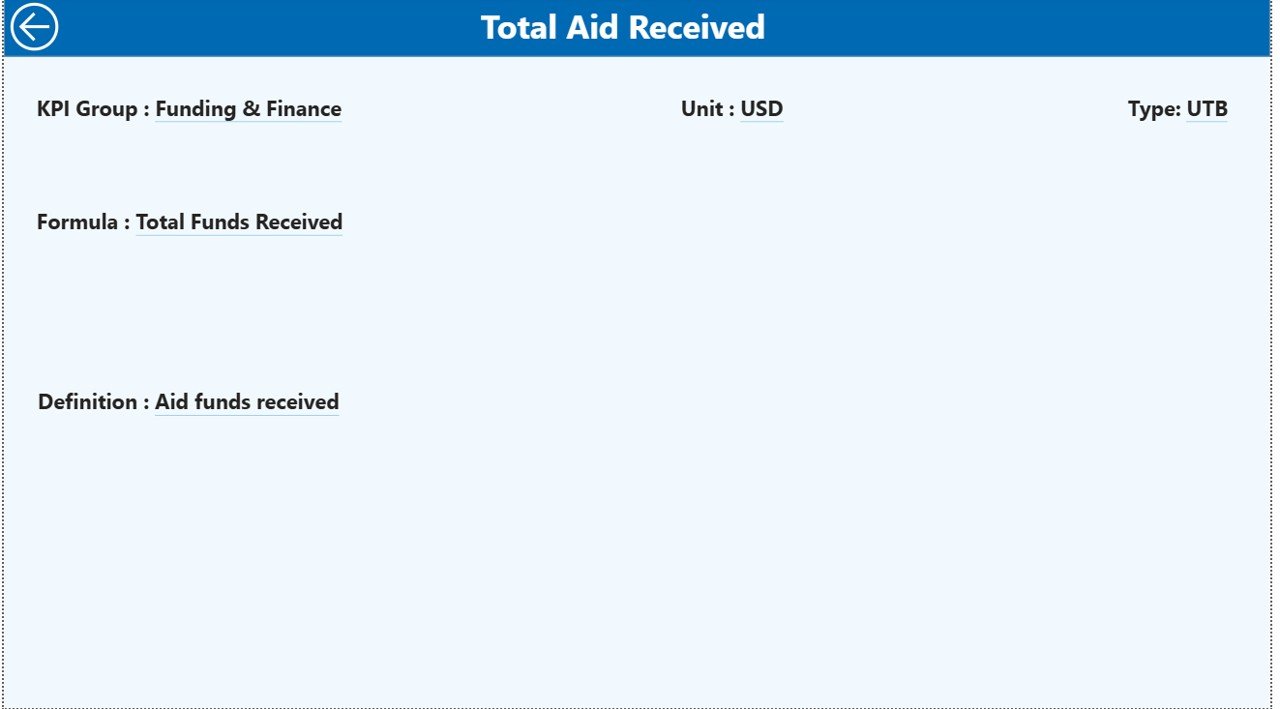
3️⃣ KPI Definition Page – Transparency Layer
Accessible via drill-through, this page shows:
-
KPI Formula
-
KPI Definition
-
Unit
-
KPI Group
-
Performance Type (LTB / UTB)
It ensures complete clarity and accountability.
⚙️ How to Use the International Aid KPI Dashboard in Power BI
Using this dashboard is simple and structured.
Step 1: Update Excel Data Source
Fill the three sheets:
-
Input_Actual – Enter MTD & YTD actual values
-
Input_Target – Enter MTD & YTD target values
-
KPI Definition – Define KPIs, formulas, and type
Step 2: Refresh Power BI
Click refresh, and all visuals update automatically.
Step 3: Analyze Performance
-
Filter by month
-
Select KPI group
-
Review green/red icons
-
Compare CY vs PY
-
Drill into KPI definitions
Within minutes, you gain complete program visibility.
🌍 Who Can Benefit from This International Aid KPI Dashboard in Power BI
This dashboard is ideal for:
-
🌎 International NGOs
-
🏛 Government Aid Agencies
-
💰 Donor-Funded Programs
-
🏥 Health & Education Projects
-
🚨 Emergency Relief Operations
-
📦 Food Distribution Programs
-
📊 Monitoring & Evaluation Teams
-
👩💼 Executive Leadership Teams
If your organization tracks KPIs related to funding, beneficiaries, service delivery, or operational efficiency, this dashboard is built for you.
It strengthens donor confidence, improves transparency, and supports data-driven decisions.
This International Aid KPI Dashboard in Power BI provides:
-
Clear performance monitoring
-
Automatic target comparisons
-
Visual trend analysis
-
Drill-through KPI transparency
-
Easy Excel integration
-
Structured reporting for donor meetings
If you want stronger accountability, better reporting clarity, and faster decision-making, this dashboard becomes your essential performance tool.
Click hare to read the Detailed blog post
Watch the step-by-step video tutorial: