

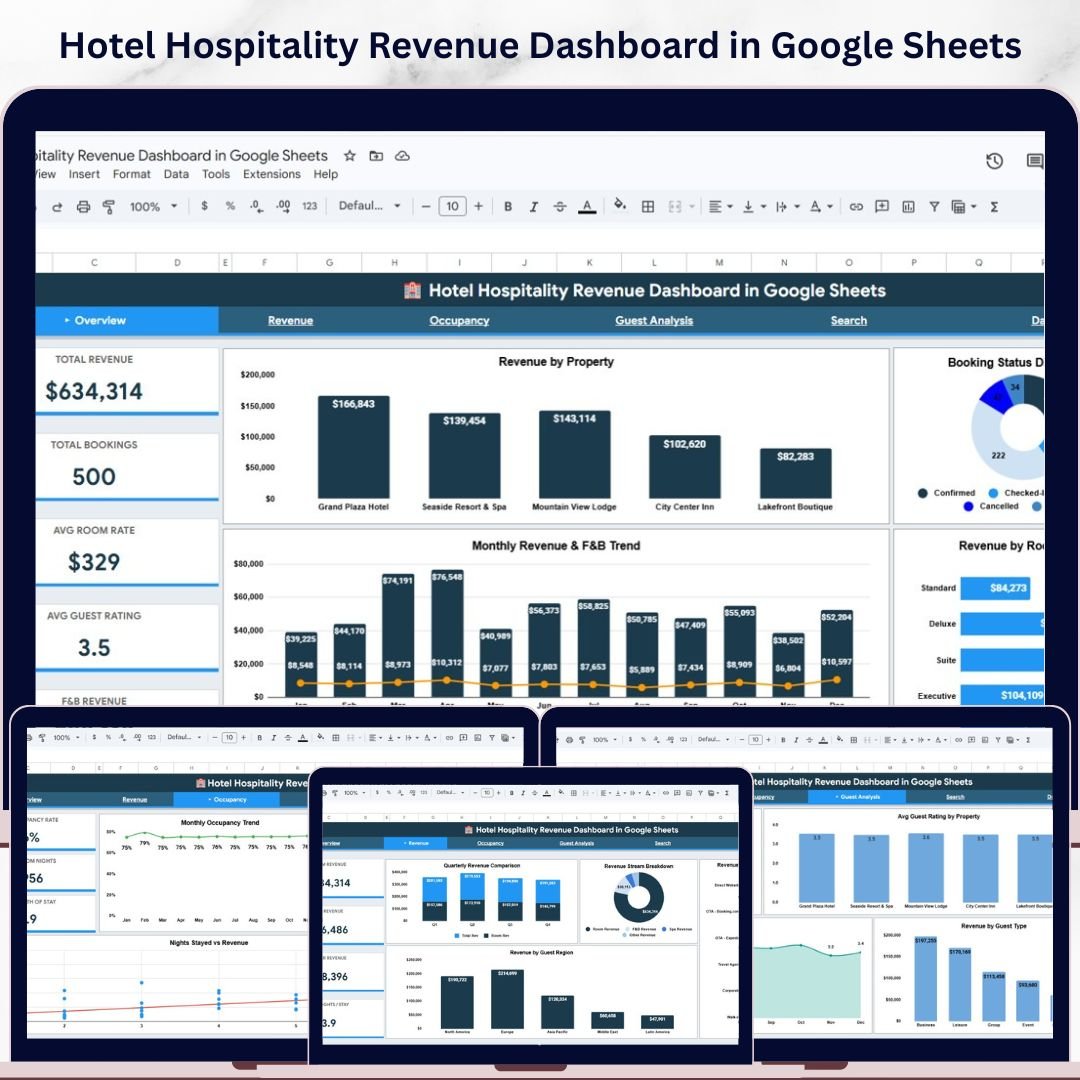
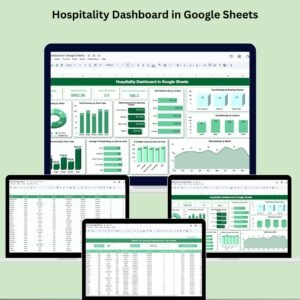
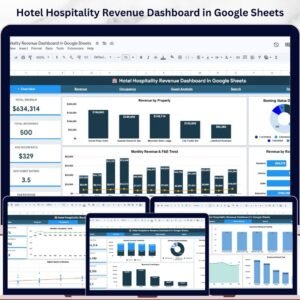
Hotel Hospitality Revenue Dashboard in Google Sheets is a comprehensive, ready-to-use Google Sheets template built for hotel managers, hospitality professionals, and revenue analysts who need to monitor property performance, track bookings, and analyze revenue streams — all from a single interactive spreadsheet. This dashboard includes 6 professionally designed sheet tabs covering high-level overviews, revenue breakdowns, occupancy trends, guest analysis, a quick-search page, and a structured data entry sheet. Simply make a copy to your Google Drive, replace the sample data, and start making data-driven hospitality decisions today.
🔑 Key Features of Hotel Hospitality Revenue Dashboard in Google Sheets
📌 6 Interactive Dashboard Tabs – Overview, Revenue Analysis, Occupancy Analysis, Guest Analysis, Search Page, and Data Sheet give you a 360-degree view of your hotel’s financial and operational performance.
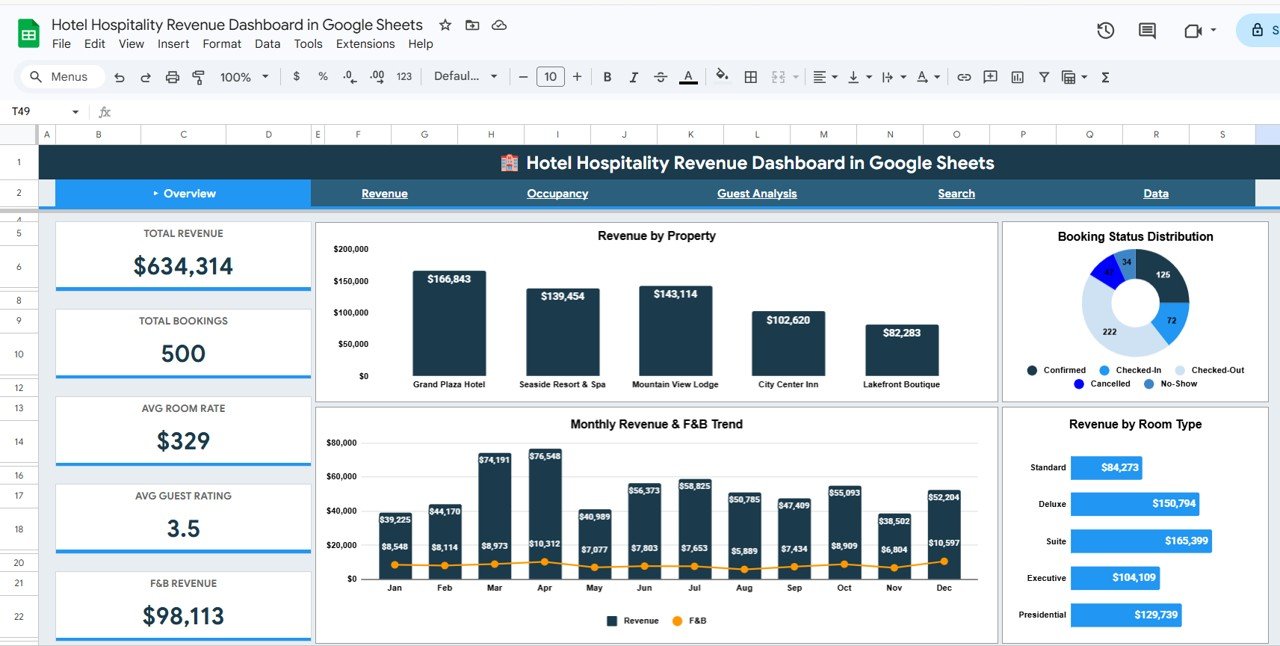
📌 Real-Time KPI Cards – Instantly view Total Revenue, Total Bookings, Avg Room Rate, Avg Guest Rating, and F&B Revenue at the top of the Overview page for at-a-glance decision-making.
📌 Dynamic Slicers and Filters – Apply quick filters across all pages to drill down by property, room type, booking channel, guest region, and more — making it easy to see filtered results instantly.
📌 Revenue Stream Tracking – Analyze revenue by property, monitor monthly revenue and F&B trends, compare revenue by room type, and break down booking status distribution all in one place.
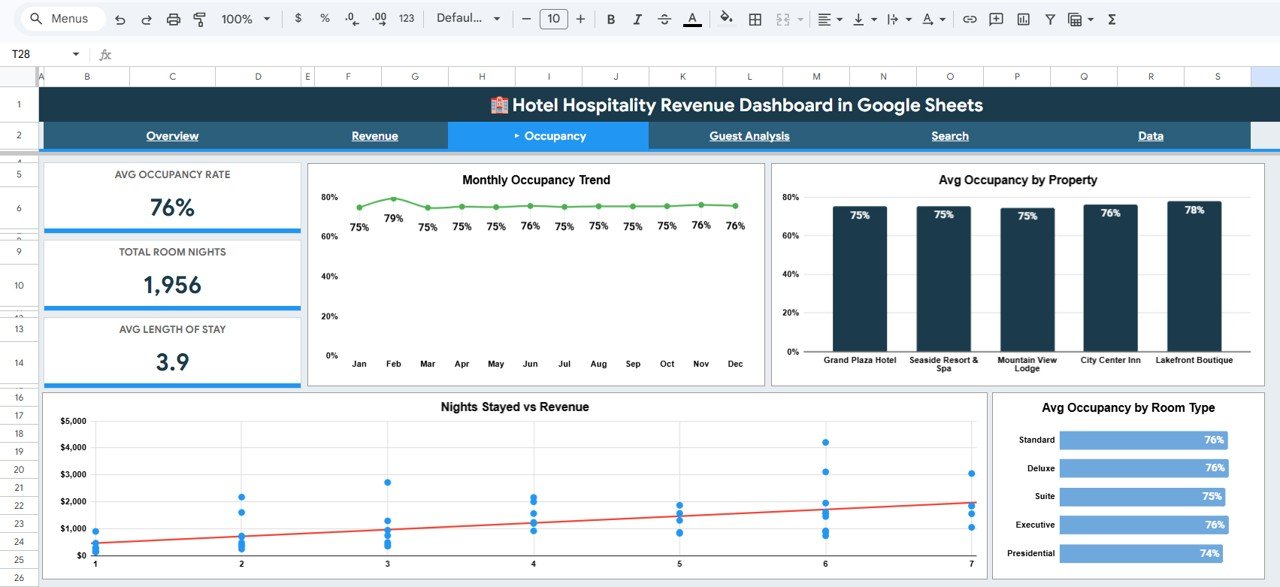
📌 Occupancy and Guest Insights – Track monthly occupancy trends, compare average occupancy by property and room type, and correlate nights stayed with revenue generation.
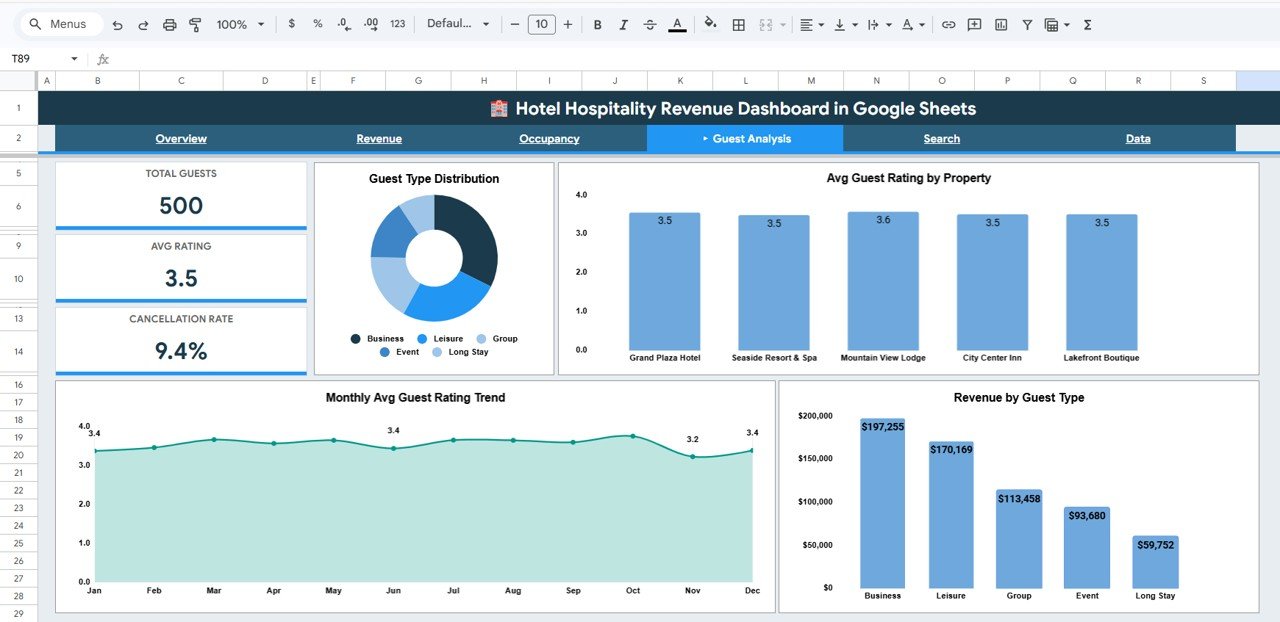
📌 Guest Satisfaction Monitoring – View guest type distribution, average ratings by property, monthly rating trends, and revenue segmented by guest type to identify your most valuable customer segments.
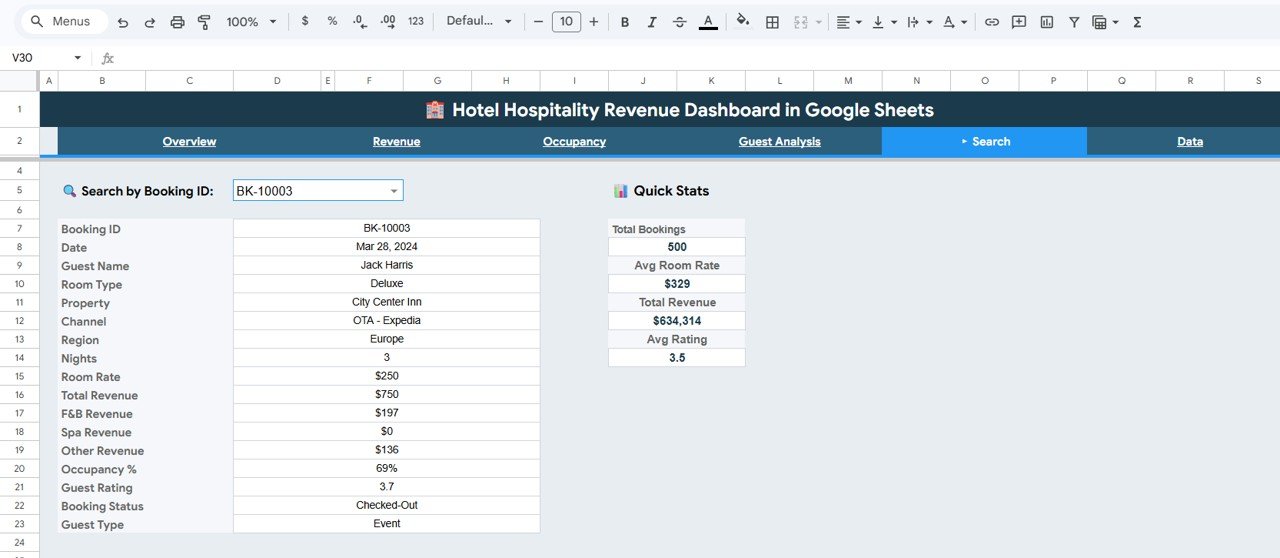
📌 Instant Booking Lookup – Use the Search Page to look up any booking by Booking ID and instantly see all reservation details including guest name, room type, revenue breakdown, and guest rating.
📌 Plug-and-Play Google Sheets Template – No formulas to build, no charts to create. Just copy the template to your Google Drive, enter your data in the Data Sheet, and everything updates automatically.
📦 What’s Inside the Hotel Hospitality Revenue Dashboard in Google Sheets
This template includes 6 sheet tabs designed to cover every aspect of hotel revenue management and performance tracking:
📊 Overview Page – High-level KPI cards showing Total Revenue, Total Bookings, Avg Room Rate, Avg Guest Rating, and F&B Revenue. Includes charts for Revenue by Property, Monthly Revenue and F&B Trend, Booking Status Distribution, and Revenue by Room Type. Multiple slicers let you filter the entire dashboard quickly.
 Hotel Hospitality Revenue Dashboard in Google Sheets
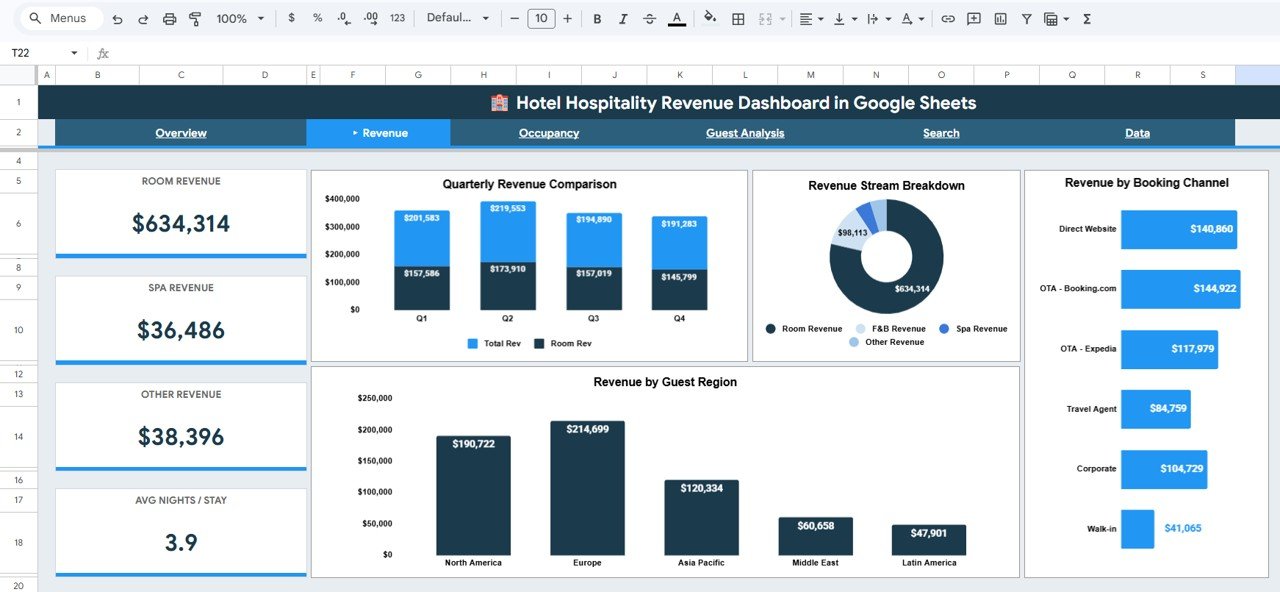
📊 Revenue Analysis – Deep-dive into revenue performance with Quarterly Revenue Comparison by Quarter, Revenue Stream Breakdown by Category, Revenue by Guest Region, and Revenue by Booking Channel. This helps hotel managers quickly understand where revenue is coming from and identify growth opportunities.
Revenue Analysis📊 Occupancy Analysis – Monitor your property utilization with Monthly Occupancy Trend by Month, Avg Occupancy by Property, Nights Stayed vs Revenue correlation, and Avg Occupancy by Room Type. Identify seasonal patterns and optimize room pricing strategies accordingly.
 Occupancy Analysis
📊 Guest Analysis – Understand your guests better with Guest Type Distribution by Category, Avg Guest Rating by Property, Monthly Avg Guest Rating Trend by Month, and Revenue by Guest Type. Use these insights to tailor services and improve guest satisfaction scores.
 Guest Analysis
🔍 Search Page – Look up any booking by selecting a Booking ID from the dropdown. Instantly displays all details for that reservation including guest name, room type, property, channel, region, nights stayed, room rate, total revenue, F&B revenue, spa revenue, other revenue, occupancy percentage, guest rating, booking status, and guest type. Quick Stats on the right show total bookings, average room rate, total revenue, and average rating.
 Search Sheet Tab
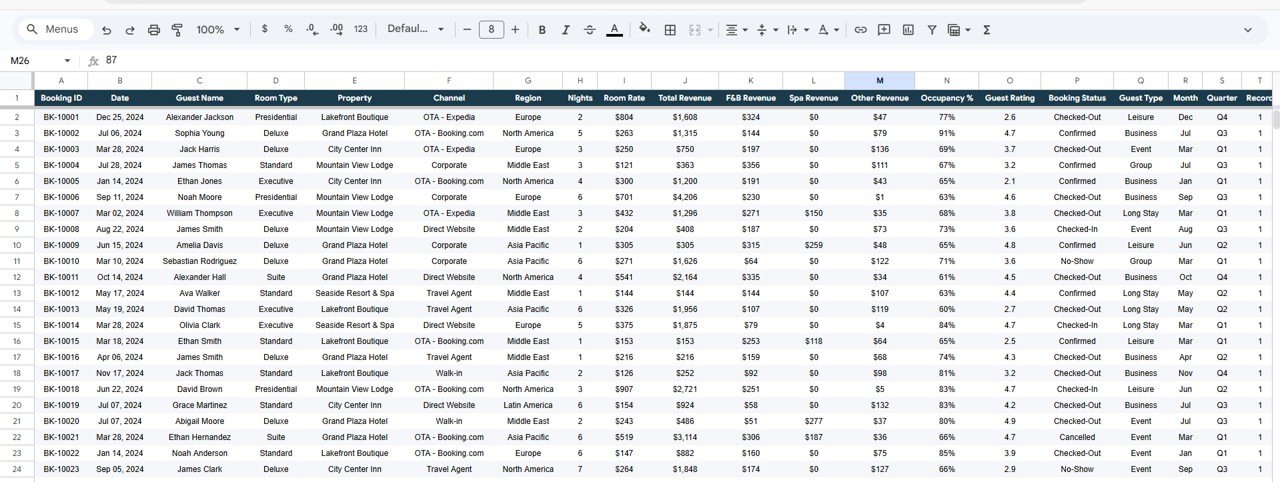
📋 Data Sheet – This is where you enter your booking data in a structured format. All dashboard tabs pull from this sheet automatically, so simply replace the sample data with your own records and every chart, KPI card, and analysis updates in real time.
 Data Sheet Tab
⚙️ How to Use the Hotel Hospitality Revenue Dashboard in Google Sheets
1️⃣ Download and Open – After purchase, open the PDF guide included in your download. It contains a Google Sheets copy link.
2️⃣ Make a Copy – Click the copy link to create your own editable version in Google Drive.
3️⃣ Enter Your Data – Go to the Data Sheet tab and replace the sample data with your actual hotel booking records.
4️⃣ Explore the Dashboard – Navigate through Overview, Revenue Analysis, Occupancy Analysis, and Guest Analysis tabs to see your data visualized instantly.
5️⃣ Use Search – Use the Search Page to quickly look up individual booking details by Booking ID.
👥 Who Can Benefit from This Hotel Hospitality Revenue Dashboard
📌 Hotel General Managers tracking multi-property performance and revenue
📌 Revenue Managers analyzing booking channels, room types, and pricing strategies
📌 Hospitality Business Owners monitoring occupancy, guest satisfaction, and F&B revenue
📌 Operations Teams comparing property-level performance metrics
📌 Boutique Hotel Operators who need a simple, affordable analytics solution without expensive BI tools
📌 Hospitality Students and Consultants analyzing hotel performance case studies
If you’re looking for more hospitality templates, explore our complete collection of Google Sheets Dashboard Templates for every industry.
❓ Frequently Asked Questions
What KPIs does the Hotel Hospitality Revenue Dashboard in Google Sheets track?
This dashboard tracks 5 key performance indicators on the Overview page: Total Revenue, Total Bookings, Average Room Rate, Average Guest Rating, and F&B Revenue. Additional metrics like occupancy percentage, revenue by guest region, and booking channel performance are available in dedicated analysis tabs.
Do I need advanced Google Sheets skills to use this template?
No. This is a plug-and-play template. Simply replace the sample data in the Data Sheet with your own booking records and all charts, KPI cards, and analysis pages update automatically. No formulas or scripts to configure.
Can I track multiple hotel properties in this dashboard?
Yes. The dashboard includes property-level breakdowns in the Overview and Occupancy Analysis tabs. You can filter by property using the built-in slicers to compare performance across your portfolio.
What is the best Google Sheets dashboard for hotel revenue tracking?
The Hotel Hospitality Revenue Dashboard in Google Sheets is one of the most comprehensive options available. It covers revenue analysis, occupancy tracking, guest satisfaction, and booking lookups across 6 interactive tabs — all within Google Sheets without needing Power BI or Excel.
How do I look up a specific booking in this dashboard?
Go to the Search Page tab and select a Booking ID from the dropdown. The page instantly displays all reservation details including guest name, room type, property, revenue breakdown, occupancy percentage, and guest rating.
Can I customize the charts and add more data fields?
Yes. Since this is a Google Sheets template, you can modify charts, add new columns to the Data Sheet, and extend the dashboard pages to fit your specific hotel reporting needs.
🔗 Explore Related Templates
📌 Hotel and Hospitality Revenue Dashboard in Excel – The same powerful revenue tracking dashboard built for Microsoft Excel users.
📌 Hotel and Hospitality Revenue Dashboard in Power BI – Advanced interactive version with drill-through capabilities in Power BI Desktop.
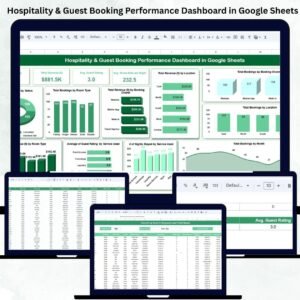
📌 Hospitality & Guest Booking Performance Dashboard in Google Sheets – A complementary Google Sheets dashboard focused on booking performance and guest analytics.
📖 Click here to read the Detailed Blog Post
Watch the step-by-step video tutorial:













Reviews
There are no reviews yet.