
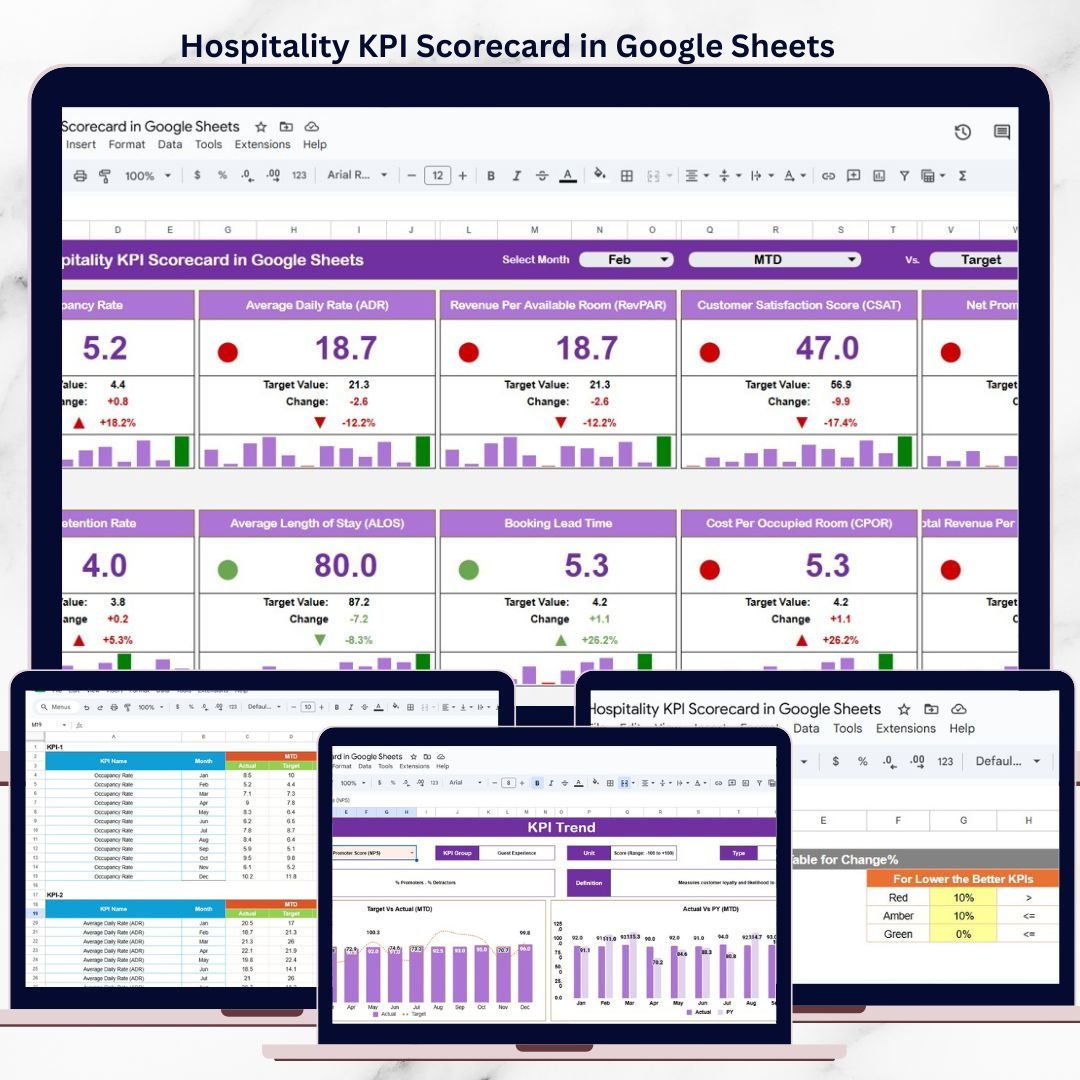
The hospitality industry thrives on guest satisfaction, operational efficiency, and revenue consistency. However, many hotels, resorts, and hospitality businesses still rely on manual reports, static spreadsheets, and delayed reviews. As a result, performance issues remain hidden until it is too late.
The Hospitality KPI Scorecard in Google Sheets is a ready-to-use, visual performance tracking solution that helps hospitality teams monitor occupancy, revenue, service quality, efficiency, and guest satisfaction in one centralized scorecard.
Built entirely in Google Sheets, this scorecard uses traffic lights, trend arrows, and automated calculations to give hotel managers and operations teams instant clarity on monthly and yearly performance—without complex tools or expensive BI software.
🚀 Key Features of Hospitality KPI Scorecard in Google Sheets
🏨 Centralized Hospitality Performance Tracking
Monitor all key hotel KPIs from a single scorecard.
📅 Monthly & Yearly (MTD / YTD) Views
Switch easily between monthly and yearly performance.
🎯 Target vs Actual Comparison
Quickly identify gaps using visual indicators.
🔴🟡🟢 Traffic Light Performance Indicators
Red, Amber, and Green signals highlight KPI status instantly.
🔺🔻 Trend Arrows for Performance Change
Understand improvement or decline at a glance.
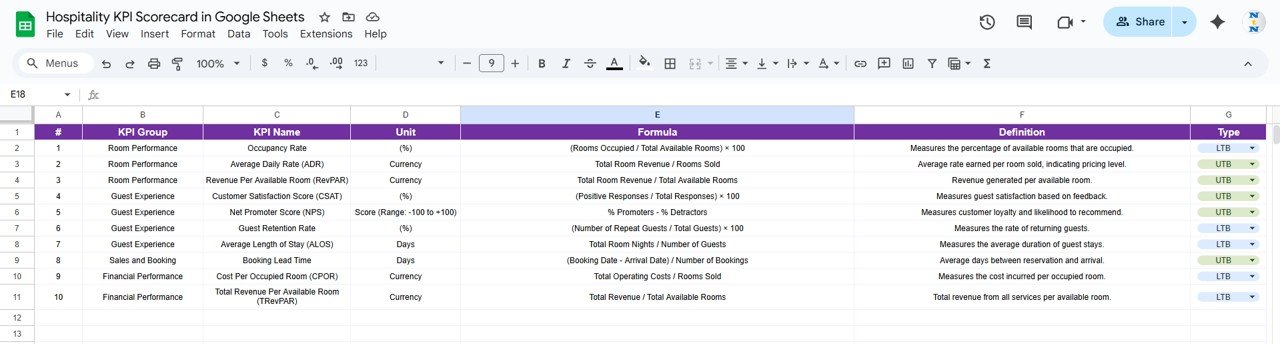
🧩 Clear KPI Definitions & Logic
Each KPI includes unit, formula, and performance direction.
☁️ Real-Time Google Sheets Collaboration
Access and update the scorecard anytime, anywhere.
🔧 Fully Customizable Structure
Add, remove, or adjust KPIs easily as your business grows.
📦 What’s Inside the Hospitality KPI Scorecard
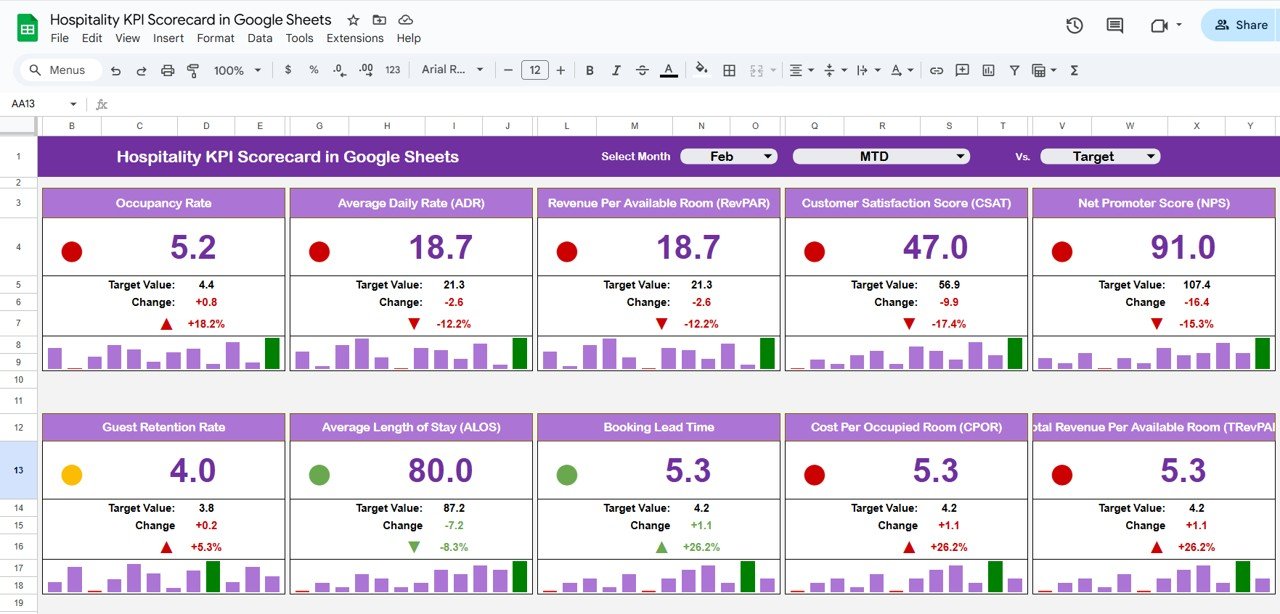
📁 Main Scorecard Sheet
The primary performance view showing:
-
Month selector at the top
-
KPI values updated automatically
-
Traffic light indicators
-
Up/down arrows for percentage change
-
Toggle between MTD and YTD
This sheet provides instant performance insight for managers.
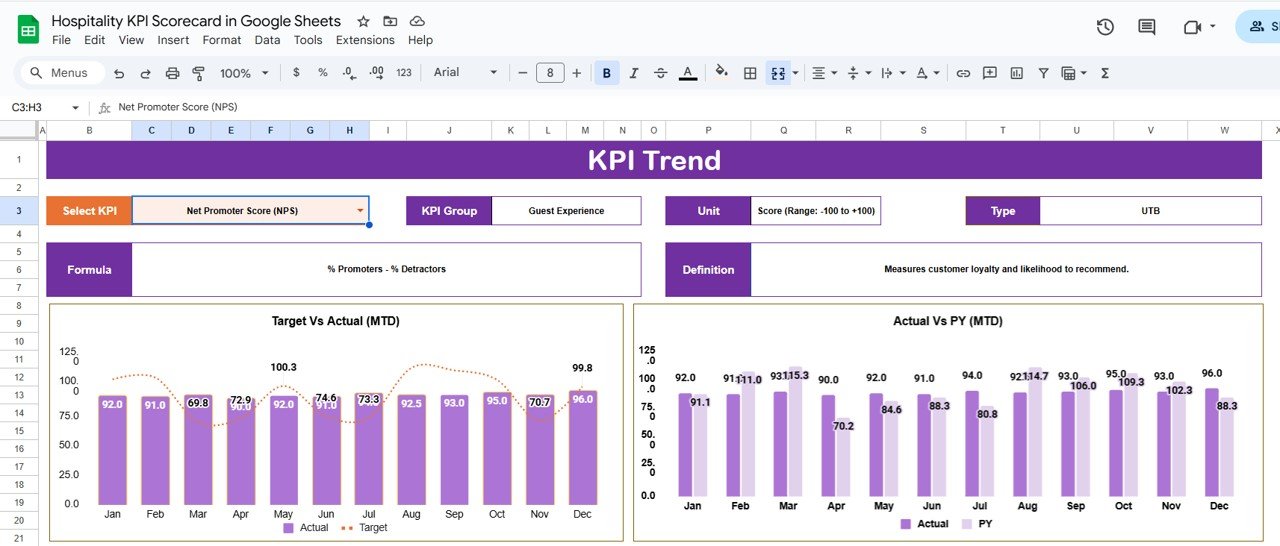
📁 Trend Sheet
Deep-dive KPI analysis with:
-
KPI selector (cell C3)
-
KPI Group
-
Unit of Measurement
-
KPI Type (Lower / Upper the Better)
-
KPI Formula
-
KPI Definition
📁 KPI Definition Sheet
The foundation of the scorecard, including:
-
KPI Name
-
KPI Group
-
Unit
-
Formula logic
-
KPI Definition
-
KPI Type (LTB / UTB)
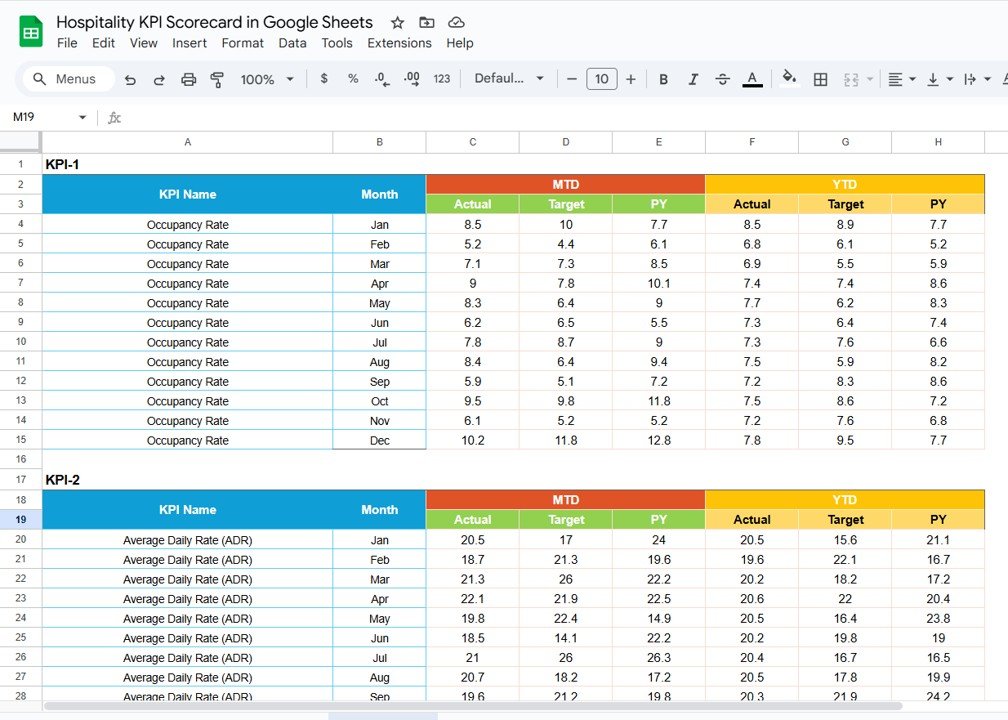
📁 Data Input Sheet
Structured data entry for:
-
Monthly performance values
-
Yearly performance values
-
KPI-wise inputs
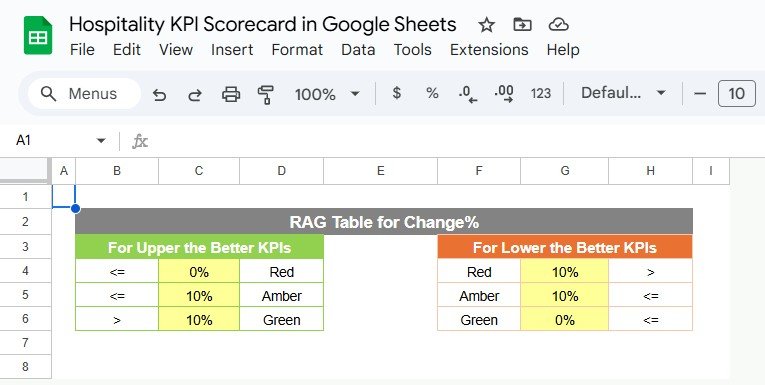
📁 Colour Settings Section
Controls:
-
Traffic light thresholds
-
Color logic for KPI status
-
Trend arrow rules
This ensures consistent and clear visual interpretation.
🛠️ How to Use the Hospitality KPI Scorecard
1️⃣ Define or review KPIs in the KPI Definition sheet
2️⃣ Enter monthly or yearly data in the Data Input sheet
3️⃣ Select the reporting month on the Scorecard
4️⃣ Review KPI status using traffic lights
5️⃣ Analyze trends using arrows and percentage change
6️⃣ Focus on red and amber KPIs for action
No formulas to build. No manual calculations. Just update data and review performance.
👥 Who Can Benefit from This Hospitality KPI Scorecard
🏨 Hotel Managers – Monitor occupancy, revenue, and service KPIs
📊 Operations Heads – Improve efficiency and accountability
🍽️ Food & Beverage Managers – Track revenue and productivity
🧹 Housekeeping & Service Teams – Measure efficiency and quality
📈 Hospitality Analysts – Analyze trends and performance gaps
🏢 Resorts & Hotel Groups – Standardize KPI tracking
If your business focuses on guest experience and operational excellence, this scorecard is built for you.
📘 Click here to read the Detailed blog post
Watch the step-by-step video tutorial:



Reviews
There are no reviews yet.