
The fisheries sector moves fast—catch volumes change daily, water conditions fluctuate, and operational costs shift throughout the month. To maintain profitability and sustainability, fisheries need a simple, visual, and powerful tool that tracks everything in one place. That’s exactly what the Fisheries KPI Dashboard in Power BI delivers. 🌊📊
This ready-to-use dashboard helps fisheries managers, analysts, and decision-makers monitor performance with clarity. By connecting directly to an Excel file, the dashboard automatically updates MTD (Month-to-Date), YTD (Year-to-Date), Target, and Previous-Year comparisons without any manual effort. Simply update the Excel sheet—Power BI takes care of the rest.
With this dashboard, you gain complete visibility into production, feeding, breeding, operational costs, water quality, and stock efficiency. Whether you manage small farms, large fisheries, aquaculture operations, or fish processing units, this dashboard gives you accurate insights instantly.
🐟 Key Features of Fisheries KPI Dashboard in Power BI
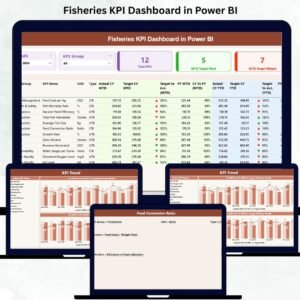
This dashboard includes three powerful pages, each designed to give you deeper insights into fisheries performance.
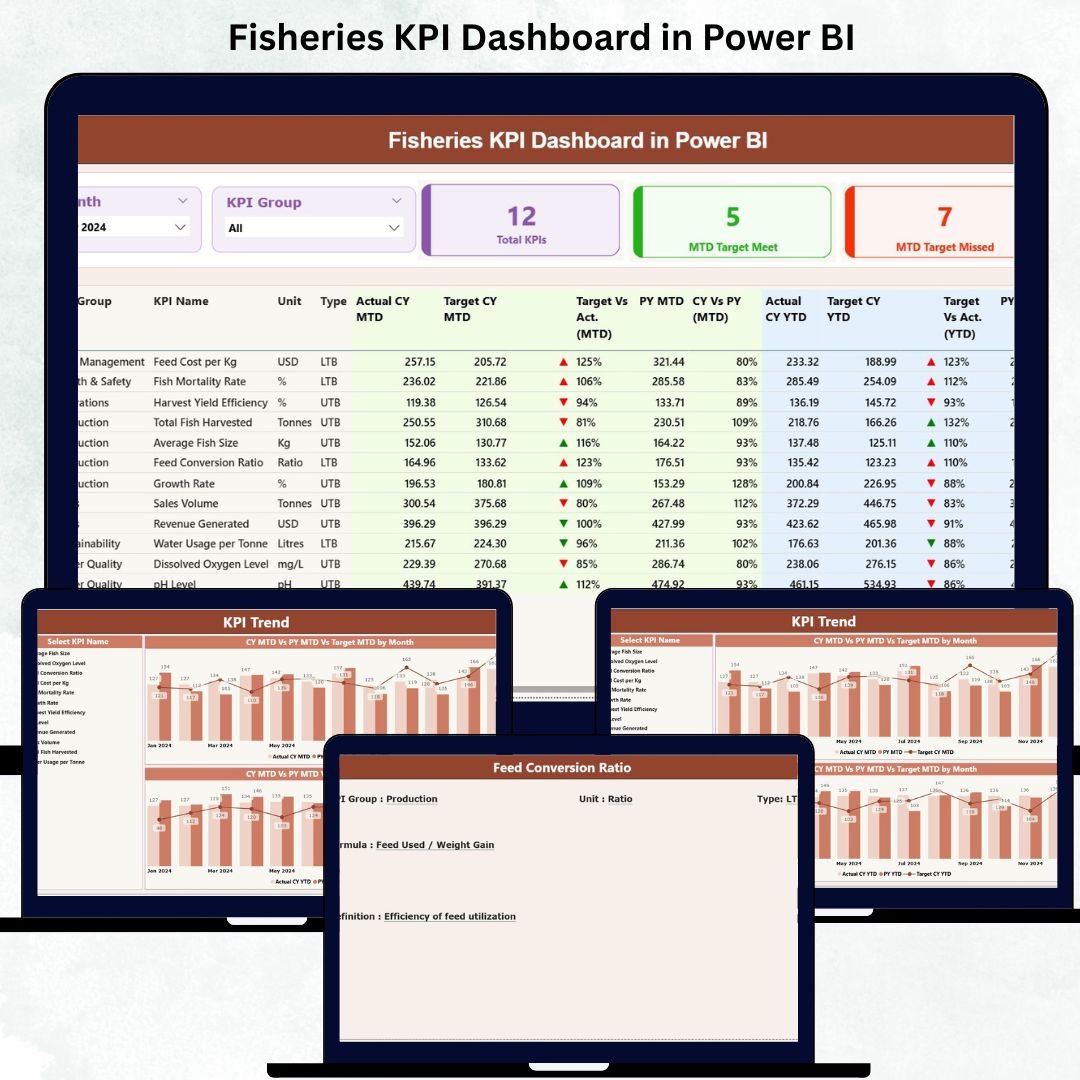
1️⃣ Summary Page – Your Main Control Center

-
Interactive slicers for Month and KPI Group
-
KPI summary cards showing Total KPIs, MTD Target Met, and Missed KPIs
-
Detailed KPI table with:
-
KPI Number
-
KPI Group
-
KPI Name
-
Unit
-
Type (LTB/UTB)
-
MTD Actual, Target, PY Values, Target vs Actual %, CY vs PY %
-
YTD Actual, Target, PY Values
-
-
Visual arrow indicators showing real-time performance (Green ▲ or Red ▼)
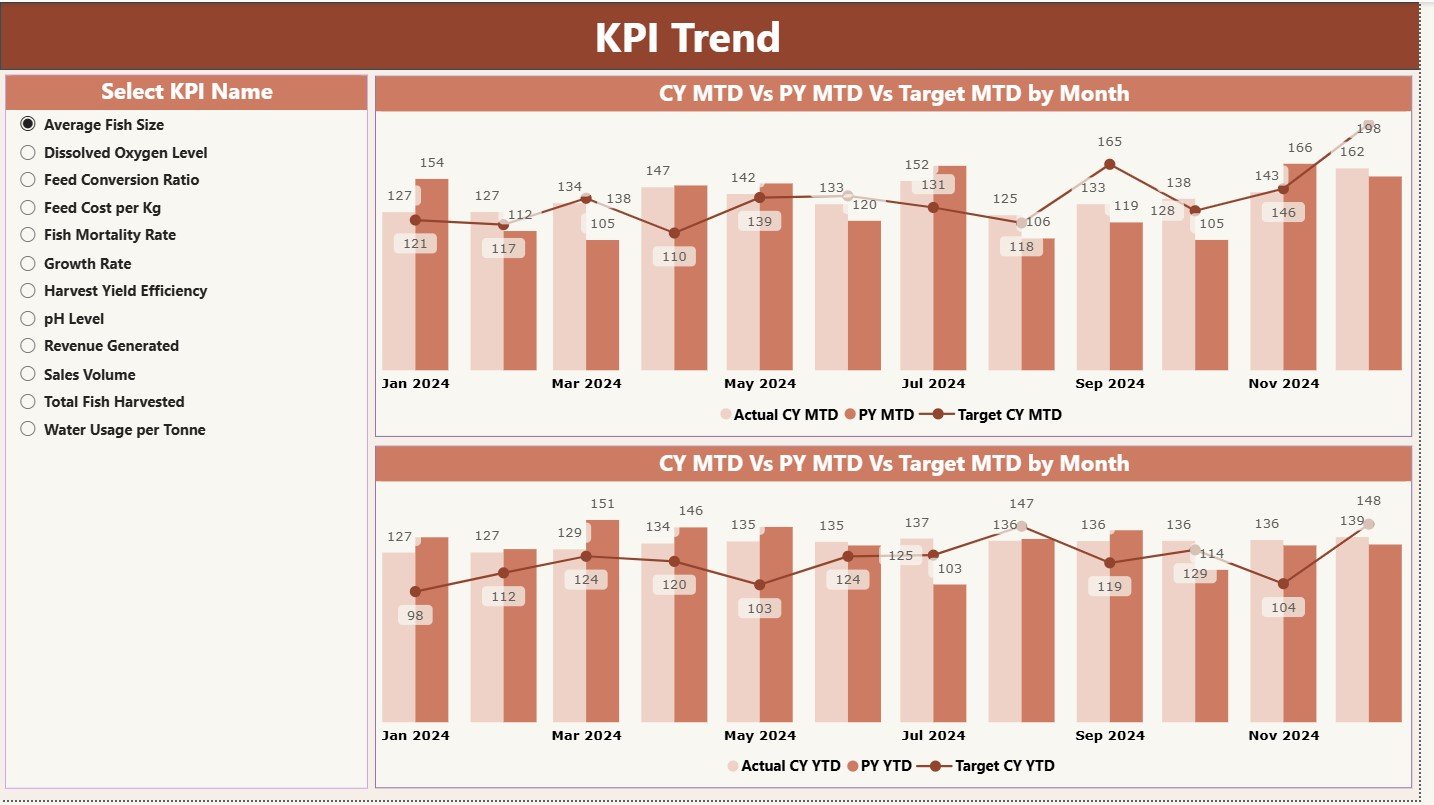
2️⃣ KPI Trend Page – Track Seasonal Patterns
-
MTD & YTD trend combo charts
-
Understand current year vs previous year performance
-
Analyze targets, actuals, and seasonal patterns
-
Slicer to select any KPI and study its month-by-month behavior
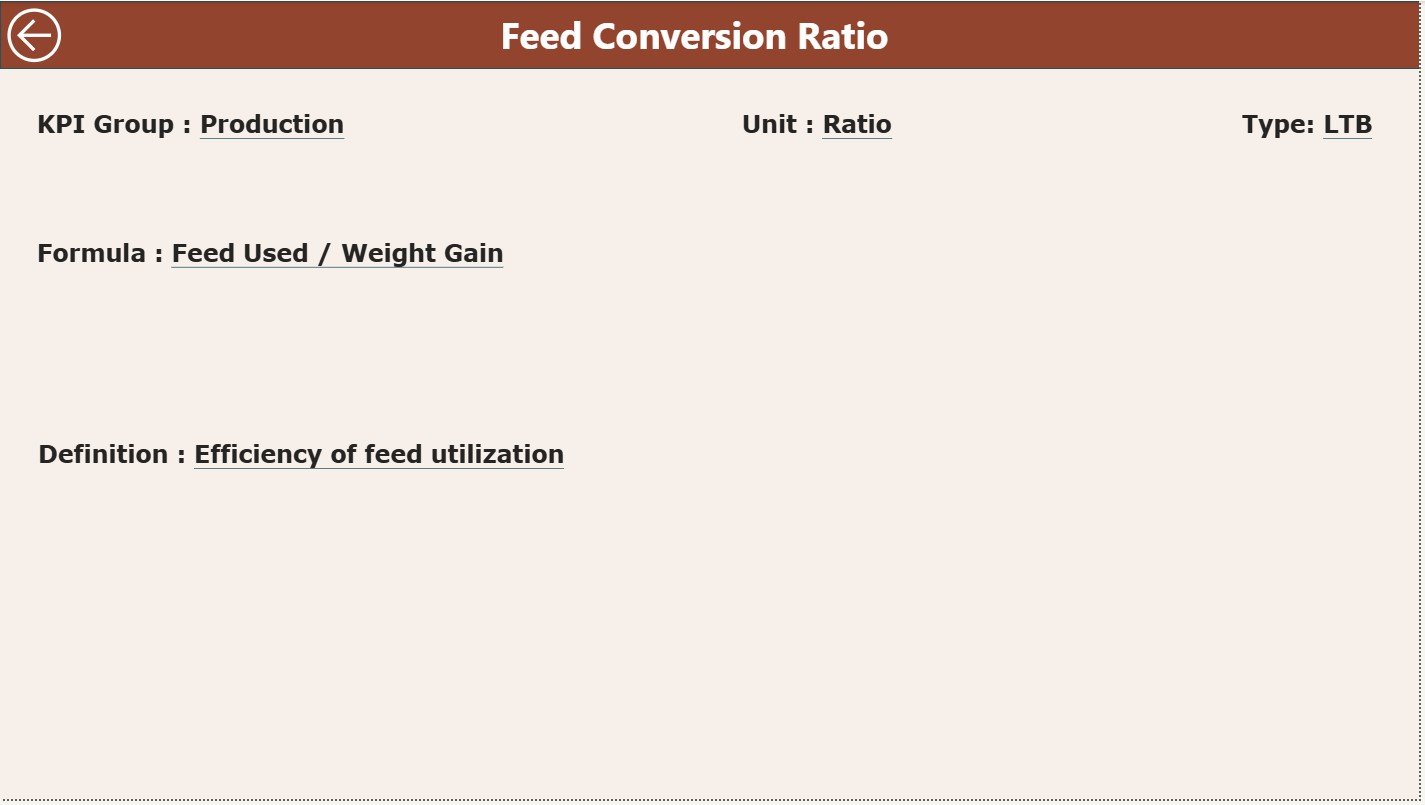
3️⃣ KPI Definition Page – Clear KPI Understanding
-
Detailed KPI information including:
-
Formula
-
Definition
-
Unit
-
KPI Type (Upper/Lower the Better)
-
-
Drill-through button from the Summary Page for easy navigation
📦 What’s Inside the Fisheries KPI Dashboard
When you download this product, you receive:
-
Power BI Dashboard File (.PBIX)
-
Structured Excel Data Source including:
-
Input_Actual Sheet (Enter monthly actuals)
-
Input_Target Sheet (Fill MTD & YTD targets)
-
KPI Definition Sheet (All KPI metadata)
-
-
Ready-to-use KPI formulas and icons
-
Fully automated visuals and comparisons
-
Clear instructions for easy updates
Everything is designed to save your time and make fisheries monitoring effortless.
🧭 How to Use the Fisheries KPI Dashboard
Using this dashboard is extremely simple:
-
Open the Excel file and update:
-
Monthly Actual MTD & YTD values
-
Target MTD & YTD values
-
KPI definitions (only when adding new KPIs)
-
-
Refresh the Power BI file
-
Watch all charts, tables, and comparisons update instantly
-
Use slicers to review monthly and group-wise performance
-
Use trend charts to understand seasonal, yearly, and operational patterns
No technical skills required Power BI handles all calculations and visuals automatically.
👥 Who Can Benefit from This Fisheries KPI Dashboard
This product is perfect for:
-
🐟 Fisheries & Aquaculture Managers
-
📉 Operations, Production & Growth Teams
-
💧 Water Quality & Environment Teams
-
📊 Business Analysts & Data Teams
-
🧪 Research & Sustainability Teams
-
🏭 Fish Processing Units
-
💼 Senior Management & Decision-Makers
If you want to improve reporting, increase efficiency, reduce waste, and track KPIs visually, this dashboard is ideal.
With automated comparisons, trend charts, slicers, and real-time KPI insights, this dashboard becomes your complete command center for fisheries monitoring. Whether you’re tracking catch volumes, growth rates, or feeding efficiency, this tool helps you boost productivity and make faster decisions.




























Reviews
There are no reviews yet.