
Executive hiring is high-stakes. One delayed placement, missed SLA, or unhappy client can cost reputation and revenue. Yet many executive search firms and staffing agencies still rely on scattered spreadsheets, emails, and manual tracking—resulting in poor visibility, slow decisions, and missed opportunities.
The Executive Search and Staffing Dashboard in Power BI is a ready-to-use, interactive analytics solution designed to give recruitment leaders real-time control and complete visibility over hiring performance.
Instead of guessing what is slowing placements or impacting client satisfaction, this dashboard converts raw recruitment data into clear KPIs, dynamic visuals, and actionable insights. Built on Power BI, it helps firms move from reactive hiring to data-driven recruitment strategy—without complexity.
🚀 Key Features of Executive Search and Staffing Dashboard in Power BI
📊 Real-Time Recruitment Performance Tracking
Monitor SLA days, open searches, search fee value, and client satisfaction instantly.
🎯 Interactive Filters & Slicers
Analyze performance by industry, region, position level, candidate source, and month.
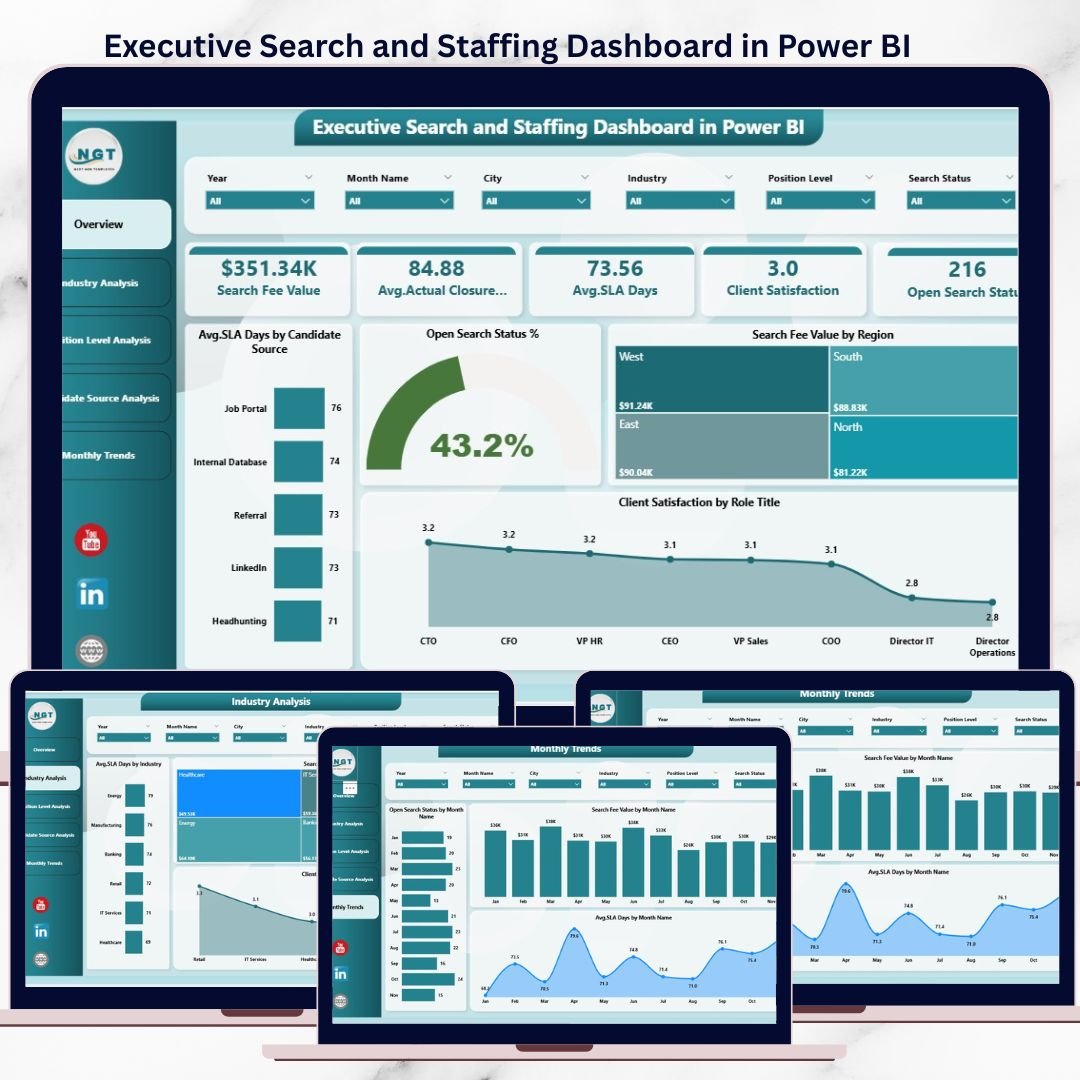
📈 Five Structured Analysis Pages
Overview, Industry Analysis, Position Level Analysis, Candidate Source Analysis, and Month Analysis.
⚡ Automatic Data Refresh
Always work with the latest recruitment data without manual reporting.
🔍 Deep Drill-Down Insights
Move from executive-level KPIs to detailed operational views in seconds.
🔐 Secure & Scalable Power BI Model
Role-based access and enterprise-grade security.
🎨 Professional, Leadership-Ready Design
Perfect for management reviews, client discussions, and strategy meetings.
📦 What’s Inside the Executive Search and Staffing Dashboard in Power BI
📁 Overview Page
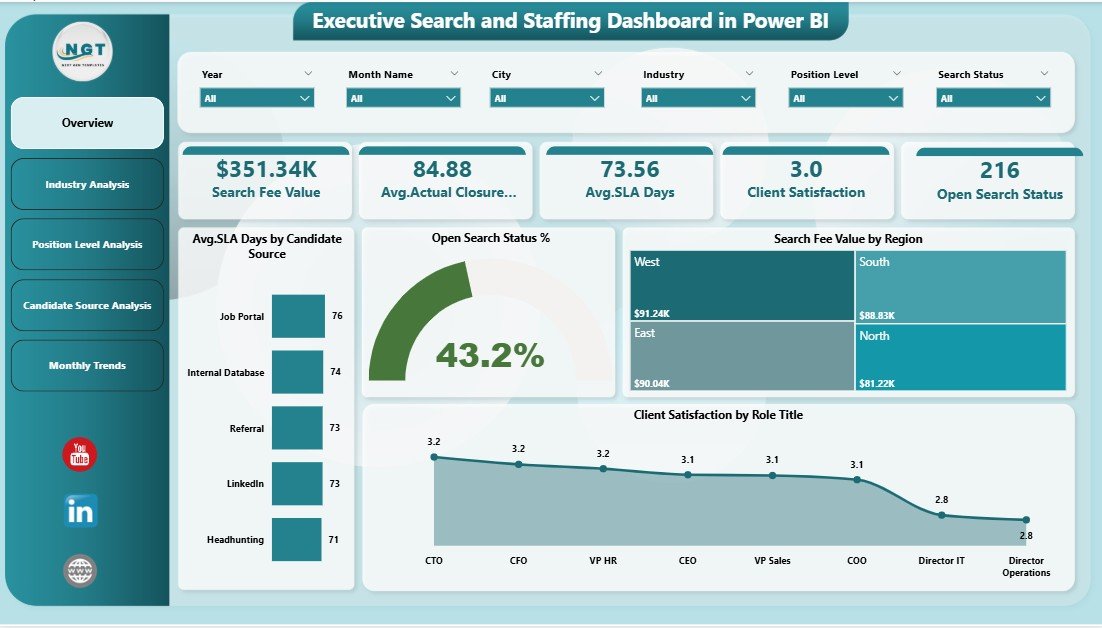
High-level snapshot showing Open Search %, Average SLA Days by Candidate Source, Search Fee Value by Region, and Client Satisfaction by Role Title.
📁 Industry Analysis Page
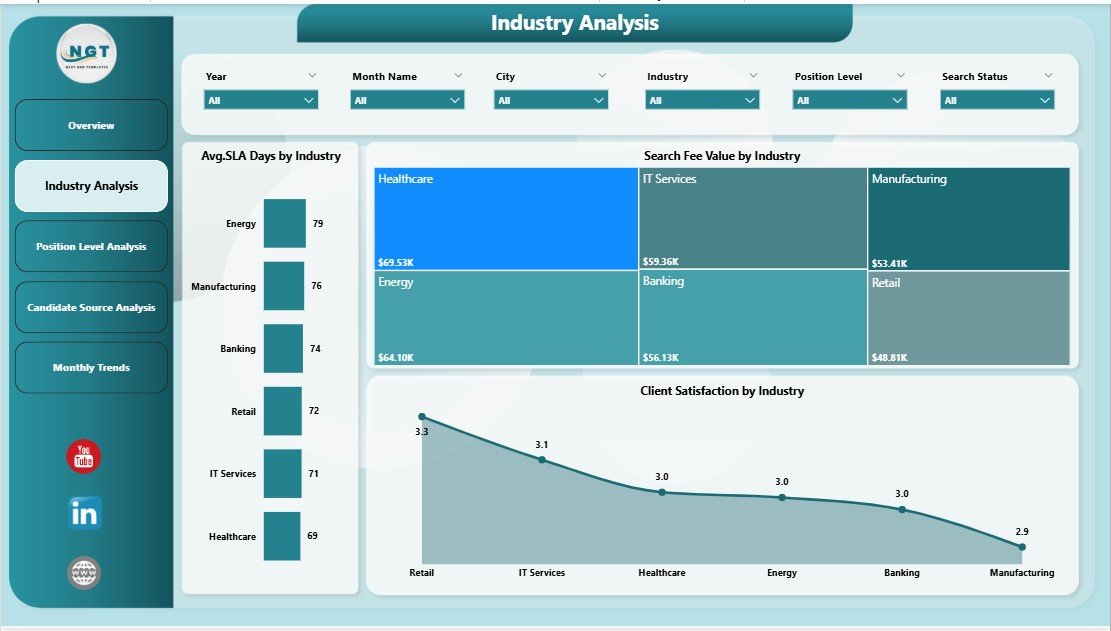
Compare SLA performance, revenue contribution, and satisfaction across industries.
📁 Position Level Analysis Page
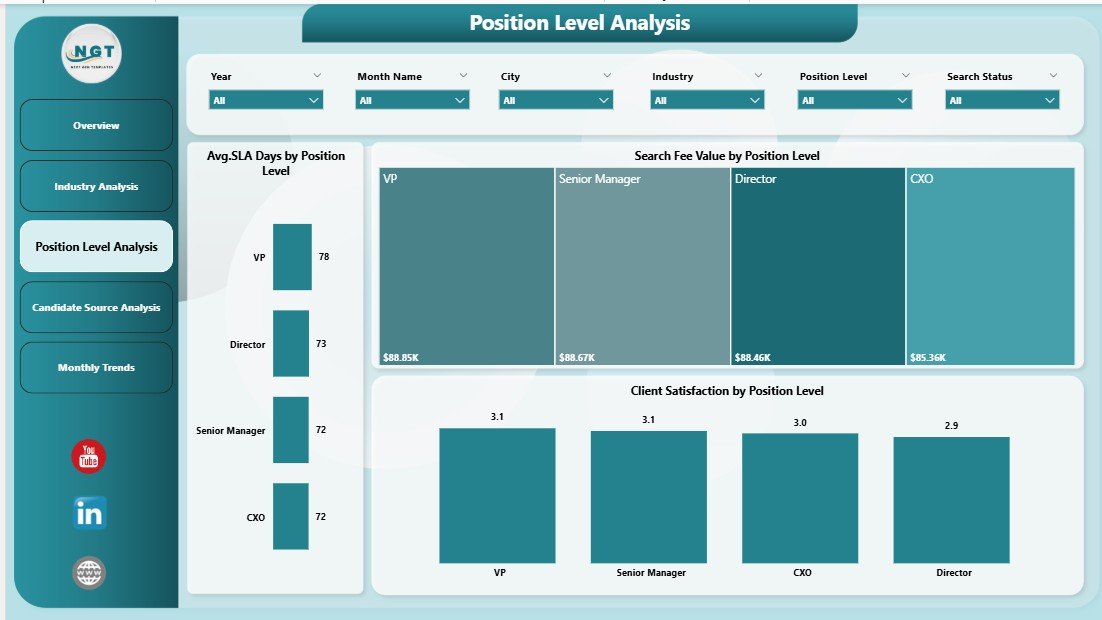
Evaluate hiring efficiency, revenue, and satisfaction by seniority level.
📁 Candidate Source Analysis Page
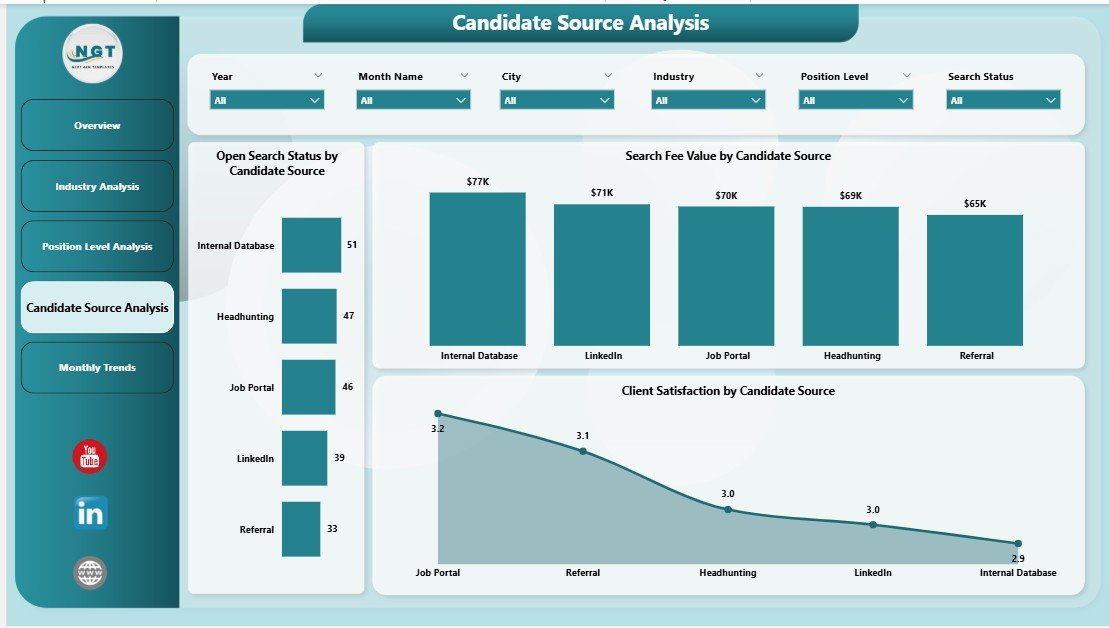
Identify sourcing channels that deliver faster closures, higher revenue, and better client satisfaction.
📁 Month Analysis Page
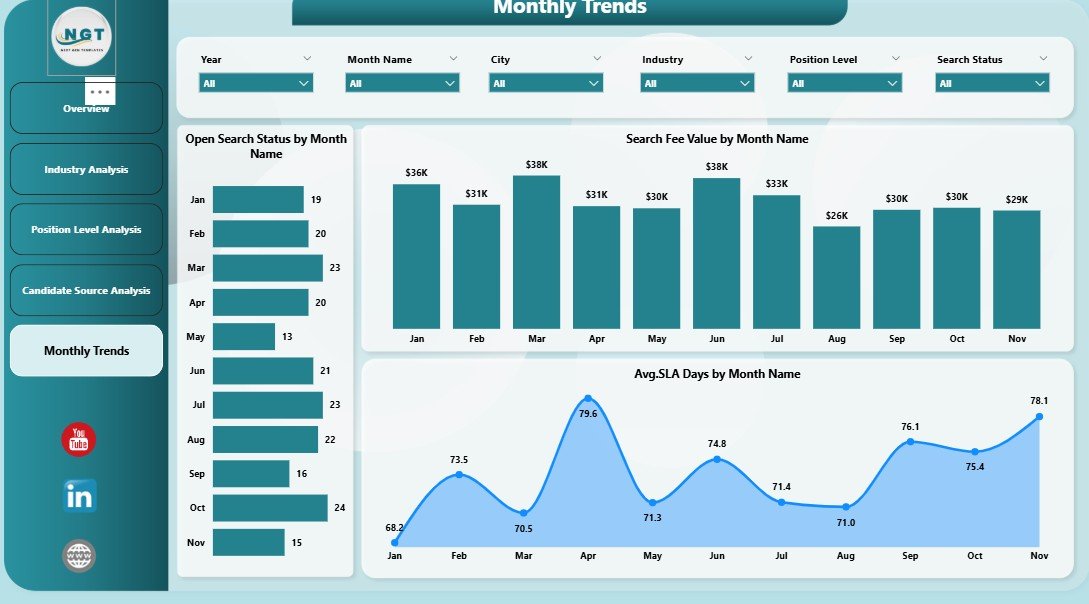
Track seasonality, workload trends, revenue growth, and SLA efficiency over time.
📁 Interactive Visuals & KPI Cards
Cards, bar charts, and slicers that respond instantly to user selections.
🛠️ How to Use the Executive Search and Staffing Dashboard in Power BI
1️⃣ Connect recruitment data from ATS, CRM, Excel, or databases
2️⃣ Refresh the Power BI dataset
3️⃣ Use slicers to filter by industry, region, role, source, or month
4️⃣ Review KPIs and trends across all dashboard pages
5️⃣ Drill down to identify bottlenecks and opportunities
6️⃣ Export insights for leadership reviews or client reporting
No coding skills required—Power BI makes interaction simple and intuitive.
👥 Who Can Benefit from This Executive Search and Staffing Dashboard
👔 Executive Search Firms – Improve SLA compliance and placement speed
🏢 Staffing Agencies – Track open searches, cancellations, and revenue
📊 Recruitment Leaders & Managers – Gain full visibility into performance
🎯 Talent Acquisition Teams – Optimize sourcing strategies
📈 Business Development Teams – Identify high-margin industries and roles
If recruitment performance matters to your business, this dashboard becomes essential.
📘 Click here to read the Detailed blog post
🎥 Visit our YouTube channel to learn step-by-step video tutorials
👉 Youtube.com/@PKAnExcelExpert






























Reviews
There are no reviews yet.