


Employee Productivity Tracking KPI Dashboard in Google Sheets is one of the most important drivers of organizational success. When employees perform well, deadlines are met, goals are achieved, and business growth becomes predictable. But tracking productivity manually often leads to confusion, errors, and delayed reporting. As organizations scale, efficiency tracking becomes more complex—requiring a reliable system that delivers accurate data in real time. This is where the Employee Productivity Tracking KPI Dashboard in Google Sheets becomes an essential tool for HR teams, managers, and leadership.Employee Productivity Tracking KPI Dashboard in Google Sheets
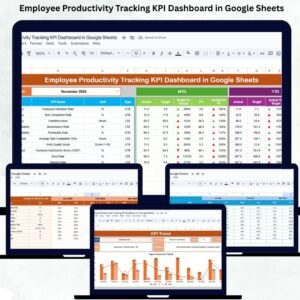
This ready-to-use productivity dashboard helps you monitor employee performance, compare actual numbers against targets, analyze month-over-month trends, and measure productivity improvements throughout the year. Whether your team works remotely, in-office, or hybrid, this dashboard offers clear insights to help you identify strengths, close performance gaps, and improve overall team efficiency.Employee Productivity Tracking KPI Dashboard in Google Sheets
Built entirely in Google Sheets, the dashboard offers unlimited flexibility, cloud-based access, real-time updates, and easy collaboration—making it the perfect productivity solution without needing costly softwareEmployee Productivity Tracking KPI Dashboard in Google Sheets.

✨ Key Features of the Employee Productivity Tracking KPI Dashboard in Google Sheets
📊 1. All Productivity KPIs in One Dashboard
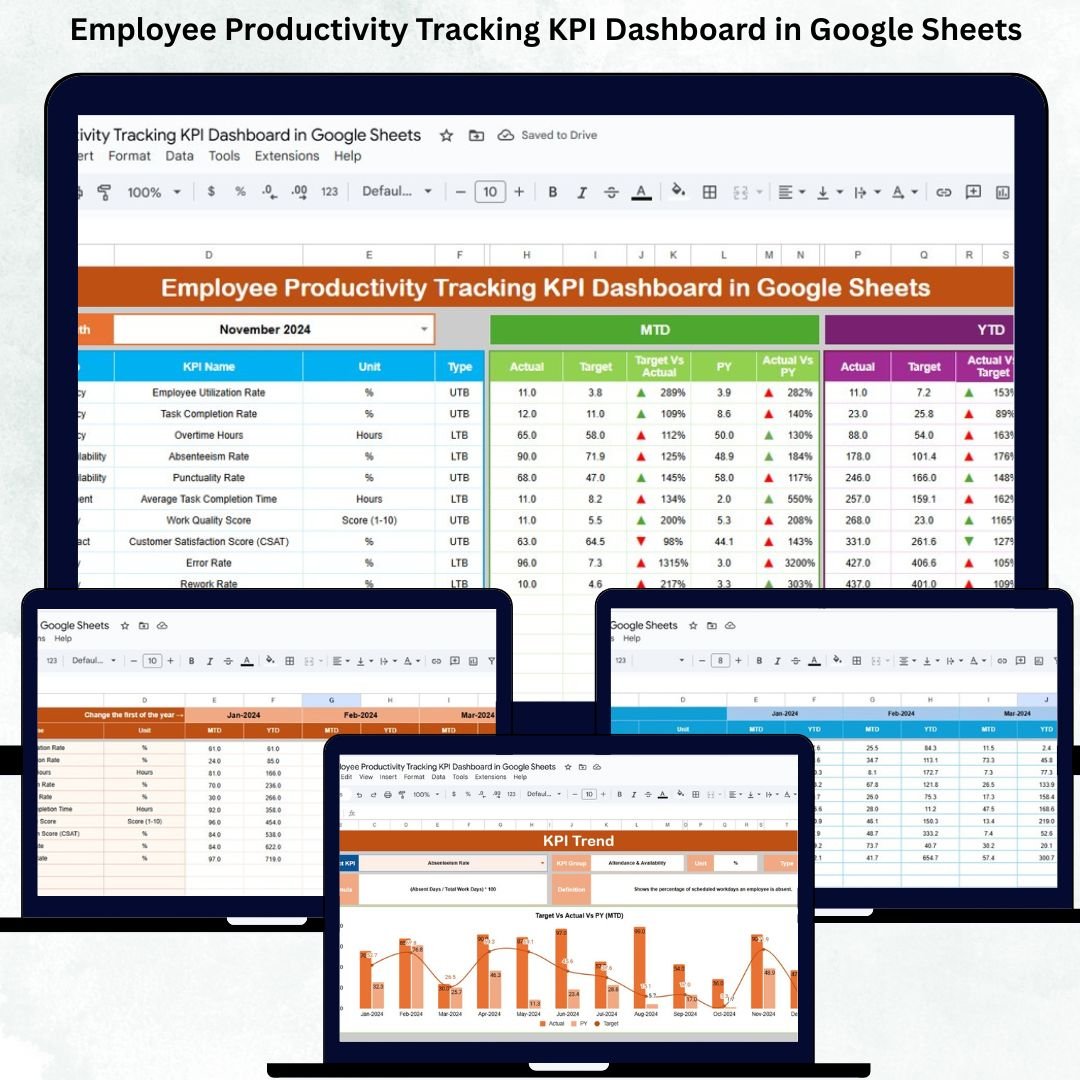
The main dashboard sheet gives you a complete snapshot of organizational productivity. It displays:
-
MTD Actual vs MTD Target
-
MTD Actual vs Previous Year
-
YTD Actual vs YTD Target
-
YTD Actual vs Previous Year
Conditional formatting with green arrows (↑) for improvement and red arrows (↓) for decline makes interpretation quick and effortless.
📈 2. Deep KPI Trend Analysis
The KPI Trend sheet allows you to select any KPI and view month-wise performance progression. It displays KPI group, formula, unit, definition, and KPI type (UTB/LTB). This gives managers deeper insights into productivity patterns, seasonal variations, and performance cycles.
🧮 3. Real-Time Calculation of Actuals
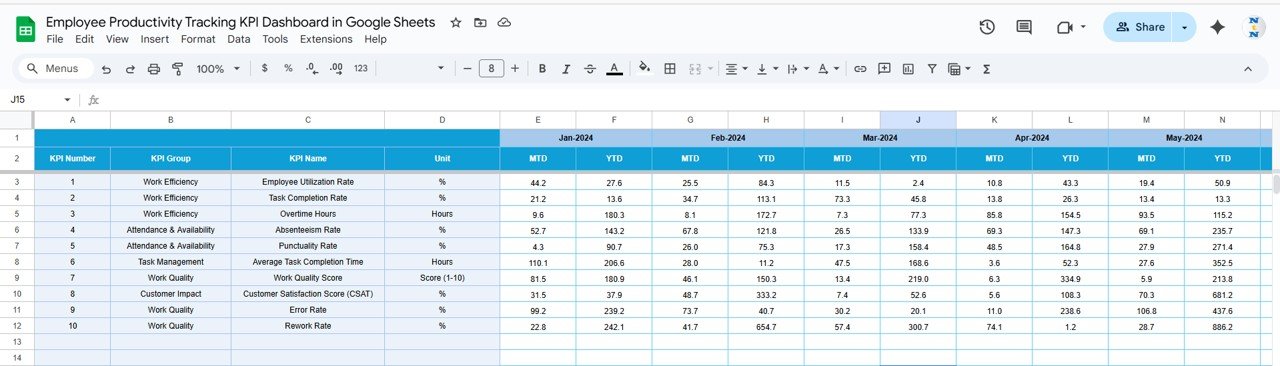
The Actual Numbers sheet allows HR teams to enter monthly and year-to-date data. Once entered, all dashboard visuals update automatically. This ensures accurate reporting and reduces manual calculation errors.
🎯 4. Target Setting for Better Performance Planning
The Target Sheet helps organizations define clear expectations. Managers can set MTD and YTD targets for each KPI—creating a well-planned performance measurement system.
📊 5. Previous Year Comparison for Growth Tracking
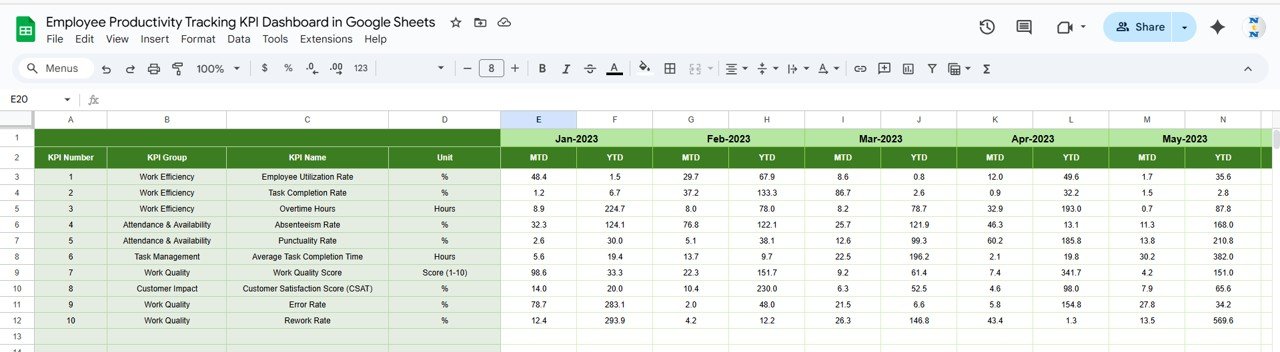
The dashboard includes an entire sheet dedicated to previous year numbers. This allows businesses to measure long-term growth and understand productivity improvements year-over-year.
📦 What’s Inside the Employee Productivity Tracking KPI Dashboard in Google Sheets
📋 1. Dashboard Sheet – Your Productivity Command Center
This sheet presents visually appealing cards, charts, and comparison indicators. It helps managers identify:
-
Productivity drops
-
Delays in task completion
-
Attendance concerns
-
Quality performance
-
Efficiency issues
-
Overachievers and underperformers
With everything displayed clearly, decision-making becomes faster and more data-driven.
📈 2. KPI Trend Sheet – Month-Wise KPI Insights
Selecting any KPI reveals:
-
KPI Definition
-
Monthly trend chart
-
KPI Type
-
Formula & Unit
-
KPI Group
This helps managers and leadership understand long-term productivity behaviors and take informed strategic decisions.
🧾 3. Actual, Target & Previous Year Sheets
These sheets serve as the data backbone of the dashboard:
-
Actual Sheet: Enter monthly & YTD values
-
Target Sheet: Add performance goals
-
Previous Year Sheet: Track improvements
All charts and visuals read from these sheets to ensure accuracy.
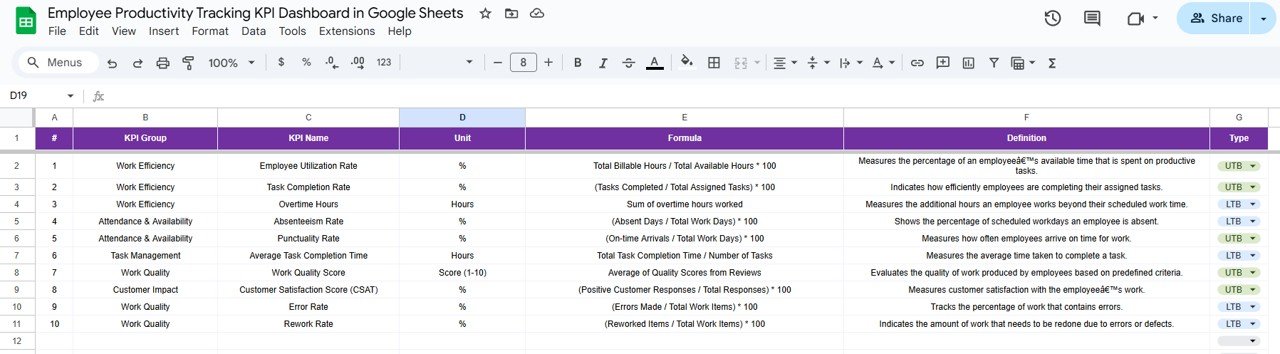
📘 4. KPI Definition Sheet – Full KPI Dictionary
This sheet includes:
-
KPI Name
-
KPI Group
-
Definition
-
Formula
-
Unit
-
KPI Type (UTB/LTB)
It supports consistent understanding across departments and ensures uniform reporting standards.
🎯 Who Can Benefit from the Employee Productivity Tracking KPI Dashboard in Google Sheets
👨💼 Managers & Team Leaders
Monitor employee performance and identify improvement areas instantly.
🏢 HR Teams
Track productivity trends, performance gaps, and training needs.
📈 Senior Leadership
Measure growth, understand workforce efficiency, and support strategic planning.
🌍 Remote or Hybrid Teams
Allows effortless productivity tracking for distributed teams.





























Reviews
There are no reviews yet.