
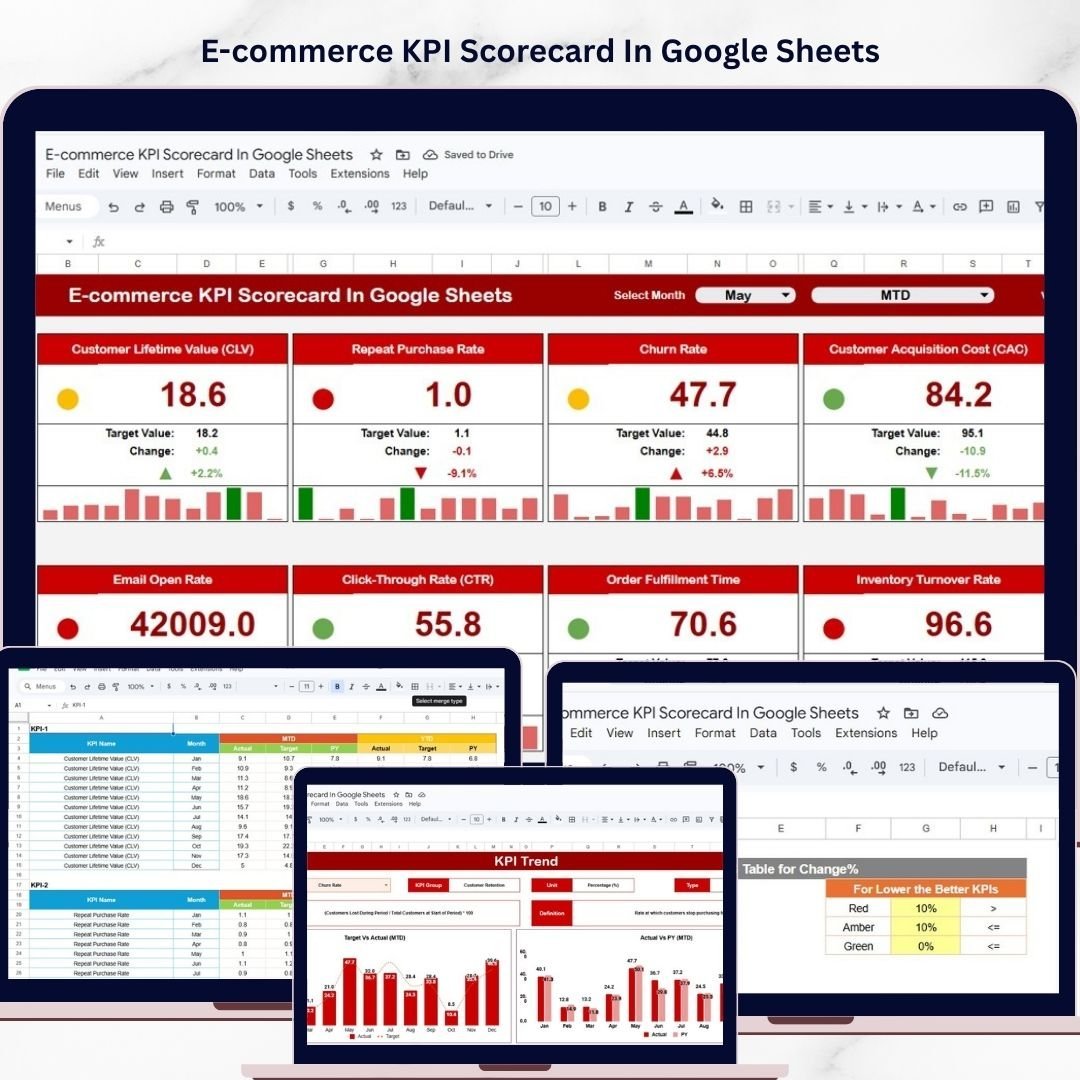
Key Features of E-commerce KPI Scorecard In Google Sheets
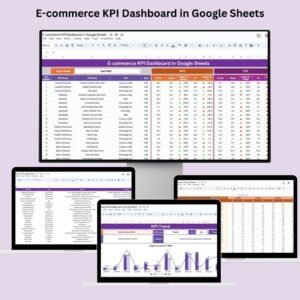
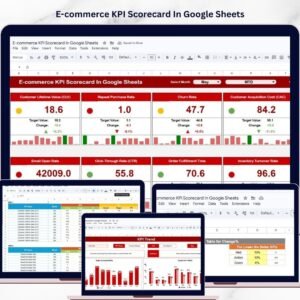
Unlock the power of data-driven decision-making with our E-commerce KPI Scorecard In Google Sheets – a ready-to-use, fully customizable template designed to track, analyze, and optimize your e-commerce performance with ease. This dynamic scorecard empowers you to monitor your key performance indicators (KPIs) all in one place, helping you make smarter business choices that drive growth and profitability.
Our template comprises 4 comprehensive worksheets that cover every aspect of your KPI tracking needs:
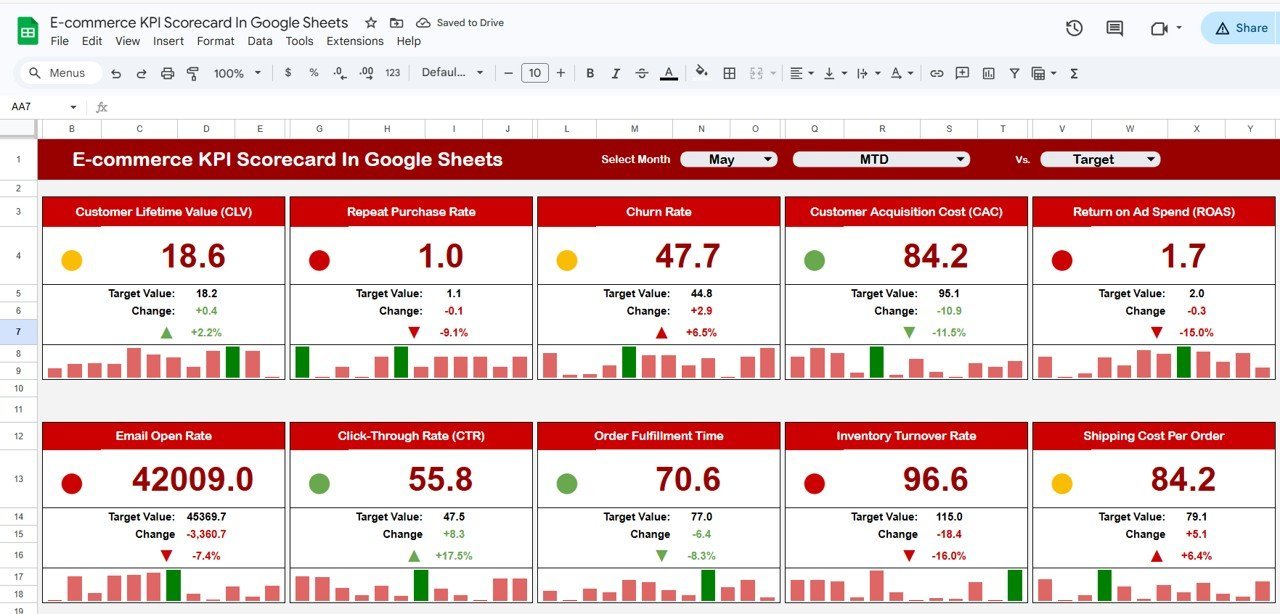
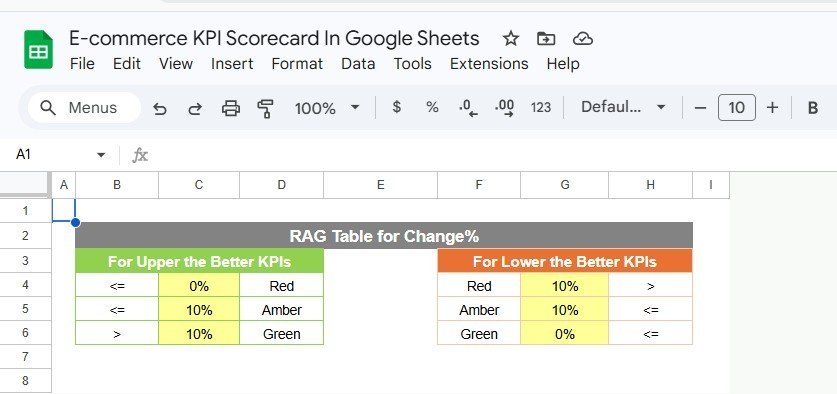
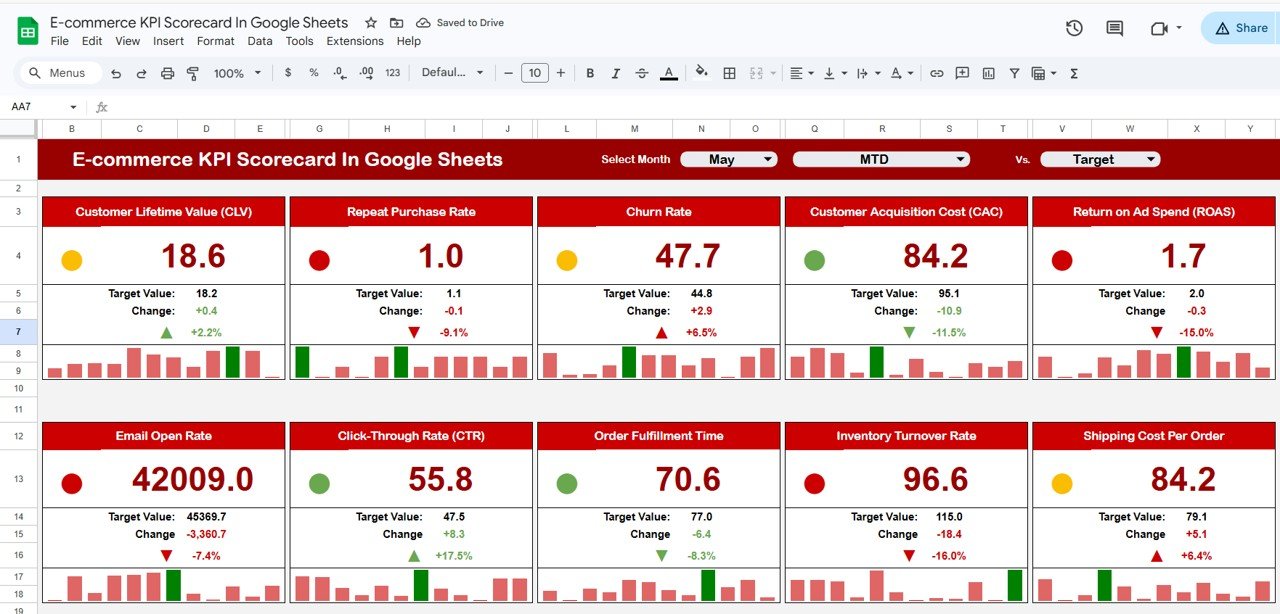
- 📊 Scorecard Sheet: The heart of the template where you can view all your KPI performance metrics at a glance. Featuring intuitive dropdown menus, you can select monthly, Month-to-Date (MTD), or Year-to-Date (YTD) views to analyze your performance over different time frames. Compare actual results against your targets, with easy-to-understand visual indicators using color-coded formatting for 10 vital KPIs, making it quick and simple to identify areas needing attention.
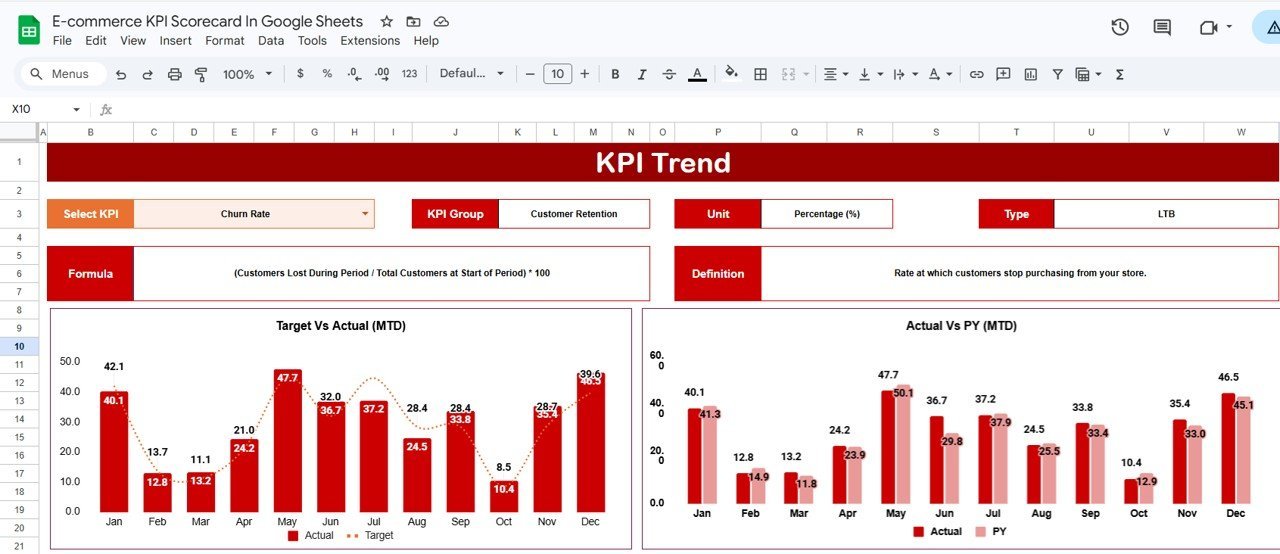
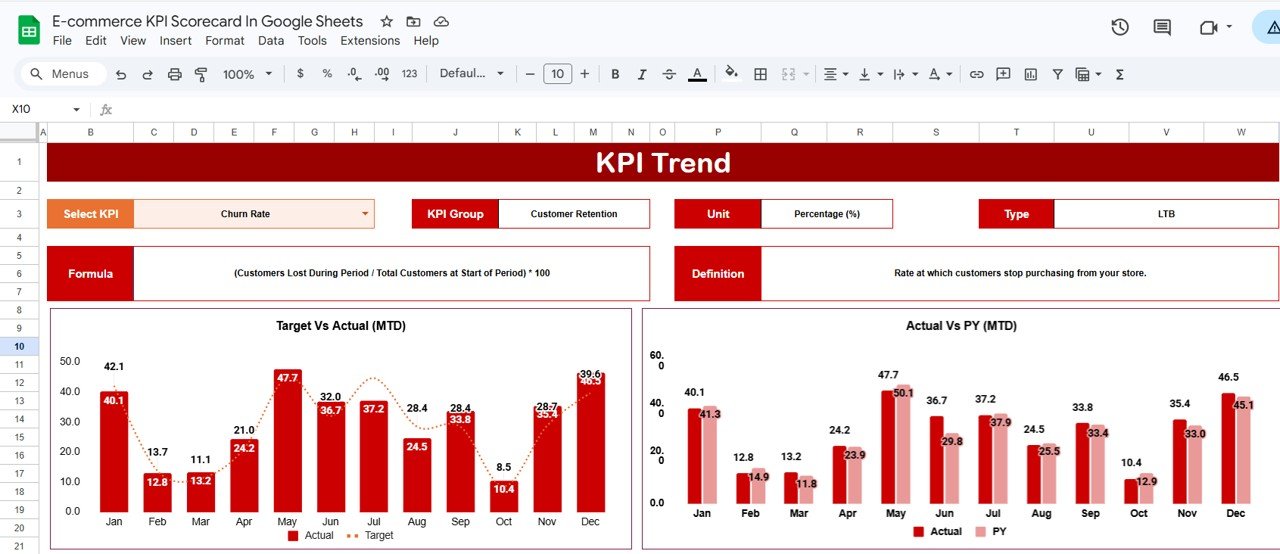
- 📈 KPI Trend Sheet: Dive deeper into performance trends by selecting any KPI from a dropdown menu. This sheet details the KPI group, units, type (whether lower or upper values are better), formulas, and definitions. It also features MTD and YTD trend charts comparing actual, target, and previous year (PY) values for a clear visual of your progress.
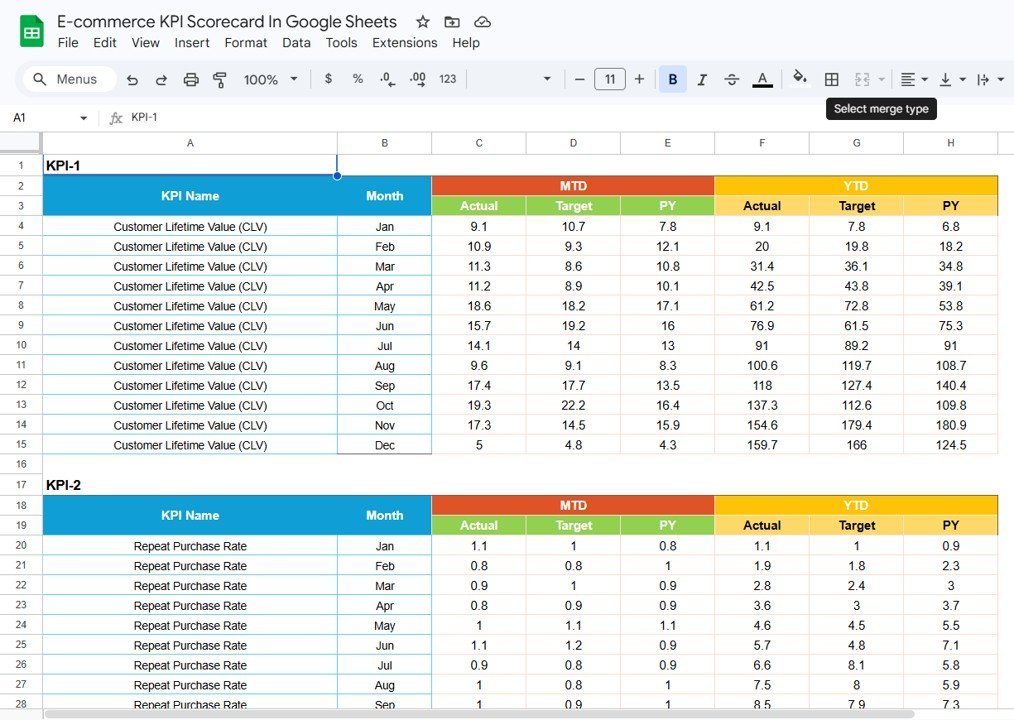
- 📝 Input Data Sheet: Easily input and update your KPI data here. Enter actual values, targets, and other essential metrics in a flexible, user-friendly format that keeps your scorecard current and accurate.
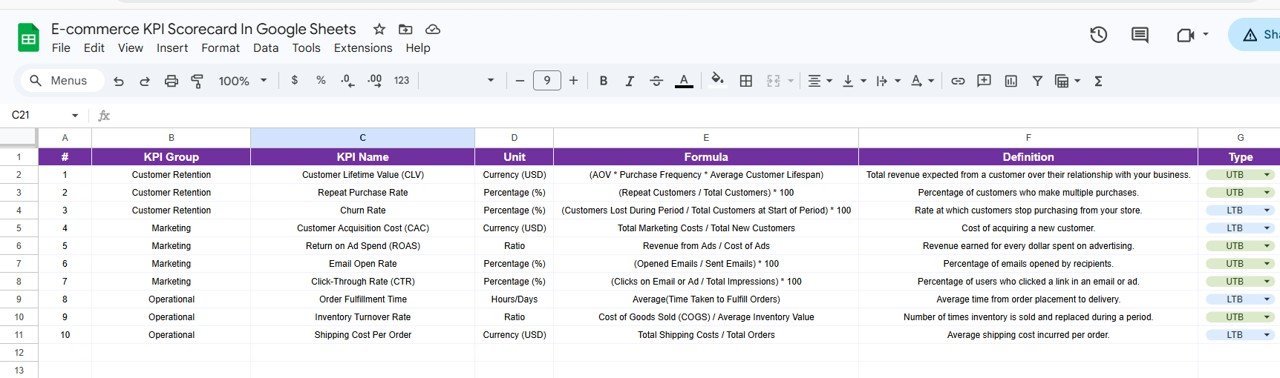
- 📚 KPI Definition Sheet: Define and manage your KPIs with clarity by documenting KPI names, groups, units, formulas, and detailed descriptions. This ensures everyone on your team understands what each KPI means and how it’s calculated.
What’s Inside the E-commerce KPI Scorecard In Google Sheets
Our scorecard template is thoughtfully structured with four interactive sheets, each serving a vital role in your KPI management:
E-commerce KPI Scorecard In Google Sheets
Scorecard Sheet: Main dashboard to view KPI performance with dropdown filters for time periods and color-coded actual vs. target comparison.
KPI Trend Sheet
KPI Trend Sheet: Select KPIs and analyze trend charts showing MTD and YTD actual, target, and previous year data for deeper insights.
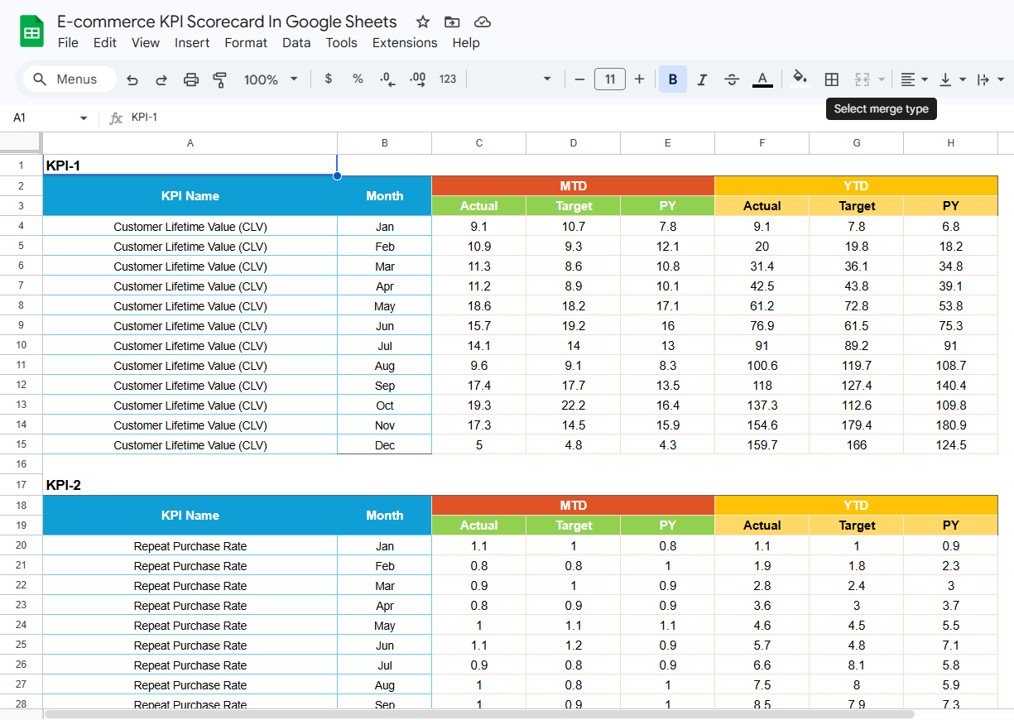
Input Data Sheet
Input Data Sheet: Easily enter and update critical KPI data to maintain the accuracy and relevance of your scorecard.
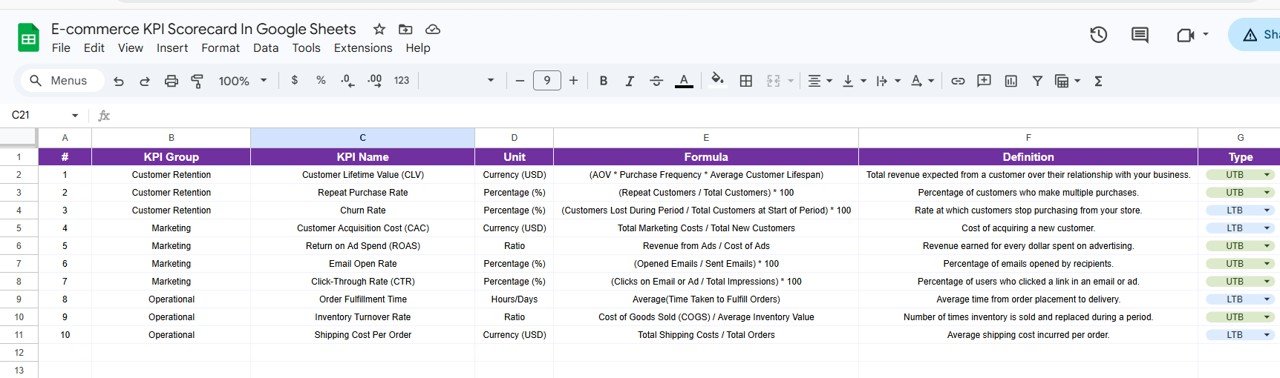
KPI Definition sheet tab
KPI Definition Sheet: Maintain clear documentation of KPIs including names, groups, units, formulas, and definitions for team alignment.
How to Use the E-commerce KPI Scorecard In Google Sheets
Getting started with the E-commerce KPI Scorecard In Google Sheets is quick and straightforward. Follow these simple steps to maximize your e-commerce analytics:
- 🛠️ Step 1: Input Your Data – Begin by entering your KPI values, targets, and other relevant data into the Input Data Sheet. Update this regularly to keep your dashboard current.
- 🔍 Step 2: Review the Scorecard – Use the Scorecard Sheet to monitor performance across 10 critical KPIs. Select your desired timeframe (month, MTD, YTD) via dropdown menus to analyze recent trends.
- 📊 Step 3: Analyze Trends – On the KPI Trend Sheet, select any KPI to explore detailed trend charts that compare actual, target, and previous year values. This helps identify patterns and performance gaps.
- 📚 Step 4: Understand KPIs – Use the KPI Definition Sheet to familiarize yourself and your team with each KPI’s purpose, measurement unit, and formulas.
- 🔄 Step 5: Update Regularly – Keep your data fresh by frequently updating the Input Data Sheet. This ensures your scorecard reflects real-time business performance.
Who Can Benefit from This E-commerce KPI Scorecard In Google Sheets
This powerful template is perfect for a wide range of users looking to elevate their e-commerce analytics and decision-making:
- 📦 E-commerce Business Owners: Gain clear insights into your store’s performance and identify growth opportunities quickly.
- 📊 Marketing Managers: Track campaign effectiveness and conversion KPIs to optimize marketing spend.
- 📈 Sales Teams: Monitor sales-related KPIs to improve revenue and customer acquisition strategies.
- 🧑💻 Data Analysts: Use a structured and automated scorecard for easy reporting and trend analysis.
- 🤝 Consultants & Agencies: Provide clients with professional KPI tracking tools that deliver actionable insights.
- 🎯 Startups & SMEs: Keep your finger on the pulse of your business metrics without complex software.
By empowering you with clear, actionable data, this E-commerce KPI Scorecard In Google Sheets becomes an indispensable tool to keep your business agile, competitive, and profitable.
Click here to read the Detailed blog post.
Visit our YouTube channel to learn step-by-step video tutorials.




















Reviews
There are no reviews yet.