
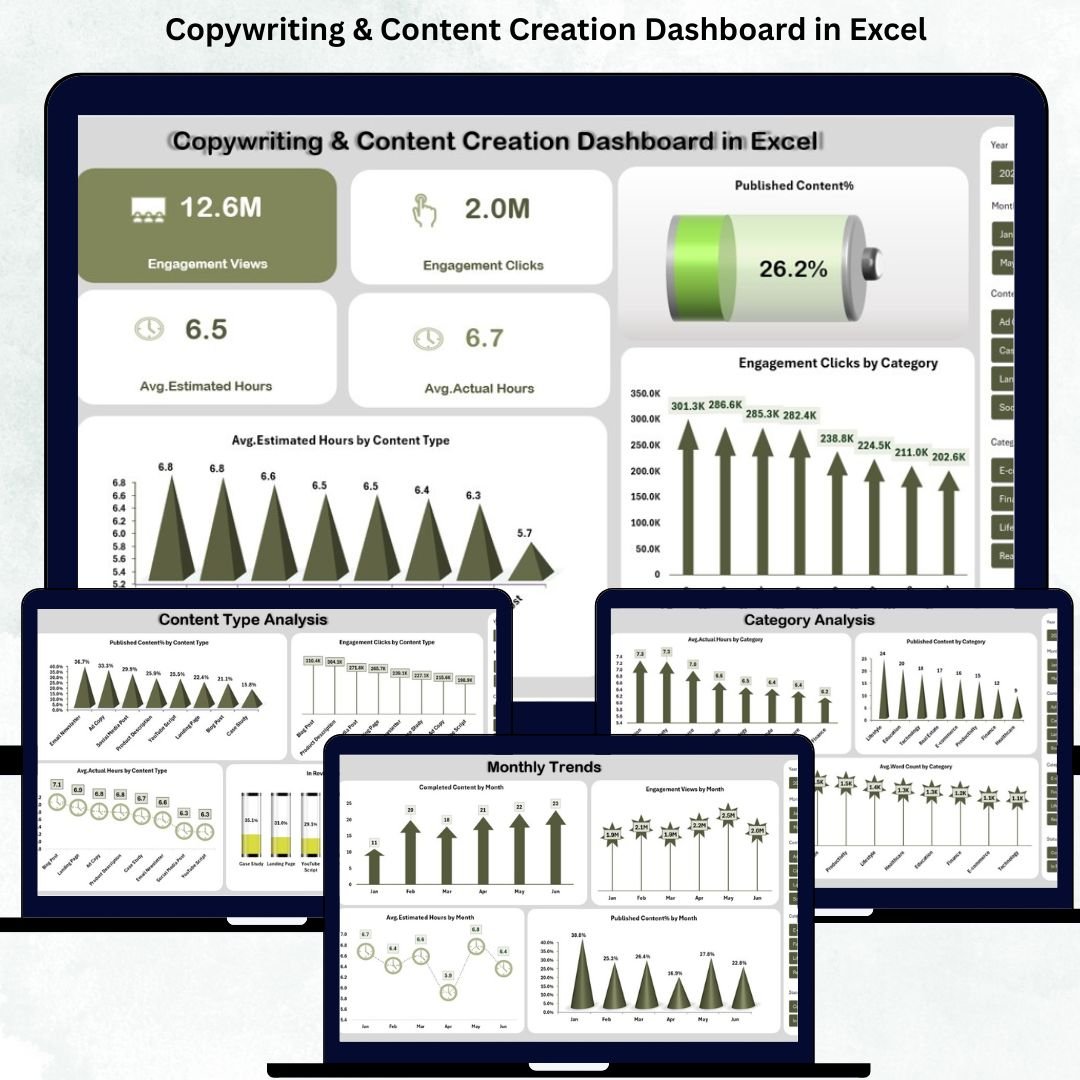
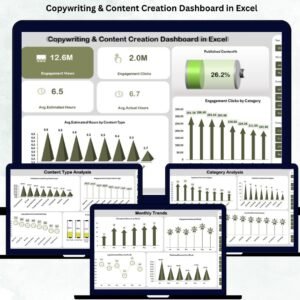
Managing content ideas, deadlines, performance metrics, and team productivity can quickly become overwhelming for copywriters and content creators. When tasks are spread across multiple spreadsheets, emails, and chat tools, it becomes difficult to track what’s completed, what’s pending, and how each content piece is performing. The Copywriting & Content Creation Dashboard in Excel solves all these challenges in a simple, visual, and highly organized way.
This ready-to-use Excel dashboard helps copywriting teams, social media managers, bloggers, editorial departments, and digital marketing teams monitor everything in one place — from engagement metrics to workload analysis, writing hours, content categories, platforms, and monthly performance insights. Whether you manage a team or work individually, this dashboard improves planning, increases clarity, and gives you a complete understanding of how your content is performing.Copywriting & Content Creation Dashboard in Excel
✨ Key Features of the Copywriting & Content Creation Dashboard in Excel
The dashboard is designed with user-friendly visuals, drop-down filters, and category-based analytics so that you can make faster and smarter content decisions.
✔️ Engagement & Performance KPIs
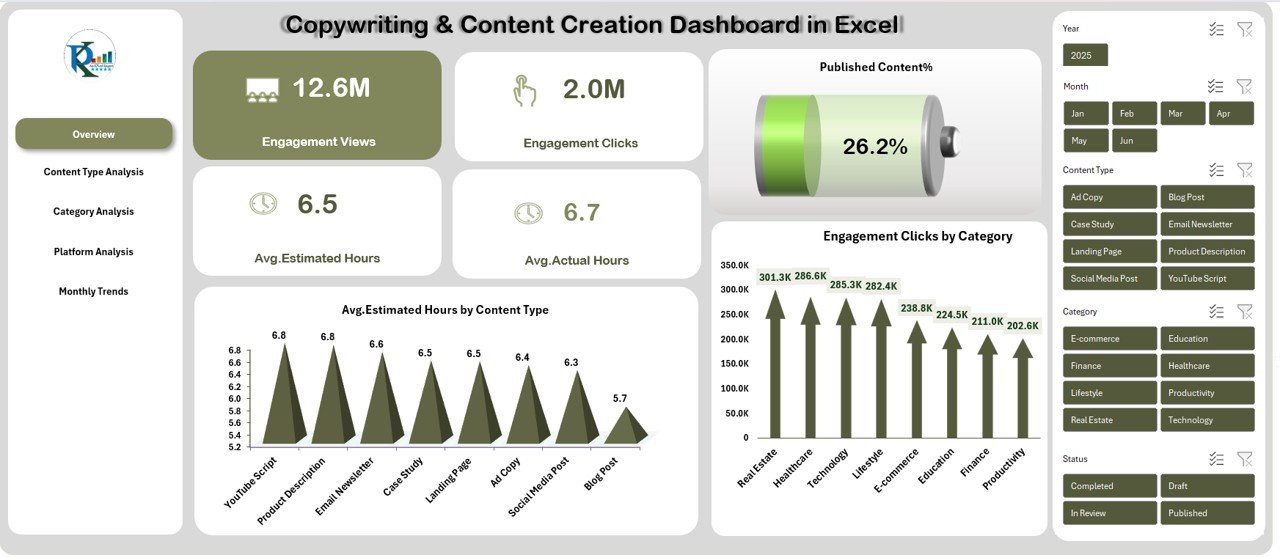
Track Views, Clicks, Avg. Estimated Hours, Avg. Actual Hours, and Published Content % in a single view.
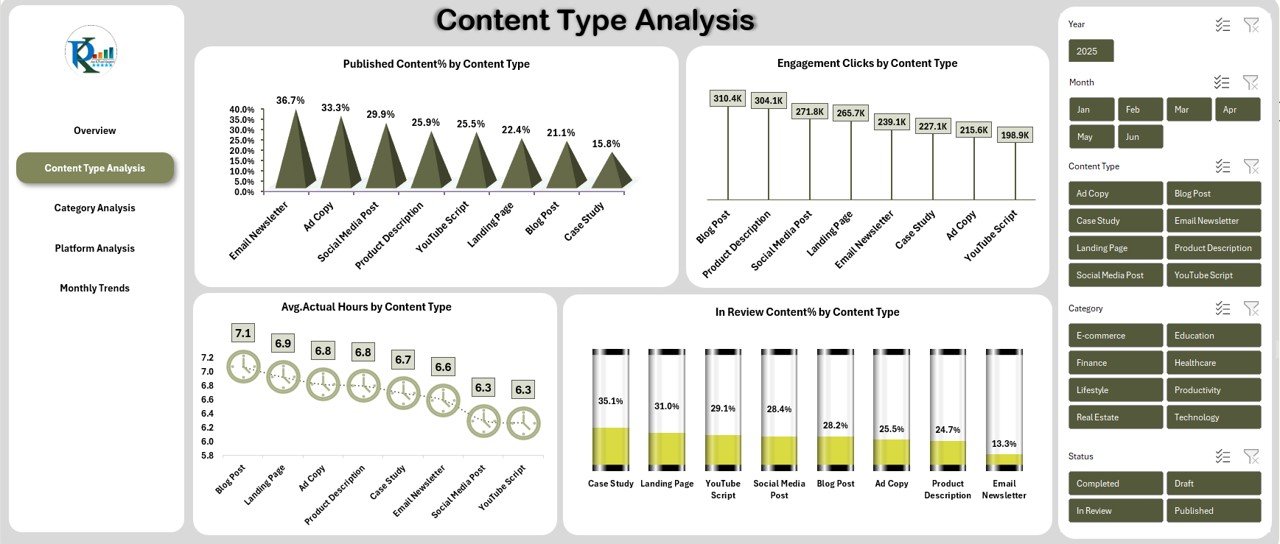
✔️ Content Type Analysis
Understand which content type performs best using:
-
Published % by Content Type
-
Engagement Clicks by Content Type
-
Avg. Actual Hours by Content Type
-
In Review % by Content Type
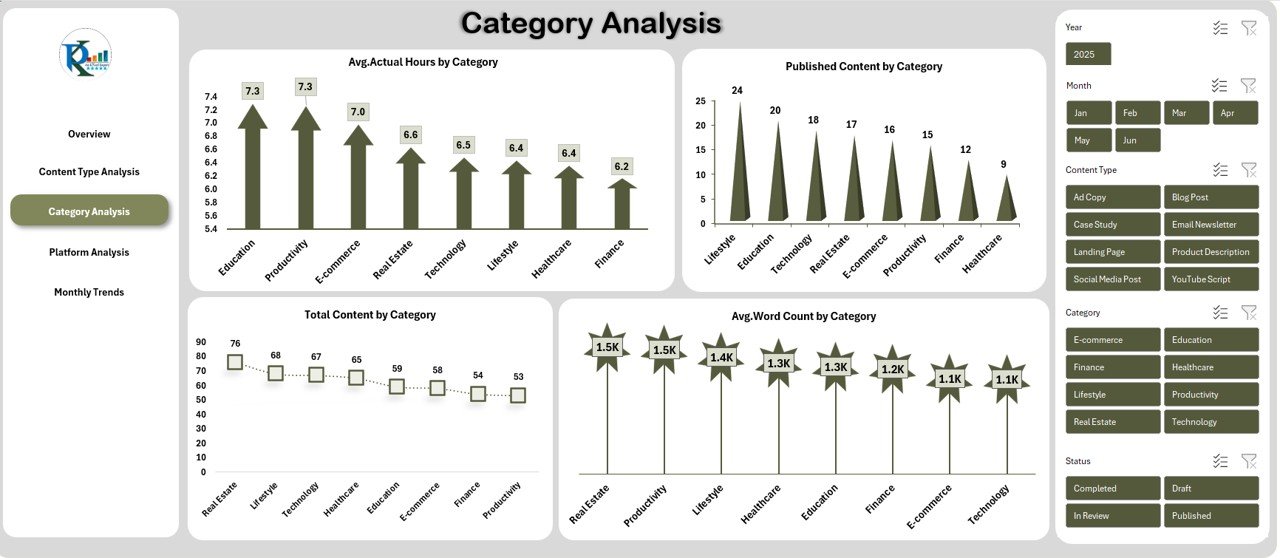
✔️ Category-Based Analysis
Get clarity on your niche categories with metrics like:
-
Avg. Actual Hours
-
Total Content Count
-
Avg. Word Count
-
Category-Specific Performance Trends
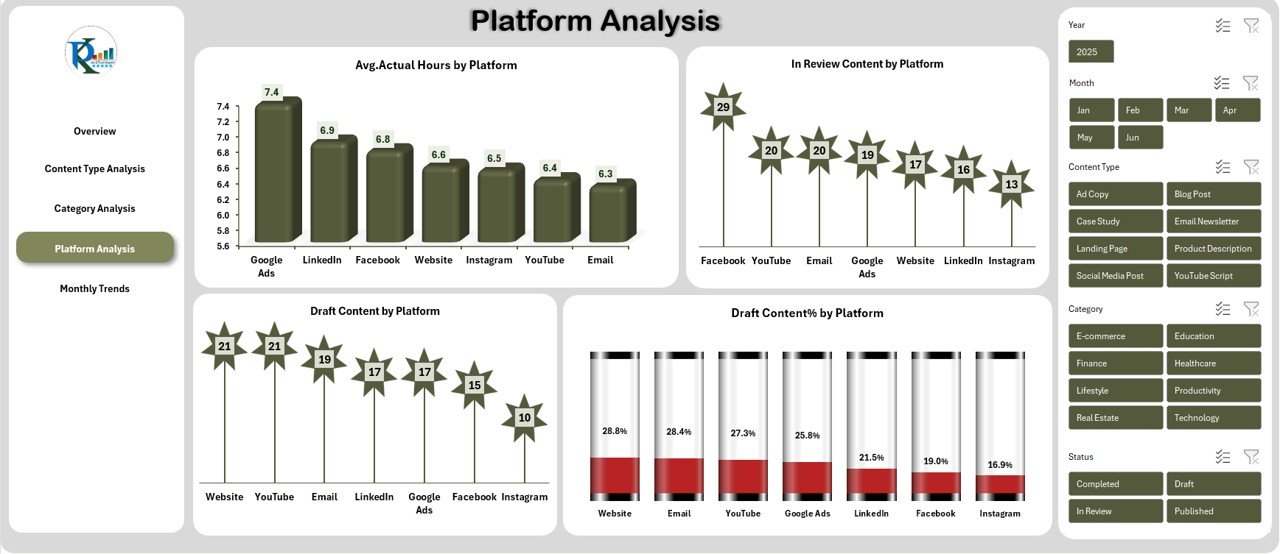
✔️ Platform-Wise Insights
Quickly identify which platforms drive the most engagement and where more effort is needed.
-
Draft Content %
-
In Review Content %
-
Avg. Actual Hours
-
Platform-Based Performance
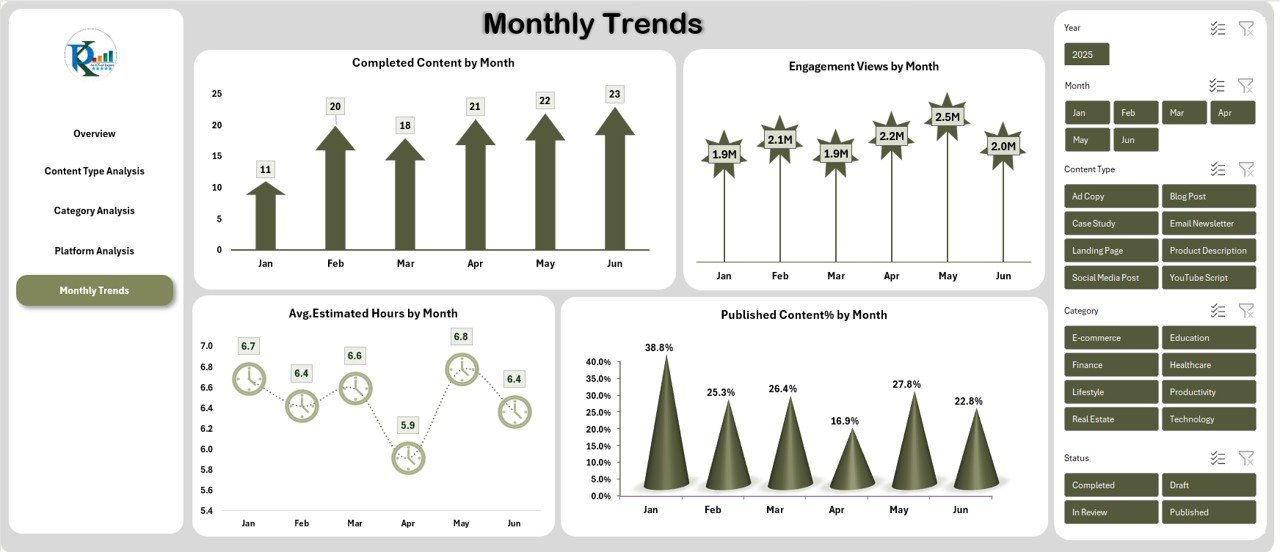
✔️ Monthly Trends
Analyze workload and engagement over time using:
-
Completed Content by Month
-
Avg. Estimated Hours
-
Views Month-over-Month
-
Published Content % Trends
📦 What’s Inside the Copywriting & Content Creation Dashboard
When you download this Excel dashboard, you get a structured, easy-to-navigate file with multiple interactive sheets:
📁 Overview Sheet
A complete snapshot of your team’s performance including Views, Clicks, Hours, and Publish Rate.Copywriting & Content Creation Dashboard in Excel
📁 Content Type Analysis Sheet
Deep insights into blogs, reels, scripts, posts, articles, and all other content formats.
📁 Category Analysis Sheet
Categorize content by niche (Education, Finance, Digital Marketing, Technology, etc.) and track performance.
📁 Platform Analysis Sheet
Compare your content performance across platforms like Instagram, YouTube, LinkedIn, Blog, etc.
📁 Monthly Trends Sheet
See how your team is performing month-by-month to identify growth, productivity, or gaps.Copywriting & Content Creation Dashboard in Excel
🛠️ How to Use the Copywriting & Content Creation Dashboard in Excel
Using this dashboard is extremely simple — even if you do not have advanced Excel skills.
▶️ Step 1: Enter Your Data
Fill in:
-
Content Type
-
Category
-
Platform
-
Views
-
Clicks
-
Estimated Hours
-
Actual Hours
-
Word Count
-
Status (Draft, Review, Published)
▶️ Step 2: Dashboard Updates Automatically
All charts, KPIs, and visual summaries update instantly without formulas or coding.
▶️ Step 3: Analyze Content Performance
Use filters to explore:
-
Which content performs best
-
Team workload distribution
-
Publishing efficiency
-
Time vs. engagement comparison
▶️ Step 4: Improve Your Content Strategy
Based on insights, you can plan better, reduce delays, increase productivity, and boost engagement.
👥 Who Can Benefit from This Dashboard
This tool is perfect for individuals and teams who handle content production, planning, and performance measurement:
🎯 Content Creators & Influencers
Track engagement effortlessly across multiple platforms.
🎯 Copywriting Teams
Manage drafts, revisions, publish status, and performance.
🎯 Digital Marketers
Monitor the effectiveness of content types, categories, and platforms.
🎯 Bloggers & Writers
Compare word count, writing hours, and views for every blog.
🎯 Agencies & Businesses
Standardize reporting and improve productivity across the content team.
### Click here to read the Detailed blog post
Watch the step-by-step video tutorial:


















Reviews
There are no reviews yet.