
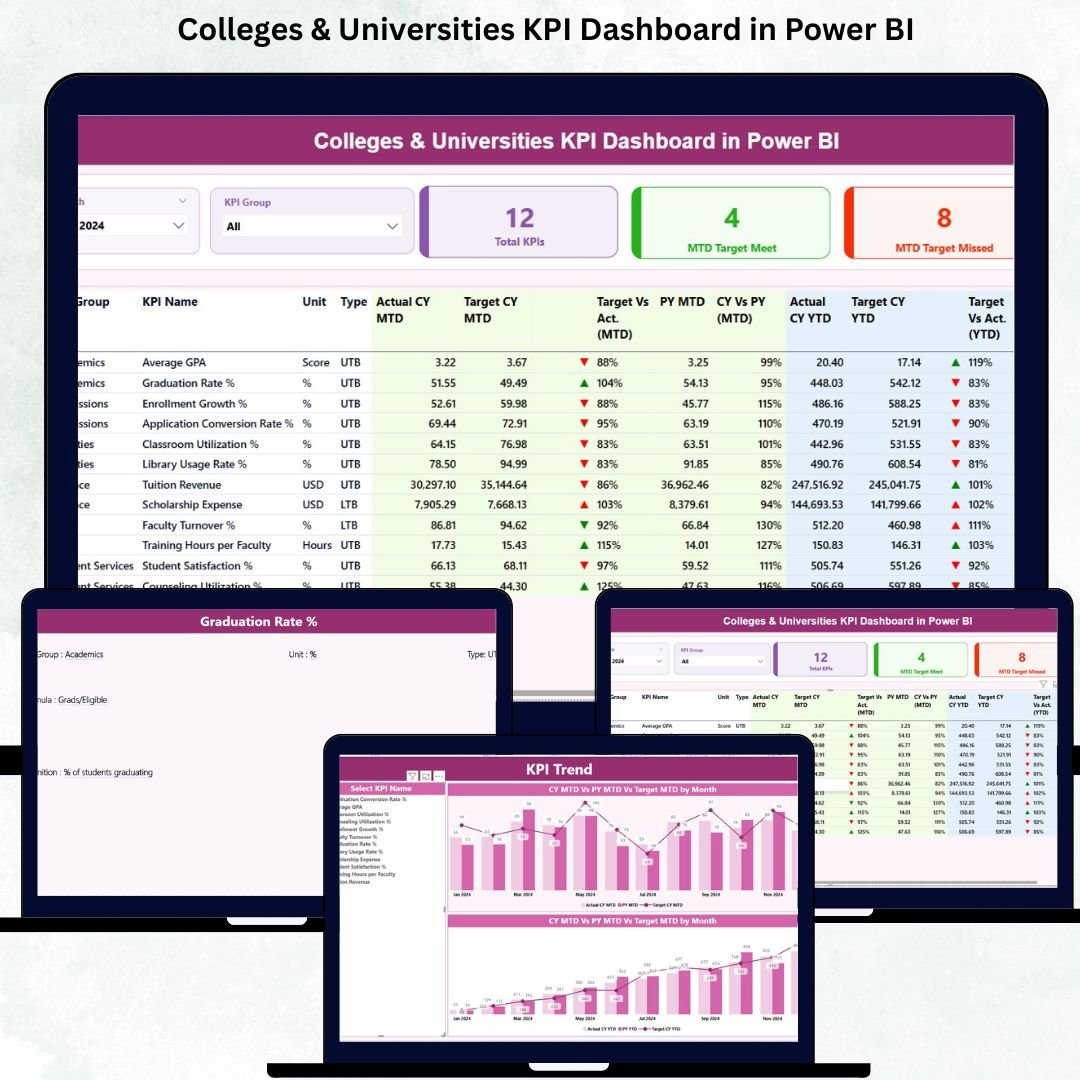
Running a college or university requires constant monitoring of hundreds of academic and operational activities. From student admissions and attendance tracking to faculty performance, research progress, and administrative efficiency—every metric impacts the overall success of the institution. Most educational leaders struggle to make fast, accurate decisions because data is scattered across Excel files, emails, and manual reports.
To solve this challenge, we present the Colleges & Universities KPI Dashboard in Power BI—a ready-to-use, interactive, and professional data monitoring solution that transforms complex information into clear insights. This dashboard connects directly to a simple Excel file and updates automatically, giving leaders instant visibility into academic performance, operational trends, departmental KPIs, and year-on-year comparisons.
If you want your institution to operate with accuracy, discipline, and faster decision-making, this dashboard is the perfect tool.
✨ Key Features of the Colleges & Universities KPI Dashboard in Power BI
This powerful and easy-to-understand dashboard brings all essential educational KPIs into one place.
📌 Summary Page — Complete Performance Snapshot
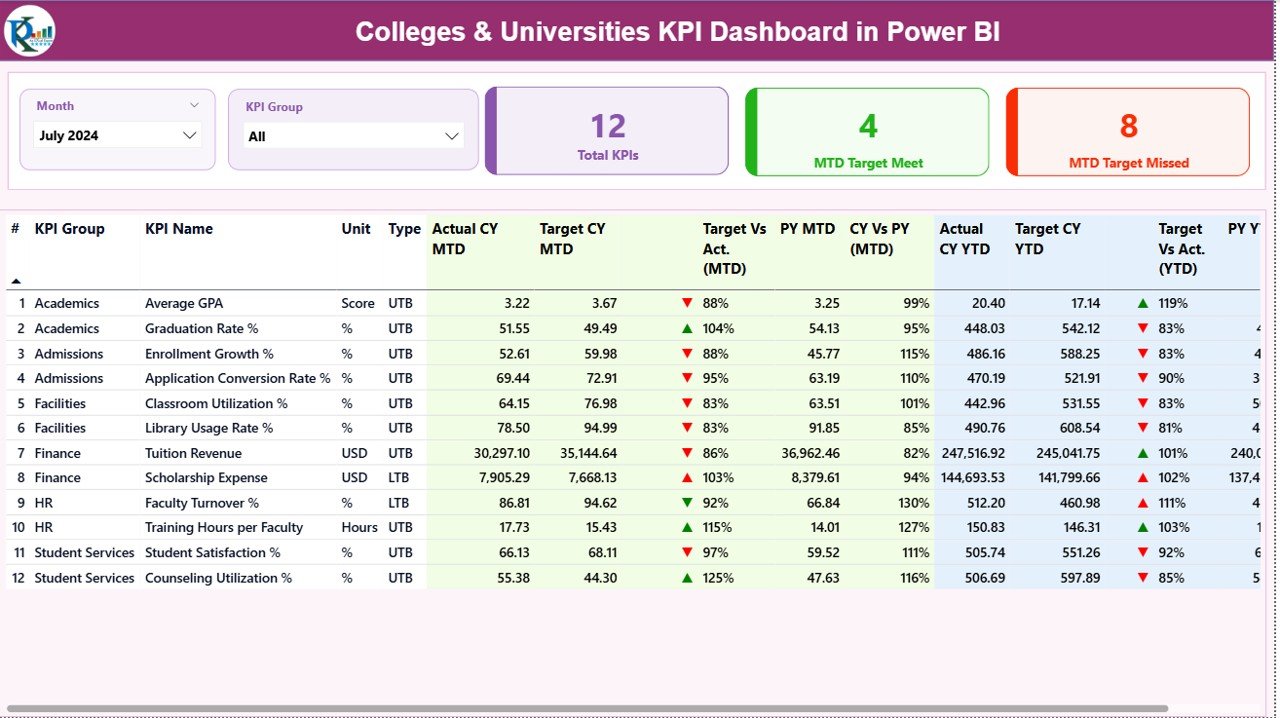
The Summary Page is the core of the dashboard.
It includes:
-
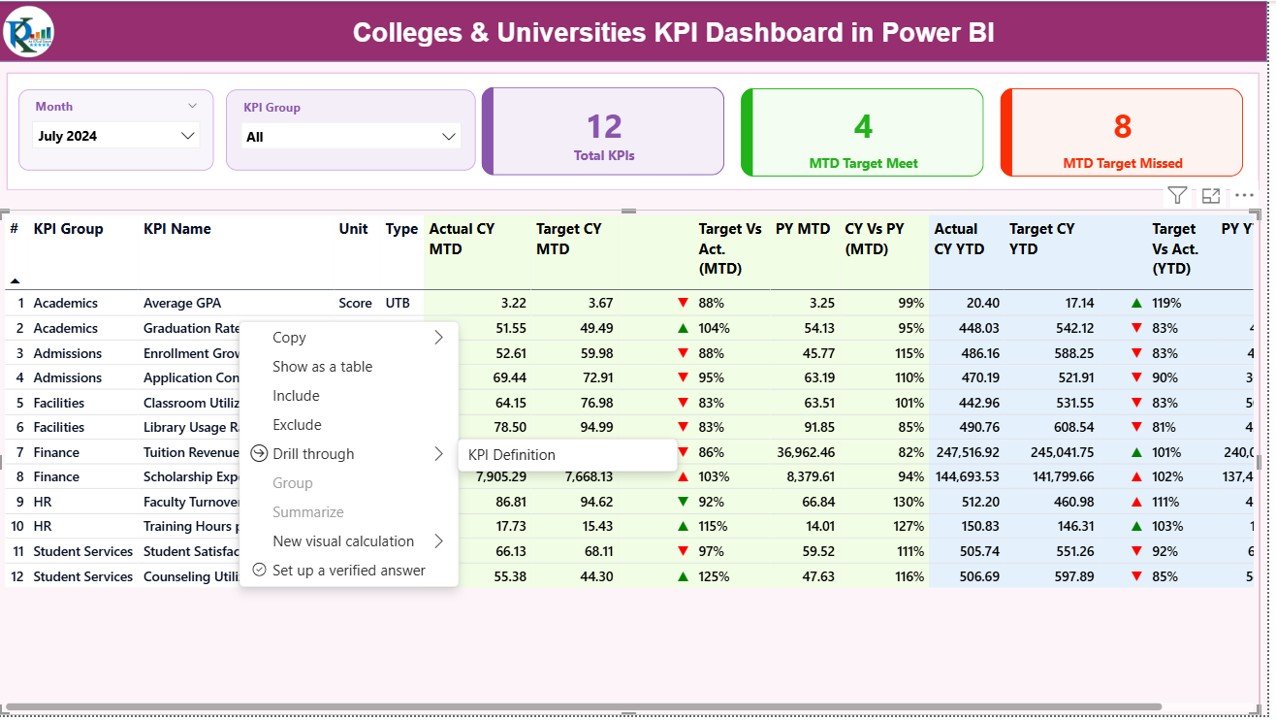
Month & KPI Group Slicers for instant filtering
-
KPI Cards showing Total KPIs, MTD Target Meet, and MTD Target Missed
-
Detailed KPI Table with MTD, YTD, target achievement %, previous year comparison, and performance icons (green/red arrows)
Everything you need to understand your institution’s health is visible in one glance.
📈 KPI Trend Page — Track Movement Over Time
This page includes:
-
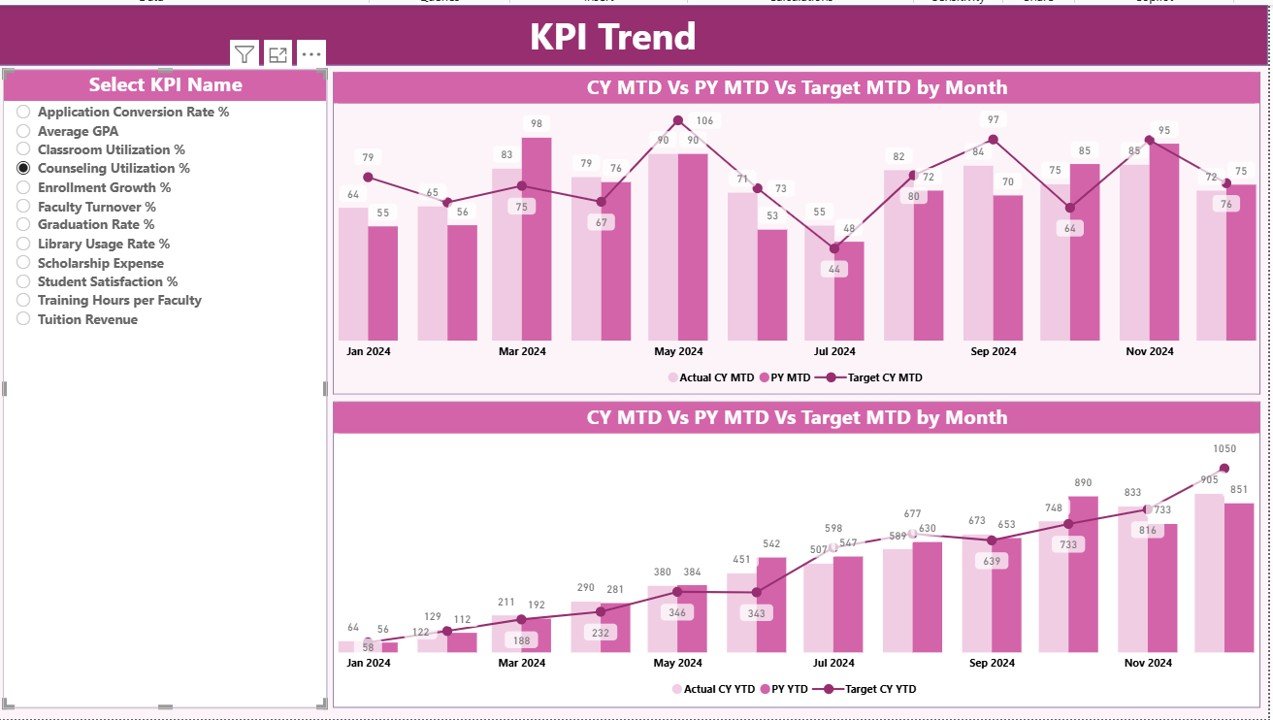
2 combo charts for MTD and YTD
-
Trend lines comparing Actual vs Target vs Last Year
-
KPI Name slicer for individual KPI analysis
Perfect for visualizing academic and administrative improvements throughout the year.
📄 KPI Definition Page — Clear Understanding of KPIs
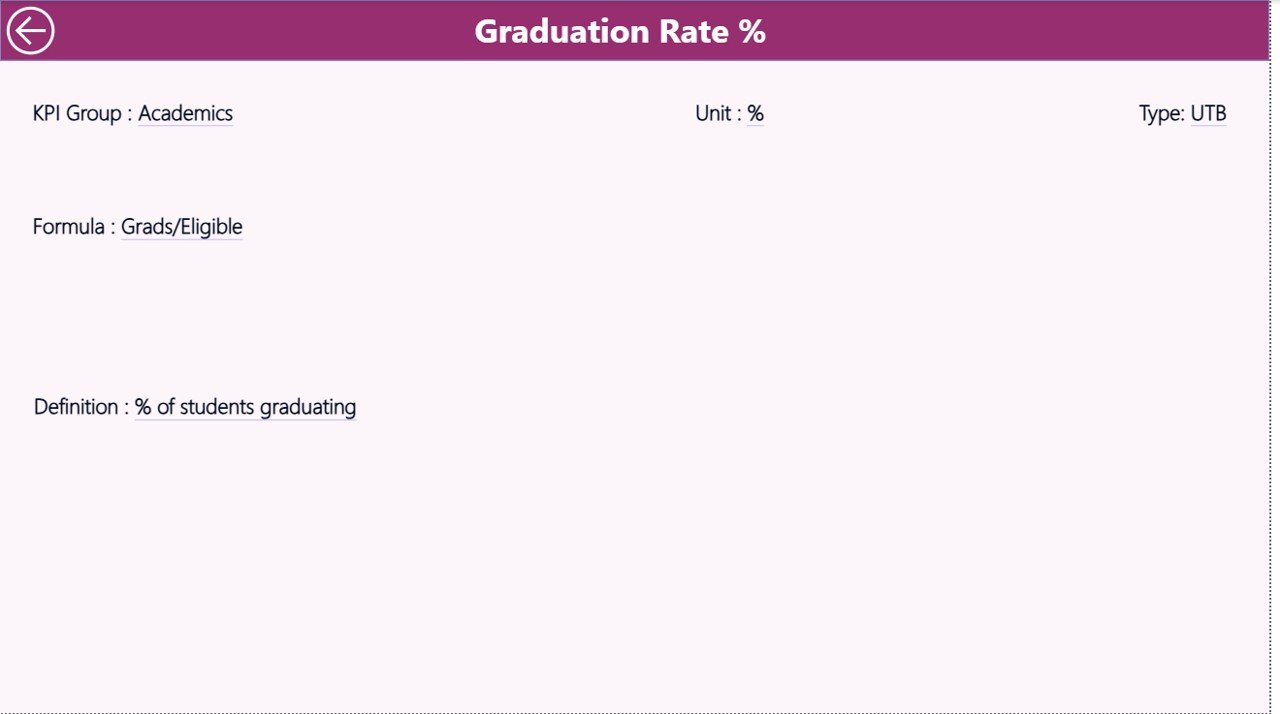
A drill-through page showing:
KPI Number, KPI Group, KPI Name, Unit, Formula, Definition, and Type (UTB/LTB)
This ensures every user interprets KPIs consistently.
📦 What’s Inside the Colleges & Universities KPI Dashboard in Power BI
When you download this product, you get:
-
A fully developed Power BI Dashboard (.PBIX)
-
Excel backend file with:
-
Input_Actual sheet
-
Input_Target sheet
-
KPI Definition sheet
-
-
Interactive slicers, trend charts, KPI cards, and visual indicators
-
Simple structure that updates instantly with new Excel data
-
Ready-to-use layout for academic, administrative & research KPIs
Everything is designed to work out-of-the-box—no technical setup required.
🛠️ How to Use the Colleges & Universities KPI Dashboard in Power BI
Using this dashboard is incredibly simple:
1️⃣ Open the Excel backend file
Fill/update the Actual and Target values for each month.
2️⃣ Refresh the Power BI dashboard
Power BI will instantly update all visuals, KPIs, and comparison metrics.
3️⃣ Use slicers to explore data
Filter by month, KPI group, or any selected KPI.
4️⃣ Drill through for detailed KPI definitions
Right-click any KPI in the Summary Page.
5️⃣ Review trends to plan better
Use the Trend Page to study improvements or declines.
Within minutes, you will have a complete performance overview of your institution.
🎯 Who Can Benefit from This Colleges & Universities KPI Dashboard in Power BI
This dashboard is ideal for every division of an educational institution:
-
College/University Management – Monitor quality, growth, and performance
-
Academic Heads – Track attendance, results, faculty workload
-
IQAC / Accreditation Teams – Use KPIs for NAAC, NBA, and ranking frameworks
-
Department Heads – Review departmental KPIs and operational progress
-
Administrative Teams – Monitor budgeting, resource utilization & efficiency
-
Research & Development Cells – Track publications and research activities
-
Finance & HR Teams – Measure cost efficiency and staff performance
If your institution wants accurate insights without manual reporting, this dashboard is a must-have.






























Reviews
There are no reviews yet.