

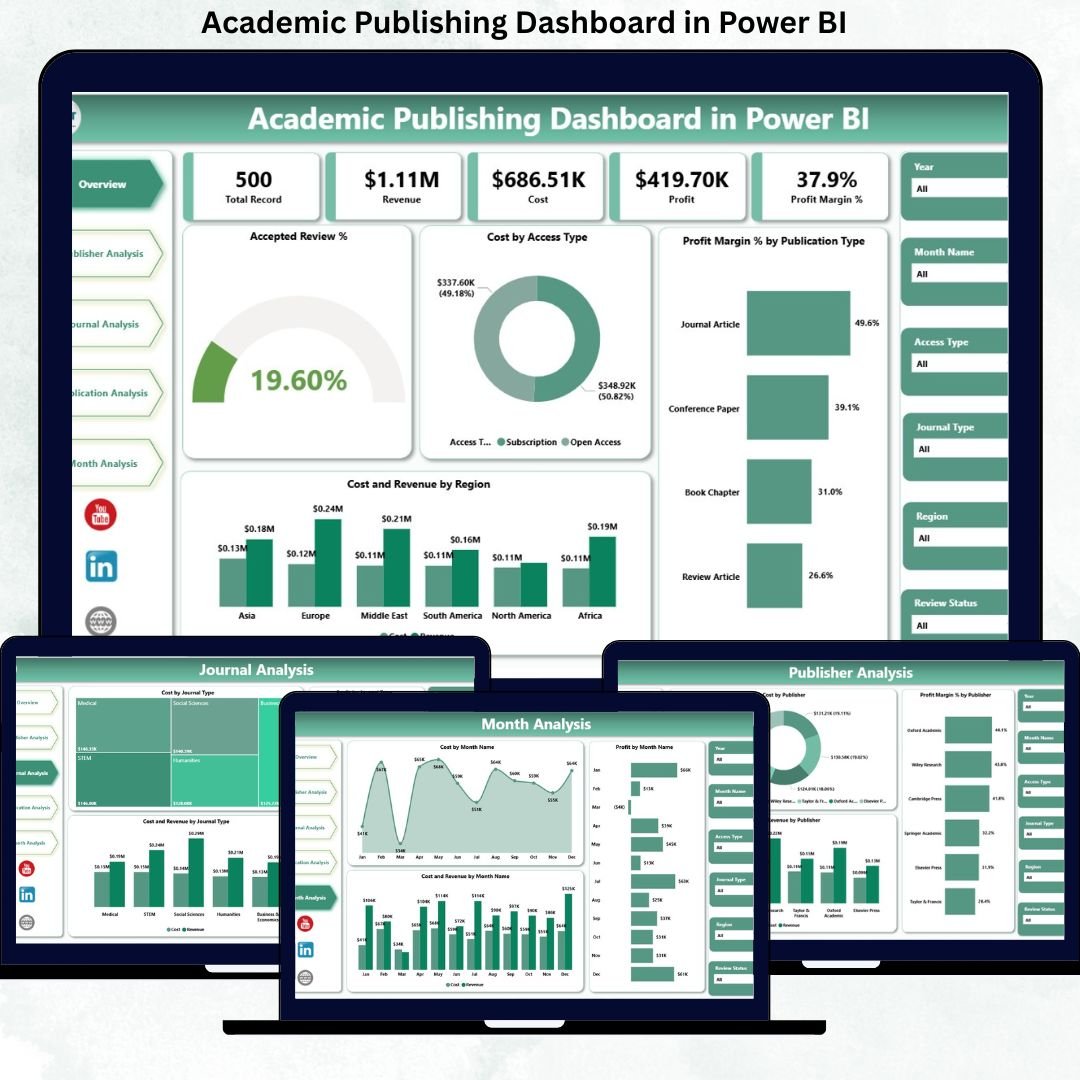
Academic Publishing Dashboard has become more competitive, data-driven, and financially complex than ever before. Publishers today must balance cost control, revenue growth, acceptance rates, journal performance, and regional profitability—all while responding quickly to market changes. Unfortunately, static reports and scattered spreadsheets fail to provide the clarity needed for timely decisions.
That is exactly why the Academic Publishing Dashboard in Power BI becomes a strategic decision-making tool for modern academic publishers.
This ready-to-use, interactive Power BI dashboard transforms complex publishing data into clear KPIs, visual insights, and actionable trends. Instead of spending hours consolidating reports, publishers, editors, and finance teams gain a centralized, real-time view of performance across journals, publishers, publication types, and regions.
Designed with simplicity and scalability in mind, this dashboard helps organizations improve financial transparency, editorial efficiency, and long-term profitability—without technical complexity.
🔑 Key Features of Academic Publishing Dashboard in Power BI
📊 Centralized Publishing Performance View
Monitor costs, revenues, profit margins, and acceptance rates from one unified dashboard.
💰 Cost & Revenue Analysis
Track expenses and income across publishers, journals, and publication types.
📈 Profit Margin Visibility
Identify high-performing and underperforming publishing segments instantly.
📚 Journal & Publisher-Level Insights
Analyze financial and editorial performance at granular levels.
🌍 Regional Performance Tracking
Understand geographic trends in cost and revenue.
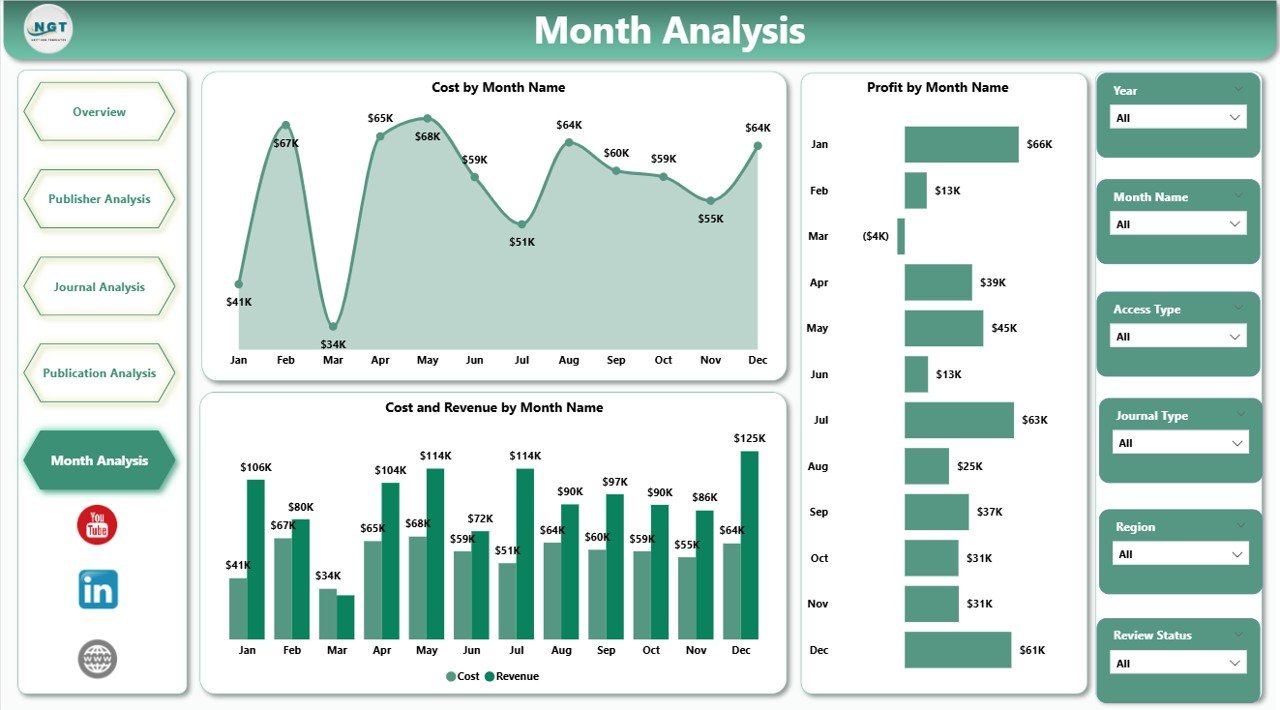
📅 Monthly Trend Analysis
Identify seasonality, growth patterns, and financial risks over time.
🎯 Interactive Slicers & Visuals
Explore data dynamically without technical expertise.
⚡ Power BI Performance & Scalability
Handle large datasets efficiently as publishing operations grow.
📂 What’s Inside the Academic Publishing Dashboard in Power BI
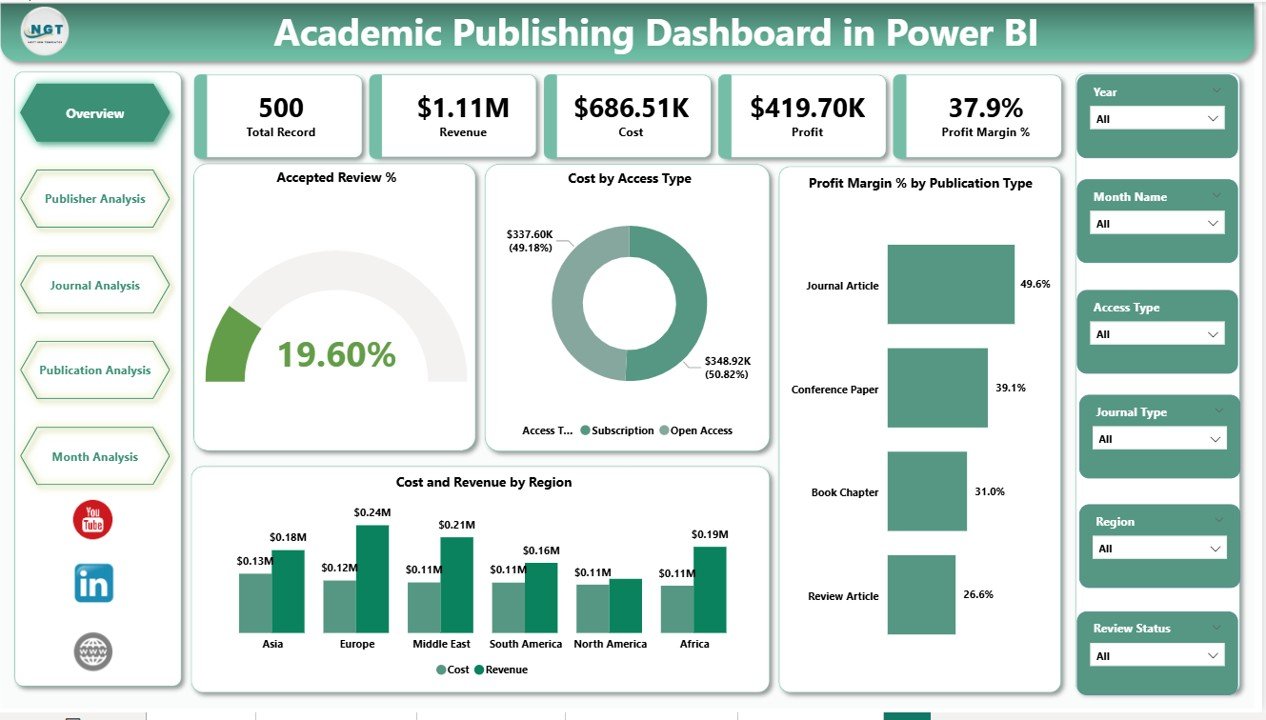
📁 Overview Page – High-level snapshot with KPIs and core performance charts
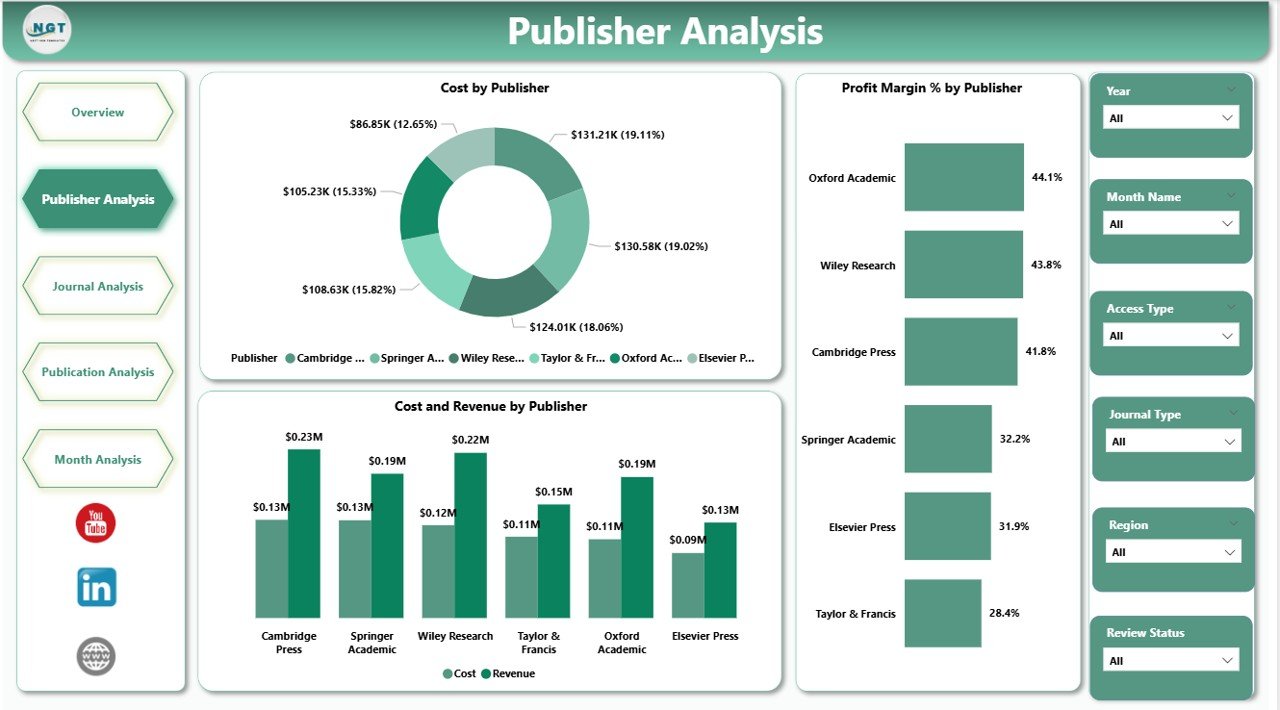
📁 Publisher Analysis Page – Cost, revenue, and margin analysis by publisher
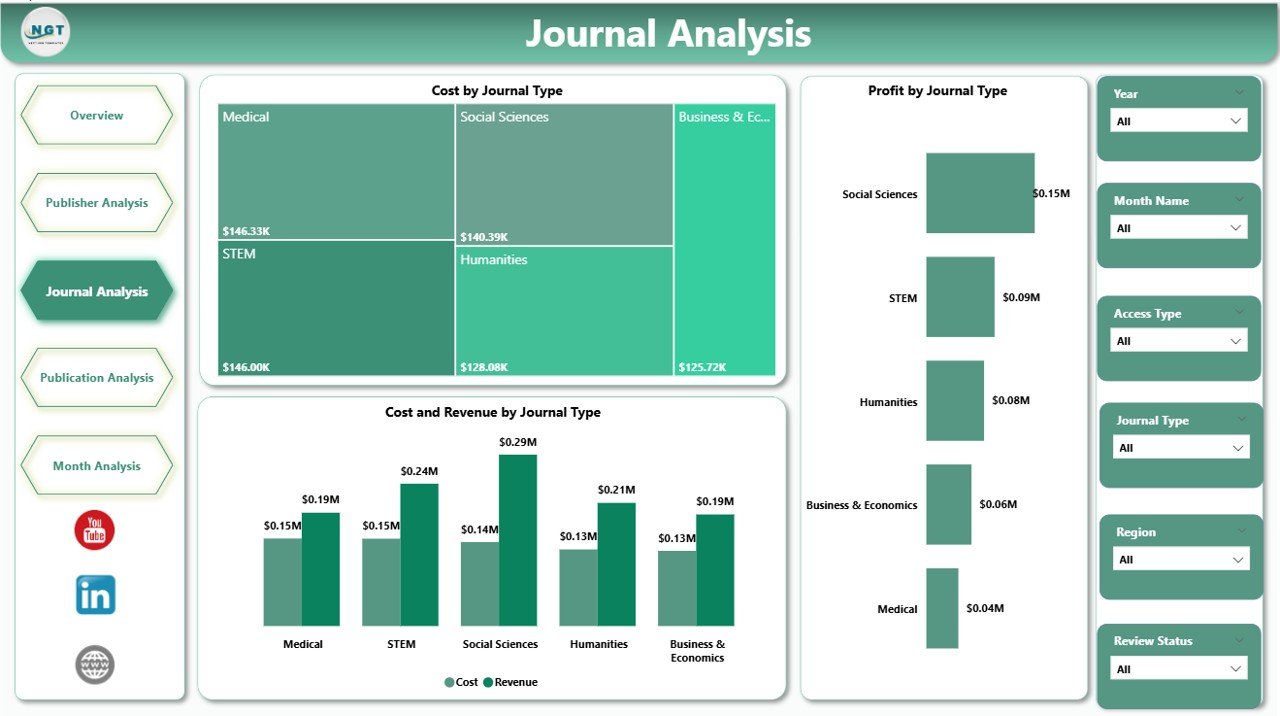
📁 Journal Analysis Page – Journal-type performance insights
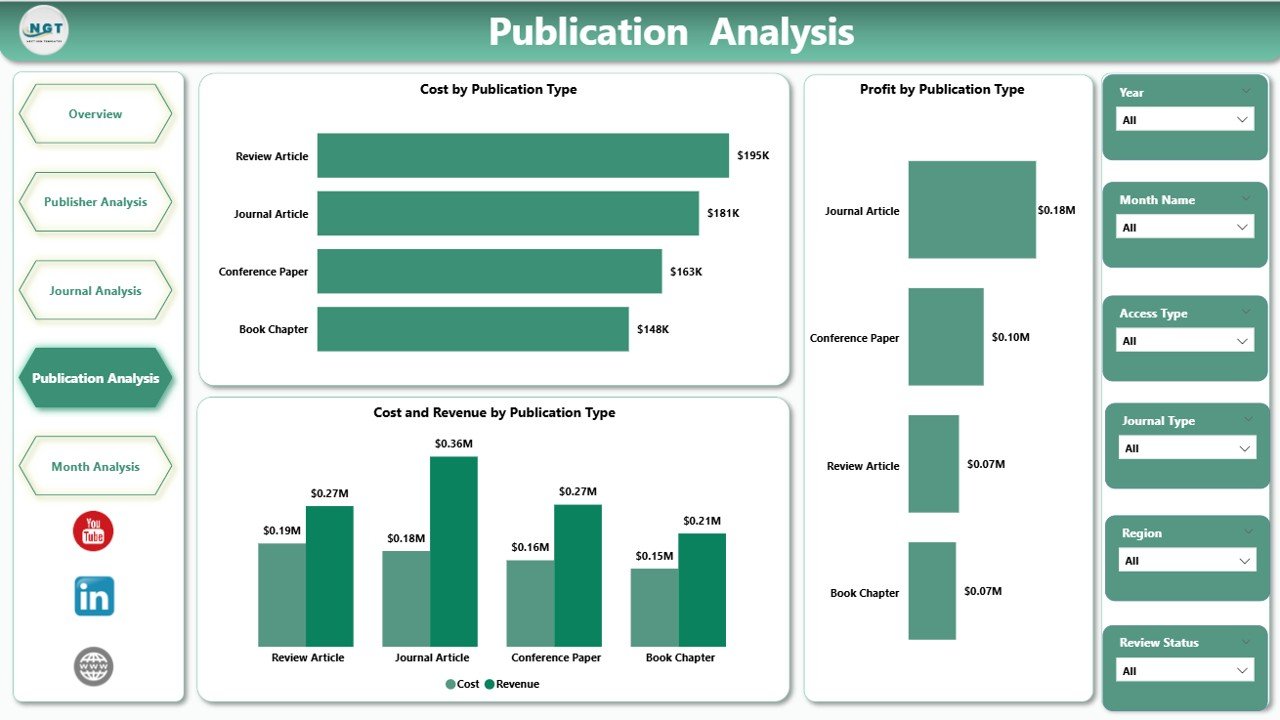
📁 Publication Analysis Page – Cost and profit by publication format
📁 Monthly Trends Page – Time-based performance analysis
Each page answers specific business questions, creating a complete publishing intelligence system.
🛠️ How to Use the Academic Publishing Dashboard in Power BI
1️⃣ Prepare publishing data in Excel or structured data sources
2️⃣ Load or refresh the data in Power BI
3️⃣ Use slicers to filter by publisher, journal, publication type, or time period
4️⃣ Review KPI cards for quick performance checks
5️⃣ Analyze charts to identify cost drivers and profit opportunities
6️⃣ Use trend pages for forecasting and strategic planning
The dashboard is user-friendly and requires no advanced Power BI skills.
👥 Who Can Benefit from This Academic Publishing Dashboard in Power BI
📚 Academic publishers
✍️ Editorial and journal managers
💰 Finance and accounting teams
🏛️ University presses
📊 Research organizations
📈 Publishing executives and leadership
If your organization manages multiple journals, publishers, or publication models, this dashboard delivers immediate value.
📘 Click here to read the Detailed blog post
🎥 Visit our YouTube channel to learn step-by-step video tutorials
👉 YouTube Channel
























Reviews
There are no reviews yet.