

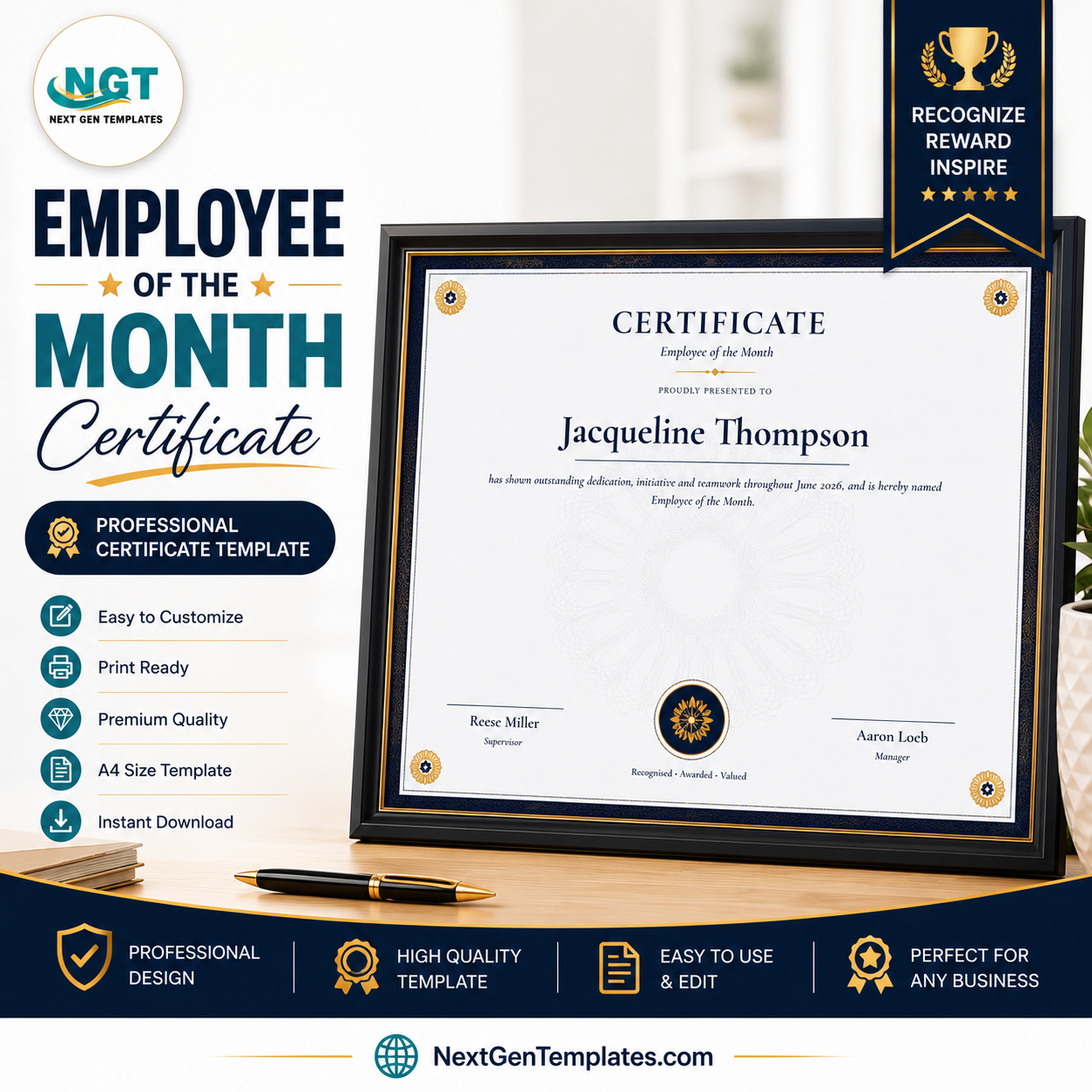
Upload your list. Get 200 certificates in one click. The Employee of the Month Certificate Generator turns a plain CSV of winners into a folder of print-ready award certificates in under a minute — 1 recipient or 500, the effort is identical. It runs in the NGT Certificate Studio, exports watermark-free PNG, PDF and ZIP after a single $2.99 payment, and renders everything in your own browser at print quality up to 4200×2970 pixels.
🌍 Join 8,400+ teams in 40+ countries using NextGenTemplates to replace paid SaaS tools with one-time-purchase templates.
✅ Instant access · One-time payment · No subscription · No per-certificate fees · Unlimited exports forever
🎯 Try It Before You Buy — Free, No Signup
Open the design in the Studio right now, type a real name, upload your real CSV, and see exactly what you will get: 👉 Try it free — no signup. Free exports carry a light preview watermark; buying this product removes it permanently for this design.
📅 The One Certificate You Will Print Twelve Times a Year
Employee of the Month is not a once-a-year job. It comes back on the last Friday of every month, forever, and that is exactly why a subscription is the wrong way to pay for it. Buy this design once for $2.99 and it covers January through December, this year and every year after — across every branch, department and shift you run.
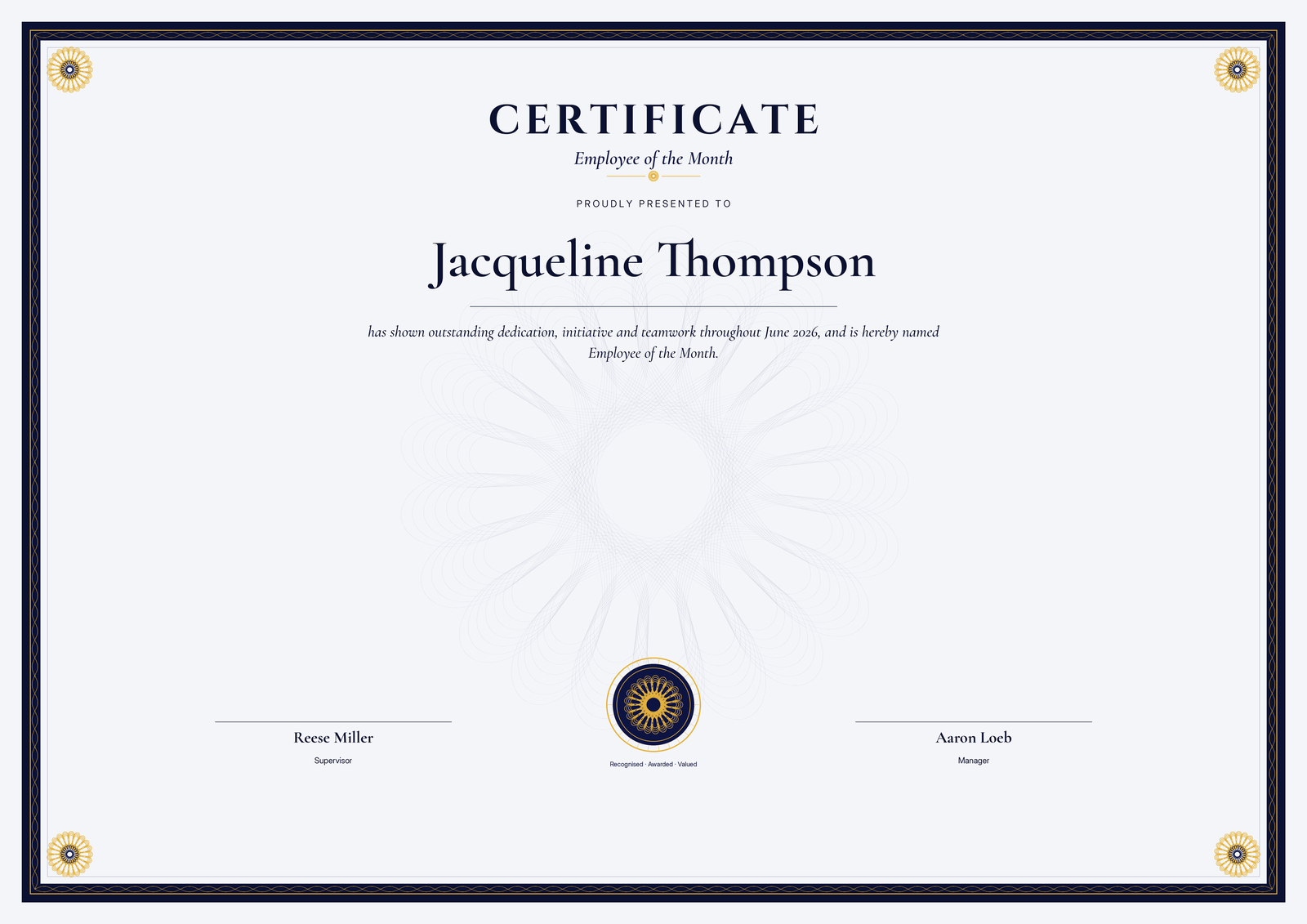
The layout is an engraved navy-and-gold design: a braided guilloché border, four corner rosettes and an embossed-look seal, all generated from pure mathematics rather than clip art. That matters when someone pins it to a noticeboard at eye level — the fine line work stays razor-sharp whether you print at A5 or blow it up to A3.
The citation reads: “has shown outstanding dedication, initiative and teamwork throughout {course}, and is hereby named Employee of the Month.” The {course} merge field is deliberately flexible — drop in June 2026, the night shift, or the Quality Assurance team and the sentence still reads properly for every recipient in the batch.
🔑 What You Get
- 🏅 Unlimited certificates, forever — one payment covers every month you will ever award with this design.
- 📂 CSV bulk upload — columns for name, month/department and date; the Studio previews every row before you export.
- 📄 Three export formats — individual PNG, single A4-landscape PDF, an all-recipients ZIP, or one multi-page PDF for the whole list.
- ✍️ Every word editable — title, subtitle, the line above the name, the citation (with its {course} merge field), seal text, date, and two signature name/title blocks.
- 🎨 4 colour palettes — navy & gold (default), academic burgundy, security green, and modern slate.
- 🖨️ Print quality to 4200×2970 — sharp at A4 and A3; the engraved detail holds up under a magnifying glass.
📊 Employee of the Month Certificate Generator vs. Canva vs. Hiring a Designer vs. Word — Where This Fits
| Feature | This Generator | Canva | Freelance Designer | Word Mail Merge |
|---|---|---|---|---|
| Cost | ✅ $2.99 one-time | $120+/year for Pro features | $20–80 per batch | Included with Office |
| Cost across 12 monthly rounds | ✅ Still $2.99 | $120+ every year | $240–960 a year | 12 afternoons |
| 200 names at once | ✅ One CSV upload | Bulk create needs Pro + setup | Days of turnaround | Possible, but fragile |
| Setup time | ✅ Under 1 minute | 15–30 minutes per template | Briefing + revisions | An afternoon of your life |
| Privacy of your staff list | ✅ Never leaves your browser | Uploaded to Canva servers | Shared with a third party | Stays local |
| Print-grade artwork | ✅ Vector-grade guilloché | Depends on the template | Yes | Usually poor |
| Software to install | ✅ None | None | None | Microsoft Word |
| Editing the wording later | ✅ Anytime, free | Yes | Paid revision | Yes |
For an award that repeats every single month, a one-time $2.99 tool beats a recurring subscription on the very first renewal — and never asks again.
⚙️ How It Works
- Open the Studio — click Try It Free; the Employee of the Month design loads with a live preview.
- Add recipients — type one name, or drop in a CSV with name, month/department and date columns.
- Export — download PNG or PDF for one recipient, or a ZIP / multi-page PDF for the entire list.
🔒 Your Recipient List Never Leaves Your Computer
Every certificate is generated inside your browser on an HTML canvas. We never see a single name. No CSV is uploaded, no photo is stored, and no account is required to try it. For HR teams handling employee data and schools handling student data, this is not a marketing line — it is how the tool is built, and you can verify it in your browser’s network tab.
👥 Who This Is For — and Who It’s Not For
✅ Built for:
- HR managers and team leads running a monthly recognition programme at 10–500 person companies.
- Retail, restaurant, gym and BPO groups naming one winner per branch, store or shift — an entire month’s batch in one export.
- Plant and warehouse supervisors who award per line or per shift and need the certificate ready before the Friday huddle.
- Anyone who has been re-typing the same Word template every month and would rather never do it again.
❌ Not for:
- Teams that need a custom company logo baked into the artwork — this is a fixed engraved layout (wording and colours are editable, artwork is not).
- Organisations that require automated email delivery — this generates the files; sending them is up to you.
💼 Real-World Use Cases
Priya leads HR at a 180-person BPO. On the 28th of every month she exports six names — one per process — sets the {course} column to each process name, and has six certificates printed before the town hall. It used to be a two-hour Word job. It is now four minutes, twelve times a year.
Aaron runs 34 quick-service restaurants. He bought the design once, and every month his area managers send him a single CSV of branch winners. One upload, one ZIP, 34 certificates emailed back for the noticeboards — at no additional cost, month after month.
❓ Frequently Asked Questions
How many certificates can I generate?
Unlimited. The Employee of the Month Certificate Generator renders in your browser, so there is no per-certificate fee, no monthly cap, and no subscription — one $2.99 payment covers unlimited exports of this design forever, including all twelve months of every future year.
Do I need Photoshop or any software?
No. The generator runs entirely in a normal web browser — Chrome, Edge, Firefox or Safari, on Windows, Mac or even a tablet. There is nothing to install and nothing to update.
Can I use the certificates commercially?
Yes. Certificates you generate can be issued to employees, students, members and clients for personal or commercial purposes. Only reselling the template or the Studio itself is prohibited.
What file formats do I get?
High-resolution PNG (up to 4200×2970), A4-landscape PDF, a ZIP containing one PNG per recipient, and a single multi-page PDF of the entire list.
Does it work offline?
Once the Studio page has loaded, rendering and exporting happen locally in your browser, so a dropped connection will not interrupt a bulk export.
What exactly does the CSV need?
A name column is enough. Optional month/department and date columns fill the citation and date line automatically; a sample CSV is downloadable inside the Studio.
Can I edit the wording?
Yes — title, subtitle, citation, seal text, date and both signature blocks are fully editable, and the {course} merge field pulls from your CSV per recipient, so one batch can carry a different month, department or shift on every certificate.
Can I generate a whole year of certificates in one go?
Yes. Put twelve rows in the CSV with January to December in the {course} column and export the full year as a single ZIP — useful if you already know your winners or want the blanks pre-printed.
Can I award more than one Employee of the Month in the same batch?
Yes. Most companies name one winner per department, branch or shift. Put each winner on their own CSV row with their department in the {course} column and the whole set exports in one click.
👤 About the Author
Built by PK — Microsoft Certified Professional with 15+ years of Excel, Google Sheets, and Power BI experience. Founder of NextGenTemplates, reaching 300K+ subscribers across YouTube channels (@PK-AnExcelExpert, @NextGenTemplates, @NeoTechNavigators). Every template is hand-built and tested before release.
🔗 Explore Related Templates
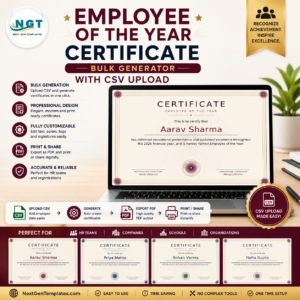
Recognition works best when it is backed by data: the HR Analytics Dashboard in Excel shows you who actually earned it, the Employee of the Year Certificate Generator handles the annual awards night, the Corporate Excellence Certificate Generator covers quarterly awards, and the Course Completion Certificate Generator handles training batches. Browse all Certificate generators.
🎨 Open the Studio and try this design free — no signup
📅 Last updated: July 2026




Reviews
There are no reviews yet.