

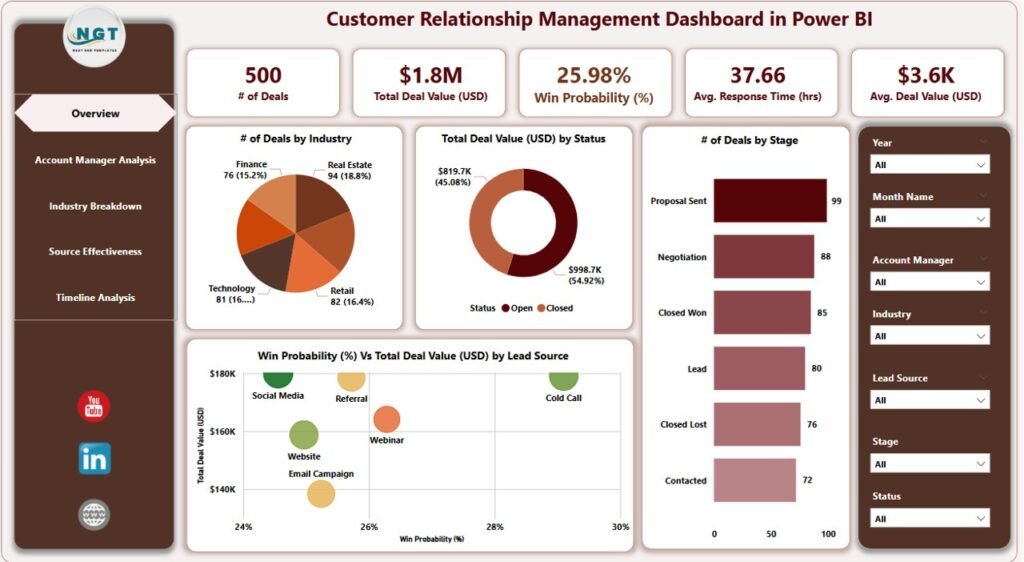
Customer relationship management (CRM) no longer has to be overwhelming, manual, or confusing. The right dashboard solution can help you streamline customer interactions, track deals, visualize performance, and fuel growth — whether you prefer cloud-based simplicity or enterprise-grade analytics.
In this article, we’ll dive deep into two powerful CRM templates from Next Gen Templates that stand out in 2026:
💡 The Google Sheets CRM Dashboard for lightweight, collaborative CRM tracking, and
📈 The Power BI CRM Dashboard for advanced, visual CRM analytics.
We’ll explore their benefits, key features, use cases, and how each can help you drive better customer engagement and sales performance across your organization.CRM dashboard
🚀 What Is a CRM Dashboard — And Why You Need One
A CRM dashboard is a centralized visualization tool that collects your customer, sales, and pipeline data in one place. Rather than juggling messy spreadsheets or blind forecasts, dashboards let you:
Track sales deals and pipeline stages
Monitor customer interactions and response times
Analyze performance by team, source, or industry
Spot trends and forecast future results
Dashboards turn raw data into actionable insights — so your decisions aren’t based on guesswork, but real metrics.CRM dashboard
 Launch offer
From your first Pivot Table to the Data Model, DAX, Power Query and a one-page KPI dashboard. 11h 51m of video by PK, with practice files, quizzes and a capstone.
📍 1. Best for Small Teams & Collaboration: CRM Dashboard in Google Sheets
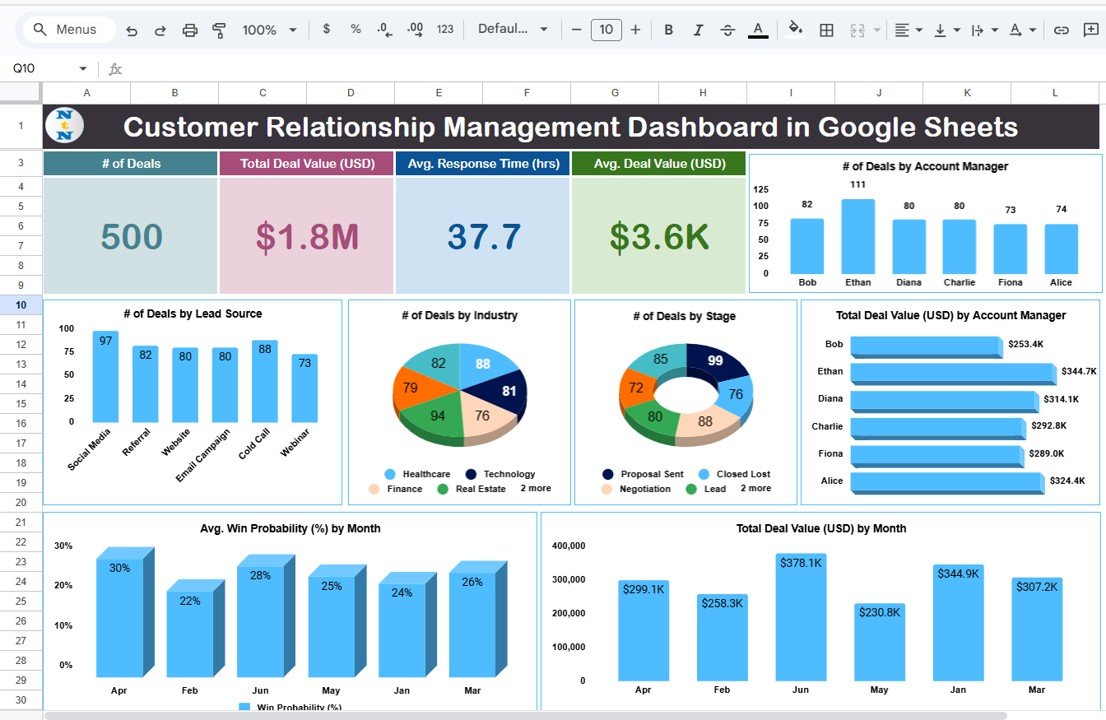
The CRM Dashboard in Google Sheets is a ready-to-use template designed for teams or businesses that want a simple and collaborative CRM tool without needing advanced software.
👉 Get it here: Google Sheets CRM Dashboard. Explore CRM Dashboard in Google Sheets
⭐ Why This Template Is Worth It
Works fully in Google Sheets — no licensing required
Perfect for teams already using Google Workspace
Easy to customize and scale
Ideal for small businesses, startups, and solo sales teams
📊 Key Features
Although the product page couldn’t be fully fetched, we know CRM dashboards in Google Sheets typically include these essential elements:
✔ Deal tracking and pipeline visualization
✔ Searchable records for quick access
✔ Deal stages segmented by account manager
✔ Summary tables of sales KPIs
✔ Built-in interactive charts
✔ Simple filters and search functions
🤝 Best For
Small to mid-sized teams
Google Workspace users
Sellers who want real-time collaboration
Businesses that need easy setup and minimal onboarding
🎯 Real-World Benefits
✔ Manage leads faster by searching and filtering records instantly.
✔ Gain visibility into pipeline stages without complex software.
✔ Collaborate in real time with teammates from anywhere.
This Sheet-based template is all about simplicity — and it delivers exactly that.
📊 2. Advanced Analytics for Enterprise: Power BI CRM Dashboard
For larger teams, data analysts, and CRM professionals who crave deep insights, the Customer Relationship Management Dashboard in Power BI is a more powerful option.
👉 Explore it here: Power BI CRM Dashboard. Discover CRM Dashboard in Power BI
Built on Microsoft Power BI, this template brings an executive-level analytics experience right to your fingertips.
🔥 Core Features That Set It Apart
This isn’t just a dashboard — it’s a full CRM analytics solution with rich visuals and deep insights.
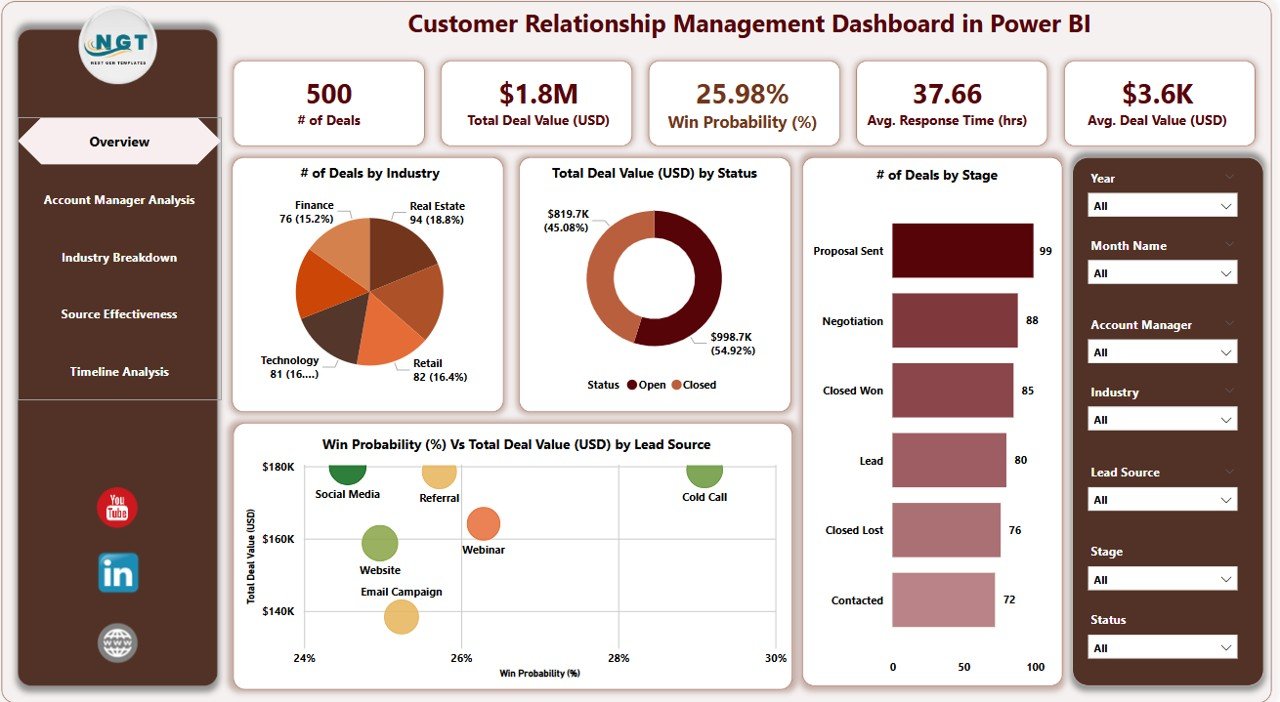
📌 Overview Page — Instant Visual Snapshot
7 dynamic slicers (filter by source, manager, stage, etc.)
KPI cards for total deal values, number of deals, win probabilities
Pipeline health visualizations in one place
📌 Account Manager Analysis
Compare your team’s performance
See who’s driving value and who needs support
📌 Industry Insights
Drill into performance by sector
Discover trends across different segments
📌 Lead Source Optimization
Understand which marketing channels perform best
Adjust acquisition strategies accordingly
📌 Timeline & Trend Tracking
See deal progress over months
Forecast sales cycles with seasonal patterns
🎯 Who Should Use Power BI CRM Dashboard
Sales Managers wanting more control
CRM Analysts seeking heavy data insights
Executives needing rapid reporting
Marketing Teams optimizing lead sources
This version is highly analytical, built for teams that don’t just want to track data — they want to act on it.
🆚 Google Sheets vs. Power BI CRM Dashboards — Which One Is Right for You?
| Feature | Google Sheets CRM | Power BI CRM |
|---|---|---|
| Ease of Use | ⭐⭐⭐⭐ | ⭐⭐⭐ |
| Collaboration | ⭐⭐⭐⭐⭐ | ⭐⭐ |
| Analytics Depth | ⭐⭐⭐ | ⭐⭐⭐⭐⭐ |
| Custom Visuals | ⭐⭐ | ⭐⭐⭐⭐⭐ |
| Best for | Small Teams | Data-Driven Teams |
📌 Quick Comparison Summary
💡 Choose Google Sheets if you want:
Simplicity
Real-time collaboration
No need for specialized software
📌 Choose Power BI if you want:
Deep visual insights
Enterprise reporting
High-level analytics and trend forecasting
Both templates help you manage customer relationships better — the choice just depends on how deep you want to go.
💼 How CRM Dashboards Help Your Business Grow
Whether you’re a startup or a scaling enterprise, CRM dashboards deliver measurable business impact:
📈 Increase Sales Productivity
Instead of sifting through manual reports, your team gets real data instantly.
🚀 Reduce Response Times
Quickly identify slow deal stages and fix bottlenecks.
🤝 Improve Customer Satisfaction
Track interactions and follow-ups effortlessly.
🧠 Make Data-Driven Decisions
Visual insights reveal hidden trends and opportunities.
📊 Manage Your Pipeline Like a Pro
From lead sources to deal closures — every step becomes clearer.
📌 Final Takeaway
CRM tools are no longer optional — they’re essential for smart sales and customer retention. Whether you’re starting small or scaling fast, there’s a CRM dashboard that fits your workflow:
👉 For lightweight, collaborative tracking, use the Google Sheets CRM Dashboard. Explore CRM Dashboard in Google Sheets
👉 For advanced analytics and enterprise insights, go with the Power BI CRM Dashboard. Discover CRM Dashboard in Power BI
Visit our YouTube channel to learn step-by-step video tutorials