

Contracts are critical business assets. They define responsibilities, ensure compliance, and protect revenue. However, when contract performance is tracked through emails, folders, or disconnected spreadsheets, organizations face missed deadlines, compliance gaps, revenue leakage, and operational risk.
That is exactly why the Contract Management KPI Dashboard in Excel is a must-have performance management solution for modern organizations.
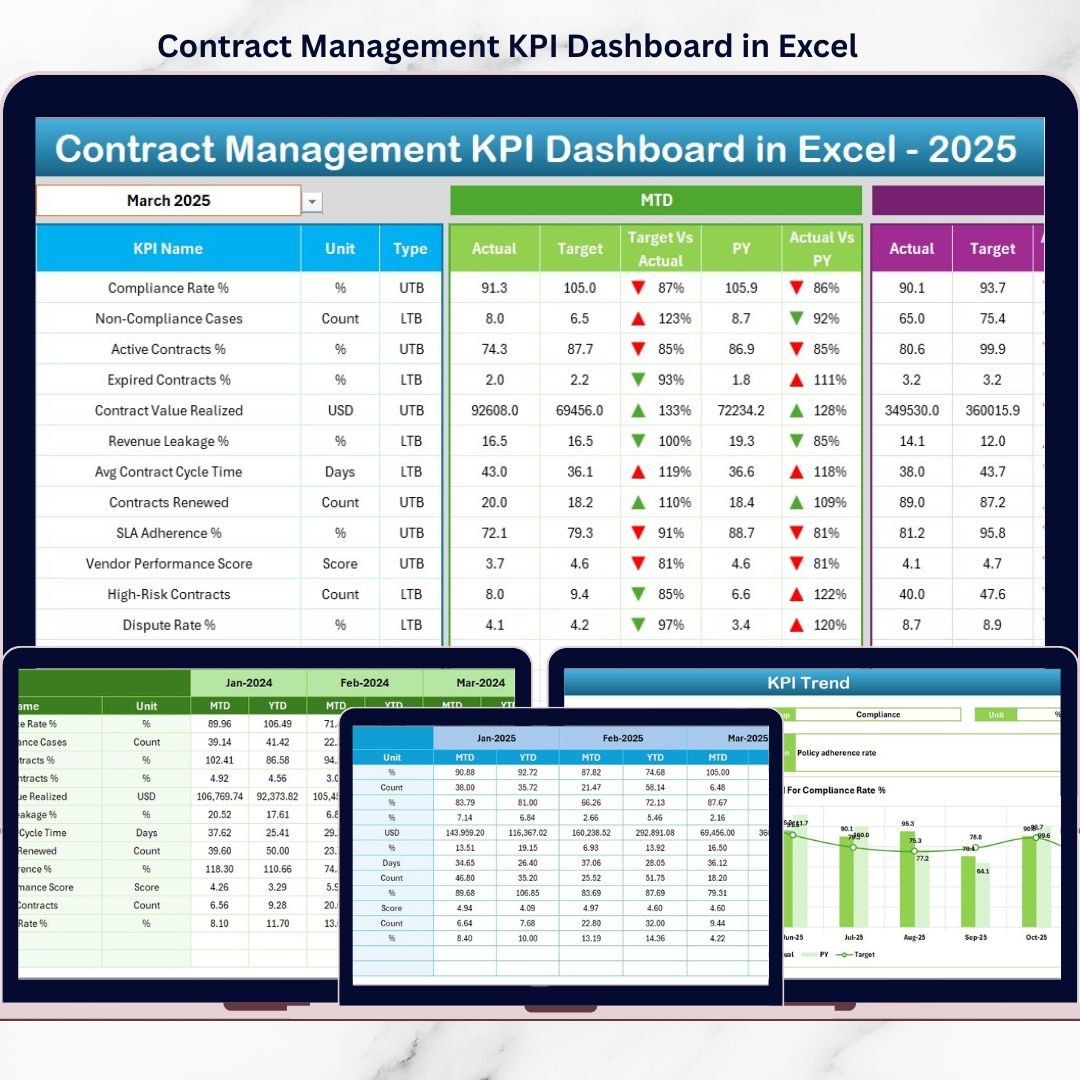
This ready-to-use Excel dashboard helps legal, procurement, finance, and contract teams track, monitor, and analyze contract KPIs in one centralized view. Instead of reacting late, you gain real-time visibility, structured insights, and proactive control over your entire contract lifecycle.
🔑 Key Features of Contract Management KPI Dashboard in Excel
📊 Centralized Contract KPI Monitoring
Track all contract-related KPIs in one structured Excel dashboard instead of scattered files.
📅 Dynamic Month Selection
Select any month from a dropdown and automatically update the entire dashboard.
🎯 MTD & YTD Performance Tracking
Monitor both Month-to-Date and Year-to-Date contract performance.
🔁 Previous Year Benchmarking
Compare current KPIs against previous year data to measure improvement or decline.
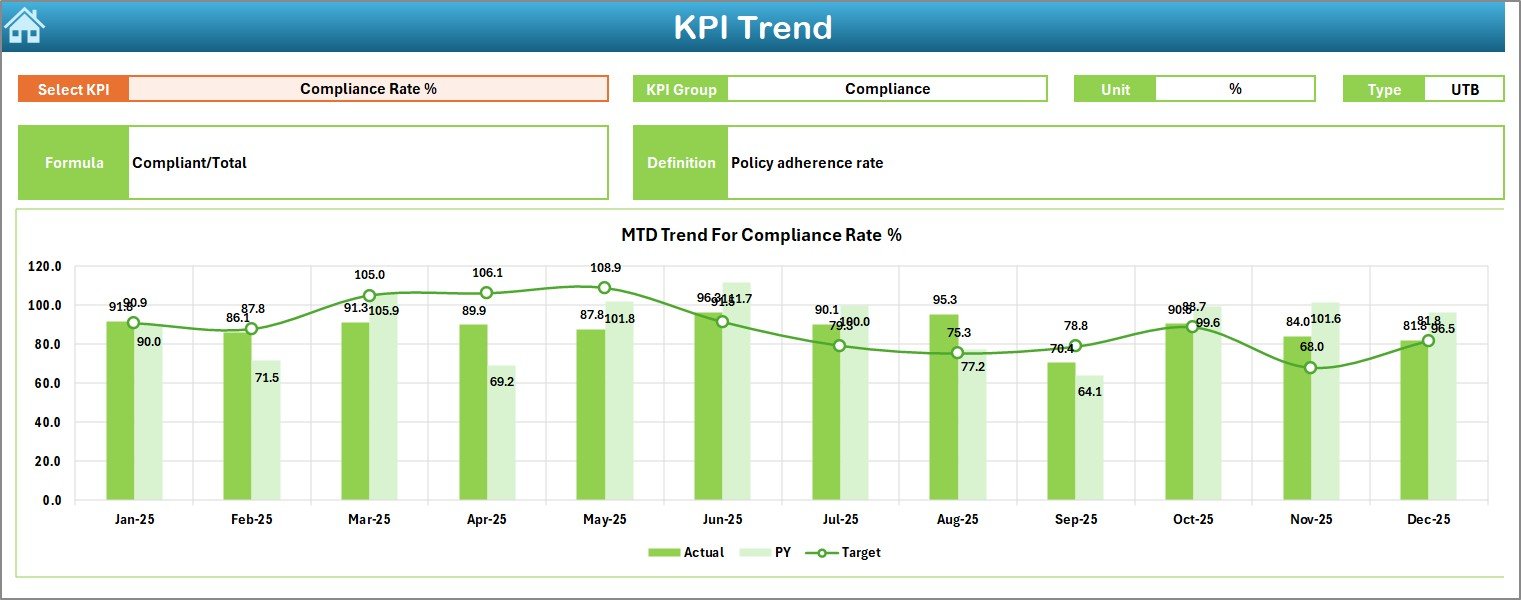
📈 KPI Trend Analysis
Analyze MTD and YTD trends to understand performance movement over time.
🎨 Visual Performance Indicators
Conditional formatting with arrows instantly highlights performance direction.
📦 What’s Inside the Contract Management KPI Dashboard in Excel
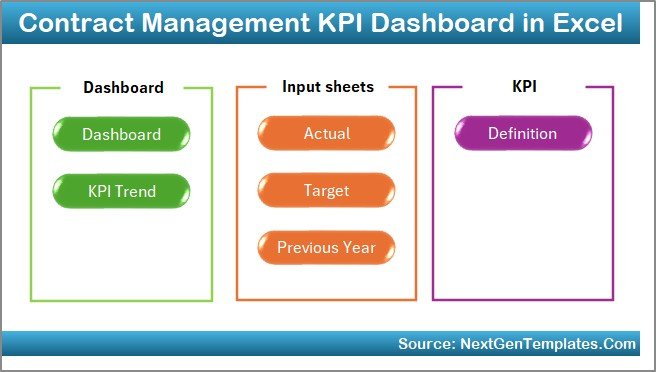
This professionally designed Excel template includes seven structured worksheets; each built for clarity and efficiency:
🏠 Home Sheet
-
Central navigation hub
-
Six buttons for quick access
-
Clean and user-friendly layout
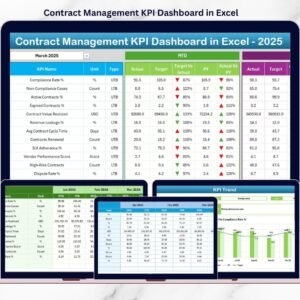
📊 Dashboard Sheet
-
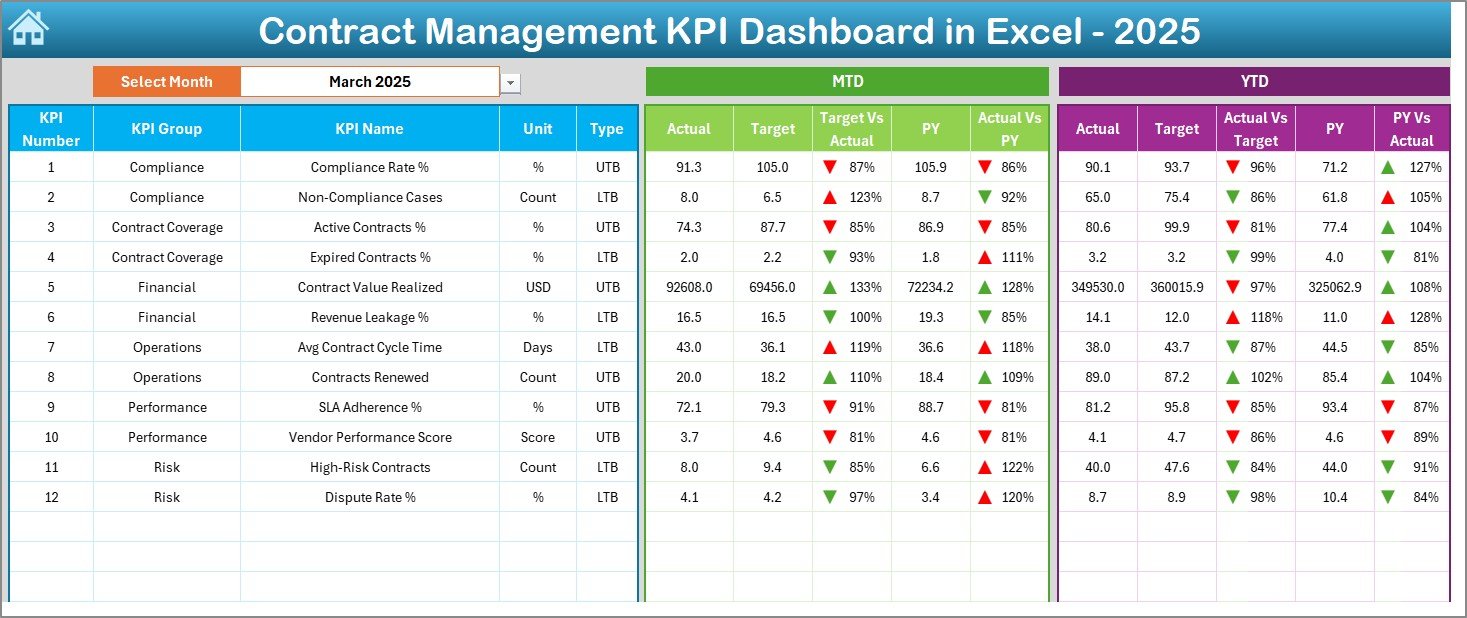
Month selection dropdown
-
MTD Actual, Target & Previous Year
-
YTD Actual, Target & Previous Year
-
Target vs Actual and PY vs Actual
-
Visual arrows for performance direction
📈 KPI Trend Sheet
-
KPI selection dropdown
-
KPI group, unit, type, formula & definition
-
MTD & YTD trend charts
-
Actual, Target & PY comparison
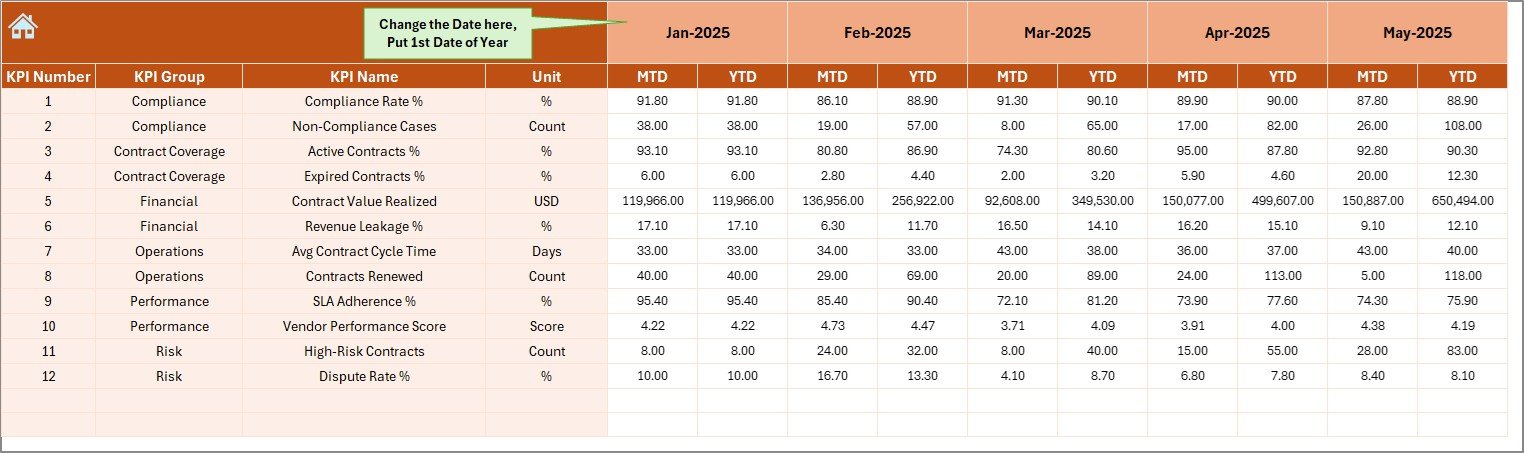
🧾 Actual Numbers Input Sheet
-
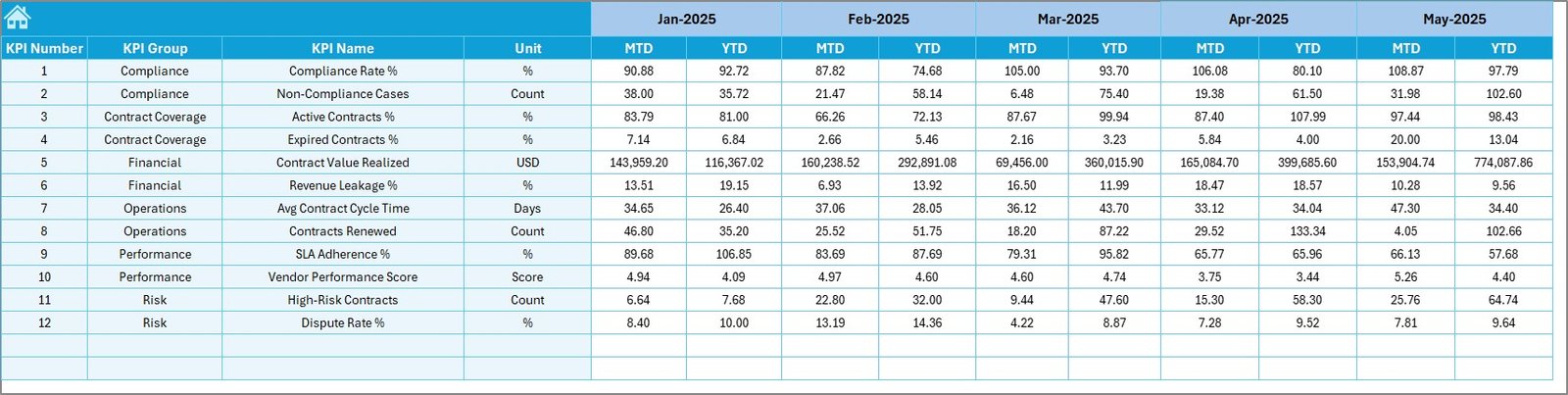
Enter MTD and YTD actual values
-
Change month easily
-
Automatic dashboard refresh
🎯 Target Sheet
-
Define monthly MTD targets
-
Define cumulative YTD targets
-
Maintain consistent benchmarks
📊 Previous Year Number Sheet
-
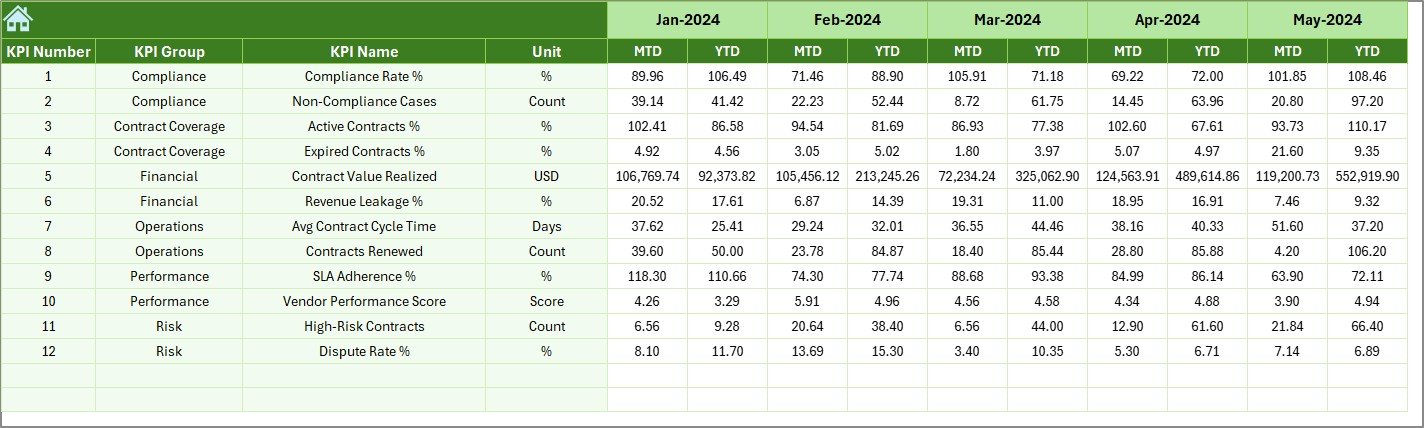
Store historical KPI data
-
Enable year-over-year analysis
-
Support long-term trend evaluation
📋 KPI Definition Sheet
-
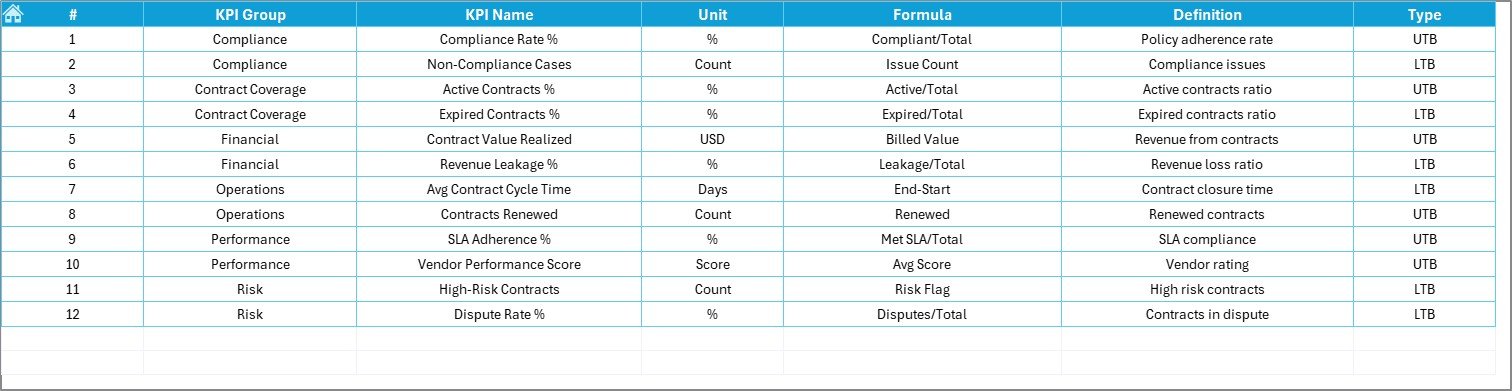
KPI name and group
-
Unit of measurement
-
Formula and definition
-
Single source of truth for KPIs
⚙️ How to Use the Contract Management KPI Dashboard in Excel
Using this dashboard is simple and intuitive:
1️⃣ Enter actual performance values in the Actual Numbers sheet
2️⃣ Define targets in the Target sheet
3️⃣ Maintain previous year data for benchmarking
4️⃣ Select the month from the dropdown
5️⃣ Review MTD, YTD, and trend insights instantly
No macros, no coding, and no advanced Excel skills required.
👥 Who Can Benefit from This Contract Management KPI Dashboard
This dashboard is ideal for:
📑 Contract managers
⚖️ Legal teams
🛒 Procurement professionals
💰 Finance & compliance teams
🏢 Senior management and leadership
Anyone with basic Excel knowledge can use this dashboard effectively.
🚀 Why Choose This Contract Management KPI Dashboard?
✅ Complete contract performance visibility
✅ Stronger compliance and risk control
✅ Faster reporting and analysis
✅ Improved accountability across teams
✅ 100% Excel-based flexibility
Move from reactive contract management to data-driven contract control.
📘 Click here to read the Detailed blog post
🎥 Visit our YouTube channel to learn step-by-step video tutorials

























Reviews
There are no reviews yet.