

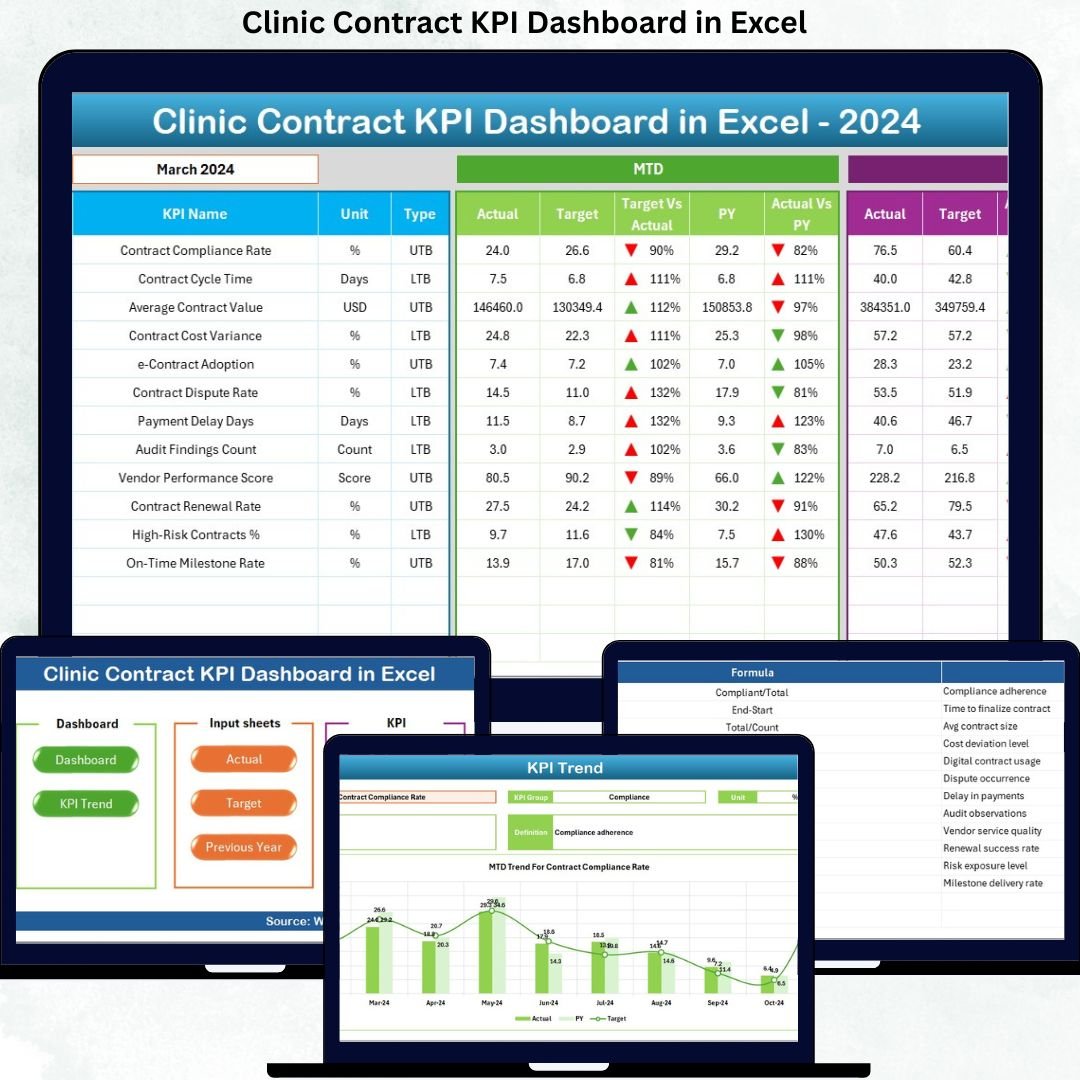

Managing clinic contracts efficiently is no longer optional—it is a necessity. Clinics today juggle multiple vendor contracts, service-level agreements, maintenance contracts, and outsourced services, all while facing rising costs and strict compliance requirements. Unfortunately, when contract data is spread across multiple spreadsheets and manual reports, visibility drops and risks increase.
That is exactly where the Clinic Contract KPI Dashboard in Excel becomes a powerful solution. This professionally designed Excel dashboard transforms raw contract data into clear, visual, and actionable insights. Instead of wasting time on manual tracking and calculations, clinics gain instant clarity, stronger cost control, and confident decision-making—all within Microsoft Excel.
Built for both simplicity and depth, this dashboard allows clinics to monitor contract KPIs, compare performance against targets, analyze trends, and identify issues before they become costly problems. If your clinic wants transparency, accountability, and control over contracts, this dashboard is built for you.
🔑 Key Features of Clinic Contract KPI Dashboard in Excel
📊 Centralized Contract KPI Monitoring
Track all clinic contract KPIs in one structured Excel dashboard instead of managing multiple disconnected files.
📅 MTD & YTD Performance Tracking
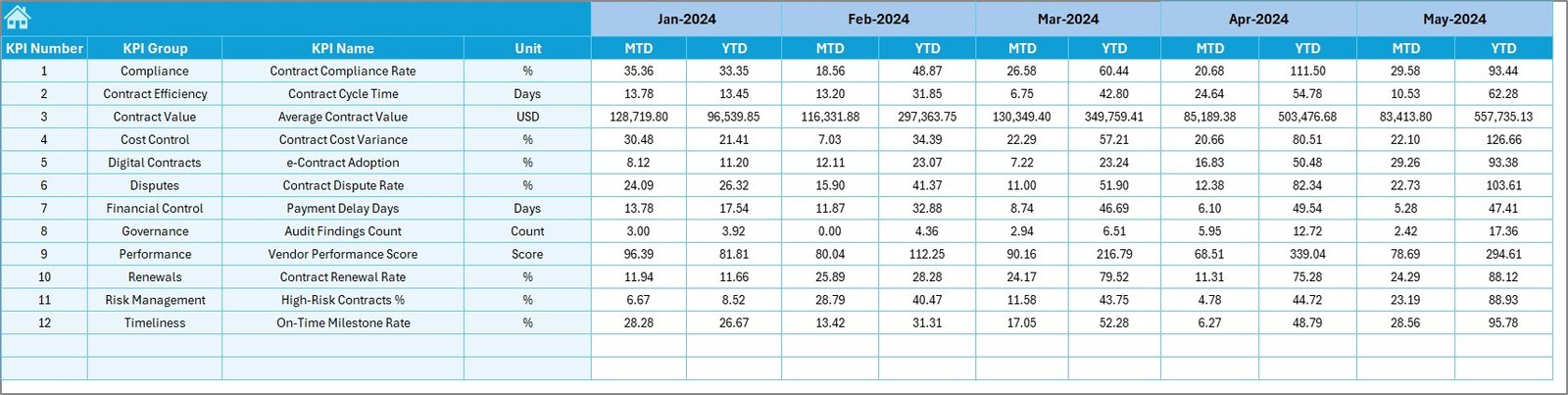
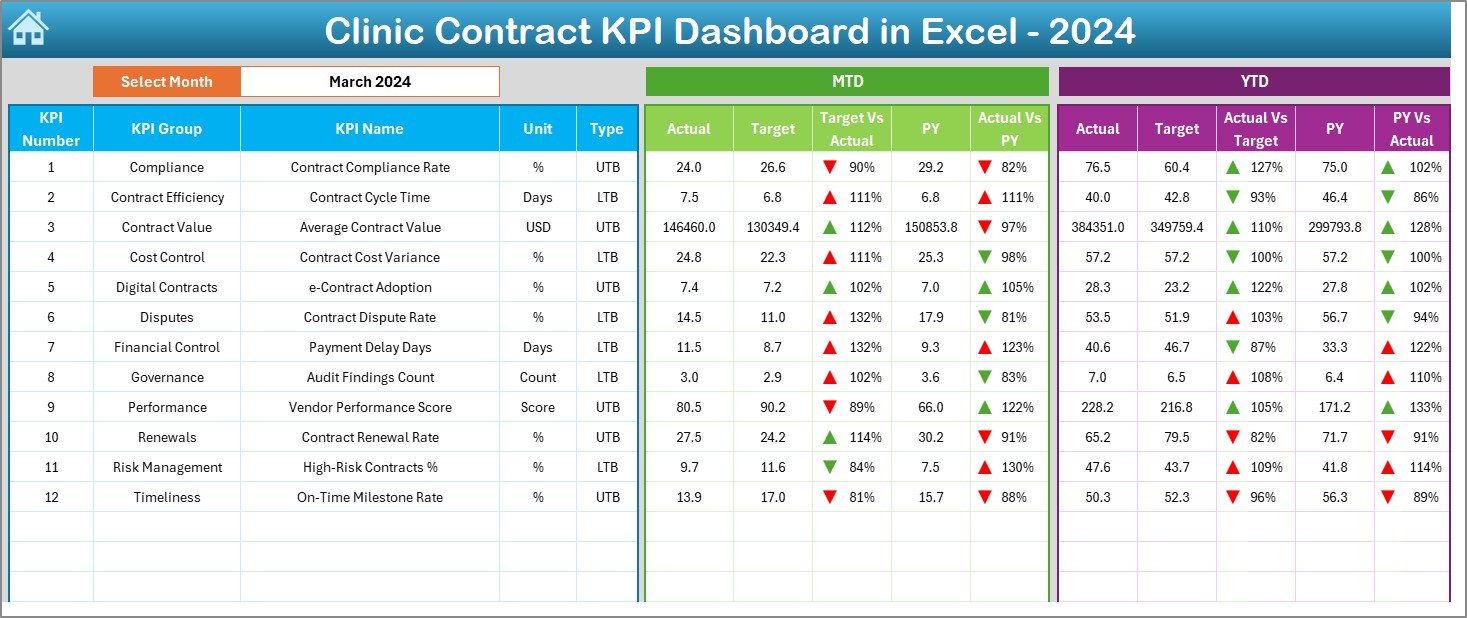
Analyze Month-to-Date and Year-to-Date Actuals, Targets, and Previous Year values in a single unified view.
🎯 Target vs Actual Variance Analysis
Instantly identify performance gaps using automated variance calculations and visual indicators.
📉 Previous Year Comparison
Measure improvement or decline by comparing current performance with historical contract data.
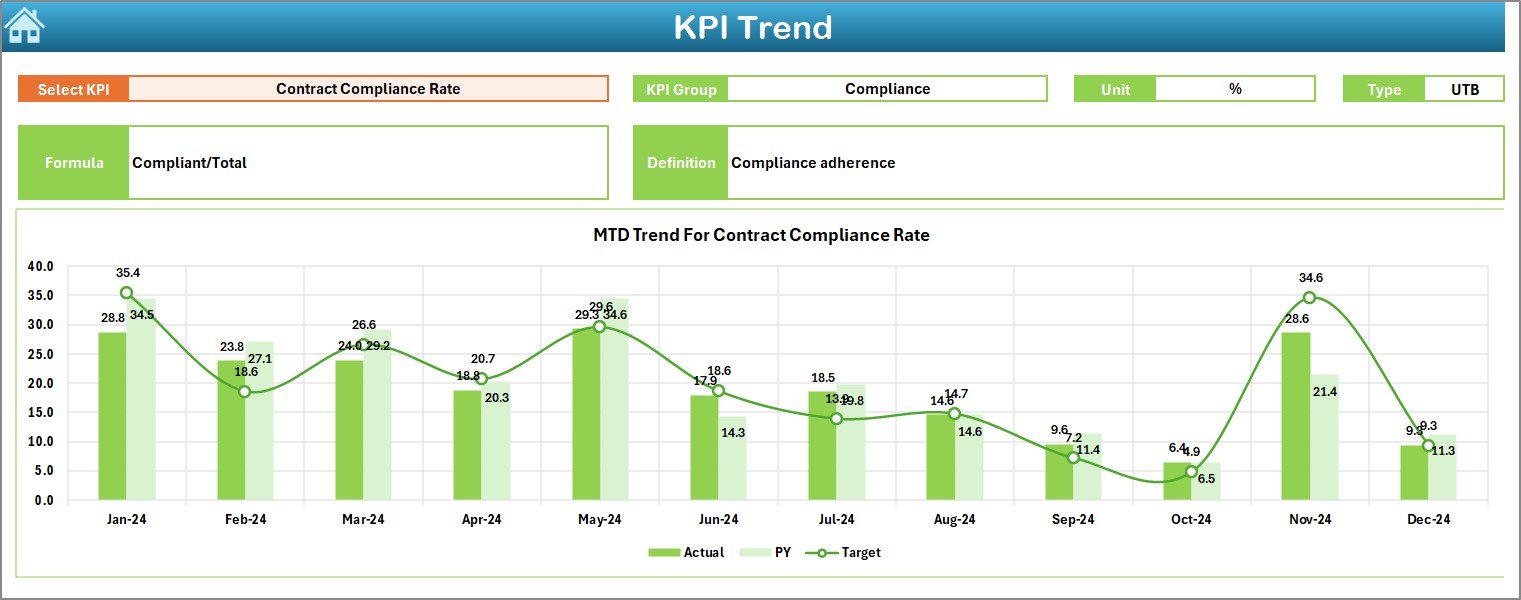
📈 Interactive Trend Analysis
Visual MTD and YTD trend charts help uncover patterns, risks, and opportunities over time.
🔄 Dynamic Month Selection
Change the month from a drop-down and watch the entire dashboard update instantly.
🧭 User-Friendly Navigation
A dedicated summary page with navigation buttons ensures smooth and intuitive dashboard usage.
📂 What’s Inside the Clinic Contract KPI Dashboard in Excel
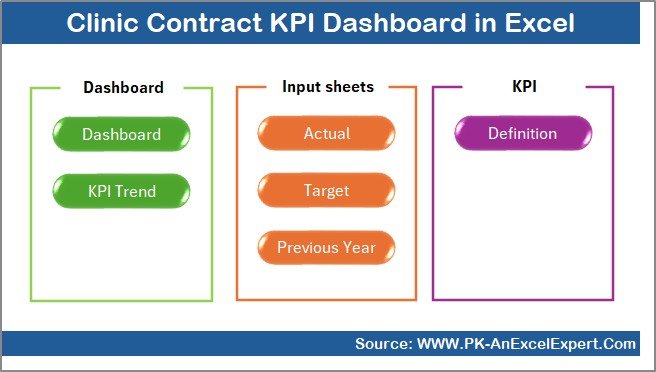
This dashboard includes 7 professionally structured worksheets, each designed for a specific role:
📌 Summary Page – Acts as the dashboard index with navigation buttons to all sheets.
📊 Dashboard Sheet – Displays all KPIs with MTD, YTD, Target, and Previous Year comparisons.
📈 Trend Sheet – Shows KPI trends with formulas, definitions, KPI type, and unit details.
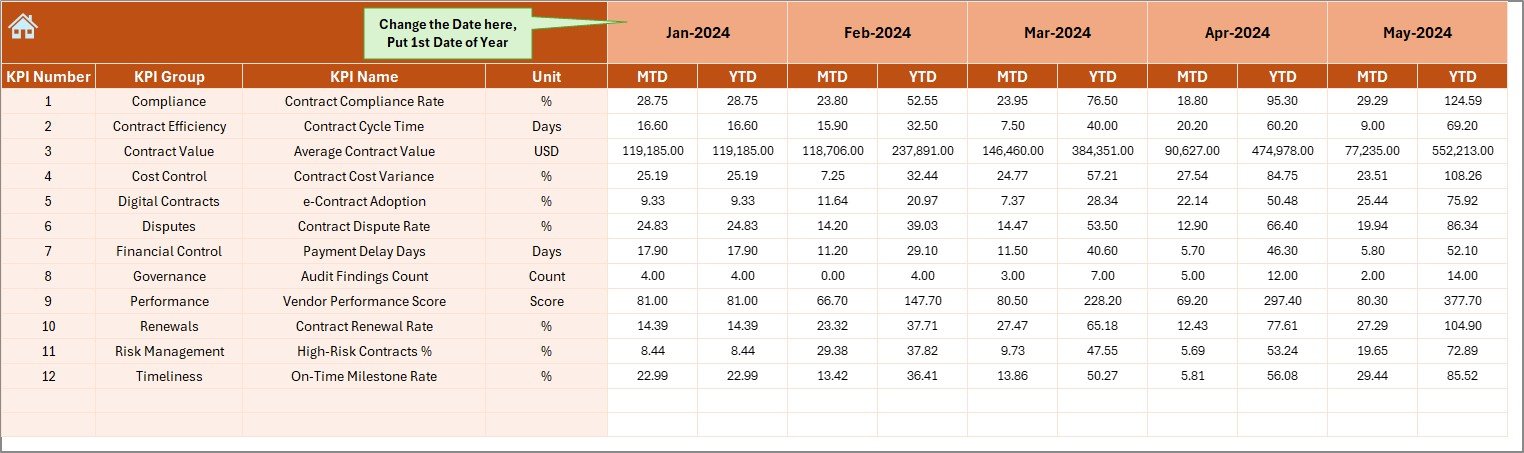
✍️ Actual Numbers Sheet – Used to enter monthly MTD and YTD actual contract values.
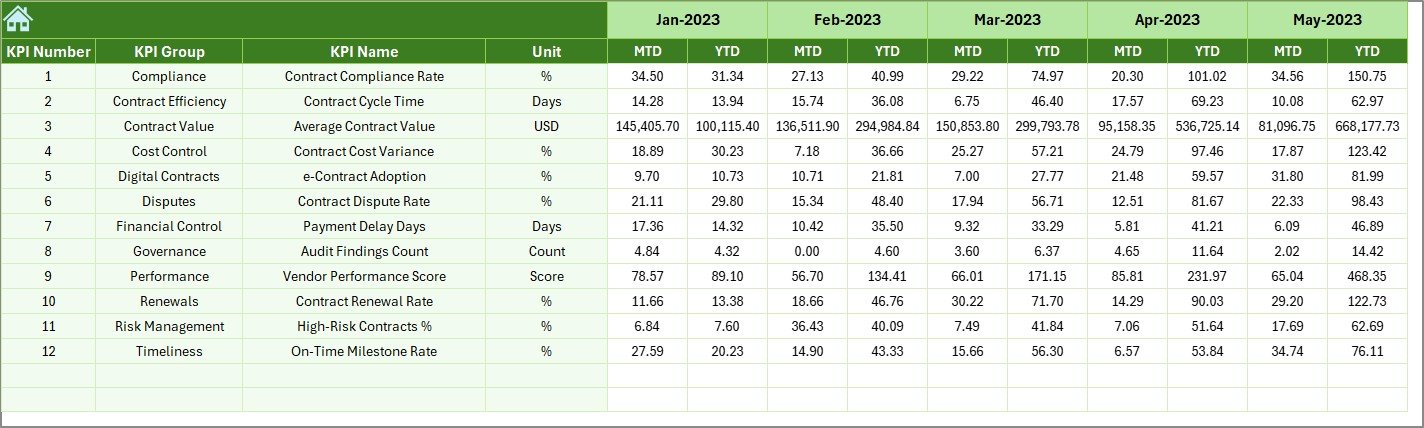
🎯 Target Sheet – Stores monthly performance targets for each KPI.
📉 Previous Year Sheet – Enables year-over-year comparison for deeper insights.
📘 KPI Definition Sheet – Explains KPI names, formulas, units, and definitions for clarity.
Together, these sheets create a complete contract performance management system.
⚙️ How to Use the Clinic Contract KPI Dashboard in Excel
📝 Step 1: Enter monthly actual values in the Actual Numbers sheet.
🎯 Step 2: Define contract targets in the Target sheet.
📉 Step 3: Input previous-year values for historical comparison.
📅 Step 4: Select the month from the drop-down on the dashboard.
📊 Step 5: Instantly analyze MTD, YTD, trends, and variances visually.
No advanced Excel skills are required—basic Excel knowledge is enough to start using the dashboard effectively.
👥 Who Can Benefit from This Clinic Contract KPI Dashboard
This dashboard is ideal for:
🏥 Clinic administrators managing multiple contracts
📑 Contract and vendor managers
💰 Finance and procurement teams
⚙️ Operations managers
📋 Compliance and audit teams
Any clinic that wants better visibility, accountability, and performance control will benefit from this dashboard.
Click here to read the Detailed Blog Post
Watch the step-by-step video tutorial:
Visit our YouTube channel to learn step-by-step video tutorials






























Reviews
There are no reviews yet.