

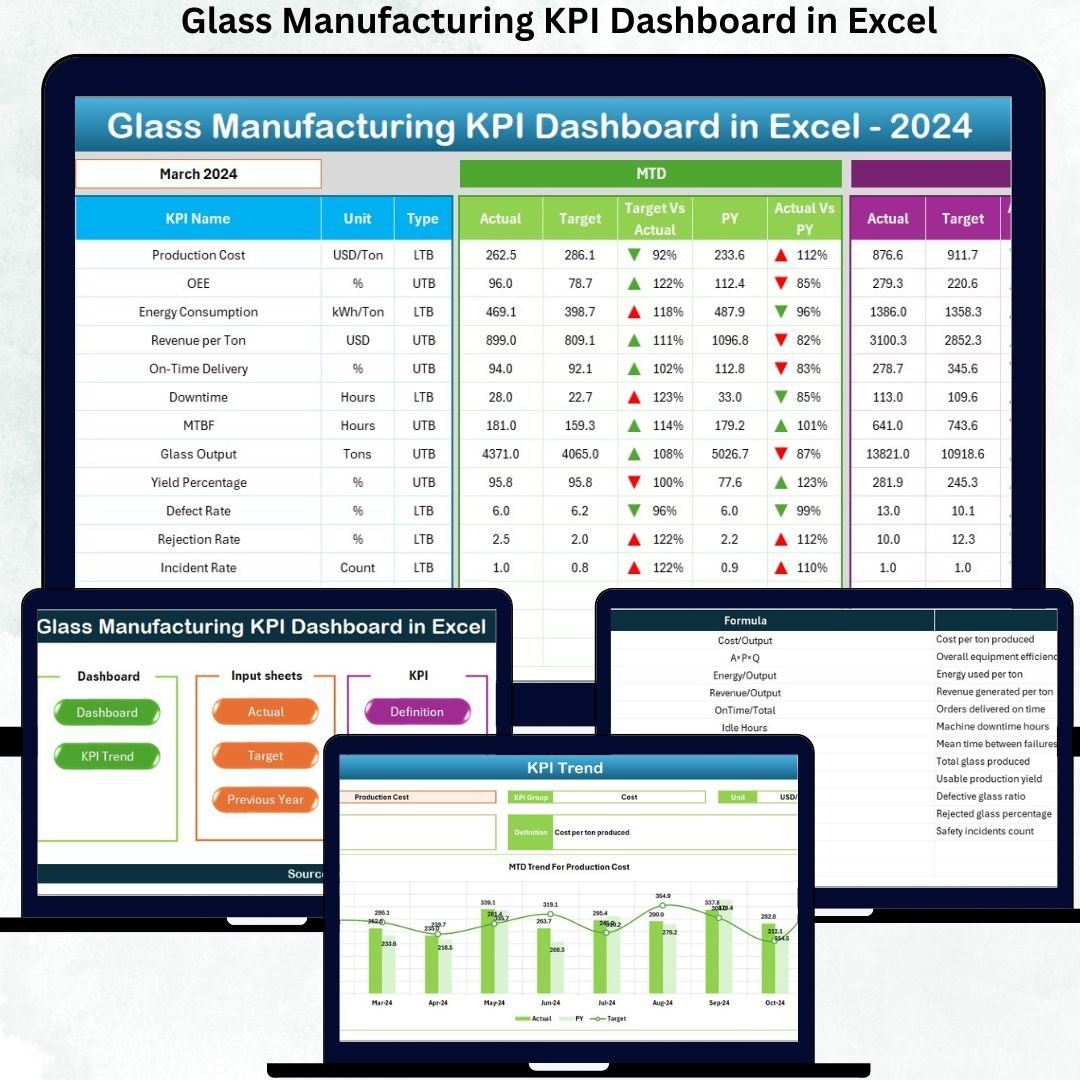


Running a glass manufacturing plant without real-time KPI visibility can quietly drain profits. Rising scrap, unplanned downtime, missed production targets, and delayed corrective actions are often the result of fragmented reports and manual tracking. That is why the Glass Manufacturing KPI Dashboard in Excel is designed as a powerful, ready-to-use performance control system for glass manufacturers.
This professionally designed Excel dashboard converts your raw production data into clear, visual, and actionable KPIs—without Power BI, coding, or complex systems. Whether you manage float glass, container glass, or specialty glass operations, this dashboard gives you instant clarity across production, quality, targets, and trends.
Built entirely in Microsoft Excel, this solution is easy to use, scalable, and ideal for daily, monthly, and yearly performance monitoring.
✅ Key Features of Glass Manufacturing KPI Dashboard in Excel
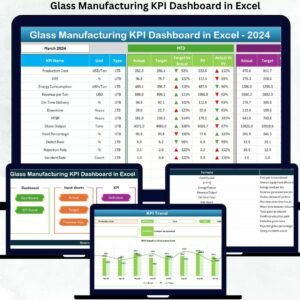
🔥 Dynamic Month Selector – Instantly switch months and see the entire dashboard update automatically.
📊 MTD & YTD Performance Tracking – Monitor Month-to-Date and Year-to-Date Actual, Target, and Previous Year values.
🎯 Target vs Actual Analysis – Identify performance gaps using visual comparisons and indicators.
📈 Previous Year (YOY) Comparison – Track growth, decline, or consistency over time.
🔺 Conditional Formatting Alerts – Up and down arrows highlight performance improvement or deterioration instantly.
🧭 Centralized KPI View – All critical KPIs displayed in one executive-friendly dashboard.
🧩 Customizable KPI Framework – Easily modify KPIs to match your glass manufacturing process.
📦 What’s Inside the Glass Manufacturing KPI Dashboard
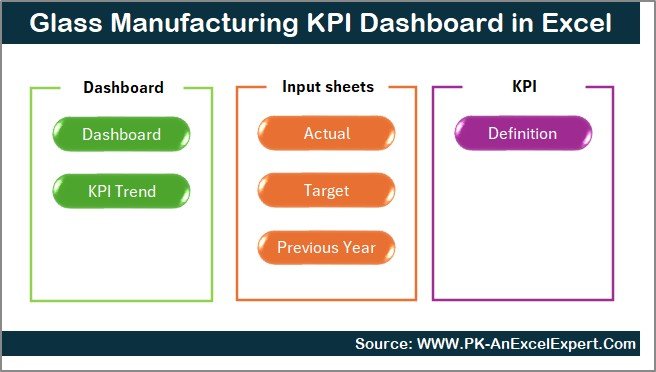
This ready-to-use Excel file includes 7 structured worksheets, each serving a specific analytical purpose:
📌 Summary Page (Index Sheet)
A clean navigation hub with clickable buttons to jump between all dashboard sections.
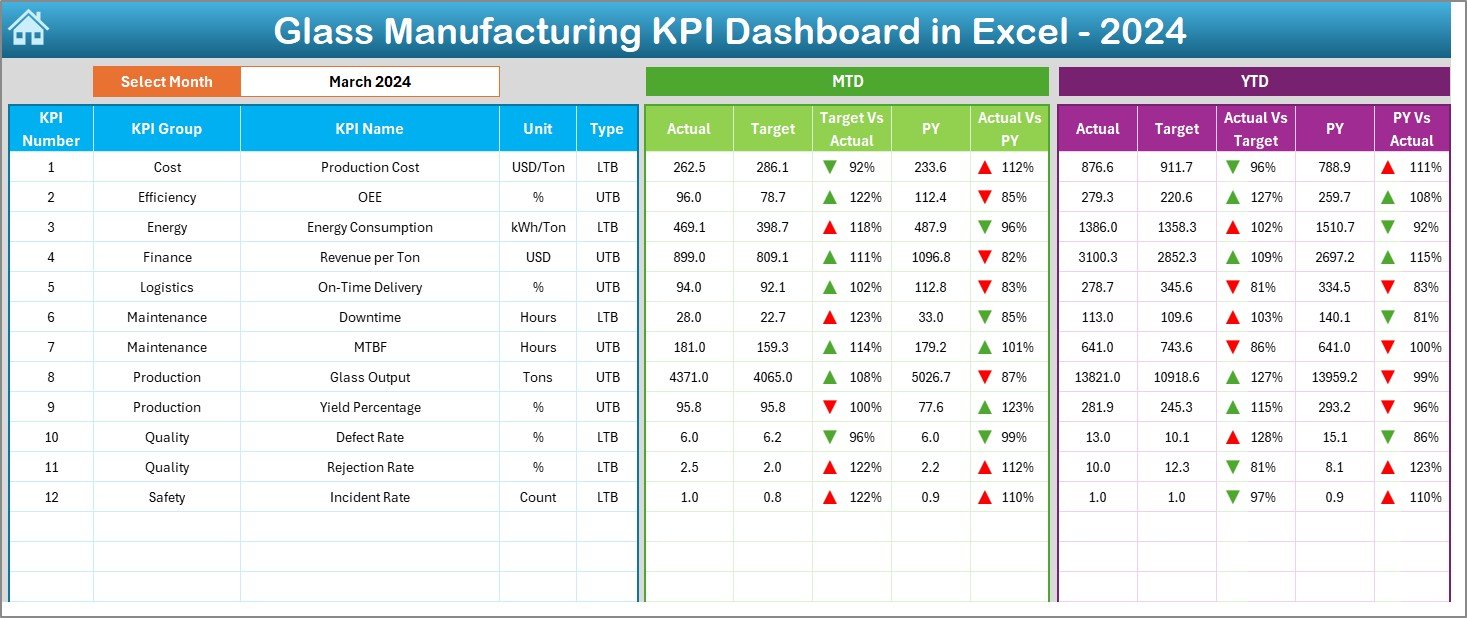
📌 Dashboard Sheet (Main View)
The core performance screen showing:
MTD Actual, Target & PY
YTD Actual, Target & PY
Target vs Actual & PY vs Actual
Visual indicators for faster decision-making
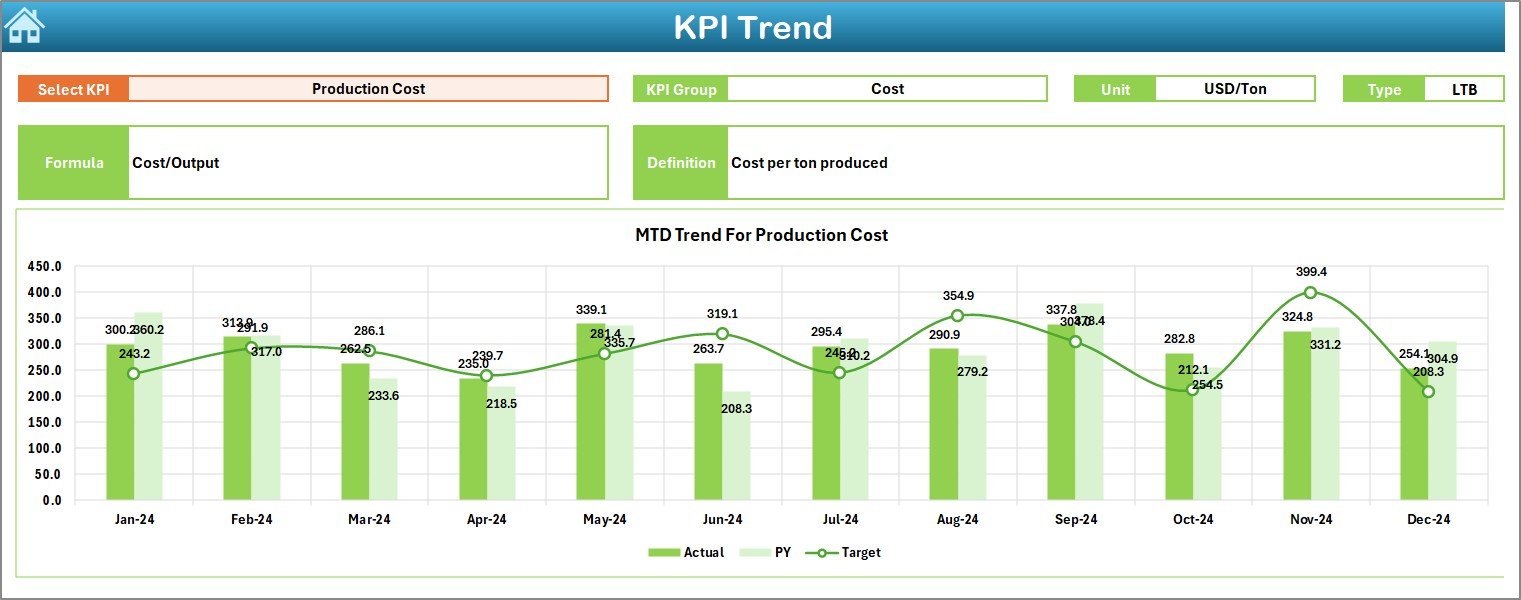
📌 Trend Sheet
Track individual KPIs over time with:
MTD and YTD trend charts
KPI group, unit, formula, and definition details
Drop-down KPI selection
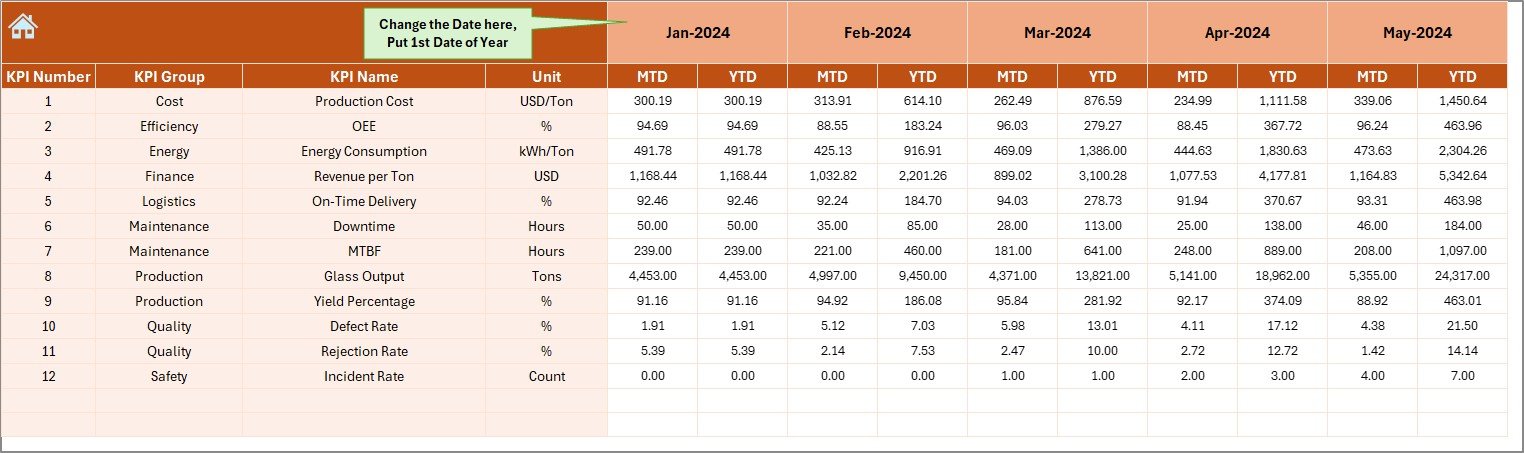
📌 Actual Numbers Input Sheet
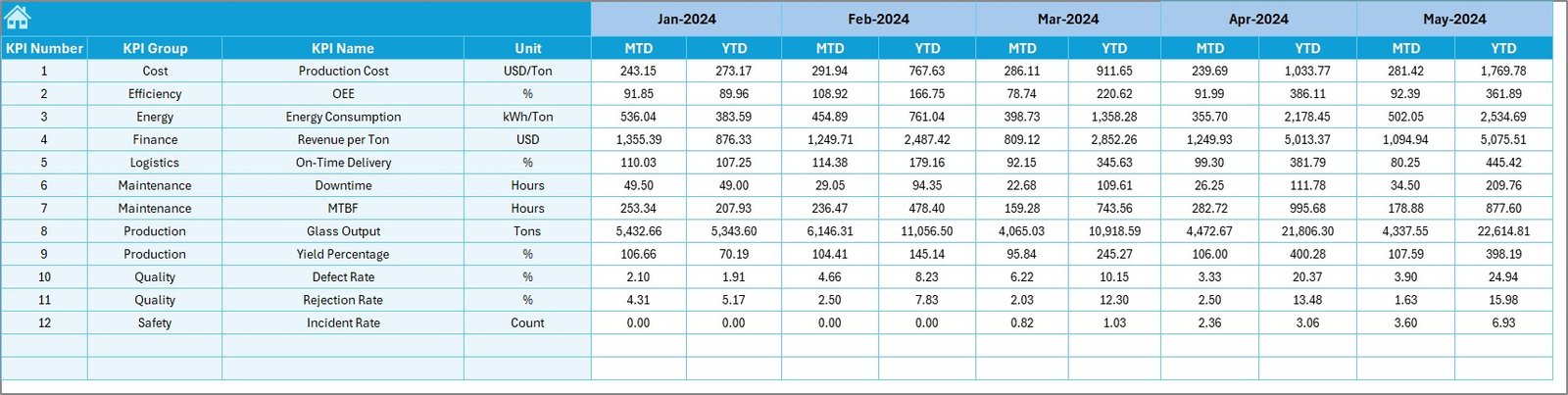
Simple, structured input for MTD and YTD actual values with automatic month handling.
📌 Target Sheet
Enter monthly MTD and YTD targets to enable accurate performance benchmarking.
📌 Previous Year Numbers Sheet
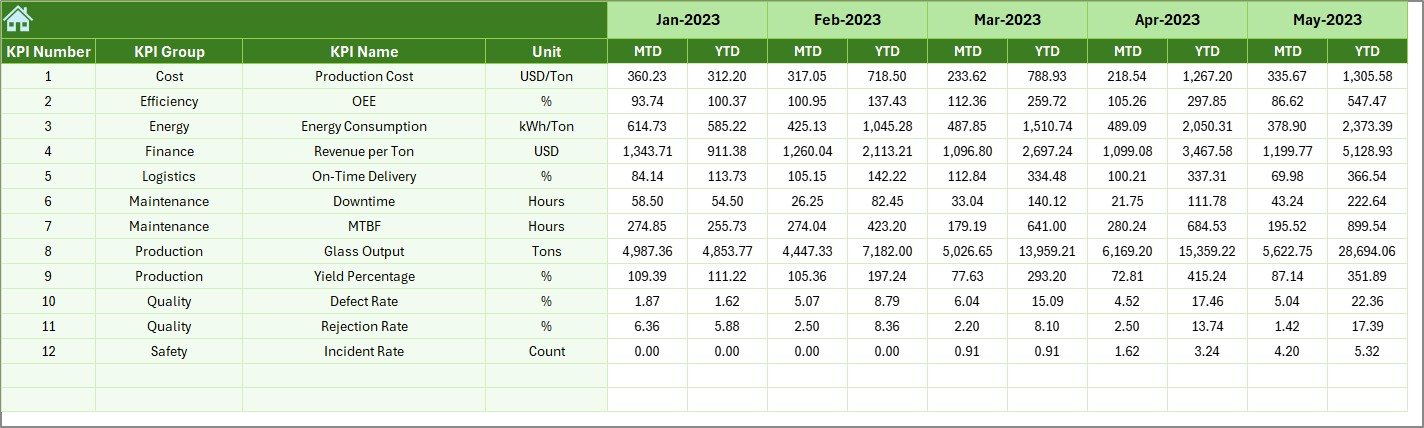
Store last year’s KPI data to enable meaningful year-over-year comparisons.
📌 KPI Definition Sheet
Define KPI names, groups, units, formulas, and definitions to maintain consistency across teams.
🧭 How to Use the Glass Manufacturing KPI Dashboard
1️⃣ Enter KPI definitions and structure in the KPI Definition sheet
2️⃣ Update Actual, Target, and Previous Year data
3️⃣ Select the desired month using the dashboard drop-down
4️⃣ Instantly analyze MTD, YTD, trends, and variances
5️⃣ Use insights to take quick corrective actions
No advanced Excel knowledge is required—basic Excel skills are enough.
🎯 Who Can Benefit from This Product
👷 Plant Managers – Monitor operational efficiency and bottlenecks
🏭 Production Heads – Track yield, downtime, and capacity utilization
✅ Quality Managers – Control scrap, rework, and defect trends
📊 Operations & CI Teams – Drive continuous improvement initiatives
🧑💼 Manufacturing Leadership – Make faster, data-driven decisions
📘 Click here to read the Detailed Blog Post
Watch the step-by-step video tutorial:
🎥 Visit our YouTube channel to learn step-by-step video tutorials
👉 YouTube.com/@PKAnExcelExpert
Compatibility and Requirements
- Works in Microsoft Excel desktop (Excel 2016 or later, or Microsoft 365).
- You pick the month and the KPI from dropdowns. Microsoft explains them in Create a drop-down list.
Frequently Asked Questions
Which sheets are included?
Seven worksheets: Summary Page, Dashboard, Trend, Actual Numbers Input, Target, Previous Year Numbers and KPI Definition.
How do I update the dashboard?
Enter your MTD and YTD actual values in the Actual Numbers Input sheet and your targets in the Target sheet. Add last year’s figures to the Previous Year Numbers sheet, then select a month on the Dashboard sheet.
Can I change the KPIs to match my plant?
Yes. The KPI Definition sheet holds the KPI names, groups, units, formulas and definitions, and you can edit them for your glass manufacturing process.
How do I see the trend for one KPI?
Open the Trend sheet and choose the KPI from the dropdown. It shows MTD and YTD trend charts with the KPI group, unit, formula and definition.
Do I need Power BI or coding skills?
No. The dashboard is built entirely in Excel and basic Excel skills are enough. A Power BI edition is also available: see the Glass Manufacturing KPI Dashboard in Power BI.
Related Manufacturing Templates
- Glass Manufacturing KPI Dashboard in Power BI: the same KPI dashboard for Power BI
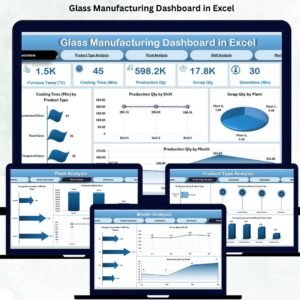
- Glass Manufacturing Dashboard in Excel: another Excel dashboard for glass plants
- Manufacturing KPI Dashboard in Excel: a general manufacturing KPI view
- Manufacturing KPI Scorecard in Excel: a scorecard view of your metrics
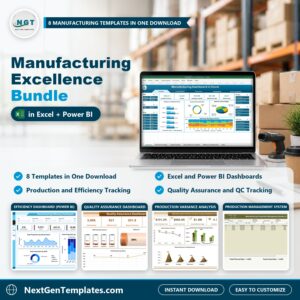
- Manufacturing Excellence Bundle: 8 manufacturing templates in one download
Browse all Excel KPI dashboards.






























Reviews
There are no reviews yet.