


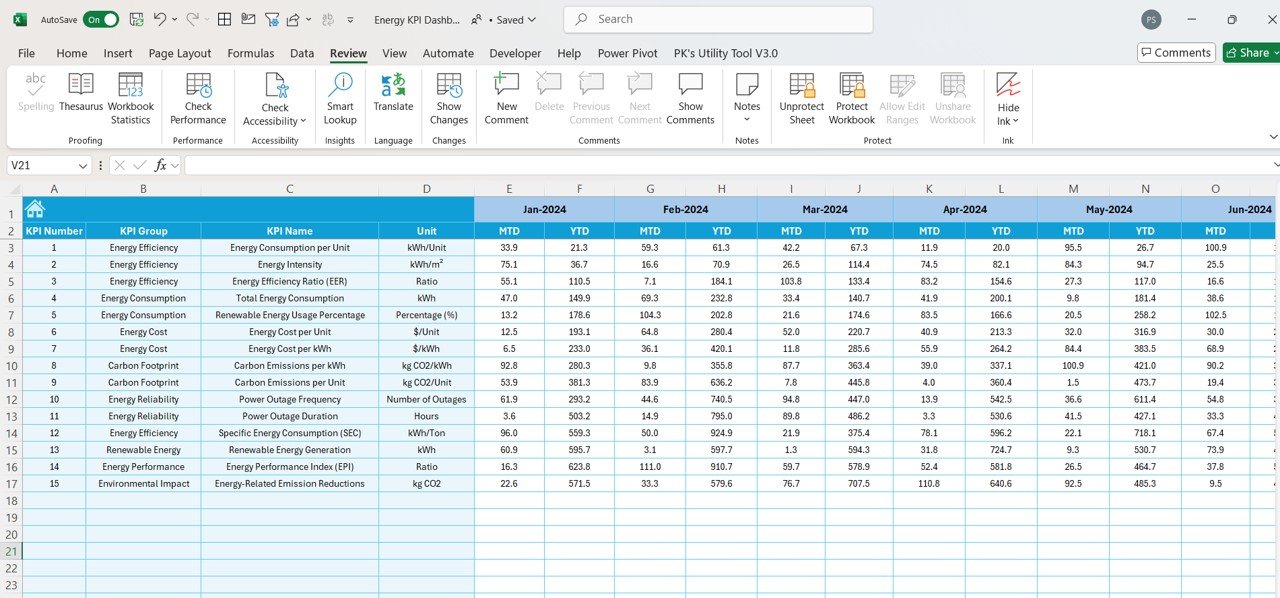
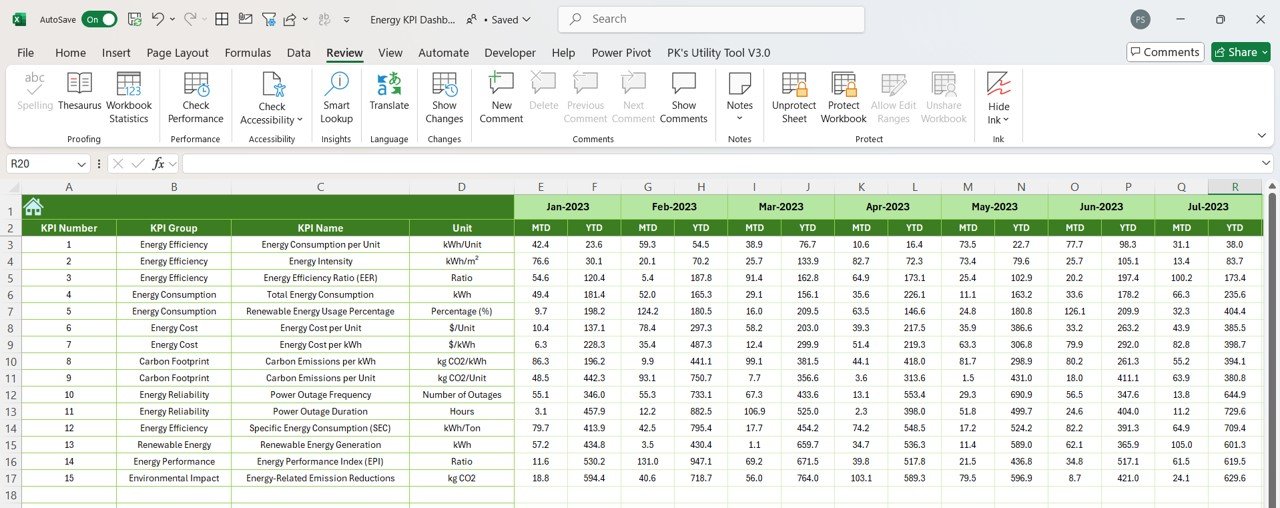


The Energy KPI Dashboard in Excel is a ready-made template for businesses and organizations that need to monitor energy consumption, cost, efficiency and emissions in one place. It brings Month-to-Date (MTD) and Year-to-Date (YTD) results, target vs. actual comparisons and previous-year trends together, so you can see how your energy performance and sustainability goals are progressing. Because it runs in Excel, you need no specialized software.
Key Features of the Energy KPI Dashboard
- Monitor key energy KPIs: Track energy consumption, energy cost, carbon footprint, reliability, renewable energy usage and environmental impact.
- MTD and YTD views: See current-month and year-to-date performance side by side.
- Target vs. actual comparison: Check how actual performance measures up against your monthly and yearly targets.
- Previous-year comparison: Compare current results with the previous year’s numbers for deeper insight.
- Conditional formatting with up/down arrows: Visual indicators highlight performance trends at a glance.
- KPI trend analysis: Trend charts show how each KPI changes over time.
- Dynamic data input: Enter actual numbers and the dashboard updates instantly.
- Customizable targets: Set and adjust energy-saving goals for every KPI.
- Clear KPI definitions: Each KPI comes with its group, unit, formula and explanation.

What’s Inside: Sheets in the Template
Dashboard Sheet
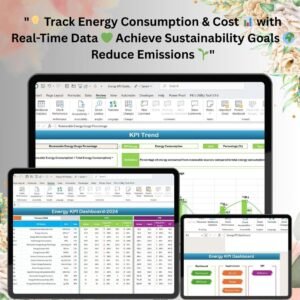
The Dashboard Sheet is the central hub of the template. Its dynamic, interactive layout displays MTD and YTD data, including actual performance against targets and comparisons with the previous year’s metrics. Conditional formatting with up/down arrows makes complex energy data easy to read at a glance.
KPI Trend Sheet
The KPI Trend Sheet gives detailed trend analysis for each KPI so you can track performance over time. It shows MTD and YTD progress along with historical trends for energy-related KPIs, from energy consumption rates to renewable energy usage.
Actual Numbers Input Sheet
The Actual Numbers Input Sheet is where you enter your energy data for both MTD and YTD. As new information is entered, the dashboard updates instantly. Whether you track electricity, gas or any other energy source, your metrics reflect the changes right away.
Target Sheet
The Target Sheet lets you set and adjust monthly and yearly targets for each KPI, keeping your energy-saving goals in focus. Clear targets help you maintain steady progress toward better energy efficiency or lower costs.
Previous Year Numbers Sheet
The Previous Year Numbers Sheet stores prior-year data for a detailed comparison with current performance. Comparing energy costs, consumption or carbon emissions with past results helps you identify trends, make informed decisions and gauge how far you have come toward your energy goals.
KPI Definition Sheet
For teams with multiple departments and members, aligning on KPIs is critical. The KPI Definition Sheet is a central reference listing each KPI’s name, group, unit of measurement, formula and a detailed explanation of its relevance, so everyone understands how each metric supports your energy management strategy.
Key KPIs Included
| KPI | What It Measures |
|---|---|
| Energy Efficiency | Energy consumption per unit of production or per unit area. |
| Energy Consumption | Total energy consumption, including renewable and non-renewable energy usage. |
| Energy Cost | Cost of energy consumed per unit, or overall cost of electricity, gas, etc. |
| Carbon Footprint | Carbon emissions per unit of energy used, critical for reducing environmental impact. |
| Energy Reliability | Power outages, helping ensure a consistent and reliable energy supply. |
| Renewable Energy Usage | Percentage of energy consumed from renewable sources. |
| Environmental Impact | Energy-related emissions reductions, a key sustainability metric. |
Who It’s For
- Facility and energy managers tracking energy consumption for a manufacturing facility, office or retail store.
- Sustainability teams monitoring carbon footprint, renewable energy usage and emissions reductions.
- Finance and operations teams controlling energy costs against targets.
- Business owners and management who want a clear, concise view of energy performance.
- Excel users of any level, as the easy-to-navigate sheets suit both beginners and advanced users.
Customizable and Easy to Use
The template is fully customizable to the unique needs of your business or organization, so you can tailor the dashboard and reports to your facility. It is built for Excel, meaning there is no need for specialized software.
How to Use the Energy KPI Dashboard in Excel
- Open the file in Excel and review the KPI Definition Sheet to understand each metric, unit and formula.
- Enter your monthly and yearly goals in the Target Sheet.
- Add last year’s figures to the Previous Year Numbers Sheet for comparison.
- Record your actual MTD and YTD energy data in the Actual Numbers Input Sheet.
- Review results on the Dashboard Sheet and track progress over time on the KPI Trend Sheet.
Click here to read the detailed blog post
Visit our YouTube channel to learn step-by-step video tutorials: Youtube.com/@PKAnExcelExpert
Frequently Asked Questions
What does the Energy KPI Dashboard track?
It tracks energy efficiency, energy consumption, energy cost, carbon footprint, energy reliability, renewable energy usage and environmental impact, with MTD, YTD, target and previous-year views.
Do I need special software to use it?
No. The dashboard is designed for Excel users, so there is no need for specialized software.
Can I set my own energy-saving targets?
Yes. The Target Sheet lets you set and adjust monthly and yearly targets for each KPI.
Can I compare this year with last year?
Yes. Enter prior-year data in the Previous Year Numbers Sheet and the dashboard compares it with current performance.
Does it work for different energy sources?
Yes. Whether you track electricity, gas or any other energy source, the dashboard reflects the changes as you enter data.
Is it suitable for beginners?
Yes. The easy-to-navigate sheets let both beginners and advanced users manage and track their energy KPIs effectively.
Also check our HR KPI Dashboard
Last updated: October 2026
Compatibility and Requirements
- Works in Microsoft Excel desktop (Excel 2016 or later, or Microsoft 365).
- The dashboard uses Excel trend charts and conditional formatting arrows. Microsoft explains charts in Create a chart from start to finish.
Related Energy Templates
- Energy KPI Dashboard in Power BI: the same energy KPIs in Power BI
- Energy KPI Dashboard in Google Sheets: a browser-based version
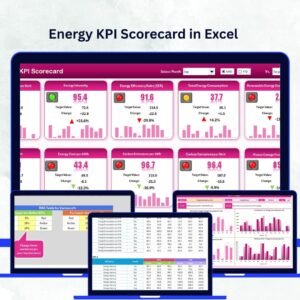
- Energy KPI Scorecard in Excel: a scorecard view of energy KPIs
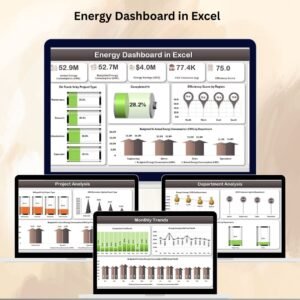
- Energy Dashboard in Excel: a data dashboard for energy use
- Energy & ESG Sustainability Bundle: a bundle of 8 Excel and Power BI templates
Browse all Excel KPI dashboards or the Excel operations templates.












Reviews
There are no reviews yet.