

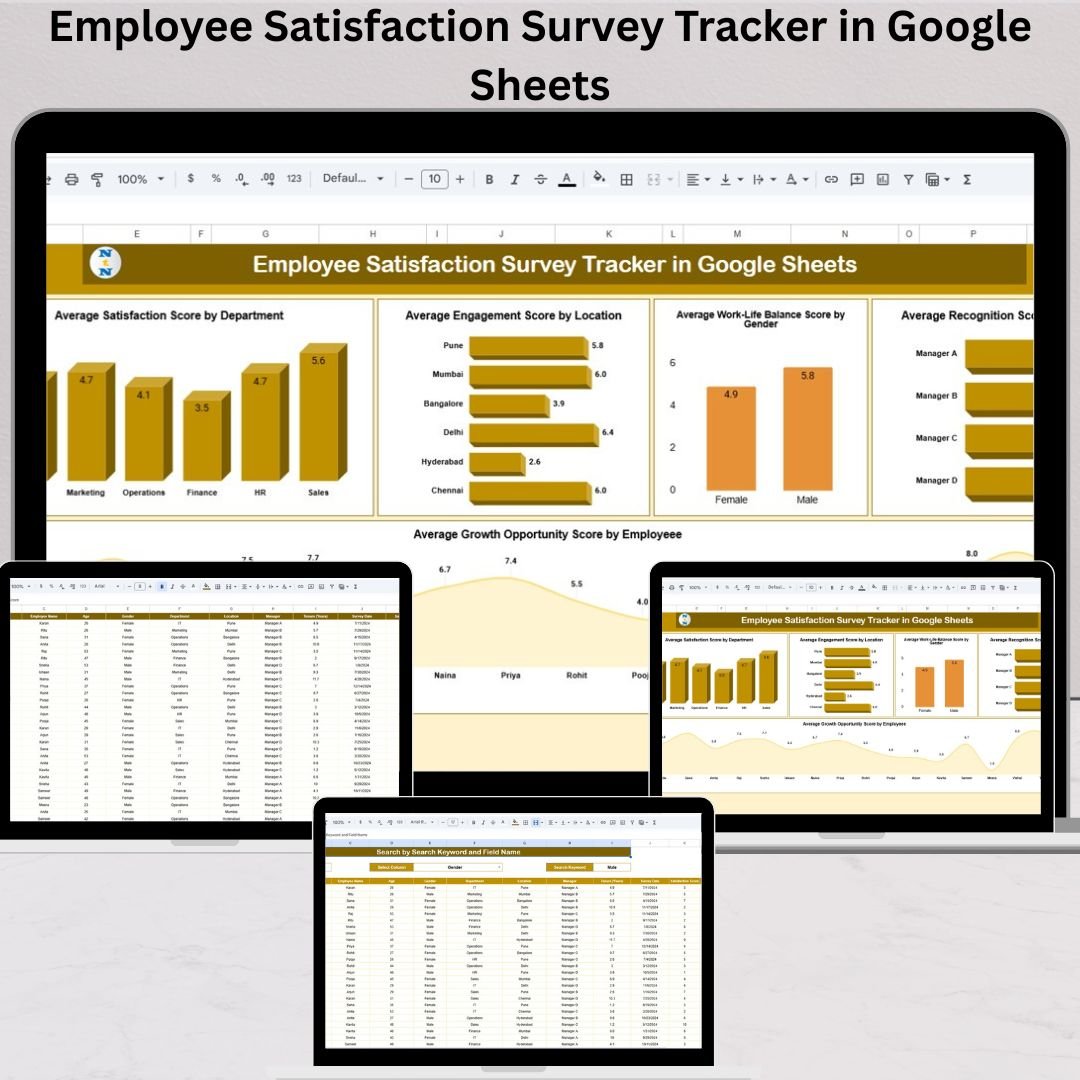

Employee satisfaction is one of the biggest drivers of workplace success. When employees feel supported, recognized, and appreciated, productivity increases, retention improves, and overall company culture strengthens. But to improve satisfaction, HR teams must measure it accurately—and traditional spreadsheets simply don’t deliver the clarity needed. That’s why the Employee Satisfaction Survey Tracker in Google Sheets is a game-changing tool for every HR manager, team leader, and business owner.Employee Satisfaction Survey Tracker in Google Sheets
This ready-to-use Google Sheets tracker helps you collect feedback, analyze survey scores, monitor sentiment trends, and understand what employees truly feel. Whether you conduct monthly surveys, quarterly engagement checks, annual reviews, onboarding feedback, or exit interviews—this tracker provides clean visuals and smart insights that guide better HR decisions.Employee Satisfaction Survey Tracker in Google Sheets
Built with automated charts, a smart search engine, and a structured data sheet, this tracker transforms employee feedback into meaningful information your HR team can act on immediately.Employee Satisfaction Survey Tracker in Google Sheets
✨ Key Features of the Employee Satisfaction Survey Tracker in Google Sheets
📊 1. Visual Dashboard for Instant Insights
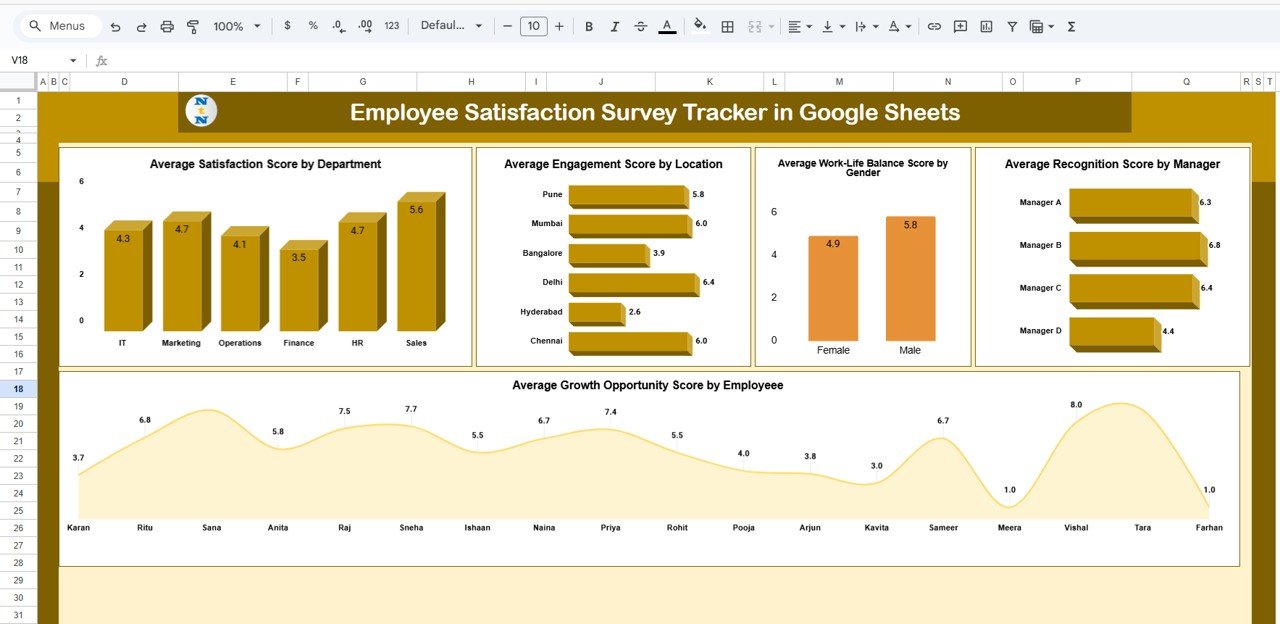
The Tracker Sheet gives you all key visualizations at a glance. You’ll see satisfaction, engagement, work-life balance, recognition scores, and growth opportunity metrics across departments, genders, locations, and managers—all beautifully organized through interactive charts.
📍 2. Smart Search Functionality
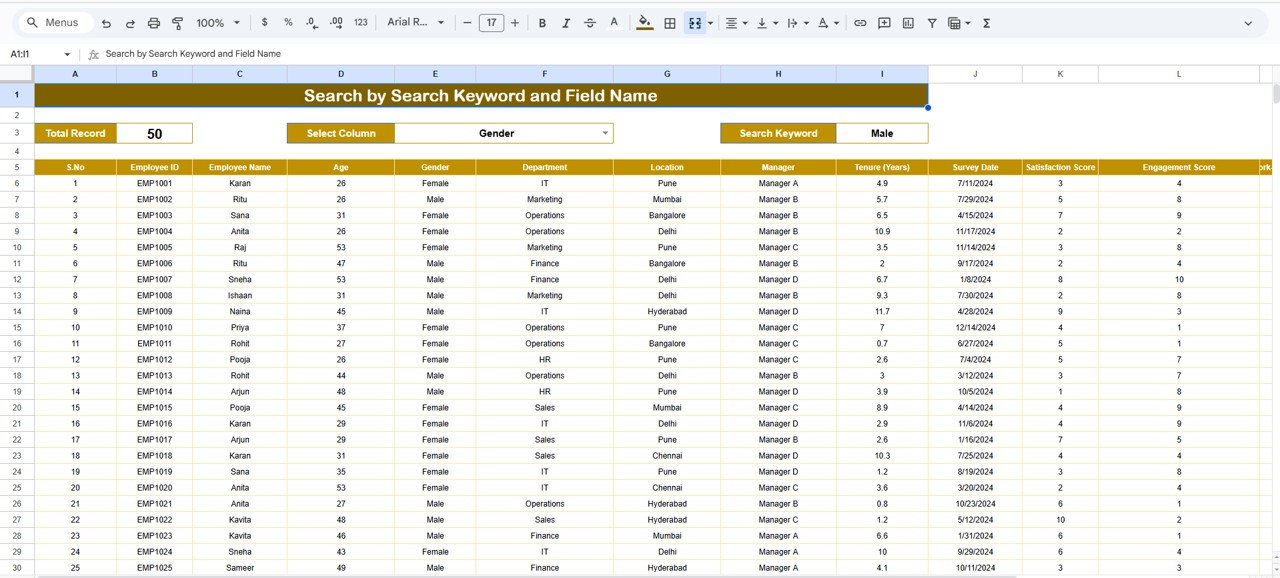
The Search Sheet allows HR teams to quickly find specific employees or filter data by department, location, manager, gender, or any other field. This saves hours of manual searching and makes the analysis extremely efficient.
📝 3. Structured Data Entry Sheet
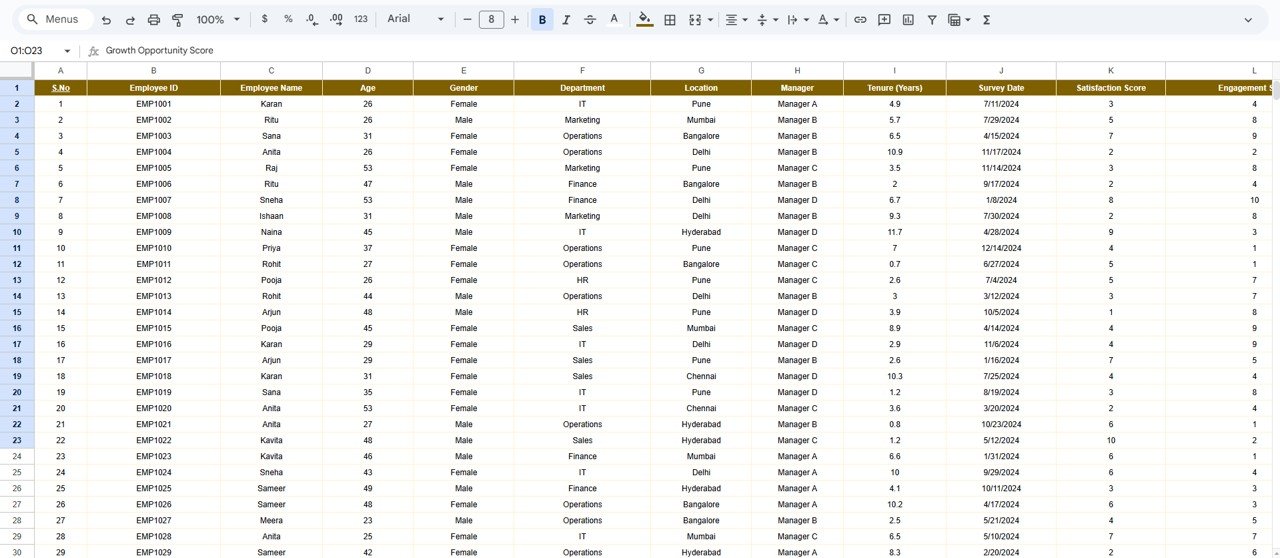
The Data Sheet captures all survey information including satisfaction score, engagement score, manager feedback, growth opportunity rating, and more. It acts as the master database powering all charts and insights.
☁️ 4. Cloud-Based Collaboration
Since the tracker is built in Google Sheets, your HR team can access it anywhere, anytime. Real-time collaboration means updates are instant, and multiple team members can work together seamlessly.
📈 5. Automatic Calculations & Charts
No manual formulas required. As soon as new survey responses are added, all charts, averages, and visuals update automatically.
📦 What’s Inside the Employee Satisfaction Survey Tracker in Google Sheets
📊 1. Tracker Sheet – Visual Dashboard
This sheet contains all major charts, including:
Average Satisfaction Score by Department
Engagement Score by Location
Work-Life Balance Score by Gender
Recognition Score by Manager
Growth Opportunity Score by Employee
These visuals help HR identify high-performing teams, low-morale areas, recognition gaps, cultural issues, and departments needing urgent attention.
🔍 2. Search Sheet – Find Anything Instantly
This sheet is designed for quick filtering and employee lookup. Search by name, gender, department, location, manager, or score range. It is especially useful for HR reviews, audits, and employee evaluations.
📝 3. Data Sheet – Survey Storage Area
This is the core database where all survey responses are recorded:
Employee Name
Department
Location
Gender
Manager Name
Satisfaction Score
Engagement Score
Work-Life Balance Score
Recognition Score
Growth Opportunity Score
Comments
The Tracker Sheet and Search Sheet automatically pull data from here.
🛠️ How to Use the Employee Satisfaction Survey Tracker in Google Sheets
1️⃣ Enter Survey Data
Add employee responses to the Data Sheet after each survey cycle.
2️⃣ Review Dashboard Insights
Open the Tracker Sheet to instantly view department trends, location engagement, manager performance, and growth feedback.
3️⃣ Use the Search Sheet
Quickly identify employees or filter groups for targeted HR action.
4️⃣ Monitor Trends Over Time
Compare survey results across months or quarters to understand improvements or declines.
5️⃣ Take Corrective Actions
Use insights to improve policies, training, recognition programs, leadership quality, and employee well-being.
🎯 Who Can Benefit from This Employee Satisfaction Survey Tracker in Google Sheets
🏢 HR Teams
Analyze engagement, morale, satisfaction, and workforce trends.
👨💼 Managers & Team Leaders
Understand how their teams feel and where they need improvement.
📊 Business Owners
Get a clear picture of workplace culture and employee happiness.
🏫 Training & Development Teams
Identify employees who require coaching, upskilling, or growth pathways.
🧩 Remote & Hybrid Teams
Track distributed team sentiment across locations and work setups.
















Reviews
There are no reviews yet.